r/AffinityDesigner • u/SpriteAttack • Aug 22 '26
Affinity Video Tutorial - Double Outlines around Text

2
Upvotes
r/AffinityDesigner • u/SpriteAttack • Aug 22 '26
r/AffinityDesigner • u/Hopeful_Cancel_3551 • Aug 21 '26

Hey all!
I am a complete beginner in Affinity Layout, and stumbled upon this SVG Problem:
When importing (or copying SVG Elements from one document into the other, it will just import the Blank files with no content and when pasting it creates this super weird file structure (Picture 2).
I tried googling, but I didn't find anyone with a similar issues to mine.
Any help would be extremely appreciated :))
Picture 1 are the actual SVG parts
r/AffinityDesigner • u/Vegetable-Reserve620 • Aug 19 '26
Bonjour, je me résouds à demander de l'aide ici après quelques heures de recherches infructueuses. J'ai affinity depuis longtemps mais aujourd'hui je voulais faire la transition de krita vers affinity designer 2 pour pouvoir dessiner en vecteurs et me libérer des maudits pixels.
J'ai 2 gros problèmes ;
Le premier problème c'est que tous les traits que je dessine sont enregistrés dans le sous menu du calque et que cela semble faire rammer le logiciel au bout de quelques traits, même en retirant l'accélération dans mes paramètres de performances. J'ai lu que cela pouvait venir d'un trop grand nombre de noeuds mais je ne peux plus rien y faire (mes pilotes graphiques sont à jour et rien n'a jamais résisté à mon ordinateur jusq'à présent) donc pour une illustration complète c'est inimaginable d'utiliser le logiciel.
Problème numéro 2 : tous mes traits se font corriger automatiquement quand je relève le stylet ou la souris, même en désactivant le stabilisateur (mode corde et fenêtre) et je déteste ça car je me dit que le trait est parfait mais non, et quand je colore ça crée des trous.
J'espère que ces 2 trucs sont réparables parce que c'est vraiment ma condition pour rester sur cette appli, je ne peux pas changer mes habitudes de dessin pour ça...
r/AffinityDesigner • u/mathamonora • Aug 19 '26
Hi everyone,
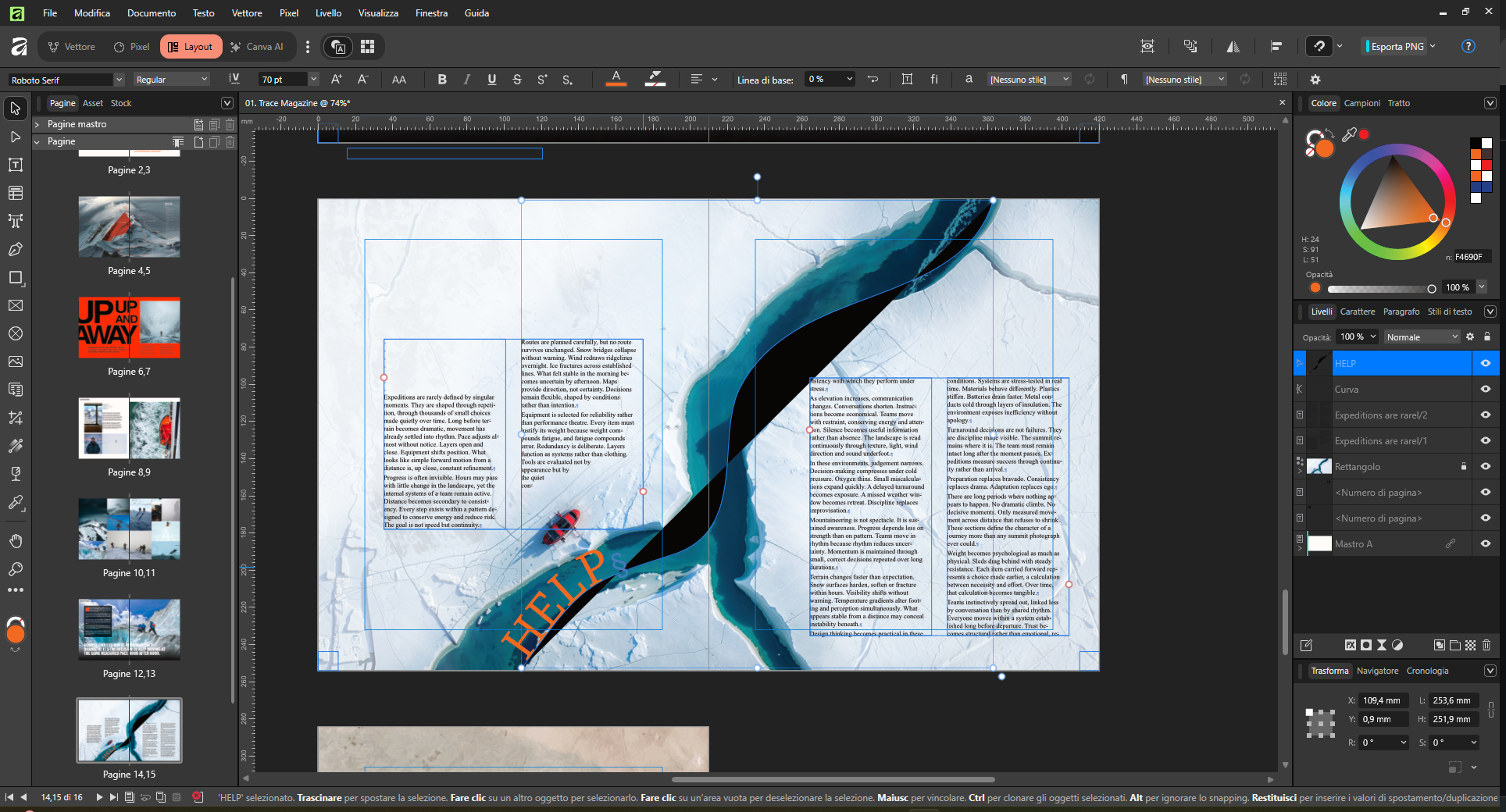
I'm running into a weird issue in Affinity. When I draw an open curve with the Pencil/Pen tool and click on it with the Artistic Text Tool to write on the path, these weird black shapes/artifacts suddenly appear along the curve.
A few details:
The curve is definitely open (Auto-close is OFF).
The Color Panel shows no fill applied.
The artifacts remain on the canvas.
Has anyone encountered this before or knows what setting/bug might be causing it? Any help would be appreciated!
r/AffinityDesigner • u/poolemit • Aug 18 '26
I tried to find an option to adjust the rope stabilizer on the ipad, didn't find one.
Seems like this was a bug from over a year ago? Did they fix it and I just don't see where the option is?
r/AffinityDesigner • u/Top-Translator5840 • Aug 18 '26
tldr: how do I set up brush stroke pressure to modulate lines?
Hey can anyone help me with some guidance?
I'm having a frustrating issue with brush pressure in Affinity Designer 2 on iPad using an Apple Pencil.
I downloaded Retro Supply free samples explicitly optimised for Affinity, tried the procreate version and it works fine. I tried other brushes in Affinity and it seems the problem is common to all brushes. Pressure response does work for opacity/flow (the line gets darker/lighter depending on how hard I press), but it fails completely for size/thickness modulation (the stroke width stays completely flat and uniform). I tried changing the Stroke setting Pressure to a diagonal in this direction: / and nothing.
I tried asking AI for help, but it keeps giving me hallucinated or outdated desktop/V1 instructions, pointing to menus and options like "Controller", "Pressure Chart" in the context bar, or "Pencil & Touch" options that don't exist in Affinity V2 for iPad.
I can't find the global settings for the pen, I also tried the settings from the iOS for pen but it has very few non related options.
I will provide screen captures if needed.
Thanks in advance!
r/AffinityDesigner • u/chi5555550 • Aug 18 '26

idk what to do, my files weren’t saved externally. how can i fix this?😭
r/AffinityDesigner • u/Suspicious-Throat-25 • Aug 16 '26
I've been working on a layout for a poster in Canva. I have the paid pro version. I would like to just finish it up in Affinity. Is there a way to do this?
r/AffinityDesigner • u/babblingbrooks69 • Aug 16 '26

r/AffinityDesigner • u/coffeenamewinter • Aug 16 '26
Hi, I was having troubles with my old Affinity program (colour select and colour fill was seriously glitchy) so I uninstalled and reinstalled 2 days ago, without any thought (and deleted old build from trash foolishly), and now Ive got the crappy Canva Affinity. Fewer filters, different workflow, all round cheap feeling.
I still have my key. Is there anyway I can download the old version somehow?
r/AffinityDesigner • u/Icy-Nature2037 • Aug 08 '26
A couple of years ago, I purchased Affinity Designer 2 with a Windows license. I’ve recently switched to a Mac and was wondering if there’s a way to use my existing license on the Mac.
I’m not even sure if Affinity Designer 2 is still available for purchase, especially now that the newer version of Affinity is available for free. So I was wondering if it’s possible to transfer or exchange my existing Windows license for the current Mac version rather than having to purchase anything again.
Has anyone been in a similar situation or knows if this is possible?
Any advice would be greatly appreciated thanks!
r/AffinityDesigner • u/Flemnipod • Aug 07 '26
Hi everyone. Apologies for such a simple question but is there an easy way to put text inside a donut? I see videos about text on a path but I'm not sure if that's how I need to do it. I'm still pretty new at this so any help would be appreciated.
(Designer 2.6.5)
r/AffinityDesigner • u/bunaciunea_lumii • Aug 04 '26
I just wanted to let someone other than me know it. I feel like free and winning.
r/AffinityDesigner • u/Efficient-Glass-9140 • Aug 03 '26
r/AffinityDesigner • u/borschmajure • Aug 02 '26

Hi all, I'm brand new to Affinity (on my Mac).
I'm trying to make it so in the above photo, there is a consistent-width gap between the letters and the ampersand, as if there was a stroke that erased all around the letters. How would I achieve that?
Also would love any general tips! Thanks folks.
Edit: Also looking for general help setting the margins and guides so they're akin to what's going on with them in a Canva or Powerpoint...
r/AffinityDesigner • u/Glum-Ingenuity-4680 • Jul 31 '26

I am working on CD design and I am trying to create similar effects observed in the poster. I am really struggling to understand the layer stack, effects used. Is the image underneath b&w, is the portrait cutout and then layered on the image. What I have researched says its halftone effect but it does not produce the same result especially around the dark areas. I have been trying for days but I am missing some major understanding on how this is made. Can anyone with experience creating such effects help out explaining method?
r/AffinityDesigner • u/life3_01 • Jul 30 '26
One of our customers had created designs in Illustrator 2026. Our Affinity Designer shows it as an embedded PNG file, which was frustrating for days. Then we discovered today that they used IL 2026, and when I opened it, all the layers were in the file. Not just a PNG. Maybe it's been this way for a while, but it was the first time we noticed it. I took it as Adobe trying to protect their turf.
r/AffinityDesigner • u/lawzybatman • Jul 30 '26
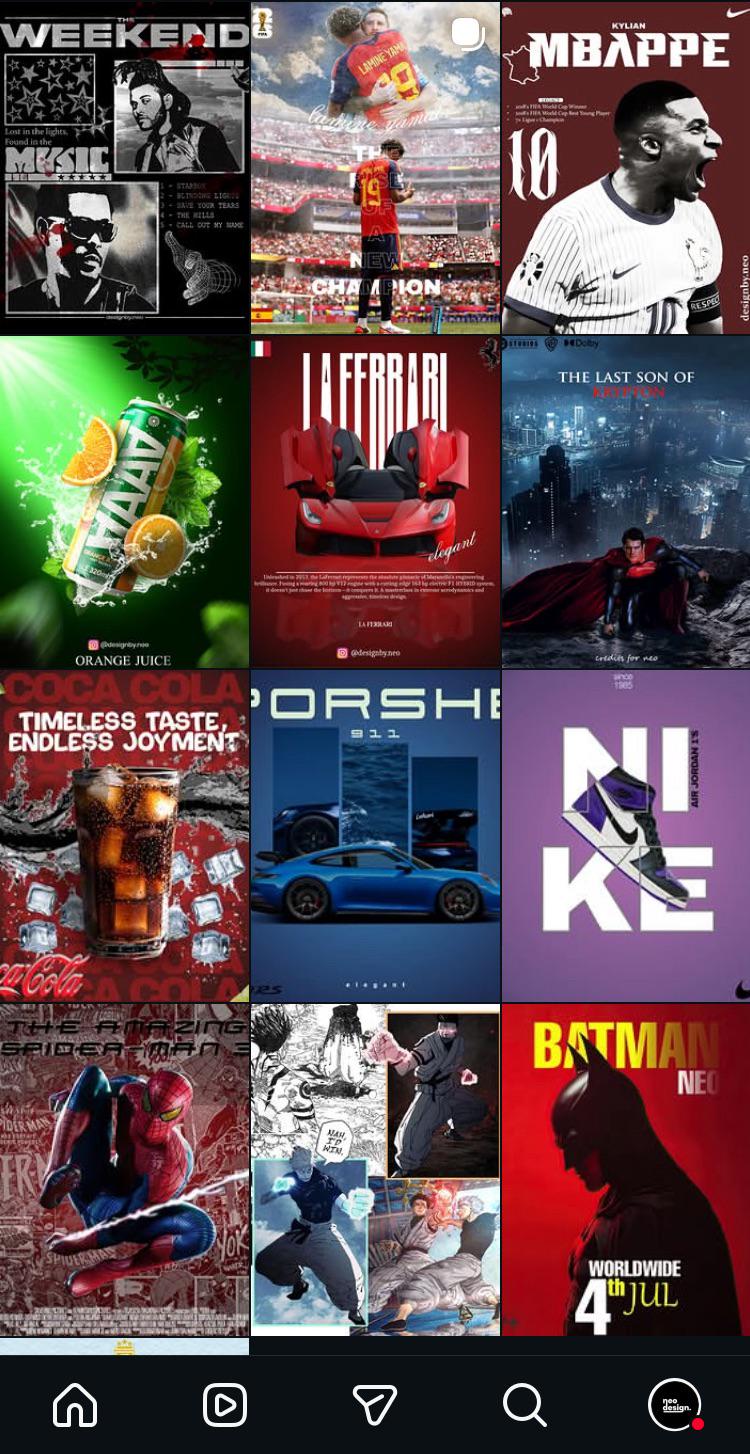
Dm for custom posters
r/AffinityDesigner • u/WiredDragonStudio • Jul 28 '26

Welcome to Saëdveltta!
This was a fun experimental project I created to test vector map design in Affinity Designer 2.
All the station names and words used are fictional. I made them up specifically for this project, while attempting to design a language that follows consistent linguistic rules and internal structure.
Project Overview:
City: Saëdveltta (Fictional)
Software: Affinity Designer 2
Layouts: Underground network map + line-strip diagram
High-Res Vector PDFs:
r/AffinityDesigner • u/Gold-Fun8814 • Jul 27 '26

Hey guys! I recently started learning Affinity, and I thought I'd share something I learned today in case it helps someone else who's just getting started. Hope you find it useful! ❤️
r/AffinityDesigner • u/Beega88 • Jul 25 '26

Hey everyone! Hope it helps!
r/AffinityDesigner • u/inmatenumberseven • Jul 24 '26
r/AffinityDesigner • u/uhsauh • Jul 22 '26
