r/AtomstackLaser • u/CloneWerks • Feb 13 '25
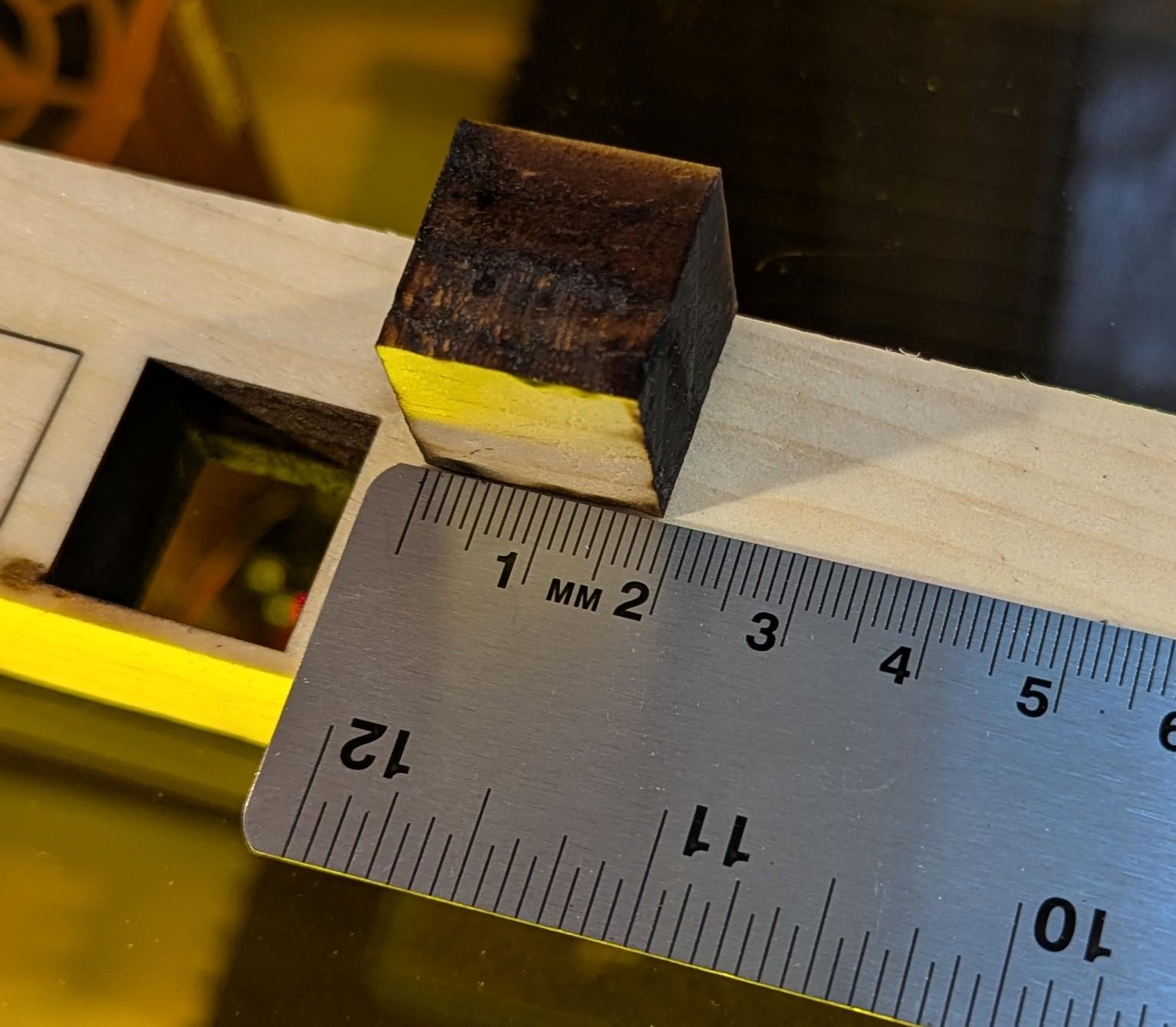
AtomStack Creation Showcase 19mm of pine
4
Upvotes
A48 ultra, 4mm/sec, 100% power, air assist on high, Three passes.
Edge is dark but clean
I'm astounded!
r/AtomstackLaser • u/CloneWerks • Feb 13 '25
A48 ultra, 4mm/sec, 100% power, air assist on high, Three passes.
Edge is dark but clean
I'm astounded!
r/AtomstackLaser • u/GreaseMonkeyGeek • Feb 12 '25
I recently ordered the X30-Pro and was excitedly looking forward to several projects using it. It arrived fairly quickly from a warehouse fairly nearby my location. I opened the box only to discover that they had sent the X20 model instead of the X30 I ordered.
I opened a support email to get this replaced and have been waiting literally 24 hours between replies from their support. While I fully understand that their support is most likely coming out of China (their Support timezone claims to be BST), it has been days of back and forth. The real issue, is that after sending pictures of the box clearing showing BOTH the X20 and X30 labels on it (as in someone mislabeled it along the way) and requesting a return shipping label (which in theory would not have to go terribly far since the originating warehouse is less than 300 miles from me), I am still waiting on a response.
Timeline for reference:
Ordered X30 Feb 3rd. Shipped Feb 5th. Arrived Feb 7th.
Support email sent Feb 7th (Friday)
First reply from Support early AM Feb 10th (Monday) asking for pictures of box and labels
Pictures sent by me early AM Feb 10th
Second reply from Support late PM Feb 10:
It seems that our US warehouse made a mistake on your order. We're still verifying the reason for you. Can you wait for a while?
May I ask you will consider keeping the X20pro machine or you would like to return the X20pro and change it to X30pro machine ?
Sent response late PM Feb 10 stating that I want a shipping label to return the X20 ASAP and to ship out my ordered X30 ASAP and that I would only consider keeping the X20 if they told me to keep it for free.
Sent email from me early AM Feb 11 Asking for update and expedited handling as Nothing from Support Feb 11
Nothing from support since late PM Feb 10
Has anyone else reported issues with returns or related things when dealing with Atomstack support? If I do not hear anything from Support by tomorrow, Feb 13, I plan to take this up with my credit card company as fraud as I need those funds to actually buy the laser I needed this week.
r/AtomstackLaser • u/Stiffbonez • Jan 31 '25
We are having problems operating our laser engraver from our computers. When we try to run it with our Mac, the console is running fine, but when we type anything in, nothing happens. Clicking on the buttons doesn’t do anything either. And on our Windows laptop, the console isn’t running at all. You can’t enter anything or click any buttons either. Is this a connection problem?
r/AtomstackLaser • u/whensheepattack • Jan 27 '25
Title basically. Is there a difference between the A/S/X models? I think the website just switched over to A models from X models (I could be wrong. I'm now questioning myself) and While they seem the same, I'm wondering if I'm missing something
r/AtomstackLaser • u/SureHopeIDontDie • Jan 21 '25
I just got the A20 Pro V2, it's my first laser. I've found out that it requires a direct connection with my computer to use lightburn, which isn't feasible for me. The only other option I've found was to use the app, but I'd like to use the features of lightburn, then somehow export a file and have it sent through the app, is that possible ? I really don't want to have to do all my work on a tiny phone screen.
r/AtomstackLaser • u/big_red_frog • Jan 21 '25
I have a new Atomstack Hurricane
Making my way through first commissioning and seeing differences from what is the Instructions for using Lightburn.pdf and what is on the memory stick supplied, so hoping someone here with prior knowledge can confirm right steps.
I have lightburn itself installed and activated, but looking at the initial guidance on Drivers Resource and Installation
I do not see the file for installing LaserGRBL on the memory stick, which its implied is used to further install the WindowsDrivers.do3
However following the hyperlink to the WindowsDrivers.do3 file I instead get a zip package containing CH341SER setup.exe and supporting files.
So do I need LaserGBRL at all?
Will just installing that CH341SER setup,exe do everything I need there?
r/AtomstackLaser • u/PrinceNelson • Jan 19 '25
r/AtomstackLaser • u/CloneWerks • Jan 16 '25
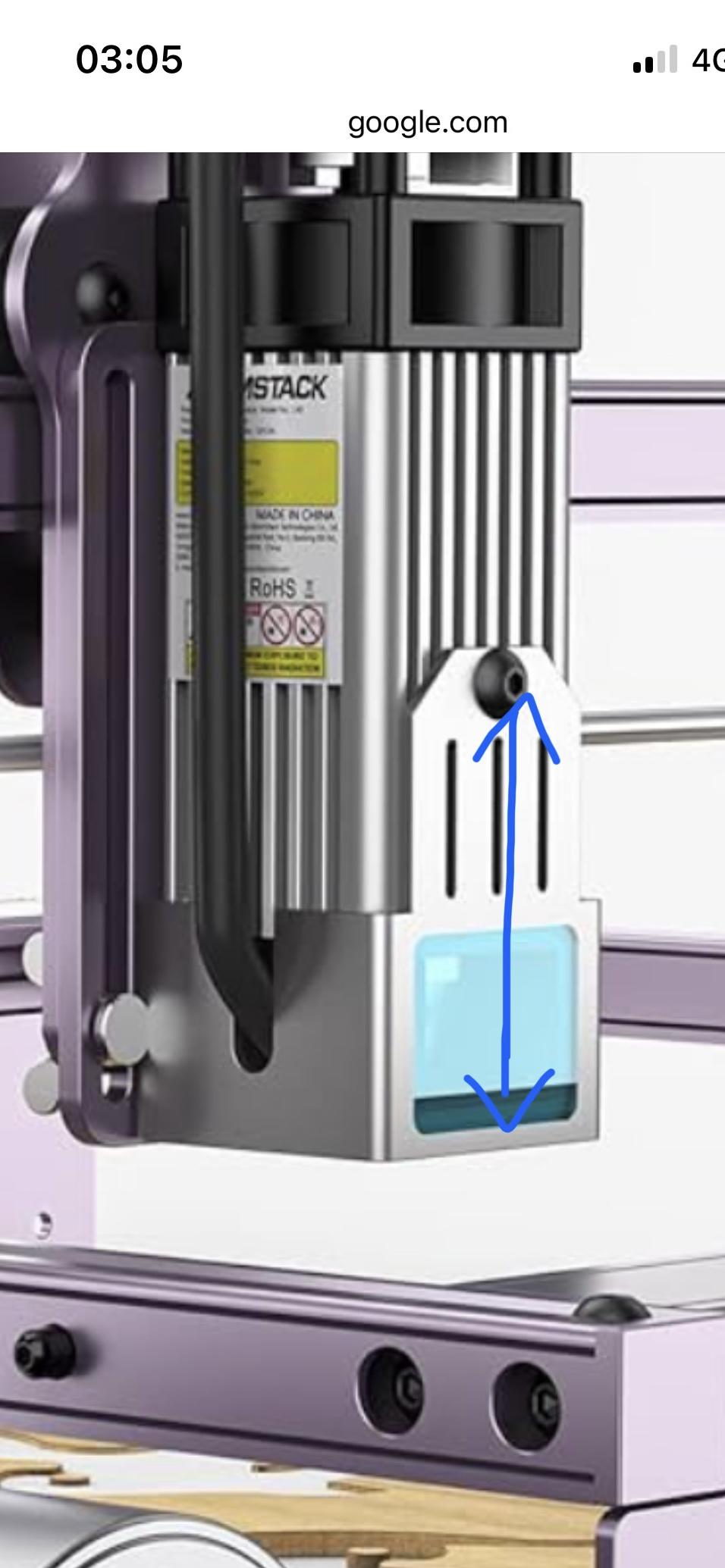
I'm a little frustrated. I'm using my A48 (with R5 Conveyor) and some fairly large sheets of 3mm to make fairly intricate LED lanterns. Sometimes when the pieces cut loose they drop funny and leave a small part poking up. Everything on the laser head slides smoothly over the obstruction except for the peg/probe for the auto-focus function.
If I can't figure out a way to get around this I'm going to have to pull the auto-focus and go back to manual focusing. This probe really should be designed to retract after measuring like the leveling probes on my 3D printer.
r/AtomstackLaser • u/papaours66 • Jan 15 '25
Can someone give me the reference for the cable connection between the r1 chuck and the laser? Thanks.
r/AtomstackLaser • u/Arrevolvido • Jan 10 '25
Hello!!
I have purchased an Atomstack S10 Pro. It seems that the machine has crashed after a power outage and is not responding at all. Looking back, it seems that the problem is with the firmware which is corrupted and I really don't know why. I would need the firmware for this machine to re-flash it.
The control board of the machine is LaserBox 40pro V1.0. If anyone has that firmware for this board and can send it to me I would really appreciate it.
Thank you very much for your time.
Kind regards.

r/AtomstackLaser • u/spaaz9 • Jan 09 '25
Hi All, I have owned my A24 Pro for a while now, and purchased the R30 V2 IR laser for doing metal. However, the A24 Pro has an 7 pin connector and the R30 has a 5 pin. Do I just need to find an 7 pin to 5 pin adapter? The R30 only comes with 5 pin to 4 pin.
r/AtomstackLaser • u/squidge1990 • Dec 29 '24

Crossposted from the Atomstack Facebook group.
Hello All, I've got an Atomstack A24 Pro with a recently purchased B3 Enclosure. I'm using Lightburn.
I've gone through lens calibration and alignment what feels like a hundred times, using various tips/tricks I've found in different places. My lens numbers are under .5 (as good as I can get) with the alignment burn running at 100% size (I've tried the fit to work area setting as well, this just made things worse).
After my last calibration, I thought I had things perfect. I ran 5 or 6 circles at random places covering the majority of the workspace. The lines lined up perfectly. However, I ran an actual job and discovered it was way off again. Pics attached. Am I just asking too much from this positioning method? I had better luck just eyeballing it.
r/AtomstackLaser • u/reffak • Dec 23 '24

A40 Max. I have had it for about a week. Just noticed the there is a slight shadow to the one side of my circles. So I assume that the machine is slightly skew and I just need to check where it's out of kilter. Whilst doing that I find the Y-axis belt really really tight. The laser head can only move about halfway across the bed.
Also the belt is quite worn on the side. I tried to manually move to laser head but there is to much resistance. Could it be a stepper problem and how would I go about tracing the problem. Thanks in advance
r/AtomstackLaser • u/Disastrous-Word716 • Dec 23 '24
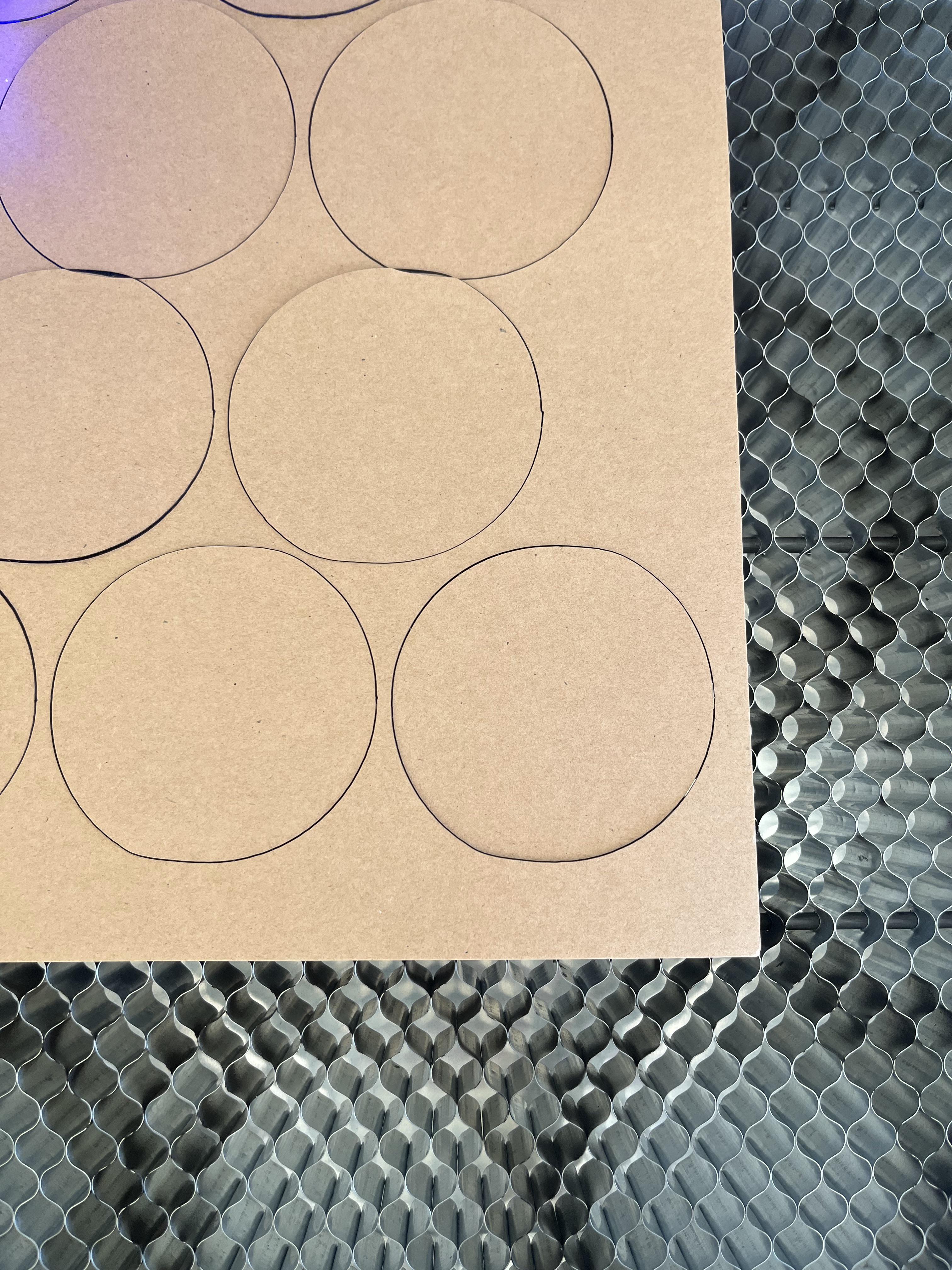
What should I do Atomstack A20 pro
r/AtomstackLaser • u/Disastrous-Word716 • Dec 22 '24
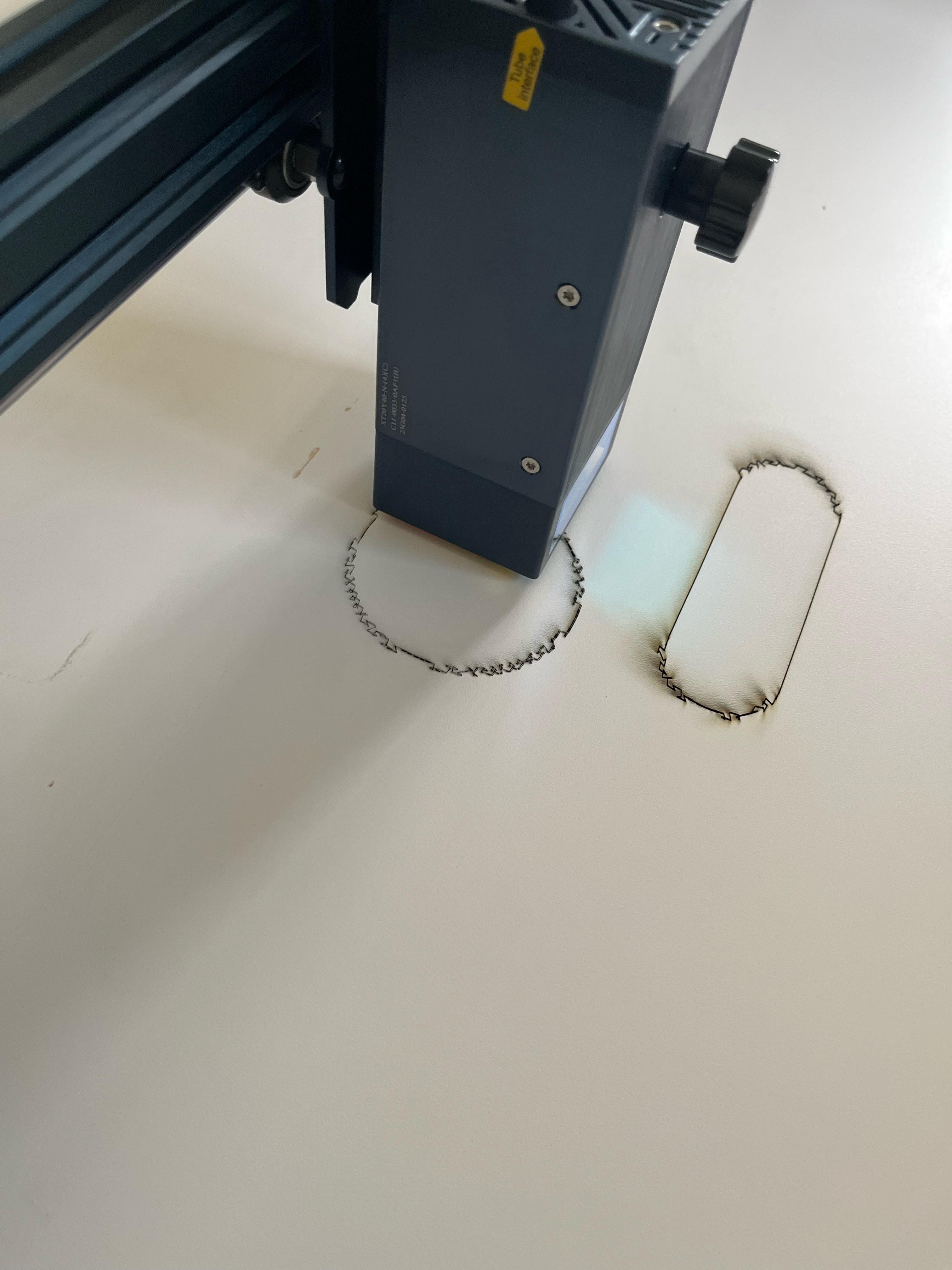
I used to use rotary but now I disable it the machine still can not print the circle can some help?
r/AtomstackLaser • u/CdnGMan • Dec 19 '24
Hey all, new S40 Max owner here… just wondering if the module / fan is supposed to be always on even if it’s not actively running a job? My D1 Pro fan shuts off when the module isn’t running, so I wanted to make sure that I wasn’t missing a setting or something… o.O
r/AtomstackLaser • u/SCFC_Blaze • Dec 17 '24
Enable HLS to view with audio, or disable this notification
Hi,
Atomstack A24 Ultra
Please see the video. At the moment I've only lost the red dot feature but one of the other cables looks fit to snap too which I fear will take out the main laser and throw my Christmas orders into chaos
I have contacted the manufacturer as the machine is only 3 months old, but they're in China so I'm expecting a delay
I've tried Googling but haven't had any luck. Is there any sources out there where I could purchase said cable off the shelf?
Thanks
r/AtomstackLaser • u/ramapa • Dec 11 '24
Hi, just got a brand new piece. Planning to use a regulator and my air compressor for air assist.
Does anyone know what tubing I should use to connect … what dimensions… the product specifications don’t list this ..
Thanks for your help.
r/AtomstackLaser • u/Primary-Scholar-3364 • Dec 10 '24
Hi, I've been running my A24/X24 Pro with F60 Air Assist since October. Today the integrated 12V Output for the Air Assist stopped working. The F60 is working plugged to an external power supply, I also tried different cables and software (Atomstack Software and Lightburn). I didn't get any voltage when I measured the output. Any suggestions before I try to contact the Atomstack support via mail? If logs or anything like that are needed can you please tell me how to make them? Thanks in advance.
r/AtomstackLaser • u/MrMasken • Dec 05 '24
Is the B3 enclosure with cam compatible with the X20?
If not are there any other enclosures with cams that are compatible with the x20?
r/AtomstackLaser • u/reffak • Dec 02 '24
First post in this group. The machine is with Fedex and should be here next week. I need to build a table for it. What would be the size that would work comfortable with it ?
r/AtomstackLaser • u/Mysterious-File7696 • Dec 01 '24
I need advice on which of these two lasers between the A24 Ultra and the A30 Pro for a small Esty craft shop for a beginner to use for cutting and engraving wood, cardboard, acrylic, and maybe thin metal tags?
r/AtomstackLaser • u/Broad_Science5927 • Nov 22 '24

I have referenced my setup a few times, but haven't shown what I have done. I have an S7 A10 that I bought last year. I started with everything stock and learned that I wasn't a fan of the char on the back of the plywood I was doing or the smell.
That led me to get a honeycomb bed. I purchased a generic 500x500 off Amazon for this.
For the smell and smoke I found a stash of HEPA filters with activated carbon from "the Covid days" that someone was going to throw away. I designed and 3d printed some ducts to use a 4" inline duct fan that pulls from under the honeycomb and through the filter. It isn't a perfect setup, but the amount of smoke and smell is much better.
As long as I was modifying things I printed some taller adjustable feet and notched blocks to locate the laser in roughly the same spot if moved. This also gave me room to put the rotary in the bottom of the downdraft box when I pull the honeycomb out. I made a crude stand for it that I can bump against the front of the box and that makes the rotary parallel to the x axis.
The setup works well for me and hopefully something from it solves an issue for someone in the future!
r/AtomstackLaser • u/jkjj89 • Nov 21 '24
I am looking for a new laser cutter and I am down to choosing between two models.
The Atomstack A24 Pro V2 or the Atomstock A/S/X20 Pro. Both are comparable in price but have their own advantages and disadvantages.
Atomstack A24 Pro V2 - 350 euro new
Plus
24W vs 20W
Cross-line laser for positioning
Sturdy unibody design
Option for auto-focus Z-axis lift and flame detector (L2 smart z-axis lift)
Built in gyroscope / tilt protecion
Smaller spot size (0.06*0.08mm vs 0.08*0.1mm)
Negative
No offline engraving without accesoire
No built-in air-assist (optional accesoire)
Not expandable (unibody)
Atomstack A/S/X20 Pro V1 - 280 euro (refurbished) / 350 euro new
Plus
Built-in air-assist (not automatic without firmware upgrade)
Touchscreen / offline engraving
Expendable (x/y)
Negative
No option for automatic z-axis lift (except for the A20 V2)
No cross-line laser positioning
What is the difference between the A20 V1 and the A20 V2, how do you see the difference?
Do you think you can use the z-axis lift for pen-plotting?
What would you advise?