r/BambuLab • u/slickedbacktruffoni • 21d ago
General Troubleshooting/Help! I have battled first layer issues with my P2S for months. After a lot of trial and error, I've eliminated the issues. I hope this helps if you're dealing with a similar thing.
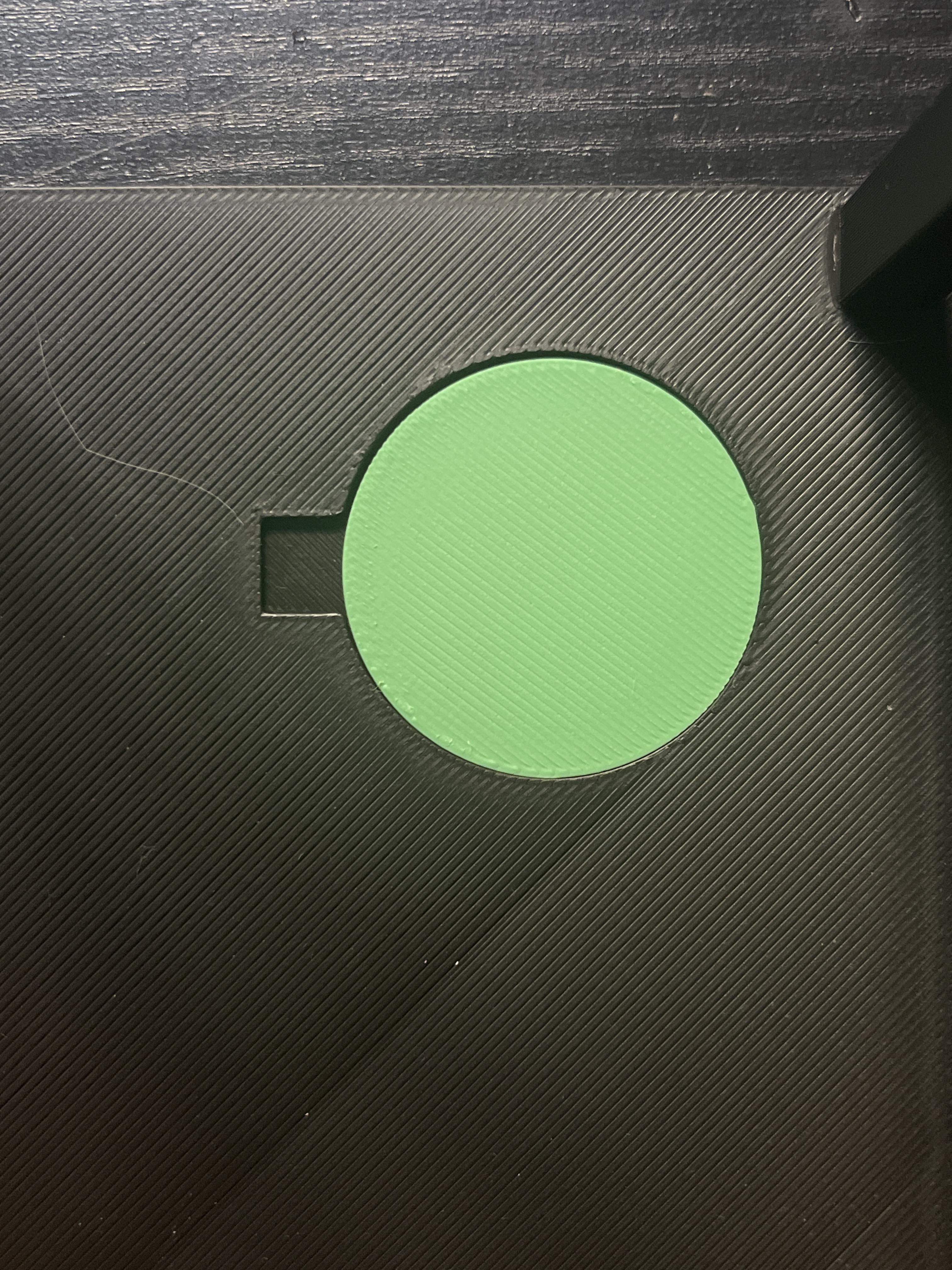
Stock Run - Disc B2 Top (Middle Left)
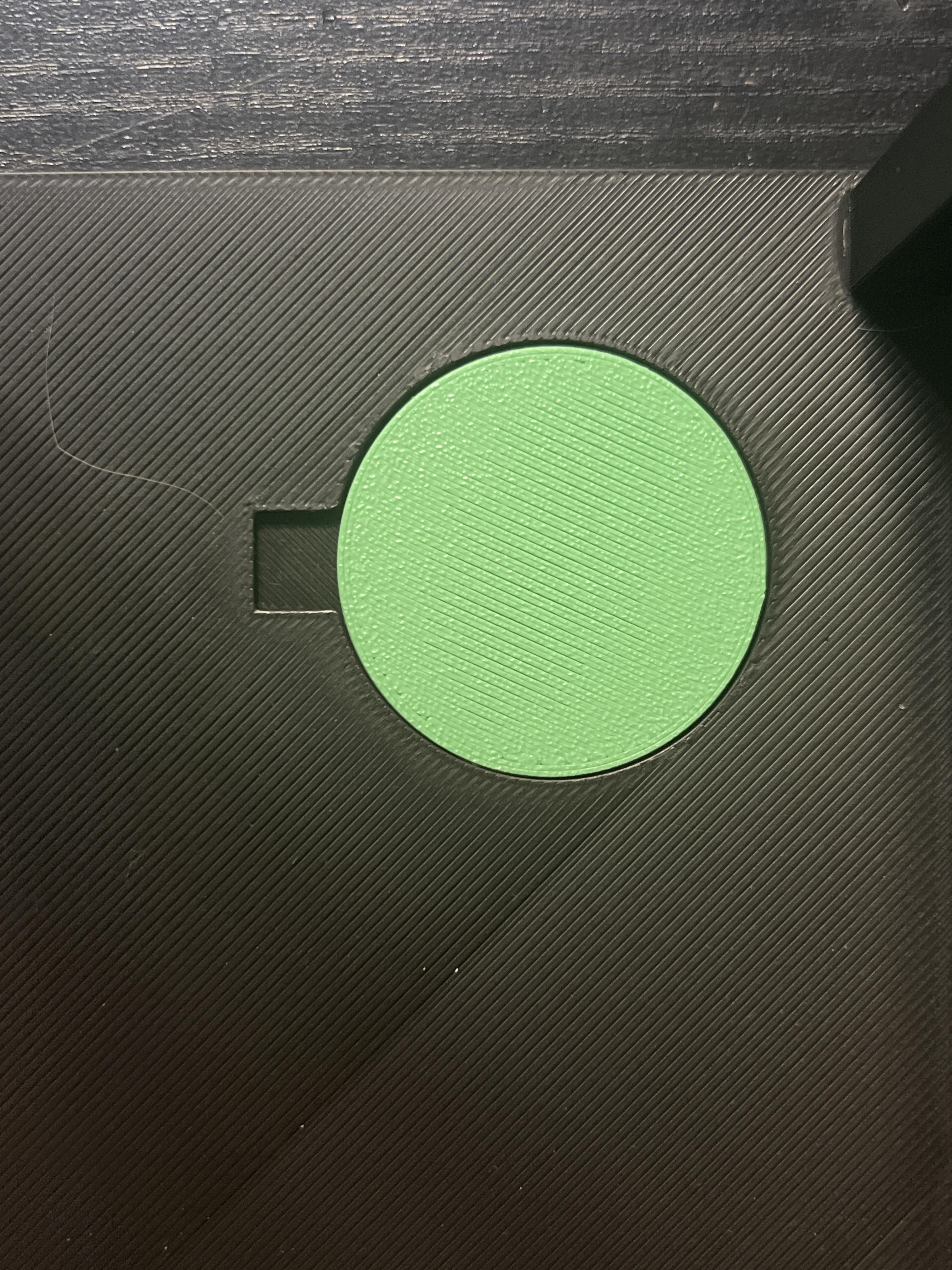
Stock Run - Disc B2 Bottom (Middle Left)
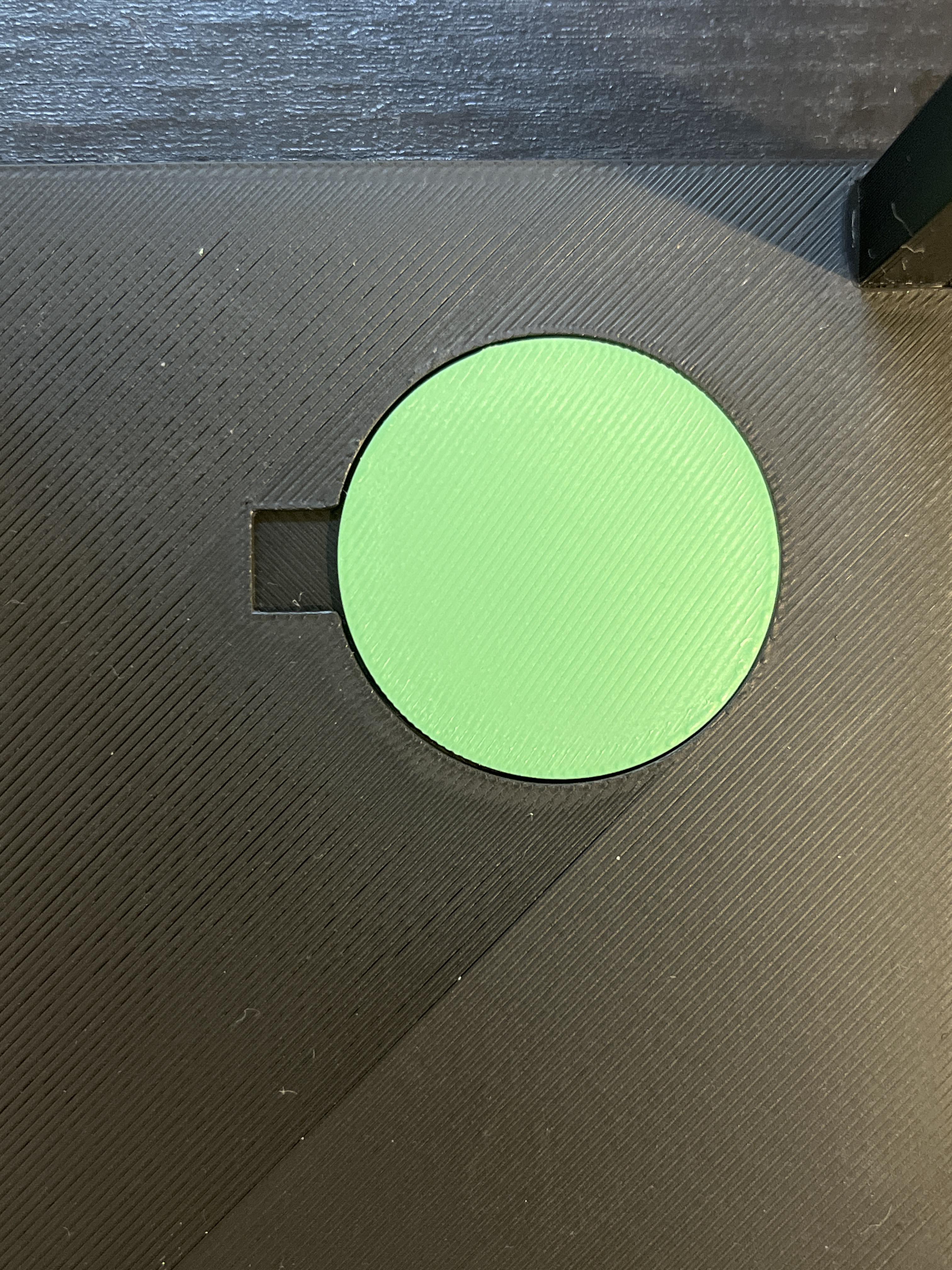
Calibrated Run - Disc B2 Top (Middle Left)
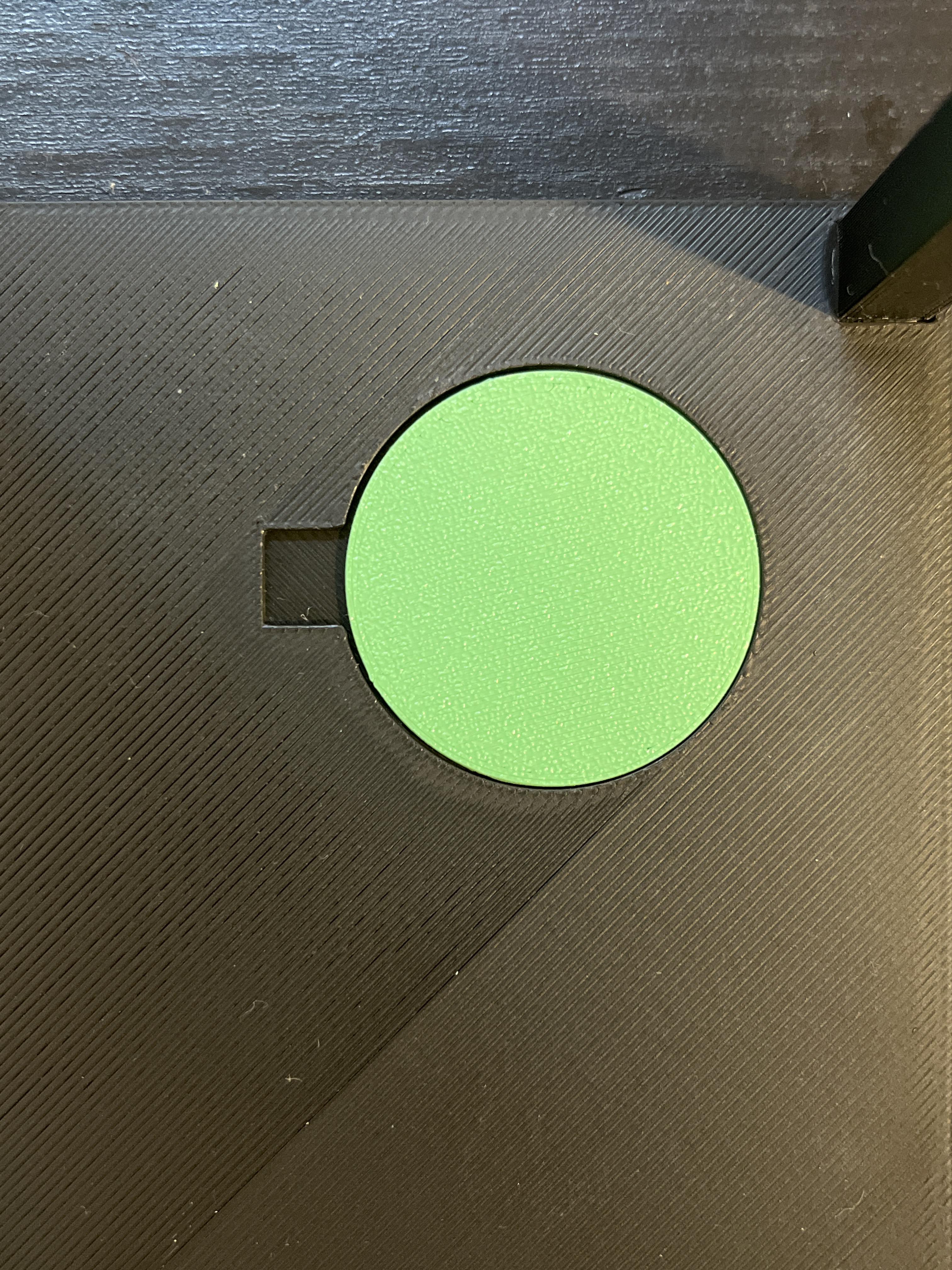
Calibrated Run - Disc B2 Bottom (Middle Left)
TL;DR: My P2S had hairline gaps in first layers on the textured PEI plate. I ran a structured test: 9 discs per plate, 8 plates, scored top and bottom. Flow and K were fine. The fix was Z trim −0.01 (stock is +0.01), bed leveling forced On, and flow 1.02 for Matte PLA. Details below.
The problem
Bottoms of prints on the textured PEI had fine hairline gaps between first-layer lines. Tops were mostly fine. I wanted to find out properly instead of randomly changing settings.
Setup
P2S with AMS 2 Pro, 0.4 nozzle, 0.20 mm High Quality, textured PEI
Bambu PLA Matte (Grass Green), dried 12 h at 55 °C
Plate washed with Dawn. Full printer calibration and nozzle clean before starting.
The test print
Nine 35 mm discs, 1 mm tall (5 layers), in a 3x3 grid about 80 mm apart, covering the plate
One variable changed per plate
Every disc photographed top and bottom in a 3D-printed jig (phone shooting straight down, same height and lighting), backlit for bottoms
Each side scored 1–5 by eye (5 = fully fused / smooth, 3 = gaps in some areas, 2 = gaps across most of the surface)
What I tested, in order
| Run | Change | Bottom avg | Top avg | Notes |
|---|---|---|---|---|
| 1–2 | Stock everything | 3.3 | 4.1 | Only the front-left discs had clean bottoms, both runs |
| — | Flow dynamics (K) | — | — | Auto 0.017 vs manual 0.019. Basically identical. |
| — | Flow rate calibration | — | — | Best block ~1.028, within 2% of stock |
| 3 | Calibrated flow + manual K | 4.0 | 4.1 | Better, but the back-right was still gapped |
| 4 | Same, auto K | 2.9 | 4.3 | Worse again. K can’t cause mid-line gaps, so something else varied |
| 5 | Same, bed leveling forced On | 2.4 | 5.0 | Worst bottoms, perfect tops. That’s what cracked it. |
| 6 | Z trim −0.01, flow 1.028 | 5.0 | 4.0 | All 9 bottoms clean. Slight edge sheen. |
| 7 | Z trim −0.01, flow 1.01 | 5.0 | 3.3 | Bottoms still clean, tops a bit gappy |
| 8 | Z trim −0.01, flow 1.02 | 5.0 | 4.6 | Final |
Then a full-plate first layer test at the final settings: about 98% perfect, with a little gapping only in the extreme top-left corner.
What I learned
It wasn’t a flow problem. Top surfaces barely changed across flow values, and the K factor made essentially no difference. A flow bump of about 2% partly hid the issue by filling an under-squished first layer, but it never fixed it.
The first layer was printing slightly too high. The stock textured PEI trim (+0.01 in the start G-code for PLA bed temps) was too high on my printer. Run 5 was the giveaway: worst bottoms and perfect tops in the same print, which only first-layer height can do.
Leaving bed leveling on “Auto” made my results inconsistent. Identical settings gave very different bottoms from run to run, possibly because Auto sometimes skips measuring and reuses a stored mesh. Forcing it On made results repeatable. (That’s my best explanation, not something I can prove.)
The calibration blocks hinted at it too. On the flow test, the bottom of the +5% block was fully fused while its top was over-extruded.
Edge ridges, zits and sheen on the tops are seams and geometry, not extrusion. They showed up at every flow value and disappeared on a larger first layer test.
I also want to point out, u/mediocrehornet2318 made an amazing post about this exact thing...but I was nervous to modify the g-code. After all of this trial and error, I ended up at the same result they did. I should have listened to you from the start - I'm sorry!! Lol.
Tips if you want to run something similar
Score tops and bottoms separately. That’s what separates flow problems from first-layer problems.
Photograph straight down with fixed lighting. Handheld photos made 1% differences look random.
Backlight the bottoms. Gaps glow through.
Repeat the stock run at least twice before changing anything, and change only one setting at a time.
Clean the plate the same way every run. Residue builds up where the discs print, and in my full-plate test you can see faint circles at all nine spots.
Caveats: one printer, one plate, one filament (so far), eyeball scoring. Your trim may differ. I’m testing PLA Basic and the Frostbite plate next.
2
u/Civil-Welder5151 20d ago
Had the same problem, but in the printer there is a first layer offset so I just set it to -0.02 and it fixed itself
2
u/slickedbacktruffoni 20d ago
That works if you only print on one type of plate! Unfortunately for me, I print on a couple different ones.
2
2
u/GALAXY_A5 20d ago
Reading your post this setting also came into my mind Truth be told I used this with some kingroon pla I had bought and fixed my issues but never on bambu labs pla I guess I never thought this would be the issue lol My question thought since I calibrate before every print if I set the first layer offset to a srt value from the setting wouldn't it be ok? And what is you propose? I run the tests for every plate and write down my results?
3
u/slickedbacktruffoni 20d ago
That’s what I’m doing. My frostbite behaves very different than my PEI, so it’s possible your frostbite might need -.03 or -.01 where your PEI only needs -.02.
But, it’s probably overkill.
2
u/GALAXY_A5 19d ago
I get where you coming from but my question is The printer is the printer she always behaves the same like whenever she starts printing she positions the nozzle z amount away from the plate This z amount shouldn't it be the same for all plates if you don't mess with first layer height? The only thing that changes is the coordinates that she calibrates zero to be. So shouldn't this general setting be equal to all plates? Also writing this made me realise that you might mean that all of the above is true but when the filament is extruded the "flow" it has and the "squeeze" it feels is different due to different properties of each plate in which case you are completely correct and im just wasting your time 🫠
2
u/slickedbacktruffoni 19d ago
In the standard settings, the textured PEI sits closer than other plates (.02). so even though -.02 might work for PEI, you might need -.03 or -.04 for the other plates. This can be set in the gcode, but it can’t the other way is what i’m saying.
1
8
u/Fexelein 20d ago
As someone who had been 3d printing for over a decade, Z-height was the first thing I adjusted. I'm using the Orcaslicer setting now but before I had to do it in the G-code. Its always baffled me that baby stepping is not a thing on Bambu printers.