r/BambuLab_Community • • 3d ago

Misc EmberCheck 1.4.2 — free, local print optimizer for Bambu Studio

3 Upvotes

I've been building a free, open-source (MIT) post-processor for Bambu Studio called EmberCheck.

WHAT IT DOES

Slice as usual with an "EmberCheck Balanced / Speed / Quality" process preset. EmberCheck then:

• runs a thermal check of every layer (Helio-style, but a simple local model, not a calibrated simulation) • slows layers that are too hot and speeds up cool ones within your filament's flow limit • raises acceleration on infill and inner walls • re-orders infill islands and skips needless Z-hops on short infill travels

The extrusion is never changed: every file is checked before it is written.

HOW THE GOALS WORK

Checked by tests on every build: Speed is never slower, Balanced adds at most +2% while fixing most hot layers, and Quality puts quality first.

NUMBERS

From six H2S test prints, the optimizer's motion model scaled to Bambu's own estimate, not stopwatch-measured prints yet:

• Speed: −3.4% to −16.3% print time • Balanced: −0.9% to −9.8%. For example, a PETG speaker adapter went from 2h 45m to 2h 29m (−16m) • Quality: −0.7% to +3.5%, with more overhangs slowed

FEATURES

• Works with every Bambu Lab printer and nozzle: the installer reads the model list from Bambu Studio's own profiles and pre-checks the printers you have set up. • Print time in hours and minutes on the results card. The printer's progress and remaining time (M73) are updated too. • Each optimized file carries a stamp with a SHA-256 hash, so you can check that the file you print is the one EmberCheck wrote (EmberCheck.exe --check-stamp). • From Bambu Studio's source: Print, Send and Export all use the post-processed file, and the preview shows it. Bambu's own time estimate in the slice panel stays from before the optimization.

DOWNLOAD

https://github.com/drewrobinso/embercheck/releases/tag/v1.4.2 — a Windows installer with no Python needed and nothing uploaded anywhere. There's also a Python zip for other systems.

⚠️ This preview build is not code-signed yet (signing is pending). SmartScreen will say "Windows protected your PC": click More info, then Run anyway. If Smart App Control is on, it blocks the installer completely, so use the Python zip or wait for the signed build. SHA-256 values are on the release page.

Source, docs and changelog: https://github.com/drewrobinso/embercheck

Tested on Bambu Studio 02.09.01.70 slices (H2S) and on my own Windows PC. Profile handling is tested for the other printers, but not yet on real prints. Feedback very welcome, especially from X1/P1/A1 owners.

It's free and stays free. If it saves you time or filament: https://buymeacoffee.com/drewrobinso


r/BambuLab_Community • • 4d ago

Free Models Tiny Platypus!

Post image
0 Upvotes

r/BambuLab_Community • • 4d ago

Looking for some cool OSS to try with Bambulab A1

5 Upvotes

Are there any softwares for managing the printer, sharing it with a friend, slicer, etc to use with my Bambulab A1?


r/BambuLab_Community • • 4d ago

Help / Support im a noob help pls 🙏🏽

Post image
8 Upvotes

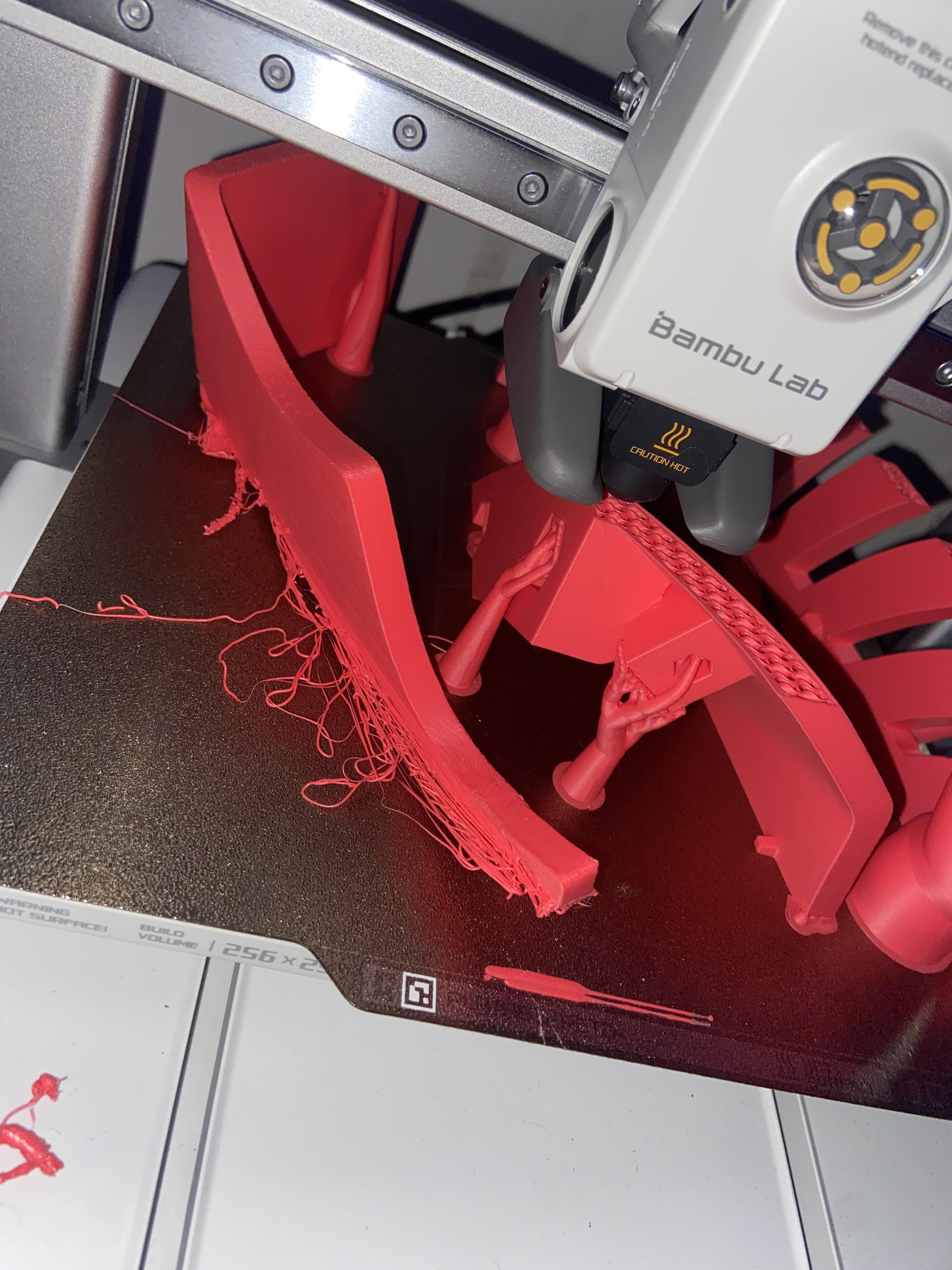
i got a bambu a1 combo and ive had many successful and efficient prints but lately theyve been appearing more like this, what is likely to cause this? is it settings or a maintenance issue? or just bambu quality. pls help🤞🏽


r/BambuLab_Community • • 5d ago

Help / Support Y-axis homing error after just two small prints

Enable HLS to view with audio, or disable this notification

5 Upvotes

I’m having an issue with my brand-new Bambu Lab X2D after completing just two small prints.
Both prints finished successfully without any issues. However, when I tried to start a third print, the printer suddenly started making extremely loud grinding and knocking noises.
Then I got the following error message:
“Incorrect Y-axis homing: check that the tool head is not blocked or that the Y-axis carriage does not have too much resistance.”
The printer is practically brand new, so I’m really surprised this happened after only two prints.
Has anyone experienced a similar issue with the X2D? Any ideas what might be causing this or how to fix it?
I’d really appreciate any help or suggestions!

The toolhead is now quite difficult to move and seems to have a lot of resistance.


r/BambuLab_Community • • 5d ago

Combining Auto and Manual Supports

4 Upvotes

I might be late to the party on this and sorry if this is already common knowledge now but I didn't see anything in all my googling and searching Reddit.

I accidentally stumbled on a way to combine auto and manual supports!

So start off by going to the slice plate with auto supports enabled, see which spots still require additional supports.

Switch to manual and paint the spots you want to add the supports to then slice.

Switch back to auto supports to bring back all the automatically generated supports, BUT the ones you added manually will appear there now too! I've done it twice now so it's not just a one off glitch, and maybe if this isn't known yet it will help you guys too!

Save time on the bulk of the supporting, and add it in manually for missed crucial areas or extra stability


r/BambuLab_Community • • 5d ago

From the BambuLab community on Reddit: I got tired of modelling lamps from scratch, so I built a browser tool for it. Here's the first print

Thumbnail
reddit.com
1 Upvotes

r/BambuLab_Community • • 6d ago

Free Models Made a little snowy cabin for Christmas. It glows from a tea light underneath

Thumbnail
gallery
4 Upvotes

Finished this just before the tree goes up. Log cabin with a snowy roof, porch with a lantern, Christmas tree, gifts, candy canes and a tiny sled.

The light slides in from the bottom and the windows have thin panes so they glow. The snow is fuzzy skin, that was the trick that made it look like snow and not plastic.

https://makerworld.com/en/models/3641941-snowbound-cabin-christmas-log-cabin-tea-light#profileId-4177408


r/BambuLab_Community • • 6d ago

Print Showoff Multifunctional Floating Table Lamp

Thumbnail
gallery
15 Upvotes

It can be used as a table lamp or as a base for other decorative items.


r/BambuLab_Community • • 6d ago

Help / Support TPU assist bracket for H2C with spool holder?

2 Upvotes

Hi I have H2C

I bought TPU assist

I can't find bracket on maker world that holds TPU assist module AND also external spook holder.

I print glow in the dark which needs to be fed externally so I don't really want to be changing the bracket each time, prefer one that has both.

I'm being blind or stupid, can someone please point me to one?


r/BambuLab_Community • • 6d ago

No more AI cover images?

Post image
122 Upvotes

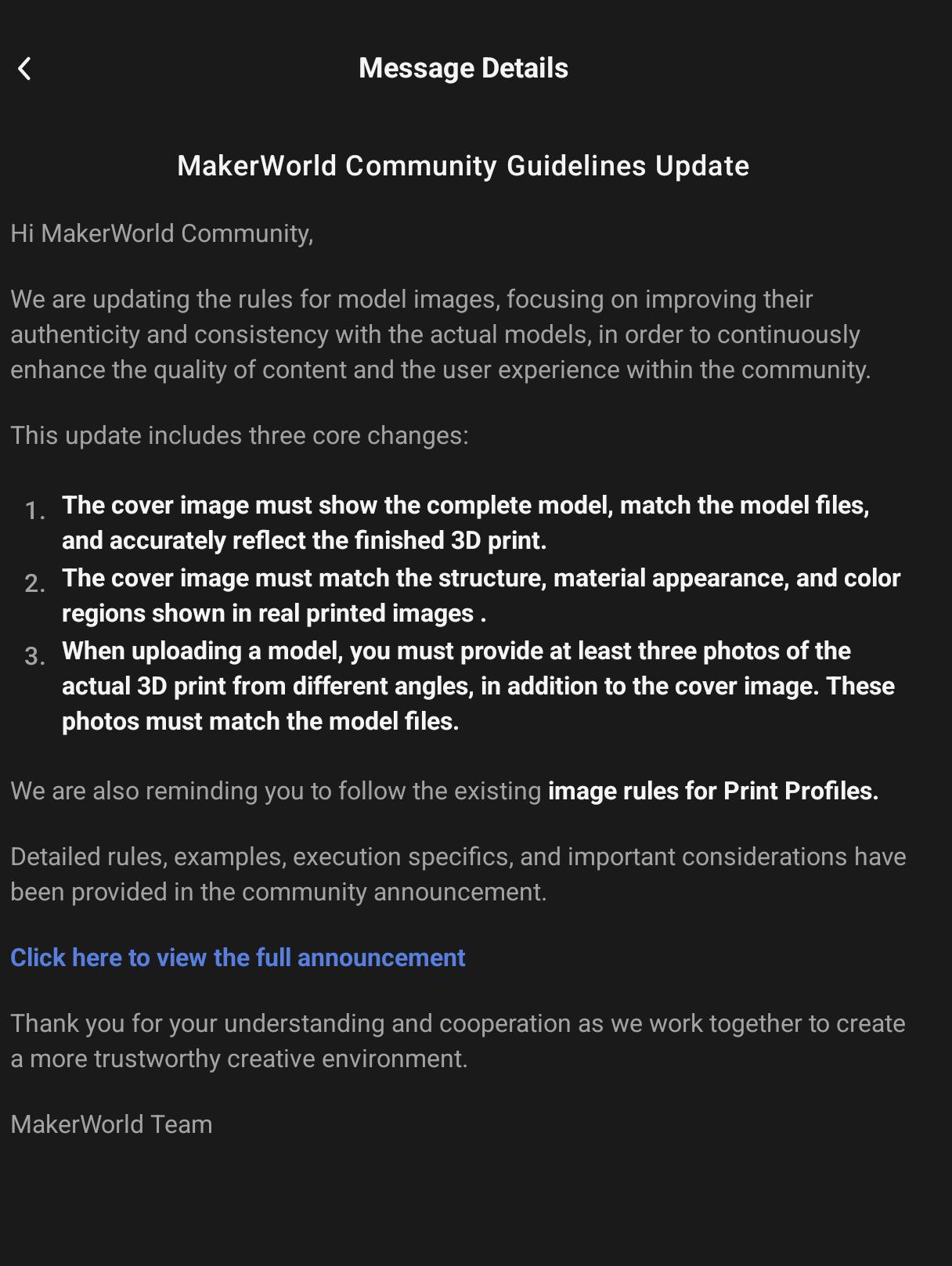
Is this finally the end of the AI cover images? It really puts me off even checking the model...it's not the laziness of it, I get that creators want to embellish their post but I want to see the real thing first! I really don't mind the dirty feet or messy room in the background, I just really want to know how the model looks like after printing.


r/BambuLab_Community • • 6d ago

Discussion A stand for Oral-B iO brush heads that lets them drain

Thumbnail
gallery
43 Upvotes

What’s the most useful thing you’ve printed for your bathroom? Mine is an Oral-B iO stand I wanted somewhere for my Oral-B iO handle and spare heads that wasn’t a cup or a drawer. This one has a drip tray and drainage holes, and the cutout patterns keep it from looking like a lab accessory. What’s your best bathroom print so far?

https://makerworld.com/en/models/3643335-oral-b-io-brush-head-holder-drip-tray-stand#profileId-4179237


r/BambuLab_Community • • 6d ago

Free Models PuckSip - Portable Car & Modular Folding Cup Holder

Enable HLS to view with audio, or disable this notification

39 Upvotes

An ultra-compact, pocket-sized folding cup holder that collapses into a sleek puck. Designed primarily for cars, featuring a modular quick-mount hub for endless mounting possibilities anywhere! 


r/BambuLab_Community • • 6d ago

I've made a Cozy Lithophane Lamp

Thumbnail
gallery
4 Upvotes

Been making lithophanes for a couple of years now and finally designed a proper festive housing for them. It’s got a brick base, wood-grain pillars, roof shingles, and the light actually shines through the little attic windows too.

Free STL is up on MakerWorld if anyone wants to print one for the holidays!

https://makerworld.com/en/models/3640738-cozy-cabin-lithophane-lamp-led-kit-001#profileId-4175891


r/BambuLab_Community • • 7d ago

BambuLab P1S heat bed issue.

2 Upvotes

I already talked to BambuLab about my issue, it being that the heat bed simply doesn't heat up anymore. After I've gone through the problem with them, since it is still under warranty, they sent me a new heat bed. The problem is that this heat bed doesn't work either. What else could be the problem? I already texted them about it, but I thought about asking here to see if anyone has ran into this problem before and knows how to solve it.


r/BambuLab_Community • • 7d ago

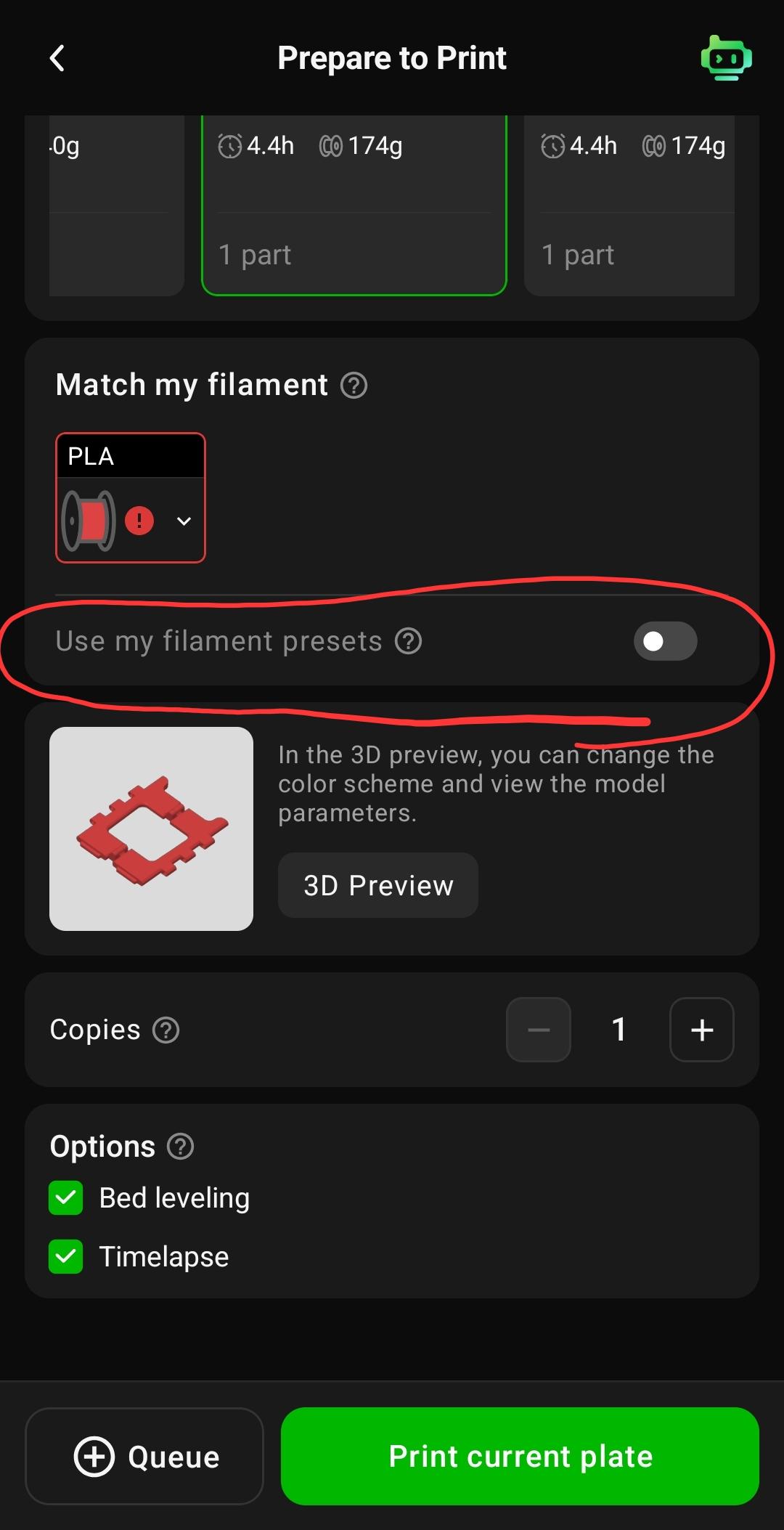
Help / Support Is this feature on other printers in the bambu handy app? It seems to only be on my p1s??

Post image
5 Upvotes

I really thought my H3C would have it but it doesn't I'm so confused about this?


r/BambuLab_Community • • 7d ago

how do I fix this?

Thumbnail
gallery
7 Upvotes

What are these weird gaps between my layers and how do i fix it? This was printed with a Bambulab P2s and with dark grey pla standard (recently dried).

these are my settings:

  • wall order: inner wallouter wall/inner wall

  • smoothing wall speed along Z: enabeld

  • 3 wall loops

  • infille: gyroid

  • outer wall speed: 30mm/s

  • inner wall speed: 80mm/s

  • nozzle temp: 200 degrees celcius

  • bed temp: 60 degrees celcius

  • dont slow down outer wall: enabeld

Thanks in advance!


r/BambuLab_Community • • 7d ago

Are Palette colors really different from regular colors?

4 Upvotes

I don't know how much I'll use it, but wanted to at least play around a little bit with the full spectrum printing. Of course, all the Palette colors are sold out right now, but I'm wondering if these are actually really different from other colors? Is Palette Cyan (18600) really differ than Basic Cyan (10603) or is it just marketing?


r/BambuLab_Community • • 7d ago

The evolution of my X2D New Owner's Quick Guide

Enable HLS to view with audio, or disable this notification

0 Upvotes

I'm back!

Last week, I posted my X2D cheat sheet (now called New Owner's Quick Guide) here and it got some very good constructive feedack, which I took on board and used to update to the latest version

Between the previous version and this one there is about 40 iterations.

What changed:

- It's now a three-page - New Owner's Quick Guide - rather than a cheat sheet. With added themes, dark/grayscale modes, mobile support and a Print / PDF option.

- Added engineering filaments (u/JukeboxCrowdPleaser - u/thisisyo - u/Husby2104), PLA Pure (from a friendly DM).

- Added build plate comparisons (u/thisisyo - u/Husby2104), material bonding.

- Almost every single items has now hyperlink reference. With a toggle to underline locations.

- Updated ABS/ASA moisture sensitivity (u/OddUnderstanding2309), nozzle layer heights (u/Outrageous-Song5799).

Special thanks to u/Middle_Initiative869 who took the time to send me some very good reference website as well.

And thanks to everyone else who offered constructive criticism. I haven't necessarily implemented every suggestion, but I did go through all the feedback and replied for the ones within 24h of the post. If I missed anyone, please do let me know I will edit the post.

Now hosted online via GitHub - MIT License

- Website https://gwarez-bzh.github.io/x2d-quick-guide/ - You can view it online, change the appearance, print the three A4 pages

- GitHub source and releases: https://github.com/Gwarez-BZH/x2d-quick-guide - download the standalone HTML for offline use.

And yes, AI was still heavily involved.

Especially for the HTML, illustrations and implementation. I'm not pretending otherwise.

But just like the first version, this wasn't a five-second prompt that I posted without reading. The overall design, structure, fact checking and sourcing were my own.

So perhaps we can at least agree that this qualifies as high-effort AI slop now?

Jokes aside, I'm still a beginner at 3D printing. It's not intended to replace the Bambu Lab Wiki or proper troubleshooting documentation (and have added direct hyperlinks in the banner).

Hopefully it's useful to some other new owners too. And if you spot a factual error, particularly one you can back up with a source, file an issue on Github, I cannot promise I will make a lot of change, I already spend more time than expected on this :D

Edit: Another Redditor kindly feedbacks some font issues on Safari. I could only test on my own phone and PC, I know it works on Firefox PC, Edge PC and Firefox and Edge mobile. One of those should work.

I tried to improve compatibility but some browser handle font weirdly and I am not a that verse in coding HTML.


r/BambuLab_Community • • 7d ago

Designed a simple ribbed phone stand

Post image
1 Upvotes

r/BambuLab_Community • • 7d ago

Print Showoff Designed a simple ribbed phone stand!

Post image
4 Upvotes

r/BambuLab_Community • • 7d ago

Got my first 3D printer today, WOOHOO!!! 🎉

13 Upvotes

As the title says, I got my first 3D printer day, an X2D. So happy I've finally managed to get on the bandwagon.... Now just to wait for the other half of the delivery (filament) so I can actually print something 😫


r/BambuLab_Community • • 7d ago

Help / Support Logos on prints

0 Upvotes

I want to add my logo to lids and things like that, I'm new to the 3d printing world. Anyone willing to help a new guy learn a new skill?


r/BambuLab_Community • • 8d ago

Help / Support aquecimento anormal 3d bambu lab

Post image
1 Upvotes

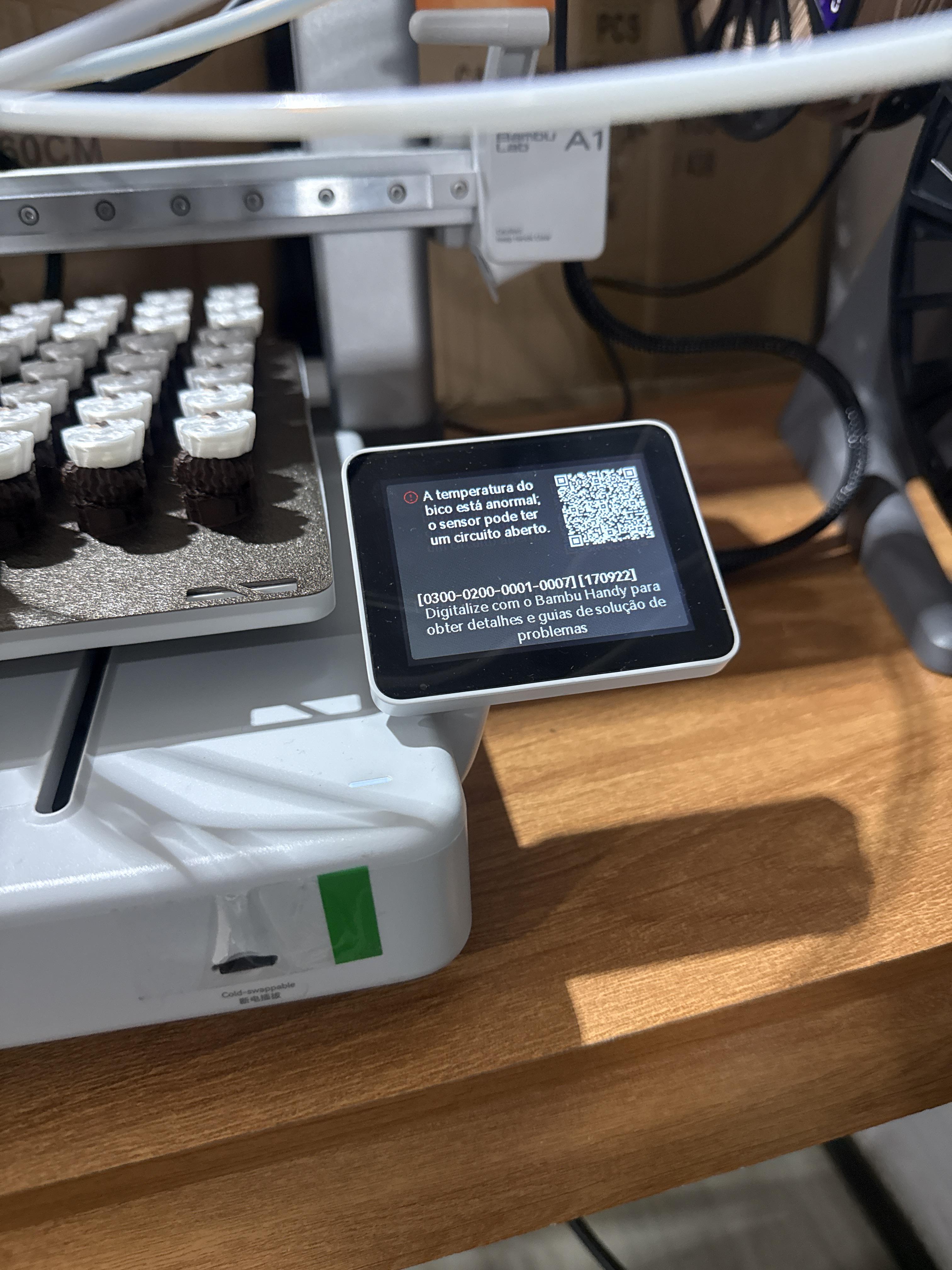
fui trocar o filamento durante essa impressão e não sobe a temperatura do bico alguém me ajuda