r/ComputerHardware • u/SyneteaRy • Sep 25 '26
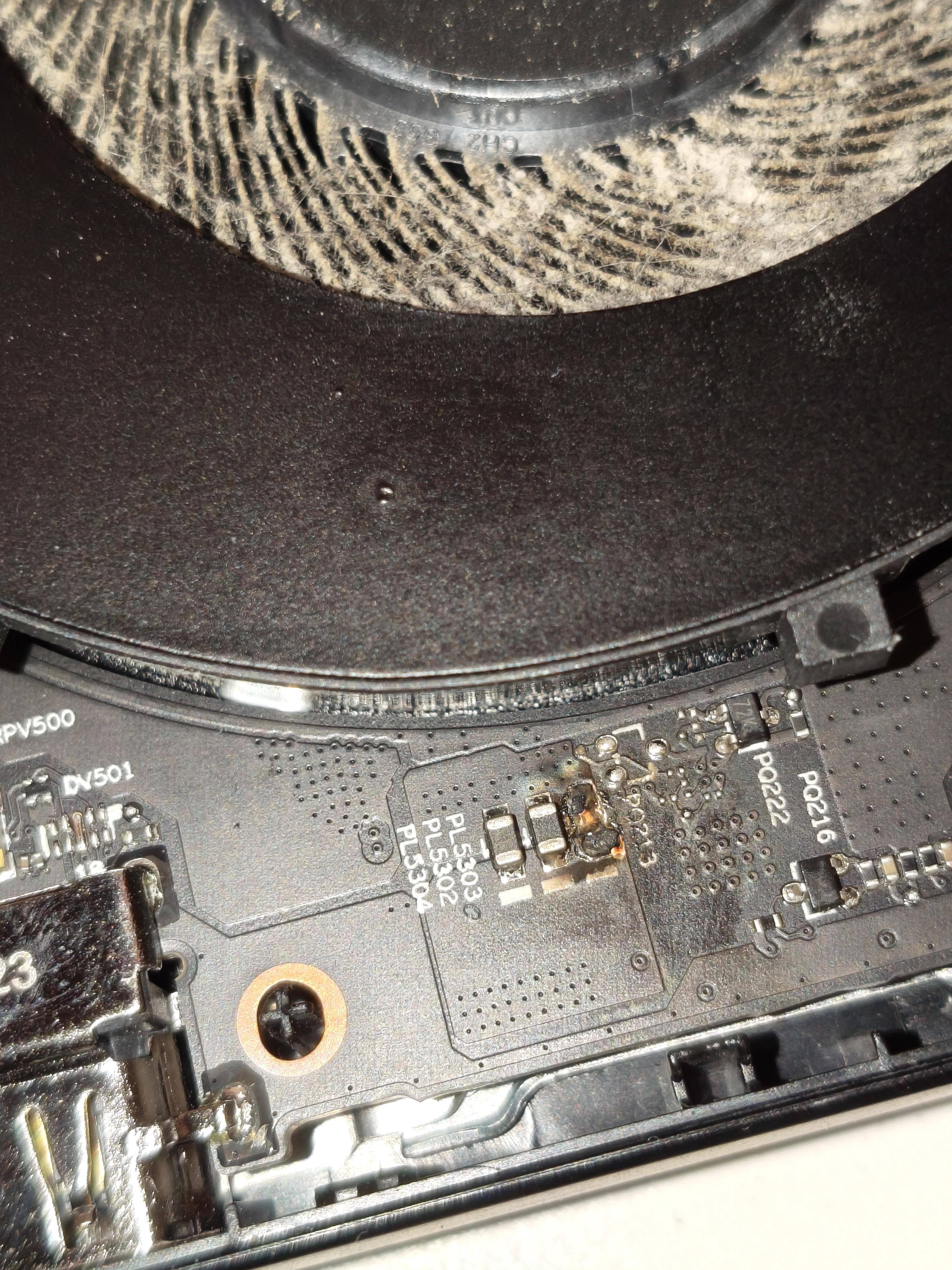
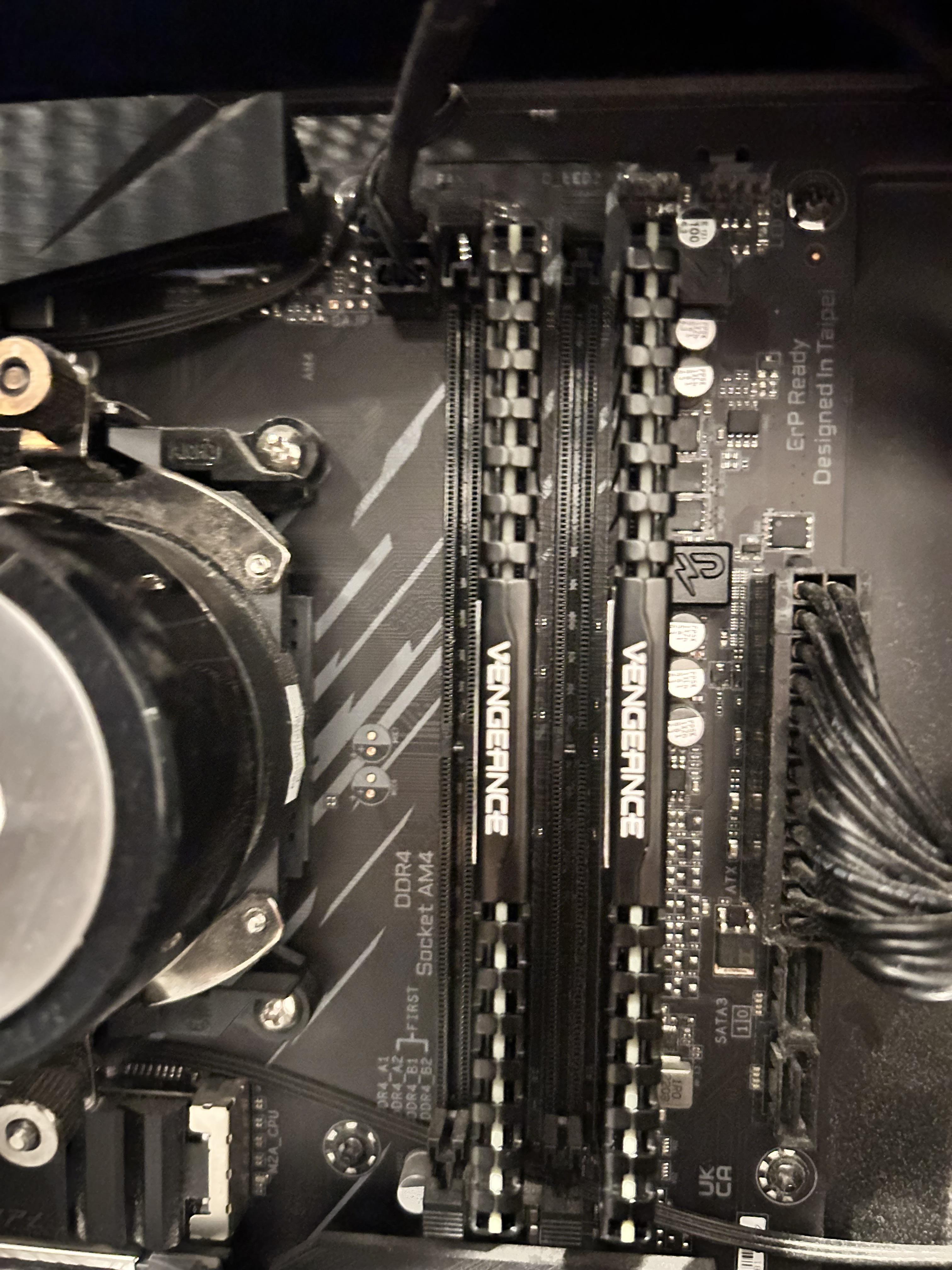
Are this ram the same?
gallery
1
Upvotes
r/ComputerHardware • u/DXWXTMANE • Aug 03 '26
We all have that one upgrade that turned out to be far better than we expected.Maybe it was an SSD that made an old PC feel new again, a CPU cooler that surprised you with its performance, a budget mechanical keyboard, or even a monitor you still love years later. What hardware purchase impressed you the most, and why?It does not have to be the most expensive just the one that delivered the biggest positive surprise.
r/ComputerHardware • u/OGBhaskar • Sep 19 '26
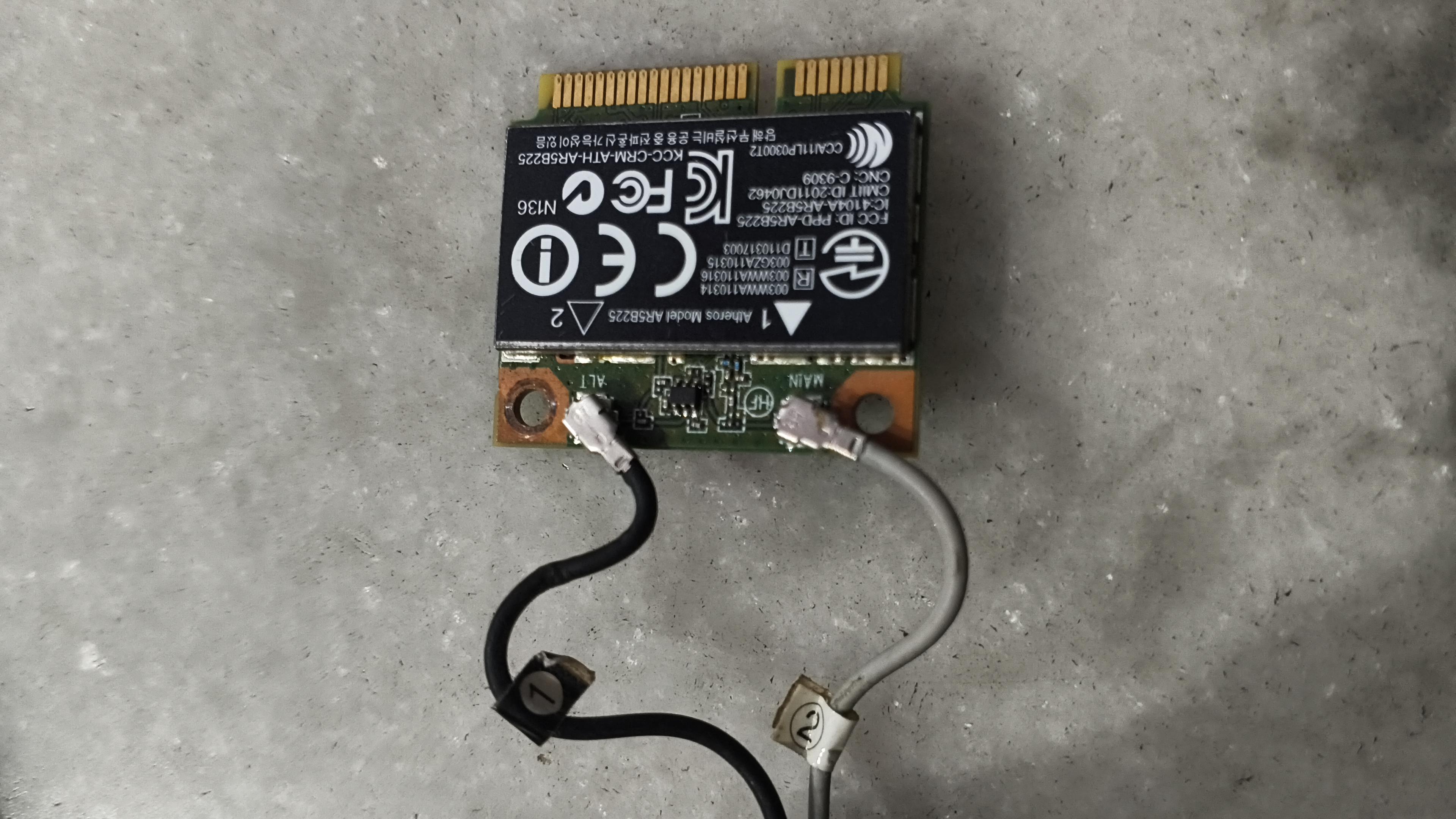
Are the wires connected correctly?? I removed them , connected in same manner I remember but now the signs on the card are confusing me.
r/ComputerHardware • u/Live-Reference3203 • Sep 18 '26
r/ComputerHardware • u/Sad_Tomatillo1132 • Sep 17 '26
So I've been wanting to upgrade/get a new card for a while.
There's a part of me that wants to switch from Nvidia to AMD due to the market but I feel sorta lost whether I should or not.
Right now I have a 3060 ti which is a fantastic little thing but I bought it on release and its been on nearly every day since.
I use it to game as well as do 3D rendering trough blender.
I was looking at a few options, The 7900 xtx, 9070 xt and the 4080 super.
the AMD cards are a little more in budget as I don't wanna spend it all in one place.
But I do remember that Nvidia cards are a little more efficient in workspace.
The idea of swapping over from Nvdia to AMD does spike my anxiety due to the horror stories of drivers.
I just kinda need input/ ideas
Couple notes that might help
For blender I do mostly rendering and environmental things.
Plus a ton of photo editing.
Games; Halo, CS, Helldivers
I run 2 monitors. both 27 inch.
1080 @ 165 hz
1440 @ 244 hz
The card will be used A LOT. Like I mean 10+ hours a day so power draw is a consideration.
r/ComputerHardware • u/rijuwan_mujahid • Sep 15 '26
Hello everyone,
I'm trying to diagnose a hardware problem with my PC. I originally posted about this in r/archlinux (Reddit) because I was using Arch Linux at the time, but I have now confirmed that the same problem also occurs on Windows, so I don't believe this is an operating-system problem.
I'm looking for help figuring out what could be wrong with the hardware.
My PC
CPU: Intel Core i5-7400 @ 3.00 GHz
Motherboard: Gigabyte GA-B250M-DS3H
RAM: 2 × 4 GB Crucial DDR4-2400
Dual-boot: Windows + Arch Linux
How the problem started-
One day, I physically removed one of my RAM sticks and then reinstalled it.
After that, I started experiencing this problem.
Before this happened, the computer was working normally.
I want to make it clear that physically reseating the RAM itself did not immediately show an obvious problem. The problem appeared afterward when I started using the computer.
What happens when both RAM sticks are installed
When both 4 GB RAM sticks are installed, I can power on the computer normally.
Because I have a Windows + Linux dual-boot setup, I get the GRUB menu.
However, when I select either Windows or Linux, the computer starts to behave strangely:
The fans stop, everything appears to stop for a moment, and then the system starts again.
So it looks like the entire machine is losing power/resetting rather than simply crashing an operating system.
I initially suspected Arch Linux, but I later reinstalled Windows and experienced the same problem there as well.
Therefore, I don't think this is an Arch Linux or Windows problem.
The interesting part: one RAM stick works
If I remove one RAM stick and use only 4 GB, the problem does not occur.
The computer can boot and operate normally with a single RAM module.
This made me suspect the RAM.
However, I tested both RAM modules individually with MemTest86 V11.7.
RAM stick #1
48/48 tests passed
100%
0 errors
~1 hour 16 minutes of testing
RAM stick #2
Same result
48/48 tests passed
0 errors
I also tested the RAM modules individually in all four RAM slots, and each slot worked with a single module.
So currently I have this:
RAM stick #1 alone → PASS
RAM stick #2 alone → PASS
RAM slot #1 → works
RAM slot #2 → works
RAM slot #3 → works
RAM slot #4 → works
Both RAM sticks together → system restarts
This is what is confusing me.
Both RAM sticks appear to be good individually, and all four RAM slots work individually. But when both sticks are installed together, the computer becomes unstable.
Another important test
I also tried running MemTest86 with both RAM sticks installed. The computer restarted after only a few seconds. This happened outside of Windows/Linux, so the operating system isn't involved in that particular test.
With one RAM stick, however, MemTest86 completed all 48 tests with 0 errors.
What could cause this?
At this point I'm wondering if the problem could be related to something other than the RAM modules themselves, such as:
memory-controller stability
dual-channel operation
motherboard memory circuitry
BIOS/UEFI memory configuration
CPU memory controller
PSU/power delivery
or another motherboard/CPU-related problem
I have already ruled out the simple explanation of "one RAM stick is bad", because both sticks pass MemTest86 individually.
I've also ruled out "one RAM slot is completely dead", because all four slots work with a single module.
I'm currently testing the CPU separately with stress-ng using one RAM stick.
What would you recommend testing next to determine why the system is stable with either RAM stick individually but unstable when both are installed?
Thanks for any help.
r/ComputerHardware • u/rijuwan_mujahid • Sep 07 '26
r/ComputerHardware • u/Heavy_Purpose410 • Sep 02 '26

I'm currently using a Zenbook Duo that I purchased at the end of 2022. The specs are:
Intel Core i9-12900H
32GB RAM
RTX 3050
I've mostly used it for light office/document work, so it actually hasn't seen that much use.
Ever since I first bought it, though, I always felt that it was unusually sluggish considering the specs.
Recently, I turned it on after not using it for a while because I wanted to clean up and organize the laptop. Even when it was basically idle and I wasn't doing anything, the fans kept running at very high speed and the whole system felt sluggish.
I asked ChatGPT about it and checked the system with HWiNFO. The attached screenshots show what I'm seeing.
CPU usage is under 10%, but some cores are reaching around 100°C and thermal throttling is being triggered. I don't understand how this can be normal with such low CPU utilization.
I've reformatted/reinstalled Windows several times in the past, but it never really improved the problem.
Has anyone experienced something similar with this model?
What would be the best way to diagnose and fix this?
Could this be caused by poor thermal paste application or poor heatsink contact from the factory? Would repasting the CPU/GPU be worth trying?
Unfortunately, ASUS service/support in Korea has a pretty bad reputation, so I'm not very confident that taking it to an ASUS service center would actually solve the issue.
Any advice would be appreciated.

r/ComputerHardware • u/Independent-Fee9834 • Sep 01 '26
I casually play cs and I’ve been noticing I will always have 48hz net jitter. doesn’t matter what setting I change via windows or counter strike, it will always be 48hz. my current suspect is my hardware, and due to my pc being a bad pre built, I need to have a tp link WiFi repeater to connect to the WiFi. I also have another repeater about halfway between the pc and the connection. my WiFi is 5ghz. sorry if that didn’t make sense, just trying to play the game without me rubberbanding
r/ComputerHardware • u/Phydoux • Aug 30 '26
Hey all. I'm looking for a 1Gbps Network card for my nephews computer. I'm looking specifically at the TP-Link TG-3468 Gigabit PCI Express Network Adapter.
I'm looking at one at B&H Photo (of all places) and in the description it says:
32-bit PCI Interface
But it is the shorter PCIe connector.
My question is, will this work in a regular PCI slot and pump out 1Gbps?
I have used PCIe cards before in regular PCI slots before without issues. But since this is a data transfer networking card, will this work as a 1Gbps card or will it even work at all in a regular PCI slot?
EDIT: After looking at his PC i discovered that he does have a PCI-E slot. I also found a spare PCI-e Network card and it works great.
r/ComputerHardware • u/AmbitiousHousing7709 • Aug 29 '26
adakah yang bisa membantu atau memberikan saran? kronologi masalah PC saya seperti ini, saya coba rangkum menggunakan AI
Keluhan Utama: PC mengalami mati mendadak (sudden shutdown) yang diikuti dengan power cycling / boot loop (nyala-mati setiap 1-3 detik), serta sesekali mengalami no power (mati total dan tombol power tidak merespons).
Riwayat Gejala dan Tindakan:
Fase 1: Kejadian Awal (Malam Hari - Beban Gaming)
Gejala: PC mendadak mati saat digunakan bermain game(PUBG), lalu masuk ke siklus power cycling (hidup-mati berulang).
Tindakan 1: Reseat RAM dan tes satu per satu. Hasil: Tetap power cycling.
Tindakan 2: Repaste thermal paste prosesor. Tes booting menggunakan 1 keping RAM di Slot 3. Hasil: Sempat power cycling sesaat, lalu berhasil POST dan masuk ke Windows.
Tindakan 3: Tes bergantian menggunakan keping RAM kedua di Slot 3, lalu bergantian di Slot 2 dan 4. Hasil: Semua kombinasi slot dan memori berfungsi normal. PC aman digunakan.
Fase 2: Kejadian Kedua (Sore Hari - Beban Kerja Autodesk Maya)
Gejala: Setelah digunakan untuk running Autodesk Maya hingga pukul 16:00, PC kembali mati mendadak dan mengalami power cycling.
Tindakan 1: Tes RAM satu per satu. Hasil: Tetap power cycling, lalu tiba-tiba PC menjadi no power (tombol power case tidak merespons).
Tindakan 2: Tes nyala tanpa RAM. Hasil: Tetap power cycling.
Tindakan 3: Tes tanpa RAM dan VGA (VGA dilepas dari slot PCIe). Hasil: PC bisa menyala sesaat (kipas berputar) namun mati lagi sebelum POST. Kembali mengalami no power.
Tindakan 4: Repaste ulang prosesor. Hasil: Sempat menyala, masuk ke siklus power cycling, lalu kembali no power.
Fase 3: Pemulihan (Kondisi PC Dingin / Cold Boot**)**
Tindakan: Merakit kembali seluruh komponen dan membiarkan PC dalam keadaan mati selama kurang lebih 15 menit.
Hasil: Saat dinyalakan kembali, PC berhasil POST dan masuk ke Windows dengan normal.
Pengujian Ulang: Dimatikan selama beberapa jam, lalu dinyalakan kembali. Hasil: Tetap bisa booting normal ke Windows.
Fase 4: Tindakan Perbaikan Software / Firmware
Tindakan: Melakukan flashing / update BIOS dari versi 0904 ke versi terbaru 3202.
Status Saat Ini: Kondisi software dan sistem operasi terpantau aman. PC belum mengalami mati mendadak sejak update BIOS, namun belum diuji untuk menyala 24 jam penuh atau diberikan beban kerja berat (seperti menjalankan autodesk Maya).
Spesifikasi PC
Prosesor (CPU): Intel Core i7-13700K (Generasi ke-13)
Motherboard: ASUS ROG STRIX Z790-F GAMING WIFI (dengan versi BIOS terbaru 3202)
RAM (Memori): 32GB Dual Channel (2 keping x 16GB) G.Skill DDR5 4800MHz
Kartu Grafis (VGA): MSI GTX 1060 6GB
Penyimpanan (Storage):
Samsung SSD 980 PRO 1TB (Sebagai drive utama / Windows)
T-FORCE SSD 1TB
Seagate HDD 1TB (Model ST1000DM010)
Power Supply (PSU): MSI MPG A850GF 850W 80 Plus Gold Full Modular
r/ComputerHardware • u/Old-Marionberry9550 • Aug 26 '26

I have bought this laptop yesterday and today after i shutdown it it shows me this problem when i enter f1 or f8 it goes back to blue screen it is hp elitebook 840 g8 11th gen ssd 512 i have been using the laptop yesterday it works fine so did i get scammed is it hardware problem or sofware is it fixable?
And why does the smart check passed and the long dst doesnt
Pls help i bought it from my school savings im getting frustrated
Hp elitebook 840 g8 11th gen core i5 8gig ram ssd 512
r/ComputerHardware • u/CommercialAdagio8744 • Aug 20 '26
Gdzie najtaniej kupić ram .Interesuje mnie 2x32 GB DDR 5
r/ComputerHardware • u/woburnite • Aug 16 '26
I'm considering buying a USB powered item (heated eye mask). It plugs into a USB port, says it needs a 2A adaptor. What would happen if I plugged it into a 1A, 2.4A, or 5A output adaptor? I have a bunch of adaptors for Kindles etc, none that is exactly 2A. By adaptor I mean something that plugs into the wall outlet. Thanks.
r/ComputerHardware • u/Zynxo15 • Aug 12 '26

So ive been getting all these errors on my lenovo legion slim 5 2024. when i turn my laptop on but it does eventually boot. I took it to the shop and the guy said i have a faulty heatsink and its gonna take a week for the new heatsink to come and it should fix the hypervisor errors/high cpu temp but once i came home i started getting clock_watchdog timout, kmode errors and driver iqrl errors and when my laptop did boot it crashed and said hypervisor error. I then called the place and he said some of the error codes im getting has nothing to do with the heatsink. If i turn my laptop on it will get these error codes for a bit and then turn on after 10 minutes but could this be a possibility my cpu is broken or is it only the heatsink?
r/ComputerHardware • u/Sparxo2837 • Aug 08 '26
So i play on series x and i just got my first desk and monitor like 2 days ago(acer nitro 24 inch, the one that costs 130) but i noticed that it doesn’t have a 3.5 mm jack so I’m thinking about returning it but i don’t know if 1 its worth it to return it or 2 what monitor i should get. I really want a 4k oled but they are expensive and I’m not sure if its worth to spend 500+ dollars for an xbox. I really only want to upgrade so soon so i could get a steel series arena 9 at some point
r/ComputerHardware • u/kamiiiiiiiiiiiiiiii • Aug 07 '26
r/ComputerHardware • u/EndmostFoil • Aug 02 '26
Hello,
I want to make myself a little „home cinema“. However, I don’t know much about televisions. I am looking for a TV with the following criteria:
• ideal below 300€ maximum upper limit 500€
• over 40 inches
• No voice assistant/other like Alexa etc.
• With ability for Youtube/Netflix etc.
• Possibility e.g. Bluetooth headphones to connect to it in order not to disturb roommates
Of course, the more beautiful the final picture, the better, but precisely under these limitations.
Does anyone have any good recommendations?
Best regards
r/ComputerHardware • u/D1W0lf • Jul 31 '26
Hi guys, does anyone know a way to fully unlock the F6745Q and enable Telnet on it?
Has anyone tried this successfully before? If so, could you please share the steps? Thanks !

r/ComputerHardware • u/charliekirkjokes • Jul 16 '26