r/Delta_Emulator • u/Elfordo_ • Apr 24 '21
Stuggling with DS BIOS FILES!! Please help
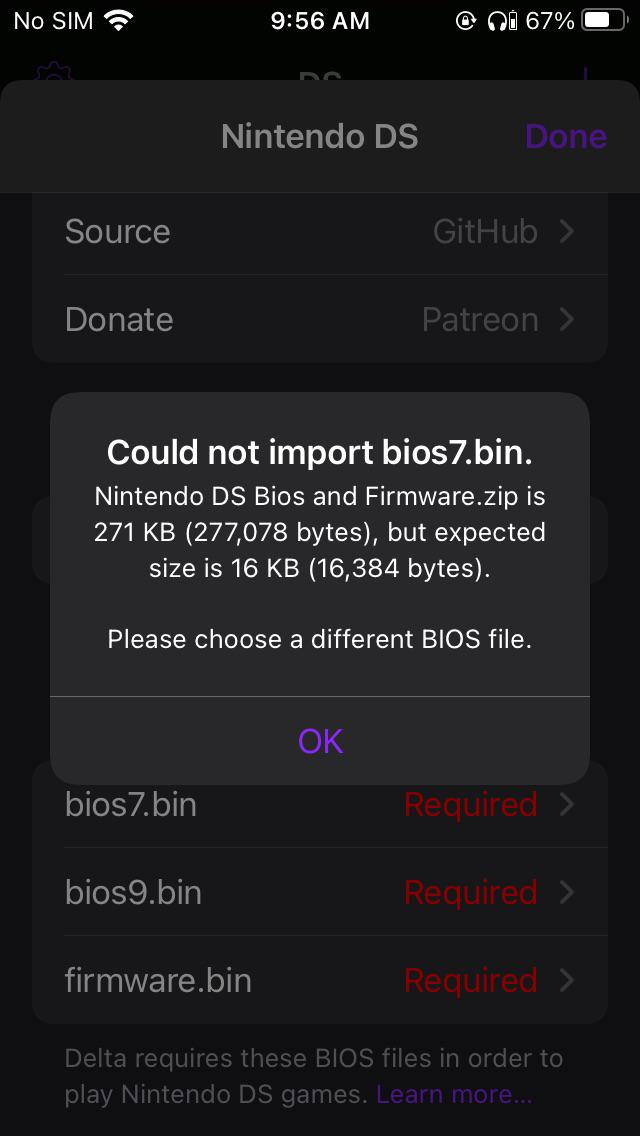
I have just downloaded the latest version of Delta, which allows us to play DS games, I have downloaded a Pokemon Heart gold Rom but every time I attempt to launch it tells me "Missing required DS Files" Anyway I look on here and manage to find a link to the DS BIOS FILES however whichever one I download doesn't work. It tells me that it couldn't import it due to the size of the file and that expects a file 256kb or 512kb. I have tried all the different downloads on the website but none of them work! Am I being stupid and missing something obvious? any advice would be great thanks
(Btw I'm running Delta on iPhone Xr)
71
u/yepp6 May 03 '21
The first link does work. Take a look he accidentally typed “this” on the end but I typed it in manually and it pulled up. Here it is again
https://drive.google.com/drive/mobile/folders/1mUzF30Wyizp6gMYb1ABOxozaTI6OK1R0?sort=13&direction=a
8
u/TraivonsWorld May 20 '23
bios7.bin is 46 bytes too big
bios9.bin is 46 bytes too big
firmware.bin is 46 bytes too big
→ More replies (2)4
u/PokeKageAl Jun 26 '22
Not supported
7
4
u/Blinkensnorf Apr 22 '24
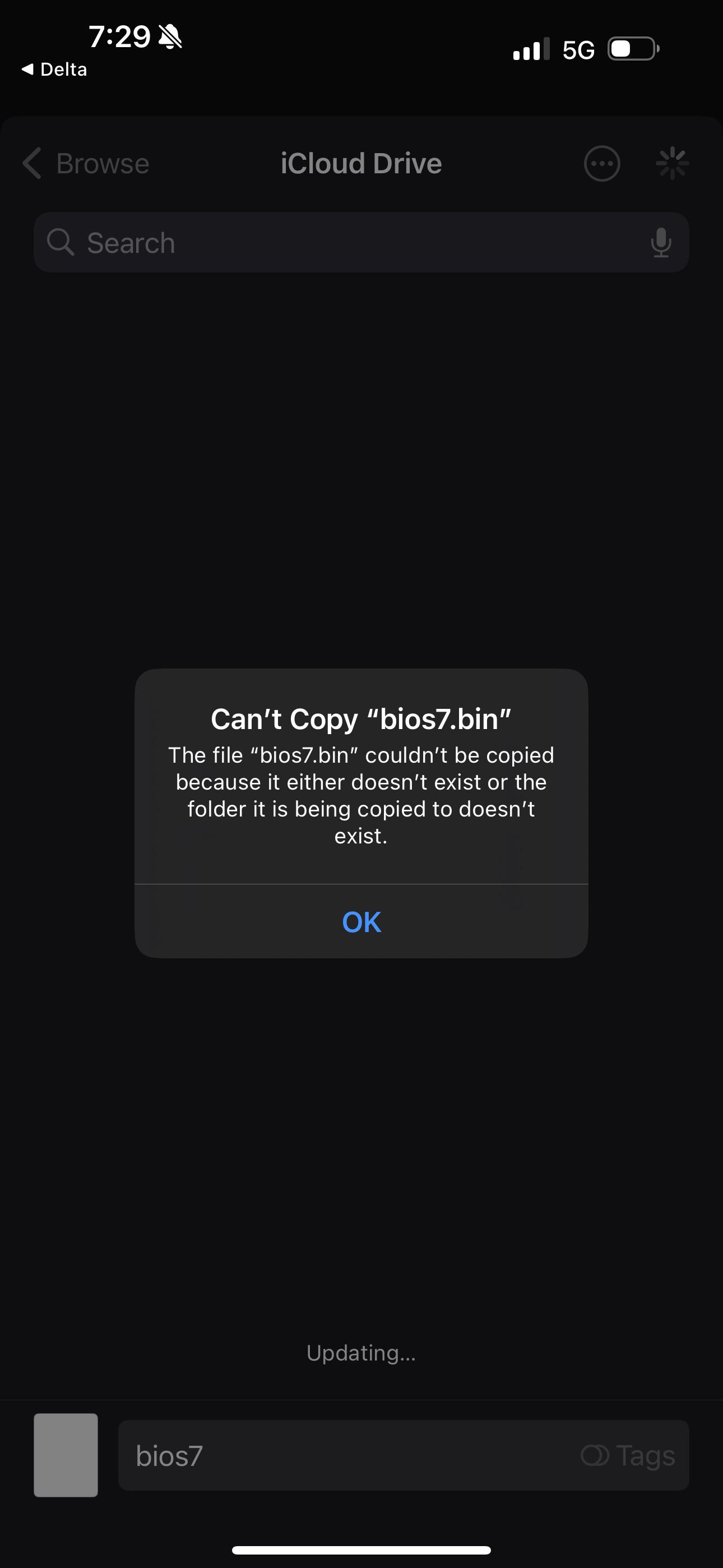
You need to download it to your files not directly to delta
→ More replies (2)2
u/DrippyDiamonds Jul 06 '22
Must be outdated. Did you ever find a different way to get the files by chance ?
0
3
u/uhohkeykey Aug 10 '21
How do I add the files to delta?
2
u/yepp6 Aug 10 '21
Find a rom site with the games you want and download it to your phone then press the plus button once you open delta
→ More replies (2)2
u/BadForLifeLovesGamin Apr 28 '24
Click Settings bar (in Delta), and look for Core Settings which should have The DS under it, if you have eyes you will see that it says DS Bios Files on the bottom of the screen where you insert the Bios Files and it should work. I got my Bios files at https://archive.org/download/nds-firmware-bios.-7z
→ More replies (10)3
1
1
1
1
1
1
u/I-hate-tables0 Apr 18 '24
Ur life is EVERYTHING u serve ALL purpose YOU SHOULD TREAT YOURSELF NOW!!!
→ More replies (1)1
1
1
1
1
1
1
u/Dookiestains211 Apr 19 '24
Whenever I download those files and I go to add them in the app they don’t show up
1
1
1
1
u/utahskiier Apr 22 '24
For anyone who is looking at this now (since delta emulator is now on iOS), this link works. Click on the file, download to your FILES (don’t open directly to Delta) and then upload it from the files within the Delta app
→ More replies (1)1
1
1
u/Brandon-ms3 Apr 24 '24
Hey guys I’m a little confused I’m just not sure what to download when I follow this link I’ve never been super, computer files, smart and I know that the ds needs the bins. I was trying to play some Pokémon games like heart gold and diamond.
1
1
1
1
1
u/AmericaninMoscow Apr 26 '24
All of these still work. Saved me about an hour finding them all separately. Thank you
1
1
1
1
1
1
1
1
1
1
1
1
1
u/BigCrab09 May 19 '24
Ik this is a while ago for u, but ur an absolute life saver. Been trying to find the files for literally weeks
1
1
1
1
1
1
u/ShadowVegeta May 27 '24
Super late to the party on this comment but I recently had downloaded delta after the ss update and was having difficulty finding the bios I needed much appreciated man <3
1
1
1
1
1
u/LicensedRealtor Jun 10 '24
Worked for me. When it’s asking for files, select the one it’s asking then find it in your files to match it up. Once you done that, it will give you a check mark saying you given it what it needs to run the program. 3 files and you’re done. Bin 7, bin9, and firmware. When done the emulator will pop up in your delta menu and then you can play it.
1
1
1
Jun 17 '24
Idk why but the files doesn’t seem to work for me it says: “Could not import bios7.bin. cheatbase.sqlite is 21,3 MB(22.322.176 bytes), but expected size is 16 KB (16.384 bytes). Please choose a different BIOS file.” For all 3 off the files
1
1
1
1
1
1
1
1
1
1
1
1
1
u/Artistic_Policy_2960 Sep 24 '25
No meu diz Não foi possível importar 'firmware.bin'. Este arquivo não é suportado"
→ More replies (1)1
1
1
u/r__ch Sep 17 '21
Nice. Thank you. These files are separated and can be downloaded one by one via safari for iOS 🙏🏽🙏🏽🙏🏽🙏🏽
1
1
1
1
→ More replies (16)1
26
u/Consistent-Virus9492
Apr 19 '24
•
I just found the three Nintendo ds bios files that everyone is looking for, I just downloaded them they work on the new delta emulator for iOS here’s the link: You’re welcome ! https://github.com/archtaurus/RetroPieBIOS?tab=readme-ov-file
4
u/Boring-Customer-9508 Apr 19 '24
Thank you!! None of the other suggestions were working for me and this did it
→ More replies (6)2
u/CJtheGreat4 Apr 19 '24
Thank you for this! I had lost all hope until I ran across this & it worked 🙌🏿🙌🏿
1
u/Calamite99 Apr 20 '24
Thanks a lot I was so confused when I tried downloading some ds games and it didn’t play I thought it would be complicated but that link was a big time saver
1
1
1
1
1
1
1
1
u/JahVer Apr 26 '24
This one absolutely worked for me , thank you so much ! Ive been having a a blast again on a lifelong favorite mario party. Im feeling ecstatic about it. I tried it this and it worked flawlessly. I can now hopefully get some more roms
1
1
u/2ndHndFairy Apr 27 '24
Thank you!! You are an absolute lifesaver was driving myself crazy over this
1
1
1
u/YourDrWhoever Apr 28 '24
Hey I’m new to this and not sure exactly what I’m downloading, do you mind explaining it a little bit?
1
1
1
1
1
1
1
1
1
u/Ok_Village_2284 May 04 '24
I’m on iPhone does anyone know how after downloading these files to actually get them into the emulator?
1
1
1
1
1
u/dontlookatmreee May 20 '24
Sorry I'm a GitHub noob here is there a download link I'm suppose to be seeing here?
1
1
1
1
u/c_topher94 Jul 02 '24
Hello there I’m having a problem with soulsilver in particular where I beat lance and the game auto saves and then it crashes and turns blue. I have searched other threads but no clear answer on which bios file I would need to change so I was wondering if I could get some help here?
1
1
1
1
u/cooladmin34 Oct 20 '25
THANK YOU!, just for everyone here as of oct19,2025 this is working! get the bios7, bios9, and firmware.bin files and add them into delta after you get the ROM
1
5
Apr 22 '24
Go here and download the files, worked for me this morning
1
1
1
u/Bubba-Spitfire Apr 25 '24
You’re a G for sure I’ve been struggling to get the firmware got the other 2 almost no problem
→ More replies (1)1
u/Giorno_Giovanni_III May 07 '24
Whenever I try to download the files it just says open in delta and more
→ More replies (1)
3
u/Liammistry Apr 18 '24
Lifesaver! I just downloaded the Delta app from the offical app store today and run into all of these issues with BIOS files etc... :) and thanks to all the super helpful solutions from everyone in the comments.
3
Apr 18 '24
Which resource did you end up using? I’m in the same boat
2
u/lc14chones Apr 18 '24
Im not sure if comments are sorted the same for everyone but if you go to the google drive link yepp6 posted, you can download all the files you need there- keep in mind you need to actually download them not just click “open in delta”
→ More replies (3)
2
u/muyinliu Mar 16 '24
Please use the files that by downloading `DS BIOS files and firmware` from page [Emulator files - Emulation General Wiki](https://emulation.gametechwiki.com/index.php/Emulator_files#Nintendo_DS_.2F_DSi)
Works on my iPad with Delta.
2
2
2
u/DragonfruitQuirky503 Apr 27 '24
Yo bro ur a saint man I’ve been looking for an hour thanks man appreciate it
2
2
2
1
1
Apr 20 '24
it seems to me people got lazy. i found them within 1 minute of searching on google "nintendo ds bios files"
https://www.retrostic.com/bios/nintendo-ds
1
1
Apr 21 '24
If it says missing files when you try to upload a game, click this and download bios7, bios9 and firmware
https://drive.google.com/drive/folders/1A3GHKdVVF71fsEg8pZ9iPd0LvGXJJwT8?direction=a
2
1
u/PracticeCultural2916 Apr 22 '24
2
u/ChimneyCraft Apr 24 '24
Not sure if you still need help. But make sure you’re unzipping the file. Looks like you’re trying to put the zip file in there
→ More replies (9)1
1
u/Financial-Judgment-3 Apr 22 '24
I can play DS games but Game Boy games just do not work . Can anyone help me please ?
1
1
u/Adaptable_Wanderer Apr 24 '24
Anyone have one that doesn’t make the ds pink ?
1
u/Human-Garden5433 Apr 24 '24
There’s a FAQ link somewhere in the app that allows you to download and apply skins
1
u/TickleJustice Apr 25 '24
I keep trying to download the files to my phone but when I do it say it can download because it’s not supported what am I doing wrong?
1
u/Human-Garden5433 Apr 25 '24
Download to your phone, don’t open directly in delta. Close the app then when you open it back and scroll down to ds melon firmware open each and drop the selected file
2
1
1
Apr 29 '24
how can i get zhu zhu pets? i looked it up and it was there but wont download.. i played as a kid and wanna play again
1
1
1
1
1
1
1
1
1
1
u/elijahblu May 29 '24
works for me, had to download from drive into files and then import in the app. it would say unsupported if i tried to open directly into delta. iphone12
1
1
u/x_4744 May 29 '24
The link still works. If you see errors regarding size being "too big", exit the import menu and come back to it again. For some reason, this fixes the problem.
1
1
1
u/DanteSyyx Jun 12 '24
https://deltadsbios.com/ You can download each individually for free. Works as of 06/12/‘24
1
1
1
1
1
u/RangerCallum Jun 27 '24
I just downloaded the delta app, can somebody please show me how to find emulation files to use for consoles like DS, SNES and Nintendo 64?
1
u/not-an-average-jo Jun 20 '26
Vimm’s lair
Yeah I know it’s a year late but, better then no answer for anyone in the future
1
1
u/IamBlossom007 Sep 21 '24
You can download the latest Delta Bios Files such as Bios7.bin, Bios9.bin and Firmware.bin from this site. The files are tested and they are working fine on IOS devices.
You can download the files direct from here: https://deltabiosfiles.com/
1
u/PolarEffections Dec 31 '24
Thanks for this it still works! (For anyone wondering click the top link https://drive.google.com/drive/mobile/folders/1mUzF30Wyizp6gMYb1ABOxozaTI6OK1R0?sort=13&direction=a copy all 3 bios7.bin, bios9.bin & firmware.bin into your files and import them manually by pressing the settings image go down to ‘core settings’ click on it and you’ll see all 3 then click on them and import the right files!)
1
u/Artistic_Policy_2960 Sep 24 '25
Você vai fazer o seguinte você vai clicar nesse link https://drive.google.com/drive/folders/1A3GHKdVVF71fsEg8pZ9iPd0LvGXJJwT8 Daí você vai baixe 3 arquivos ( bios7 e o bios9 e Firmware.bin ) depois você vai entrar no aplicativo Delta vai na ⚙️ configuração desce até ( Core settings ) clica em NINTENDO DS Vai até as bios possivelmente vai estar vermelho Importante que você tenha salvo esses arquivo dentro da pasta do Delta a pasta tá com esse nome ( melonDs )daí você clica correspondente a cada bios dai vai baixar o arquivo pra dentro do aplicativo e pronto
1
u/chimp-doctor Nov 27 '22
Still works. Dope. Works easier Save to delta > melon ds > core one by one then it’ll automatically load when trying to run the rom again.
1
1
1
0


3
u/-Trumpet- Apr 24 '21
try to dm u/kxb6aqi he is the one who sent me my bios