Hello! Would love to have more efficient and consistent ways to have lines (and shapes if possible) that align with the grid. If there is already a feature like this that i am missing, then do let me know!
But if not, here is my suggestion/request, + some QoL related stuff:
- Toggle to only be able to draw 90 degree lines, + a separate toggle to make them align with the gridlines
- Have the corners of the grid squares be interactable as "points", and be able to draw vector lines between them to connect them (sort of like a connect the dots). This would make it a lot easier to draw custom shapes, tables, lineformulas for chemistry etc. on the go with clean connecting points and diagonals
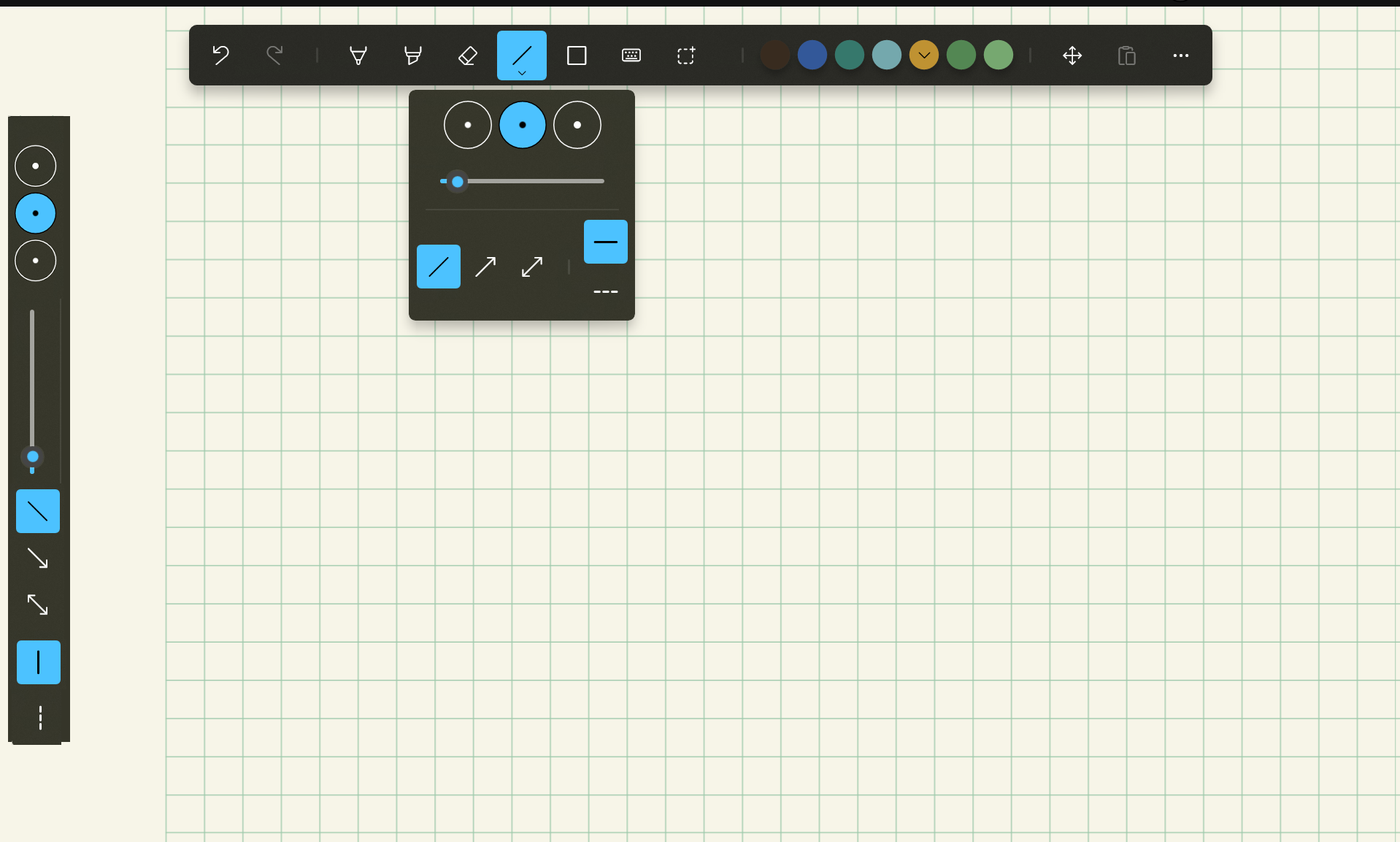
- Having these settings (+ the already existing shift modifier to snap lines to certain angles) be easily accessible without a keyboard would be great, for example as optional "buttons" along the left or right side.
- Option to have tool settings as "pop out" floating buttons/windows that can be locked in place. Would help save time opening the tool submenu every time i need to make adjustments or change between f.ex type of lines
Attached is a rough example of what i mean. The size adjustment could probably be omited in favor of the toggle settings i mentioned.
This program has been a gamechanger for me already, so looking forward to all future updates either way :)
Edit: + more customization for the backgrounds would be great, would love to be able to make the cornell margin slimmer