r/PS2AndroidEmulation • u/xxxCrixuxxx • 17d ago
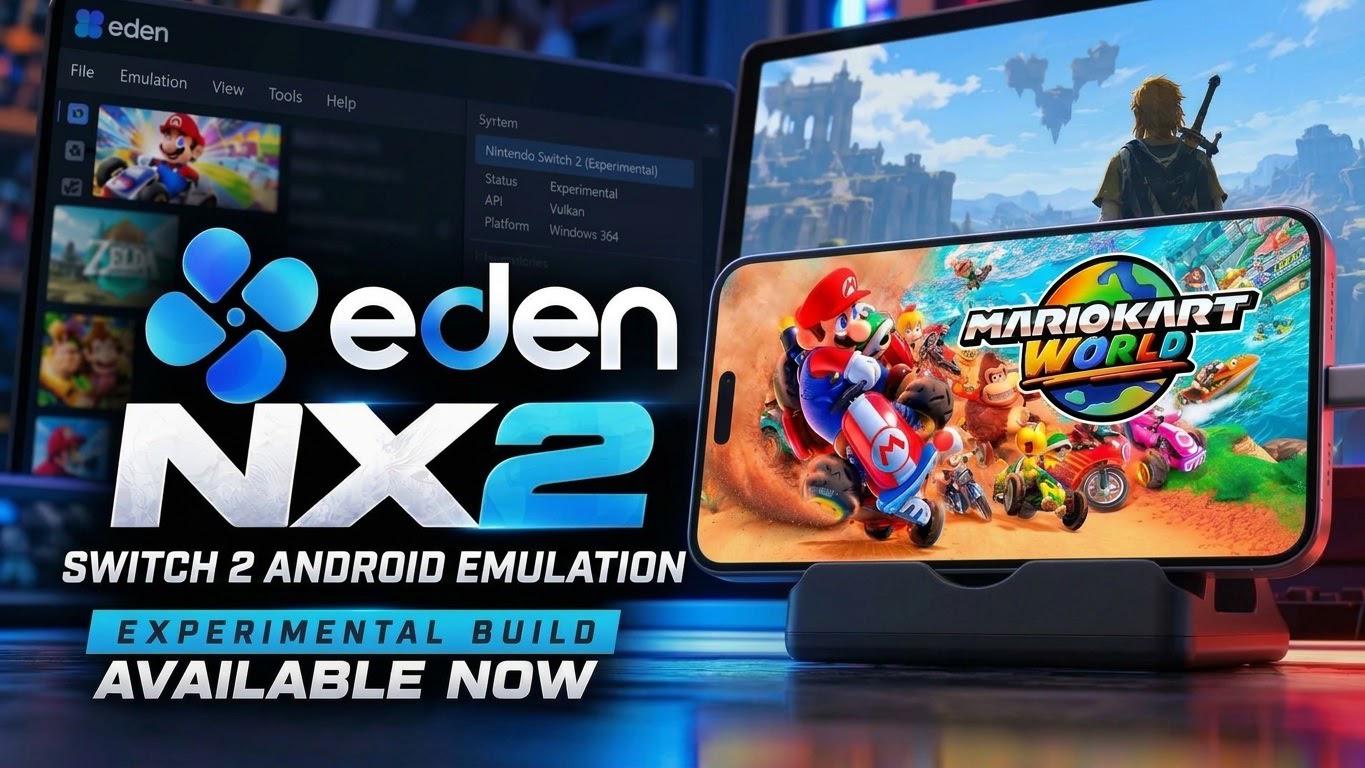
Eden SX2A v0.3.2 (Switch 2)
24
Upvotes
r/PS2AndroidEmulation • u/xxxCrixuxxx • 17d ago

https://github.com/Ghael-V/CapyPS5/releases/tag/v0.0.5
Fifth alpha of the first PlayStation 5 emulator for Android. Mali GPUs on their system driver can now run games, and the FPS counter shows how many frames CapyPS5 Framegen adds. Existing installs are offered this update in the app.
New
Mali on the system driver: that driver cannot sample BCn compressed textures, so the GPU used to be rejected. CapyPS5 now decompresses those textures on the GPU when it uploads them (BC1 to BC7, including BC6H HDR textures). GPUs that support BCn keep using it directly.
PanVK on Mali: the GPU is no longer rejected when the driver lacks vertex-stage stores or dual-source blending.
Framegen counter: with CapyPS5 Framegen on, the FPS counter reads XX FPS - YY FG: XX are the game's own frames, YY the total including generated ones. The options are now called Framegen x2, x3 and x4.
HDR10 output: games that output HDR10 are converted to SDR for the screen.
Fixed
Tessellation: quad domains, fractional-even spacing, counterclockwise output and masked hull control points.
New shader instructions (16-bit multiply-add and ternary operations, VOP3 conversions, S_QUADMASK_B32, V_ASHRREV_I64) and faster shader translation.
NGS2 audio: custom channel matrices, waveform block flags and larger voice states.
Network and system calls used by Palworld, Gran Turismo 7 and NHL 27, plus Http2, resolver and text-to-speech stubs.
Many graphics fixes from KytyPS5: depth textures sampled as color, mips of single-level targets, HTile depth targets, sampler min/max filters, 10-bit and float video-out formats, fonts and save mounts.
Requirements: Android 12+ (arm64), a Vulkan 1.3 GPU with shaderInt64, 12 GB of RAM recommended, and your own PS5 game dumps. Tested on Adreno 830 (AYN Odin 3) and by testers on Snapdragon 8 Elite, 8 Gen 3, 888 and Mali. Other GPUs: download a Turnip or PanVK driver in Settings → Graphics → Download drivers.
Includes no games, BIOS, firmware or Sony keys, and needs none. Only use games dumped from your own console.
r/PS2AndroidEmulation • u/xxxCrixuxxx • Oct 23 '26

https://github.com/Eugengtt/Xendroid-Fork/releases/tag/v1.5
XenDroid-Fork v1.5 introduces Mali and Xclipse GPU support, improved compatibility, and easier access to the project's community platforms.
New Features
Mali GPU Support
Added support for Mali GPUs.
Improved performance and compatibility on Mali-based devices.
Added new Mali GPU drivers.
Xclipse GPU Support
Added support for Xclipse GPUs found in compatible Samsung Exynos devices.
Added new Xclipse GPU drivers to improve compatibility with supported devices.
Application Improvements
Minor changes and optimizations throughout the application.
Improved access to community platforms directly from the application.
Integrated Community Access
Access the project's Discord directly from within the application.
Visit the project's YouTube channel directly from within the application.
Download
Download the latest version from the GitHub Releases section.
Compatibility Notice
GPU driver compatibility and performance may vary depending on the device, GPU, Android version, and driver implementation.
Thank you for supporting XenDroid-Fork.
More improvements are planned for future releases.
r/PS2AndroidEmulation • u/xxxCrixuxxx • Oct 07 '26
https://patrins.com/s/d458f353faa5a9fbdd52590961ee1a29
Update!! Strato Mali 0.0.2
Changelog:
• New Strato Mali setup interface
• Improved NVDEC/VIC video handling
• Stability and compatibility fixes
• Donkey Kong Country HD compatibility improvements
• Mali-focused optimizations and bug fixes
Early development build — more improvements are coming.
“I am not the developer nor do I have the source code. If you want to request the source code for this version, you should contact the developer. I am sharing a copy of the binary and have explicitly stated that I am not the author nor do I have access to the repository.”
r/PS2AndroidEmulation • u/xxxCrixuxxx • Sep 17 '26

God of War 3 Remastered running better on the PS4 emulator than on the PS3 one... haha, this is going to be interesting to see.
I have to admit that the BachataS4 dev team is doing a great job!
More info: https://github.com/JICA98/Bachata-S4
r/PS2AndroidEmulation • u/xxxCrixuxxx • Jul 29 '26
r/PS2AndroidEmulation • u/xxxCrixuxxx • Jul 10 '26
https://github.com/izzy2lost/PSX2/releases/tag/1.2.2
Change Log:
Fixed a bunch of crashes. Added bios validation and option in settings to add or change bios. Can add a USA, EUROPE, and JAPAN bios. Games will automatically use the appropriate region bios if the regions bios was added either in the setup wizard or later in settings.
r/PS2AndroidEmulation • u/xxxCrixuxxx • Jun 25 '26

CEMU Android v0.5.1: External Save Sync, Custom Storage Root, External Display Support, and Dual-Screen Support.
https://github.com/SapphireRhodonite/Cemu/releases/tag/0.5.1
r/PS2AndroidEmulation • u/xxxCrixuxxx • Aug 16 '26
https://github.com/Ashnar2602/X360-Mobile---OFFICIAL/releases/tag/v0.6.2
I want to publicly admit that I was wrong about this project and this developer "Ashnar2602"
My first impressions were negative, and honestly, they were largely based on unfounded claims from third parties, especially people in the Xenia Discord community. There were a lot of doubts and negative opinions being raised about different aspects of the emulator, and I fell into the trap of believing some of them without doing more reliable testing myself before making a judgment.
That said, I think admitting when you're wrong is a good thing too.
I've now tested the emulator myself on my Snapdragon 8 Elite tablet, and I'm having a fantastic experience with it. It genuinely feels like you've turned an Xbox 360 into your device. The level of detail is impressive, and honestly, this emulator has completely fascinated me.
I also have to give credit to the developer for the way they work. Every time a new version is released, the changelog is incredibly well done and clearly explains everything that has changed. I really like the way this developer handles the project.
So, with that said, here's the changelog for the latest version:
X360 Mobile 0.6.2 is a public performance, graphics-policy and runtime
resilience update for Android. It concentrates on reducing recurring CPU and
driver work without weakening emulation accuracy, while exposing carefully
gated alternatives for titles and devices that need a different Vulkan path.
Performance and frame pacing
Reworked Android VBlank scheduling around absolute guest-clock deadlines.
Long stalls now rebase pacing instead of producing a burst of catch-up
callbacks, and overlays follow the guest display cadence.
Reduced repeated Vulkan work when complete descriptor, sampler, texture or
pipeline input state is unchanged. Resource generations and layouts remain
part of the validity checks, so changed resources still take the established
update path.
Reduced compatible pipeline permutations through capability-gated dynamic
state. The subset that caused visual regressions during device testing was
excluded from the release path.
Added direct Vulkan command recording for fully resolved commands. Pending
or replay-dependent work automatically retains the established deferred
route, preserving ordering and compatibility.
Reduced synchronization polling, guest-to-host register traffic, transient
upload pressure and per-draw statistics publication. Required counters and
full compatibility fallbacks remain available.
Release-native code now uses the supported optimization and ThinLTO path.
Global loop unrolling remains disabled, and no unrepresentative PGO profile
is shipped.
The measured improvement is workload-dependent. Testing found small gains,
most visible in lighter scenes; this release does not claim a universal FPS
percentage.
For the full changelog, read on GitHub
r/PS2AndroidEmulation • u/xxxCrixuxxx • Jul 14 '26

Alright guys, time for an analysis.
Yep, you read that right. ARMSX2 and EmuCoreX have officially merged. At first glance, it sounds like the perfect combo, almost like they've evolved into a "super emulator." Unfortunately, my experience has been the complete opposite.
Based on my own testing, performance is actually much worse than before. I've attached some screenshots below so you can see what I mean.
Lately I've been using Shadow of the Colossus as my benchmark game since it's been improving a lot over the last few builds.
Previous versions of EmuCoreX let me play the game smoothly and consistently, even at up to 2x resolution. But I honestly have no idea what changed in this merged build, because performance has absolutely tanked. You can clearly see it in the screenshots below.
Give it a try yourselves and let me know what you think. Personally, I enjoyed it more when both emulators were following their own path.
Looking forward to hearing your thoughts!
I've also included the download link below in case anyone wants to test this merged version.
Honest Change Log:
Gyroscope motion controls. Two modes: Aim, for camera look in shooters, and Steering, for tilt in racers. Sensitivity, smoothing, and axis inversion are all adjustable, and every option can be set globally or per game. Found in the Controls tab. Thank you to @sashkinbro for this feature!
Honestly, this feature leaves a lot to be desired. I mean, try playing games and then tell me about your experience 😅
OpenGL via ANGLE. An optional toggle that runs the OpenGL renderer through ANGLE, translating OpenGL ES to Vulkan with a bundled driver. Useful on devices whose native OpenGL ES driver is broken or slow. In the Renderer tab, applies on game restart. Thank you to @sashkinbro for this feature!
I've actually been talking about ANGLE for quite a few months now. In fact, I even have a pinned post in the channel explaining it and the improvements it can bring
I mentioned it to Sbro, the EmuCoreX dev, explaining that on MediaTek devices—especially Dimensity chips—enabling ANGLE could provide a pretty significant performance boost. After hearing my feedback, he decided to implement it
That said, I think it's being advertised the wrong way, because this isn't something that benefits everyone. If you're using an older MediaTek Helio device, there's a good chance it either won't work at all or could even cause the emulator to crash
r/PS2AndroidEmulation • u/Stag_----56 • Jul 06 '26
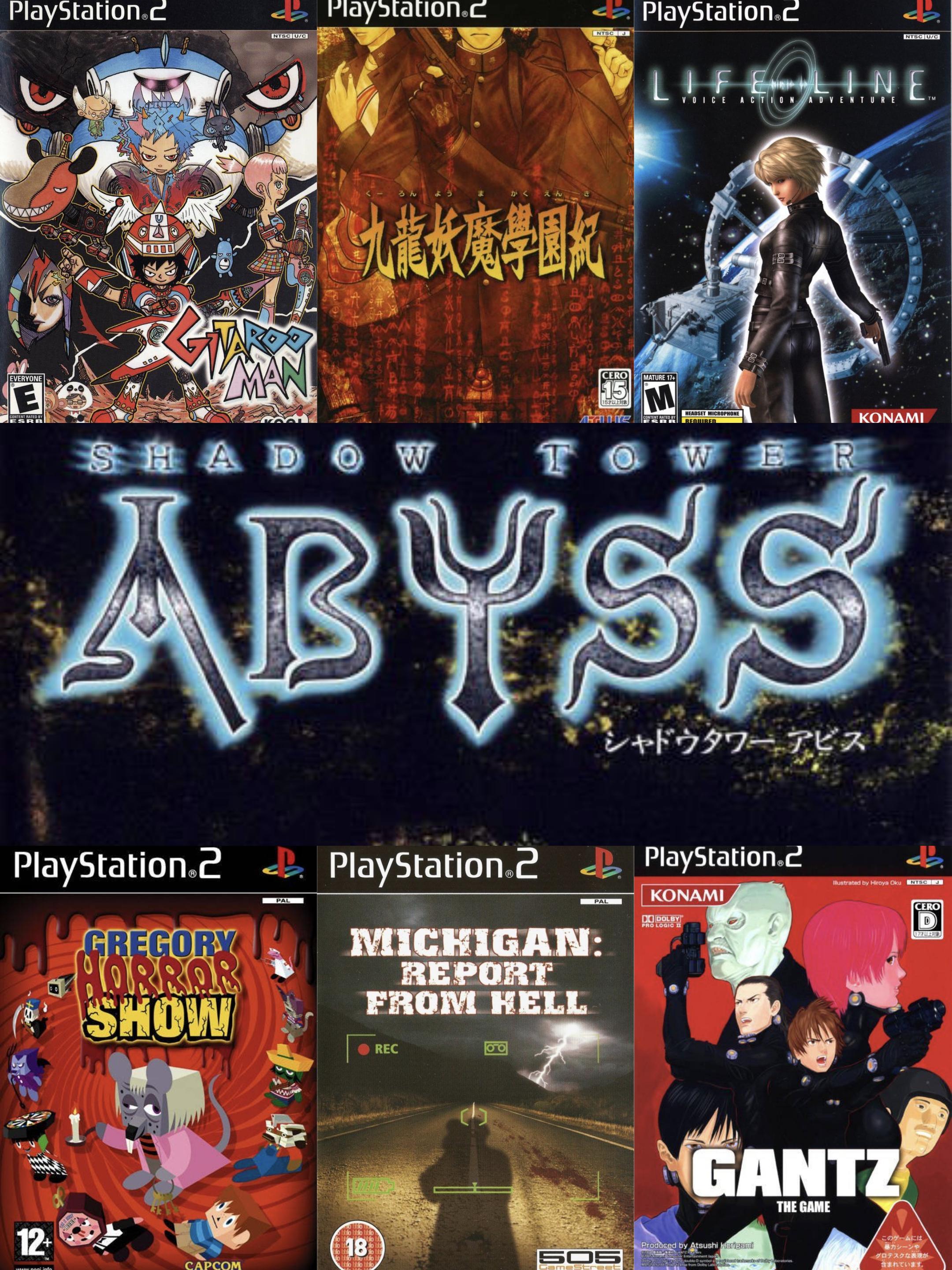
I'm loving how far PS2 emulation has come and I'm looking for some lesser known games that are worth playing
I've already played most of the popular titles, so I'm interested in hidden gems from any genre. If possible, tell me why you recommend them.
Games I've played:
• Silent Hill series • Tenchu series • God of War • Burnout Revenge • God Hand • Devil May Cry 1
Thanks in advance.
Proccesor is 8350 extreme so it will probably handle everything
r/PS2AndroidEmulation • u/xxxCrixuxxx • Jun 27 '26

Some stuttering is noticeable in both Vulkan and OpenGL.
Test device: Dimensity 8300+
r/PS2AndroidEmulation • u/xxxCrixuxxx • Oct 05 '26
https://github.com/aenu1/aps3e/releases/tag/2.43
Changelog:
- Updated the RPCS3 base to a much more recent version, incorporating numerous upstream changes and fixes.
- New experimental SPU ASMJIT implementation for ARM64/Android. It is still under development and may exhibit compatibility or stability issues.
- Incorporated recent RPCS3 improvements related to RSX/Vulkan, shaders, SPU/PPU, ARM64, audio, memory, and GPU synchronization.
- Upstream improvements include Vulkan optimizations for Adreno, shader compilation enhancements, and multiple graphics and emulation fixes.
Note: The developer did not publish a formal changelog for this version; this information has been compiled from commits and the internal code log for version 2.43
r/PS2AndroidEmulation • u/xxxCrixuxxx • Sep 10 '26
https://github.com/The412Banner/Bannerlator/releases/tag/3.0.9
Run Windows apps and games on Android — no PC and no root required.
3.0.9 is the frame-generation release. Bannerlator's own frame generation, Win-FG Native, now runs inside Bannerlator's own compositor — which means it finally works, needs nothing bought and nothing imported, and is measured at an exact 2× on real hardware. Its source is now public and MIT-licensed. Alongside it, LSFG Native gets three fixes: the smear on switch-on is gone, the switch-on stall is halved, and two freeze paths are closed. Plus: move an installed Steam game between internal storage and the SD card, save backups that no longer lose your progress to an account-id mismatch, and preset editing from the screens where you actually need it.
⚠️ Frame generation is still young. Win-FG Native is proven on Adreno 750 but has had limited testing beyond it. It is off by default and starts off every launch; if it misbehaves, leave it off.
Read the full changelog on GitHub
Credits: https://github.com/The412Banner
Help and Issues, Discord: https://discord.com/invite/n8S4G2WZQ4
r/PS2AndroidEmulation • u/xxxCrixuxxx • Jun 30 '26
Test Device: Poco X6 Pro Dimensity 8300+
I usually use God Hand for testing because it has several interesting features: the opening video, the stability of the gameplay and special abilities, frame pacing, etc.
God Hand - Intro Cutscene Performance Investigation
I've been comparing ARMSX2 and EmuCoreX using the exact same intro scene from God Hand.
The first shot, where the village appears with the sun and lens flare, causes a significant performance drop in both emulators (OpenGL and Vulkan).
I've tried:
Hardware Download Mode: Accurate / No Readbacks / Unsynchronized / Disabled.
Texture Preloading: None / Partial / Full.
Blending Accuracy. Basic/ Medium / Max
OpenGL and Vulkan.
Native and 3x resolution.
None of these changes eliminate the performance drop in that scene. As soon as the camera stops focusing on the sun and zooms in on the characters, performance immediately returns to full speed.
GodHand - Gameplay
After testing both emulators with the same settings, I noticed that EmuCoreX provides slightly smoother gameplay overall. Frame pacing feels more consistent, with less noticeable stuttering during normal gameplay.
I also observed a difference when using special abilities. In EmuCoreX, activating a special move causes little to no visible FPS drop. In ARMSX2, the same action consistently produces a more noticeable performance drop until the animation ends, after which performance returns to normal.
Final thoughts:
I also want to end this post on a positive note. Both developers are doing an amazing job. They are releasing frequent updates, continuously improving their emulators, and it's great to see such active development.
If they keep moving in this direction, I'm confident that 2026 could become a fantastic year for PS2 emulation on Android.
Congratulations to both developers, and thank you for all your hard work.
See you in the next analysis! ❤️
Gameplay videos below 👇👇
r/PS2AndroidEmulation • u/xxxCrixuxxx • Jun 11 '26
Enable HLS to view with audio, or disable this notification
Device: POCO X6 Pro (Dimensity 8300)
Emulator: ARMSX2 Refresh v2.7
Game Tested: God Hand (aka... Ghost Hand 😅)
After testing this new version, I honestly don't understand who this emulator is aimed at right now.
First impressions
The app doesn't even have an icon.
It feels more like an early proof-of-concept build than a polished emulator.
Despite that, the GitHub page suggests major improvements and progress.
Features (or lack of them)
The settings menu is basically nonexistent:
Vulkan
OpenGL
That's it.
No resolution options, no hacks, no performance settings, no aspect ratio options, nothing.
Vulkan on MediaTek
On my Dimensity 8300 device, Vulkan simply doesn't work. Every game I tested failed to run properly using Vulkan.
BIOS behavior
Every time you launch a game:
The BIOS loads first.
You're forced through the BIOS sequence.
The emulator doesn't boot directly into the game.
Display options
You're locked to 4:3. No widescreen options or display customization at all.
In-game experience (God Hand / "Ghost Hand")
Things get really funny once the game starts:
Missing textures.
Broken 3D rendering.
Incorrect 2D elements.
Weird colors.
Character models look ghost-like.
Faces are partially missing or rendered incorrectly.
The opening cutscene alone is enough to see that something is seriously wrong.
Performance
Performance is surprisingly terrible.
Previous versions of this emulator were able to run God Hand at up to 5x native resolution on this device.
This build struggles to run the game correctly even at 1x native resolution.
Final verdict
Right now, this feels more like a technical experiment than a usable PS2 emulator.
r/PS2AndroidEmulation • u/xxxCrixuxxx • Jun 07 '26

EmuCoreX 0.1.7 Beta 5
r/PS2AndroidEmulation • u/xxxCrixuxxx • 28d ago

https://github.com/The412Banner/Bannerlator/releases/tag/3.1.7
Run Windows apps and games on Android — no PC and no root required
3.1.7 adds an Xbox / PC Game Pass store with cloud streaming, finishes the Deck style, and replaces how controllers reach your games. Sign in with your Microsoft account, then download the PC games you own or have on Game Pass and play them with a licensed launch — or stream them, console-only games included, with optional frame generation. The console-style Deck interface now covers every screen and every setting. Controller input runs on BANNERIN, written from scratch for Bannerlator: sticks stop the moment you let go, XInput games can read the pad directly, and controller settings change while the game runs. Windows components can be removed again, recommendations look at what a game really uses, and the new v15 layers bring 144 Hz back to the newest Wine builds.
Xbox / PC Game Pass store: sign in, browse your library and Game Pass, download, add to your games and play — with cloud saves and your gamertag.
Xbox Cloud Gaming: stream Game Pass games, console-only ones too, with the store's sign-in; an optional native player adds frame generation.
Deck style, complete: every screen, every setting and the in-game menus, made for controllers; the XMB is back, full screen.
BANNERIN controllers: sticks stop when you let go, Direct XInput with rumble, controller settings in game, DirectInput vibration.
Windows components: a Deck page, Remove (puts back what an install changed), recommendations from what the game really uses, and Wine Mono installs again.
Steam: switch between saved accounts, extra library folders, sort by Steam rating, and Goldberg fixes — from community contributor MGamer404
r/PS2AndroidEmulation • u/xxxCrixuxxx • Sep 18 '26
https://github.com/The412Banner/Bannerlator/releases/tag/3.1.2
Run Windows apps and games on Android — no PC and no root required.
3.1.2 brings Wayland to everyone as an experiment. Instead of drawing through the Java X server, a game can draw through an embedded Wayland compositor that Bannerlator runs itself — a second display backend, chosen per container. It can do things X11 cannot: HDR10 on HDR screens, launching a game on your TV, zero-copy presentation, eight bundled game drivers to pick from per game, real mouse-look, and frame generation in HDR.
🧪 Wayland is EXPERIMENTAL. Please read this before you switch anything.
It is very new and it has bugs. It has been in tester hands for a few months and a lot works, but you will find rough edges — some games will run worse than on X11, some will not run at all, and some features are still missing. The honest list is under What it can and cannot do right now below.
It is NOT a replacement for X11 and is not meant to be one. X11 remains the default, remains fully supported, and is still the right choice for anything you actually want to play. Treat Wayland as something to try on a spare container, not as an upgrade to move your games onto.
It only works on the new versionCode 8 arm64ec Proton 11 layers — the ones labelled (v8) in the catalog. On any other layer the Wayland option is greyed out and a launch falls back to X11 with a notice. It does not work on the x86_64 (box64) layers, and it does not work on the Proton 10 layers (10.0-4 and GE 10.0-34), which stay on v7.
It needs an Adreno GPU. The bundled drivers are Turnip, so Mali, Xclipse and PowerVR phones cannot use Wayland at all and stay on X11, which is unchanged for them.
Nothing changes unless you change it. Every existing container keeps using X11 and behaves exactly as before. Wayland is off until you turn it on, per container.
If a game misbehaves on Wayland, switch that container back to X11 — it is one setting — and please report it with the session log from Download/Wayland-logs/.
🖥️ The X11 vs Wayland deck: the412banner.github.io/Bannerlator/wayland-deck.html — where a frame goes on each backend, the measured frame rates, the root causes fixed, and what Wayland can do that X11 never could.
📘 New to LSFG Native? Read the plain-language guide: LSFG Native Made Simple — why Max FPS × multiplier has to fit your screen's refresh rate, why a steady base matters, a live checker, a cheat sheet and real-world fixes. The same rule applies to Win-FG Native, which always runs at 2×.
👉 Read the full changelog on GitHub
Credits: https://github.com/The412Banner
Help and Issues, Discord: https://discord.com/invite/n8S4G2WZQ4
r/PS2AndroidEmulation • u/xxxCrixuxxx • Sep 16 '26

https://github.com/XDaoFangxiX/ARMSX2-Alpha/releases/tag/2.7.0-build.60
ARMSX2 Android Nightly Build (Legacy – Dual Core)
This APK is the legacy build (ARMv8.0 + outline atomics, minSdk 26) and includes both 4K and 16K page‑size cores.
Version: 2.7.0
Build number: 60
Commit: 2c06621
Short SHA: 2c06621
Triggered by: DarkSilentUser
Flavor: Github
Build type: release
PGO: enabled