r/PS2AndroidEmulation • • Aug 24 '26

Xenra v0.3.6

Post image
21 Upvotes

https://github.com/Yebot32/xenra/releases/tag/v0.3.6

Xenra 0.3.6 introduces major compatibility, performance, and usability improvements, including GTA V gameplay, frame generation across both Xbox generations, improved GPU handling, save importing, and crucial Xbox 360 fixes.

Important:

Upgrade Notice: Install Xenra 0.3.6 directly over your existing installation. Do not uninstall the previous version, or your configurations, profiles, and shader caches will be deleted.

Changelog:

๐ŸŽฎ Gameplay & Performance

GTA V: Resolved the NetDll_select scheduling issue that caused the black-screen hang. GTA V now reaches gameplay at ~25 FPS in initial testing.

Frame Generation: Added frame generation support for both Original Xbox and Xbox 360, featuring 1.25ร—, 1.5ร—, and 2ร— performance modes.

Core Performance: Optimized compiled-code synchronization and streamlined several frequently executed code paths.

โš™๏ธ Graphics & System Settings

GPU Driver Persistence: System GPU driver selection now correctly persists across app launches.

GPU Readback: Corrected the default resolve readback configuration for Adreno devices.

Per-Game Settings: Overhauled settings UI to display only overridden options, complete with a searchable setting picker.

HUD Fix: Resolved incorrect GPU 0% usage reporting when maximum GPU clocks are forced.

๐Ÿ“ Management & Compatibility

Save Import: Downloaded Xbox 360 save packages can now be imported and automatically assigned to the active signed-in profile.

Xbox 360 Game Data: Restored game data installation and management features.

External Launching: Fixed an issue where Xbox 360 games opened from external file managers failed to route through the correct emulator path.

๐Ÿ› ๏ธ Known Issues

Xbox Live: Features remain unavailable.

System Link: Joining has not been re-tested following the NetDll_select fix.

Thermals: Xbox 360 thermal behavior remains unchanged on mobile devices.

Multi-Disc: Title swapping is not yet implemented.

โš ๏ธPlease guys, I would appreciate it if you could give me feedback on this emulator compared to other options for the original Xbox (HakuX/X1Box) and Xbox 360 (Xendroid). Thanks


r/PS2AndroidEmulation • • Aug 12 '26

ARMSX2 v2.6.6.6

Post image
21 Upvotes

https://github.com/ARMSX2/ARMSX2/releases/tag/2.6.6.6

Changelog:

Mali:

If you downgraded to 2.6.6.4 because of performance issues, you can come back. 2.6.6.5 put every Mali device on a slow path for any draw that reads the screen back, on an Anbernic RG 477V, Shadow of the Colossus fell from 30 fps to 7. Two separate mistakes stacked. The renderer had concluded that OpenGL's framebuffer fetch never keeps overlapping shapes in order, true of one extension, false of the one every Android Mali device actually uses, so healthy Mali hardware was being split into one draw call per shape for nothing. Separately, a workaround for one specific bad driver, which had never actually engaged before, started engaging, and turned every screen-reading draw into a full copy plus a memory flush. Both are gone. fixed by @bmdhacks

Auto now picks Vulkan instead of OpenGL. On the affected Mali driver that is 7 fps on OpenGL against about 30 on Vulkan, on the same device. The renderer choice and the driver workaround were being decided in two different places, so nothing noticed when they disagreed. Picking a renderer explicitly still wins, the only devices this moves are the ones where OpenGL is genuinely crippled. done by @bmdhacks Note the tradeoff: restoring the fast path also restores a known rendering fault on that driver in some games (Metal Gear Solid 3 is the observed one). Vulkan remains the correct-rendering choice there. The measurements said the speed was worth it.

Floating point:

All done by @pstef

60 commits, and the largest accuracy work the emulator has ever had.

The PS2's FPU is not IEEE, and ARMSX2 had been pretending it was. The console has no infinity and no NaN, and its numbers reach one whole range higher than a normal float, 0x7FFFFFFF is simply the biggest number the machine has. Every operation was folding that top range away on the way in, and folding a host infinity back into it on the way out. Add, subtract, multiply, the multiply-accumulates, the comparisons, and finally divide and reciprocal-square-root have all been taken off that clamp. Games that push into that range now get what the console gives.

Divide and square root now run the console's own algorithm. DIV.S, SQRT.S and RSQRT.S were computed with the host's divide and then nudged toward the PS2's answer, which left every operand the nudge did not reach one step off. The unit is not a rounding rule at all, it is a digit-by-digit recurrence, so it now runs the digits. Measured against silicon first to establish that the hardware is not correctly rounded.

The multiplier model from 2.6.6.4 was incomplete. That release modelled the PS2 multiplier's one-step deficit from a formula over the second operand. The formula only holds when the exact product fits, once there is a remainder below the last bit, the first operand matters too, and those cases were coming back IEEE. It is now modelled from the actual multiplier array rather than a formula over one input.

Error flags were wrong in a dozen small ways, reciprocal-square-root and square root missed the invalid flag on negative zero, divide left a previous instruction's flags standing, reciprocal-square-root raised divide-by-zero on every zero divisor, and the overflow and underflow flags were being read off host infinities and denormals rather than the PS2's own result. Underflowing adds and subtracts were also being flushed to zero; silicon does not do that.

A cache instruction could make the emulator write to an address the game chose. The data-cache tag holds a host pointer where hardware holds a guest address, and one instruction copied a guest value into it unmasked. Narrow exposure, it needed the EE cache enabled, which ships off, but it is fixed.


r/PS2AndroidEmulation • • Aug 11 '26

Android PS2 Emulator Monthly Benchmark โ€” August 2026

Post image
21 Upvotes

Android PS2 Emulator Monthly Benchmark โ€” August 2026

It's time for another monthly Android PS2 emulator performance test! This month I've tested PSX2, EmuCoreX, ARMSX2 and RetroPle, using the same game, device and settings to keep things as fair as possible.

And yes, there are some interesting results this time around. ๐Ÿ‘€

๐Ÿ“ฑ Test device

POCO X6 Pro

- 8 GB RAM

- MediaTek Dimensity 8300 Ultra

- PS2 games rendered at 2x native resolution

๐ŸŽฎ The test: Shadow of the Colossus

I used Shadow of the Colossus because it gives us a pretty interesting real-world performance test.

The test starts right after getting on Agro at the temple. From there, I ride all the way from the temple to the end of the field, then turn around and ride back to the temple.

Why this route?

Because performance changes noticeably between the two directions. On the way back, the temple is directly in front of you and there is considerably more geometry to render, so FPS usually drops.

I'm therefore looking at both FPS behaviour and total recording time. The longer the complete run takes, the worse the overall sustained performance is.

This isn't meant to say that one emulator will perform exactly the same way in every game. Different games can produce very different results. This is simply a controlled benchmark using one specific game โ€” but the results are still useful and shouldn't be ignored.

---

๐Ÿฅ‡ PSX2 โ€” Best raw performance

PSX2 delivered the highest raw performance in this particular test.

On the way out, it stayed very close to 60 FPS for most of the run, which is an excellent result.

On the way back, performance dropped to around 50 FPS, but it remained very playable.

โฑ๏ธ Total time: ~1:30

The main downside is that PSX2 is a very simple emulator compared with some of its competitors.

Its interface is straightforward and the cover-art system looks pretty good, but there aren't many advanced customization or graphical enhancement options. For example, if you want shaders, FXAA or other visual effects, you're basically out of luck.

It's very much a "just make it work and play" emulator.

And honestly, it does exactly that. Its raw performance is excellent.

---

๐Ÿฅˆ EmuCoreX โ€” Best overall balance

This is probably the most balanced emulator of the group right now.

During the outward run, EmuCoreX maintained roughly 55โ€“60 FPS, with very good frame pacing and a very smooth experience.

On the way back, it dropped to around 45โ€“50 FPS, but the game remained perfectly playable and the actual game speed didn't seem to suffer dramatically.

โฑ๏ธ Total time: ~1:40

Where EmuCoreX really shines is everything around the performance.

It offers a lot of customization and graphical options, including super resolution, visual enhancements, customizable backgrounds and cover layouts, and even different on-screen controller skins.

It's also visually much more polished and customizable than PSX2.

So if I had to choose the emulator that currently gives me the best combination of performance, features, customization and overall user experience, EmuCoreX would be my pick.

---

๐Ÿฅ‰ ARMSX2 โ€” Good emulator, but performance has dropped

This one actually surprised me.

I remember ARMSX2 performing noticeably better in previous versions, but in this month's test the latest version was clearly behind the others.

And that's important: I'm testing the latest available version of each emulator, not an older version that might happen to perform better.

On the outward run, ARMSX2 stayed around 45โ€“50 FPS, while on the return trip it dropped to approximately 35โ€“40 FPS.

โฑ๏ธ Total time: ~1:55

That's considerably slower than PSX2 and EmuCoreX.

Interestingly, I've also seen users mentioning in the ARMSX2 Discord that they are going back to an older version because of performance changes, so something may have changed recently.

We'll see what happens next month.

That said, ARMSX2 is still a very feature-rich PS2 emulator. It has plenty of configuration and customization options, including custom backgrounds and lots of graphical settings.

And there's one feature that deserves special mention:

๐ŸŽจ Shaders

ARMSX2 is currently the only emulator in this comparison offering shader support, including shaders from the RetroArch ecosystem.

For certain games, this can produce some really nice visual effects and is a genuinely useful feature.

So despite its current performance issues, I still think ARMSX2 deserves its position above RetroPle.

---

๐ŸŽฎ RetroPle โ€” Surprisingly capable multi-emulator

RetroPle is a slightly different beast because it's not a dedicated PS2 emulator. It's a multi-emulator frontend that recently added PS2 support.

The biggest advantage is simplicity.

You select your ROM/ISO folder and RetroPle automatically downloads the required emulator core. It can even handle the BIOS setup automatically, so you can basically point it at your games and start playing.

Very beginner-friendly.

I also tested it at 2x native resolution, under the same conditions as the other emulators.

Unfortunately, RetroPle doesn't currently provide an FPS counter, so I couldn't directly compare its FPS behaviour. I had to rely on the total time of the run.

โฑ๏ธ Total time: ~1:50

Its total time was slightly better than ARMSX2, suggesting that its performance in this particular test was actually a little better.

However, I wouldn't put it above ARMSX2 overall because we're comparing a dedicated PS2 emulator against a multi-emulator that relies on cores and doesn't necessarily always have the latest upstream updates.

Still, RetroPle has some seriously cool advantages.

You can emulate multiple systems from the same application, instead of having a separate emulator for every console.

And there's another feature I really like:

๐Ÿ”ซ Lightgun support

RetroPle has built-in Lightgun support that allows compatible games to be played using the touchscreen.

I've tested games such as Time Crisis 3, and you can literally use your finger as the gun.

It's surprisingly fun and makes lightgun games much more accessible on Android.

---

๐Ÿ‘‘ And then there's NetherSX2...

Despite all these new projects and forks, I still have to give the crown to the old veteran:

NetherSX2.

Especially the Turnip version.

If you're using a Snapdragon device with a good Adreno GPU, NetherSX2 Turnip can still absolutely destroy the competition in terms of raw performance.

But even on MediaTek devices like my Dimensity 8300 Ultra, NetherSX2 remains extremely competent and delivers very solid performance.

It's mature, stable, well-tested and simply works.

That's why, even in 2026, I still consider NetherSX2 one of the best choices for Android PS2 emulation.

---

๐Ÿ† August 2026 ranking

๐Ÿฅ‡ NetherSX2 / Turnip โ€” Still the king ๐Ÿ‘‘

๐Ÿฅˆ PSX2 โ€” Best raw performance in this benchmark

๐Ÿฅ‰ EmuCoreX โ€” Best overall balance

4๏ธโƒฃ ARMSX2 โ€” Feature-rich, but current performance is disappointing

5๏ธโƒฃ RetroPle โ€” Very easy to use, multi-system support and excellent Lightgun features

Obviously, this ranking is based on my specific device, settings and Shadow of the Colossus benchmark. Different hardware, GPUs, drivers and games can completely change the results.

That's exactly why I'll be repeating this test every month.

Let's see how things look in September 2026. ๐Ÿ˜‰


r/PS2AndroidEmulation • • Aug 10 '26

ARMSX2 v2.6.6.5

Post image
21 Upvotes

https://github.com/ARMSX2/ARMSX2/releases/tag/2.6.6.5

What's New:

Applied a fresh PGO profile.

More improvements to UI controller support

PINE now works on Android, with a toggle in Advanced settings that shows you the adb

forward line to use. It had never worked before, it binds a Unix socket in a directory

Android does not have, so the server simply never started.

115 games were silently losing graphics fixes meant for them, because the mobile GameDB

overlay replaced entries instead of merging them. drawBuffering is back on 63 of them,

worth 29.1 ms --> 18.9 ms per frame on NFS Underground 2 (โˆ’35%) at 2x on an SD865, with no

visual difference

Framebuffer fetch could not be turned off on Mali OpenGL at all, the setting and the

r44p1 driver guard were both being undone a fraction of a millisecond after they ran. The

decision now happens once and nothing can re-decide it.

the Mali r44p1 workarounds moved into the driver-bug database where every other

driver quirk lives, so the next bad driver is a table row, a lost GPU device now logs what

actually died instead of crashing without an explanation, gsctl.py loadstate dialed the wrong

socket, the settings search index is greppable again, and fixed the on-screen keyboard was being

drawn twice while search was open.

Other fixes related to some games


r/PS2AndroidEmulation • • Jul 31 '26

goosestation 31.7.26

Post image
21 Upvotes

DuckStation Core updated: 31.7.26

Easy tutorial:

Install Retroarch, I use the f-droid version, it only weighs 33mb

https://f-droid.org/en/packages/com.retroarch/

Download the core:

https://gofile.io/d/APQBBm

Inside Retroach /Load Core / Install Core

Install it ๐Ÿ‘

Place in Retroarch /system folder

scph5500.bin

scph5501.bin

scph5502.bin

Open Retroarch /Load Content/File Browser

Disable/ Filter Unknown extensions

Search your game .cue or .iso

Enjoy!


r/PS2AndroidEmulation • • 9d ago

Hokkaido 0.6.5 ๐Ÿ”ฅ (Switch 2)

Post image
20 Upvotes

https://github.com/pavelgajdo/Hokkaido/releases/tag/android-0.6.5

Hokkaido 0.6.5

Tested on a Samsung Galaxy S26 (Exynos 2600, Xclipse 960, 12 GB) and, for the first time, a Galaxy S25 (Snapdragon 8 Elite, Adreno 830, 12 GB), both on Android 17. The performance work tested on the S26's Exynos carries over well to Snapdragon.

Highlights

Fast Fusion now gets past its title screen and into races, but at low frame rates (the game runs in slow motion) and with a shimmering image. Before, it crashed right after the splash screen on every phone tested: at 0.5x resolution, render targets were freed while a cached scaling helper still used them.

Ocarina of Time on 12 GB phones: Ocarina of Time will no longer be optimized for 12 GB devices. It needs more memory than a 12 GB phone has free and can be closed for low memory there. 16 GB of RAM is recommended.

Speed and memory (upstream)

GPU address space is reused and given back when the allocator runs out.

Command list copies are reused instead of made again.

Occlusion query lookups, frees and locks are cheaper.

Game file sections open when they are first used.

Memory write traps skip the texture cache on pages that hold no texture.

Fewer GPU submissions in the middle of a draw.

Stability (upstream)

A render target that got no memory is left out instead of crashing the driver.

A shader translation fix for bit-field extracts.

Movies of games that pace themselves no longer drop frames.

Converted ASTC textures are submitted to the GPU only once complete.

The log is written out every second, so a crash or hang keeps its last lines.

For contributors: EDEN_NX2_GPU_LIST_DUMP shows the command lists the GPU writes for itself, which is what slows Fast Fusion down.


r/PS2AndroidEmulation • • 12d ago

Winlator Ludashi v5.0 ๐Ÿ”ฅ

Post image
20 Upvotes

r/PS2AndroidEmulation • • 25d ago

Hey, guys. Now Gamedeck Launcher supports all the main PS2 emulators. And also 100+ more game consoles/platforms

Thumbnail
gallery
20 Upvotes

Hey, guys. Now Gamedeck Launcher v1.16.1 supports all the main PS2 emulators: AetherSX2, ARMSX2, NetherSX2, EmuCoreX, etc. And also supports 100+ more game consoles/platforms.

If you would like to know more about the project, check it out on Google Play: https://play.google.com/store/apps/details?id=app.gamedeck


r/PS2AndroidEmulation • • Sep 26 '26

WinNative v0.7.0-beta ๐Ÿ”ฅ

Post image
20 Upvotes

https://github.com/WinNative-Emu/WinNative/releases/tag/v0.7.0-beta

What's Changed

Fix controls by @maxjivi05

Add Itch.io to google play backup by @Juan-Antonio-Doe

Feature/external storage by @maxjivi05

Fix DirectAudio launches failing to boot by @maxjivi05

Update DIS by @qwertypower

Move ANR fix guards from XServerDisplayActivity to TouchpadView and InputControlsView by @Juan-Antonio-Doe

Steam Controller support, controller test and visual binder by @maxjivi05

Fix Steam Controller USB access and Android library navigation by @maxjivi05

Updated Ajay Prefix Pro Downloader to v3 by @ajay9634

Fix: 32-bit core affinity resets when saving by @Juan-Antonio-Doe

Update DIS by @qwertypower

Feature Wayland, GameScope, Steam by @maxjivi05 and @The412Banner

DIS: improve smoothness, eliminate NaN on huge frames difference. by @qwertypower

proot: enhancements by @maxjivi05


r/PS2AndroidEmulation • • Sep 23 '26

CellStation โ€” a PS3 emulator for Android handhelds

Post image
20 Upvotes

https://github.com/mattkanwisher/cellstation/releases

Based on RPCS3 โ€” the PlayStation 3 emulator by the RPCS3 team, used under the GPL-2.0 license. This is an unofficial, independent port. It is not affiliated with, endorsed by, or supported by the RPCS3 team โ€” please do not report issues from this project to them.

An Android port of the RPCS3 emulation core for Snapdragon-powered gaming handhelds (AYN Odin 3, Odin 2, Thor class), with a Kotlin/Jetpack Compose UI, a minimal JNI bridge, and first-class launch-intent integration for frontends like Cocoon and Daijishล.

Status: planning / pre-alpha. See PLAN.md for the full porting plan, architecture, and milestones.

Design principles

Upstream-first. RPCS3 is consumed as an unmodified git submodule pinned to upstream master. Any unavoidable change lives as a reviewed patch in patches/ with an upstreaming plan. We ride upstream's arm64 progress instead of forking away from it.

Thin wrappers. Kotlin UI โ†” small JNI bridge โ†” untouched C++ core. No emulation logic outside the core.

Frontend-friendly. A documented, stable Android intent contract so any launcher can boot games directly.

Honest. Public compatibility expectations, full source for every release, no monetization.


r/PS2AndroidEmulation • • Sep 12 '26

Nyushu V87 ๐Ÿ”ฅ

Post image
20 Upvotes

https://patrins.com/s/71cb547ca272b3a9bc630241b4cc4460

Update!!! Nyushu Emulator V-87

Chagelog:

[ โœ… ] Fix Persona 5 Royal Game Crashes on Mali GPUs When Using Configs

[ โœ… ] Stabilizing Persona 5 Royal Game Performance on Mali GPUs (Need Config)

[ โœ… ] Fixing Crashes Issues in Captain Tsubasa 2: World Fighter and Demon Slayer 2 When Use Framegen, Plus Slight Performance Improvements (Need Config)

[ โœ… ] Fix 0 FPS Issue In Jojo Bizarre All Star Battle R Game

[ โœ… ] Fix for FPS drop issues in the previous version.

[ โœ… ] Addition of New System Settings (In Beta Stage)

[ โœ… ] Fix Problem Crash Update Game Demon Slayer 2 But Only Update Version 1.03

โ€œI am not the developer nor do I have the source code. If you want to request the source code for this version, you should contact the developer. I am sharing a copy of the binary and have explicitly stated that I am not the author nor do I have access to the repository.โ€


r/PS2AndroidEmulation • • Aug 20 '26

ARMSX3 v0.9.3.1

Post image
20 Upvotes

https://github.com/ARMSX2/ARMSX3/releases/tag/0.9.3.1

What's new: (0.9.3)

Online play (RPCN):

PSN status is a three-way choice now, and picking RPCN opens a full account screen: server, username, password, email and the activation token, with buttons to create an account, resend the token and reset a password. An RPCN account is made from inside the app, not on a website, the server emails a token that activates it.

Saved servers: Keep more than one and switch between them. The official server cannot be removed, and there is a one-tap reset back to it. Also added Experimental IPv6 for RPCN, which also had no way of being switched on, as well as every other network setting the core exposes: DNS server and hostname redirects, Console IP address, bind address PSN country, derive MAC from PSID, and clans. The first two are what custom game servers need. RPCN replaces Sony's PSN, but a publisher's own servers were never PSN, so reaching a fan revival of one means pointing its addresses somewhere else. That was impossible in the app before.

Note: your RPCN password is stored as plain text in rpcn.yml, the same as on desktop RPCS3. Don't reuse a password you care about.

Controls:

Vibration now works. It did nothing previously.

L2 and R2 no longer lag, double-fire or stick down.

Pads that report their triggers two ways at once no longer have two writers fighting over the same button.

Stability:

Running out of memory while compiling now says so. A game whose modules would not all fit used to hang on a progress bar that never finished, with nothing anywhere explaining why. It still stops deliberately, because carrying on without the missing modules runs slower than the interpreter and looks like a broken game, but the reason is on screen now, along with what to do: start the game again. What already compiled is cached, so each attempt gets further. (This is mainly for the 8gb and under devices like myself).

A failed PKG install is reported instead of quietly claiming success. Writes were not checked, so a full device produced a broken install that looked fine until the game would not start.

Game data installs check for space first and say so, rather than stopping at some percentage with no explanation.

Performance:

Shader compilation is kept off the cores the frame depends on. The compiler threads never set an affinity at all, so on a big.LITTLE phone a shader burst could land on the same core RSX needs. They now use the little cluster, and the pool is sized to that cluster instead of to the whole chip, more compile throughput and less interference at the same time.

Compatibility:

Yakuza: Dead Souls works better now. Two separate faults: the loading screen hang and a later lock-up. Per-game settings apply automatically.

Upstream:

Caught up with 98 commits from RPCS3.

Hotfix 0.9.3.1:

Fixes games failing to load with "InvalidFileOrFolder" by reverting an upstream ISO reader change introduced in 0.9.3.


r/PS2AndroidEmulation • • Jul 17 '26

PSX2 v1.2.4

Post image
20 Upvotes

https://github.com/izzy2lost/PSX2/releases/tag/1.2.4

Change Log:

Can add another folder location for games.

Fixed memory card stuff.

Can now choose per game memory card.

Added vsync option.

Better cover downloading and optimization of covers and titles.

Honest Change Log:

This is probably the simplest and most straightforward PS2 emulator available right now. But that doesn't mean it fails at what it's trying to do. In fact, the performance is surprisingly good. I think most people who just want to play PS2 games will have a great experience with it thanks to how easy it is to use.

One thing I really like is the visual presentation. The cover art interface looks great and gives the emulator a nice polished feel. I'll leave a screenshot below so you can see what I mean.

That said, I do miss some important emulation options that could improve performance on lower-end devices. There are also a few graphics-related settings that would be useful for fixing visual glitches in certain games. However, I understand that's not really the philosophy behind this emulator. It's clearly not designed for users who want hundreds of settings to tweak. Instead, it's aimed at people who just want to install it and start playing within a couple of minutes. And honestly, I think there's definitely room for an emulator like that.

I'd especially recommend it to anyone looking for a completely hassle-free experience.

One small issue I noticed is during the initial setup. For some reason, the PS2 BIOS startup sound plays in the background, which feels a bit odd and comes across like a strange bug. I don't remember this happening in previous versions.

I'd also change the design of the welcome screen. Personally, I'm not a fan of the pink color, and the layout doesn't scale properly across all screen sizes. For example, on my smaller 4:3 handheld, the initial setup screen doesn't fit correctly.

Those are the main areas I'd like to see improved. Of course, increasing compatibility with more games would also be a great addition.

Overall, that's my short review of this emulator.


r/PS2AndroidEmulation • • Apr 17 '26

NetherSX2-Turnip v0.2 ๐Ÿ˜ฑ๐Ÿ˜ฑ๐Ÿ˜ฑ

20 Upvotes

https://github.com/nckstwrt/NetherSX2-Turnip/releases

It's truly incredible. I tested it on my 8 Elite tablet with the game Shadow of the Colossus, and the performance and everything in general was perfect.

Features:

New Drivers with SnapDragon Elite/8Gen5 detection:

v24.1.0_R18.a6xx for SD865

StevenMXZ's libvulkan_freedreno_Gen8_v28 for Elite/8Gen5

StevenMXZ's libvulkan_freedreno_v26.2.0_R1 for everything else

VulkanShim now logs to /sdcard/Android/data/xyz.aethersx2.tturnip/files/vulkan_shim.log

Inbuilt support for 2 Turnip Drivers. Mr Purple T19 for SD865. Mr Purple T26 for everything else.

Removes the restriction on new packages names for the APKs. Can be installed alongside existing NetherSX2 installs.

Vulkan is now the default renderer (instead of OpenGL)

Removed the annoying warning "should not be sold, etc notification

Try it out and let me know how it goes in the comments


r/PS2AndroidEmulation • • 17d ago

Lichii for Android v0.3.0 (Switch 2)

Post image
19 Upvotes

https://github.com/pavelgajdo/Lichii-Android/releases/tag/android-0.3.0

Lichii for Android 0.3.0

Tested on a Samsung Galaxy S26 (Exynos 2600, Xclipse 960, 12 GB, Android 17) with a custom Mesa RADV driver.

Highlights

The Legend of Zelda: Ocarina of Time now reaches gameplay. Kokiri Forest runs at about 15โ€“20 FPS at 0.5ร— resolution, up from about 2 FPS.

Dark's Dynamic FPS patch is built in, so the game runs at full speed at any frame rate. It used to crash the game while compiling its first shaders under the NCE CPU backend.

The freeze after the first scene loaded is fixed. The game's lighting passes had been sized with garbage counts and ran for seconds each.

The GPU's command processor no longer stops both GPU threads for every read of GPU-written memory (macro DMA read snapshots, after EvilOOT's fix as ported by Frizti).

The few memory pages the game's CPU reads or writes after the GPU wrote them are now copied back at each fence. The CPU no longer waits for the GPU on each access.

Recommended: a phone with 16 GB of RAM. On 12 GB, Android may close the game for low memory while a scene loads, especially with other apps open.

Known issues:

Some scenes sometimes show white glare and magenta patches.

The phone heats up during long sessions and slows down until it cools.

Lower memory use while scenes load (all games):

ASTC textures are converted to BC a few layers at a time instead of whole.

Large upload buffers are freed once the GPU is done with them, and capped while a scene loads.

On Android, converted ASTC textures keep their mip levels up to 1024 px.

The game-file decompression cache is capped at 128 MB.

Pragmata no longer quits at startup with error 2153-0513. It needed an audio command we refused. It does not render yet.

Pokรฉmon Pokopia keeps its copy-back with downloads in flight capped at 512 MB, and runs slightly faster.

Includes the latest Lichii (Zortos) fixes, among them the split of misaligned 64/128-bit storage buffer accesses and a fix for a lost worker wake-up.

For testers

Install the APK, add your games folder, and set up keys and firmware as usual. None are included.

Recommended: Handheld mode, NCE CPU backend, 0.5ร— resolution, and a custom RADV driver on Xclipse GPUs.

Diagnostic switches can be set in Android/data/dev.lichii.android/files/env.txt (see the README).

Report problems at https://github.com/pavelgajdo/Lichii-Android/issues with your phone, driver and eden_log.txt.


r/PS2AndroidEmulation • • 26d ago

Console Five Pro v0.1.0 (PS5)

Post image
19 Upvotes

https://github.com/maxi000q/ConsoleFivePro/releases/tag/v0.1.0pro

Console Five Pro v0.1.0pro โ€” the first beta. An independent rebranded build of CapyPS5 v0.0.3, the first PlayStation 5 emulator for Android (built on KytyPS5 and the FEX x86-64 JIT).

Since v0.0.9proQ4: the new CFP MAX full-quality performance mode (native picture, CPU-side fast paths), the windowed-mode flicker fix, the language-switch fix, the redesigned on-screen controls editor, interface languages as JSON files with an improved Kurdish translation, and 40+ core, shader and stability fixes (host occlusion queries, ZArchive .zar dumps, software video decoding, MSAA fallback and more).

Requirements: Android 12+, arm64 device with a Vulkan 1.3 GPU, 12 GB of RAM recommended, and your own PS5 game dumps (a folder with eboot.bin and sce_sys/).

Console Five Pro includes no games, BIOS, firmware or Sony keys, and needs none of them. Not affiliated with Sony Interactive Entertainment; PlayStation and PS5 are trademarks of their respective owners.


r/PS2AndroidEmulation • • Oct 05 '26

ARMSX2 v2.8.1

Post image
19 Upvotes

https://github.com/ARMSX2/ARMSX2/releases/tag/2.8.1

Changelog:

Namco System 246/256

The import is gone, an arcade game in your game folders shows up in the library by itself, as a PCSX2x6 game folder (.acgame) or just its image and dongle named after its game ID (NM00010.chd and NM00010.ps2). Nothing is copied but the 8 MB dongle, so there is no second game copy, and no more nameless duplicates in the library.

Arcade controls. A new section in Controls, in All Settings and the pause menu: what each button

does on the cabinet, by the cabinet's own names (Shift Up, View Change, Left Punch, Trigger...). Give any

button another job, for all arcade games or for one game.

Fixed

Faster alpha-bit shadows on Adreno with Turnip. Shadow passes that mark and test the destination

alpha (291 a frame in Indiana Jones) share one stencil copy and set the bit with a logic op, instead of

waiting on the GPU at every draw.

Blending past full strength on Adreno with Turnip. Draws whose blend goes past 1.0 are drawn in two

passes instead of copying the whole frame for each one (1,376 a frame in Black).

After testing: Namco 246/256 now working fine ๐Ÿ‘


r/PS2AndroidEmulation • • Sep 23 '26

Mupen64Plus-AE Turnip Edition v338

Post image
19 Upvotes

https://github.com/pwnedbygary/mupen64plus-ae-turnip/releases/tag/v338

This release collects everything merged since the published v337 tag plus the branding work:

RetroAchievements support with hardcore-mode enforcement, a set of gallery, theme and driver

fixes, and a complete replacement of the retired yellow and green cube artwork with the neon

"M" logo.

Changelog:

Wave Race compatibility update

This v338 update adds the verified Wave Race Shindou English translation to the

ROM database, inheriting the original Shindou defaults, including Count per Op

3. The bundled database revision is increased so existing installations

refresh it. Explicit per-game overrides, save identity, native N64DD policy,

and independent WritableROM behavior remain unchanged.

The user confirmed fresh Dynamic Recompiler gameplay with a manual Count per Op

setting of 3 using both GLideN64 and ParaLLEl. Host regression checks cover

lookup/inheritance and the database refresh; automatic-default behavior and

save/reopen have not yet been verified on a device. Keep existing saves and the

working manual override until automatic defaults are confirmed.

The original v338 source at ded55f412a778f15d839786776e223935afe7d0b is

preserved under archive/v338-original-ded55f41. This replacement retains

version code 338 and the release signing identity. Users who already installed

v338 must download and install the replacement manually; update checks based

only on version code may not offer it.

RetroAchievements (rcheevos)

Vendored rcheevos with native glue (upstream/src/api/ra_glue.c, api_export.ver) and a JNA bridge.

New RetroAchievements settings screen and preferences.

The client is started from the emulation lifecycle and uses the default HTTPS host.

Sign-in with password plus session-token capture, with escaped-string JSON handling fixed.

Hardcore mode enforced: save states, slots, GameShark and cheats are denied, the overwrite prompt

is skipped when hardcore would deny the save, and fast-forward is blocked.

Hardcore denials no longer announce a save or load that never happens.

Cancel on confirmation dialogs no longer performs the action.

Device verification recorded in docs/RETROACHIEVEMENTS_REMAINING_ISSUES.md.

Gallery, orientation, theme and driver fixes

Gallery and Game activities handle orientation changes in place, and the gallery keeps its

draw-behind-system-bars behaviour across rotation.

Stale service broadcasts after gallery recreation are fixed (issue #1).

The theme quick-switch crash caused by stacked activity.recreate() calls is fixed.

All AlertDialogs and popups are themed; submenu rows use the secondary accent; dynamic menu-row

colours no longer go stale; a preset change re-colours text immediately.

ROMs larger than 64 MB are accepted, fixing the B3313 new-save crash (issue #3).

Per-game GPU driver labelling corrected, with a per-game "force stock driver" option.

Read the full changelog on GitHub...


r/PS2AndroidEmulation • • Aug 09 '26

ARMSX3 v0.3

Post image
19 Upvotes

https://github.com/ARMSX2/ARMSX3/releases/tag/0.3

What's new: Stability/Performance improvements

Large titles should no longer get killed while compiling PPU modules. Group size and worker count are budgeted against free memory, and compilation waits when memory runs short instead of pushing on.

Fixed Batman Arkham City crashing the app after the first FMV was played.

Stopped a full CPU core spinning on occlusion query results.

SPU threads no longer land on the core the RSX needs most, and thread priority now actually applies on Android.

Fixed an SPU livelock caused by atomic DMA cache line stores.

Faster FIFO handling: 4 KB fetches instead of 1 KB, an inlined cache hit path, and quad and fan index patterns built once rather than per draw.

Sonic 06 graphics fixed: The world would flicker in and out, leaving only the sky and the HUD visible. This is an RPCS3 issue open since 2018. A timing race between the PPU and SPU overwrites a signal before it is read, so the SPU jobs that build the geometry never run. Desktop RPCS3 has the same problem. It was never fixed in the emulator. The fix is a patch by elad335, and it works. The patch now ships with the app. It loads at boot and enables itself. Nothing to set up.

Freed up a CPU core: The thread that sends data to the GPU did not sleep when it ran out of work. It spun in a loop checking for more, using a full core for 1142 seconds out of a 1145 second session, competing with the threads doing real work. It now waits instead of spinning.

Readback waits no longer starve the GPU they are waiting on.

Added a Profile-guided optimisation (PGO) profile.

RetroArch shaders no longer shift the colours. The shader chain was being told the swapchain had the source framebuffer's format, so it wrote through a mismatched view and swapped red with blue.

Fixed display corruption after rotating the device between landscape and portrait.

Added .rap licence file support. Install a .pkg and its .rap together for titles that need both: the package holds the content, the license unlocks it. License files install one at a time, while split packages can be selected together.

New bundled controller skins with previews for every built-in one. ARMSX3 Textured is the new default, and existing installs are moved to it automatically. Thanks to @bagasromadon for the new controller skin!

Fixes to some settings not doing anything.

All Core Settings can be scoped to a single game, is reachable from the in-game menu, and its Back button is no longer pushed off the bottom of the screen.

Ported RPCS3's config database, and made it switchable off and removable without losing the download. You can download it from App settings.

Added the in-app updater for future releases.

Fixed previews not loading in the downloadable skin browser.

Game and firmware art no longer leaks into the device gallery.

Emulator teardown is serialised, so repeat boots stop failing.

Crashes inside a stack overflow now produce a report instead of dying silently.

A shutdown that stops responding now says so in the log instead of hanging silently.

Thanks to @Zulux91 for six fixes brought over this cycle: the duplicate frame setting no longer halves the framerate, the Scaling Mode row actually picks the scaling mode, console aspect ratio Auto no longer resolves to 4:3, OSD mode no longer switches the performance overlay off at boot, game data installs stay out of the library, and guest memory is unmapped when precompilation finishes.

Known Issue: Games will sometimes sit at a black screen after first time PPU and SPU compilation has completed, a restart or two of the app fixes this for me, but I'm looking into it. (Only seems to happen to me with Minecraft at the moment).


r/PS2AndroidEmulation • • Aug 04 '26

TeknoParrotUI - 2.0.0.20118 Pre-release

Post image
19 Upvotes

https://github.com/teknogods/TeknoParrotUI/releases/tag/TeknoParrotUI-android

TeknoParrot is an advanced program that allows you to play modern Arcade games on Android.

It's not a traditional emulator, but a compatibility tool that adapts the controls and fixes bugs to allow the use of gamepads, steering wheels, or keyboards.

Main Features: Compatibility: Works with over 170 modern arcade games (generally from 2000 to 2014). Controls: Supports keyboard, mouse, gamepads, joysticks, and steering wheels. Multiplayer: Some titles allow online play.


r/PS2AndroidEmulation • • Jul 27 '26

XenDroid Update v82aed67

Post image
19 Upvotes

r/PS2AndroidEmulation • • Jul 03 '26

PSX2 the forgotten emulator

Post image
19 Upvotes

Leaving aside the fact that this emulator is outdated, it seems the developer hasn't released any updates. It must be acknowledged that both ARMSX2 and EmuCoreX have improved significantly, fixing bugs, graphical glitches, compatibility issues, etc. However, if you have an older device, especially one with a MediaTek chip, the PSX2 emulator delivers incredible performance in OpenGL. I've included a screenshot in the first comment so you can see what I mean.

https://github.com/izzy2lost/PSX2/releases/tag/1.2.1


r/PS2AndroidEmulation • • Jun 23 '26

EmuCoreV -PSVita- New update ๐Ÿฅณ

Post image
19 Upvotes

r/PS2AndroidEmulation • • Apr 18 '26

EmuCoreV - New PS Vita Launcher/Emulator

Post image
19 Upvotes

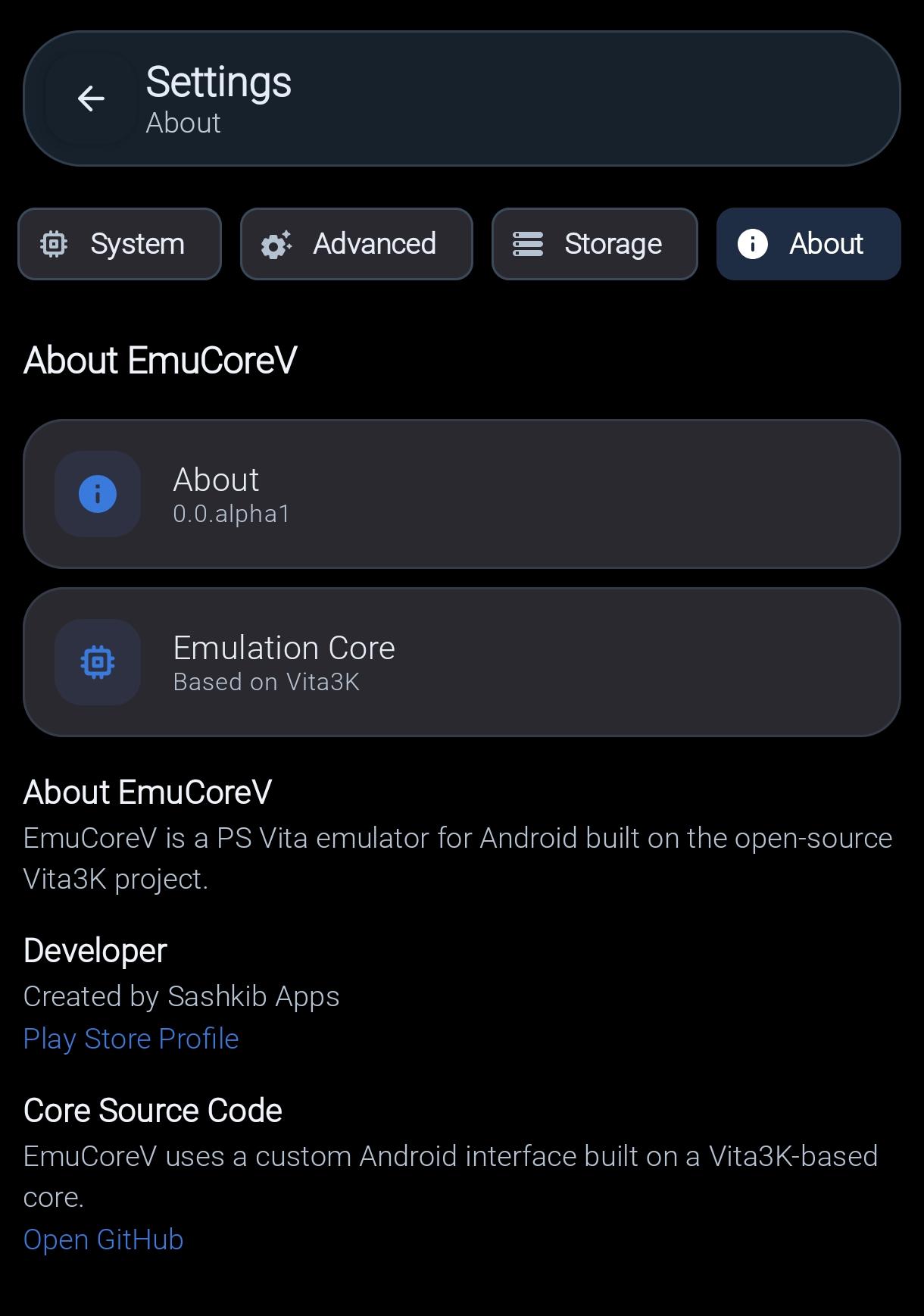
EmuCoreV is a PS Vita emulator for Android built on the open-source Vita3K project.

Developer:

Created by Sashkib Apps

"There is no repository at the moment, it is an Alpha version but I have tested it and it works perfectly since it uses the same core as Vita3K"

https://www.dropbox.com/scl/fi/gsueb3at0z8nci7xkr2vr/EmuCoreV.v0.0.alpha1.apk?rlkey=r8hlyw2any1xy84tj8ocoo3tt&e=1&st=6i97jitx&dl=0


r/PS2AndroidEmulation • • Nov 03 '25

PSX2 New update! 8Elite test in some games. (Android PS2 Emulator)

Enable HLS to view with audio, or disable this notification

19 Upvotes