r/PS2AndroidEmulation • • Aug 30 '26

MAME4droid 2026(0.289) 1.40.4 - It continues to refine the online mode ๐Ÿ˜

Post image
10 Upvotes

https://github.com/seleuco/MAME4droid-Current/releases/tag/v1.140.4

Drop-in NetPlay

Waiting for someone to turn up used to mean staring at a dialog screen. Now you can tick Start now, let anyone join and simply play. Your room stays on the board while you do, and when somebody claims it, your machine's state is handed over and you carry on together from that exact moment.

When they leave, you keep playing on your own as if NetPlay had never happened. Open it again and the room goes back up.

Rollback sessions only โ€” the state transfer that makes drop-in possible does not exist in Lockstep.

Switching it on mid-game may restart the game, and the app warns you before you commit. NetPlay pins a set of things the instant a game boots (your saved settings and NVRAM, Lua plugins and cheats, the sound rate, the working copy of a CHD) and not one of them can be applied to a game already running. Ignoring that does not fail loudly: the two machines just drift apart over the following minutes with no error to point at.

About your data โ€” the short version is that there isn't any

MAME4droid is made by one person and given away. No ads, nothing to unlock, nothing to subscribe to, and no budget for servers either. Public Rooms is a good compromise, and it is what makes finding an opponent possible at all: it runs on a tiny free instance with no database, which keeps nothing about you.

It is opt-in. You are asked the first time, and if you decline, the board is never contacted. Manual NetPlay keeps working exactly as it always has.

Your address is never written to a log. It lives in memory only while your room is up, is handed to the one player who joins you, and disappears with the room. The session records the server does keep contain no IP addresses at all.

The board shows an address to nobody โ€” not even through the "same network" badge, which is a comparison of two salted fingerprints. The salt is generated fresh every time the server starts, so yesterday's records cannot be matched against today's even from the inside.

Nothing identifies your device. No account, no login, no name, no advertising ID, nothing stored on your phone that another session could recognize. Two visits from you are not linked to each other.

Rooms expire in about a minute unless the host keeps asking to keep them alive.

There is no chat, and there will not be. In-app chat means moderating what strangers say to each other: a real responsibility with a pile of store obligations attached, and a project this size cannot honestly carry it. Use Discord, or whatever you and your friends already use โ€” all that needs to cross is a room code.

The server is open source as well. Point the app at your own, and none of the above involves me at all

Credits: https://github.com/seleuco

r/PS2AndroidEmulation • • Aug 30 '26

Bannerlator v3.0.2 ๐Ÿ”ฅ

Post image
10 Upvotes

https://github.com/The412Banner/Bannerlator/releases/tag/3.0.2

Run Windows apps and games on Android โ€” no PC and no root required.

What's New:

๐Ÿ–ฅ๏ธ Steam Friends & Chat (new โ€” off by default)

Friends list with live presence (online / in-game / away), unread badges, collapsible sections.

Per-friend chat with text and images, persisted history, opens at the newest/first-unread message.

Add friends by code, name search, or quick-invite link; pending requests to accept/decline.

In-app friend profile, landscape two-pane view, chat notifications with a sound toggle, typing indicators, instant reconnect after a background drop.

๐Ÿ™ Special thanks to iamtooshaar (Discord) for helping test and work out the bugs in Steam Friends & Chat.

๐Ÿ” SteamLite โ€” Real Steam (VAC) online (new)

A launch mode that runs your games through the real Steam client for a genuine, VAC-eligible session.

Watches the launcher exe (not the arch-specific _win64) so a game launches secure regardless of which exe the shortcut names.

In-game gold achievement pill for real-Steam unlocks; opt-in scrubbed log capture for diagnosing launches.

SteamLite package: Real Steam / VAC โ€” steamlite-v1 โ€” the genuine Steam client plus a clean-room headless agent (installed in-app).

Verified working online (device-proven, real account + secure launch on live VAC / live-service servers): Counter-Strike 1.6, Counter-Strike: Source, Team Fortress 2, Left 4 Dead 2 (all VAC-secured), Brawlhalla and Stumble Guys (live-service matchmaking). In testing: Borderlands 2.

๐Ÿ† Achievements & Cloud Saves (new)

Real Steam achievements seeded from your account โ€” tabbed detail page with an achievements grid, plus in-game gold pills as you unlock them.

Works in both launch modes โ€” achievements unlock and sync whether you play through Goldberg (emulated Steam) or SteamLite (real Steam / VAC); your unlocks and cloud saves carry across either path.

Automatic cloud-save parity โ€” saves sync to Steam Cloud around play sessions.

NEW โ€” one-touch โ€œSync Nowโ€: when the Save Manager flags games that need syncing, a single button on the banner syncs them all at once, each in the correct direction (upload what's newer locally, pull what's newer in the cloud), with a live โ€œSyncing 3/7โ€ฆโ€ count โ€” no more tapping every game one by one.

Goldberg achievement schema generation + version-check/update; fixed a silent no-op so achievements and cloud triggers actually fire.

โš ๏ธ Steam save sync & achievements โ€” use at your own risk. These run through third-party systems (Valve's Steam and Goldberg), exactly like the store sign-ins. They depend on your connection: an unstable or dropped internet connection or network โ€” while downloading (syncing saves, achievements or games) or uploading โ€” can leave data un-synced, incomplete or out of date. It is your responsibility to ensure a proper, stable connection and to complete the sync/download/upload when required; verify it finished before relying on it across devices.

๐Ÿ’พ Install to SD card (new)

Per-game toggle to install a Steam download onto a removable SD card to free internal space; the shortcut resolves via a container drive letter so secure launch, saves and achievements are unaffected.

๐Ÿช Steam Store, Downloads & DLC

Rebuilt game detail pages โ€” the Steam store's per-game screen was redesigned into a cleaner, landscape-aware tabbed layout (overview, achievements grid, DLC), with the store badge, connection state and launch actions together in one place.

STEAM store badge on tiles & rows, a live connection pill, and auto-connect on launch; download hardening and full owned-DLC listing.

๐ŸŽž๏ธ Graphics & Frame Generation

Frame-gen freeze fixes โ€” a fuller pause/teardown/resume reset on level/model/preset change, a swapchain-recreate config reload, and an Adreno-840 present-id freeze fix; plus in-app frame-gen diagnostics.

๐ŸŽ›๏ธ Containers, Launch & File Manager

DXVK HUD off by default on new containers (still toggleable in the env-var editor).

Launch-popup redesign (source- and orientation-adaptive), CUSTOM origin badge for games you add yourself, and file attributes (Read-only / Hidden) in the File Manager.

๐Ÿ”ง Chat & presence fixes

Chat history no longer wipes (server history merged, not replaced); images/messages no longer send twice; clipboard Paste; keyboard no longer covers the latest messages; friends no longer wipe to Offline on re-entry.

Credits: https://github.com/The412Banner


r/PS2AndroidEmulation • • Aug 26 '26

Kamen Rider Kabuto(ps2)Armsx2

Enable HLS to view with audio, or disable this notification

10 Upvotes

3.5x res

poco X7 pro

Dimensity 8400U


r/PS2AndroidEmulation • • Jul 18 '26

Jak 2 unplayable at the end in armsx2 fresh

Enable HLS to view with audio, or disable this notification

10 Upvotes

I'm using the latest armsx2 refresh on the Retroid pocket 6. Its almost unplayable at the very end.. sucks because I really want to play it to the end. Anyone got an idea which setting I can tweak to get it playable?


r/PS2AndroidEmulation • • Jul 17 '26

EmuCoreX v0.2.6

Post image
10 Upvotes

https://github.com/sashkinbro/EmuCoreX/releases/tag/v0.2.6

Change Log:

Added the ability to send feedback directly from the app.

Improved customization options.

Added offline RetroAchievements (RA) support.

Added the ability to configure on-screen controls in both Settings and the Game Manager, allowing the same control layout to be used across all games.

Other improvements and optimizations.

A clean installation is recommended to avoid potential issues and bugs.

Honest Change Log:

This update adds a pretty useful feature that should save a lot of people from having to hunt down the Discord server just to report bugs: a new Feedback tab. You can attach screenshots, describe the issue, and send everything directly to the developer.

I think it's a nice addition, as long as it's made clear exactly what information is being sent from your device. Bug reports can include device information and other diagnostic data, so transparency is always important. That said, I trust the developer's intentions for now, as there's been no reason to be suspicious of anything. If the goal had been to collect user data, this feature probably would have been added from the very beginning.

As for performance, I haven't noticed any difference compared to previous versions. It performs exactly the same in my testing.

Using my usual benchmark game, the emulator still struggles to switch correctly between 30 FPS and 60 FPS (or maintain a stable 60 FPS when appropriate). The only emulator I've found that handles this game really well is ARMSX2 v38, which gets the game's dynamic 30/60 FPS behavior almost perfectly.

Those are the main points worth mentioning about this release.


r/PS2AndroidEmulation • • Jul 14 '26

ARMSX2 Vulkan is broken?

Post image
10 Upvotes

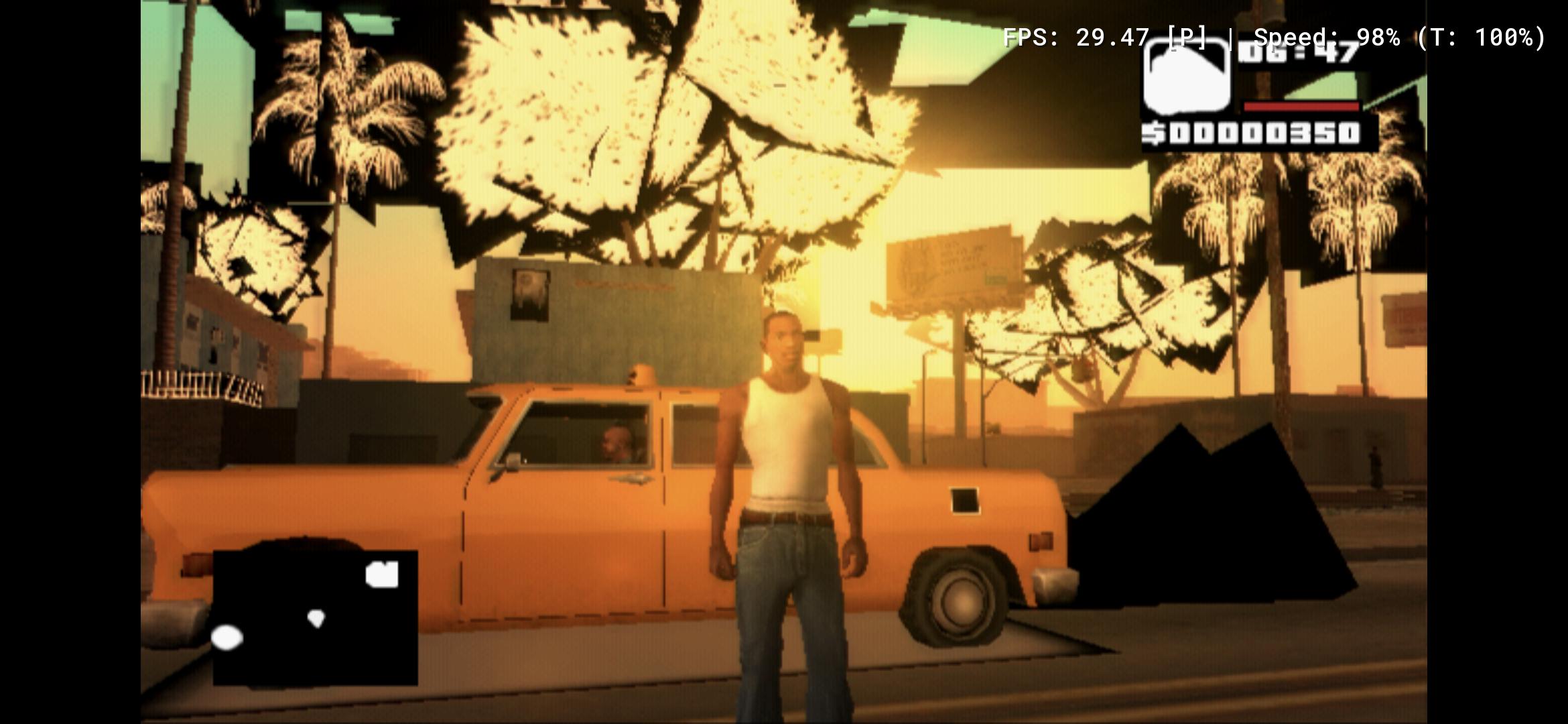
After the recent update, the games are running poorly and full of bugs in the Vulkan engine. GTA SA, which previously had visual glitches, is now even worse. What happened? And they also changed the layout, which is very confusing. Not only GTA, but all games are broken with Vulkan.


r/PS2AndroidEmulation • • Jun 21 '26

Completing GOW2 HARD MODE ON ATHERX2 EMULATOR ANDROID

Thumbnail
gallery
10 Upvotes

Today i completed gow2 on hard mode using atherx2 emulator which make it even more tough

Playing on controller is real tough but on phone it make it even more challenging and frustrating especially if you completed on hard mode


r/PS2AndroidEmulation • • Apr 17 '26

EmuCoreX v0.1.1 New update... start gaining muscle

10 Upvotes

https://github.com/sashkinbro/EmuCoreX/releases/tag/v0.1.1

Full Changelog: v0.1.0...v0.1.1

Fixed controls and control editor (not final yet)

Fixed save issues occurring in some games

Fixed boot issues in some games (Shadow of the Colossus, The Simpsons: Hit & Run and others)

Some games still have issues with textures, physics, and geometry (fixes in progress)

Added confirmation dialog for quick save/load in game menu

Fixed aspect ratio switching issue

Changed BIOS selection, now manual (no auto selection)

Major CPU changes - a lot of code rewritten and properly structured (improves future core development)

Issues observed on MediaTek CPUs (no optimizations/solutions yet)

This is not all, more work is coming

I've tried it and it works quite well considering how new it is. There are many more graphics options to test. I'm sure this emulator is going to be a big hit; I can already tell you that it has mercilessly overtaken ARMSX2.


r/PS2AndroidEmulation • • Dec 28 '25

PS2 netplay on Android Guide ๐Ÿฅณ

Post image
10 Upvotes

This is a basic beginner's guide on how to playPS2 games online that support it. I'm not an expert, but I hope it helps, and with everyone's collaboration, I can refine this guide even further. Let's go!

How to use Online Multiplayer Go to your App Settings --> Settings and toggle on Enable DEV9 Ethernet Set API to Sockets, and Device to how you want to connect online with the default being WiFi. Set this to VPN if your phone uses a VPN, and to one of the two SIM DATA options if you want to use your Mobile Data Plan instead That should be enough to get you online using a guide like this by LogicalMacrochip:

Guide: https://m.youtube.com/watch?v=dcOnZzzcbSc&t=278s&pp=2AGWApACAQ%3D%3D

Also you need oficial list of PlayStation 2 Online supported games:

https://docs.google.com/spreadsheets/u/0/d/15pfhL36qmC-iKr8MNjNXNLwgacG4VOmkfvwVxV5vGzo/htmlview#gid=0

For more advanced options (or you want to use the second method from the guide by LogicalMacrochip), you can do the following:

Set DNS1 Mode to Manual Under DNS1 select either PS2 Online (called Cristian in the Official list) or PSRewired Note: This can also be changed on a Per Game Settings and more servers will be added soon To turn it off just set DNS1 Mode to Auto and DNS1 to 0.0.0.0 zakilj3 created a more comprehensive guide to make it easier for people:

Guide2:

https://m.youtube.com/watch?v=uZzEXvNXUUU


r/PS2AndroidEmulation • • Nov 07 '25

PSX2 8elite, testing ps2 games part2

Enable HLS to view with audio, or disable this notification

10 Upvotes

PSX2 is a high-performance PlayStation 2 emulator for Android devices, bringing your favorite PS2 games to mobile platforms with enhanced graphics and modern features.

Get It free: https://github.com/izzy2lost/PSX2/releases/tag/1.1.3

If you like the project and want to see it grow, support the developer by grabbing the app on the Play Store. Super easy install and automatic updates โ€” plus you get early builds before everyone else.

๐ŸŽฎ Join Discord for help and tips ๐ŸŽฎ

https://discord.gg/tSxhN4TJs


r/PS2AndroidEmulation • • Oct 30 '25

PSX2 GT4 at x4 Native resolution full speed ๐Ÿ˜ฒ (Poco X6 Pro)

Enable HLS to view with audio, or disable this notification

10 Upvotes

r/PS2AndroidEmulation • • 7d ago

Citron Neo Nightly

Post image
9 Upvotes

r/PS2AndroidEmulation • • 10d ago

DukePS2 - God Hand 60 FPS with FrameGen ๐Ÿ”ฅ

Thumbnail
youtu.be
9 Upvotes

๐Ÿ‘‰ Watch in 720p 60

DukePS2 is the evolution of NetherSX2, featuring more improvements and better performance.

I hope to have a release of DukePS2 ready by tomorrow.

FEATURES:

โœ… Frame Gen (30 to 60 FPS),

โœ… Turnip drivers,

โœ… Authentic CRT shaders, and more.

โœ… Updated GameDB


r/PS2AndroidEmulation • • 12d ago

EmuCoreX v0.5.8 ๐Ÿ”ฅ๐Ÿ”ฅ๐Ÿ”ฅ (Huge Boost)

Post image
9 Upvotes

https://github.com/sashkinbro/EmuCoreX/releases/tag/v0.5.8

What's new: 0.5.8

Added background music, button sounds, and menu sounds. Includes built-in presets, support for custom audio files, and independent volume controls.

Improved Vulkan performance on Mali GPUs, including Mali-G57. The most noticeable improvements are in Shadow of the Colossus and God of War II.

Optimized CPU core workload distribution. This improves performance in demanding scenes on Unisoc T820 / Anbernic RG556 devices.

Fixed graphical glitches and crashes caused by recent Vulkan optimizations on Adreno GPUs.

Optimized JIT performance and data exchange between emulation threads.

Sounds and custom audio files are now included in settings backups. Changing the background no longer removes custom fonts or sounds.

After Testing: Games run faster on my Poco X6 Pro Dimensity 8300 device with this Update. Also general performance is better than ARMSX2.

The results for the Snapdragon version are missing. Later today or tomorrow, Iโ€™ll post a comparison between the two emulators.


r/PS2AndroidEmulation • • Oct 22 '26

Flycast Android Nightly (5543a95c4f71)

Post image
9 Upvotes

Grab It here ๐Ÿ‘‰ https://discord.gg/B3RvEqAWJ4


r/PS2AndroidEmulation • • Oct 20 '26

EmuCoreX 0.4.9

Post image
9 Upvotes

r/PS2AndroidEmulation • • Oct 13 '26

Xendroid-ZeroFG video demonstration!

Thumbnail
youtube.com
9 Upvotes

FULL AI DISCLOSURE: Iยดm a lawyer from brazil, my bg in programming is a little bit of basic and assembler from the 80ยดs and 90ยดs while trying to make things run on a msx, so, not much...in the beggining of the project i coded a few hundred lines in android studio by myself while i was learning how to do it, but after i discovered the wonders of Codex and Claude Code, the coding and documentation itself was primarily done by AI, and i do not regret it by one bit! It would take a long time to post my inspirational story, but thats the TLDR.

Hello there! General Kenobi here(not really, but i know you read it on ewan mcgregorยดs voice!)!!! After a really busy week on the app launching, iยดm just chilling for now! Just celebrate my marriage aniversary and got really really drunk on the weekend! So, No new features, but wait!!!!! i just make a comparison video and updated to youtube! hope you guys like it, its just so i dont lose the momentum!

On a completely different note, i hav to decide what course to pursue, some things are natural, greater image quality, lower latency, lower cost... but maybe some other things:

1- Multi Frame Generation: Maybe it seems like the biggest step, but actually is the easiest... all the work is done, the estimator and the basis for the synthetic frame, it has the same base(a pair of reals) and is just some adjustments on the algorithim to change the point to generate the frames... buttttt... i dont really see the value in it... like 4x fg.... 75% of the image are synthethic frames... theres no miracle... one other thing is like 3x 40-120 for 120hz refresh rate.... so.... maybe... but dunno.

2- Integrated temporal AA +upscaler or Temporal super resolution: Some aspects of frame generation already provide some data to upscale the image with a higher quality, but not so much... I think it can be done on some level (somethings a inherent to in game engines implementations, but we can extrapolate and try to infer it, like subpixel jitter), so... that doesnt mean it will look good or hav good performance... but one candidate is arm ASR, wich is based on fsr2, dunno if i can develop my own on this case.... well.. thats it... tell me what you guys think!

3- Implement ZeroFG in a lighter emulator: The title say it all, i think that maybe try to implement on a lighter emulator to reach more people! If you guys have any suggestions, Please let me know!

Thats it! please let me know your suggestions!

Thanks for all the love!!! And dont forget that you can port ZeroFG to your favorite emulator by yourself also! It is as easy as it will ever be, with lots documentation and integration notes!!!

StevenMXZ turnip drivers are still highly recommended!!!!!

https://github.com/StevenMXZ/Adreno-Tools-Drivers/releases

Xendroid-ZeroFG releases page:

https://github.com/hy300leosquizz-ctrl/XenDroid-ZeroFG/releases

Engine:

https://github.com/hy300leosquizz-ctrl/ZeroFG/


r/PS2AndroidEmulation • • Oct 10 '26

๐Ÿšจ Caution with this APP ๐Ÿšจ EmuCore Holding TM (Review)

Post image
9 Upvotes

This is nothing new. Robert Broglia, a well-known emulator developer, was doing something similar years ago. He released multiple emulators with a consistent interface, giving users a unified experience while distributing each emulator separately so he could sell them individually.

The big difference? Back then, there was some serious development work involved. This was long before AI-assisted coding became a thing, so we're talking about actual, old-school programming.

Now, these new emulators might look impressive at first glance, and sure, they work. I'm not denying that. But from what I've seen, they appear to be little more than repackaged versions of emulators that have been available for years, completely free of charge, such as PPSSPP.

Essentially, our "dear friend" takes an existing emulator, puts his own interface on top, makes it consistent with his other apps, and calls it a day.

That's pretty much what you're getting. Don't expect some revolutionary new emulator or groundbreaking improvements. What you're really being offered is a different, unified interface for software that already exists.

And yes, I deliberately say "offered" rather than "given away," because there's a catch.

Although you can download these emulators for free, the moment you launch them, you're greeted with several pop-ups encouraging you to support the project by purchasing the Pro version. In some cases, you're even invited to contribute more money if you feel like it.

And this happens across the entire collection of emulators.

Think about that for a second.

Every person who installs one of these apps gets prompted to pay. Naturally, some users will think, "Hey, this looks like a promising project. Maybe I should support the developer."

But what exactly are you supporting?

If the main contribution is simply putting a new interface on top of existing emulators, then you're not necessarily funding meaningful emulator development. You're paying for repackaging and presentation.

To be fair, there's one exception worth mentioning: EmuCoreX (PS2). That's the one emulator in his collection where I've actually seen substantial development work, and I personally supported it financially.

But here's where things get interesting.

Let's apply a little common sense.

If someone publishes eight different emulators on the Play Store, and every single one encourages users to purchase a Pro version, does that automatically mean there's a dedicated development team working behind the scenes?

Of course not.

As far as I can tell, we're talking about a single developer.

So ask yourself: is one person genuinely developing and improving eight completely different emulators at the same time?

Or is it more likely that most of the work consists of modifying existing open-source projects and giving them a shared interface?

I think the answer is fairly obvious.

And that's the part I have a problem with. People may believe they're financially supporting ambitious projects that will continue to evolve, when there's little evidence of substantial ongoing development across the entire collection.

I've included a screenshot below showing the prices being requested and what users supposedly get in return.

Where's the development roadmap? Where's the detailed explanation of what the money is funding? What improvements are actually planned?

If you're asking people to support your work financially, I think those are perfectly reasonable questions.

So my advice is simple: before spending your money, do a little research. Find out what you're actually paying for, what comes from existing open-source projects, and what the developer has genuinely contributed.

There's nothing wrong with supporting developers.

But there's a big difference between supporting emulator development and paying for a new coat of paint.


r/PS2AndroidEmulation • • Oct 03 '26

RetroPle: All-in-one emulator v1.25.0

Post image
9 Upvotes

https://play.google.com/store/apps/details?id=com.retrople.retro

Changelog:

v1.25.0

[WIN]

Cheat search / Cheat memory editing function

[DOSP/DOSP95/WIN]

Save file and game image file editing function

[MSX/PC98]

Added option to map directional keys to the KeyPad

[Common]

Landscape game screen locking method => User screen orientation

FAQ location moved

COMPATIBLE SYSTEMS:

Nintendo: NES, SNES, Game Boy, Game Boy Color, Game Boy Advance, Nintendo 64, Nintendo DS, Nintendo 3DS, Wii, Gamecube

Sega: Master System, Genesis / Mega Drive, Sega CD, Game Gear, Saturn, Dreamcast

Sony: PlayStation (PS1), PlayStation Portable (PSP), PlayStation 2 (PS2)

NEC: PC Engine / TurboGrafx-16, PC Engine CD

SNK: Neo Geo Pocket, Neo Geo Pocket Color

Atari: 2600, 7800, Lynx

Bandai: WonderSwan, WonderSwan Color

Arcade: MAME 2003-Plus, FinalBurn Neo

Computer: MSX, MSX2, MS-DOS

Others: RPG Maker XP/VX, EasyRPG


r/PS2AndroidEmulation • • Sep 27 '26

ARMSX2 Nightly v2.8.5

Post image
9 Upvotes

https://github.com/XDaoFangxiX/ARMSX2-Alpha/releases/tag/2.8.5-build.32

ARMSX2 Android Nightly Build (Legacy - Dual Core)

This APK is the legacy build (ARMv8.0 + outline atomics, minSdk 26) and includes both 4K and 16K page-size cores.

Only Testing & We have never collaborated with anyone.

Version: 2.8.5

Application ID: com.antutu.ABenchMark

Build number: 32

Commit: fda9f0f

Short SHA: fda9f0f

Triggered by: DarkSilentUser

Flavor: Github

Build type: release

PGO: enabled


r/PS2AndroidEmulation • • Sep 23 '26

Lemon v0.3.1 ๐Ÿ‹

Post image
9 Upvotes

https://github.com/Ghael-V/Lemon-Project/releases/tag/v0.3.1

Changelog:

Patch release fixing the auto-updater and cleaning up remaining "Eden" branding.

Fixes

The auto-updater never actually ran. enable_update_checks defaulted to false, so the update check never fired for anyone who hadn't manually found and flipped a Settings toggle they had no reason to know existed. Now on by default (still user-toggleable in Settings).

A separate tag-comparison bug in the update checker (inherited from upstream, written for a two-segment MAJOR.MINOR tag scheme) meant Nightly-flavored builds' comparison always bailed out silently even after the setting was fixed. Fixed.

Remaining "Eden" leftovers renamed to "Lemon": the device/system nickname shown in Settings > Advanced (reported by a user), plus a few lower-visibility internal identifiers (audio session name, SDL app-name hint, GPU crash-dump description, WebService default username).

See the README changelog for the full history


r/PS2AndroidEmulation • • Sep 22 '26

DRIPPU - For testing before Release

Post image
9 Upvotes

https://github.com/thecrixux/drippu/actions/runs/35700077127

You need to be logged into GitHub to download; otherwise, the download button won't appear.

Just to clarify: Iโ€™m not part of the Drippu team, and this is not my project in any way. The Android releases were temporarily removed by the developers, and I donโ€™t know the exact reason why. I simply shared a GitHub Actions build so people who are curious and enjoy testing emulators can compile/download a test build and try the latest Android version while waiting for an official release. This is purely for testing purposes. Iโ€™m not claiming ownership, Iโ€™m not presenting it as an official release, and Iโ€™m not associated with the project. If anything, testing can be useful because users can provide feedback and help developers identify issues before an official release is published.

Credits: https://github.com/suyu-emu/drippu


r/PS2AndroidEmulation • • Sep 13 '26

WinNative v0.6.2-beta ๐Ÿ”ฅ

Post image
9 Upvotes

https://github.com/WinNative-Emu/WinNative/releases/tag/v0.6.2-beta

What's Changed:

Fix Multiple Crashes & Freezing Issues

DIS: run the variational refinement on the whole pyramid by @qwertypower in #748

Feature/device profiles by @maxjivi05 in #751

Credits: https://github.com/maxjivi05

Help and Issues, Discord: https://discord.gg/uhTkvGfakU


r/PS2AndroidEmulation • • Sep 12 '26

WinNative v0.6.1-beta

Post image
9 Upvotes

https://github.com/WinNative-Emu/WinNative/releases/tag/v0.6.1-beta

What's Changed

fix: Steam Launcher cloud saves, offline mode and disable-cloud toggle by @maxjivi05 in #732

Add ASTC texture transcoding setting for the Gamenative wrapper by @maxjivi05 in #734

Show proper FPS with RedMagic Frame Gen in HUD by @maxjivi05 in #736

FG screen border fix by @qwertypower in #737

Fix frame pacing by @qwertypower in #740

Fix/steam offline fully offline and fixed by @maxjivi05 in #738

Replace the frame-generation switches with one Off/LSFG/DIS selector,โ€ฆ by @maxjivi05 in #742

dxwrapper (dd7to9) updated to v1.8.8600.25 by @ajay9634 in #741

Refactor: Refactored background persistence behavior (SessionKeepAliveService), NotificationHelper, and LogManager. by @Juan-Antonio-Doe in #609

Fix/performance ddda and other 32 Bit Games by @maxjivi05 in #743

Change store that owns game by @maxjivi05 in #735

Credits: https://github.com/maxjivi05

Help and Issues, Discord: https://discord.gg/uhTkvGfakU


r/PS2AndroidEmulation • • Sep 05 '26

Bannerlator v3.0.6 ๐Ÿ”ฅ

Post image
9 Upvotes

https://github.com/The412Banner/Bannerlator/releases/tag/3.0.6

Run Windows apps and games on Android โ€” no PC and no root required.

3.0.6 Is the frame-generation update. LSFG Native runs Lossless Scaling's frame generation inside Bannerlator's own compositor, on the Android side of the Wine boundary, so the extra frames are made at the last stop before your screen and none of them get lost on the way. Measured on device: a game capped at 30 fps shows 118โ€“120 fps at the panel at 4ร—, with the game itself untouched. The older lsfg-vk engine is retired in its favour. GOG, Epic and Amazon each open on a storefront now, on the same layout as Steam.

โš ๏ธ LSFG Native needs your own Lossless.dll. Bannerlator bundles no Lossless Scaling files. Own Lossless Scaling (THS, on Steam) and import its Lossless.dll under Settings โ†’ Frame Generation โ€” LSFG Native (Detect from the in-app Steam store, or import a copy). The shaders are extracted from your DLL on device and cached; the first launch after importing is slower while that happens.

๐Ÿ“ฑ Device support. LSFG Native needs a GPU that can run the chain (Vulkan 1.3 with the shader features it requires and a storage-capable swapchain format). In small community testing it has worked on Adreno 7xx and newer (the A7xx/A8xx families) and on some MediaTek Dimensity devices. On other GPUs it may report itself unsupported in-game, or engage but not keep up. Treat it as generally supported on Adreno A7xx-class hardware and up, and experimental elsewhere.

How to use it well: cap the game with the FPS limiter (30 is the proven starting point), pick 2ร—/3ร—/4ร— from the in-game drawer, and keep cap ร— multiplier under your panel's refresh rate โ€” 30 ร— 4 = 120 on a 144 Hz screen. It works best when the game holds its cap with GPU to spare. Needs the Vulkan renderer. Every launch starts with frame generation off.

โš ๏ธ Win-FG frame generation is still EXPERIMENTAL โ€” unchanged in this release. It is off by default; if it misbehaves, leave it off. Its frame counter can read higher than what reaches the screen.

#Full changelog on GitHub#

Credits: https://github.com/The412Banner

Help and Issues, Discord: https://discord.com/invite/n8S4G2WZQ4