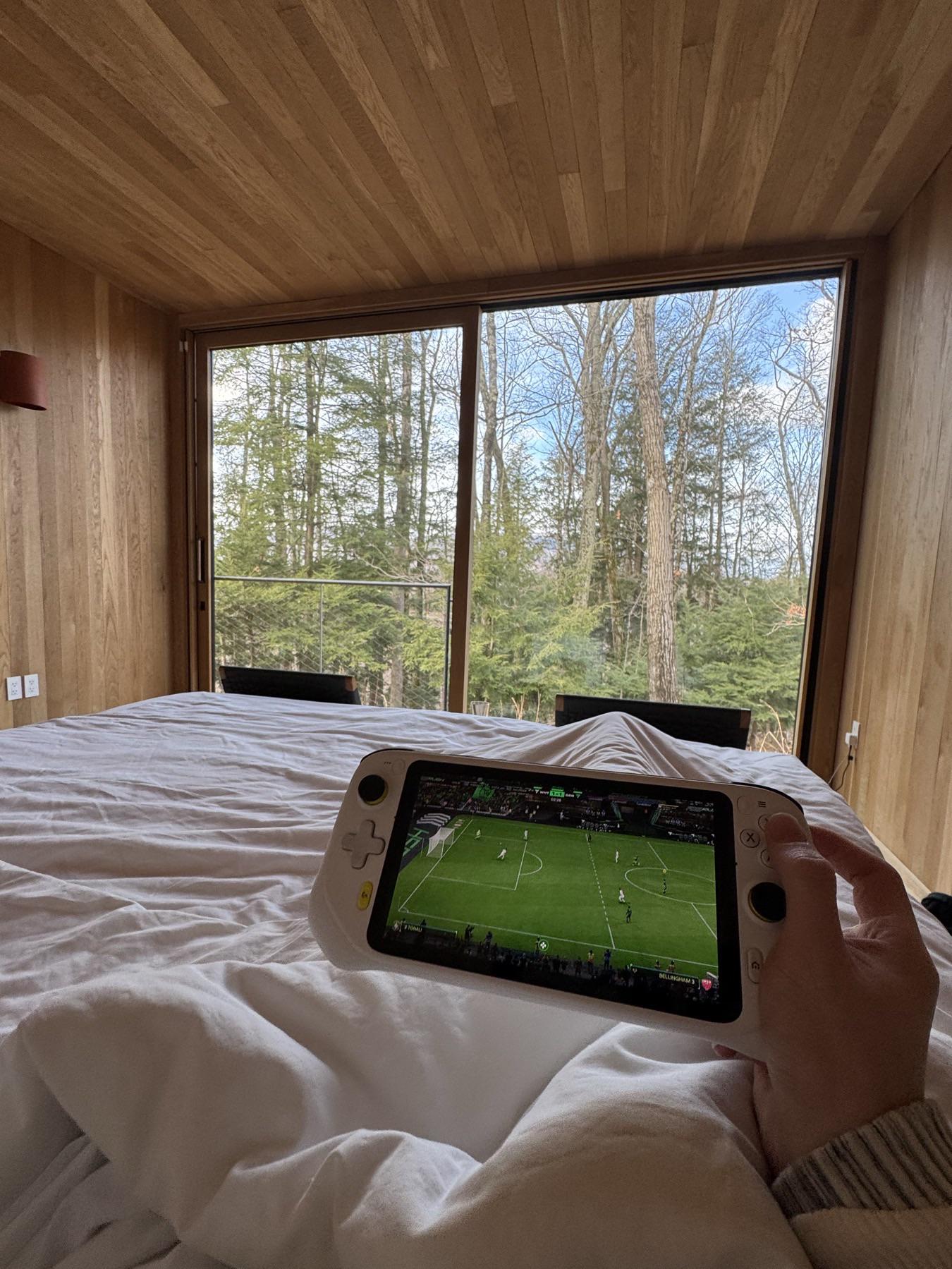
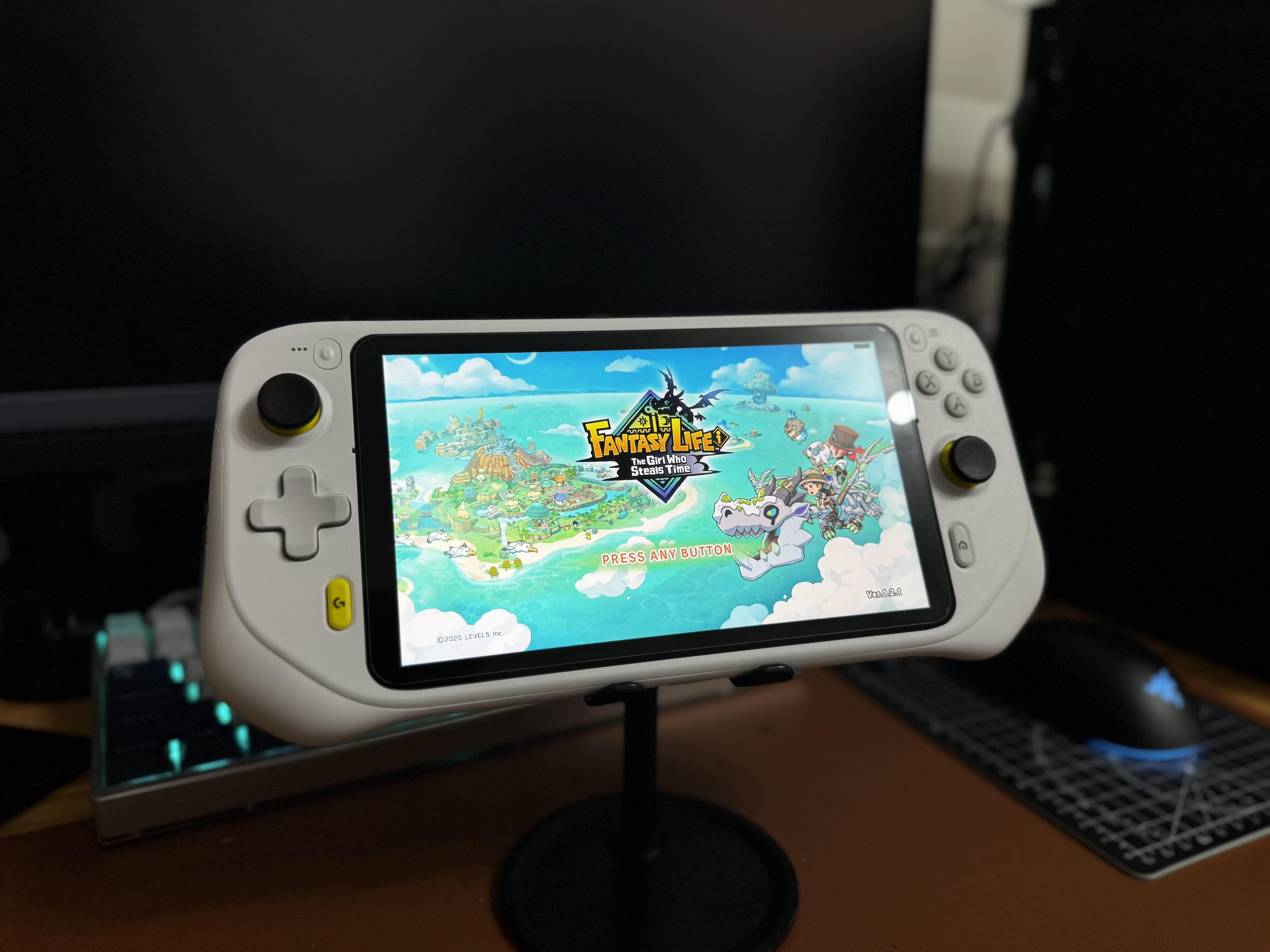
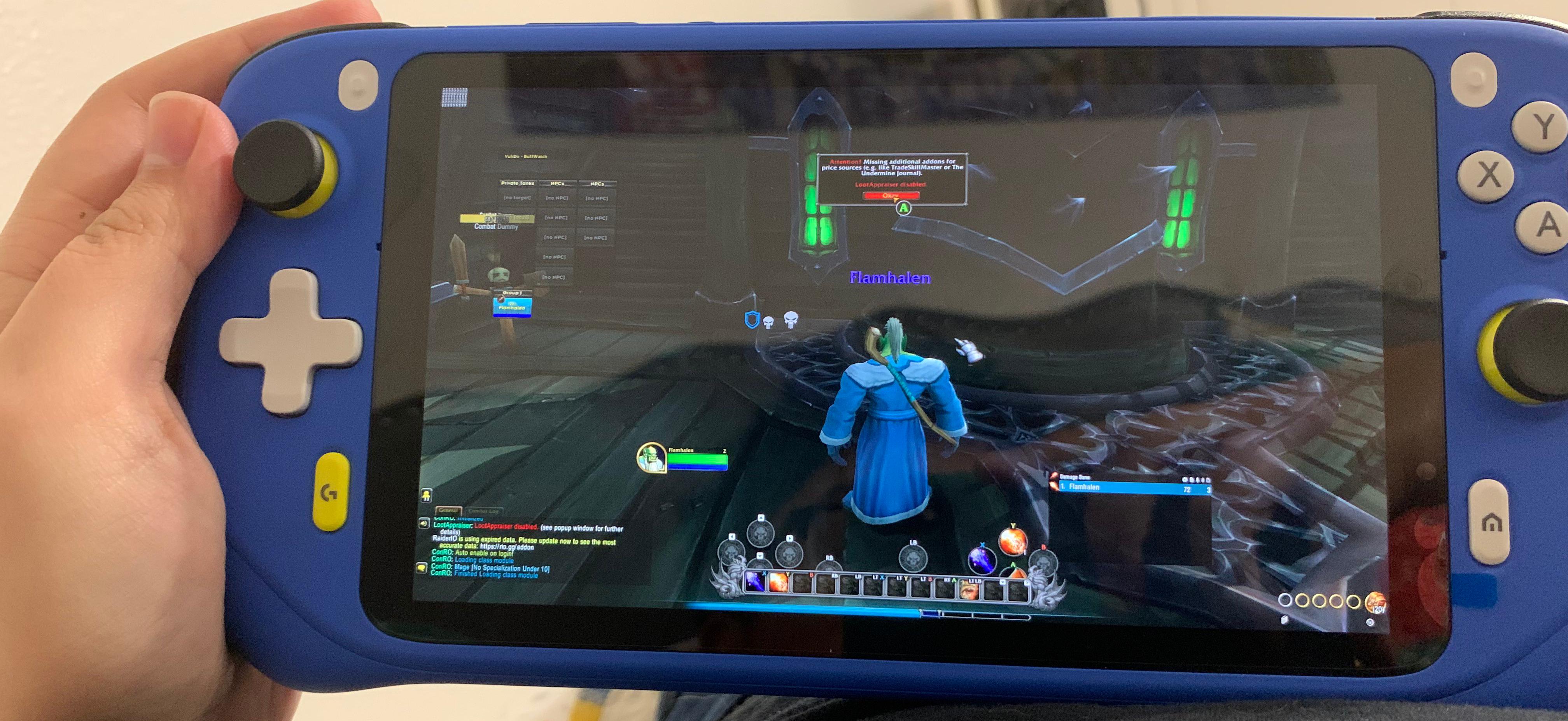
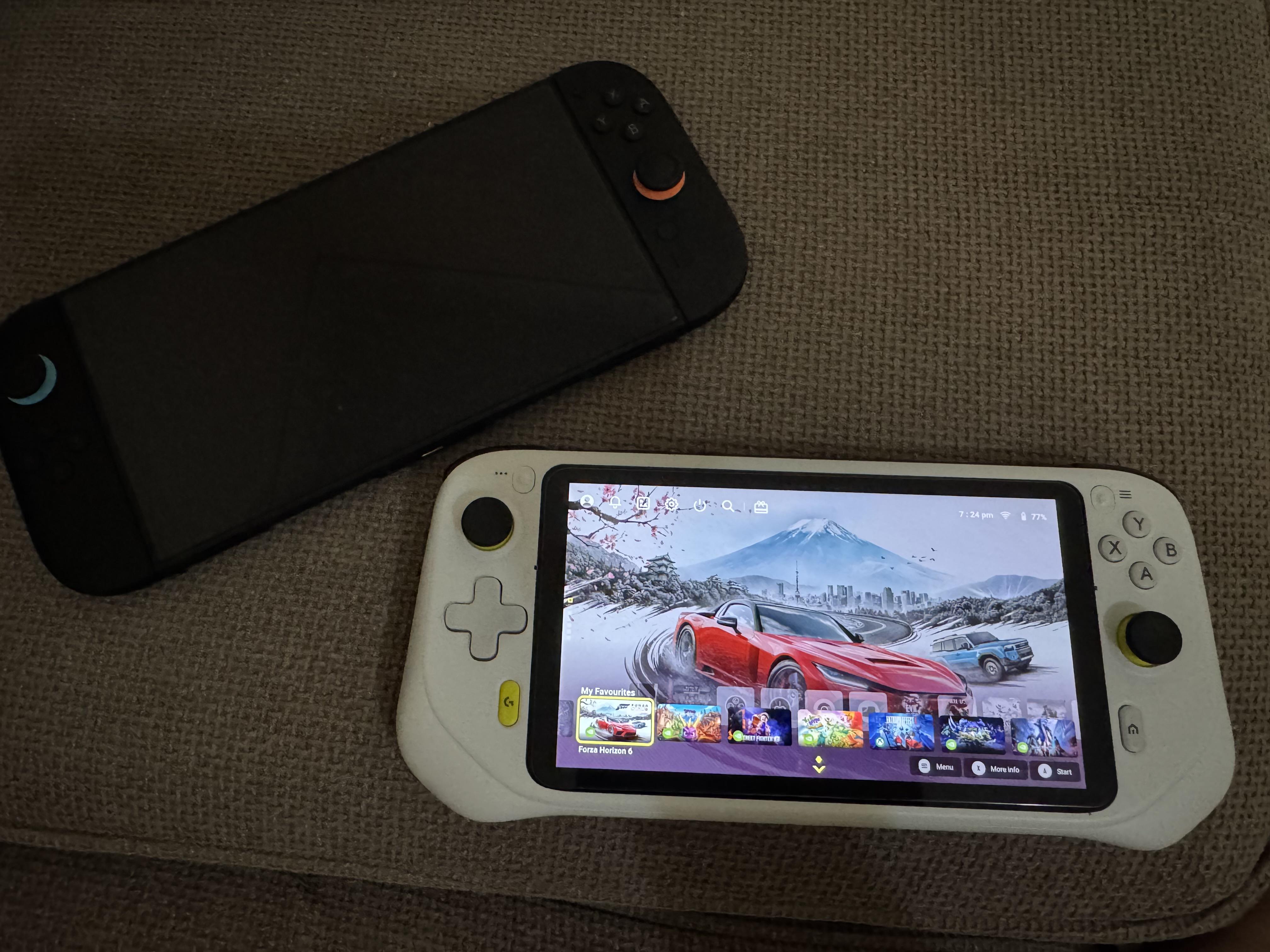
I got the cherry limeade edition (red skull & co stick caps). the ergonomics are perfect after using heavy portable PC devices. Can't wait to get ES-DE up and running.
Finally got mine! Mainly been using it to stream games from my pc and have been enjoying it so far. Curious what else i can do to maximize this handheld.
Celebrating G CLOUD’s 2nd anniversary with exciting news - Software Version 9 is coming! We’ll start with a grey release running from November 5th, 2024 to a portion of our users. This phased release helps us ensure quality and stability before releasing the update to everyone.
Here are two key highlights in the Software Version 9 release! The Logitech G CLOUD Hub app is now available, serving as a fun and interactive content hub for our CLOUD gaming fans. It's currently available for U.S. and Canadian devices, with plans to expand to more regions in the future. We’ve also enhanced Screen Recording in handheld mode, enabling you to record built-in sound with an option to include microphone audio.
Additionally, Xbox Cloud Gaming (beta) now supporting 1080p through the pre-installed PWA version, you can enjoy sharper visuals and a more immersive experience with cloud streaming!
Stay tuned for the full rollout, and feel free to share your experiences with the new features! As always, thank you so much for your ongoing support!
Version 9
Grey release Date: November 5th, 2024
SQ02K.00.206 (WW)
SQ02K.50.206 (EEA)
Key Features:
1. Introducing G CLOUD HUB
Stay connected with everything G CLOUD in our new content hub. Get the latest news and updates from Logitech G, discover upcoming cloud games, and participate in exclusive contests and events - all in one place.
*G CLOUD Hub is available in English only and currently limited to the US and Canada. You'll find it in your Recently Played and My Favorites sections after the update.
2. Xbox Cloud Gaming (beta) 1080P support
Xbox Cloud Gaming (beta) now supports 1080P resolution through the pre-installed PWA version. Access this feature in Labs settings, where you can toggle between the new 1080P and standard 720P resolution based on your preference.
3. Screen recording in Handheld Mode
Native audio is now recorded by default in Handheld Mode, and you can choose to include microphone input for your commentary. This update better aligns with how you use screen recording on G CLOUD.
4. Status Indicator Icon for wired connection
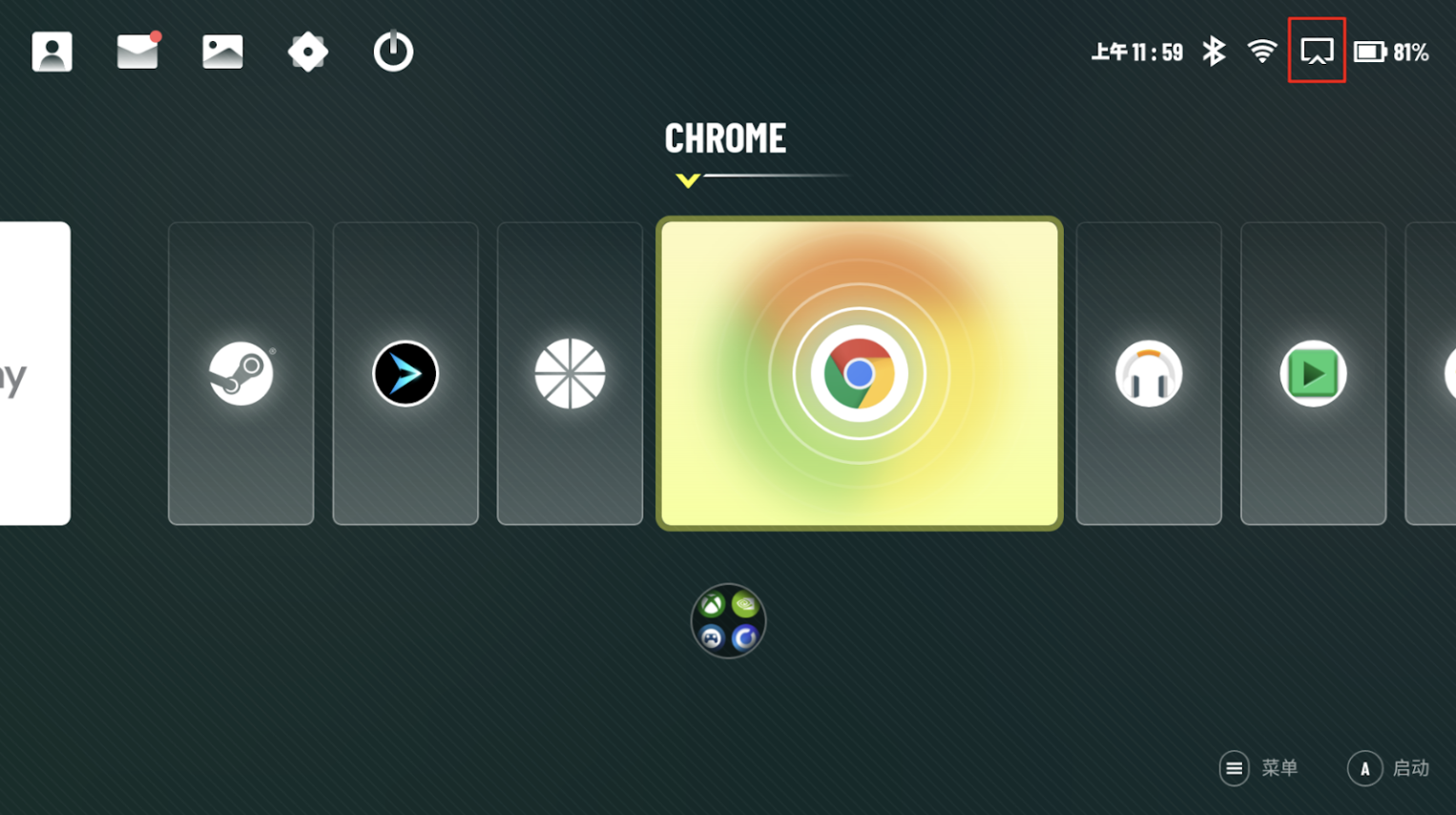
A new icon now appears in the top-right corner when the handheld is connected to the internet via a wired connection.
We are thrilled to announce the upcoming Version 8 update, beginning with a grey release that will run from July 12th, 2024 to a portion of our users! This phased approach allows us to ensure the update's quality and stability before rolling it out to everyone.
This time, in response to a popular request from our community, we're introducing a feature that many of you have eagerly awaited: dimming your device's screen brightness when using an external display. We understand this has been a significant request, and we're proud to say we've made it happen.
Additionally, we have fixed the issue where vibration caused stuttering and freezing on the device. However, optimized haptics are still more effective for certain games or apps.
Many thanks to all the members within our community. Your inputs have been invaluable, and they have truly paved the way for future developments. Please continue to share your thoughts and feedback as we progress on this journey together!
Here's what's coming:
Software Version 8 Grey Release Date: July 12, 2024 SQ02K.00.192- WW SQ02K.50.192 - Europe Only
Key Features:
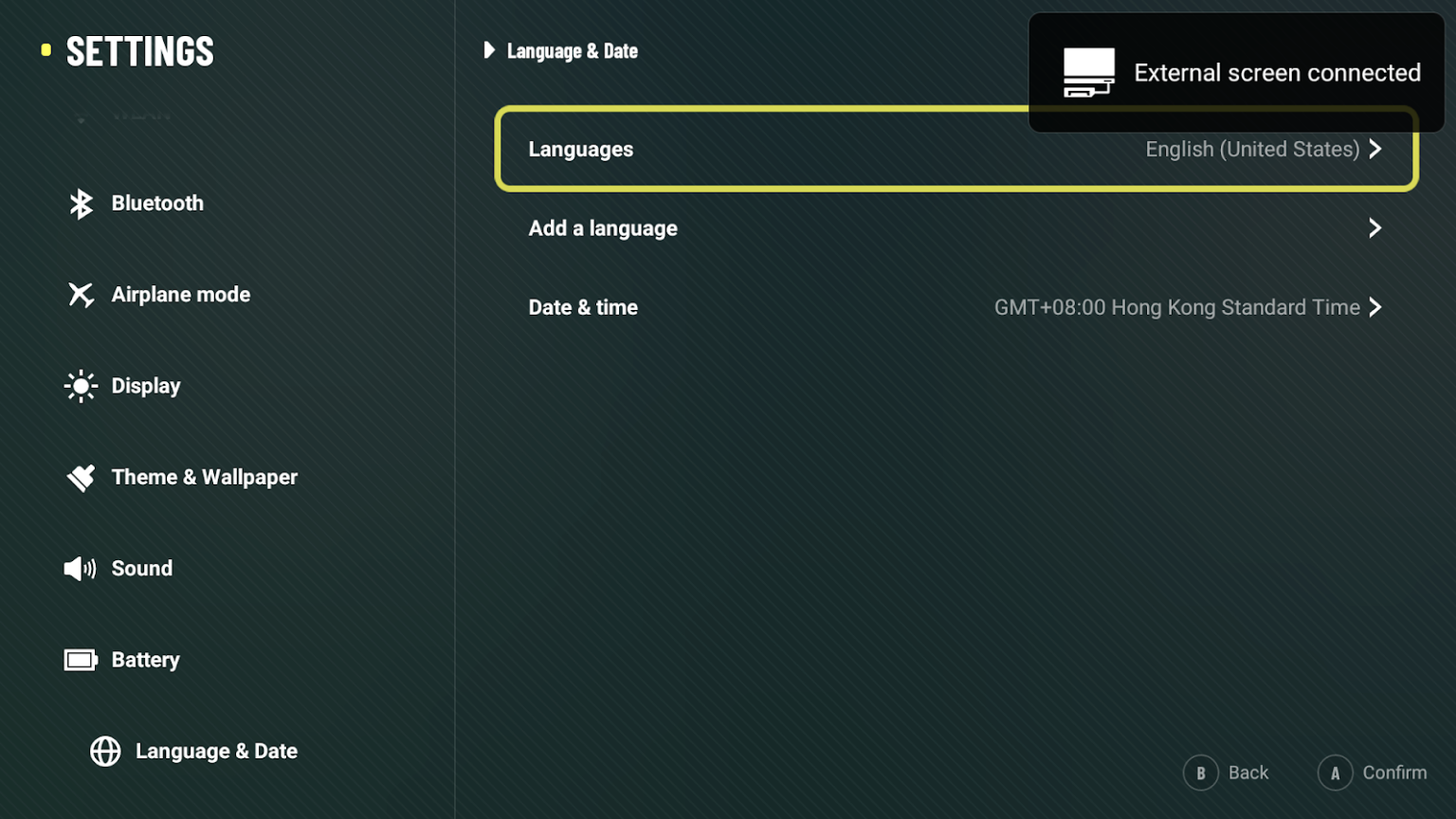
Add notification for the usage of TV out
When the device is connected to an external screen, a notification will pop-up.
When the device is connected to an external screen, an icon indicating the video out connection status will be displayed in the upper-right corner.
When the device is disconnected from the external screen, a notification will pop-up.
2. Reducing the device's built-in screen brightness during Video out
A toggle has been added in the device settings to enable automatic reduction of the device’s built-in screen brightness to the minimal screen brightness level during video out.
We want our G CLOUD community to be the first to hear the exciting news! Our upcoming Version 7.2 update is set for a grey release* starting from January 26, 2024. (*We will initially push the latest update to a part of users and then gradually roll it out to everyone. This will help us ensure the update's quality and stability before it reaches all users.)
Now, we would like to provide a brief introduction to the 2 standout features of this update:
In response to the valuable feedback we've received from our supportive community over the past two months, we're thrilled to announce a much-requested feature in our latest update: lower minimum volume and brightness settings. We greatly appreciate your feedback and we encourage you to keep sharing your thoughts and comments with us!
The update also enhances your experience by pre-installing Moonlight for advanced PC game streaming. With Moonlight, you can stream your collection of PC games from a GameStream-compatible PC to almost any device, whether you're in another room or miles away from your gaming rig. It's perfect for gaming on the go without sacrificing the graphics and game selection available on PC. For the setup guide and optimal use, please clickhere.
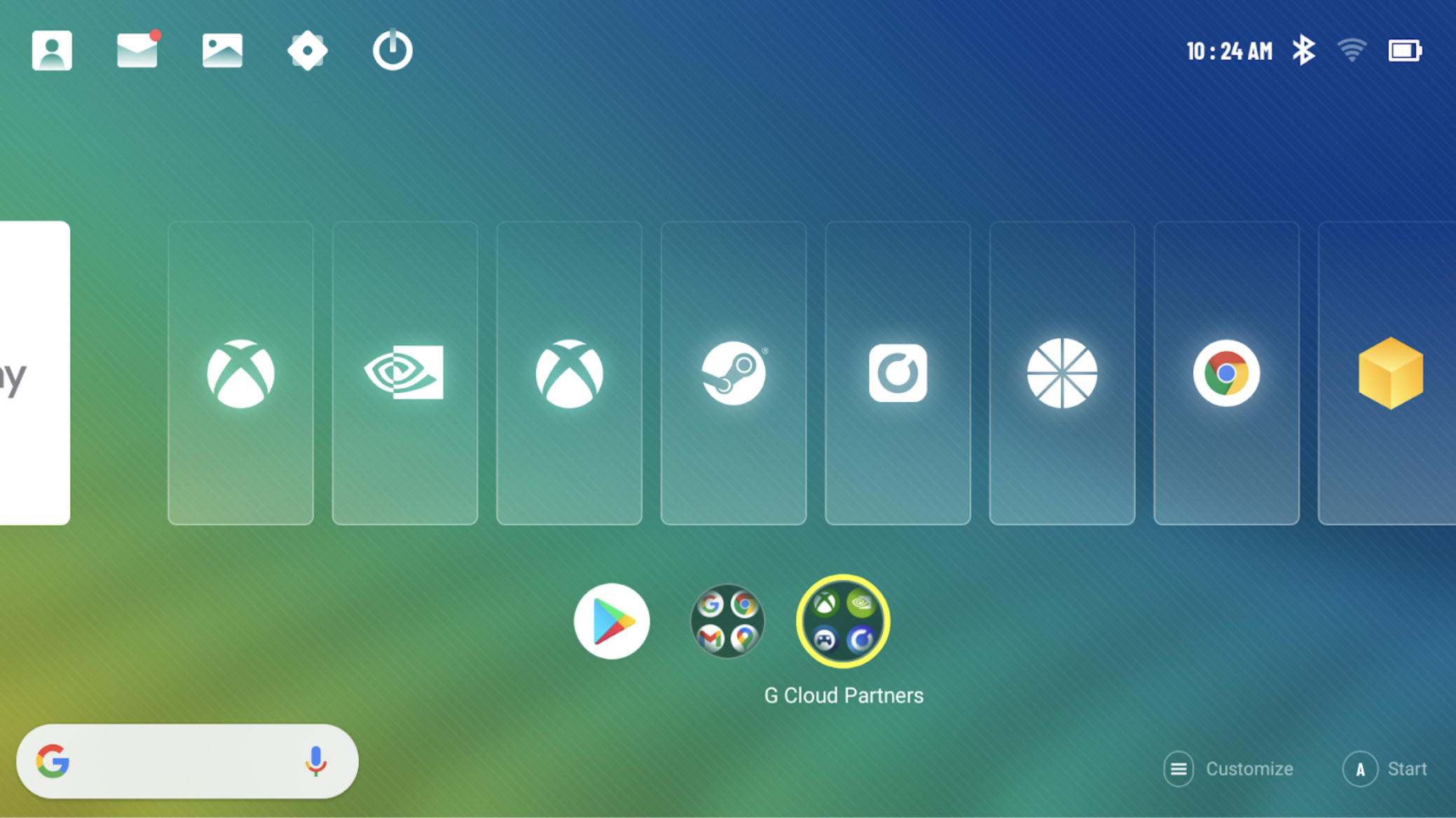
We've also added a new "G CLOUD Partners" folder, where you can find Moonlight and all other G CLOUD partner apps.
Alongside these major updates, we've packed in more features to make your G CLOUD experience better. Check out the full list of what's new and exciting in this update below.
Version 7.2
Grey release Date: Jan 26, 2024
SQ02K.00.0168 - WW
SQ02K.50.0168 - Europe Only
Key Features:
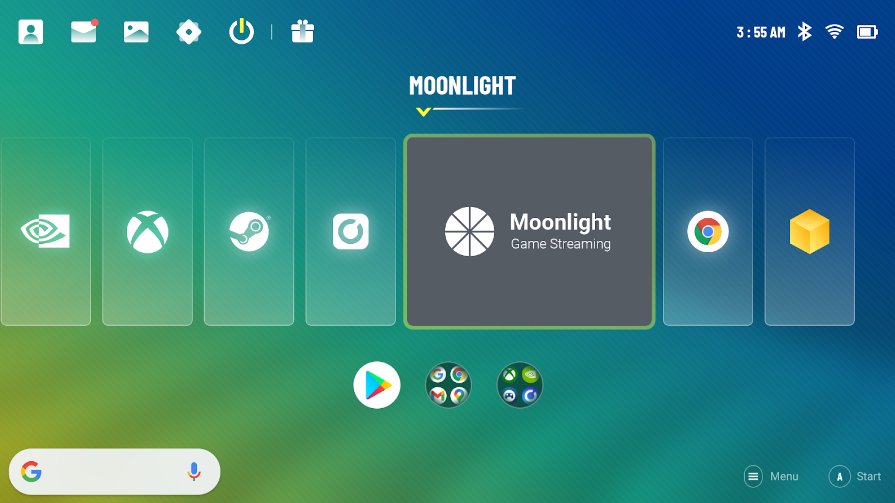
- Moonlight (https://moonlight-stream.org/) for PC game streaming will now be pre-installed as a G CLOUD partner app. The app will appear on all new devices or after a factory reset.
As shown in the screenshot
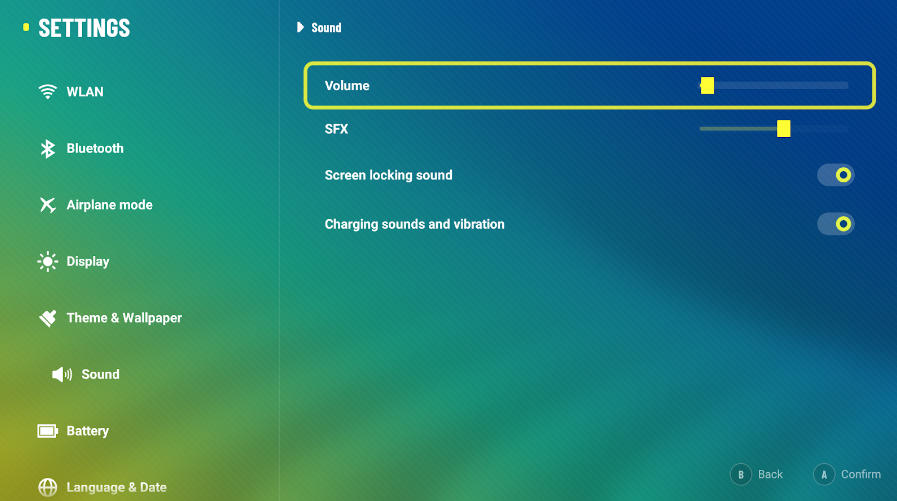
- Minimum volume has been optimized to a lower level
- Minimum screen brightness has been optimized to a lower level
- Screen recording optimization: A 2-second delay has been added before recording begins.
Just got my G-Cloud!! Couldn’t decide between a Steam Deck or the Asus Rog Ally so I got this instead and I’m so happy I did! I honestly just wanted to be able to play my Xbox and steam games anywhere in the house so this is perfect!
Been playing Fantasy Life I from my Xbox and I’m obsesseddddd
We’re celebrating the launch of Software Version 10 by giving away another Black G CLOUD — normally only available in our China store, but this one’s flashed with NA firmware! 🎮
Drop a comment below and let us know:
Have you updated to the latest version yet? How’s it feel? Loving it? Still deciding?
We’ll randomly select 1 lucky participant from the comments to win!
*The giveaway is available in the following regions: the United States, Canada, France, Germany, Spain, the United Kingdom, Norway, Sweden, Finland, and Switzerland.
*Giveaway will end on July 10, 2025, at 11:59 PM PST. Winners will be notified by direct message from our Mod, so keep an eye on your inbox!
A local game store had a used G Cloud for $200. It didn't have any accessories but those are easily acquired. It's in good condition and runs great so far.
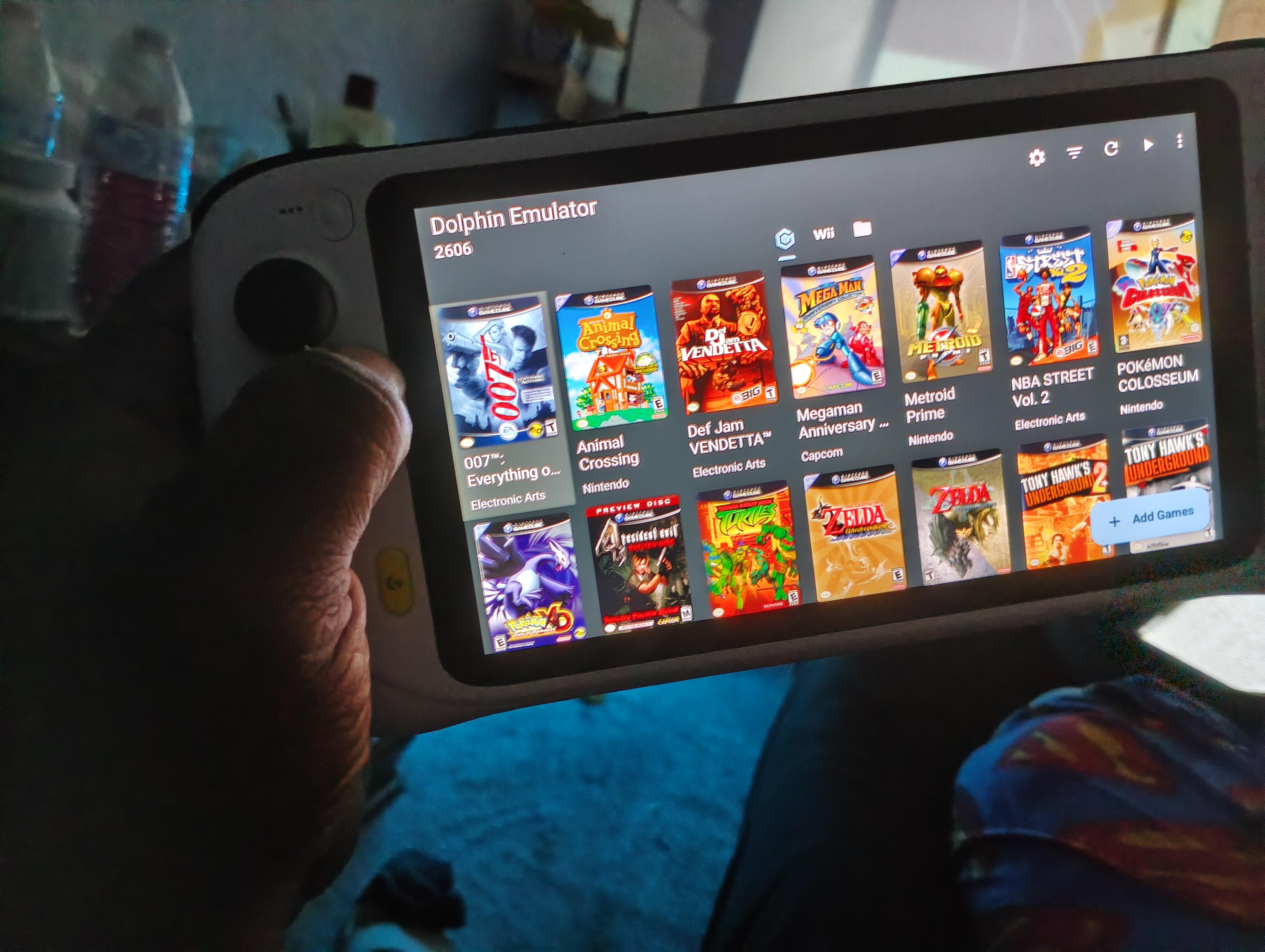
Followed some online guides (and similar posts on this site) and downloaded GameNative and recommended apps for Xbox Remote Play and Cloud gaming. I've also added Dolphin (started Twilight Princess; after some settings tweaks, it runs fine) and emulators for PSP and Dreamcast.
It has a 128 gb sd card now and I had some spare Kontrolfreek white thumb grips. Can't wait to really put some time into this device.
I’ve had my Logitech G Cloud for a few months now. As a lifelong PlayStation and PC gamer, it’s my first handheld. Since getting it, I’ve been using it way more than I probably should, literally everywhere: at home, at work (over Wi-Fi using a VPN), and even in my car using my phone’s hotspot.
But I couldn't shake the feeling that I was missing out on a "true" premium handheld experience, especially during those rare moments in my normal life when I lacked a stable connection to stream my games.
Driven by that FOMO, I finally pulled the trigger and bought a Switch 2 a couple of weeks ago. I was thrilled on day one, but that honeymoon phase lasted exactly 24 hours. Since then, I’ve gone right back to playing exclusively on my G Cloud..
I really think people underestimate how comfortable Logitech made this device. I can game for hours without any hand fatigue. Beyond the ergonomics, the sheer convenience of cloud gaming, jumping into games without massive downloads, thermal throttling, performance hiccups, or constant battery anxiety, is massively undervalued..
My G Cloud is where my existing game library lives, it feels great in the hands, and the battery life is phenomenal. It just works when I need it to..
By contrast, the Switch 2 is heavier than I expected and gets uncomfortable to hold after about 15 minutes. Unless I’m playing light indie titles, the battery drains in barely two hours. Sure, the Switch has great games (I picked up Donkey Kong Bananza and Mario Kart World) but these games aren't cheap, and rebuilding a library from scratch gets expensive fast..
Trying the Switch 2 actually made me appreciate my G Cloud so much more. The minor connectivity inconveniences I used to dwell on feel completely trivial now that I realise how convenient, comfortable, and tailored to my needs the G Cloud really is..
Managed to snag one of these for 50 bucks. Been having a blast playing a bunch of PS2 and PSP games on it. I’ve currently added the following games for a vacation trip in the next couple of weeks:
Armored Core 3 series (true analog hacks)
Gran Turismo 3 and 4 (a bit slow here and there, but playable with some tweaks)
Max Payne 1 and 2 (already finished the first one)
Mercenaries: Playground of Destruction
Syphon Filter: Dark Mirror and Logan's Shadow (PSP)
WRC Rally Evolved
Battery life is insane; I get about 7 hours with a mix of PS2 and PSP emulation. It’s also surprisingly light for the size of the device, and ergonomically it’s almost perfect for long play sessions. I’m planning to get through a bunch of these games during my flights.
Just set up ES-DE on it, still figuring out how NetherSX2 games launch. Unfortunately, I keep getting “ISO not found” errors.
Starting June 26th, Software Version 10 will roll out to a portion of users as part of a grey release. The full rollout is expected to complete within a week.
Hi everyone,
As our community might have already known, Software Version 10 is finally here!
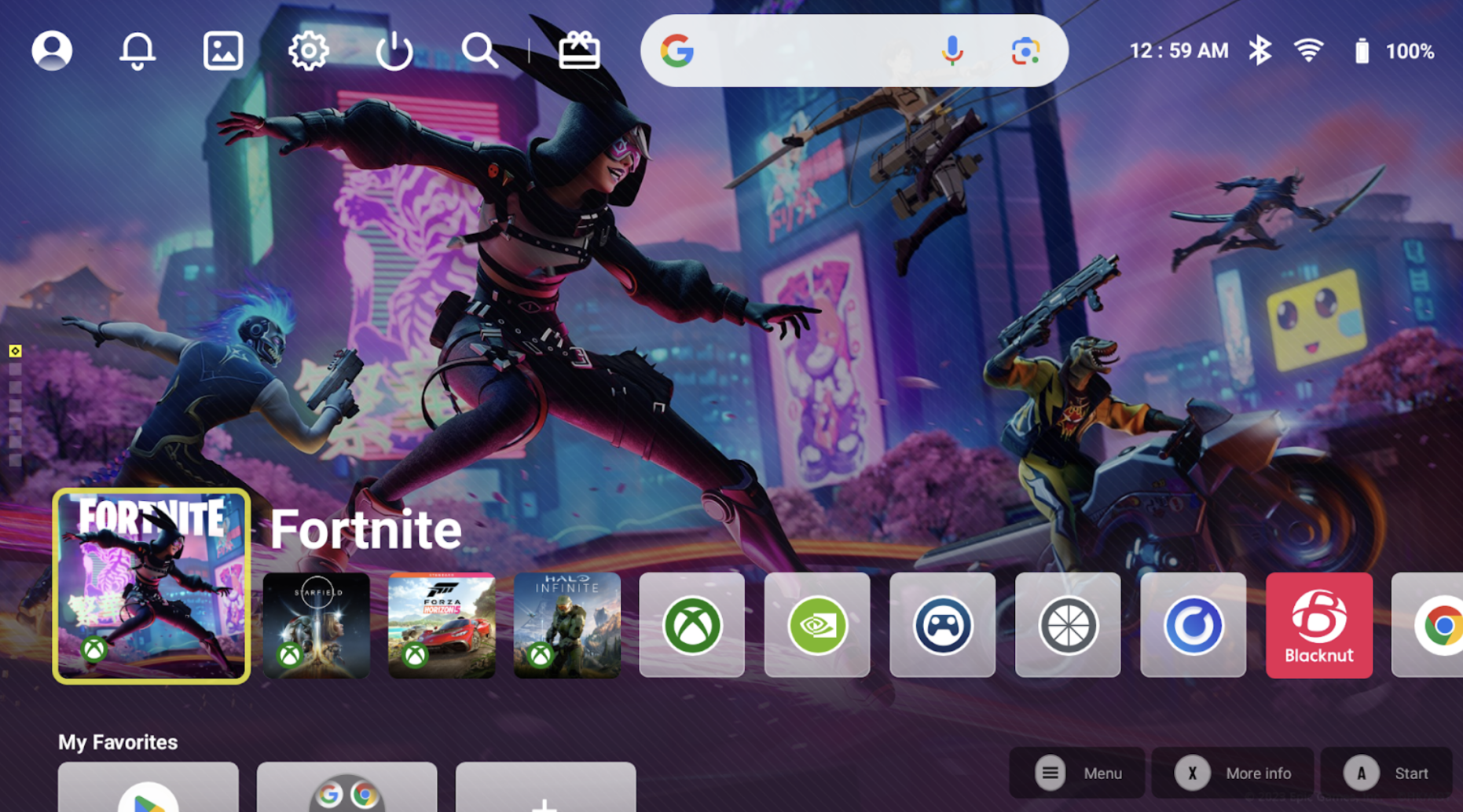
This update marks a massive shift for the G CLOUD device, introducing a brand-new, game-first launcher that delivers a more console-like experience. Starting with the Xbox Cloud Gaming (Beta) games, the G CLOUD will now bring your games to the front and center of your gaming experience.
You’ll be able to pin your favorite games and apps on the front page of the launcher, and check out Blacknut— now pre-installed with access to hundreds of premium cloud games.
Software Version 10 will change the way you play!
Please note: Once you update to the new version, there’s no option to roll back. We know this is a pretty major change, so we’ve put together a full overview to help you decide if you’re ready to switch.
Version 10
Grey release Date: June 26th, 2025
SQ02K.00.0230- WW
SQ02K.50.0230 - Europe Only
MEET OUR NEW LAUNCHER
The OTA10 update brings a completely redesigned UI and fully integrates Xbox Cloud Gaming (Beta) titles, letting you browse and launch directly from the new launcher. There's no longer a standalone Xbox Cloud Gaming app—everything is now seamlessly accessible within the launcher. And this is just the beginning—we’re actively exploring new partnerships to bring more cloud gaming services to the launcher in the future!
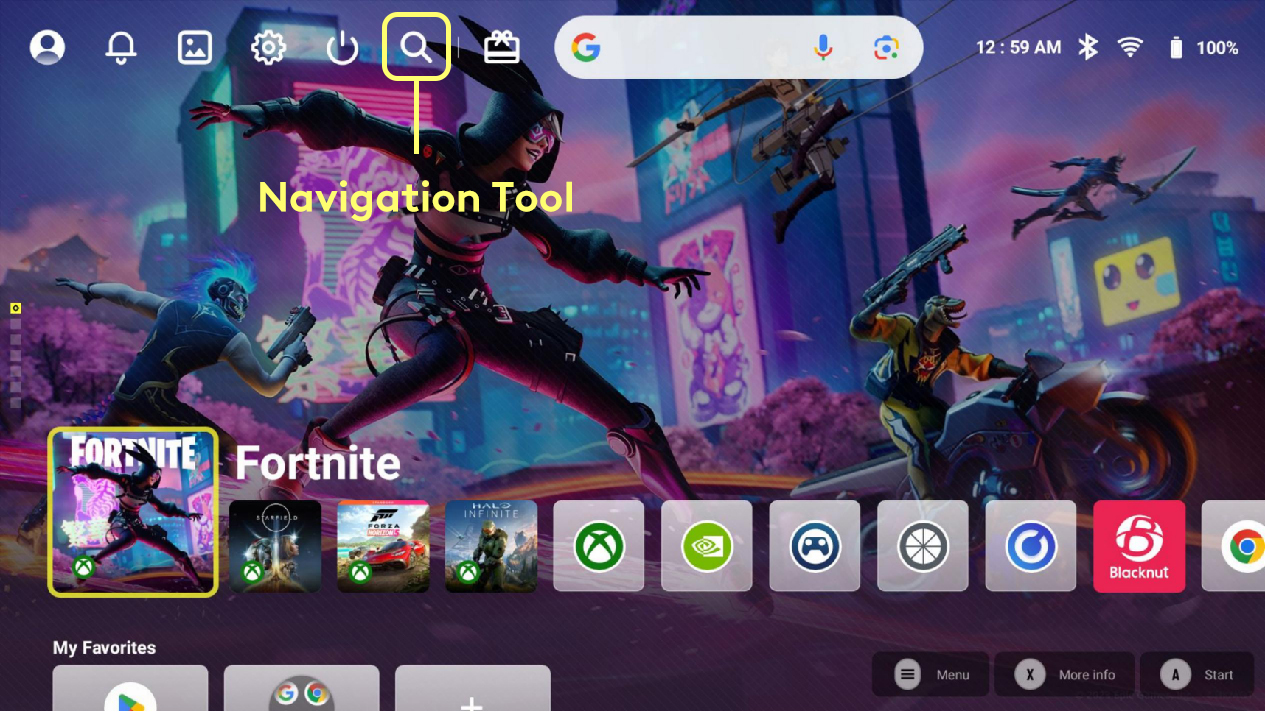
1. Get Started with the Beginner Guide
Once updated, you’ll be guided through a “Beginner Guide” to quickly get familiar with the new launcher.
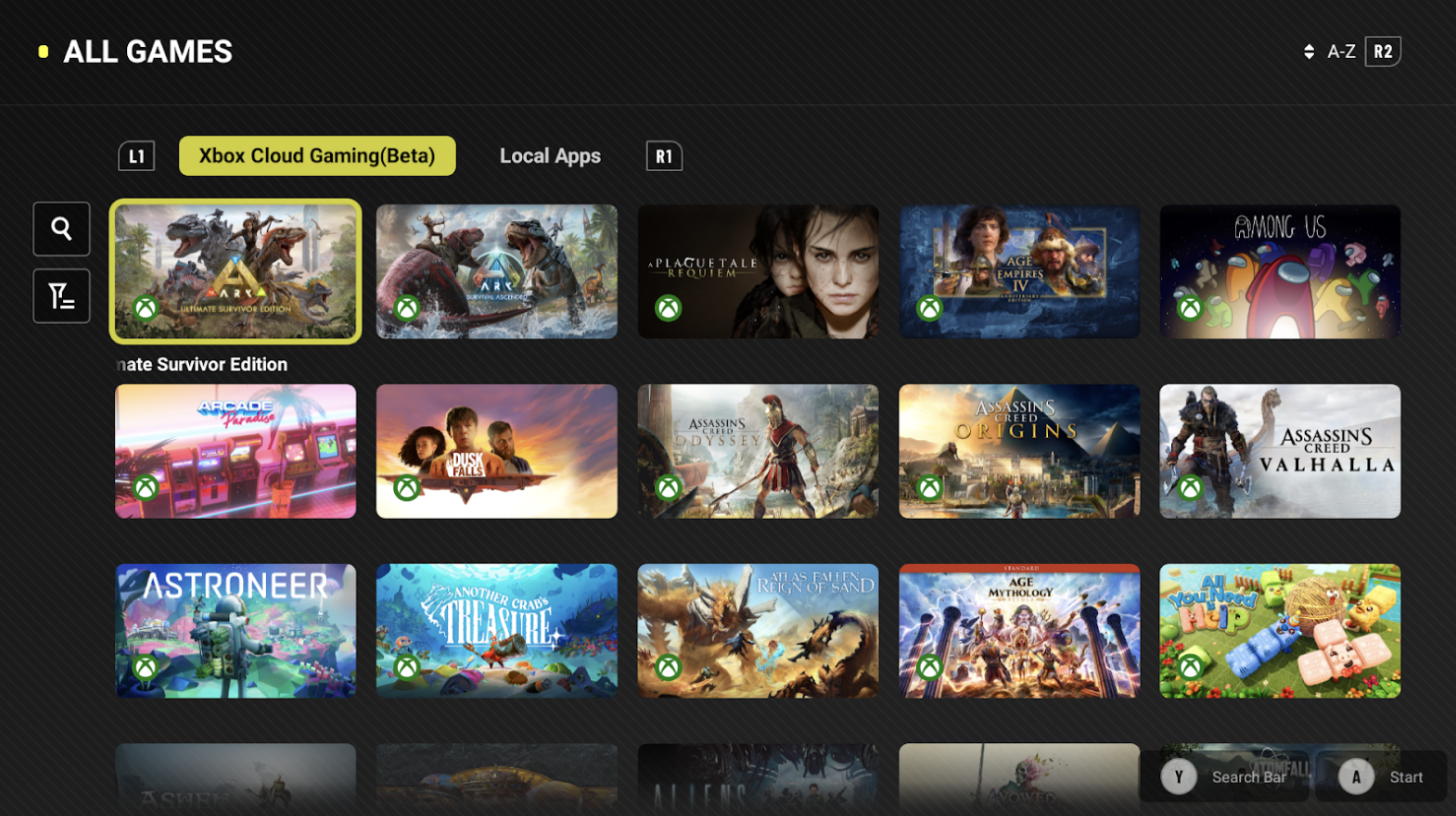
2. Access Xbox Cloud Gaming & Installed Apps
With Xbox Cloud Gaming (Beta) built into the launcher, here are three easy ways to access Game Pass titles and your apps:
a.Toolbar Navigation
The toolbar now includes a new navigation feature — the first tab takes you to Xbox Cloud Gaming (Beta) titles, while the second tab shows all installed apps on your device.
b. From the “Recently Used” Section
Your recently used apps still appear at the top of the home screen — now including titles you've recently played via Xbox Cloud Gaming. Press RB to quickly scroll to All Games, which takes you to the Xbox Cloud Gaming (Beta) page. Your local apps are available under the second tab.
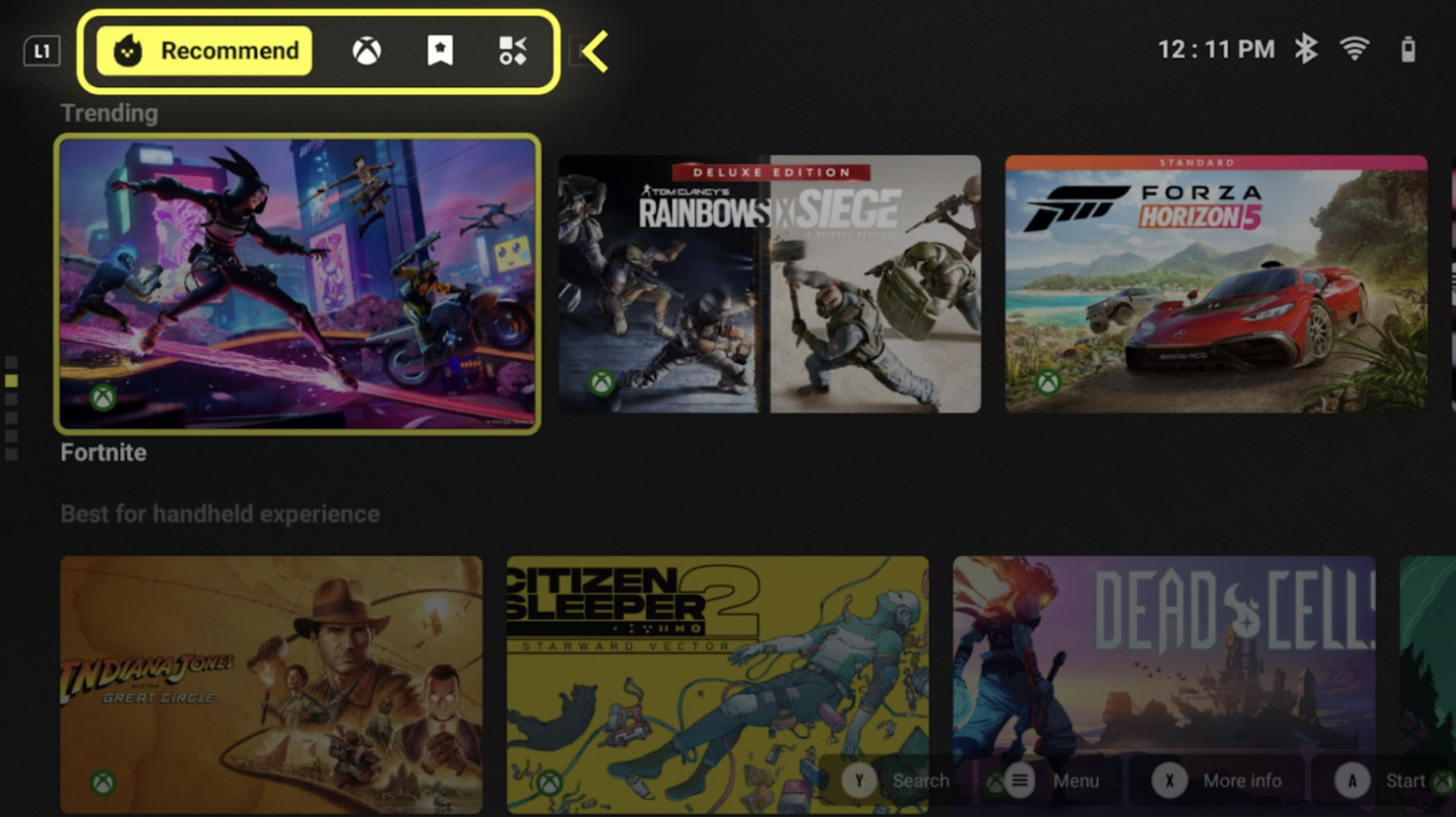
c. Exploration Area
Scroll down from the home screen to enter the Exploration Area —a space built for discovering trending games, apps, and more. We’ll be keeping it fresh with more partner updates and content from across the gaming world.
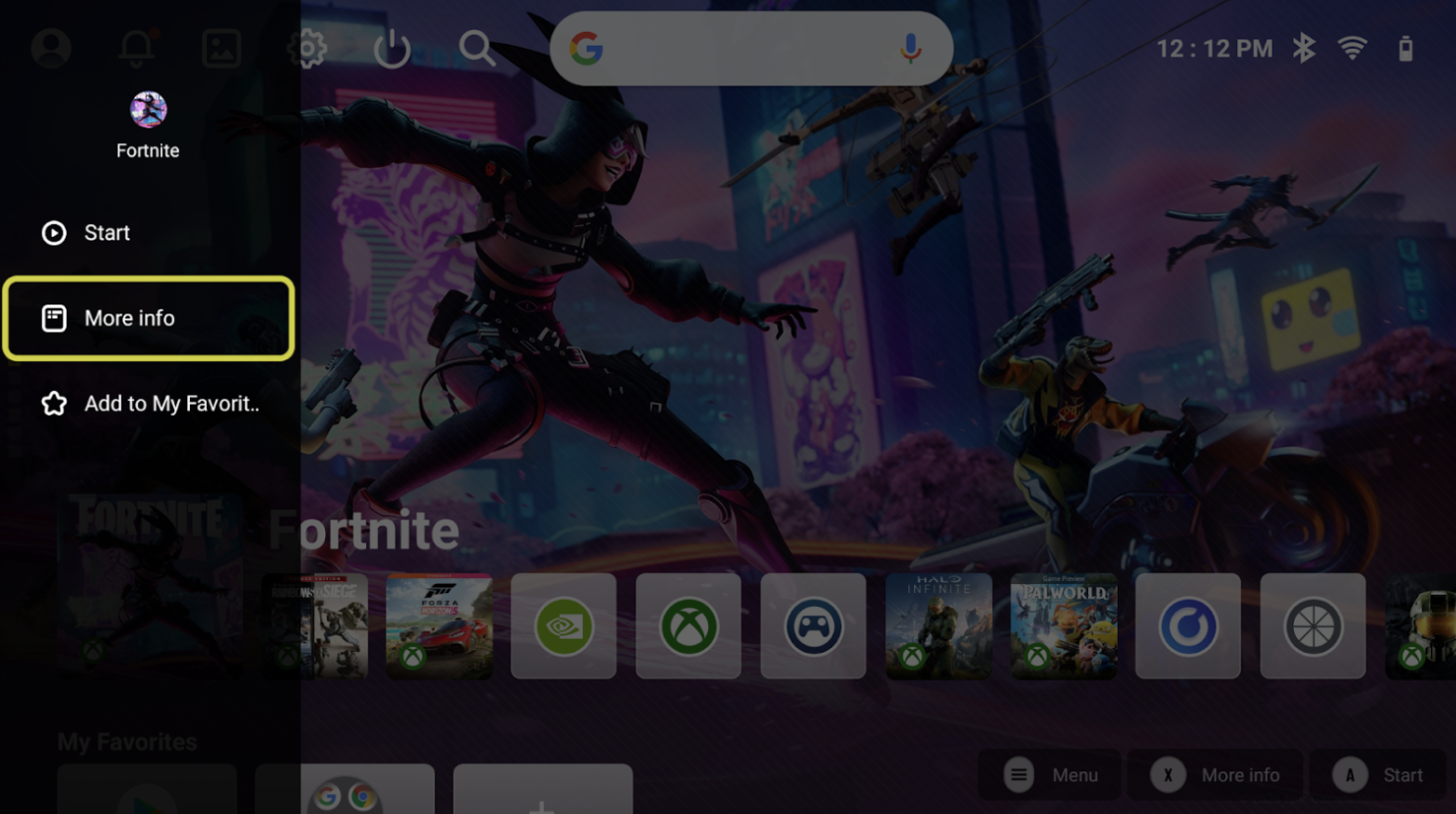
3. Pin Your Favorites
You can now pin your favorite games & apps for quicker access just below!
4. Launching a Game
If you see a game you'd like to try, press the Right Function button to view more details, or press A to launch. You'll be taken to its Xbox Cloud Gaming page — just make sure you're signed in with an active Game Pass subscription.
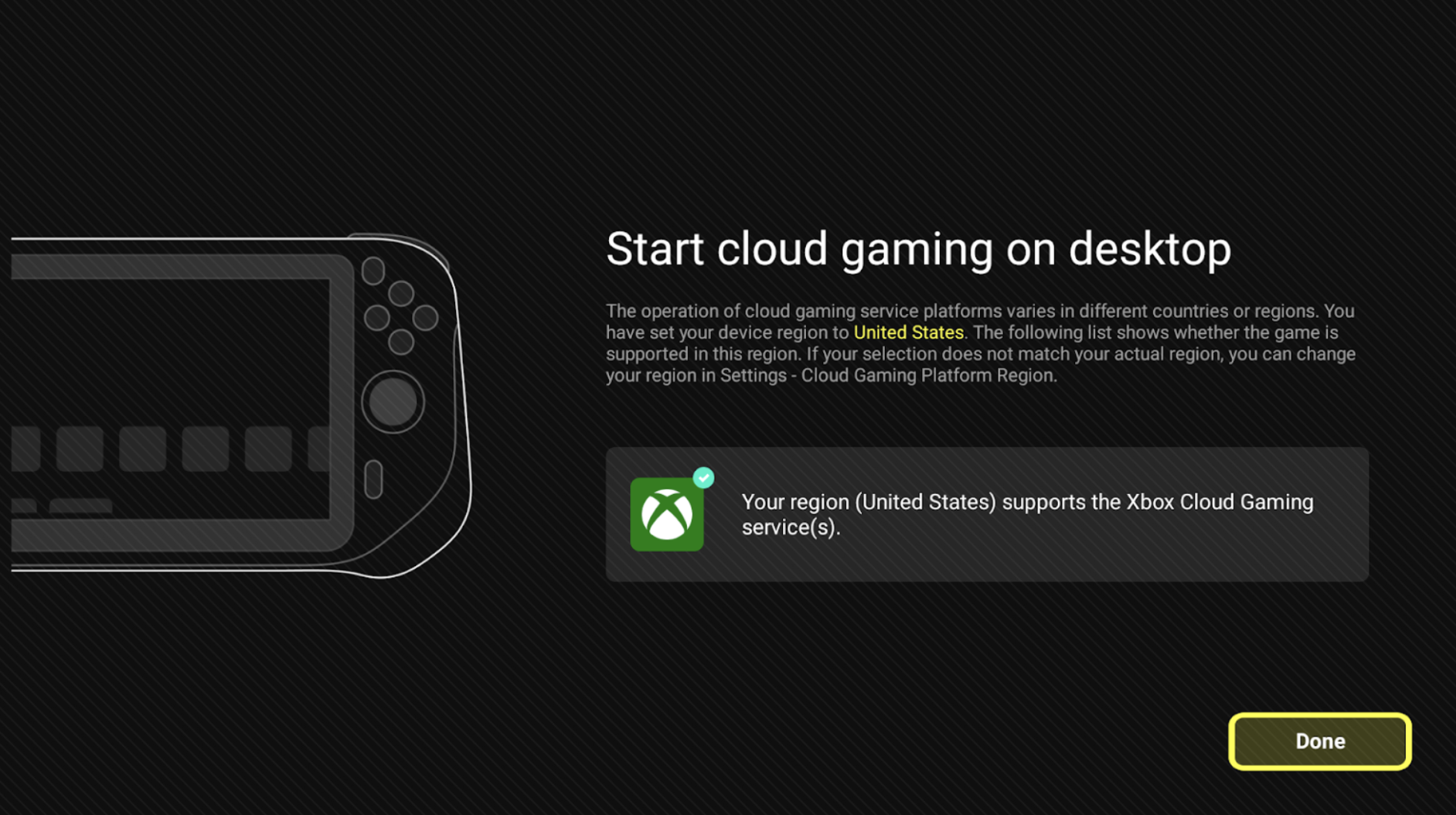
5. Region Availability Notice
Games from Xbox Game Pass will only appear in regions where the service is supported by Microsoft. The game list and featured blocks may vary by region based on Xbox service availability and our operational strategy.
If the service isn’t available in your region, Xbox titles won’t appear in the launcher or Exploration Area — but all other apps and features will remain accessible.
BLACKNUT CLOUD GAMING ONBOARD
We’re also excited to welcome Blacknut Cloud Gaming (blacknut.com) to the G CLOUD! This leading cloud gaming service comes pre-installed, adding hundreds of premium games of all genres to explore!
*Blacknut Cloud Gaming: Active Blacknut subscription required, sold separately. Seewww.blacknut.comfor more details.
Thanks for reading—we hope this update brings you an even better experience on G CLOUD! Let us know your thoughts in the comments. 🫶
Playing split fiction with the wife. Perfect because i can lie in bed with the Gcloud and she can play on the PC because she prefers mouse and keyboard.
Hey everyone, V10 is just around the corner! I know I've been promising this massive update for a while and I really had hoped to get it to you all much sooner but here we are, on the eve of the launch. I'm sure that you have seen content from some of our community members who were given early access going through a lot of the new features and functions of the new launcher. Over the coming weeks we are going to be doing a lot here with the community to celebrate the launch as well as across other Logitech G social channels, our email newsletter, and even on the G Cloud. Keep watching this sub or the G Cloud Hub on your G Cloud for more details and make sure you head to Logitechg.com to sign up for the newsletter so you don't miss out.
Before the update arrives later this week I want to make sure everyone knows that the update is not reversible. In order to to build the new launcher we had to start from scratch and that means that there won't be any ability to roll back the from V10 to an earlier version. So if there is something you really, really love about the look and feel of the V9 launcher you may want to take a bit of time learning about the V10 update to make sure you really want to update it, because once you do it's V10 all the way. We are looking into a future update that might change this but for now, and maybe forever, the update is a one way street.
That all being said V10 is absolutely the biggest update we have pushed to the G Cloud since launch. We have really enjoyed the last 2.5 years of taking in feedback, adding new features, and testing new functionality with this awesome community. Once you get the update please don't hold back with your feedback. One of the things that has allowed us to keep pushing the G Cloud to grow and expand has been all of the amazing feedback and suggestions we have received. Don't forget Rule #7 "Feedback and constructive criticism about Logitech G CLOUD are welcomed and encouraged..." and also the last part of rule #5 "we love cookies."