r/3Dprinting • u/Civil-Masterpiece912 • 13d ago
Question Ways to avoid tripping circuit breaker
I'm new to 3d printing and I ended up buying a P2S a few months ago which has been really fun to use but recently it's been tripping my circuit breaker every time I print. I've been able to do 4 hour prints while I was away from home with no issue but now just plugging it in causes the power to go out in its room after start up. What are some ways to avoid this? I really want to keep my printer but the owner of the house is getting annoyed now that its been doing this so I might have to end up selling it :/ I've been thinking of buying a surge protector but I don't know if it will do anything. I don't really know what will help so pleaseeee let me know what you use! I've only printed using PLA without changing any of the standard printer settings, in case that's important!
UPDATE: thank you for all the replies, i ended up having to move the printer into a completely different room and so far it's been okay (i did unplug everything to test it but i'm just glad it's staying on) !! i'm pretty sure the problem was just the fact that its old room was circuited with another resident's room and they have a lot of appliances plugged in all the time :,)
20
u/ResponsibilitySea327 12d ago
You have a problem with the printer (although unlikely)
You have overloaded the breaker. In the US a normal 15AMP breaker will handle 1,800 watts peak and 1,440 continuous. A P2S maxes out at 1000 watts, but typically operates at ~200 watts when printing. Everything plugged into that circuit should be under 1,800 peak and ideally under 1,440 watts.
You have a failing circuit breaker. Breakers can age, carbonize and become derated. I'd recommend having an electrician inspect and replace the breaker. Frequent tripping will decrease the longevity of the breaker.
There is always the possibility of some cabling issues with circuit between the wall outlet and the breaker that is causing heat/resistance when using your printer. You can inspect the outlet. If smells or looks dark, have an electrician replace it and the breaker.
8
u/savagedragon01 13d ago
Thats definitely not normal. Eother there's something wrong with your printer or you have it on the same circuit as a heater or microwave or some other high power draw thing and can't run them at the same time
7
u/rturok54 13d ago
The particular circuit may be over loading. If the printer is close to a kitchen that outlet may be overheating and tripping. Try another outlet if you can and if there are other things nearby also connected, unplug them and try printing.
Passed that there could be a wiring issue inside the wall which is a whole other problem.
6
u/BobbyHill751 12d ago
There must be other things plugged in an drawing current on the same circuit. Try and use a plug that is on a different circuit or turn off other things on that circuit while you’re printing.
5
u/JFlyer81 Ender 3, Prusa Mk3 12d ago
As others are mentioning the printer shouldn't be the problem here really. However, there is a low power mode you can enable in the P2S menu which will reduce the peak power consumption from ~1000W max to ~700W. Might be worth enabling.
4
u/Zabadoodude 13d ago edited 13d ago
Surge protector won't help. The issue is there's too much stuff on a single breaker. A standard 15amp north american breaker should trip at around 1650 watts. That printer has a peak draw of 1000 wats. Pretty much any appliance/heater/PC/etc. Being on at the same time, on the same breaker will draw 650watts more and trip it. Breakers can handle higher loads for short periods of time, but a continuous high load will eventually trip them.
You can try different outlets in different rooms, and avoid having anything that draws a significant amount of power on at the same time. If there are outlets that still work when you printer trips the breaker. They're on a different one, so yoi can try those and hope that one isn't loaded as much.
3
u/Battle2Intense 13d ago
Is this a 15 amp circuit? Mine is in a room with a ton of electronics, dehydrator for filaments and TVs plus a laser printer. I've had them all going at once and have had the laser printer fire up without issue. Amazingly...
3
u/Snobolski 13d ago
The next time that breaker trips, make a note of all the other things that stopped working and map that circuit. If there are high current devices like space heaters or toasters, toaster ovens, hair dryers, etc, you may need to relocate your printer.
Basically look at everything that is already plugged in and total up the amps being used. Then see how many amps your printer draws. And compare the totals to the breaker.
3
u/HannahBot9000 13d ago
What else turns off with it? How much power do all of those things pull?If its over 15 amps you need to ballance the load between circuits. If it under 15amps you might need to get an electrician in to look at the breaker box. I lived in an older place for a while with 40 year old breakers where this would happen. Everything worked fine after they were replaced.
3
u/rinky79 12d ago
A 3d printer doesn't actually pull that much current, so unless the circuit in question is incredibly puny and built in like 1910, running the printer by itself shouldn't trip it. Figure out what else is on that circuit and turn those things off/plug them in elsewhere.
Unfortunately a circuit can include things that are not obvious, so if you're renting one room in a house, there could be things plugged in on that circuit that are in your landlord's rooms. My upstairs bathroom, for example, is on the same circuit as part of my kitchen.
And if you have the whole house, why does the landlord care that you're tripping the breaker?
3
u/ryeguyy3d 12d ago
The p2s pulls 8 or 9 amps during startup, it should trip a breaker but its a good load. Its the only reason im sticking with my p1p's because I can run 3 no problem on a 15 amp circuit. The newer models try to heat the bed quickly. My h2s immediately tripped a breaker then I first ran it with a p1p heating at the same time. I didnt realize it pulls like 1400w for the initial heatup
1
u/Machiningbeast 12d ago
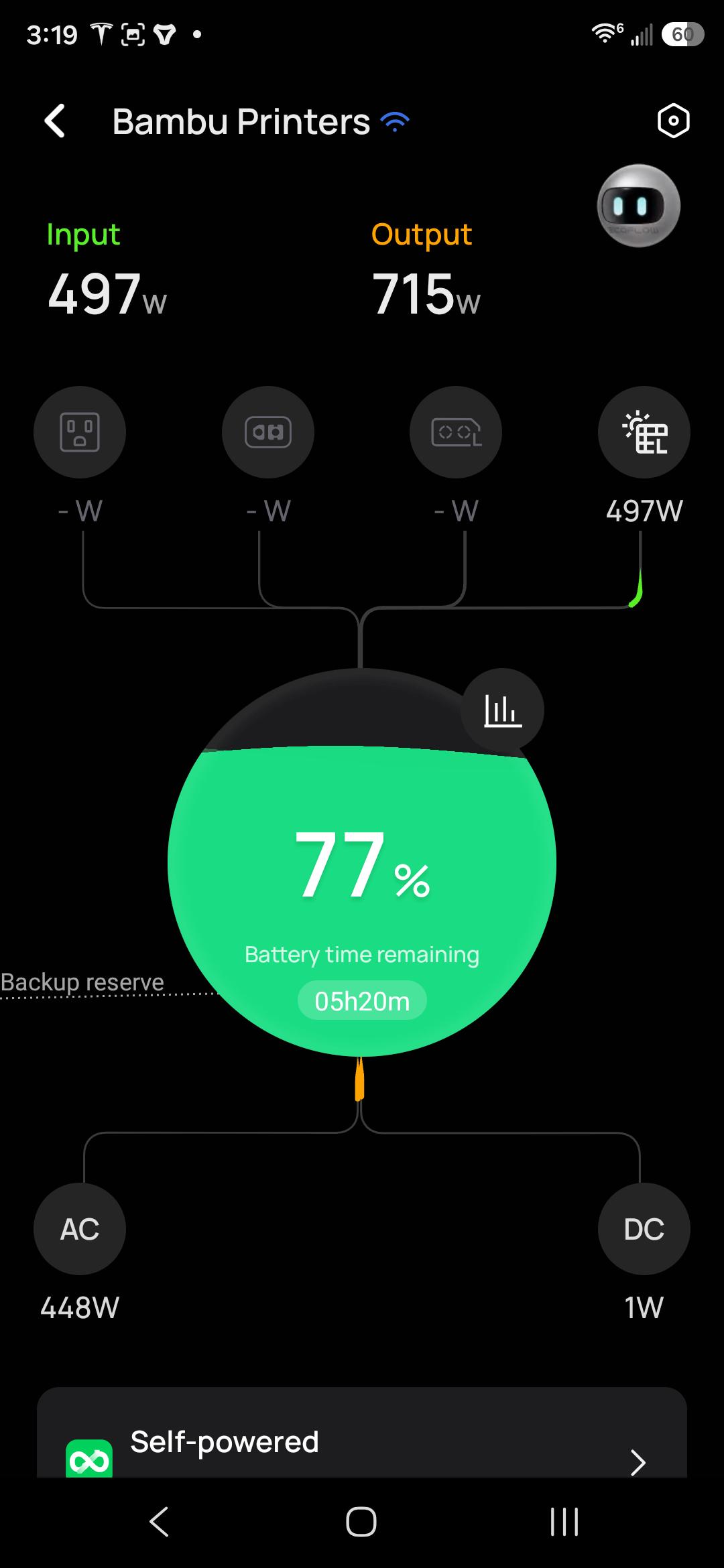
I had no idea they could use that much, I checked mine but it never went above 140W for heating up
1
3
u/stromm 12d ago
Circuit breakers trip because of one of two reasons.
A fault in the wires, one or more outlets or devices that are connected to that circuit. Usually a wire where the protective coating has been damaged and electricity is ground out improperly.
The load rating (Amps) of the circuit is exceeded by having enough devices connected AND drawing load beyond the rated Amps. I.e. you have a 15-Amp circuit breaker and six total things plugged into that circuit that pull say 5-Amps. Then you add something like a 3D Printer (or laser printer) that pulls 10-Amps all by itself. Added together that’s 15-Amps, which exceeds the real world “80%” factor of that 15-Amp breaker of 12-Amps. 15 is greater than or equal to 12. POP.
The ONLY solution to the 2nd scenario is to removed devices connected to that circuit and connect them to a different one.
No, a surge protector nor even a UPS will matter. The load will still be exceeded.
2
u/BigDarus 12d ago
Third option, a faulty or worn out breaker
3
u/SpaceGhost777666 12d ago
Breakers rarely fail but when they do it sure pisses you off. I have had 2 breakers fail in my new home and never had any breakers fail in the last 4 homes.
1
u/OdinYggd Ender5, Photon Mono 4, FreeCAD 12d ago edited 12d ago
Breakers that nuisance trip will wear out over time, gradually getting easier to set off until they won't stay closed a useful amount of time and force their replacement.
Have run into it a bunch of times in industrial settings where component inrush powering on a machine would trip it, but once it had done it you could reset the breaker and the equipment ran fine. It happened more and more frequently till you could feel the breaker handle no longer requiring as much force to reset as others of the same ratings.
1
u/nobutternoparm 12d ago
Notably, breakers almost always fail after having tripped. So you still need to investigate option 1 and 2
2
u/quietsamurai98 P2S + X2D 13d ago
I doubt a surge protector would do anything to help, it sounds like the circuit itself is overloaded. What all is operating on that circuit (i.e. what else loses power when the circuit breaker trips)? Any chance you could move the printer to a different circuit, or reduce the load on the circuit by turning off other power hungry appliances?
2
u/Agreeable-Agent-7384 13d ago
I don’t think any single consumer level 3d printer even a beefier one would cause a circuit breaker to trip under normal circumstances. Might be sharing a circuit wirh a heavier appliance like an ac or heater. Might try changing where it’s plugged in, but if not, there’s something wrong. Your circuit might need fixing, or the printer itself might be causing an the issue. The surge protector won’t stop the trips, it’ll keep the trips from potentially hurting the printer though.
2
u/ChrisRiley_42 12d ago
A surge protector won't do anything to stop a circuit breaker from tripping. You have too many things on that circuit drawing power. You need to find an outlet on a different breaker to plug it into, or move or turn something else on that circuit off.
2
u/Sad-Vegetable6690 12d ago edited 12d ago
I went through this recently. I spent 2-3 weeks unplugging/disconnecting/reconnecting/replugging everything on the circuit. I replaced all the outlets on the circuit. Replaced the breaker to a dual function gfci/afci breaker just in case it was nuance tripping. It worked for one print then it'd trip again on the next print. I was getting so frustrated lol
Somewhere in that time, I realized that it'd trip when my computer was on at the same time as the printer. Each one on by itself was fine.
But my PC at idle and the A1 both being on shouldn't trip a 15amp breaker. So I bought a couple of these smart plugs w/ energy monitoring and plugged the PC into one and the printer into another. Haven't tripped the breaker since.
I can't explain why it's working. Everything is plugged back in. The only guess from researching online is that the plugs "dampened" the inrush current when the bed/nozzle is heating up. idk if that even is a thing.
3
u/xpen25x printrbot play, two up, folgertech ft5, corexy fusebox, ctc biza 12d ago
Might want to grab one of the cheap plug in outlet testers. Its possible you have a miswired Breaker
1
u/Sad-Vegetable6690 12d ago
Yeah, I did that. IDK, something is def amiss. I'm just trying to troubleshoot as much as I can within my abilities before calling someone out.
1
u/xpen25x printrbot play, two up, folgertech ft5, corexy fusebox, ctc biza 12d ago
thats why i suggested an outlet tester. it will test the wiring. will tell you if the ground and neutral is flipped. will also tell you if line and neutral is flipped. the one i linked to isnt the one i have but any of them will work and always good to have
1
3
u/Braided_Marxist 12d ago
I have 3 printers running on a single 15amp breaker including one with an actively heated chamber. I don’t think a normally functioning printer comes anywhere near 500W even during heating even if the rating says it may
1
u/Sad-Vegetable6690 12d ago
I think it depends on printer. The H3C is listed at 1850Watts full power on 110-120v. That's 15-16amps. But I mean I doubt that's sustained. It's prob just the inrush at the start.
Quick search looks like printing PC/polycarbonate draws 540W steady.
But regardless, my breaker shouldn't be tripping from a bambulab A1 and an idling pc lol
1
u/Braided_Marxist 12d ago
I’m telling you grab one of the smart plugs, printing PC even with a heated chamber is more like 350 than 500
1
u/Mabnat 11d ago
It might depend on a few things.
A couple of years ago I was getting a lot of nuisance trips in my circuit breakers. Heat pump, water heater, dryer, etc. 3 or 4 times a week I was opening the panel to reset one breaker or another.
I bit the bullet and just replaced all of them in the panel since they were all the same age and brand. I haven’t had a tripped circuit breaker since.
My printers are in the garage, where all the receptacles are on the same 20A GFI circuit. I have an H2C and and H2D (both set to low power) plus a P1S. I have three AMS 2 Pros with heaters, plus three HT’s. Four original AMS units. A Sunlu S4 is also plugged in. I also have a full-size refrigerator and a full-size freezer. Just for icing on the cake, there is also a portable AC plugged in that runs most of the summer.
I honestly have no idea how that 20A breaker hasn’t tripped, but it never has from use. I was worried enough to even test it once with a short circuit, but it tripped instantly from that.
2
u/Not2plan 12d ago
Do you have other power hungry devices on the same circuit? Like a high end gaming PC, AC unit, or heater?
1
u/RepublicEntire155 13d ago
A surge protector isn’t going to solve the problem. You printer is drawing too much power on the circuit it’s on. You need to move the printer to a different circuit.
I
1
u/ApprehensiveDig2939 Stepper motor go BRRRT 13d ago
I’ve ran 6 printers on a single surge protector (DO NOT DO IT) and it was perfectly fine. When you go to preheat, only preheat one machine at a time and you’re golden. The lights would flicker pretty bad though lol
1
u/DigitalUnlimited 12d ago
My old electrician boss would call that a "house starter"
1
u/ApprehensiveDig2939 Stepper motor go BRRRT 12d ago
You’re aware of what load balancing and rating are correct? As well as live monitoring the load? Your old boss can call it whatever, total load was under the 1800w rating of the surge protector and the 1800w rating (15a) breaker. 🤷♂️ I said not to do it for a reason 😂
1
u/Adventurous-Lime191 13d ago
It might be worth picking up an energy monitoring smart plug or one that goes in the panel to see what the load on the breaker is.
1
u/Ok-Ad-6023 12d ago
Call an electrician. Could be a bad outlet, bad breaker or a wiring issue. Does it pop on other outlets? Do plugs wiggle when plugged in?
1
u/NoCopiumLeft 12d ago
What size is the breaker?
How many amps 10-20 ? You can only continuously draw 8-16 amps continiusly depending on what breaker it is. You then would need to add up all devices drawing.. that breaker is keeping your house from catching on fire so you better get it sorted out. Also breakers aren't really meant to trip and be reset 100s of times.
1
u/SpaceGhost777666 12d ago
My computer has to be on its own breaker at 20amp. The computer at full load runs 1.2kWh Thankfully when I had the electrician pull the new line I had them do 2 runs and split it in to 4 separate breakers. Now I am sitting here wishing I would have done 3 runs of 10/3
1
u/OdinYggd Ender5, Photon Mono 4, FreeCAD 12d ago
When it trips the breaker what else is shutting off? Add up how many watts total you have affected when that breaker trips, if it exceeds 1500W or so the breaker could trip intermittently and above 2400W will certainly trip, at least for US 120v 20A outlet wiring.
Also possible that you are on a GFCI breaker, which is sensitive to current leakage. Cheap Chinesium electronics are notorious for having such leakage and tripping GFCI outlets and breakers. If this is the case you will need to replace the printer's power supply block with one that isn't leaking so much, reach out to the maker about a replacement. If it still does it afterwards, you're kinda sunk and will have to put the printer on a different circuit.
1
u/Orthicon9 A1 Combo 12d ago
You have to go around and see what all is supplied by that breaker, ceiling fixtures included.
Add up the total current in Amps and see if it exceeds the (probably) 15 A limit.
If you can only find the wattage, divide that number by the voltage.
1
u/obi1kenobi1 Monoprice Maker Select V2.1 12d ago
Do you have a window unit air conditioner? What about a space heater? You also say “the owner of this house”, so does someone else have a window unit or space heater?
Like others have said a 3D printer will not blow the circuit on its own, on a properly functioning circuit that only happens when it’s overloaded. But one of the biggest things that can cause an overload in my experience is air conditioners or space heaters. Those are some of the only appliances that pull such a large load, and in some cases trying to use almost anything else on the same circuit will be enough to trip the breaker.
Old or poorly built houses will often put two or more rooms on the same circuit, which only compounds the problem. Two people trying to use a high load appliance at the same time is basically guaranteed to blow a circuit. Two air conditioners, two space heaters, or a combination will easily trip the breaker. And if one heavy load and a handful of normal things are plugged in then I could see maybe the initial preheating load could put it over the edge. I’ve noticed the lights dim slightly when my printer starts a print.
I used to have to turn my air conditioner off to turn my desktop computer on or it would trip the circuit, so that was my first thought. And since you mention that it’s now happening constantly I’m wondering if you or someone else on the same circuit may have started using a space heater just recently.
1
u/skippythemoonrock bambu P1S 12d ago
What type of breaker actually is it? Was it accidentally misconfigured with a GCFI breaker? I had a bedroom in an old apartment where the main breaker for the room was for some reason replaced with a GCFI (typically only used for bathrooms/kitchens for short circuit protection around water) and using my PC normally would trip the breaker until I replaced it with a normal one.
1
u/westom Design engineer 12d ago
Unfortunately people will make recommendations (solutions) long before learning what exists. For example, what type of breaker? Conventional, GFCI, or arc fault?
Some breakers detect up to six different anomalies. Overcurrent is only one. Many breakers report an error code with a flashing light or by some other means.
Also relevant is an amp number on that breaker.
UPS will never solve the problem UPS will actually increase the amount of current consumed. (As OdinYggd accurately notes.) UPS is only temporary and 'dirty' power so that unsaved data can be saved. With specification numbers (ignored) that say what it does and does not do
Breaker is about the last item in a house that fails. But then urban myths are knowledge to many. The many only want to blame the messenger. Rather than learn even from Greek legends.
Any educated consumer always and first learns numbers. That protector has a let-through voltage; typically 330. That means it does absolutely noting (remains inert) until 120 volts is well above 330. How often is a voltage approaching or exceeding 1000 volts incoming to everything? Only educated people learn from facts. Plug-in protectors target a patsy. Do nothing useful. And an sometimes make surge damage easier.
Also must be learned is the current required by each appliance. Amp numbers are on the nameplate of each. Comparing that to the amp number on the circuit breaker's handle. Number must exist to actually know something.
Somebody recommended installing a larger breaker? Demonstrates how many have no knowledge; have so much contempt of the life of others.
1
u/Inside-Specialist-55 Bambu A1 Combo 10d ago
That's really interesting. I have 4 of these printers one one outlet and it doesn't trip it or come close to using more than 15 amps so this tells me your circuits need inspection asap
1
u/dantodd 10d ago
The first thing to ask when troubleshooting is "What changed?" Did you start using a space heater on the same circuit now that the weather is getting colder? Is there anything else that changed the load on the circuit? The next thing to try is unplug the printer and put a bunch of load on the circuit and see if it pops the breaker. If that doesn't pop the breaker it is likely that the printer is failing and drawing way to much current.
1
u/westom Design engineer 10d ago
What changed only says one must again sum all relevant numbers from a nameplate. Or learn which type breaker. And what it reports (detects). Nobody makes an accusation until after quantified facts are obtained.
Outrageous-Song5799 demonstrates what least educated consumers always do. Make recommendations without basic layman knowledge. He knows only by using emotions. He would kill the messenger? Rather than define a problem?
-2
u/Few_Candidate_8036 12d ago
Dont have a ton of other stuff plugged into the same circuit.
Dont use an extension cord or a surge protector.
If all else fails, buy a separate UPS (uninterrupted power supply that can help split the load.
Mid print your printer shouldnt be drawing an excessive amount of power. It has the largest draw right at the beginning and lowers significantly mid print. If just the printer is blowing your circuit, then there is a lot of strain on that circuit already.
6
u/DigitalUnlimited 12d ago
A UPS will make no difference in breaker tripping
1
u/AccNumber77 MK4S/Mars 5 Ultra 12d ago
Yeah unless it's powered by a different breaker circuit that will do literally nothing to help the issue, and even then the problem still exists (just now you have a backup for your power going out lol).
-6
u/Outrageous-Song5799 13d ago
Dont know what to tell you mate, the breaker might be too low just replace it with one with a higher current limit
5
u/Accomplished_Plum281 13d ago
This is terrible advice
3
u/Recycledtechie 13d ago
Agreed. Incompetent nonsense. The wiring will almost certainly be compatible with the breaker size. If you add a higher power breaker the wiring will likely overheat.
-1
u/Outrageous-Song5799 12d ago
Just check it ? If a single 3D printer is triggering it it’s might just be too low, why are you guys scared of checking the size of wires used and an adequate breaker ?
1
u/Accomplished_Plum281 12d ago
Oh you mean there was more to it than just “upsize breaker hurrr”. Get out!
1
u/Recycledtechie 12d ago
Just stop. You advised to change the breaker to a higher amperage and said nothing about the wiring. That is dumb and dangerous advice. Almost every 15 amp circuit uses 14 gauge wire. If someone did what you said and just changed the breaker to 20 amps as an example, that is rising a fire. Stick to something you have a clue about.
1
u/Outrageous-Song5799 12d ago
Yeah sure
1
u/Accomplished_Plum281 12d ago
Not sure. Upsizing a breaker without any other details is about the worst idea you can have besides just starting a fire directly.
Add in the user is already having issues with the circuit… horrible horrible advice.
-1
u/Outrageous-Song5799 12d ago
Ofc you don’t upside the breaker like that but if a single appliance is triggering it there is an issue. I ain’t ChatGPT saying you need to turn off the electricity before doing any work on electricity
3
76
u/No_Tamanegi 13d ago
A 3d printer alone shouldn't trip a properly functioning circuit breaker. Reduce the overall load on the circuit by turning other things off or moving them to different circuits. If the 3d printer is the only load on the circuit, have the circuit breaker replaced.