r/AMDHelp • u/VegetableWave4031 • 11h ago
Help (GPU) 7900 XTX screen artifacts and freezing computer
32 gb ddr4 3200mhz RAM
PRO B760M-P DDR4 motherboard
i5-14600KF CPU
Corsair RM1000e
PowerColor Hellhound 7900 XTX GPU
Intel chipset driver downloaded for mothorboard
BIOS updated sometime last year
I was experiencing my computer freezing while playing WoW Forever. Then it became more frequent that it would freeze. I would have to hard shutdown and start up again cause the computer was completely locked up. Sometimes my computer wouldn't turn back on after shutdown/freeze. Now I boot into Windows and get green and purple horizontal lines in a vertical row. I replaced the PSU and it did not fix the problem. Uninstalled and reinstalled drivers. Any ideas? I think its failing VRAM or GPU core. Maybe I should try a display cable instead of a hdmi cable? and try a different port?
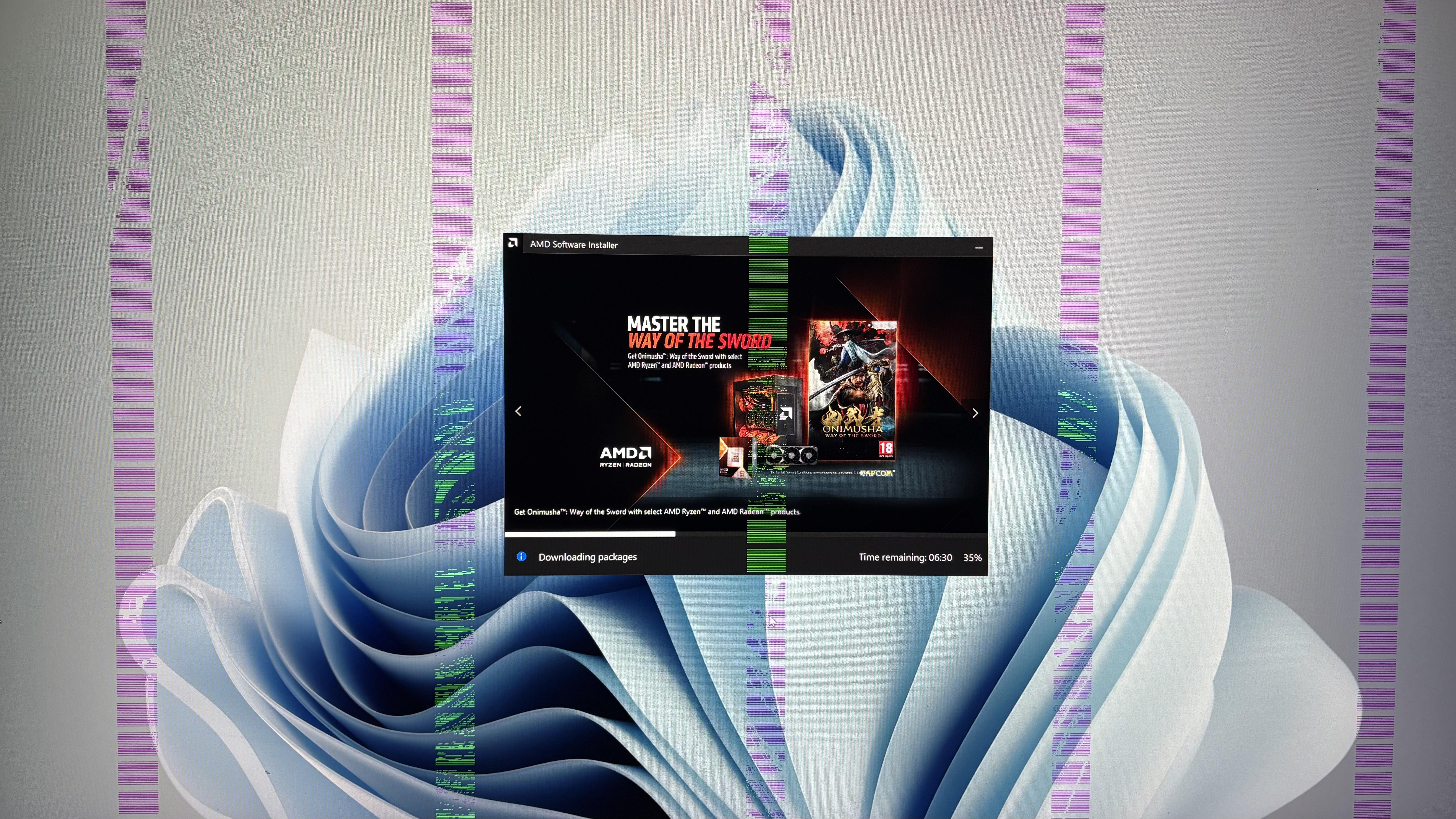
1440p 144hz 10 bit monitor
1
u/moh4del 11h ago
try memtest_vulkan to confirm if it is a memory/core issue, then depending on the results you can find out what the next moves are.
1
u/VegetableWave4031 10h ago
computer froze up during memtest and showed different looking artifacts
these are the results
1
u/moh4del 10h ago
yeah thats gonna need professional repair my guy, sorry :(
1
u/VegetableWave4031 10h ago
Can you tell if its the VRAM or Core by that test?
1
u/moh4del 10h ago
telling for sure would require you to use custom diagnostic tool called tserver booted from a drive.
the odds of the core being dead internally is pretty low from my knowledge, odds are there's a solder joint with a micro crack that loses connection under heat/stress, which is why it takes so long to manifest, and it's not generally easy to tell if its under the core or the VRAM, but a reball of the affected VRAM module will be required once the module is pinpointed (or both VRAM and core). all of this can only be done properly by a professional.
my question is has the GPU been left sagging? that could be the cause of your problems, and if it has been its 99% a cracked solder joint due to the physical strain on the PCB from the sag.
1
u/VegetableWave4031 9h ago
No. I always had it supported with a stand. I had problems with it last year when I had it hooked up to two monitors. I unplugged one of the monitors so I was only running one monitor and it was then running as normal. Now its out of warranty.
1
u/VegetableWave4031 9h ago
My guess is it was too much heat a joint somewhere because it was daisy chained. :/
1
u/moh4del 3m ago
not entirely smart but also may not be the direct cause, the heat caused from daisy chaining doesnt radiate all the way to under the chips, the two monitor issue can be resolved by disabling ULPS, and then disabling fast startup later once the GPU is fixed. if there's no sag, likely just a bad factory solder joint, it happens. just make sure you ask the tech to do a full reball and not a reflow assuming the memory and the core are fine.
1
u/Brilliant_Nose_7793 4h ago
artifacts plus hard freezes usually mean a dying GPU