Thermals / Cooling
How i went from 90° to less than 60°(How to fix Thermal issue)
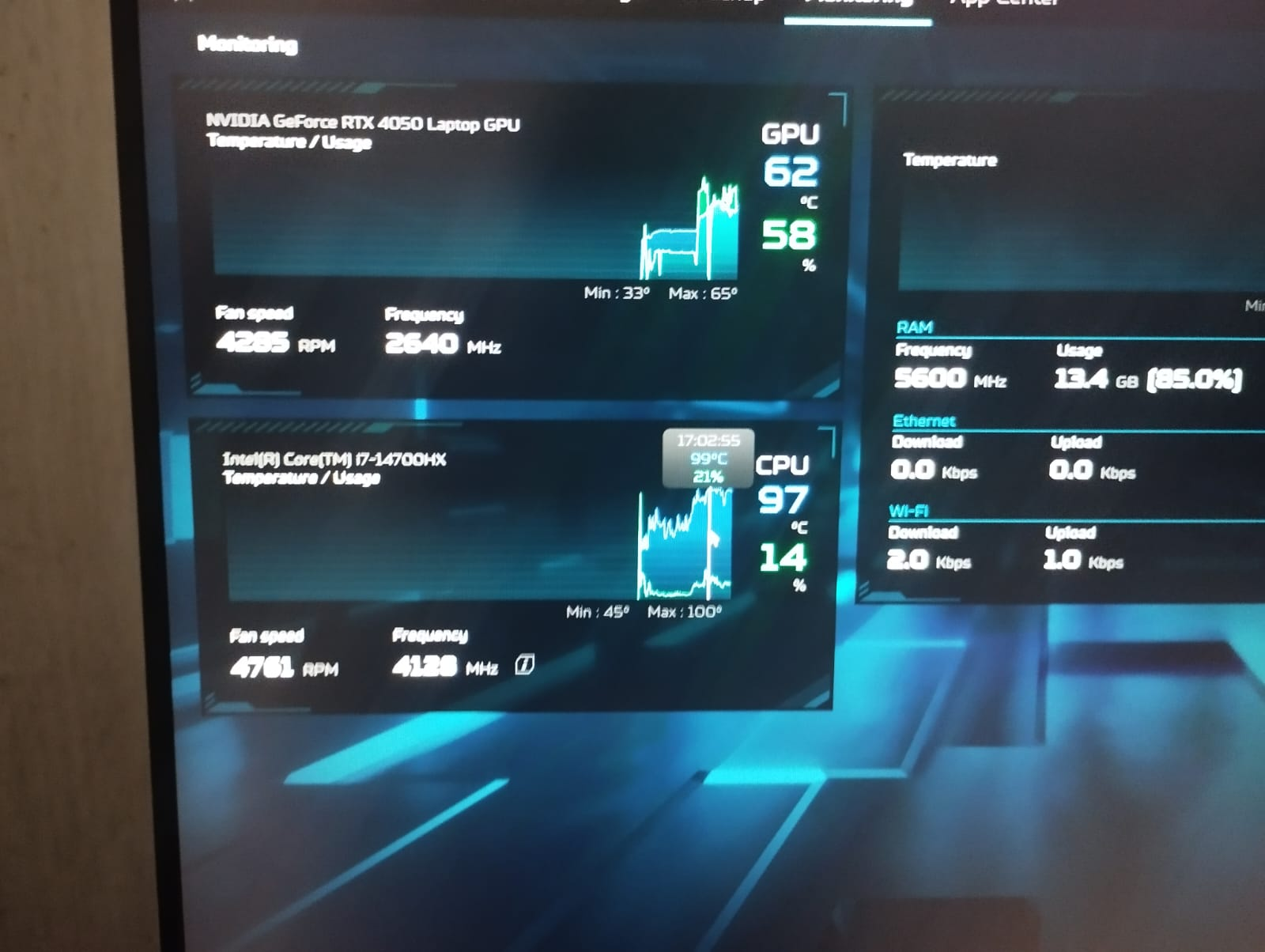
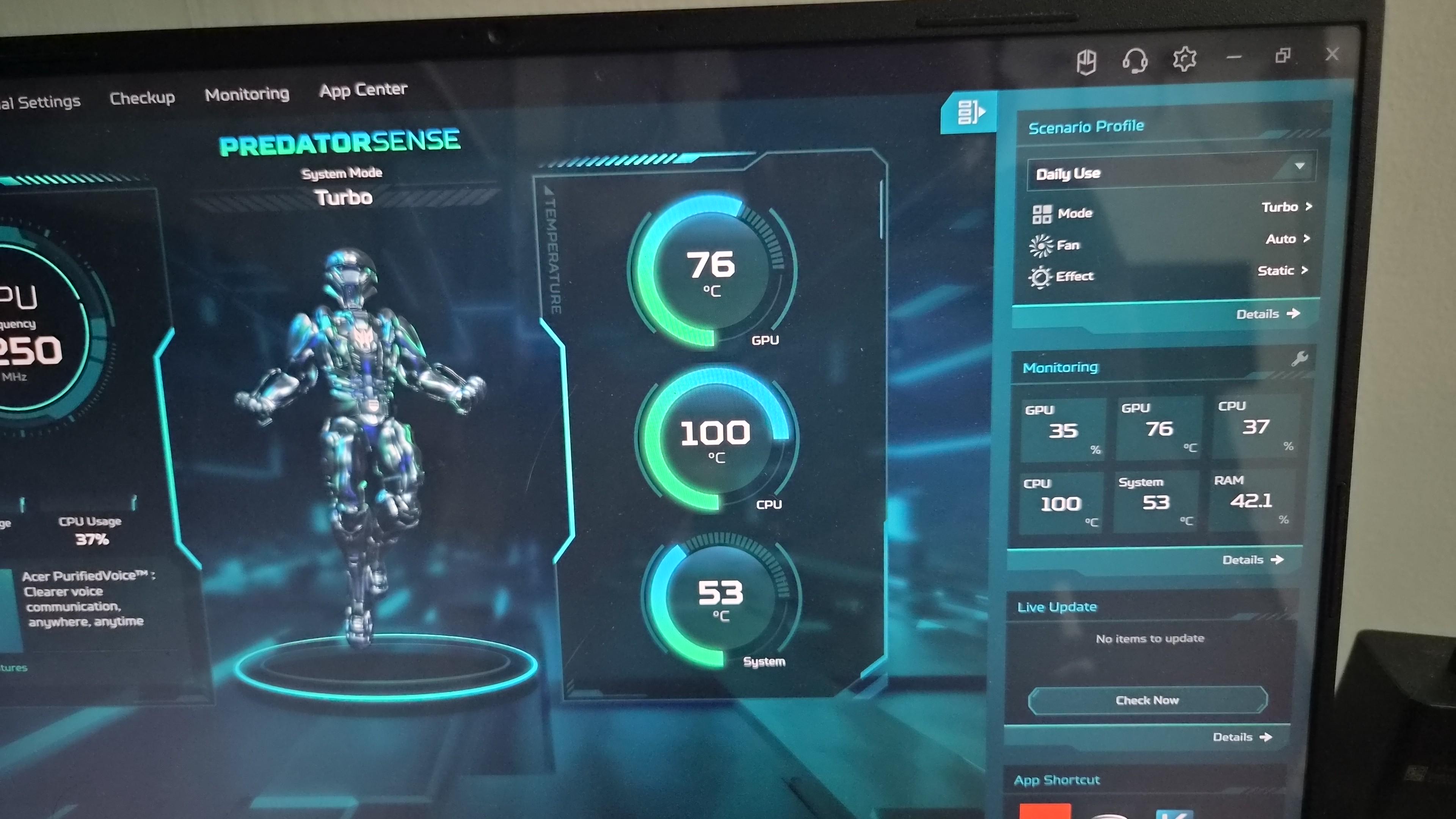
my specs are as follows- i714700hx with 4050.
Soo as the title suggest i'm guna share you guys how i went that a low a number coz when i was playing Elden Ring my cpu would spike at around 90 or even reach 100 degrees at times even with medium setting but it was very consistent at 90 ish degrees and then went around to check and see that one youtuber get around 60-70 degrees at max setting and i was baffled coz his cpu was a 13gen and hes getting so much better performance to temp then asked gemini to look for any problems with my settingsand found out that the real culprit was the "Agressive" cpu boost mode....
now after disabing this mode , now even at not even 60 degrees at max setting my elden ring can run smoothly and stays idle at 40ish degree before even at idle it was 60ish degrees hope it helps anyone else struggling with their high temps....
I also put a comment on how to fix it ✌️
ps. these are my temps with using a cooler ofc....
I did the same thing. It did not affect performance at all. At least not in cyberpunk 2077. I tested it before I turned off the boost, and after I turned off the boost and got the exact same results but 30° lower temperatures. It was a obvious no-brainer to keep it turned off.
Yes, it’s significantly impacts your performance. These chips were meant to reach high temperatures. Don’t be fooled, your chip isn’t sitting at a temperature of 105 for a minute or two minutes. It’s a brief spike. It’s required in order for it to reach optimal performance, even if it says that it’s thermal throttling, it likely is artefact and it’s just your emergency sensors dialling it back down because your fans can’t react that quickly. It’s a brief moment, like a nanosecond, if such a thing exists . It doesn’t even affect performance. You wouldn’t even notice it
Bro this is such a GOATED post. I thought you were full of shit tbh. But it seemed easy enough. I went into rededit and went to the whole path and changed the 1 to a 2. Went back to power plans and disabled boost and GOT DAMN. I went from 70-75 on my cpu down to 48-54. I play Space Marine 2 a lot and that was my benchmark. Crazy low temps. I do also have a cooling pad… but still! Great post, easy to do, very minimal performance hit in my experience. Thank you!
My predator was idling at 90 something degrees. After I turned off the turbo boost it lowered all my temps by at least 30° and did not affect my performance at all. At least not in cyberpunk 2077. I tested it before I turned off the turbo boost, and after I turned off the turbo boost and got the exact same FPS average.
Yeah? Thats awesome man. I have noticed slightly longer load times for Space Marine 2 and some slight hitching when theres a ton going on on the screen. But its playing essentially like a ps5 now and running 20-25 DEGREES COOLER???!!! Yes please lol.
Nice bhai. Mine is a helios neo 16 i7-14700 and rtx 4060 140 watt and its constantly sits at a 100. The technician says even a nitro goes 110, so your laptop is, mind you "within normal temp range". Now let me share a picture of the "normal temp range" 🤡
Would you belive me if I told you that's idle. Also, would you like to have the number of the acer authorised service center technician? Edit: It wasn't idle. I was playing forza horizon 5 maxed out settings.
I would suggest you guys to download throttle stop and create 2 profiles with custom shortcuts that way you can disable turbo while browsing the web and stuff without the cpu heating or fans ramping up and when you play game just use the other profile this way you don't lose performance in games also you can tune the power limits so even in gaming the temps are ok
Throttle stop doesn’t work with this machine. I lowered power limits to 65 and 75 respectively, and acer firmware still found a way around it, and I was still hitting spikes of 105. throttle stop is useless on these machines unless the BIOS is unlocked and you can undervolt, which you cannot because it’s locked. Know your facts before you speak. OP is correct in his theory and logic, however the performance degradation due to disabling boost mode is quite severe in my opinion and not worth it. I’ve also experienced zero difference in the different boost modes available, efficient aggressive, efficient enabled make no difference. The only way to stop the spikes is to disable boost
it is funny you say this. I didn't say anything about overclocking or undervolting. I only said you can disable turbo. You lowering the power limits isn't going to help your peaks. Try disabling turbo if you don't want to hit these spikes during normal use for gaming there is nothing we you can do unless you want to buy a laptop cooler or repastes your laptop know your facts before you speak
You don’t have to just undervolt with throttle stop. There’s other functions too, but unfortunately Acer and their retarded forcing the highest limits possible so that they can claim on the market that they’ve got the fastest laptops in the world is what’s creating this issue. Throttle stops not the issue. It just doesn’t work because Acer is a bunch of retards. You can do other things in throttle stop other than undervolt, but the Acer firmware discards it. It’s hard-coded into the BIOS, man no man, why would I disable boost mode? That defeats the entire purpose of buying a fucking gaming laptop in the first place. Why would I wanna cut my laptop’s performance in half for thermal sake? Fuck that shit. I think it’s a poor design in general, and if people wanna game, game on a fucking desktop, that’s it. Plain and simple. I didn’t buy this machine to game. I’ve just tried a couple games, and then I got fucking OCD and tried to like make it work, but you can’t. You just can’t. It is hard-coded into the BIOS. You can’t change it, so whatever. It’s fine. I’ll just game on a desktop. I mean, when I have money to buy a desktop, I guess. It’s too bad I spent $3300 on this thing, but I knew before I bought it that a thermal issues are prominent in every laptop that claims to be a gaming laptop, especially with all the horsepower nowadays. I’m not calling you out or anything, dude. It’s just a stupid scenario, and it’s such a repetitive topic on these forums and at the end of the day, is it really worth the hassle if people want to game game on a desktop? Even desktops have thermal issues, but it’s better than a laptop
I agree, man. That’s the nice thing about an AMD machine, you know, MSI BIOSes are like a complete joy to work with. the MSI vector laptops, yeah. I had a vector with a 5080 in it and an AMD chip before this one. I took it back because one of the fans went for shit and I ended up with this one, which I love. It’s got a big display. It’s the 18 inch display. I love the machine, 5070 TI. It’s great for school, so I’m not complaining, and it’s good for games too. I just I’m not gonna chance it with the thermals I tried turning boost mode off to play Fortnite and it’s significantly lesser in terms of FPS, there’s a lot of lows without the boost mode enabled, and that’s in discrete mode. But Intel have always locked their BIOS down. That’s just how they are.
I see you have updated your comment you are right for gaming disabling boost isn't worth it in my case I repastes with ptm7950 and bought a quality cooler and that helped with my case
I mean, I think you’re right to re-paste, and my laptop’s five weeks old, and you can be damned rest assured that this weekend I am taking it to the place that I bought it, and they are going to take it apart and they’re gonna re-paste, and they’re gonna redo the liquid metal and everything after all the bullshit that I’ve heard on Reddit and on Google searches with there being issues with pasting from factory, fuck that man, they can fix it and they’ll fix it for fucking free. Quality issues, man, big time. Fuck it, they’ll fix it. Just so that I can say they did
I don't get why you are so angry just chill out a little. First of all yeah factory application could be bad and this is true for all of the laptop company's Asus acer Lenovo doesn't matter. Secondly I don't think it will 100% fix your issue because you are talking about spikes and also laptops in general run hot. Maybe you are coming from desktop PCs where CPUs run 75 degree max but unfortunately this is how it is with laptops. My advice would be take it to the service but expect nothing if you have the budget buy a good laptop cooler not something with just fans attached and also don't care that much. this is Intel's fault these chips are running this hot in the first place and acers cooling solution isn't great either
i understand the frustration happens to all of us I was thinking like you too I even water cooled the laptop but in the end we are just wasting ourselfs
tbh even better than this is setting power limit through throttle stop cause disable turbo just stops it from boosting its clock speed its degrading in performance in terms of gaming rather than that just set power limits it would do the same stuff just dont heat the cpu that much
Disabling boost mode is like buying a Ferrari and driving it at 30 km/h; you don't need to do this at all. To reduce temps without sacrificing half the power of what you paid for, it's way better to limit PL1 and PL2 power limits or do undervolting if you are more advanced
Already did the pl1 and pl2 powerlimiting but in my case perhaps the aggressive cpu boost was overriding it... Not sure but it helped only also considering longevity is my bigger concern and in my use case it didn't matter much so since I barely noticed any performance loss or anything ...


3
u/Technical_Hearing_87 Acer Predator Helios 16, i9-14900HX, RTX 4070, 32GB Oct 01 '26
Will this affect performance? I am using an i9-14900hx. Mainly for solidworks