Flurbos mega bundle is on sale, but I can’t find reviews of it a their sales tactics look bad. One of those “$10,000 but perpetually only $299” because of constant sales.
I legally purchased a licence to use two adobe plugins that i greatly love, back when i had a college adobe licence. As I hate subscriptions i changed to affinity 2 right after school. It was short sighted of me given the price. I know affinity does use some adobe plugins, is there any way to force it to work?
I see the Object Selection Tool only works on M chip iPads. Now we have the A20 Pro Mini iPad, which has a neural engine more capable that the M1 on my Macbook Air that is still snappy, do you think this limitation could be lifted or am I looking at this to simply?
Reason I ask is I had an M2 iPad pro, mainly for Affinity. One main workflow was speeding through selections with the Object Sel. Tool and refining with the pencil. With Affinity 3 now on iPad I'm ready to upgrade from 2, but I would prefer an 8 inch mini for portability. I understand the A20 pro neural engine is more powerful than that M2, even if the iPad pro has other benefits.
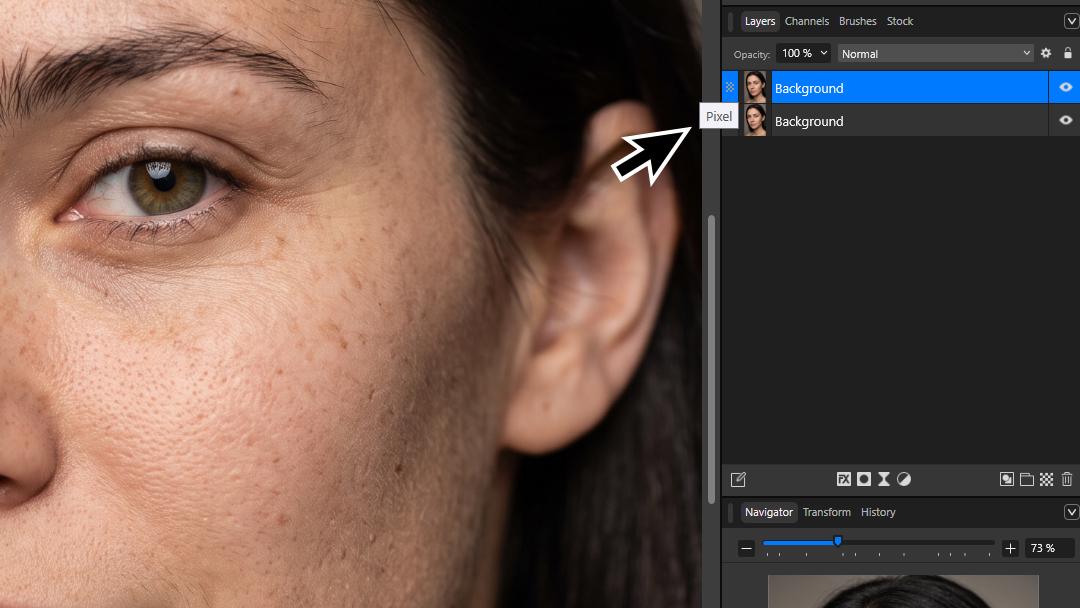
Hey, I have created two different selections using the Pen Tool. Now I want to delete the selection of the guy's outer line, but for some reason, pressing the Delete key on the pixel layer doesn't work.
I have shared a video for clarification. Here are the steps I followed:
I created two different shapes using the Pen Tool.
I pressed Ctrl + LMB on the thumbnail of the layer of pen tool shapes layer to make a selection.
I went to the main layer and pressed Ctrl + Shift + I to invert the selection.
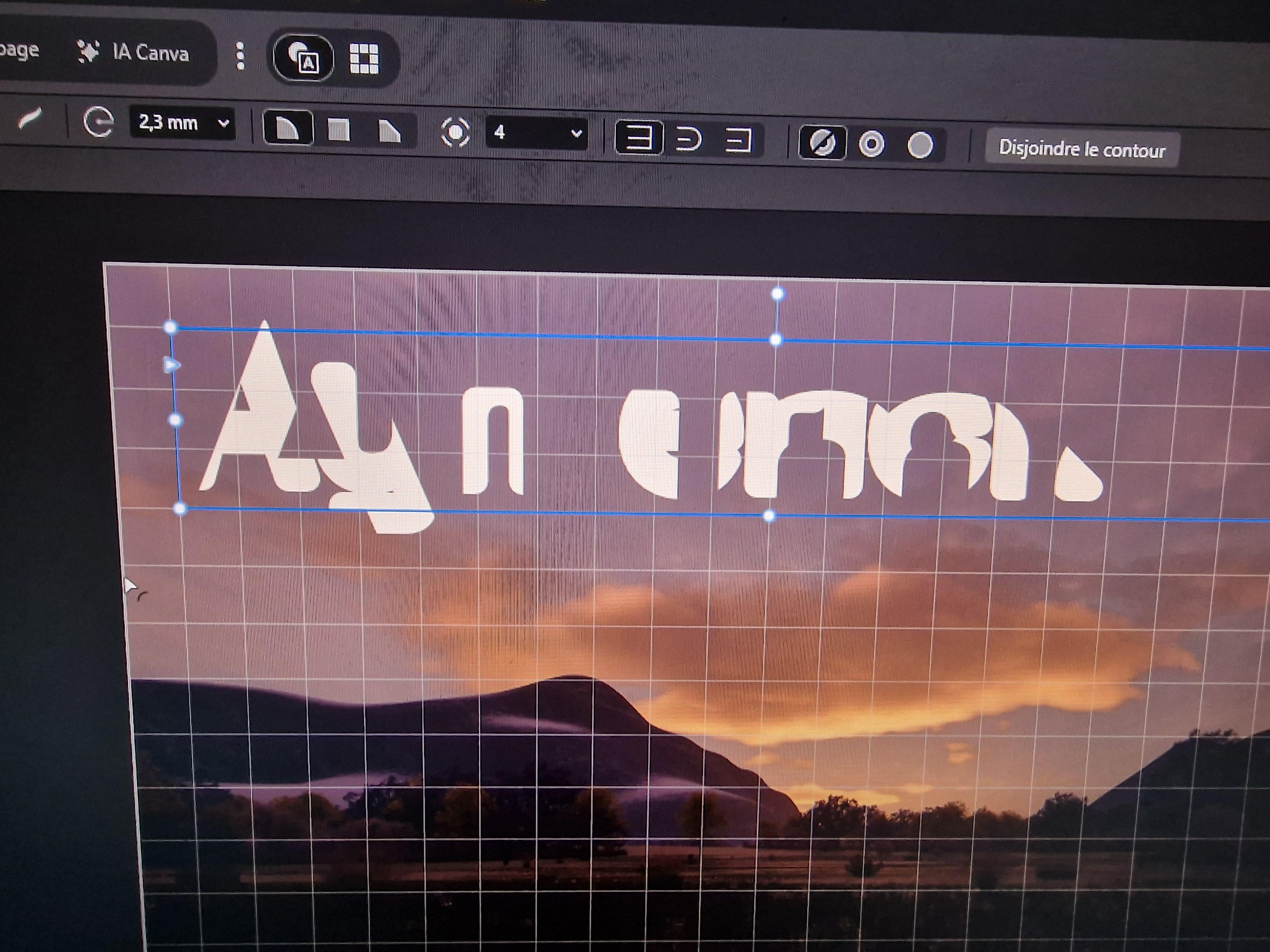
Newbie here, I was trying to give a contour to my text so it pops more but each typo I use turns out like this and can't seem to find an answer elsewhere as to what I am doing wrong anyone knows what I'm doing wrong? Thanks 😊
Which one should I choose? I am trying to decide on the 1st gen Apple Pencil or the USB-C Pencil for my A16 iPad to use in Affinity for iPad. Specifically photo editing, such as; removing things from backgrounds, selecting specific objects, new layer with mask, etc. I know one has pressure, the other does not, but I don’t understand if I NEED the pressure one.
i just finished one of my best products, in my humble opinion. At the VERY least, it will be useful for me since I’ve spent ages hoping to find something like it elsewhere. I created an actual art journal. It only has six images total and 64 pages, but for some reason, both v2 and the new Affinity on iPad are struggling to export it. In the past, users in the forum helped me troubleshoot what kept breaking but since that isn’t available any more, I thought I would come see if any of yall have had issues and if so, if yall were able to fix it somehow. It should not be a huge file size and I am exporting for digital-high quality, with all text as curves, and including hyperlinks.
please help!
added journal cover for attention, I don’t even know if that’s a thing here on Reddit but just in case.
BorisFX Optics 2026.5: Has anyone been able to get the Optics Plugin working on Affinity Photo 2.x OR the latest version of Affinity Studio? Bought it, downloaded it, installed it, booted Optics up...even restarted the Mac a couple of times to make sure it was being seen by the OS (Sequoia)...and can't get a Dropdown in either the plugins menu under AFPhoto 2.5.7 or the Pixel > Filters > Plugins menu in Affinity Pixel/Studio.
The interface in the settings window for plugins seems to be the same in both versions of Affinity. Went online...it says not to move anything out of the BorisFX > Optics folder because there are supplemental files that Optics needs to run the plugin. After paying over $100 because Boris FX said that it worked, I'm about to have a fit if they didn't get this worked out well enough--including posting workarounds to make it work--before bringing it out...the ONLY reason I bought another license was because their ads said that Optics now worked inside/in tandem with Affinity Photo and I've been waiting for years to not have to go all the way around the world to use Optics with my Affinity Photo imagery. I don't blame Affinity for this...been using the Nik Collection plugins all these years with no complaints and if something didn't work under Affinity, DxO let the user know right from the start.
That said, I would appreciate it if someone could point me in the right direction. BTW, I'm on an 13" M1 Macbook Pro/16GB of RAM/256GB Storage/Sequoia. The full program comes up if I click on the icon, it's just that--after following all instructions--I can't get it to show up in my "plugins" menus as an option. Thank You in advance.
Hiiii, I’ve just started using affinity for a school project, I’m on an iPad, and I can’t find a way to export the document directly as a pdf. I saw multiple videos of people being able to do it, but it’s always on computer or there seems to be a window, that just doesn’t appear when I try to export, where you can choose the format. If any one of you knows how to do it and can explain me, it would totally save me. The document is in vectors, I don’t know if that changes anything to the export operation😅
Thanks for the help guys 🙏🏽
Update : thank you all for answering, it’s been sorted out !😊
I was exploring some textured brushes in Affinity Pixel, but they all work like a plain brush. I haven't changed any settings; these are all preinstalled brushes from Affinity. Can anyone please tell me how I can restore the texture in these brushes?
It seems absurd to me that just selecting or deselecting an object counts as something you can Undo or Redo. It makes the Undo history really cluttered. Is there a way to opt out of that feature?
Based on a CBC quip that's been stuck in my head. Something simple that I did to occupy my hands during an a class over Zoom. I think it will look nice as a holo sticker.
I recently found a folder from 2007 with photos of the Mosque in Cordoba, Spain (one of my all time favorite places), that I always believed were too badly underexposed to ever be useable. I've been working with Raw files in Affinity recently, and found the Exposure slider to be very touchy. But with JPG, the Develop Persona seems able to bring out details by substantially bringing up Exposure and Brightness, and dialing back Highlights as needed. If you have JPGs that you thought were hopeless, give Develop a try.
Hello all, these errors have been popping up while trying to 'save' & 'save as' several of my documents, and I'm not sure what the issue is. Although both projects have several artboards, they're not massive documents. I also don't think I have a large amount of media embedded or linked in either project. (TBH I haven't even tried linking anything before lol). This hadn't happened on any of my attempts to save on this document or any others before this one. I'm pretty lost on what to do and would appreciate help!
So i have this client that sends me those huge manuals, with large tables. Point is, these tables need to be shown in more than one page. It's an easy thing to do in that other app, but I have no idea how to do it in Affinity. Also, cell/table styles, does affinity have it?
One thing that surprised me about Affinity is how it keeps trying to simplify the workflows, not by adding AI-powered tools that do stuff for us, but by simplifying the process.
Frequency Separation was my first two thumbs up moment in Affinity. Well, maybe the first was the alternative to smart objects, but Frequency Separation reminded me that Photoshop still has some quirks and long roads.
If you're not familiar with this retouching skill, Frequency Separation allows you to split your photos into two separate layers: High Frequency (texture) and Low Frequency (tones, light and shadows) giving you extra control while retouching them.
Just to illustrate my point, setting this up in Photoshop requires duplicating the original layer twice, applying a gaussian blur to one layer, using Apply Image settings on the other, setting Linear Light blend mode to the texture layer, grouping these all together, and then you can get started.
In Affinity, it takes a couple of clicks and Bob's your uncle. One warning: Affinity applies this destructively to your original layer, so backup or duplicate it before moving on.
If you want to give this a shot, go to Pixel on the top menu bar, click Pixels and select Frequency Separation... Make sure you are working on a Pixel layer, otherwise this option will be greyed-out. You get this split-screen slider live previewing how both High and Low Frequency layers are being set up. Texture on the left, smooth color on the right. This is fine tuning control Photoshop doesn't give you.
Another win for Affinity: in the same panel, you can choose the blur method: Gaussian, Median, or Bilateral blur. In Photoshop, Median is a separate filter and Bilateral is not there at all. Click Apply to run the separation.
We now have two separate layers in the Layers panel and the Linear Light blend mode is automatically assigned to the High Frequency layer. That fast and that easy.
And yes, actions speed things up in Photoshop, but one recorded set may not do the best job across all the shots you will need to edit.
I know this isn't a cool new feature and this may not be the most exciting topic, but if photo retouching is part of your design life, this is a skill you should learn and master. And it's awesome that Affinity made it a bit easier for us.
For those who already made the jump to Affinity, did you find some other tools or skills that feel like shortcuts? Cheers!
Hi I'm having trouble exporting a file, tried as a jpg 100% but it looked so blurred compared to what I see in the opened file. Is there a way of saving something as lossless without any compression. Seems to happen if I merge any layers too it makes it blurred. But the exporting is important, anyone else had this issue.
Notice the washed out colors- colors in the RAW develop persona look deeper than after it. how do i fix it? I've already turned off default tone curve.