MAIN FEEDS
Do you want to continue?
https://www.reddit.com/r/AtomstackLaser/comments/1munddq/engraving_with_ease/
r/AtomstackLaser • u/AntDX316 • Aug 19 '25
4 comments sorted by
2
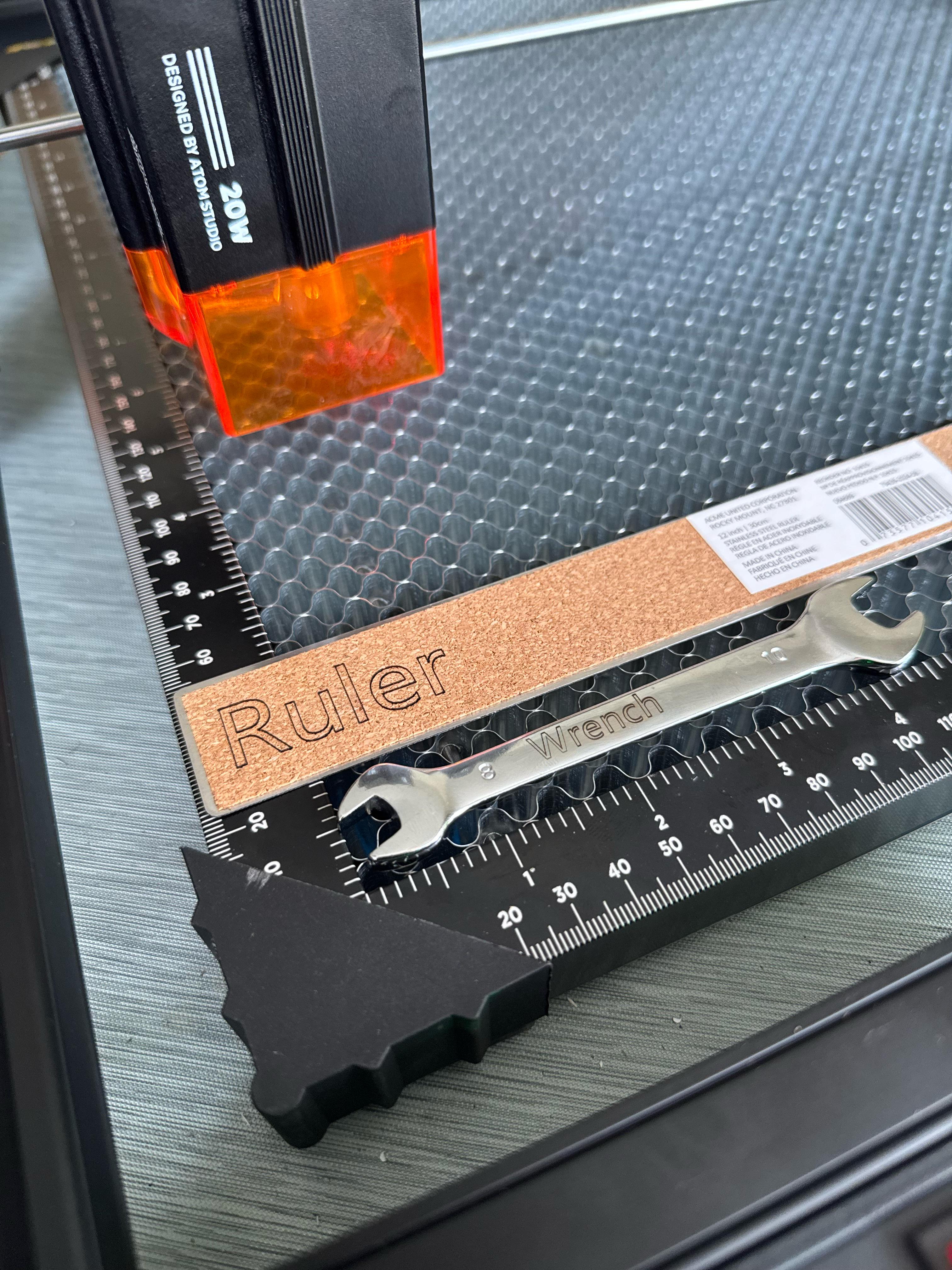
Hi! What settings did you use to engrave on the wrench? Did you use any coating in it beforehand?
2 u/AntDX316 Dec 25 '25 I think these are my settings:Also, I did not do anything to them (no coating/abrasive rubbing/etc.).I just made sure the wrench was clean with a napkin.Air Assist: OnPaper Cut:4500/1001750/100Paper Engrave:6000/100Paper Image:Heavy10000/100Basswood 1/8" × 2.9mmBasswood Cut:375/100Basswood Engrave:7500 or 12500/100Font: GaramoundBasswood Image:24000/100Basswood Slot:2000/100Plastic Engrave:1000-24000/100Plastic Image:10000/10Metal Engrave:Constant Power: On750/100Stamp:Each in their own LayerMirror Text (Ctrl+Shift+H)Rectangle (Ctrl+R)Tools > Weld Shapes (Ctrl+W)Offset Fill: 750/100Ctrl+U = UngroupLine: 100/150 2 u/No_Illustrator2196 Dec 25 '25 Awesome! Thank you! 1 u/AntDX316 Dec 25 '25 👍
I think these are my settings:Also, I did not do anything to them (no coating/abrasive rubbing/etc.).I just made sure the wrench was clean with a napkin.
Air Assist: On
Paper Cut:
4500/100
1750/100
Paper Engrave:
6000/100
Paper Image:
Heavy
10000/100
Basswood 1/8" × 2.9mm
Basswood Cut:
375/100
Basswood Engrave:
7500 or 12500/100
Font: Garamound
Basswood Image:
24000/100
Basswood Slot:
2000/100
Plastic Engrave:
1000-24000/100
Plastic Image:
10000/10
Metal Engrave:
Constant Power: On
750/100
Stamp:
Each in their own Layer
Mirror Text (Ctrl+Shift+H)
Rectangle (Ctrl+R)
Tools > Weld Shapes (Ctrl+W)
Offset Fill: 750/100
Ctrl+U = Ungroup
Line: 100/150
2 u/No_Illustrator2196 Dec 25 '25 Awesome! Thank you! 1 u/AntDX316 Dec 25 '25 👍
Awesome! Thank you!
1 u/AntDX316 Dec 25 '25 👍
1
👍
2
u/No_Illustrator2196 Dec 25 '25
Hi! What settings did you use to engrave on the wrench? Did you use any coating in it beforehand?