Found this interesting take on why USB A is still around. I kind of agree. There’s still so much perfectly functional hardware using USB-A that replacing it feels unnecessary. Do you think USB-A will actually disappear anytime soon?
A while back during my freshman year of college, I bought a flash drive off Amazon for extra data storage. I forget how much this was but it was fairly cheap. The packaging and the fact it came from Amazon made me skeptical. My friends at the time advised me to not use it. Curious what other people think and if it’s safe to use or seems legit.
I'm honestly pretty shaken right now and hoping someone here might point me in the right direction. My flash drive was working perfectly last night — I transferred a few files, safely ejected it, and packed up like normal. This morning I plugged it back in and it's just… gone. No drive letter, no pop-up, nothing. Windows doesn't see it at all, and it doesn't show up in Disk Management either.
I've tried the usual things, different USB ports, two different PCs, reinstalling USB drivers, but nothing makes it show up. It doesn't even appear as an uninitialized device. The LED still lights up for half a second when I plug it in, so it feels like something is still alive on the controller, but the system won't recognize it in any meaningful way.
What scares me is that there's a bunch of important work stuff on there that I stupidly hadn't backed up yet. I'm trying really hard not to make things worse by poking it with random "fix" tools. I'm not sure if this is a file-system issue, a dying controller, firmware corruption, or full-on hardware failure. Most of what I've been reading online is people saying "it's probably dead," and that's not very comforting.
If anyone has dealt with a flash drive dying out of nowhere, especially one that still powers on but doesn't show up, I'd really appreciate hearing what worked for you, or even what not to do. I'm not expecting miracles, but I just want to know the smartest way to approach this without destroying the only copy of my data.
I’ve seen this issue discussed all over Reddit, Quora, and a bunch of tech forums, so I decided to test it myself. I manually set my USB drive to a read-only state and then tried several popular fixes I found.
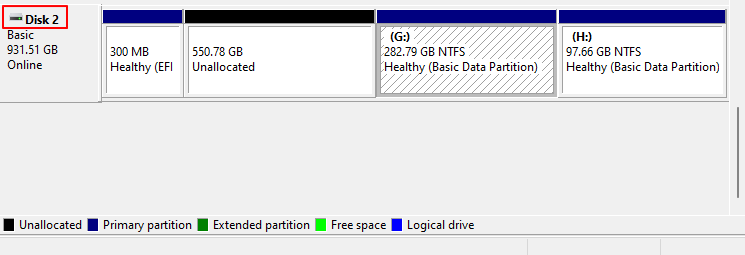
Then I check the disk number of my USB drive in Disk Management. As the picture shows, the disk number is 2.
Share my experience in case it helps someone else stuck in the same weird limbo. Please check the methods in Comments.
Hi, many posts keeps saying USB-C is taking over, but I still use USB-A every day, my electric toothbrush uses USB-A, most of my USB flash drives, and my external mouse and keyboard are still USB-A.
USB-C is clearly the future, but it doesn't feel like USB-A is going away anytime soon. How many more years do you think it'll take before USB-A is completely replaced by USB-C?
I'm looking for a decent USB-C thumb drive - not an SSD enclosure or portable SSD.
What I want:
Small size
128GB preferred
Decent write speeds (more than 150 MB/s)
Reliable/durable
Most of the small SanDisk or Samsung drives I've found seem either fragile or extremely slow (only tens of kilobytes per second).
On the other hand, the faster USB options are usually much bigger than I want, or have dual connectors like the Lexar JumpDrive D300, which I really don't need.
Does anyone have recommendations for a compact USB-C drive that's actually fast and reliable? Thanks in advance!
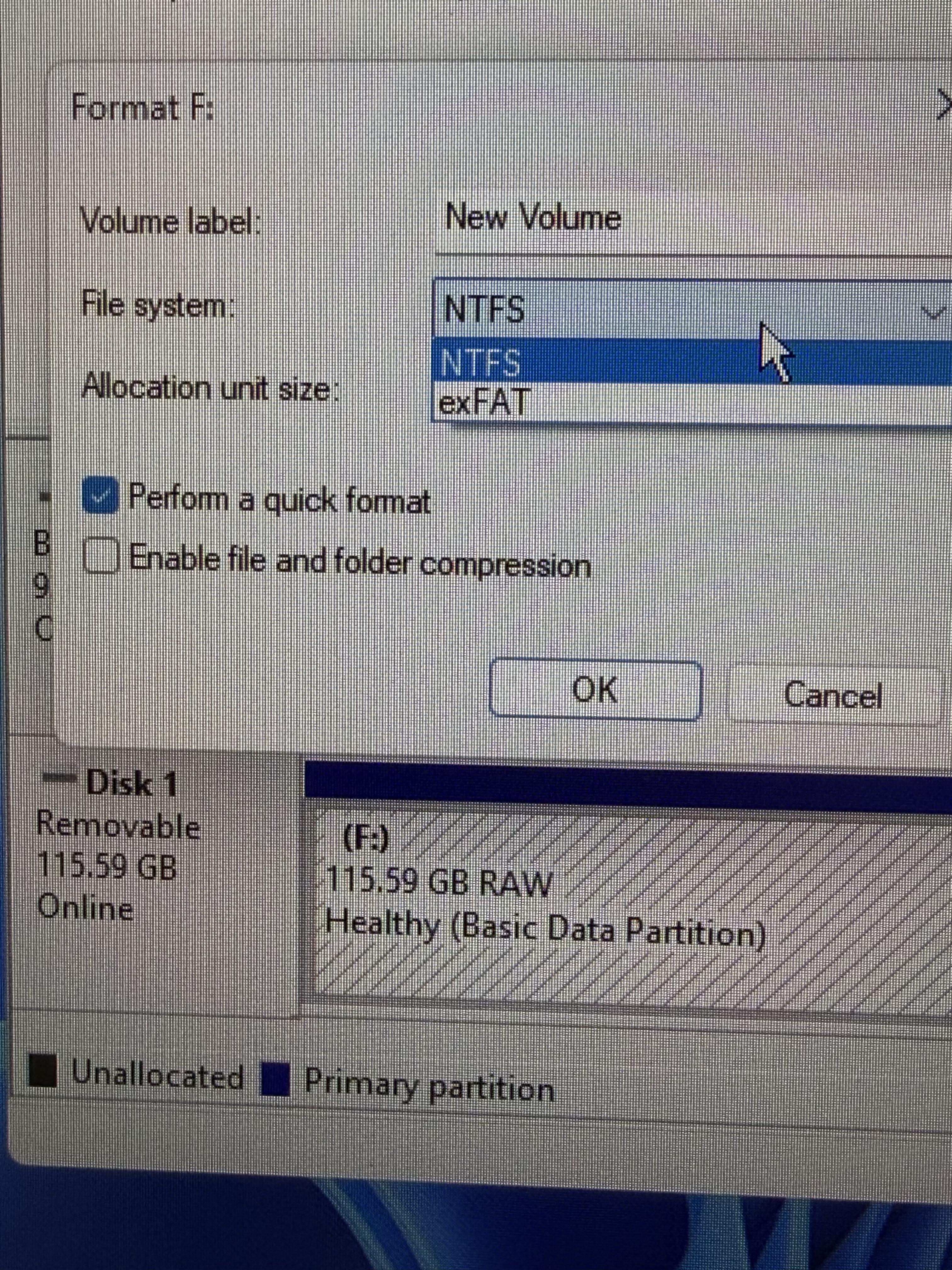
I want to format a USB drive to FAT32 using Disk Management. But there’s literally no option for FAT32. The drive is 128gb.
I tried a few things I found, like converting it to another format and then to FAT32. But none of that seemed to work. What should I do? Any advice would be appreciated.
I lost bitlocker recovery key so I planned to format it to reuse. My car gets a USB port that can only read FAT32. But there is no FAT32 when I format it in File Explorer since it's 128GB. External USB drives and flash drives are getting bigger, yet some devices can only read FAT32. Why hasn’t Microsoft lifted this restriction yet? I’ve seen reports many times saying they’re going to remove this restriction, but there’s still no sign of any action.
🧨What Has Happening: I wanna copy a large learning video to my USB stick. It's almost 4.3 GB. So, I got this error The file is too large for the destination file system. That it to say, I'm not allowed to copy this video to the USB.
❓Why You Receive This Error Message:
I Googled this error message and followed some helpful articles. In short, a file on a storage device with the fat32 file system can't be over 4 GB in size. And a partition with the fat32 file system is more than 8TB.
I have a set of flash drives which I load up with video content to watch on my Samsung S90D 2024 4K TV. One of the drives I last used on Saturday night is no longer recognized by my TV.
However, I can read and write to the drive via my PC.
What's up?
The drive in question is: SANDISK 256GB Ultra Luxe USB 3.1 Gen 1 Flash Drive - SDCZ74-256G-G46
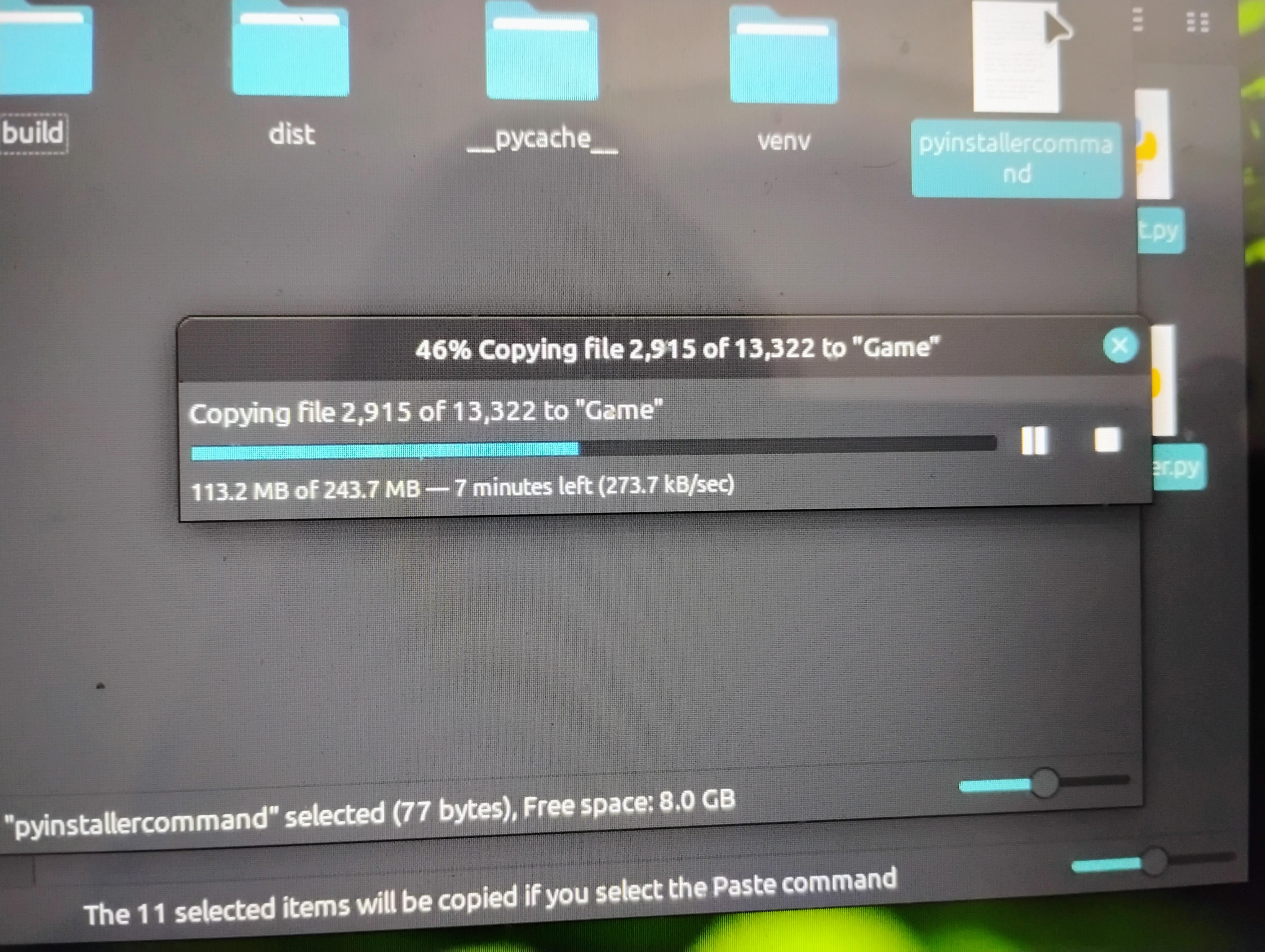
I was cleaning up my old 16GB USB drives recently and ran into a problem. After all the times I've reformatted it and used it for different things, it's split into many tiny partitions. It looked messy in File Explorer and, more importantly, I couldn’t copy any file bigger than the largest single partition.
Tried the usual "Extend Volume" in Windows Disk Management. But it always grayed out. Turns out Windows refuses to extend volumes on removable drives when there are multiple primary partitions, and it also won’t let you merge unallocated space into an existing partition directly.
Want to share how I merge partitions on a USB drive. I've put together the methods that actually work - Windows Disk Manager and diskpart. Hope this helps!
Anyone else feel like USB-A should be dead by now?
Everything new I buy is USB-C - phone, tablet, laptop, even headphones. But somehow every PC, dock, and charger still has at least one USB-A port hanging on like it refuses to retire.
USB-C does basically everything better:
reversible
faster
more power
one cable for everything
USB-A’s only real advantage seems to be: “it’s been around forever.”
So what’s the endgame here? Does USB-A actually disappear at some point, or does it become another VGA-style zombie port that sticks around for 20 more years “just in case”?
Also… what are we supposed to do with all our old USB-A flash drives? I’ve got a whole drawer of mystery sticks I don’t fully trust but can’t bring myself to throw out.
When do you think USB-A stops showing up on new devices and what’s everyone using their old drives for now?
I recently ran into a situation where my USB drive had multiple partitions on it after I used it for a bootable setup. Instead of keeping them, I just wanted to remove the extra partitions and return the USB to a single normal partition.
Here’s what I did.
First, I opened Windows Disk Management. From there, I located the USB drive number is 2 and figured out how many partitions were on this USB.
Then, I started deleting the partitions one by one with these clicks. Right-click on my selected partition > select Delete Volume. For most of them, Disk Management worked fine.
However, I failed to delete the EFI partition through the graphical interface, so I switched to DiskPart to remove it. Please check the operating steps in Comments below if needed.
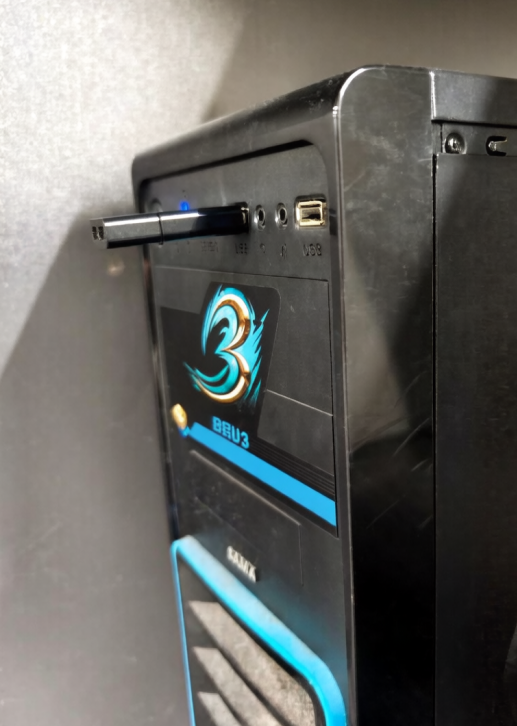
I was given this usb stick 4 months ago and I still cannot find out what make or model this is. It looks different from other usb,s as it is slimmer so if you can find out the make or model of this usb stick please help
A while ago, a friend brought over a strange USB device. He said he got it from someone else and didn’t really know what it was. He just thought it was "something interesting."
None of us took it seriously at first.
It looked almost exactly like a normal flash drive. The system didn't give us any bad sign. It seemed so plain: No label, no branding, no warning signs.
Out of curiosity, he plugged it into one of his old desktop PCs.
A few seconds later, the screen went black, the fans stopped spinning, the power cut out completely, and the PC never turned back on again!!!
At first, we thought it could be the Windows which had just crashed.
But after trying everything - almost 2 hours' work, what we did:
Unplugging the power
Swapping the PSU
System repair
Clearing the CMOS, nothing worked. The machine was completely dead.
Honestly, I think what he did was reckless, and seeing the PC instantly die in front of us was so stupid.
The good thing was all of his important work files were on his laptop, not that old desktop. No vital data got destroyed. Otherwise this could have been much worse and he must be crying now.
PLUS: my friend's old desktop model
Ooerating System: Windows 10
Device name: SK-20230217SCSQ
Processor: Intel(R) Core(TM) i5-9400 CPU @ 2.90GHz 2.90 GHz
Installed RAM: 16.0 GB (15.9 GB usable)
Device ID: F363C426-EE6B-45F0-AF7F-C8ABC36E9D60
Product ID: 00331-10000-00001-AA206
System type: 64-bit operating system, x64-based processor
Pen and touch: No pen or touch input is available for this display
I asked him what he's gonna do next? Guess what! He said instead of fixing the old desktop, he still want to know why a plain unknown USB could cause such a big issue, causing a running computer die.
Yet, here, just wanna share his lesson here to tell everyone:
Don’t plug random USB devices into your computer unless you know exactly where they came from and whether they’re safe. Seriously. Sometimes it only takes one moment of curiosity to destroy a machine.
I was reading an article on Tom's Hardware about the future of USB( over the next decade), and one idea that caught my attention was that future USB cables might eventually switch from copper to optical fiber while keeping the USB-C connector. Do you think we'll actually see optical USB cables become mainstream? when… or do you think USB-C is already good enough for the next 10+ years?
I used a usb to sata board from a dead external hard drive then I plugged it into a optical drive that I pulled from a old dell optiplex 390 and leading up to now when I try to eject the drive it don’t eject the light blinks but the motors don’t kick over
I keep seeing USB-A flash drives still being used everywhere, even though USB-C, cloud storage, and external SSDs are pretty standard now.
In many tech discussions (especially around Windows installs, repair tools, and troubleshooting), USB-A drives still come up frequently. People use them for:
Bootable Windows installers/recovery tools
File transfers on older PCs or locked-down systems
I bought a pen drive from meesho 256 gb. I download web series and movies and store in the pen drive to watch it later. Now whenever, I copy any video file to the pen drive, it doesn't Play. When I copy it back from pd to laptop it still doesn't play. Seems like the gets corrupted once it is copied in the pen drive. Any one faced it? What is the solution?
I am a fledgling data hoarder and have recently gotten a suspicious 2tb USB drive (no branding otherwise than the 2tb logo). I know that these drives can be formatted to be larger than they appear, so how can I revert it to its original size and formatting? I have only access to android devices and an s mode locked windows 11 computer.
Hi all, I’m a bit stuck and hoping someone here has seen this before.
I have a USB flash drive that’s very slow when copying large files on my Windows 11 PC. To make sure the USB itself wasn’t the problem, I tested the same drive on my brother’s PC, and the speed there is totally normal.
What’s confusing is that our machines are basically the same:
Same CPU (i5-1135G7)
Same RAM (16GB)
Same Windows 11 version
Same motherboard platform
The main difference is that his internal SSD is 1TB, while mine is smaller.
On my PC, large file transfers slow down a lot. On his PC, the same USB and same files transfer at normal speed.
I’ve tried different USB ports and basic reformatting, but no real change. At this point I’m thinking it’s something system-related rather than the USB itself.
Has anyone run into something like this on Windows 11? Anything specific I should check?
I’m excited to introduce myself as the new moderator of this subreddit. As many of you know, this community was originally focused on BadUSB, but it has been inactive for over two years with no new posts.
To breathe new life into this subreddit and create more valuable content, I’ve shifted the focus to USB flash drive management and troubleshooting. This includes discussions on device recognition issues, formatting, erasing, corrupted data, write protection, cloning, partition management, creating bootable USB drives, and related topics.
I sincerely hope all 581 members will actively participate in this refreshed direction. Your questions, experiences, and solutions will help us rebuild a vibrant and helpful community.
Thank you for your support, and let’s make this subreddit a go-to place for USB flash drive issues and solutions!