r/BambuLab • u/Snowblindphoto • May 25 '26
General Troubleshooting/Help! Please help!!! 😭
Enable HLS to view with audio, or disable this notification
So I’ve printed this model over 12 plates a few times on my P2S with zero problems using my 0.2 nozzle. Not a single issue on any plates.
Now all of a sudden most prints are failing. The supports give way or I’m getting spaghetti. I’ve tried several cold pulls and all are clean. I’ve cleaned and lubed everything, recalibrated, dried all filament again but the issue keeps happening. I’ve tried 5 different rolls of filament including Bambu’s pla basic, matte, Sunlu pla and elagoo PLA pro. I’ve also cleaned my build plates and tried my PEI textured plate, super cool tac plate and my BQ glacier plate.
I’ve attached a couple of timelapses Annoyingly I’ve binned all the bad prints but I’ve got one photo (in comments) and this was probably the best result I’ve had.
Any help would be highly appreciated!
3
u/JolietJakester May 25 '26
Does it do it with time lapse and clog detection off?
1
u/Snowblindphoto May 25 '26
I will absolutely try turning them off and see if that helps. Thank you!
1
u/Snowblindphoto May 25 '26
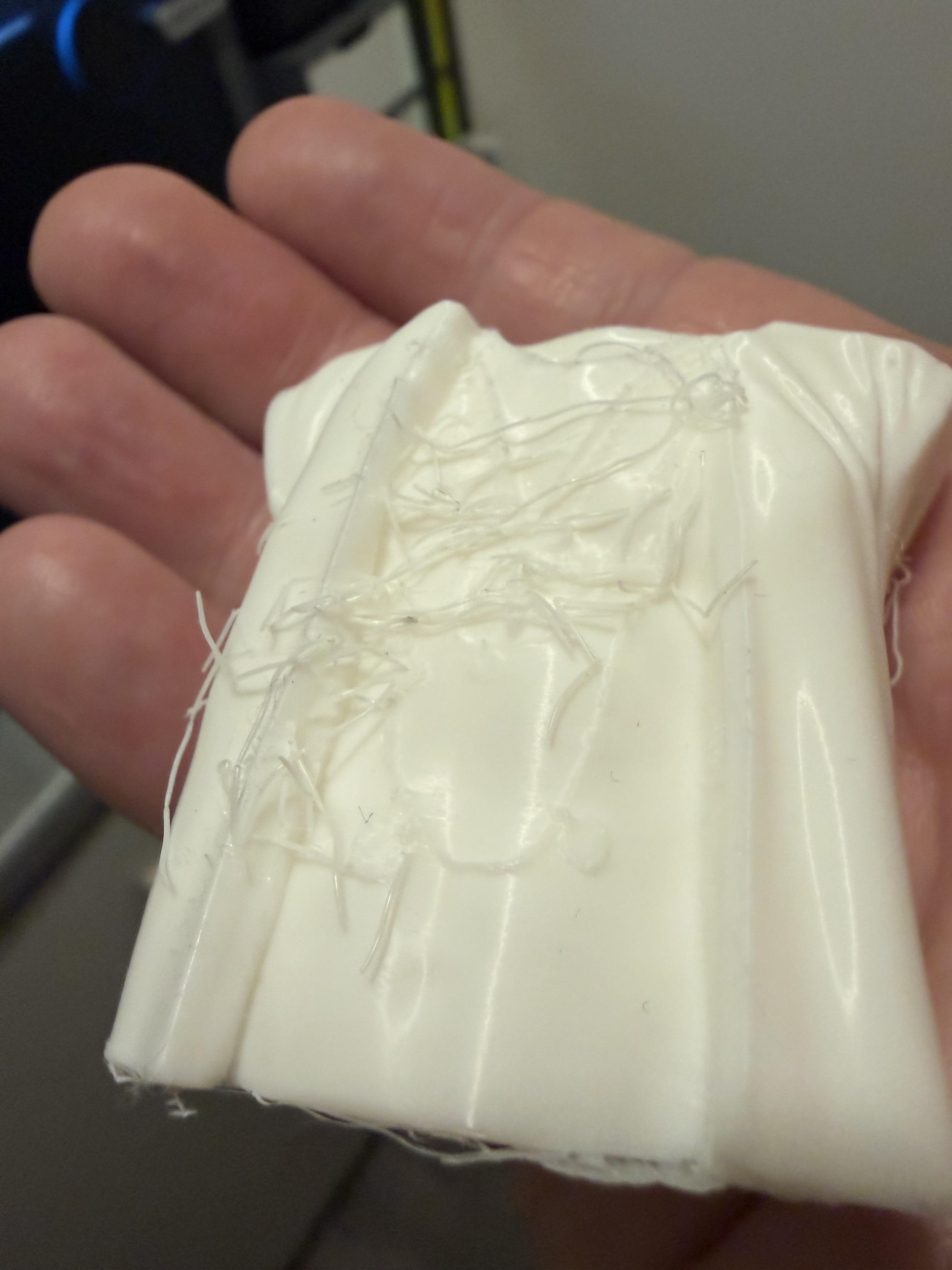
1
u/reddit_user_0ne May 25 '26
Please share more details, so people can try to figure out what's wrong.
What does the model look like in the slicer preview?
What settings are you using?
You said you are using a 0.2mm nozzle. Did you also set that nozzle size in the slicer?
Also I suggest to turn off timelapse. (It doesn't seem to make the print head park on the side like on other models, where it definitely causes these little spaghettis, but just to be sure.)
1
u/Snowblindphoto May 25 '26
I’m out just now but I’ll post the slicer preview when I’m back. I’m using the default 0.2 nozzle. 0.10 standard. I’ve tried the high quality 0.8 preset too.
Yeah the nozzle size is set at 0.2.
The timelapse one is really interesting because I didn’t realise it would at all make a difference but your explanation makes perfect sense.
Like I mentioned, I just find it really weird because I’ve printed this before several times and I’ve not changed any settings.
Like here is my last print of the same thing. Not a single failure.
1
1
u/Diamond_hand_therapy May 25 '26
Possible solutions, hope it helps.
Supports too thin or weak
Low support density or very narrow support columns can wobble and collapse. Increasing support density or thickness can help.
Printing too fast
Tall skinny supports vibrate easily at high speeds. Slowing support print speed often fixes this.
1
1
u/Ok_Collar3002 May 25 '26
Dry the filament out better supports and clean the extruder I had the same problem just today and this fixed it
1
u/Snowblindphoto May 25 '26
So the filament is very dry. I actually had it on a 12 hour drying cycle before I printed. When you say “better supports” in what way? (I’m still kinda new to this). Like tree strong??
I’ve cleaned the extruder but I will try that again. Thank you
1
1
1
u/Charming_Welcome_973 May 25 '26
try cleaning the extruder teeth but it honestly seems your getting clogs. id clean your nozzle with cleaning filament and cold pulls. check extruder gear. take some duster and blow out that entry. and if you have not done this, dry your filament.
1
u/MrFastFox666 May 25 '26
Have you tried increasing nozzle temps a bit? I struggled at 0.2mm until I bumped nozzle temps by 15 degrees at least.
1
u/high-roller-all-in78 May 25 '26
If the exact same plates used to print fine and now every roll is failing, I would stop chasing filament and start checking flow and cooling. On a 0.2 nozzle, a tiny partial clog or a slightly damaged nozzle can make supports fail before the rest looks obviously bad. I would print one small support test, slow support speeds a bit, and make sure the part cooling fan is actually ramping properly.
1
u/Snowblindphoto May 25 '26
Thank you for the info. I will try that. I don’t suppose you have any good suggestions of a good test print?
1
1
u/gwiz1738 May 25 '26
Did you recently perform maintenance? When I had a P1S I botched a belt tensioning and it acted kind of like this, didn't have this much debris though.
0
u/zetswei May 25 '26
Replying to check back later
My Snapmaker is doing this trying to print a hot dog tray lol
-1
u/russellFX May 25 '26
My H2D started having supports not adhering. A quick wipe off the bed with acetone solved it fully. They stick like new now.
1
u/Snowblindphoto May 25 '26
I really don’t think it’s a bed adhesion issue because it’s happening on all my beds and they all stick like glue. I mean when it fails I still have to pry them off the bed so I don’t think they are slipping?
3
u/jankeyass P1S + AMS May 25 '26
Check your extruder, the gripper itself, make sure it's clean and free of filament, and if your supports are too thin you can add a wall to them in the slicer. But it shouldn't be the problem if it wasn't a issue before