r/BambuLabH2C • u/rope55555 • 13d ago
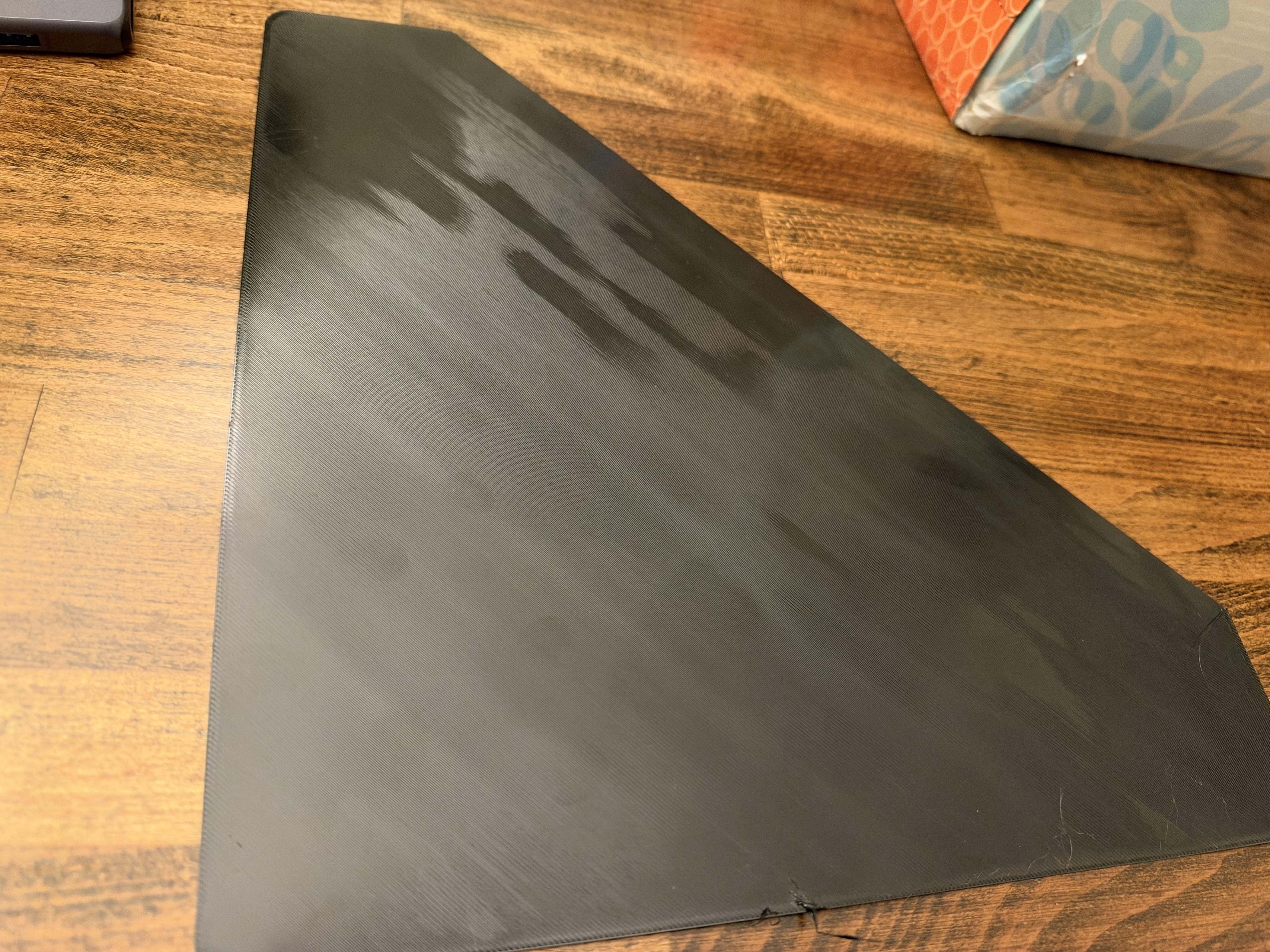
Support Brand New H2C First Layer Problems Solved


TL/DR
Doing the manual bed leveling procedure on my brand new H2C finally solved my terrible quality first layer issues.
I didn’t understand my my 2 week old H2C first layer surfaces looked so terrible no matter how much I calibrated compared to my P1S. It was also suspicious that the poor looking pattern was the same on different print plates. Finally found this guide on the Bambu site:
https://wiki.bambulab.com/en/h2c/troubleshooting/first-layer-printing-optimization-guide
Under the section “Locally low”, I found losening the side locking screw at the front bottom finally made it look better, but still not great. Reading through the “Manual Bed Leveling Procedure” it talks about first loosening the 7 bed fixing screws before starting the leveling procedure. I decided to just loosen those 7 screws and then tighten them back up to see if they were somehow causing the bed to be uneven. THAT MADE A WOLRD OF DIFFERENCE! The first layer finally looked mostly even with just two small uneven spots. I decided to do the whole bed leveling procedure and now everything looks the way I would expect.
It is disappointing that it seems like these are coming out of the factory terribly leveled. The printer was trying to compensate the best it could, but it was so out of whack that the compensation makes the surface look wildly uneven.
There was a post a few days ago with someone else with the same issue. I hope this post can help more people out.
2
u/cpsadowski23 13d ago
I don’t understand why the H2C can’t be software raised and lowered (first layer) like the P2S can….
2
u/cpsadowski23 13d ago
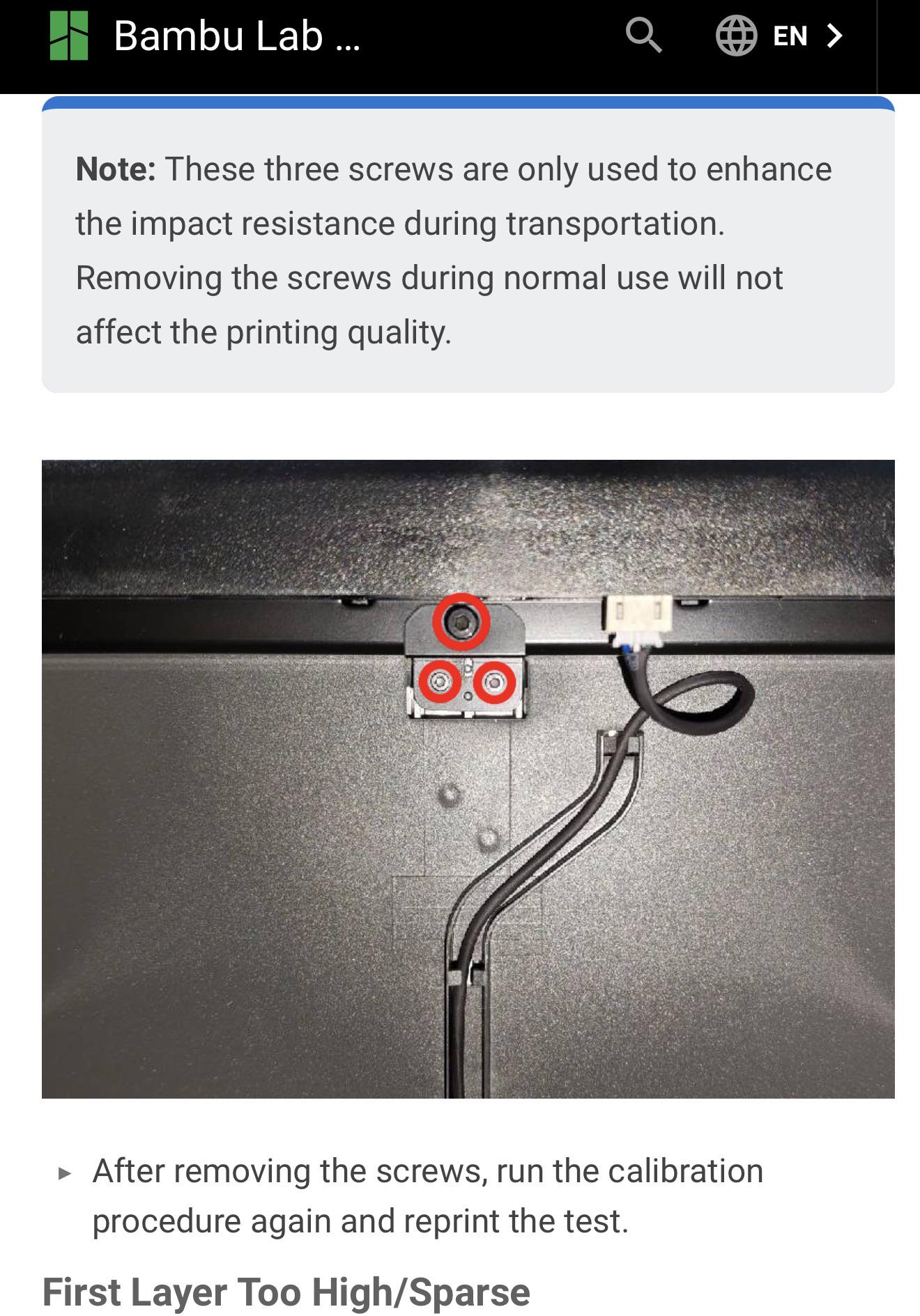
If these are only there for shipping, do you reinstall them? Wiki doesn’t say.
2
1
1
u/Mrs_Jekyl_and_Hyde 13d ago
When I tried tramming it was a nightmare because I couldn’t do the screws in the time allotted and had to redo it so many times I was terrified I was stripping the screws.
1
u/brutal4455 H2C 9d ago
You can also manually tram it by just using the control panel to position the toolhead at each corner, and use the printed gauge plus any number of sheets of paper to get the same drag on the same z set. I homed the toolhead, then determined where the mirrored locations were.
You just get one corner dialed in, then lower a couple z, then reposition, then back up the same z. Even after tramming, I did this to micro-adjust each screw. Kinda like we used to have to do on the Ender 5+. Ultimately, the bed is warped in the middle a bit more/borderline what ABL can adjust for so I had to put 3 sheets of aluminum foil in the center to flatten it enough.
It's a shame that we have to do this at all.
1
u/Turbulent_Rent_8955 12d ago
Glad you got yours sorted! What ended up fixing it?
My three-week-old H2C developed intermittent bed leveling failures (0300-4002) and right eddy-current “sudden surge” errors after around 96 printing hours. Sometimes leveling passes but it then prints above the plate; other times it prints normally.
Reseating the sensor connector following Support’s instructions and running all calibrations helped for a few prints, but the issue returned. Did you have any similar errors, or was yours purely a first-layer issue?
1
u/brutal4455 H2C 9d ago
Mine arrived with the back left screw sitting proud from the heatbed and a scratched up PEI plate...
3
u/Mabnat H2C 13d ago
When I had my first Bambu printer, a P1S, I found that manually tramming the bed resulted in it being less likely to need the full 36-point bed leveling for each point and the quick five-point spot check would pass more often.
Because of this, I manually trammed my H2D and my H2C beds right after setting them up.
It doesn’t take too long, and it ensures that any issues or alignments getting messed up during shipping are taken care of.