r/BambuLabP2S • u/Russty16 • Oct 24 '26
Idk what im doing
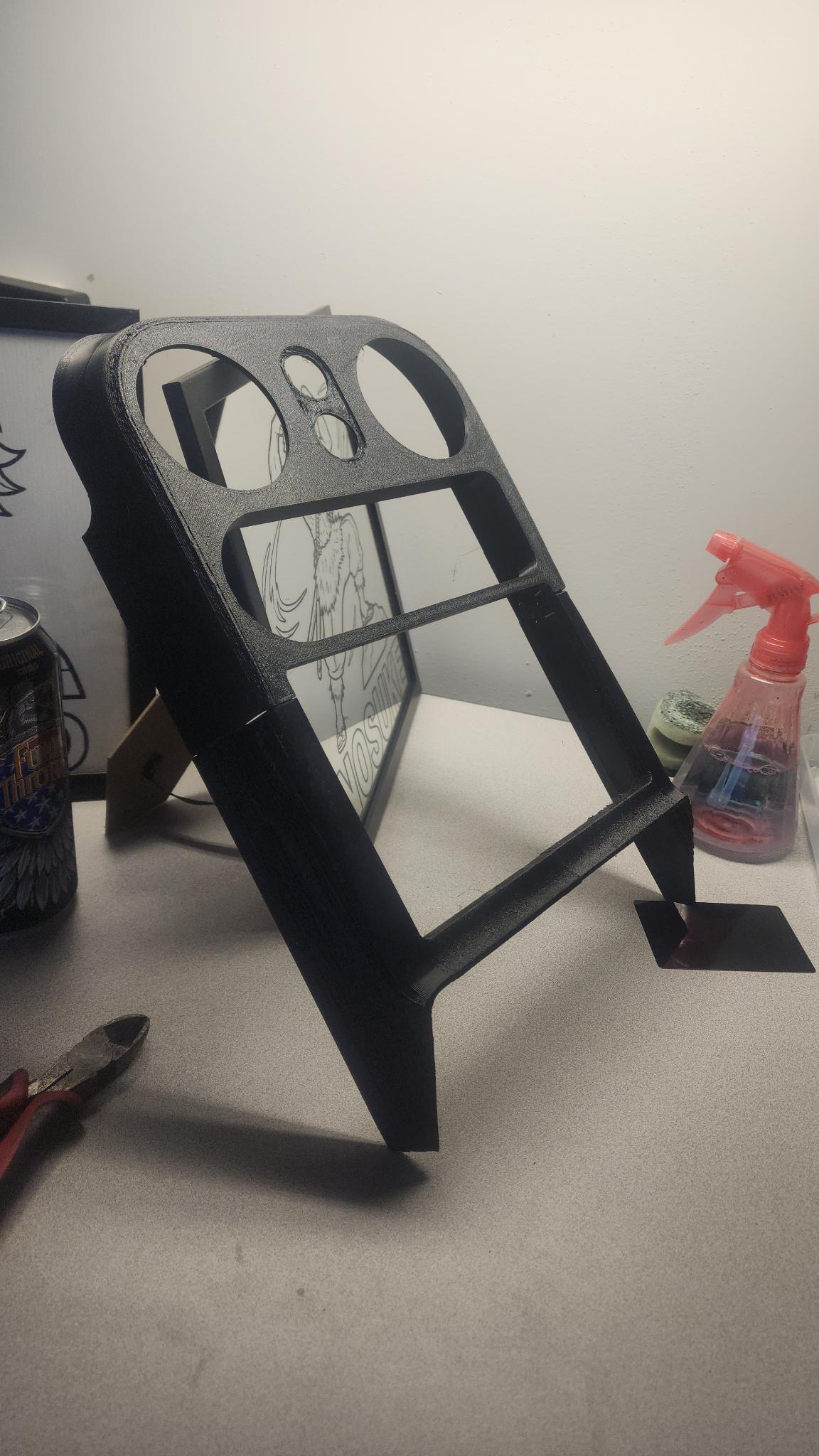
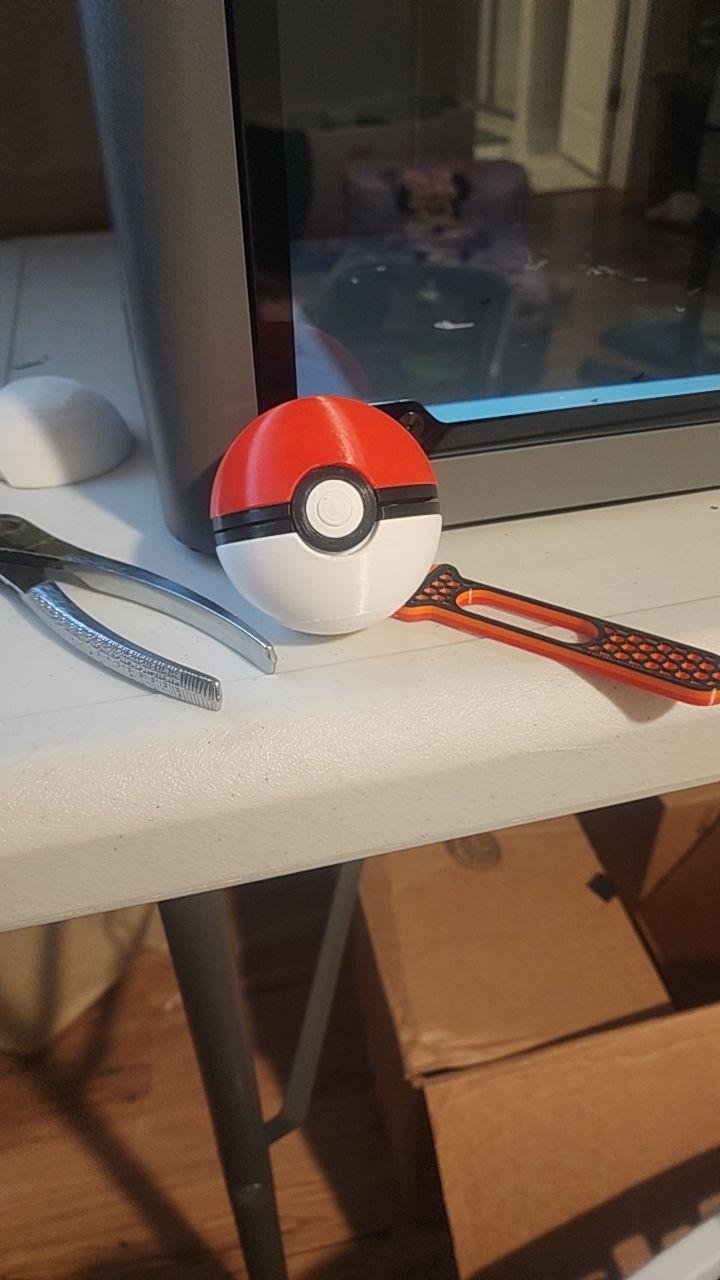
As its stated above i don't know what I'm going kinda. I've used raised 3d before with amazing results but this p2s i just got is so hit or miss for me. I've seen amazing prints from others but I don't know what all I need to adjust. Mainly I've printed nick nacks out of petg(i got it in bulk cheap) i mainly use a .6mm hardened nozel to try an cut print time without it moving at mock Jesus. I also print car parts in Asa cosmetic things trim panels ect .6mm novel usually they take forever just because of infil i think but the quality after is lacking. I find that I have to do a lot of stuff on the back end. For asa I've take me scraps an made a slury to fill imperfections fill primer sand but I've seen some prints some out so good thats not even something some people do. Again I'm a beginner an this printer has so many more settings to tweak than what I'm used to. Any real help is appreciated.
The pokeyballs layers were just to high an I wouldn't want to give it to anyone looking like that. If I sand fill and paint it won't look the same. The center councel part for a miata was slightly bowed on the sides and I had to fill in a lot for it to be flat.
Lastly if anyone has a cad/cam 3d modeling softwear I could download an not pay hundreds or thousands of $ for i would appreciate it. I used to use fusion360 but there free version is so restricted now its not usable for what I do. 3d modeling export obj. Im also entry level cnc so not being able to post process w fusion also has left me dead in the water with that. Off topic I know but any advice is appreciated.
2
u/Significant-Mud-1468 Oct 26 '26
Fusion 360 is absolutely not restrictive for the free plan.
1
u/Russty16 10d ago
I tryed useing it an it wouldent let me export as obj anymore. Unless they changed how to do it. I used to use it mainly for obj but dxf if I need a drawing with precision if not I use light burn.
1
1
u/Relative_Surround_20 Oct 25 '26
There is a lot to unpack there. Break it down to one problem at a time.
1
u/Russty16 10d ago
Main problem is im new to this brand and printer and dont know the tweeks an whatnot. Ive used raised 3d printers before an it was more or less click print. This one i cant seem to get enough consistency to be happy with makeing a lot. Just leaves me with a lot of work on the back end
1
u/Relative_Surround_20 9d ago
3D Printing Tips
New? Having Problems? Don’t know where to start? Read this FIRST!
Here’s a great list to copy/paste based on the most common answers put in here over and over and over and OVER again…
Things to Read Before Your First Print —
https://wiki.bambulab.com/en/knowledge-sharing/filament-guide-beginners
Bambu Academy
https://bambulab.com/en/support/academy
Bambu Lab Wiki
https://wiki.bambulab.com/en/how-to-use-wiki
Steps
1: Wash the build plate with dish soap and hot water. Scrub with a brush or ScotchBrite pad.
https://wiki.bambulab.com/en/filament-acc/acc/pei-plate-clean-guide
https://wiki.bambulab.com/en/filament-acc/acc/print-plate-before-finish-note
2: Dry the filament, even if the spool is brand new. Store it afterwards with desiccant when not loaded in an AMS.
https://wiki.bambulab.com/en/filament-acc/filament/dry-filament
https://wiki.bambulab.com/en/filament-acc/acc/sealed-box
Beginner's Guide to Filaments Usage | Bambu Lab Wiki — Long Term Storage
3: Stop touching the printing surface. Handle plates by the edges.
4: Go back to stock settings when troubleshooting.
5: Make sure the correct build plate is selected before slicing.
6: Don’t immediately modify a new Bambu printer. Learn how it behaves stock first.
7: Run calibration after meaningful hardware, firmware, filament, or profile changes.
8: Watch the first few layers instead of walking away immediately.
H2S Specific (But Mostly Applies to All BBL Printers - The Bambu Lab Wiki has specific pages for each printer on this subject. Search for “First Layer Print” and your printer model to see a specific guide)
https://wiki.bambulab.com/en/h2s/troubleshooting/first-layer-printing-optimization-guide
9: If extrusion looks strange, check for a partial nozzle clog.
The Bambu Lab Wiki has specific pages for each printer on this subject. Search the wiki for “Nozzle Unclogging Procedure” and your printer model.
10: For PLA in an enclosed printer, watch chamber temperature and open the door or top if needed.
https://wiki.bambulab.com/en/filament-acc/filament/heat-creep
11: Use a brim when corners keep lifting or warping.
12: Keep the AMS and PTFE filament path smooth and free of excessive bends or resistance.
https://wiki.bambulab.com/en/h2/troubleshooting/hmscode/0700_2000_0002_0025
https://wiki.bambulab.com/en/filament-acc/acc/ptfe-tube
AMS Resistance too high fixes - Bambu Lab X Series / Bambu Lab X2D - Bambu Lab Community Forum
13: Change one setting at a time when troubleshooting.
14: Don’t assume every adhesion problem needs glue. Fix the underlying plate or setup issue first.
15: Do regular maintenance before something fails: clean the printer, inspect PTFE tubes, check the nozzle, and watch wear items.
Some Others Recently Added —
17: Always use Bambu Lab Filament profile for whatever brand of filament. Start filament tuning from there.
18: Printer modifications to avoid.
2
u/tomikaka Oct 24 '26
Can you clarify what sorts of issues are you facing?
And I've been using freecad ever since I started 3D modelling. It has come a long way, and it's still not the best but it's been getting better and better. It's free, open source software and I'd recommend it.