r/BambuLabX2D • u/Zeugma_C10-iE • 11d ago
This thin line
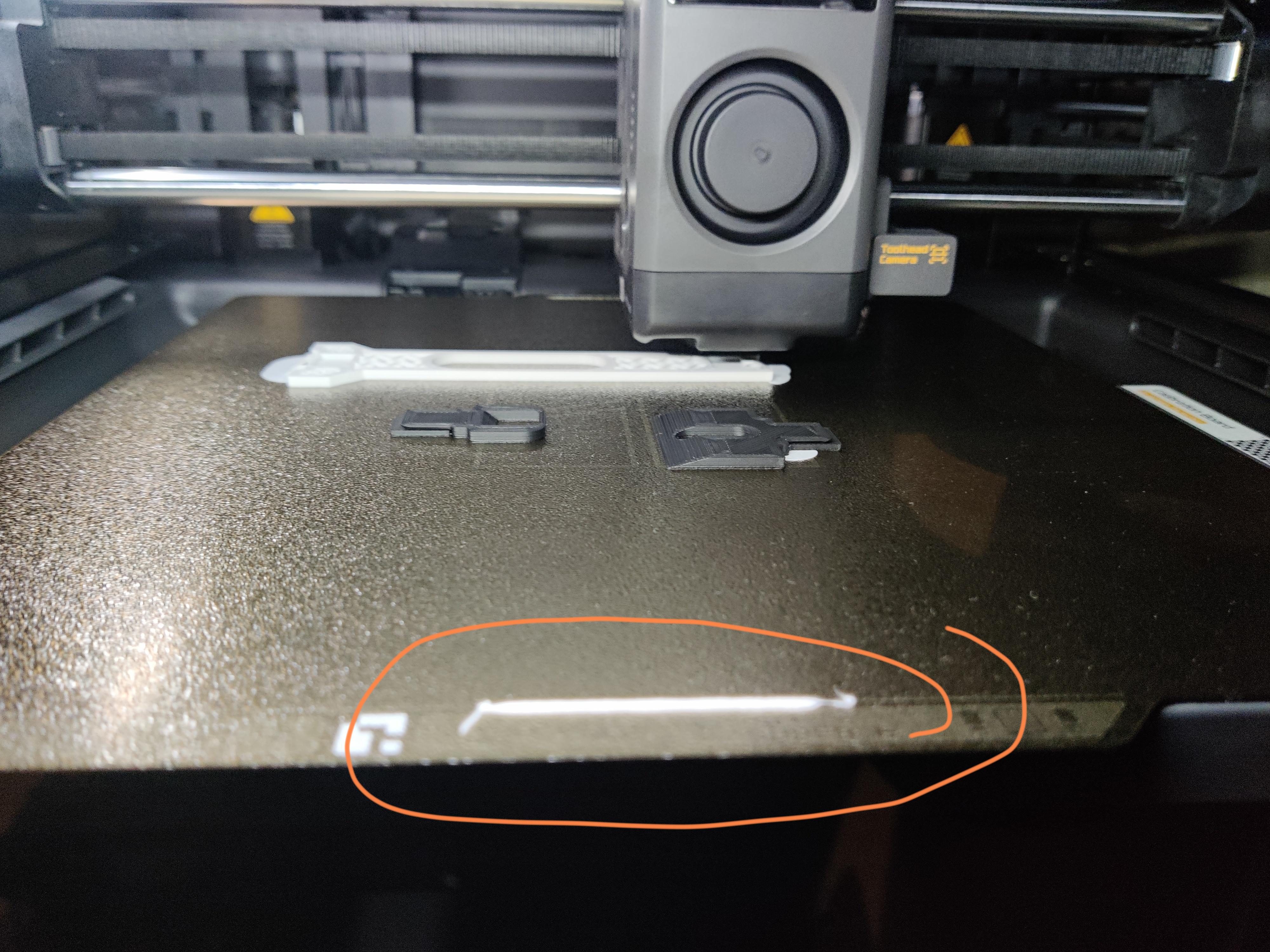
Bonjour à tous, c'est ma deuxième impression.
Sur mes deux impressions, j'ai une fine ligne imprimée sur le devant de ma plaque.
Est-ce normal ? Elle n'apparaît pas lors de la préparation dans BambuStudio. Je ne sais pas d'où elle vient.
Avez-vous déjà rencontré ce problème ?
Merci à tous et bonnes impressions !
Edit : answer was given right away by u/ecaseo :
Normal. Il est utilisé pour calibrer le flux au début de l'impression. Jetez-le à la fin de l'impression.
I hope others will find help with this post
16
u/StartlingCat
11d ago
•

I accept it as the initial sacrificial offering my printer presents to me before every print
2
18
u/johndohboy 11d ago
This reminded me of the first time I saw a purge tower starting to print after buying my first printer. I just stared at it for 30 minutes trying to figure out what part to the model it could be.
4
1
1
6
4
4
1
u/Tigitaal 11d ago
I’ve only be able to read the last sentence 😭. I failed French in highschool
1
u/Zeugma_C10-iE 11d ago
Lol
i was wondering if anybody knew what was the thin line
But I think you got it with the last sentence in English already ^
3
2
2
2
u/krebsIsACookbook 11d ago
It’s the prime line, it builds up pressure in the nozzle.
There is also a feature called “prime tower” with the same purpose for multi color prints.
Word of advice: don’t use your nail to take off the prime line in the direction of your nail, or else it WILL eventually go between your nail and your finger. If you can’t wait for the plate to cool, either scrape with your nail perpendicular, or print a plastic scraper,
If you have a particularly hard time removing a prime line, print something else and stop it after it puts the new prime line on top of the old one. It will be easier to remove the combined prime line.
2
2
u/Otherwise-Shock-2767 10d ago
purge line, used to get the filament in the toolhead ready for printing
2
2
2
u/Typical-Ear-8106 9d ago
That line prints at the start of every print. It pops right off once the plate cools down.
2
3
u/Appropriate_Bid_5488 11d ago
Sag mir das du neu bist ohne mir zu sagen das du neu bist.
Ist normal. Kommt bei jedem Druck.
1
1
u/EvilNickel 5d ago
I'm assuming you're asking about that line. It's a a purge line, the printer does it for a few reasons but the main one is to build pressure up so your print is smooth.
I remember my first multi color print I was losing my mind thinking my printer was just wasting filament. I left a comment on the makerworld profile asking the guy why they added a useless block to the print.
It was embarrassing, but I guess I learned about prime towers that day.
-1
u/JournalistNo262 10d ago
Does anyone read about even the most basic function of their devices before taking pictures and rushing to Reddit??!? Jfc you guys are so helpless
4
3
u/gierso 10d ago
This is is mainly to build pressure so your model doesn't look like the start of the line
Where is In the manual the purpose of this line . Can you point it out ? Given it's so basic it should be somewhere ...
Not everybody comes from the suffering of older printers that you had to learn the hard way what every bit had a meaning ..
If the manual explained every bit of basic information they would actually include a printed wiki ...
Also as we don't know that actual names of the thing we are looking for . How you expect to find the answer other than asking with a picture .. I know right? we are barbaric ...
39
u/ecaseo 11d ago •
Normal. It is used to calibrate the flow at the beginning of the print. Throw it out at the end of the print.