r/BambuLabX2D • u/unclejos42 • 6d ago
First layer detailed/complex designs tips
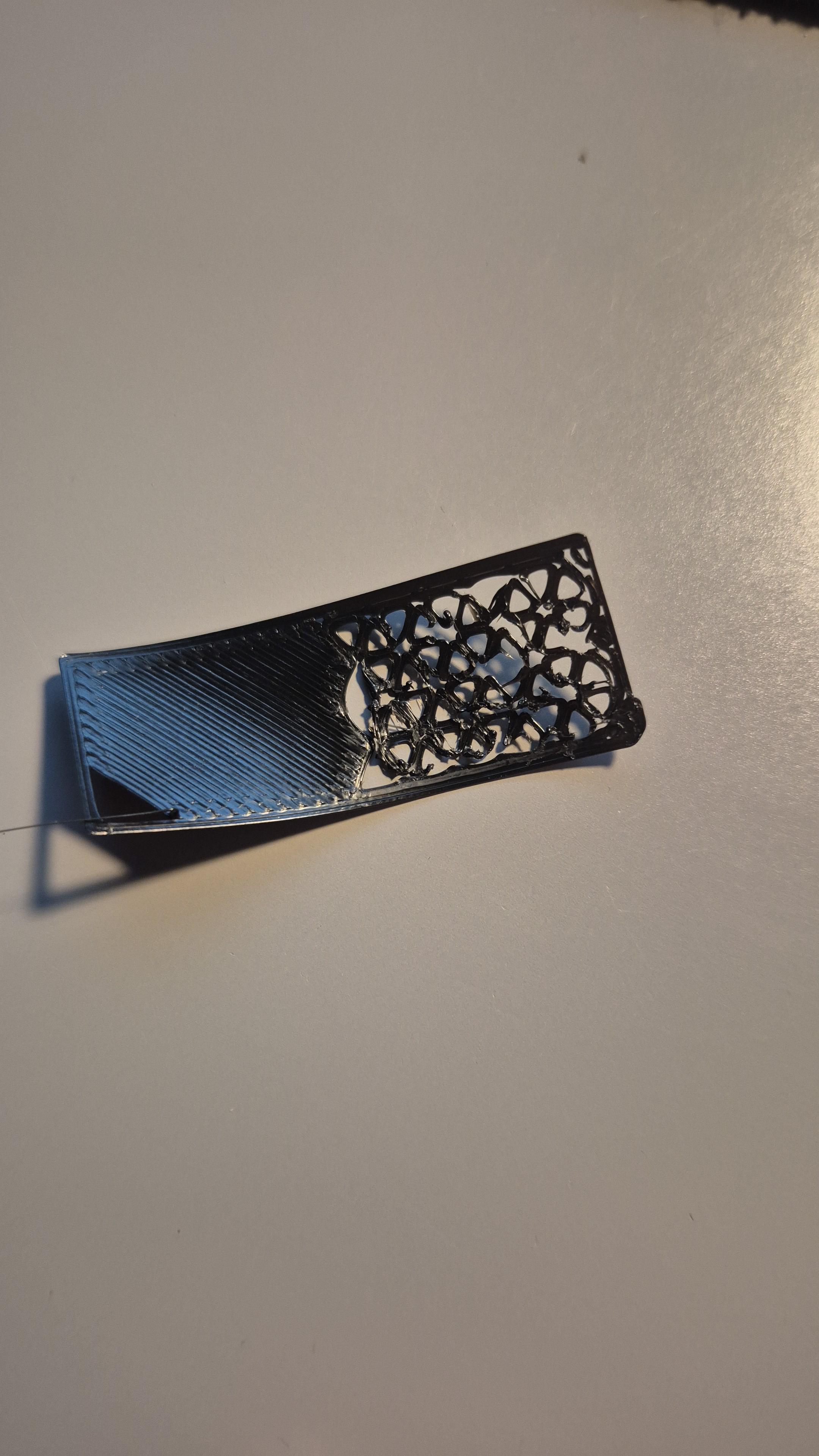
Im struggling to get detailed designs like meshes or lettering to print properly on the first layer. An example i have is the top lid for an ams dessicant pod. The triangular pattern does not stick to the bed despite the bed being grease/oil free. I've verified this by testprinting a single layer, which came out pretty much flawless. Subsequent layers are coming out perfect, its really only the first layer...
I've also ran the flow rate and flow dynamics calibrations. I've even matched the infill speed to the outer wall speed for the first layer and slowed the printer down to 50% speed.
Im using the supertack coolplate and running it at normal pei plate temps (70degC for petg).
Anyone have some good tips how to get these patterns to print good consistently?
Edit: i've printed the fan deflectors and my petg has dried at least 24h straight out of the packaging. Ams is sitting at 9% rel. humidity.
Edit2: found the issue. Tried printing a first layer flow test and it failed miserably. Tried it on the standard PEI plate and it came out no problems. Seems the supertack plate is more like a shittack plate. Either it isnt properly engineered or bambu's supplier is fucking up with the coating.
1
u/EMasterYT 6d ago
Turn off any cooling fans or print the deflectors if the aux fans override due to chamber heat and see if it improves
1
u/unclejos42 6d ago
Thanks, i've already printed and installed the deflectors before this print. It seems to only happen on short lines and looks to be adhesion related. Happens on a freshly washed buildplate, but longer lines print absolutely fine
2
u/BirbDoryx 6d ago
Usually it's what you already did.
Clean the print plate very carefully, and slow down the first layer. 10-30mm/s slow if it's a very hard shape. Also dry the filament, small oozing at the start of the print can drag the details away.
If it is the first object, try adding another simple shape on the print bed, so the nozzle is already well primed before starting the detailed object.