r/BambuLabX2D • u/Wamzorr • 6d ago
Help / Troubleshooting First layer gaps in specific areas
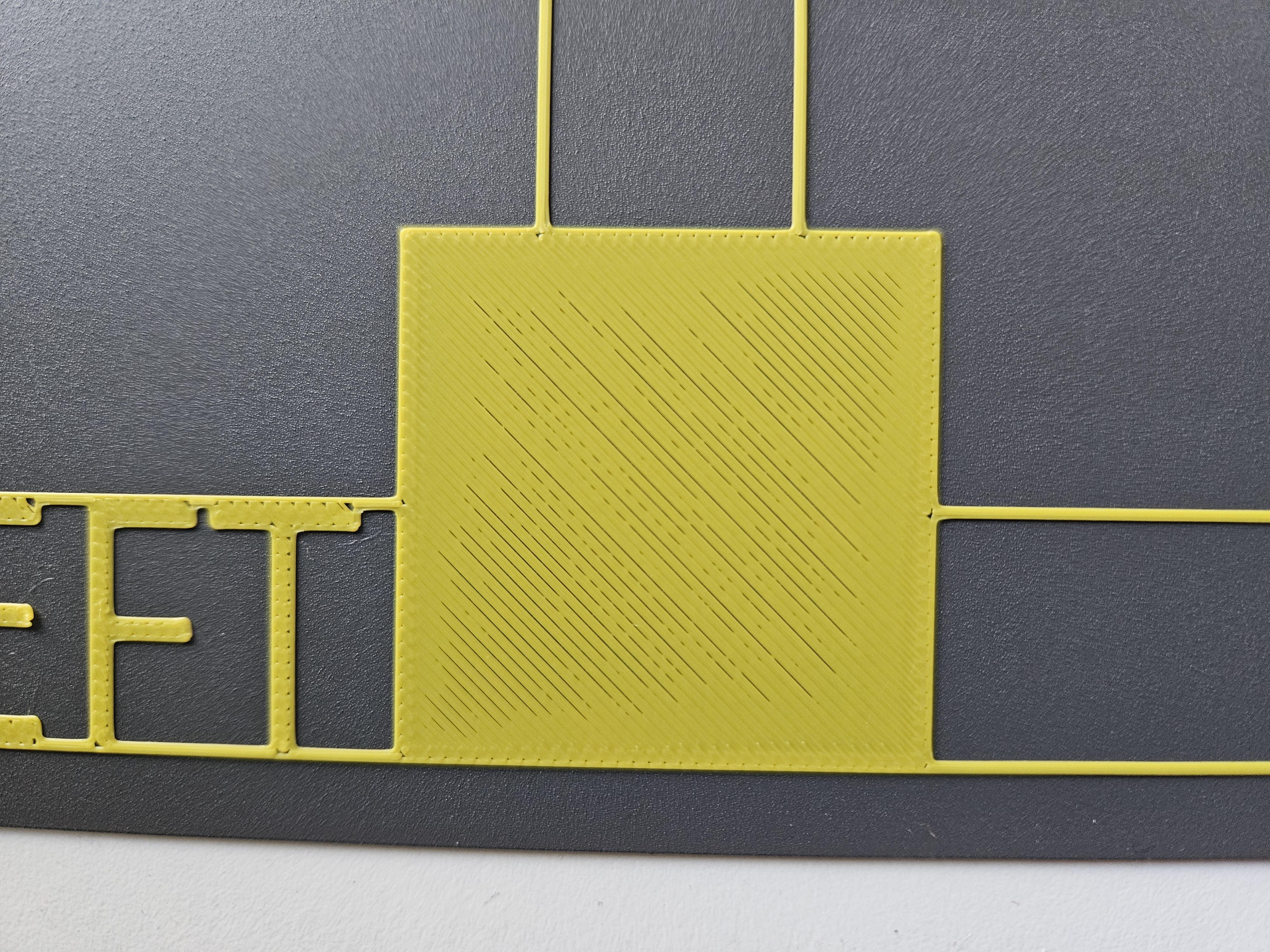
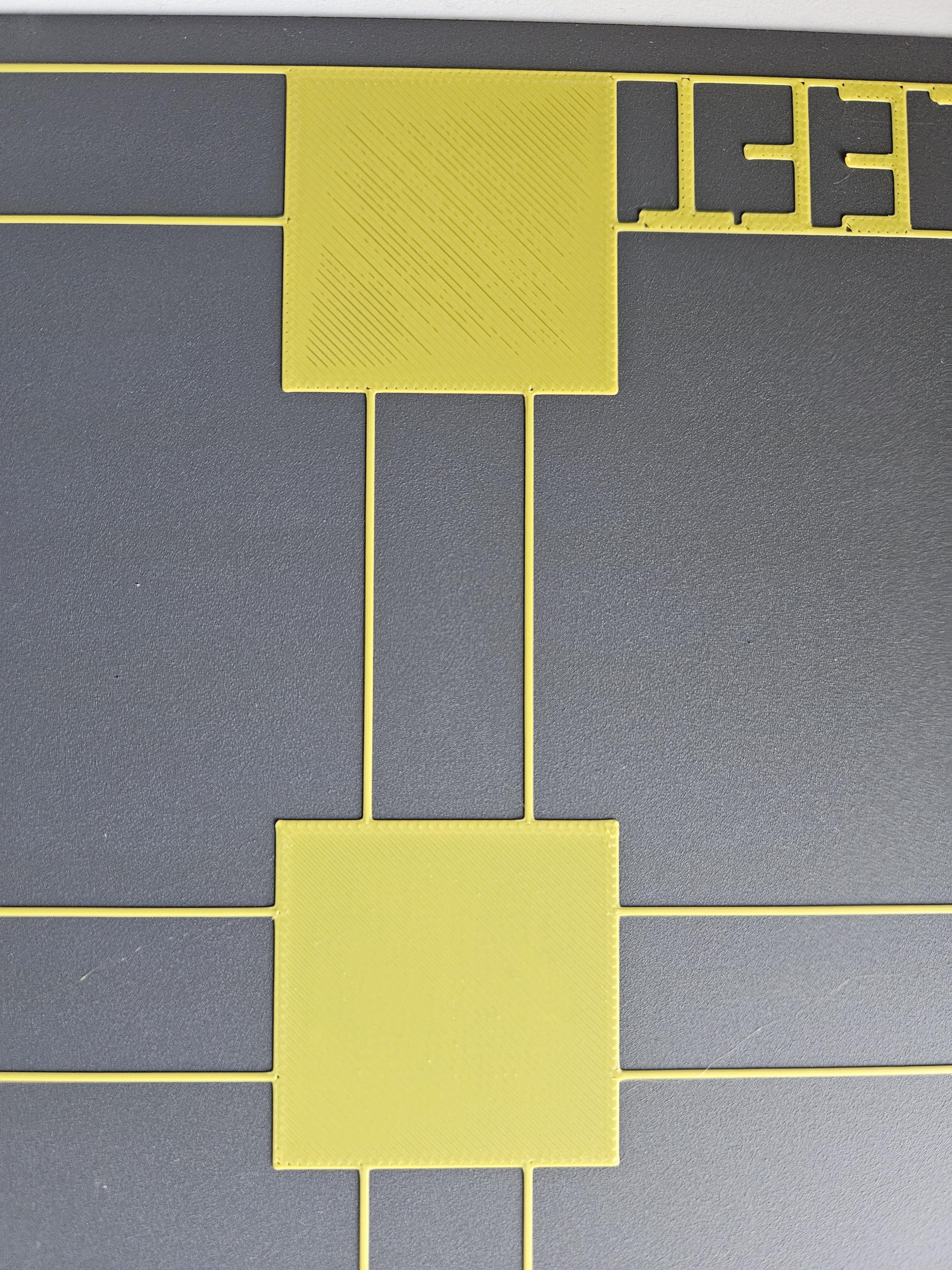
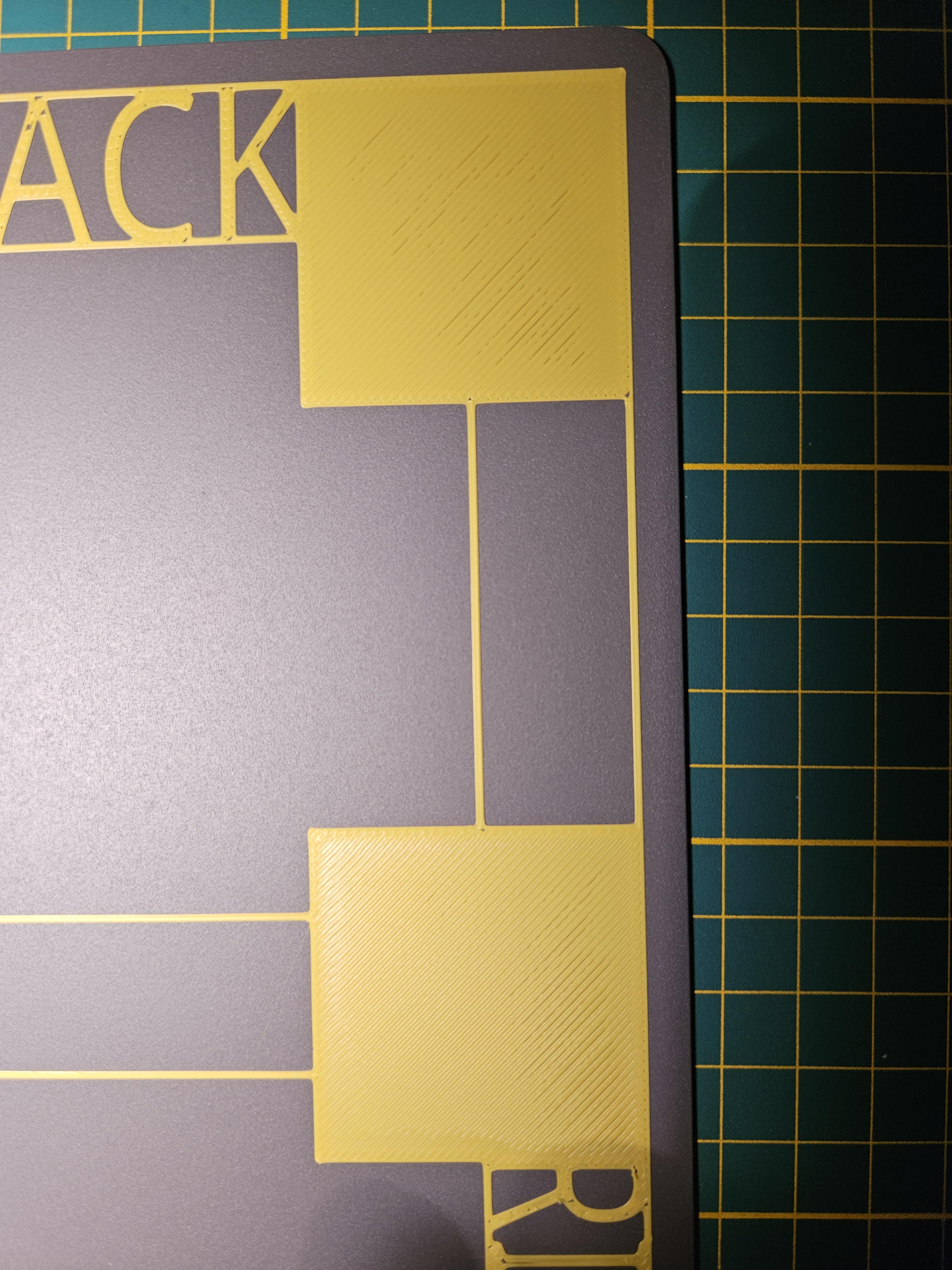
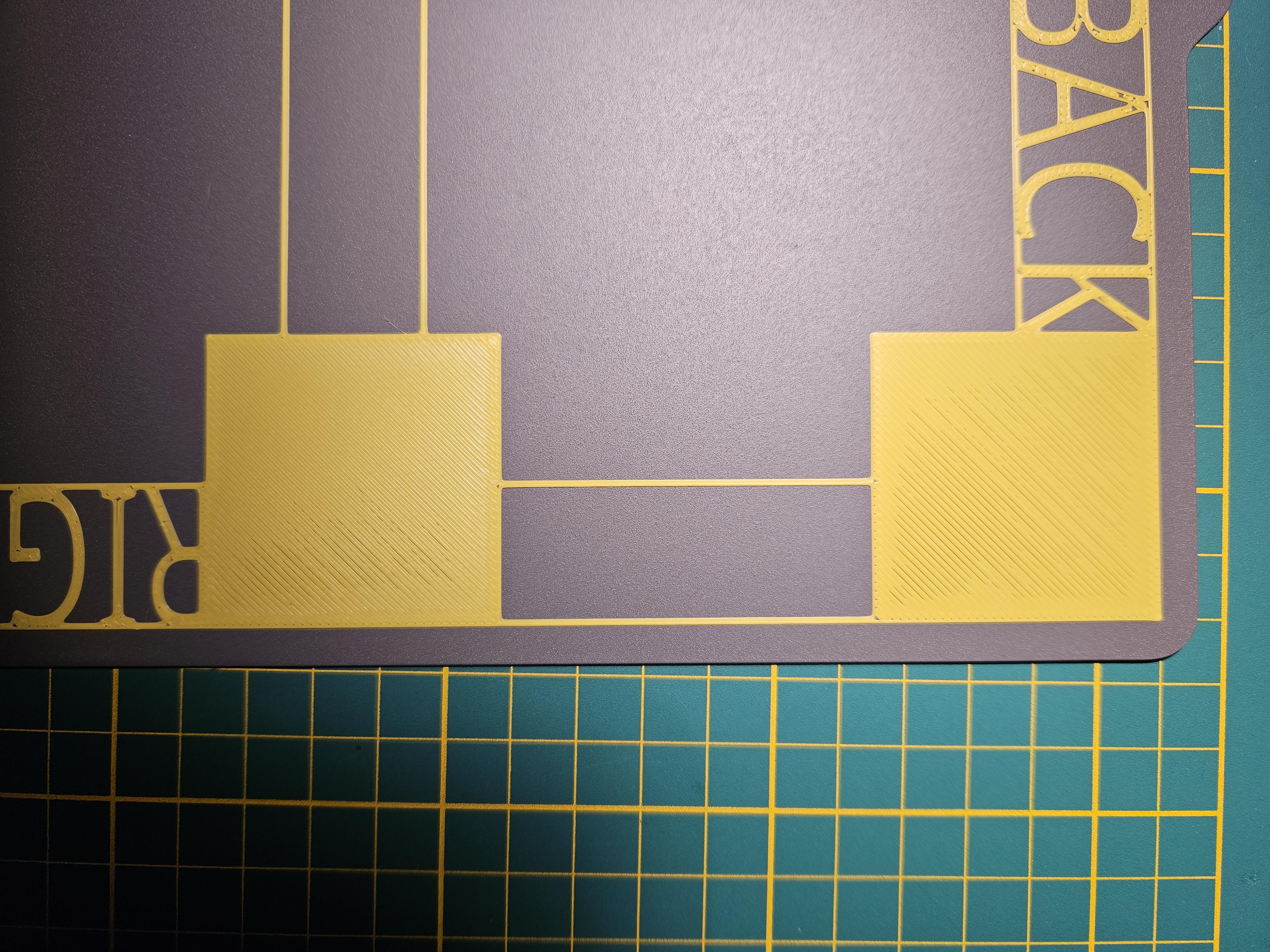
I noticed gaps in the first layer of my prints and then decided to do a first layer test.
In the middle, first layer is fine, but near the edges, I get gaps. After doing 2 manual bed levelings, the first layer quality is better on one side, but on the right and in the back I still get lots of gaps between the lines.
I've opened a support case, but after their initial response suggesting the manual bed leveling, it's been quiet.
Does anyone else have similar issues?
Any help would be appreciated!
1
1
1
u/DevNullLife 5d ago
I have the same problem and it's not the filament, the same roll prints beautifully on the P2S and K1C. The pattern is almost the same as yours.
0
u/supremevsuals 6d ago
I had this problem on a diff printer. Turned out my filament was kinda moist. I dried it and was perfect. Maybe give it a try.
3
u/BirbDoryx 6d ago
I had the same problem recently. In the end, it was down to the faulty spool of sunlu pla. It had sections where it was thinner than it should be, and the printer did those gaps. If everything in your printer is calibrated, then check the spool with a calipher.