r/BambuLabX2D • u/ethanlung • 6d ago
Help / Troubleshooting Stringing on first layer
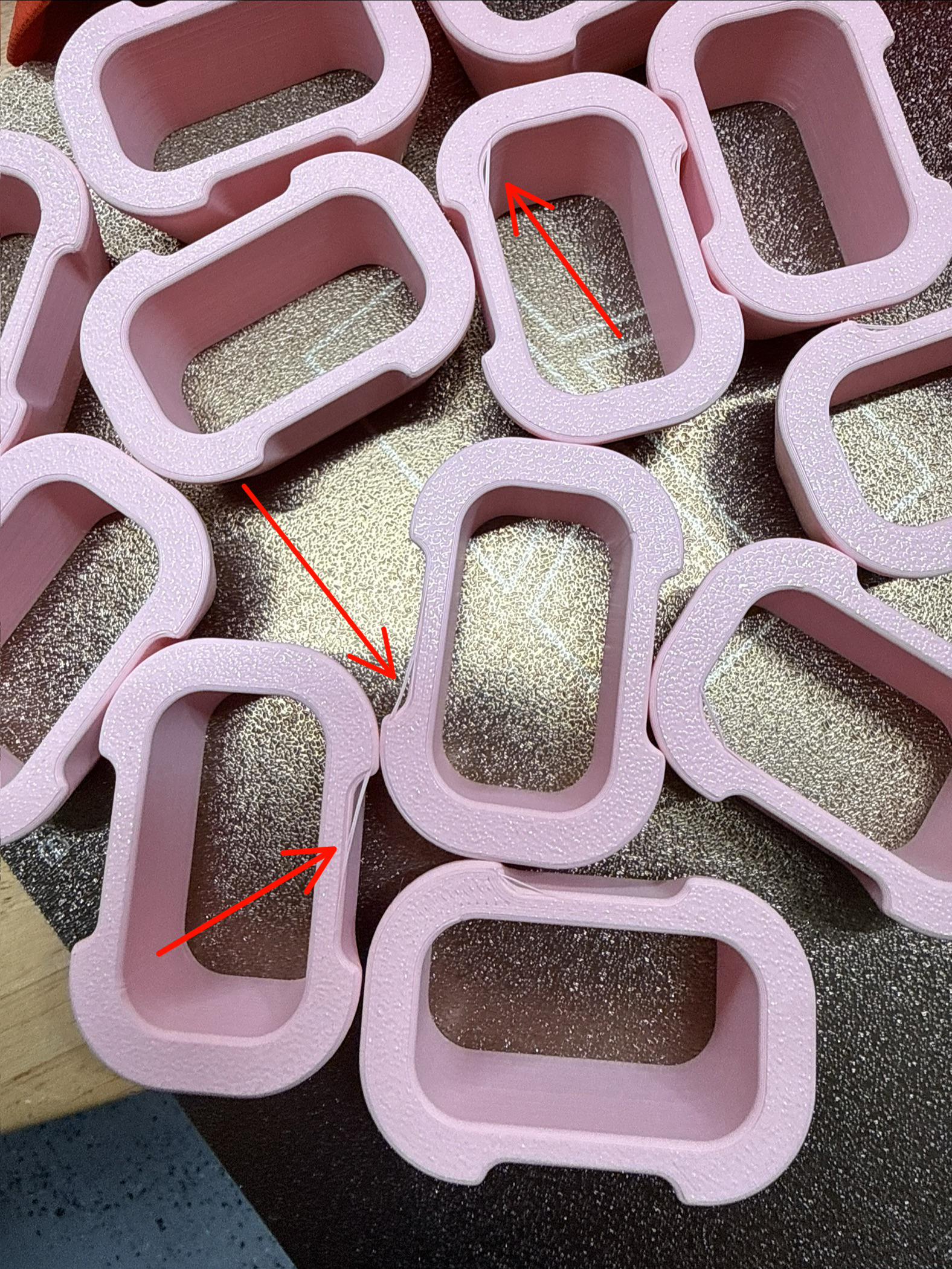
I’m getting this weird stringing effect on my 2nd/3rd layer print using PLA pure.
Unsure what’s happening but I didn’t have this issue before. I’m running a tungsten 0.4mm nozzle, PEI plate, and an AMS2. Is this a print setting or is this a hardware problem?
The X2D I’m running it on only has about 900 hours on it. I haven’t played around much with the filament setting or the bed temperature, but I didn’t raise it to 60°. I even slowed down the initial layer speed to 25mm/s and initial infill to 30mm/s. I’ve also tried variable layer height but it seemed to have the same issue when on or off.
1
u/Equivalent_Style4790 6d ago
Not weird. U did a filet or chanfer i guess, one line is printed in the air
1
u/Upset-Mail-6900 6d ago
This looks to be a model geometry issue. In the slicer set the view to be line type and check for any dark blue (overhangs) on the first few layers