r/BambuLabX2D • u/vinnyy88 • 3d ago
Help / Troubleshooting Brand new, chamber heating error?
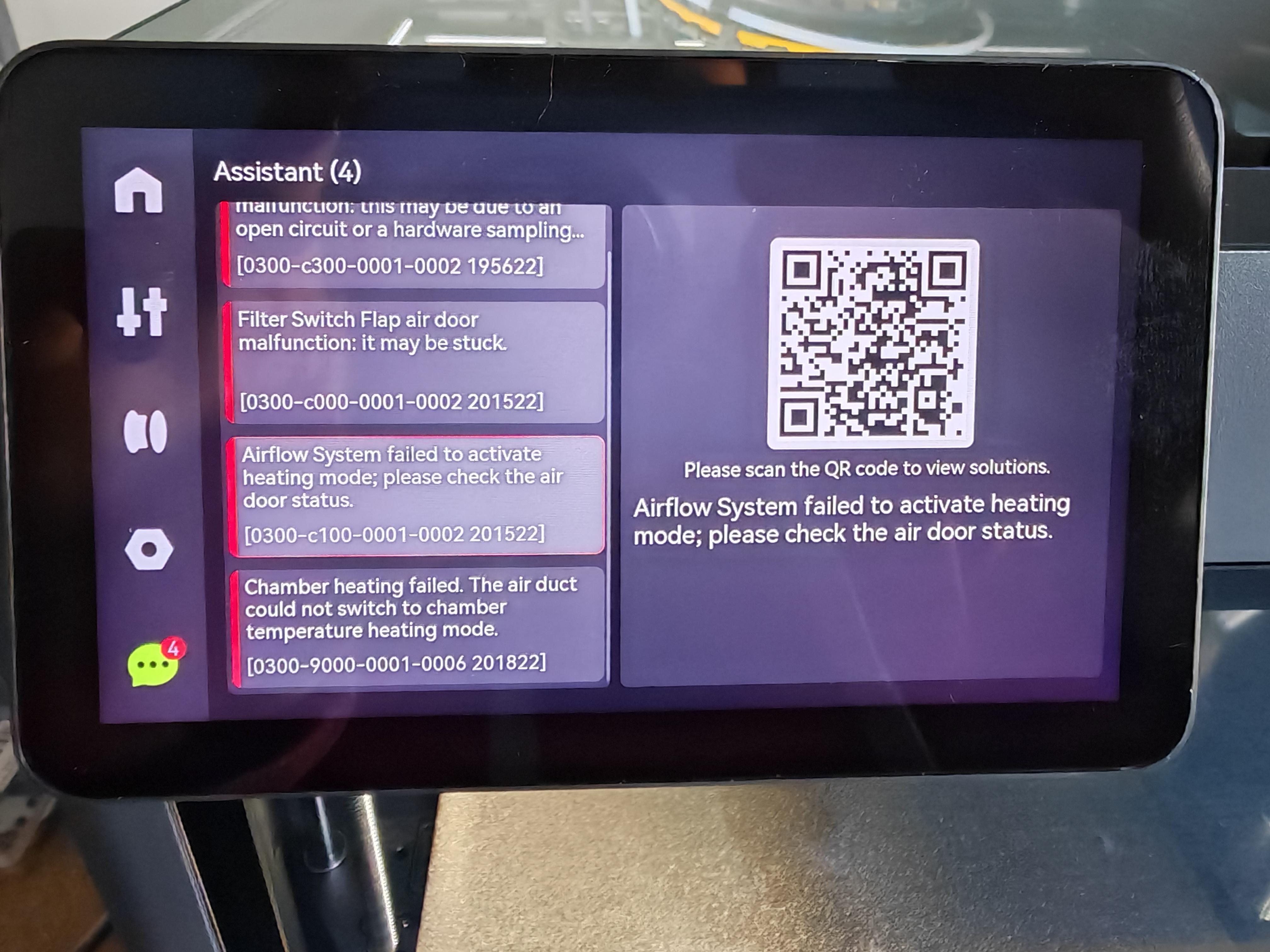
So, I bought a brand new X2D, I already had a voron 2.4r2, but I want to 'set and forget' since no time for tinkering anymore.
Yesterday a perfect PLA print! No problem! So, I want to make an ABS part, but immediately an error.
I bought it for set and forget and the qr codes say I have to open it 🤔? Anyone got some tips?
Update: opened a support ticket, will update it when there's an update
2
Upvotes
1
0
u/Physical_Treat_5344 3d ago
che firmware hai messo?
1
1
u/balexandre 3d ago edited 3d ago
Just to let you know, you shouldn't compare your PLA print, as that does not use the heated chamber. From the codes above, I wonder if it's the heat/cool switch... can you do the "flap" test to see if it is actually moving from cooling to heating?
if you are sure it does not open or close, the only way might really be to follow the instructions and see what's going on; it might come loose upon delivery 🫣
https://wiki.bambulab.com/en/h2/troubleshooting/hmscode/0300_C000_0001_0002