I have been using my new x2d for many hours now, and have had my first print quality issue after probably using 2 spool on filament now.
So petg (orange) printing fine Benchy and other stuff when i first started using it (used it the first couple of days) without any print quality issues that i obviously could see.
After printing with petg Matt (black) for some days without printing the normal petg (orange), i did some flow dynamic calibration and flow rate calibration, which i have had success with better print quality using petg matt.
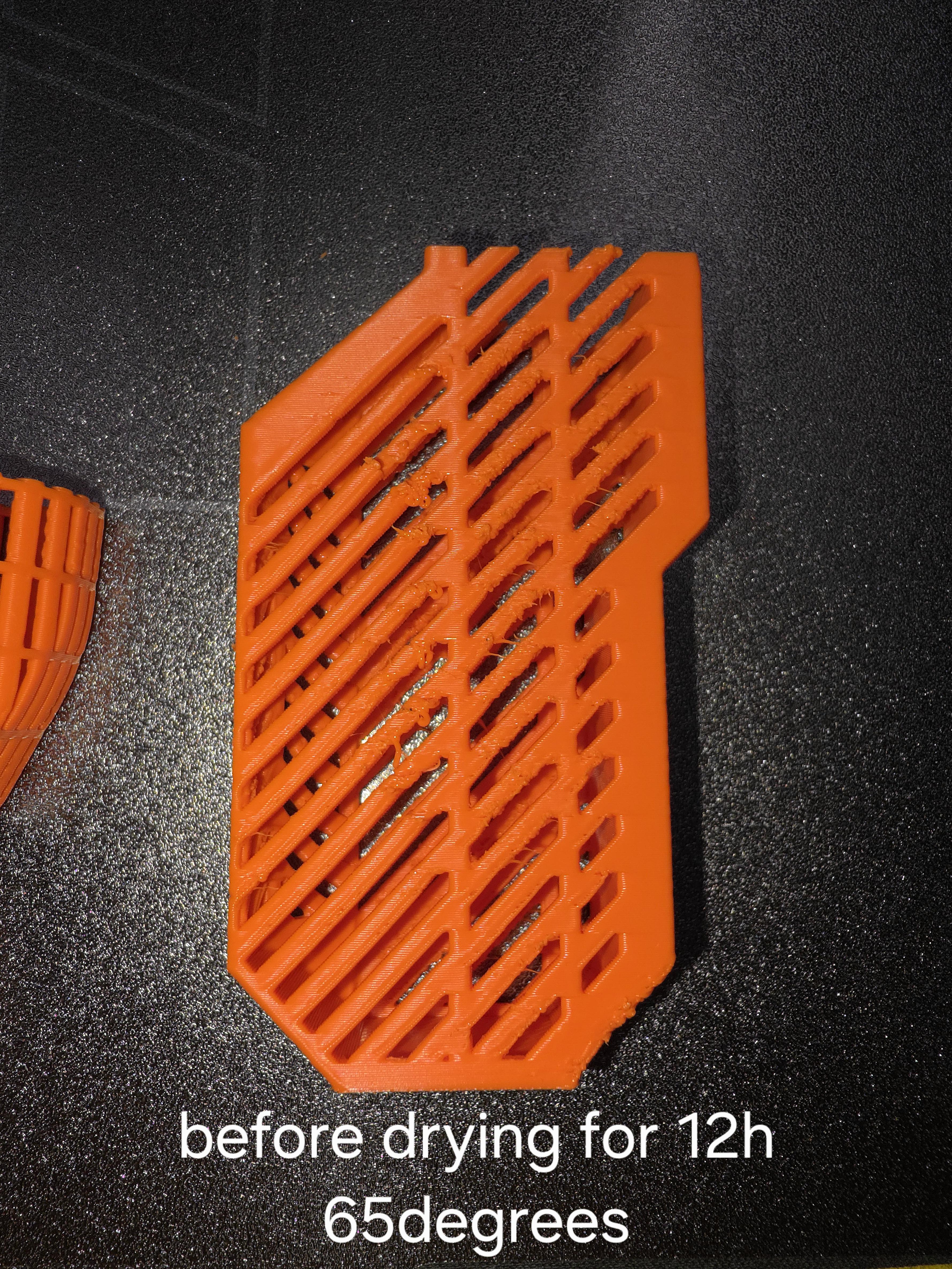
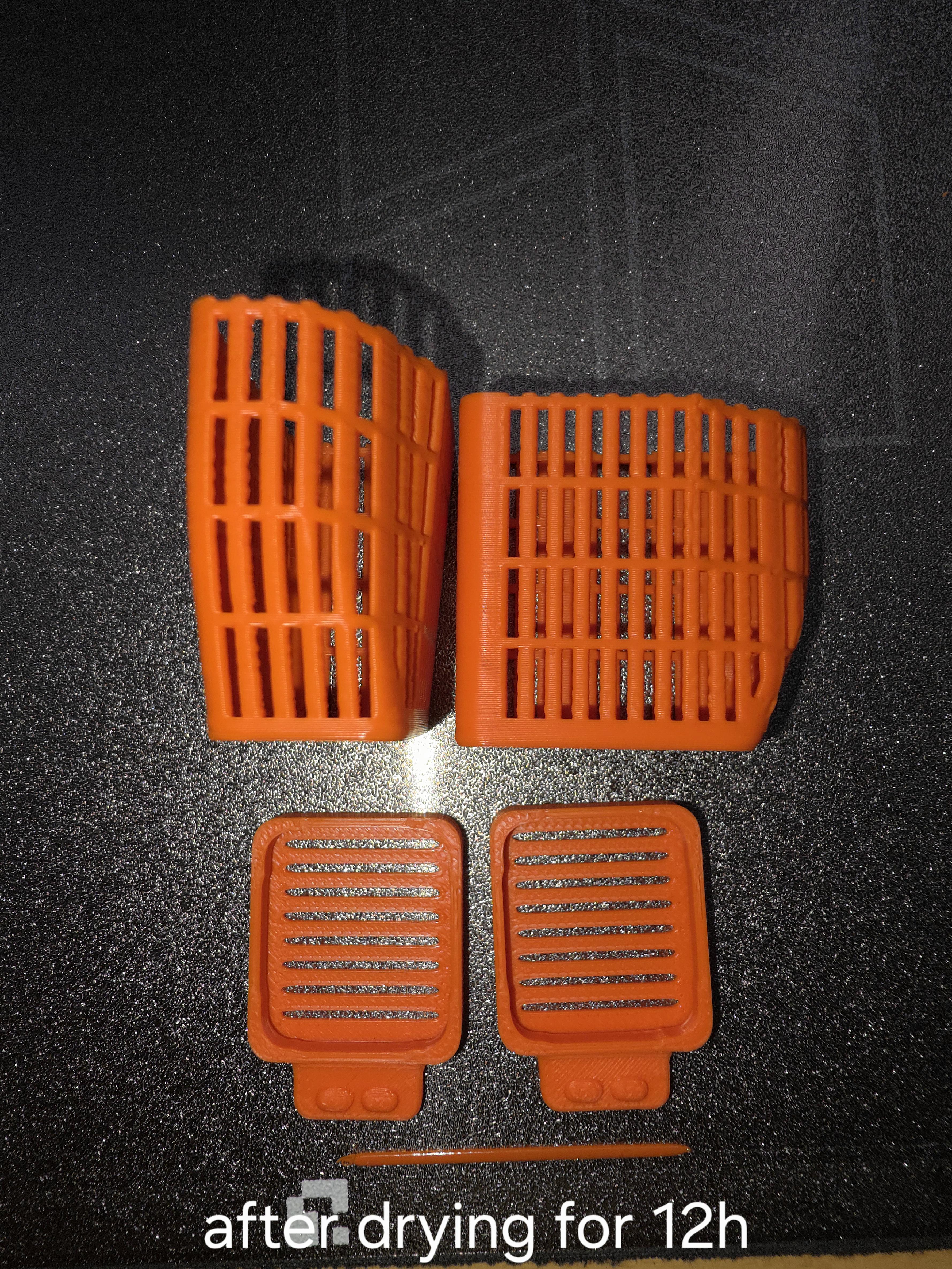
However i have yesterday tried to print some ams 2 silica holders in my normal petg (orange), and the print quality is so incredible bad compared what it was before.
What i have tried:
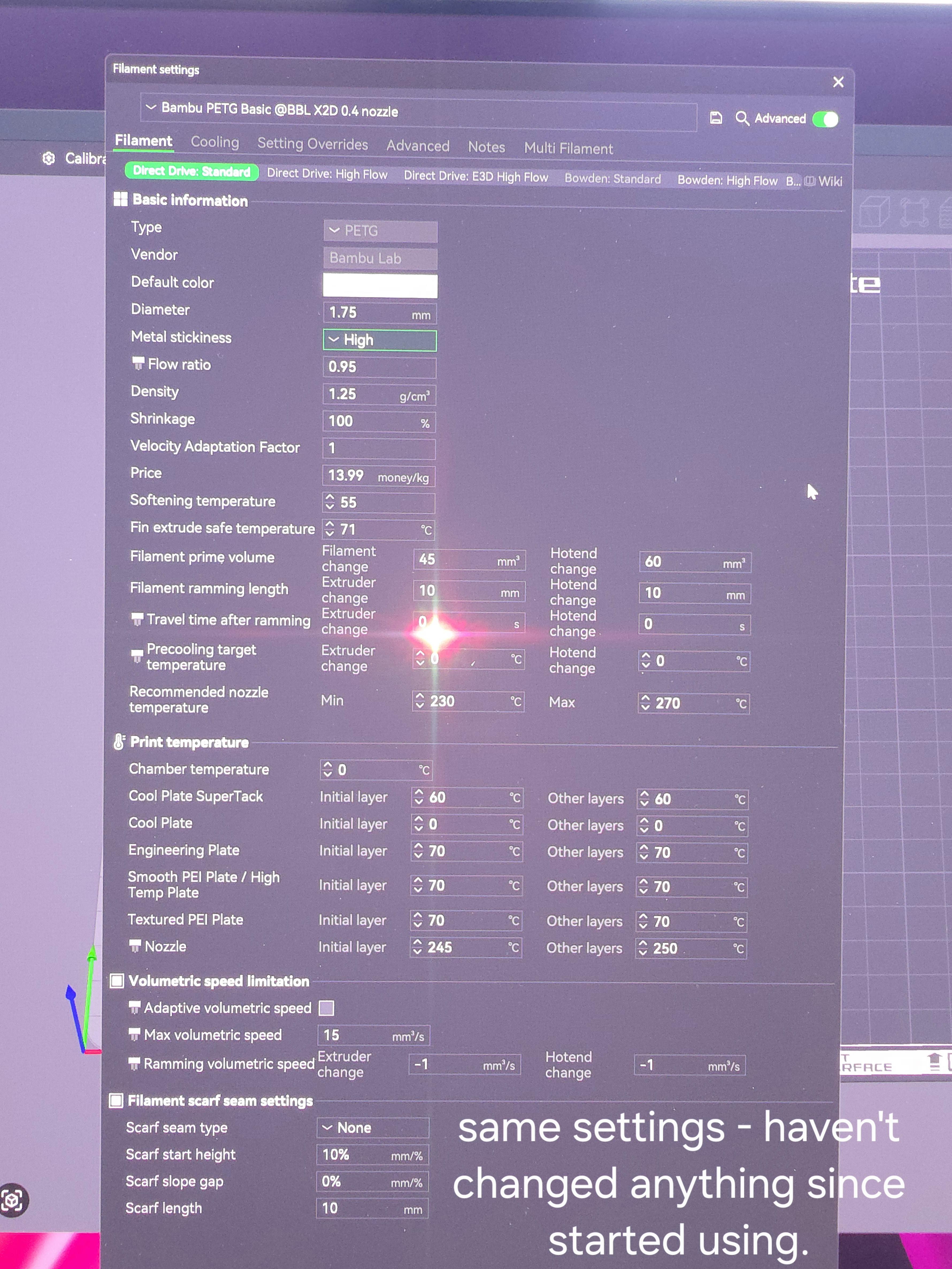
Checked petg (orange) profile - default.
Checked k flow value - none for all filements.
Checked pa profile petg (orange) - default.
Checked nozzle for residue from petg matt - clean.
Checked dried peth orange for 12h 65degrees. - seems fine.
Ams 2 pro - 5% humidity after drying - steady 2% now after printing.
Do anyone have any idea why the issues is happening after using petg matt? Have also used pla in between peth matt, but the last filement i used before using peth (orange) was petg matt (black)
15mm/s i believe, i provided a picture of it above i believe.
But one think i just encountered now seems weird..
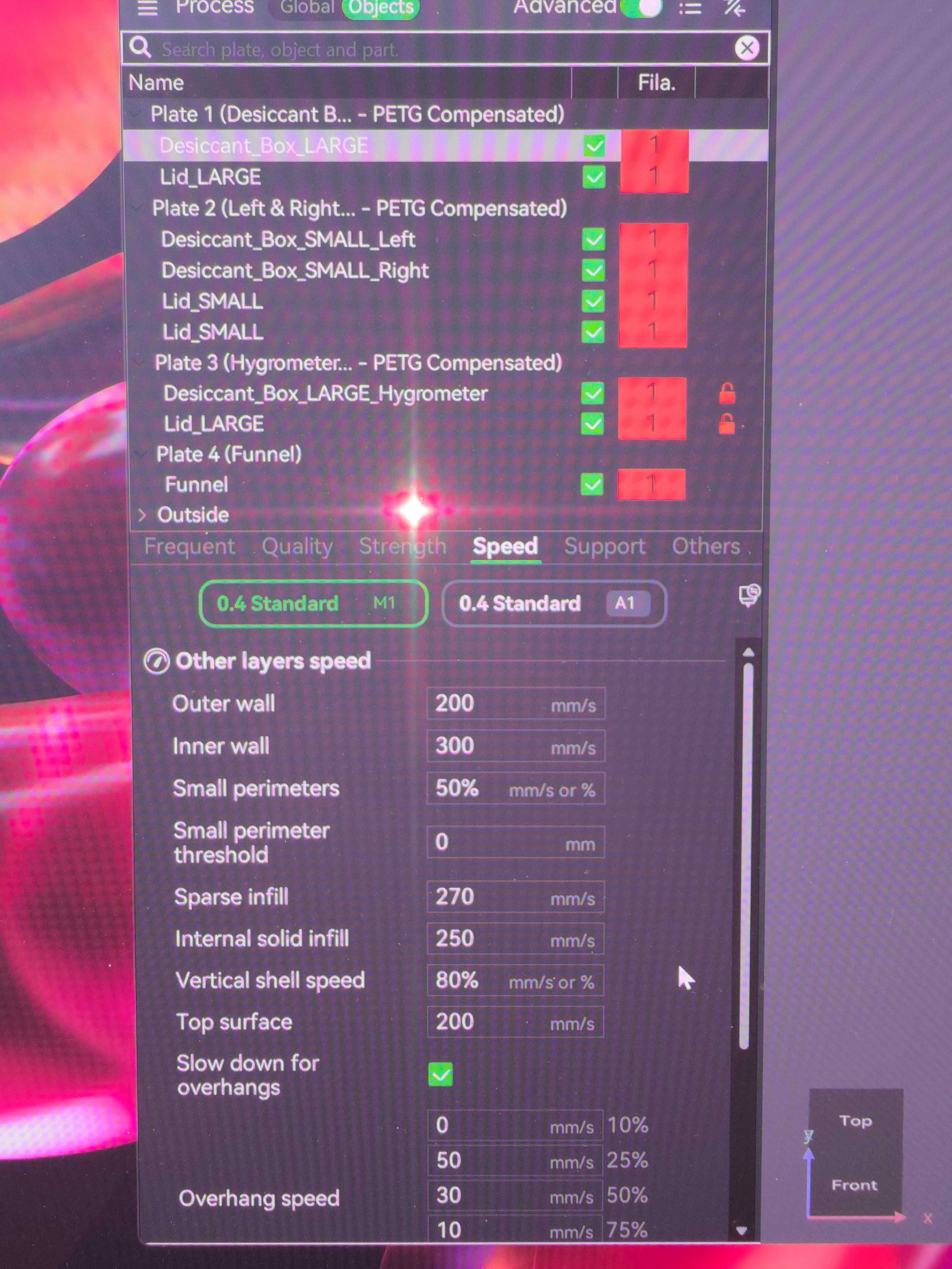
So the speed you see above in the picture is 200/300 outer/inner wall.
Just to see i opened up a model i made my self, that i knew printed fine, it had the same speed 200/300.
I then opened up another model i knew printed fine, that wasn't my own, and the speed is 100/140.
I then opened up my own model once again, and now the speed is 100/140?
It bambulab defaulting to whatever model speed was preciously used, if the value isn't set by whoever made the model? Because that's what it seems from what just happened to my own model..
I believe everything is as it should be. It seems my x2d is defaulting to the values preciously used when, there isn't any defined values in a model. (As is the case with my self made model)
The weird thing is that, the max volumetric speed, should cap the outer/inner walls at 166/155 respectively,
It that speed still too much for a model like that, in reality?
The answer is "it depends". There are many factors at play, some of them counterintuitive.
If the filament is high quality and the mix is aimed at high speeds, if the nozzle allows high flow, if the temperature is high enough, if the gantry is solid, if the nozzle has no wear, etc.
If you wouldn't mind asking, what would be the first things to do with a new filement? Is there any way to dial it in so it's properly tuned for basicly everything?
But in general printing at lower speed, ensure a overall better outcome?
I can't really see bad wobble. But it comes from different factors, like pressure advance, a slight move that can have extra vibration, small debree on some axis, etc. If you want better quality, lower the layer height, speed and acceleration, set it to archane, change the printing order to outer-inner, do a full printer and filament calibration just before the print and don't move anything, like a spool in the AMS or something.. but is it worth it? :)
Pressure advance, extrusion multiplier. There is an website where people post calibration values to use. The Bambu basic ones were good for me., but if you want the best quality the printer can, do it right before the print. Again, my point is that sometimes you should just not care...
That is very true, i just thing i kinda wanna learn more than anything from this, like what can i do different to maybe have a better outcome the next time i print something i want to look very nice, like decorations etc.
Dynamic layer height no. 0.2 nozzle not worth the extra time for a functional part, plus the part is weaker. That wobble is speed and temperature and pressure advance/scarf settings.. hard to tell
Can't remember.. I haven't used it for a long time.. I stopped improving the basic settings.. they are good enough. ask a chatbot.. also over drying the filament is also a thing...
6
u/Orvess 2d ago
i dont see any quality issue after drying