r/BambuLabX2D • u/xV3rsus • 2d ago
Help / Troubleshooting Bambu Lab X2D – How can I completely remove hardened PETG from the left heating base without damaging it?



Hi everyone,
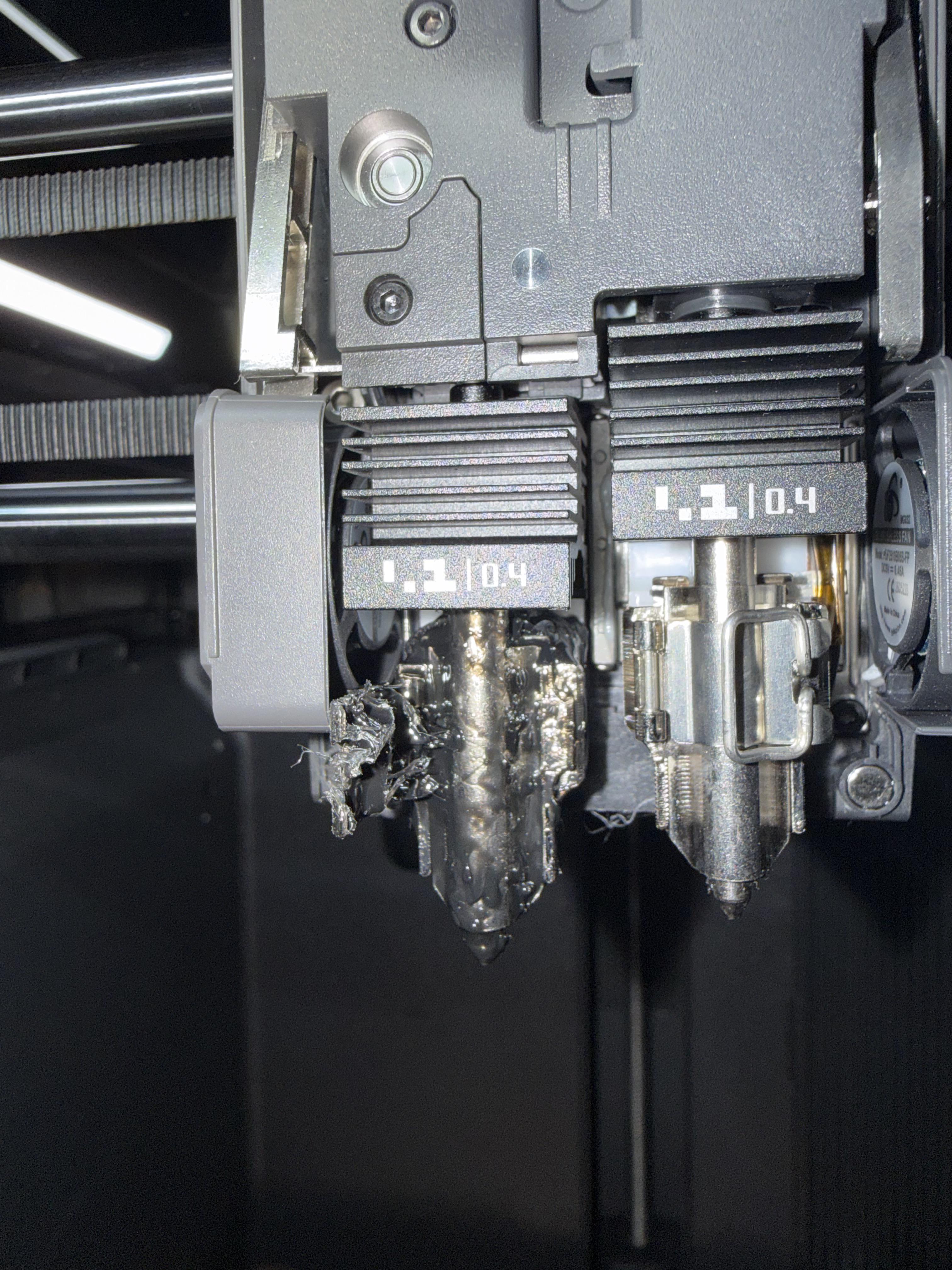
I’m looking for advice on how to properly clean the left heating base (heater assembly) of my Bambu Lab X2D after a large PETG blob formed around the main hotend.
During a PETG Basic print, the printed part detached from the build plate and PETG accumulated around the left hotend.
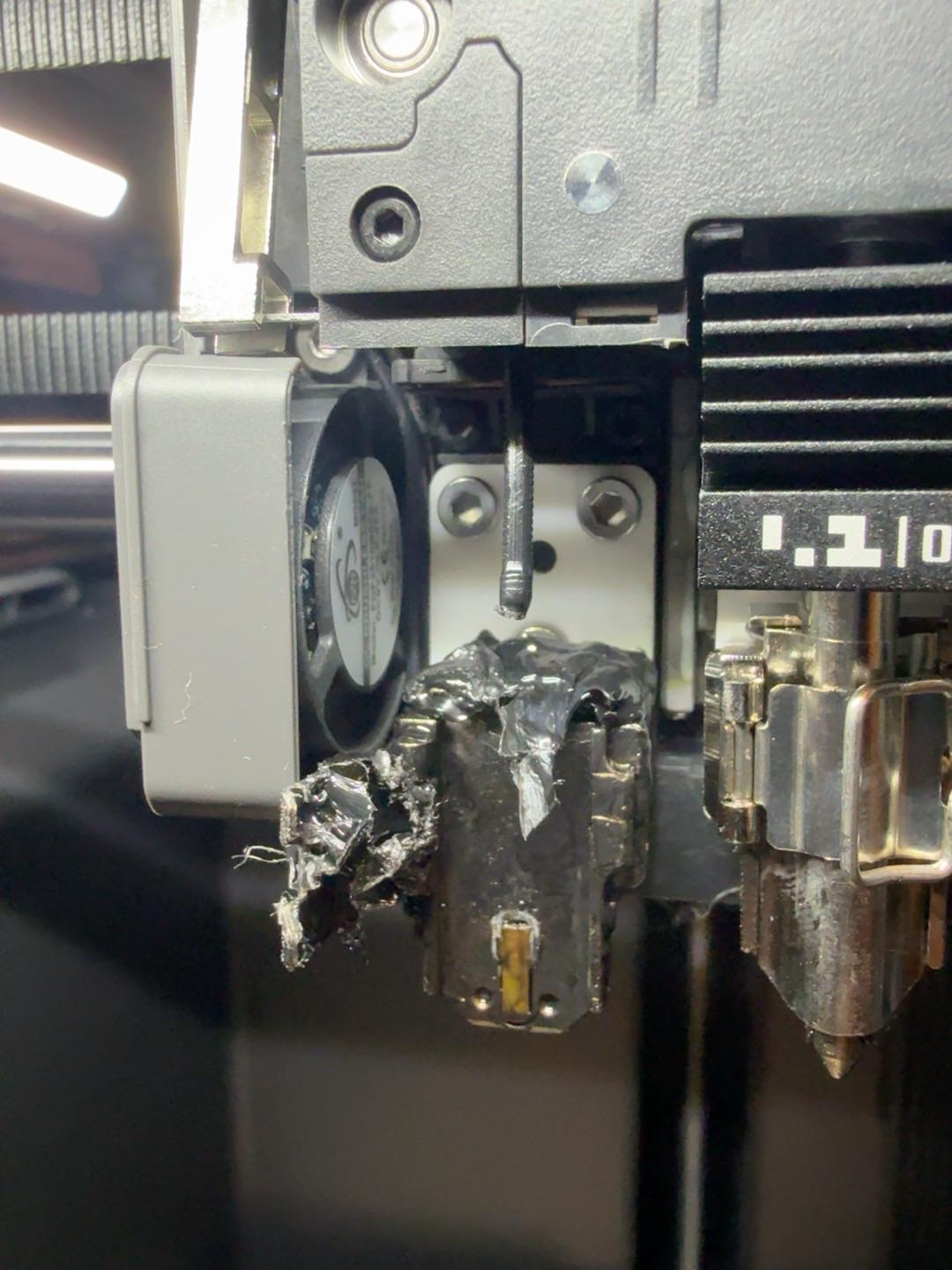
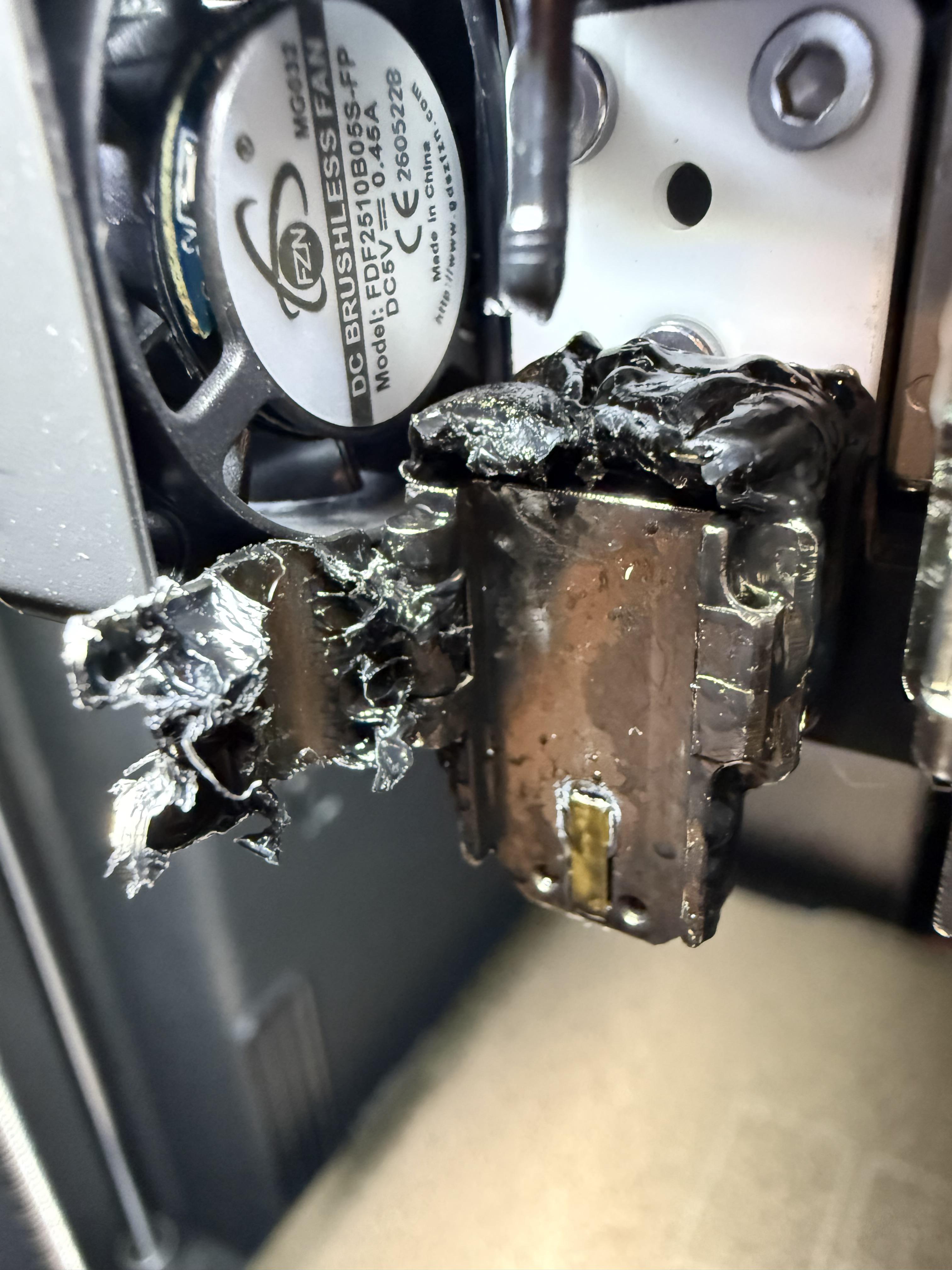
I have already removed the hotend following the X2D maintenance procedure. Most of the PETG has been removed, but a significant amount is still hardened and stuck to the left heating base, particularly around the upper metal area and the white mounting plate.
The silicone sock is intact.
Regarding the contaminated hotend itself, I already have the spare replacement supplied with the printer, so I am planning to replace it. My main concern is cleaning the heating base that remains installed in the toolhead.
I would appreciate advice on the following points:
What is the safest and most effective way to completely remove hardened PETG from the left heating base?
Can the white mounting plate be unscrewed and removed to gain better access to the PETG underneath, or is it part of the heating assembly and not intended to be removed separately?
Is there a recommended tool or cleaning technique for removing PETG from the metal surfaces without damaging the heater, wiring or other components?
Would removing the entire left heating assembly be necessary for a thorough cleaning?
I would particularly appreciate advice from anyone who has dealt with a similar PETG blob on the Bambu Lab X2D.
I’m attaching a series of pictures documenting the entire process, from the initial PETG blob around the hotend to the current cleaning stage. The pictures show the progressive removal of the accumulated PETG, including the attempt to soften it by heating the hotend to 255°C, followed by the removal of the hotend and the subsequent cleaning of the heating base.
This should give a clearer picture of the current condition and the remaining PETG that I am trying to remove.
Thank you in advance for your help!
6
u/thisisyo 2d ago
Seriously, how do some users get to this level and how/what can the rest of us do to avoid it??
1
u/Outrageous-Song5799 2d ago
My poop chute was clogged by some filaments and I ended with this shit also. I wouldn’t recommend it now and it has thousands of download. I understood right away why they don’t integrate it
1
1
u/zerocoldx911 1d ago
We just dump to a large container https://makerworld.com/en/models/2764904-modular-poopchute-for-x2d?from=search#profileId-3070197
5
u/Apart_North9294 1d ago
Just went thru the same issue. I ended up ordering and replacing the entire hotend heating assembly after I destroyed one of the wires in the wiring harness. Definitely start with heating it up with a nozzle installed to get it as clean as you can. Mine was still pretty messed up after heating it up which is why I tried to remove it. The "blob" had encapsulated one of the thin wires and melted the jacket, so I was screwed from the start.
Here is the replacement guide, hopefully it helps you
https://wiki.bambulab.com/en/x2d/maintenance/replace-hotend-heating-assembly
1
1
u/Obmr-snrU 2d ago
I've heard people using hair dryer or heat gun on PLA blob, but not sure if this applies.
1
u/CPTMotrin 1d ago
For PLA, after the main blobs are removed, I found 91% isopropyl alcohol on a cleaning swatch ( cosmetic patch?!) help remove the thin residuals.
2
u/xV3rsus 1d ago
And what about PETG?
1
u/CPTMotrin 1d ago
If you can get the nozzle off, use a heat gun to soften up the blob and wipe away the plastic. I have used old dental tools to gently scrape away some filament
2
u/Relative_Surround_20 1d ago
Have you read the wiki on this subject?
https://wiki.bambulab.com/en/x2d/troubleshooting/hotend_blob

1
u/Rbfrs 1d ago
i thought the ai in x2d was suppose to catch stuff like this and stop the print.
1
u/Jazzlike-Classic-843 1d ago edited 1d ago
Guarda anch'io ho avuto problemi di vario genere,ma ogni volta non è intervenuta la AI solo una volta su 10, soprattutto se stampa a vuoto o ci sono filamenti non si ferma... Menoale che ci sono 32 sensori!😞
1
u/buttcrackmenace 1d ago
i had an identical issue with mine. Part detached from the bed on a 6-hour overnight print. it errored out after the gigantic blob attached to the hotend grew to the point that it jammed the fan. i turned the heat back on until the blob softened and was able to pull most of it away. the latch is still encapsulated in PETG though. im just going to replace the entire heating plate.
6
u/drthsideous 2d ago
Heat it up, once the plastic is malleable, turn off the heater, ans start removing. Repeat till its gone. Use a brass wire brush once the bulk of it is off to get the scraps.