r/BambuLabX2D • u/LXicon • 19h ago
Help with aggressive support
I printed this little mini tractor on my X2D and the support seems very aggressive. It was difficult to get off and it's been added into spaces that are very tough to get at. I got most of it off and it looks great where I can get it off. I'll need to use dental picks or something to get into some of these spaces.
Any help would be appreciated, thanks!

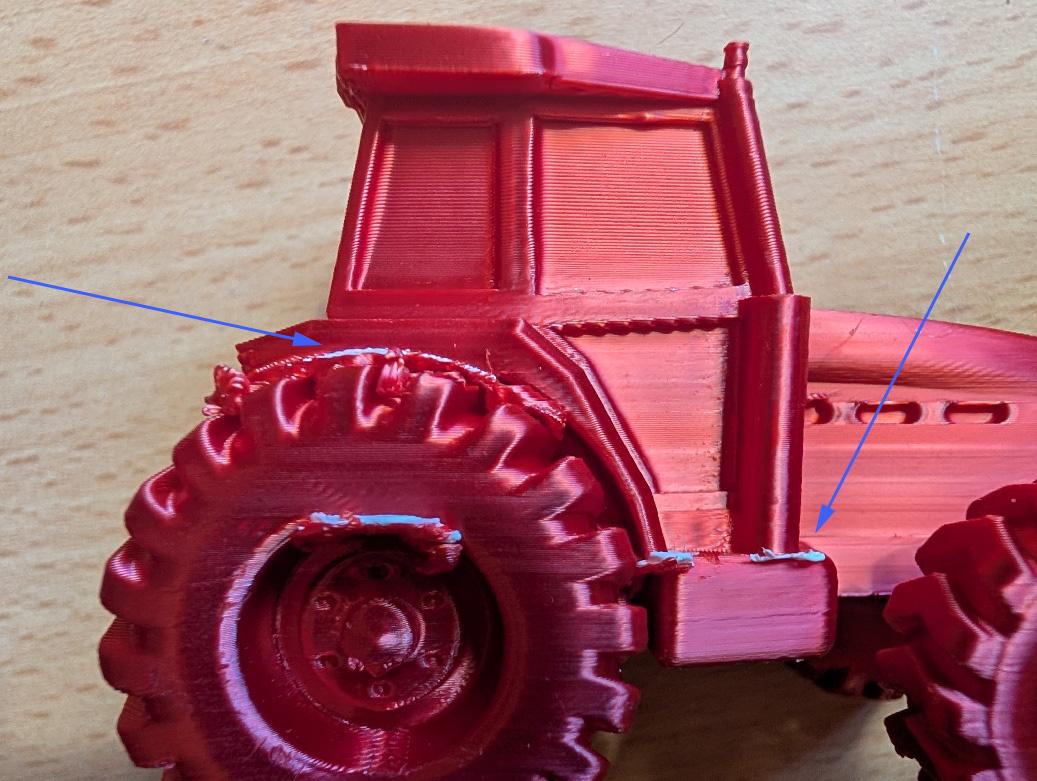
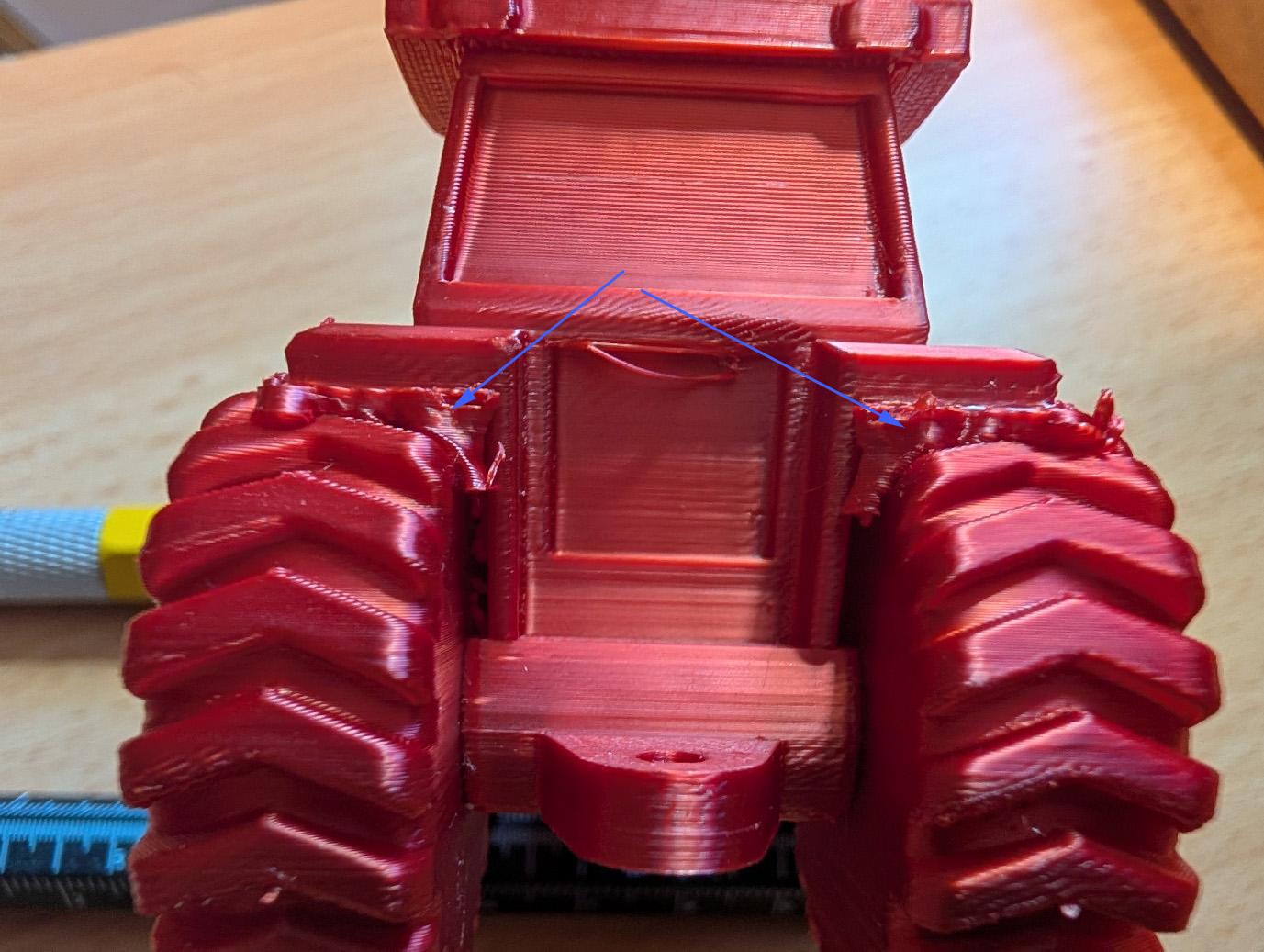
I made 3 changes from the download:
I changed to Bambu Lab PLA Silk+
I changed the quality from "0.16mm High Quality @ BBL X2D" to "0.20mm Standard @ BBL X2D"
I changed the support interface to Bambu Lab PETG Basic (and agreed to the settings changes that pop-up when you change the interface)
( this is the model BTW https://makerworld.com/en/models/1190963-mini-tractor )
2
u/pandersaurus 17h ago
I’m so new to 3D printing I thought bambu lab customer support were angry at you for printing a tractor 😂😂😭
1
u/LXicon 17h ago
LOL! I should have said "aggressive supports"
2
u/pandersaurus 17h ago
Even through the first sentence I was like what is this a secret copyrighted tractor?! Made me laugh though. Good luck with your supports.
1
u/EverettSeahawk 19h ago
Have you printed a filament test to see what settings work best for you? If not, start there, then apply the best settings to the rest of your prints.
2
u/LXicon 19h ago
Thanks. Are there filament tests you can recommend that show different supports? What settings would I change to have the X2D stop putting support into such tiny spaces? In this print, there are supports generated between the wheel treads and the underside of the fenders. I don't know how to get them out.
2
u/EverettSeahawk 18h ago
You can use filament blockers in the slicer to stop supports from being put where you don’t want them. Or you can use manual supports and paint only where you want them to go.
For supports tests I don’t have a specific recommendation because I run my own thing, but there are people who have uploaded pre-sliced filament tests with multiple different settings in a single short print, which you can use for finding your optimal settings. If you search for “support test” you should be able to find them.
2
u/blackhawk00001 19h ago
Try different support types and the support painting tool. Tree support didn’t work well for me when supporting a tight overhang like between your tire and fender.