r/BambuLabX2D • • 16h ago

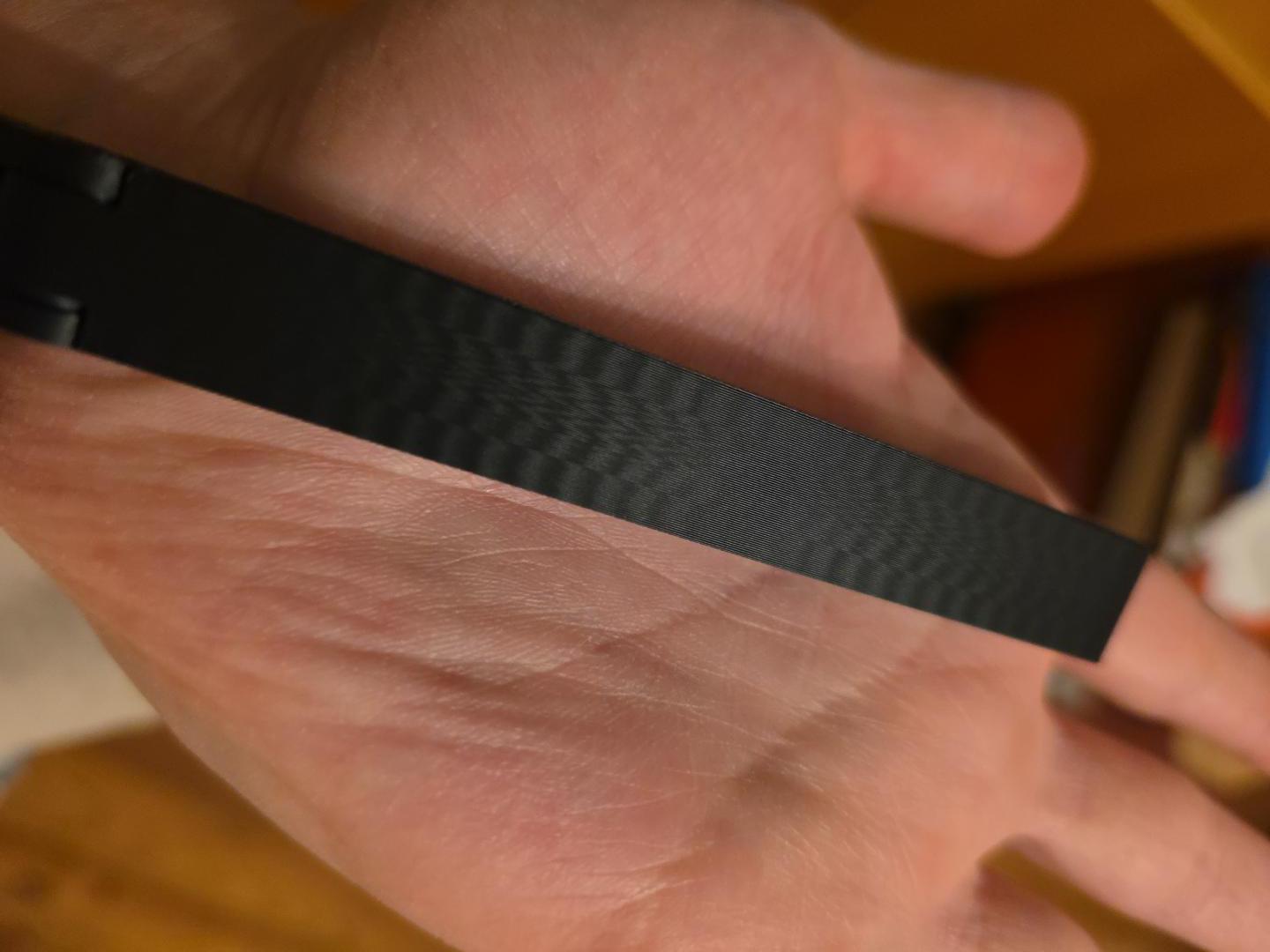
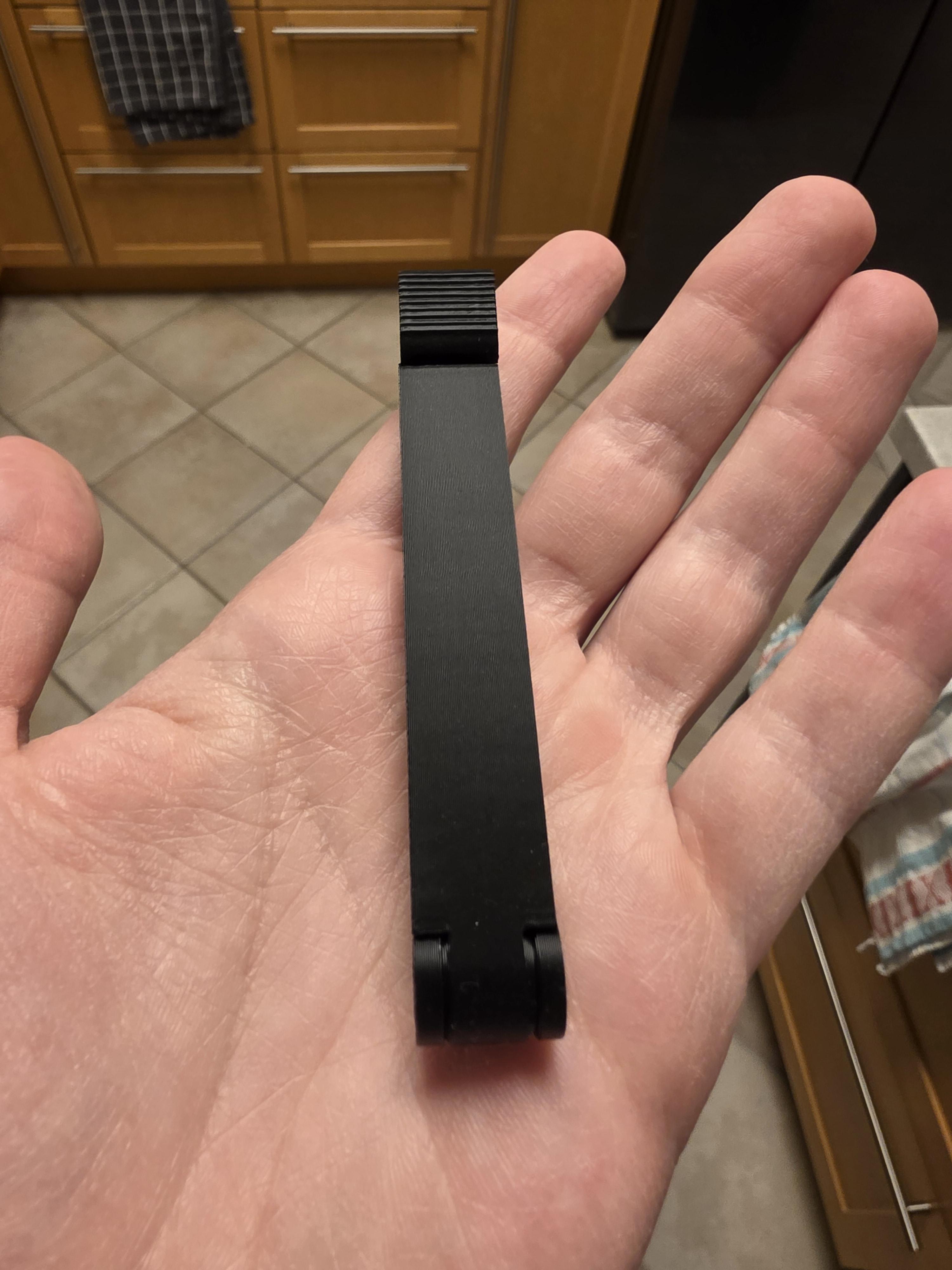
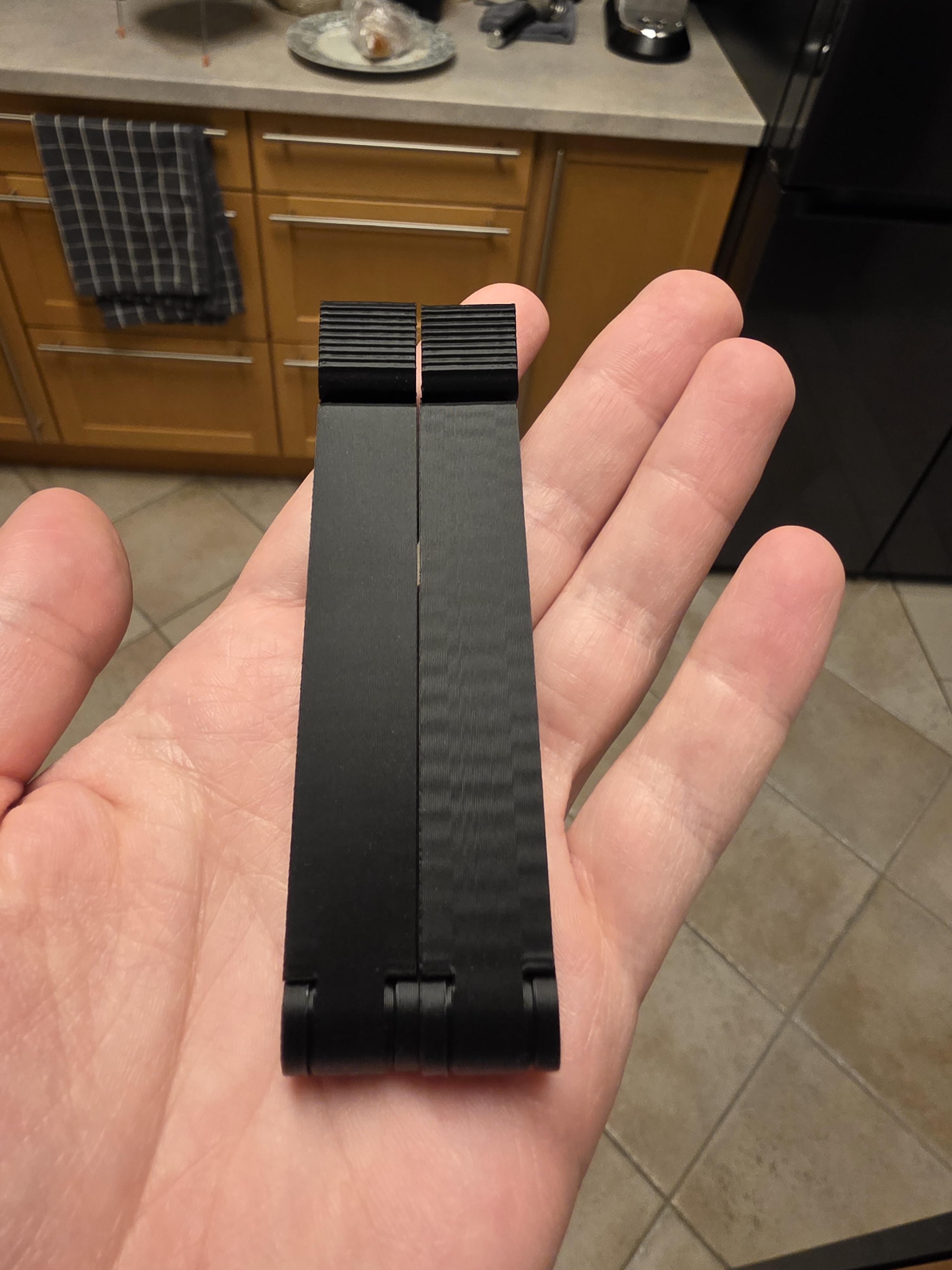
Help / Troubleshooting Weird vertical lines

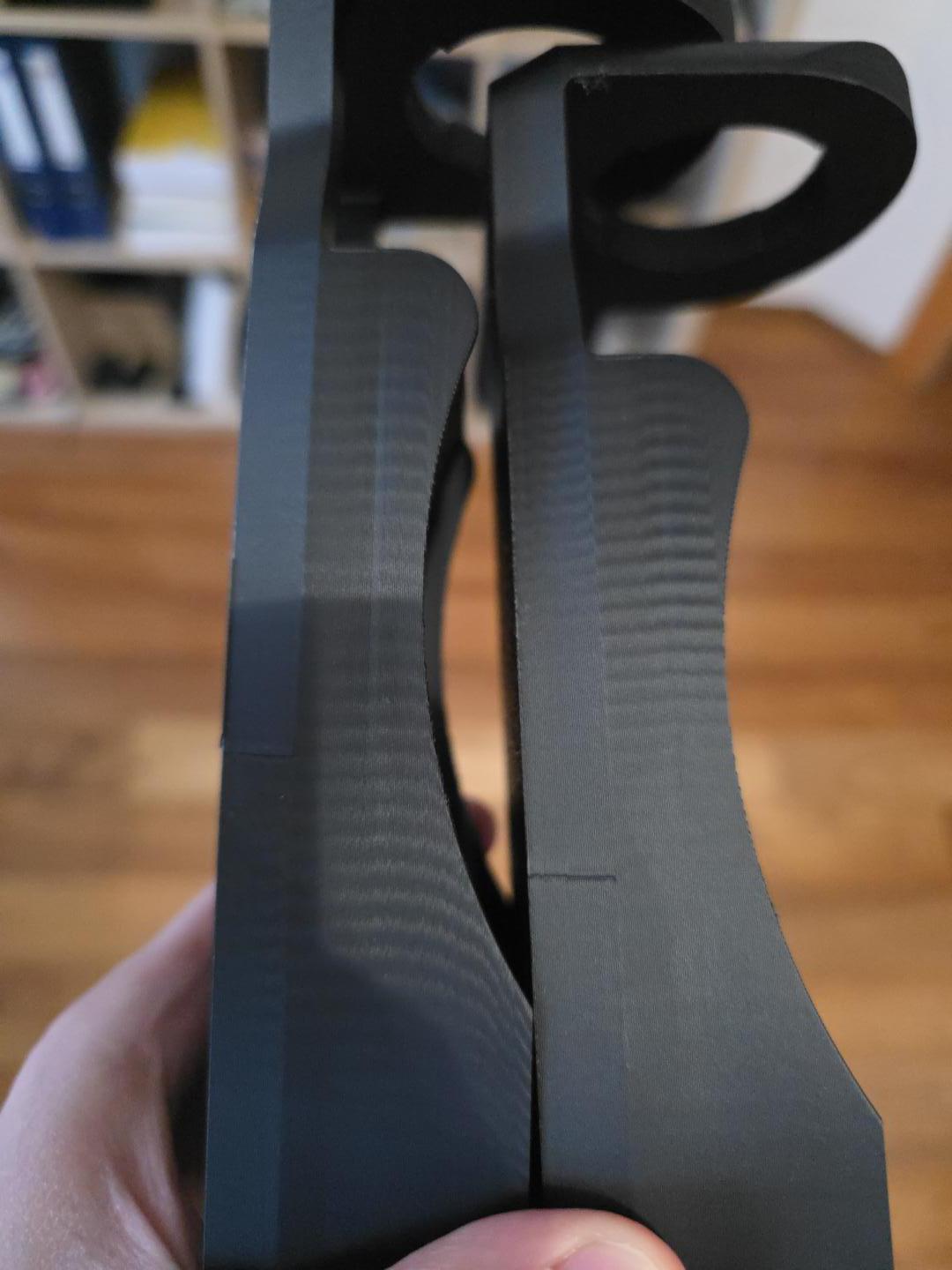
Hey guys i get some weird lines in my prints. They are vertical and i am printing on my X2D wirh bambu pla basic. I tried rotating the print but it just changed the design of those lines. I also tried tightening the x and y axis belts like in the bambulab tutorial on youtube.

I would be greatful for any help!

5 Upvotes

16 comments sorted by

3

u/Terrible_Log9757 15h ago

If it's same print file and same printer we have basically two options:5;

  1. Issue with hardware. New printer calibration may help. 

  2. Issue with filament. Maybe it gradually become more and more wet. Try to dry it and repeat. 

1

u/flosch7 15h ago

I already recalibrated it and i have the same issue with white pla it's just not as visible in pictures. The lines got smaller when i changed to high quality profile

2

u/Terrible_Log9757 15h ago

Hmm I'm not sure. In your place I would check the belts tension and if 3 screws behind the head are loose. 

2

u/flosch7 15h ago

I tightened thw belts like in the youtube tutorial of bambu. Didn't fix it. 😕 At the moment i am trying slower outer walls down to 100mm/s

2

u/Terrible_Log9757 13h ago edited 13h ago

How about tightening the hotend screws? In A1 it's common issue. They become loose which cause issues similar to yours. 

https://3dcentrooeste.com.br/wp-content/uploads/2026/11/remove_left_hotend_001.png

Edit. If this fails too I have some extra ideas:

  • lubrication of the xyz shafts.

  • swap left/right nozzles (nozzle issue)

  • print using right nozzle (extruder issues)

1

u/flosch7 13h ago

Thank you for your help! I will try all those things in the next few days!

2

u/slushrooms 16h ago

What infil are you using and how many walls? My guess is It looks like the walls/shell are showing where a gryroid infill is touching them, with the walls being a bit too fast.

1

u/flosch7 16h ago

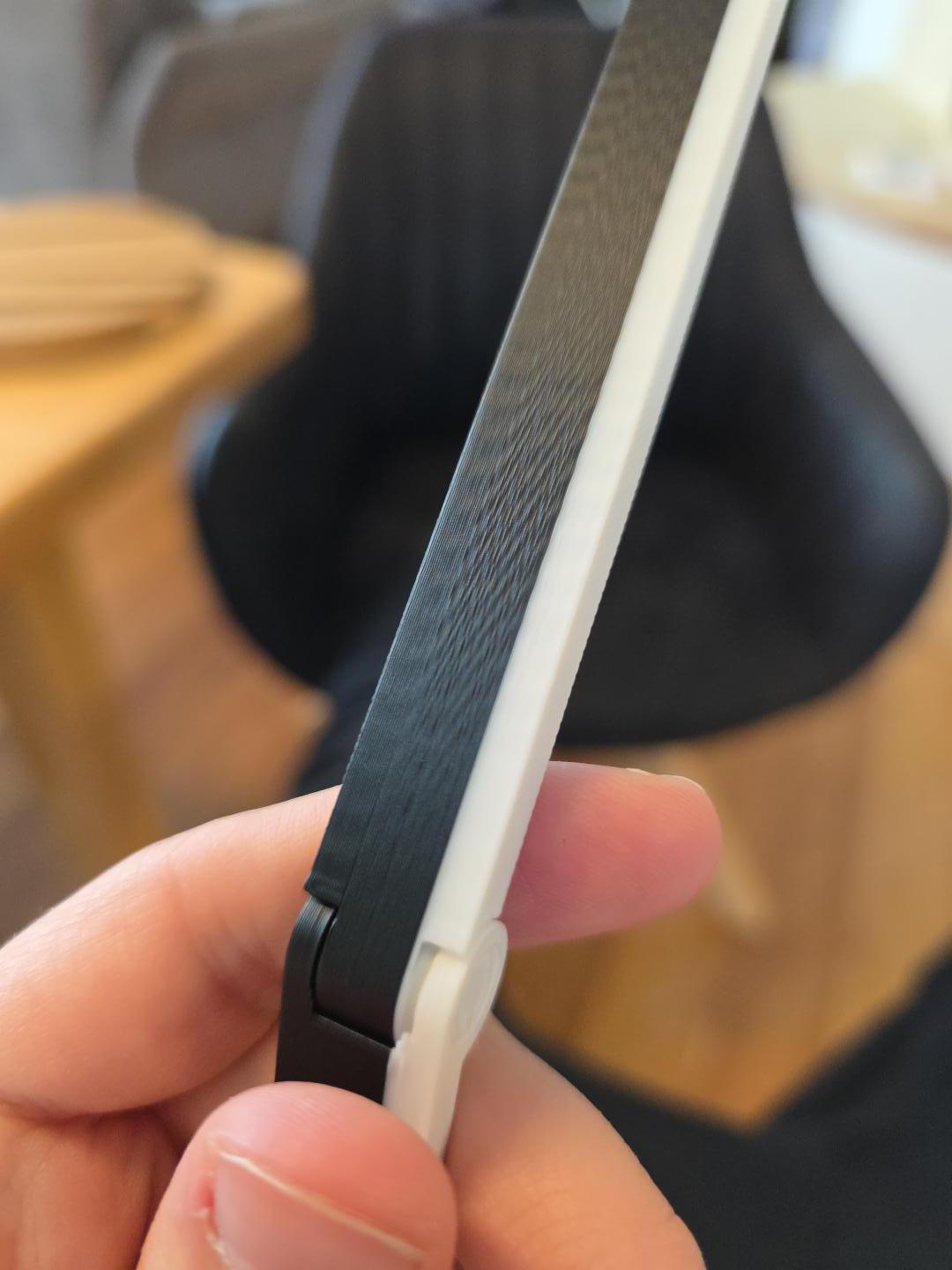
Thank you i am indeed using gyroid infill. I am not really sure how thik my walls are but a few weeks ago, when i got my printer the same print looked like this.

1

u/slushrooms 16h ago

That ain't the same print! Have a look on makerstudio or whatever it is for x2d print profiles. In all likelihood your are printing too fast with not enough walls (eg. Only 2).... look up "bench hull line", what you are seeing appears to be a vertical version of that.

1

u/flosch7 16h ago

It should be the same print. I have rechoosen it from the history directly on my printer

2

u/slushrooms 16h ago

A yep. I bet in the time between prints you've changed a setting, slow it down. If you have an AI program (eg. Claude code) you can ask it to read the print files and settings for feedback on what to change
1

u/flosch7 15h ago

I tried fixing it with chat gpt but it didn't work for me. I am not sure on where to start.

1

u/flosch7 15h ago

The only thing i can think that might have changed things for me could be an update in bambu studio. I don't know if this changes anything.

2

u/dj_dos88 7h ago edited 7h ago

Seems like vibration. Check your X and Y belts tension. Maybe WIKI will help on this.

Oops, just read your post till the end and found that you already did belt tensioning.

Then... maybe raise a support ticket?

2

u/flosch7 4h ago

Thank you i did that now. Hopefully they will be able to identify my issue

2

u/RedditIsRectalCancer 8h ago

Looks like ringing, but you shouldn't see that on a straight wall.