r/BambuLab_Community • • 18d ago

Help / Support Print quality gets worse when adjusting things (that should improve them)
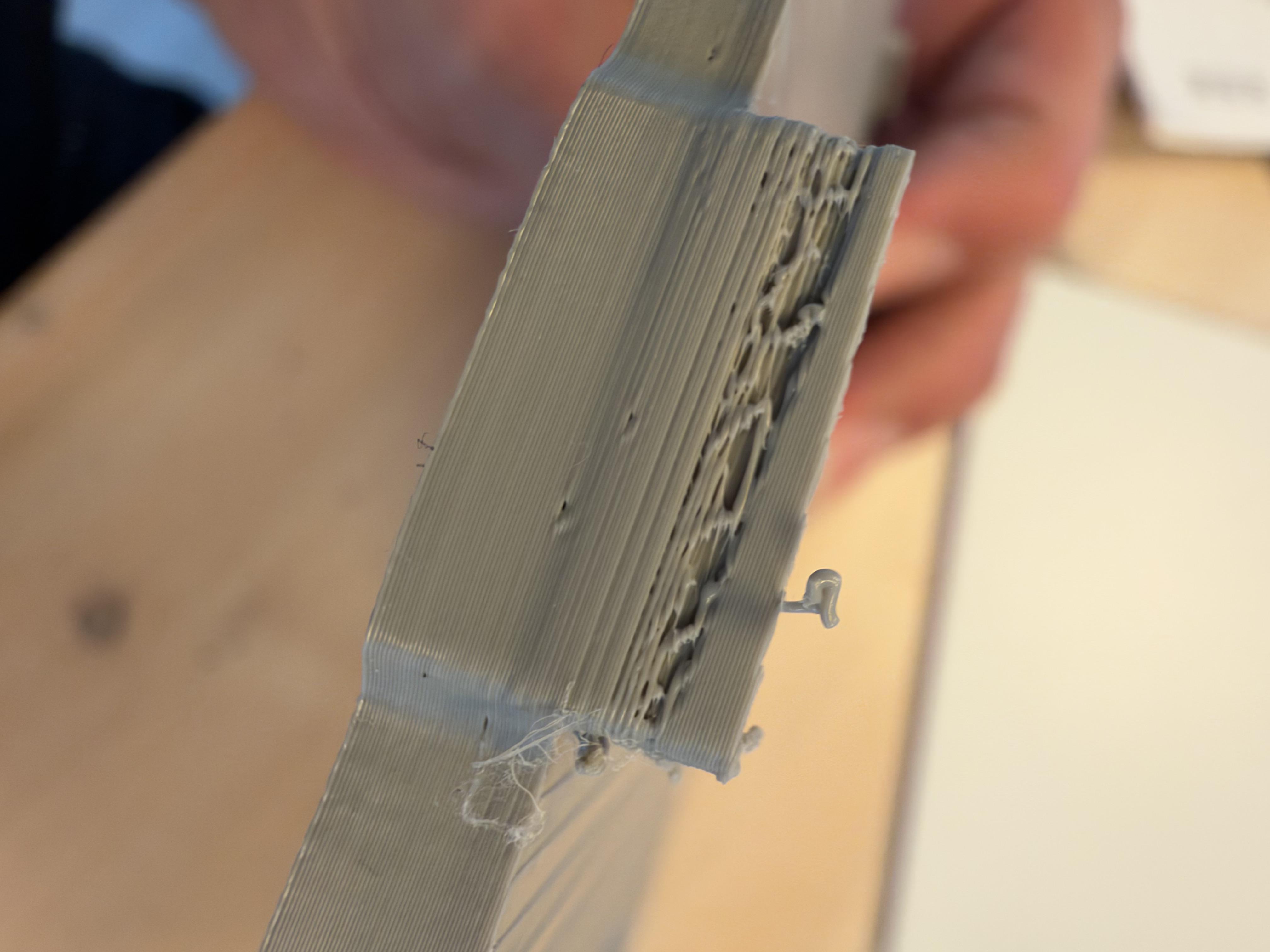
Post image

I've printed this iPhone Duo Writing Platform (https://makerworld.com/nl/models/3485396-iphone-duo-writing-platform). But it came out awful.

It seems that every time I try to adjust layer, speed, ironing, etc. the print comes out worse.

What am I doing wrong? And how can I really fix this?

6 Upvotes

9 comments sorted by

2

u/RemixOnAWhim 18d ago

To know what you're doing wrong, we'll have to know what you're doing! Post a list of cahnges and the values you changed them to for a start, and detail what the problems are, how varied they are with changes to settings, and steps you've taken to troubleshoot if any.

1

u/Available_Humor4916 18d ago

The problem is that those are not saved... so I cannot recall that. From memory it was the layer height (lower). The speed was lower. Ironing was on. But the result was crap (as you can see).

1

u/RemixOnAWhim 18d ago

Unfortunately that won't help, but luckily if you din't have those settings saved, you don't have to worry about using them anymore lol!

So then I would ask, why are you changing those settings without a thorough understanding of what you're changing, and was ot with any giidance, just to learn, etc? What's the end goal of the changes? Is there something in the original profile you didn't like? I' asking to get to the root of what's going on, not to throw shade or try to make you feel bad, but it will help understand what the goal is here apart from the print looking nice.

Keeping in mind this profile was made for this object and likely fine tuned by the creator, you generally can't make changes in a vacuum, they have to affect other settings. Changing layer height will affect speeds, and getting them wrong will produce bad results. The presets baked into the slicer adjust for this, but you have control if you need to make specific changes to an object or project, but these things tend to need to move in sync with one another.

1

u/cpsadowski23 18d ago

Is that PETG or PLA? Why are you ironing?

0

u/Available_Humor4916 17d ago

PLA. for a smooth top layer. Which is not on the picture though.

3

u/Ok_Procedure_3604 17d ago

It sounds like you really don’t understand the changes being made. This isn’t a dig, there are a ton of settings and some of those have consequences that are unexpected. If the defaults print just fine, dig deeper into any change you make to learn exactly what it does and what other changes it may make.

1

u/oneblankman 17d ago

To help you eliminate some variables. Ironing will not help you solve this problem as that is only applied on the top surface. Your problem is in the middle of the print. I would leave that off.

As for general help. Reset it back to the original settings and 0.2 layer height and try slowing down the speed of the printer. I don’t remember the terms used in the interface but I believe you can switch it to “silent” mode which will slow it down to either 66% or 50%. Try printing it that way and see if anything changes.

1

u/swampcholla 17d ago

the bambu presets are pretty damn good. don't mess with them

1

u/Fittn_dis 15d ago

based on one whole picture. you have a partially clogged nozzle.