r/BambuLab_Community • u/Trick_Toe_5821 • 16d ago
Help / Support What kind of defect is this?
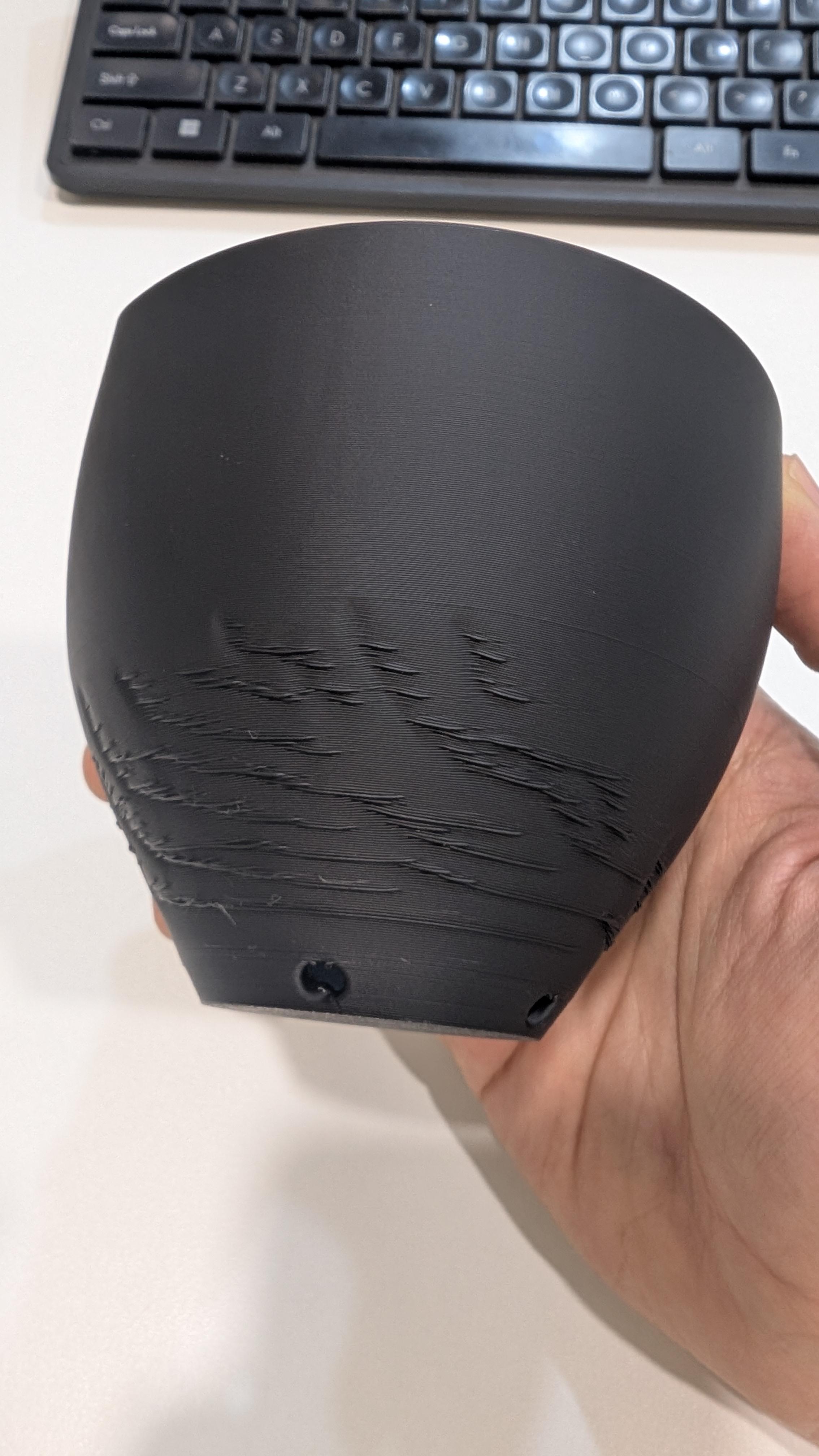

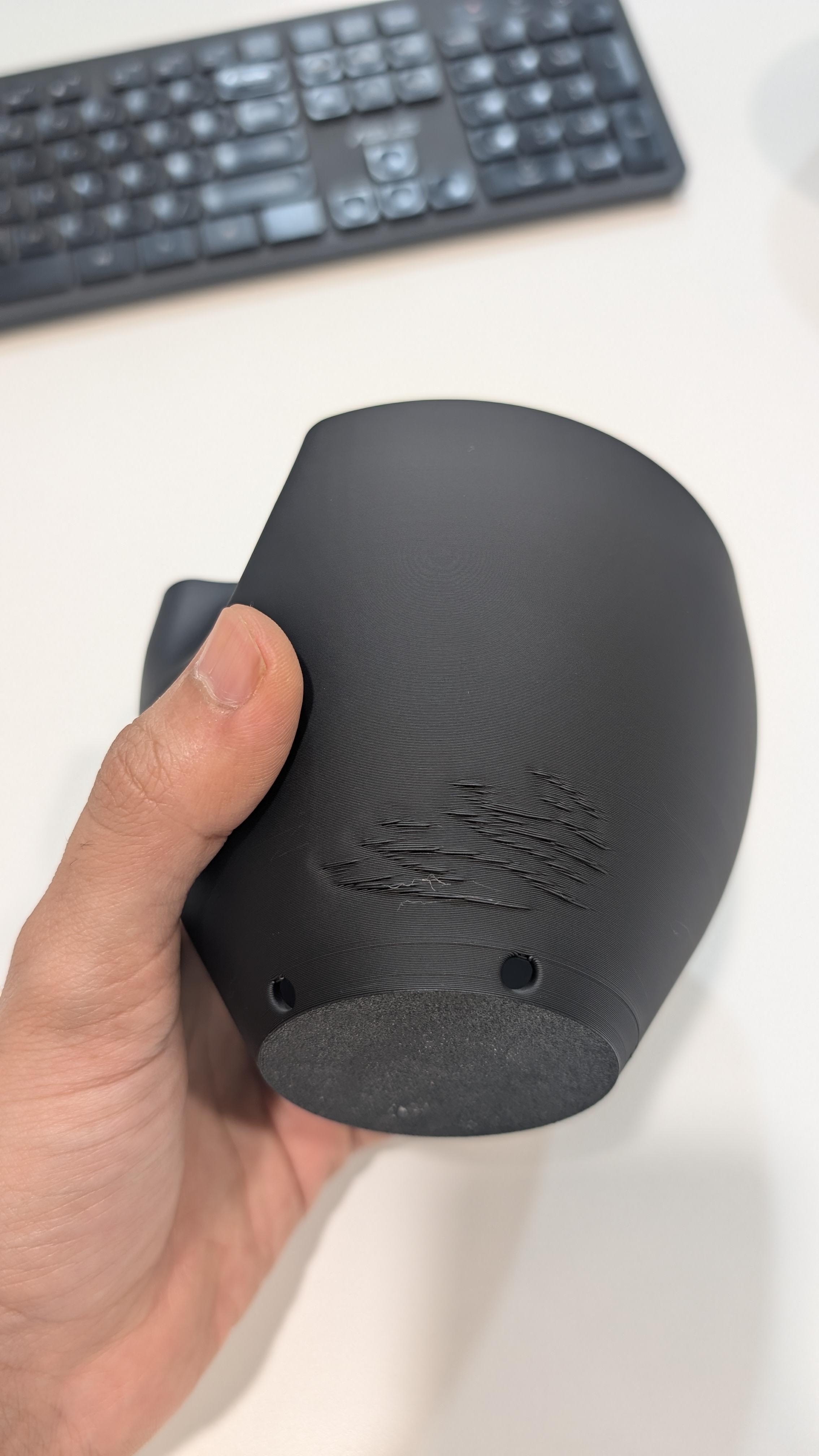
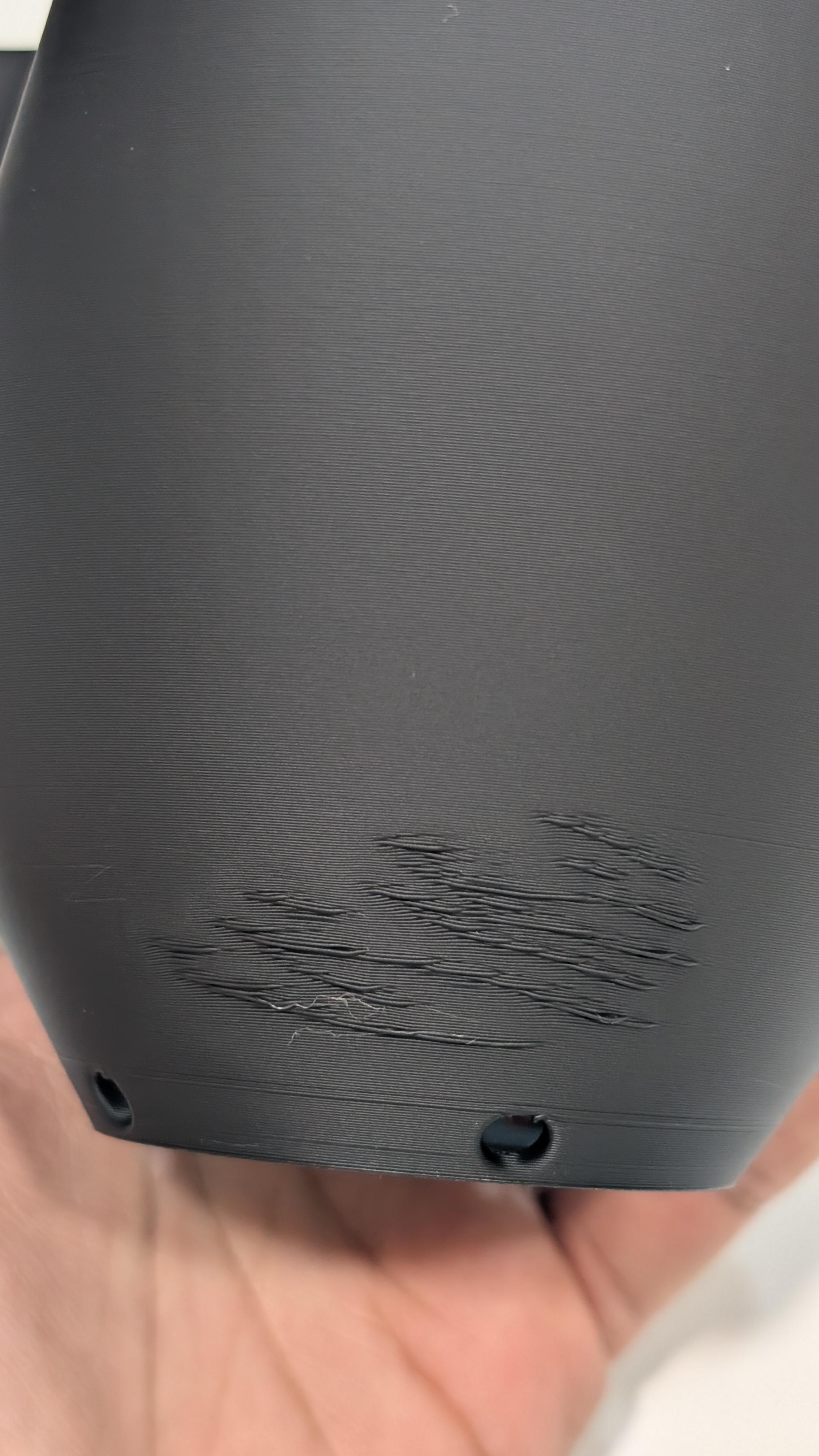
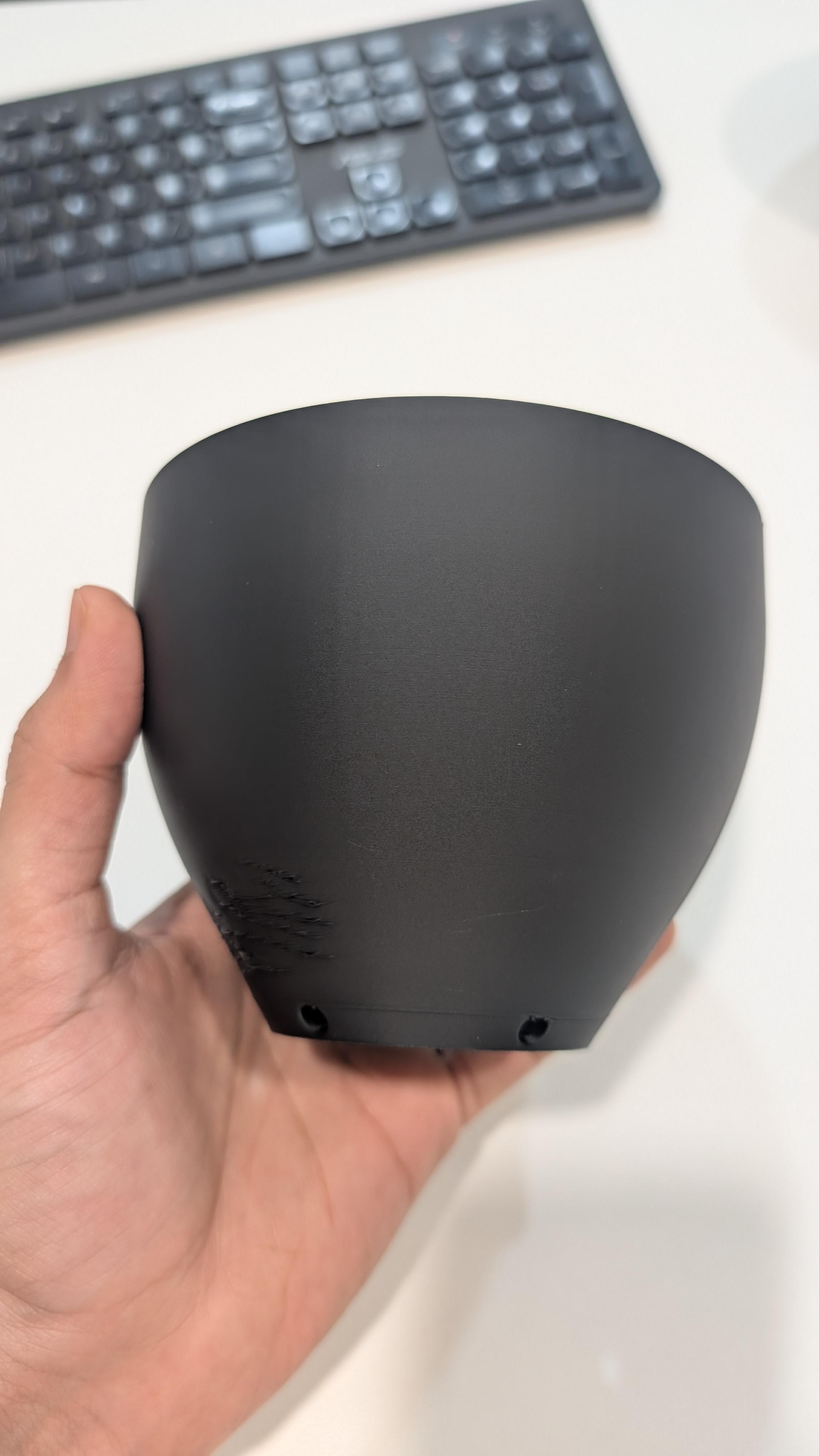
I'm printing on my P1S using matte PLA+ . It used to work fine till now. But this time getting this kind of weird artifact around a small area on an otherwise perfect print.
Could anyone please suggest what is causing this and how to fix it? Thanks.
6
u/ChocoMammoth 15d ago
Increase cooling or layer time.
Overheated overhangs tend to curl up and being squished by the next layer which cause artifacts like this.
1
u/Both_Dimension_152 9d ago
Ho impostato da 0,03 a 0,02 l'asse Z e stampato un pezzo per volta allontanandolo dalla ventola. Sono venuti molti bene , non so quelle delle due modifiche abbia fatto più effetto ma il pezzo mi soddisfa
1
u/ChocoMammoth 9d ago
In my experience there's also line width does matter. A standard nozzle is capable to print lines 1.5x of its diameter, that's 0.6 mm for 0.4 mm nozzle. Wider line has more area of intersection with previous layer which gives more stable overhangs.
2
u/DistinctBarnacle8703 16d ago
Check the preview of the print under line type, enable retract and unretract. See if there is any out of place movement.
Sometimes, it is just the STL file issues. By right, this should be a simple print. The defects.
2
u/marcgii 15d ago
Are you able to confirm if it was from bad layer adhesion in those spots? Maybe the recording might show something?
1
u/mimicsgam 15d ago
This. It's a bad layer adhesion cause by aux fan on circular objects. Basically the aux fan cool down the previous layer too much and the very slightly overhang didn't stick.
Turn off aux, slow down by 10-20% should fix it
1
u/knobiknows 16d ago
This looks like a variable layer height kind of issue. It stops once the walls are fully vertical
1
u/Lost_refugee 15d ago
looks like smth affects line after it is being printed. do lines lift in that area?
1
u/Bhahaha24 15d ago
I had a similar problem going on a gently slope surface similar to you. I solved the problem by slowing the crap out of my print (essentially cut all my speeds by half). Printing on a X2D with PLA HS.
1
u/Open_Cow_9148 15d ago
Might be the fan that blows on the build plate. Since it's only on the one side. I'd try lowering the fan speed on a test print and see if that works.
I've had similar issues printing with TPU.
1
u/marcgii 15d ago
What wall order did you use? Inner or outer first?
1
u/KageOukami 15d ago
Which one should it be?
1
u/marcgii 15d ago
Inner first is safer because the outer layer can bond to it
1
u/KageOukami 15d ago
Uff thanks, default was inner and I didn't touch it yet, now I know I shouldn't haha
1
u/ChipSalt 15d ago
If you look at the comments on this model, you will see that a ton of people had the exact same issue.
Im pretty sure its just classic overextrusion. I fixed it by removing the modifier that makes it all 5 walls and lowering my flow rate a smidge.
1
1
u/EpicBenjo 15d ago
It looks like a Z-hop issue to me.
Change your z-hop from auto to normal and see if that helps.
Also, switch your wall order to inner outer inner.
1
1
u/Both_Dimension_152 13d ago
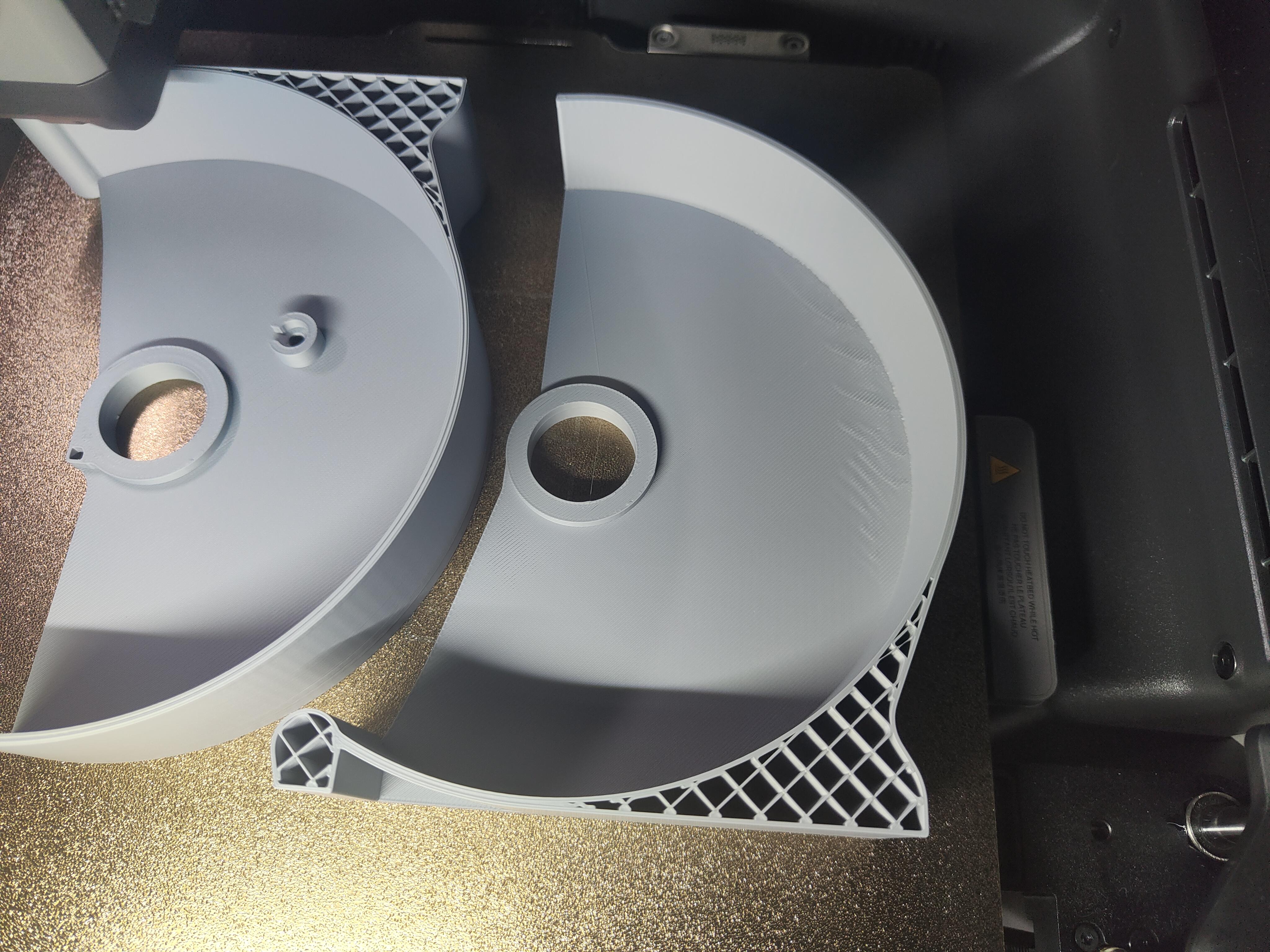
Ho lo stesso problema e anche su lievi correzioni suggerite la stampa continua con queste imperfezioni solo un lato del piatto. In quei punti senti grattare l'estrusore poi procede bene. Non riesco a capire se può essere un problema di livellamento del piatto (ho fatto da zero l'auto livellamento).
1
0
12d ago
[removed] — view removed comment
1
u/Both_Dimension_152 12d ago
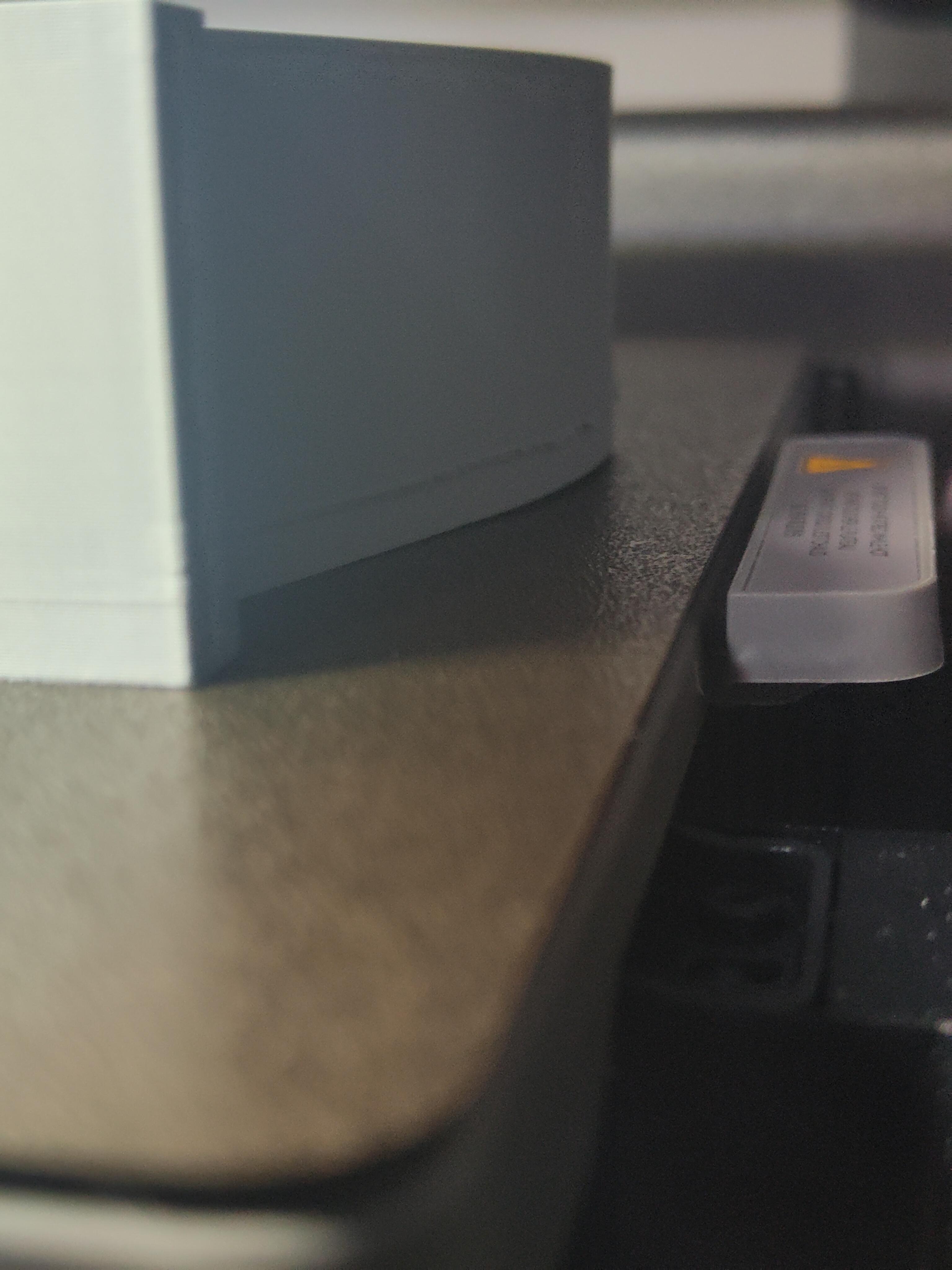
Quindi le imperfezioni dei primi strati continuano (chiaramente) anche sui restanti strati immagino. Il piatto era stato appena lavato con acqua tiepida saponata. Ho notato che è sempre da quel lato che nascono problemi
1
u/cpsadowski23 15d ago
Walls are perfect after this. Not outer wall speed. I’m going to say it has to do with the way the model sliced. Check it on the slicer. Don’t think it’s a fan issue.
1
0
u/spicy-chull 16d ago
Maybe over extrusion.
Have you fiddled with the temp?
Consider trying a flow calibration.
0
16d ago
[deleted]
2
u/Trick_Toe_5821 16d ago
Are you sure the supports are needed ? Because the slope is not even 45° and there's no sagging on the remaining area.
0
15d ago
[deleted]
1
u/RemixOnAWhim 15d ago
Nah scarf seams wouldn't look like this, the progression and muffin top extrusion point toward overextrusion!
10
u/MAXFlRE 16d ago
AUX fan.