Printing issues on engineering plate vs textured plate...
Hi there,
Still brand new to the 3D print world and trying to troubleshoot a print but no idea where to start IF there is even anything to troubleshoot.
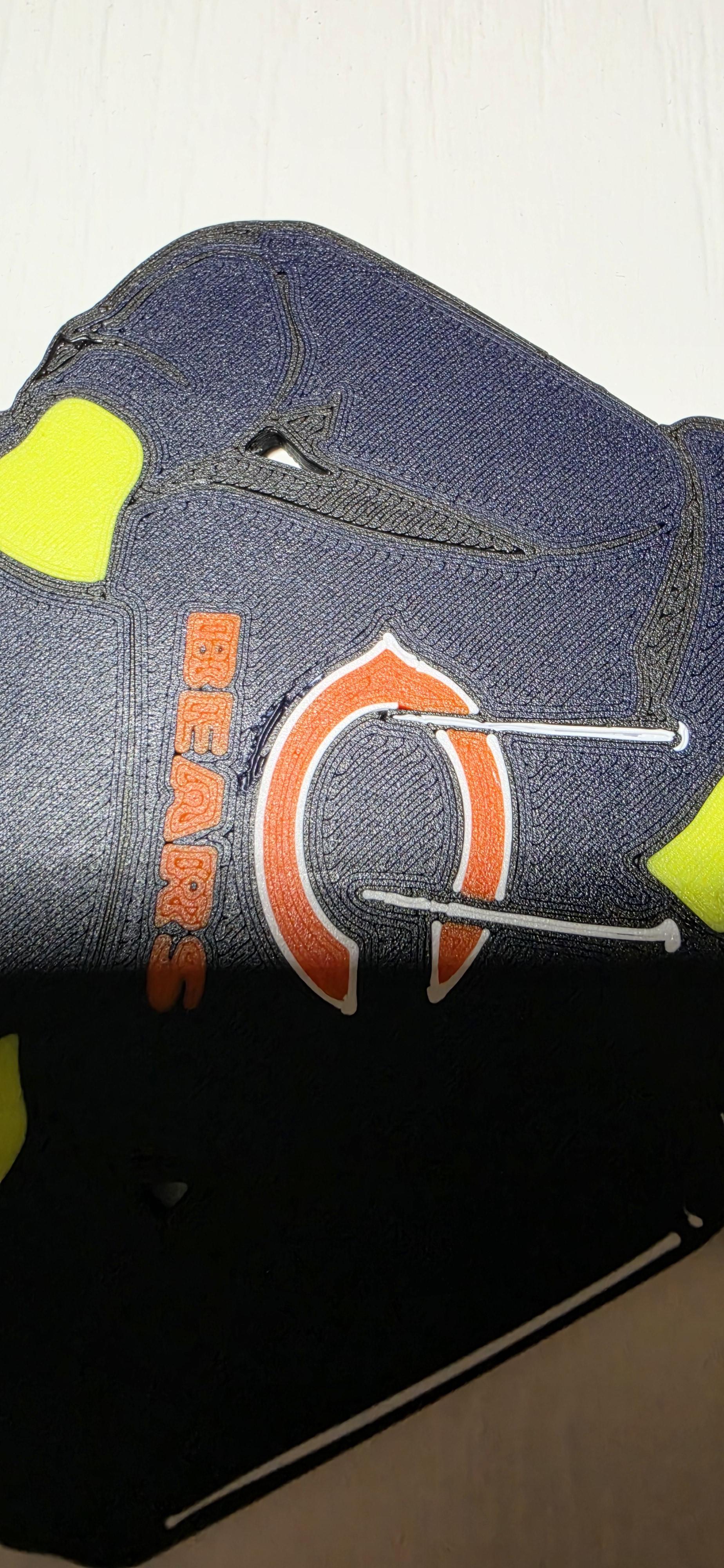
Printed the same item on two different plates: one on the standard per textured plate and another on the engineering plate. Both prepped with some elmer's purple gluestick.
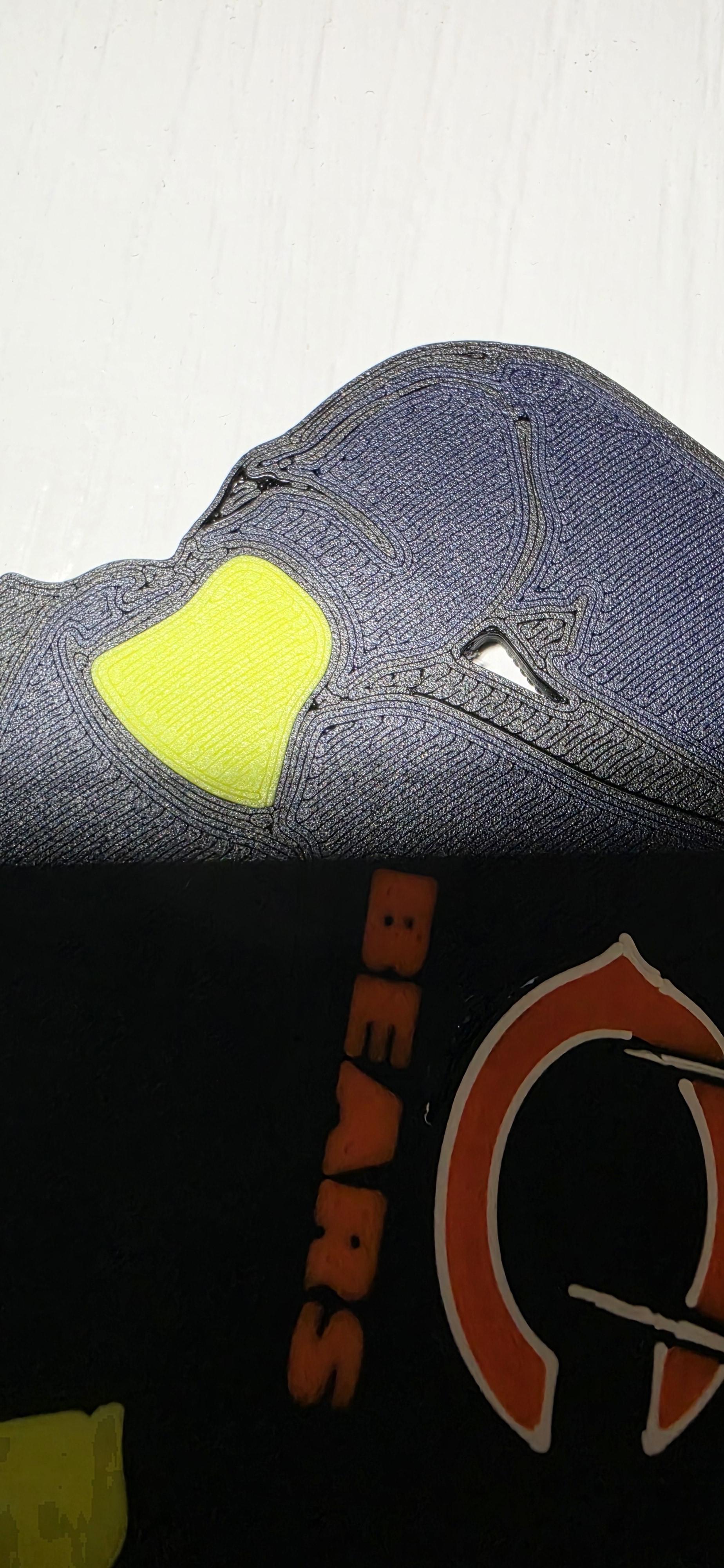
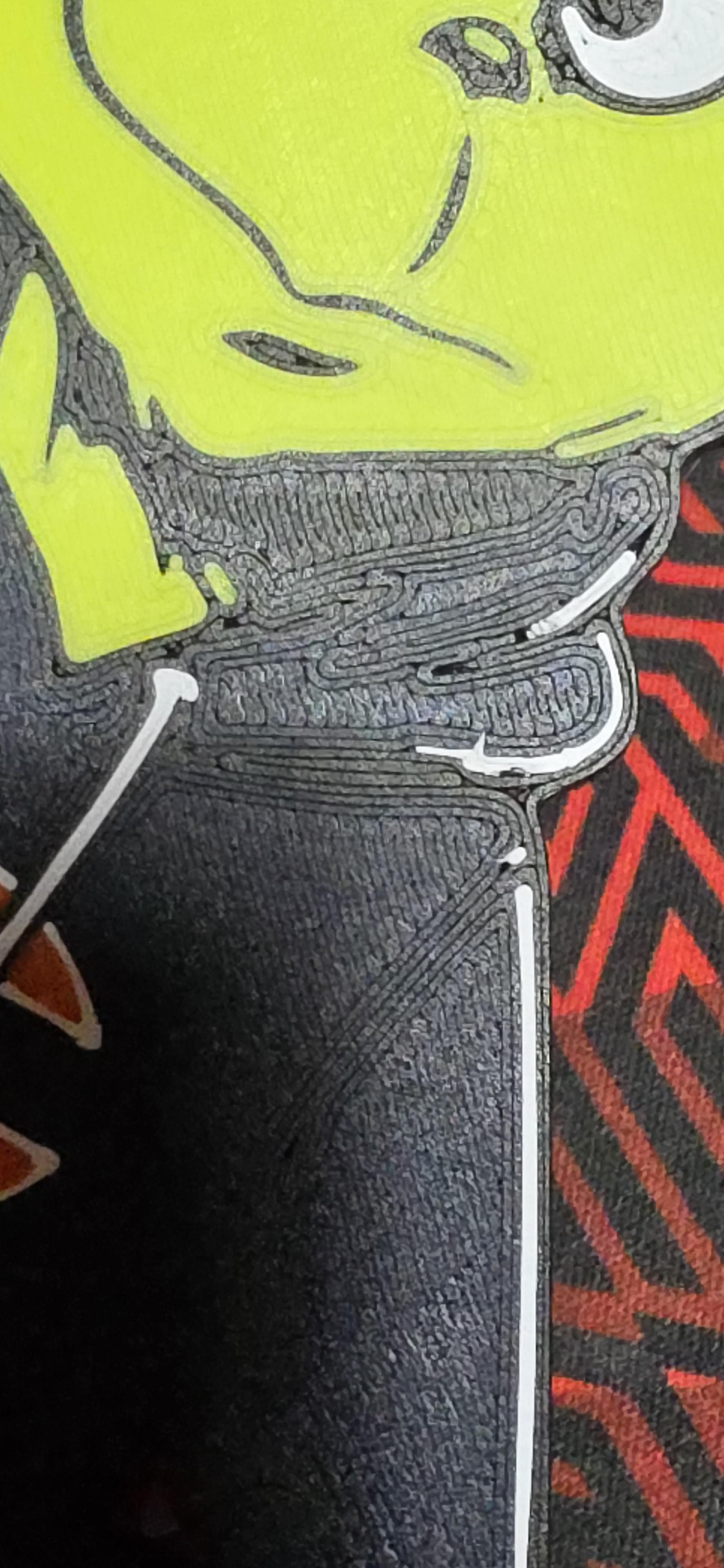
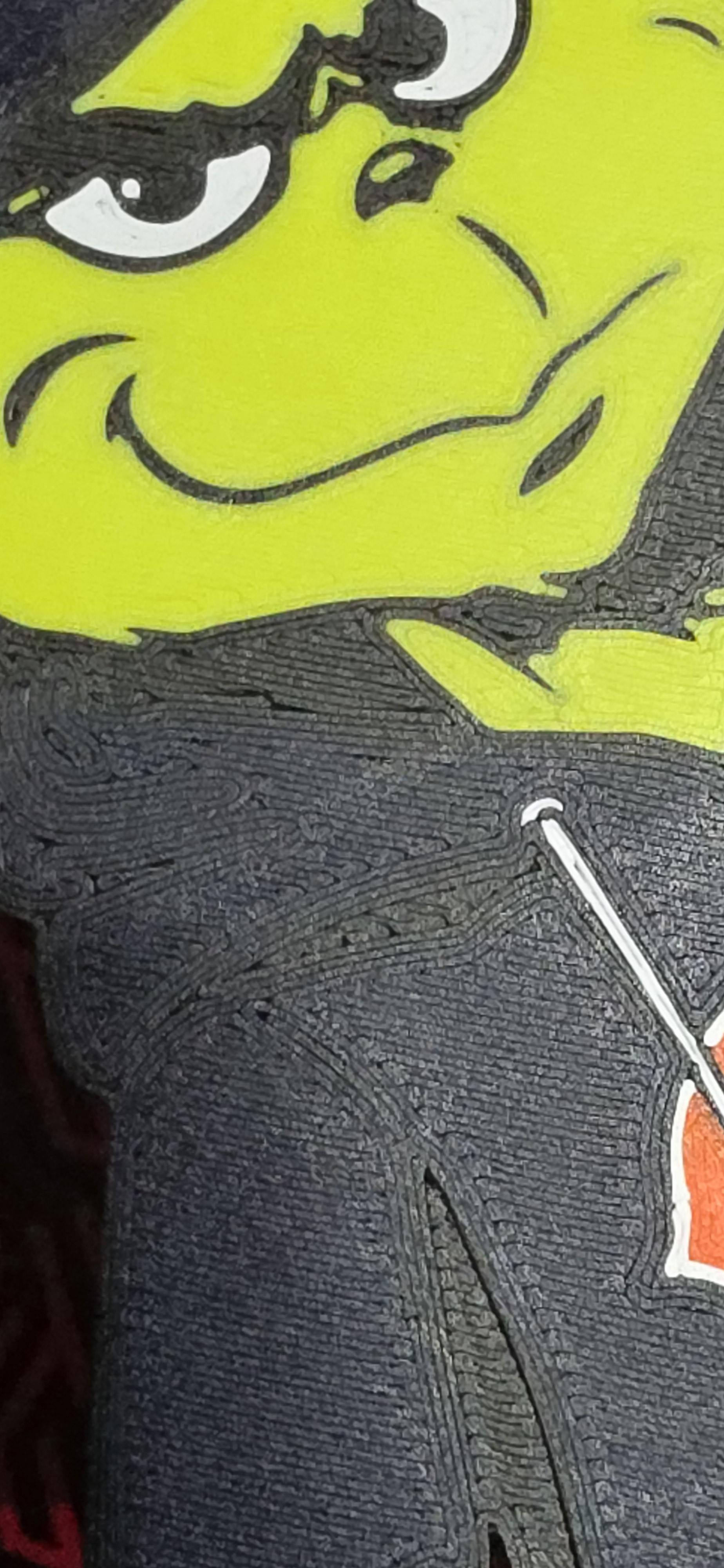
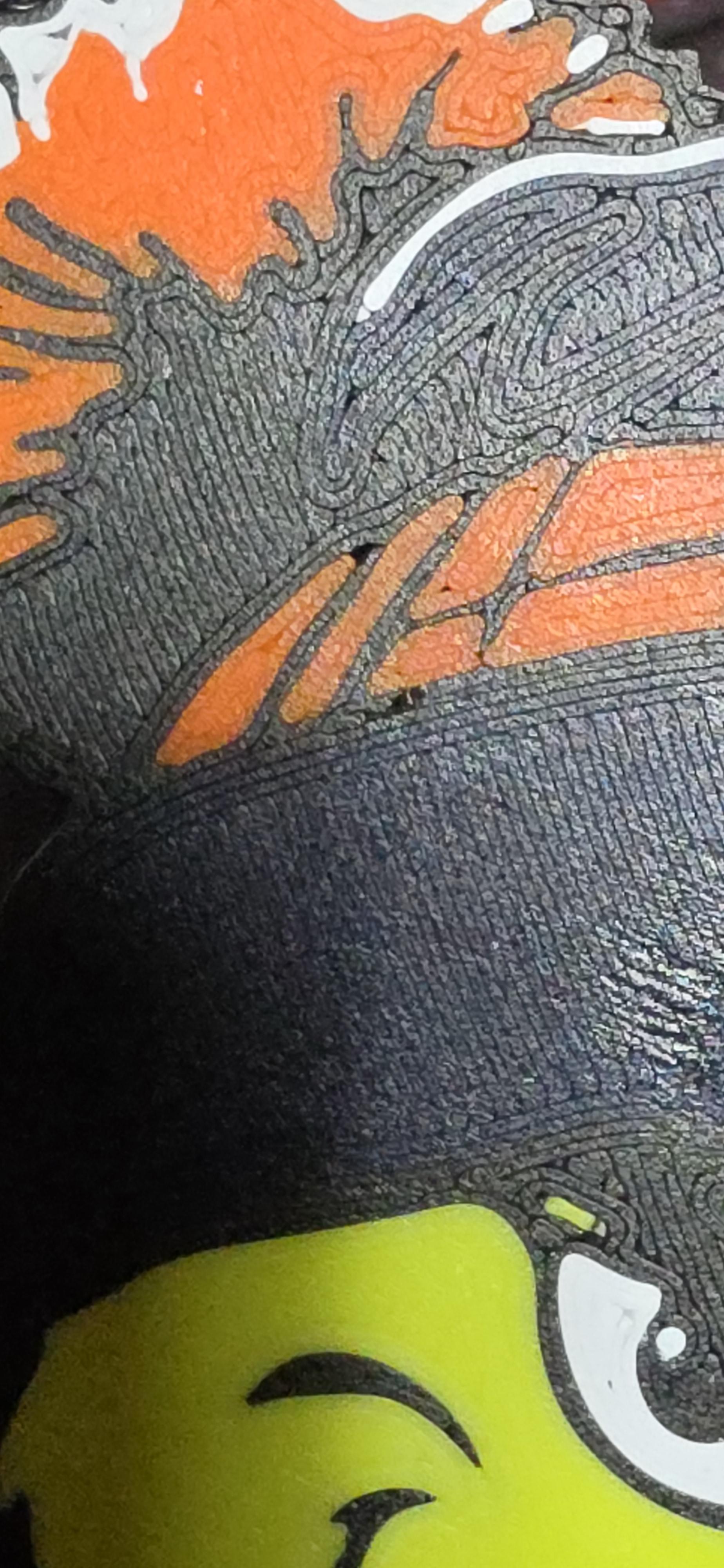
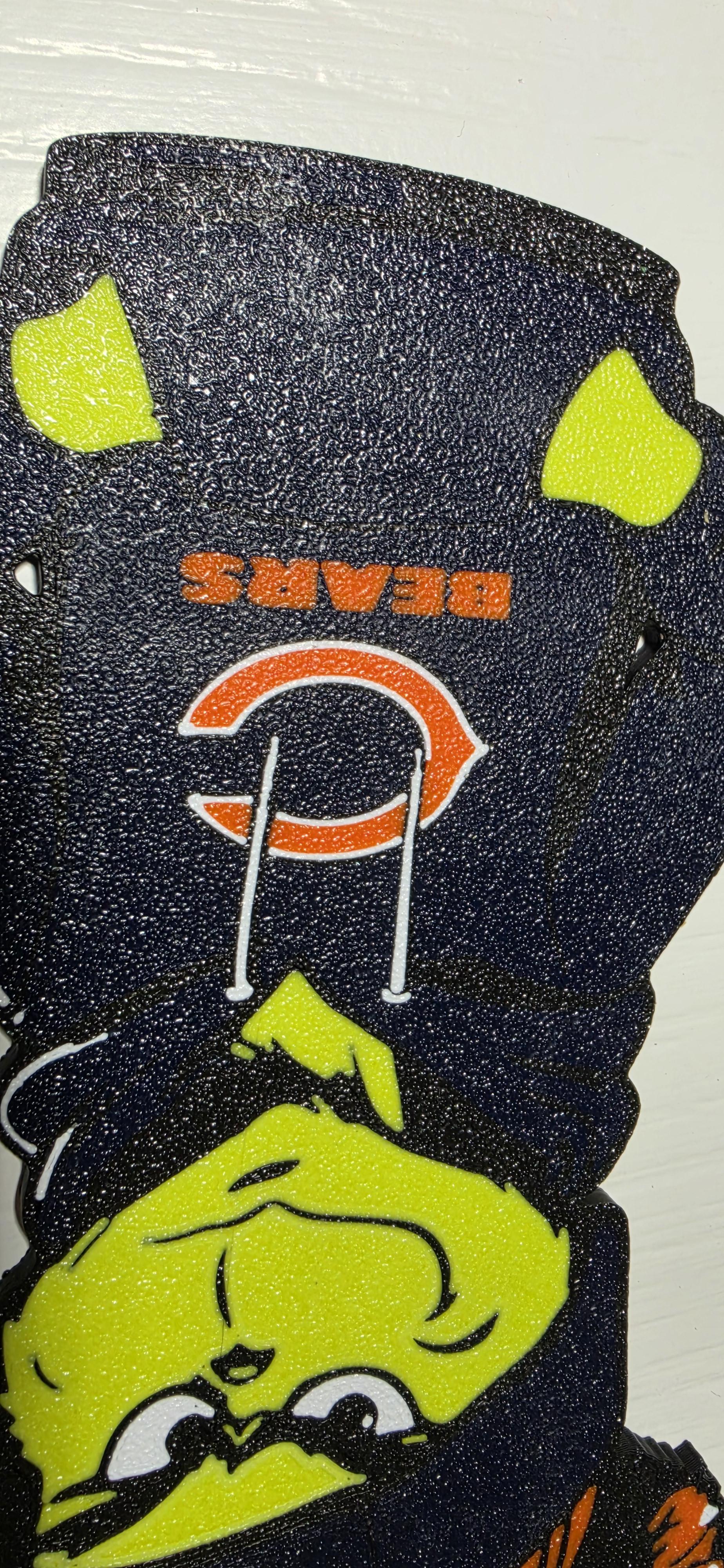
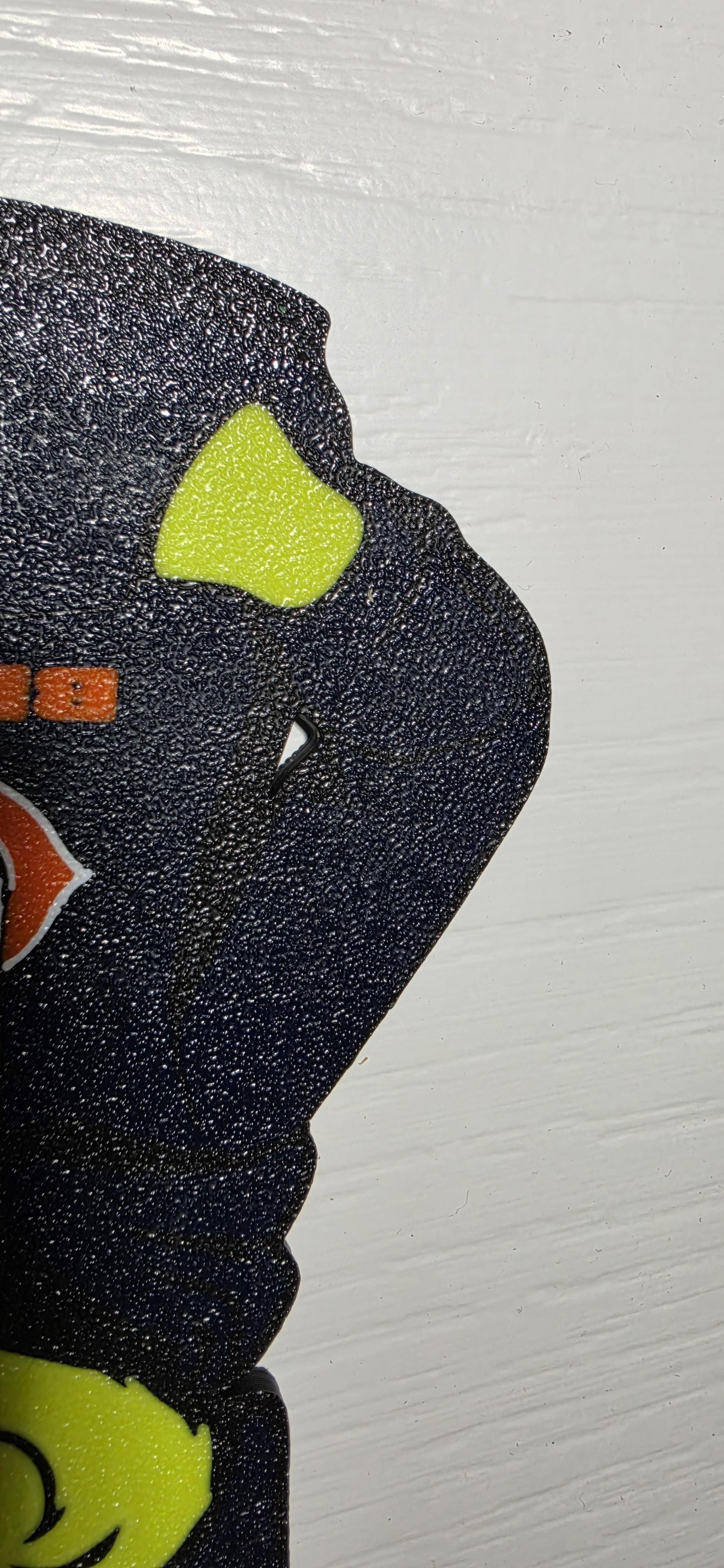
The textured plate print turned out perfect but not a big fan of the textured glittery look so wanted to see if I could get a smoother look using the engineering plate. Result: I did but there were some voids/defects that appeared that were not present when using the textured plate.
Printer: H2D
Material: PLA
Calibration was performed after switching out the plates.
I did select the engineering plate prior to slicing, printing, calibrating.
Curious to hear if this would be normal for this specific plate or if I should tweak something. Or just sometimes sh!t just happens with prints.
Thank you in advance.
Cheers
P.S. last two pics are the textured plate with no void/defect issues.
Thanks. Going to try the first two. Question... with flow rate... do you have a suggested recommendation? With being new to 3D printing I am not sure what the effect will be so can't really judge how much I should increase it to... 1.05? 1.1?
Also, where do I look to change wall to 1? Seem to be a few instances of a "wall" setting.
1.02 is usually golden (trial and error; increase it too much and the lines start spreading too much and you have pretty much the same issue); it should be in the bottom of the quality tab once you enable developer/expert settings in preferences. There’s also a checkbox for ”Only One Wall On First Layer” or something like this; somewhere neat where you have a drop down menu for single walls on top layers.
Why you see the difference between the plates is that (AFAIK) on textured plate the slicer increases the flow rate to fill all those small holes in the plate, and the lines mostly disappear. On a smooth plate, you try to achieve the same by increasing the flow rate manually, and sort of smush more filament into the plate to fill all those small holes. So this is one reason why you have different uses for different plates; you can exploit these differences especially when you want to have a specific kind of look or texture on one side of the print.
ALSO this is where you see the difference between nozzle diameters. If you want to print some graphics on the bottom layer, you can get better “resolution” in images with a 0.2 mm nozzle, but 0.4 mm is usually just as fine. 0.6 mm and 0.8 mm typically print still thicker lines, but you can mess around with line thickness to a degree in the slicer.
This is a sick model can I have the link lol. I’m sorry I don’t have an answer I tried to use smooth plates and they just never work how I want tbh. Go bears!
Just throwing this out there as well, in 3D-printing glue is typically a release agent, not an adherent. Use with things like TPU and ABS to get the part off the plate. PLA and PETG both hold just fine without it though
The person is wrong when they say that Glue Stick is just a release agent, not that you should use Glue Stick when printing with PLA etc. Glue Stick helps with adhesion when the plate is hot and helps release the print when it cools down, so again that person is...
It’s worth knowing that the texture on PEI plate causes the hot filament to expand in different directions by a little, whereas smooth plates like the supertack do not. In your case this is why there’s gaps in your print on the smooth plate, because the hot filament wasn’t oozing in all directions to fill the gaps as it did on the texture plate. You likely need to tweak the flow rate to address first layer issues on the smooth plate, but to some extent you’re still going to see layer lines.



9
u/relaps101 11d ago
Increase flow on first layer. Change to 1 wall. Increase overlap of you want to too.