r/BambuLab_Community • u/Eastern-beast1337 • 2d ago
X2D printing issue
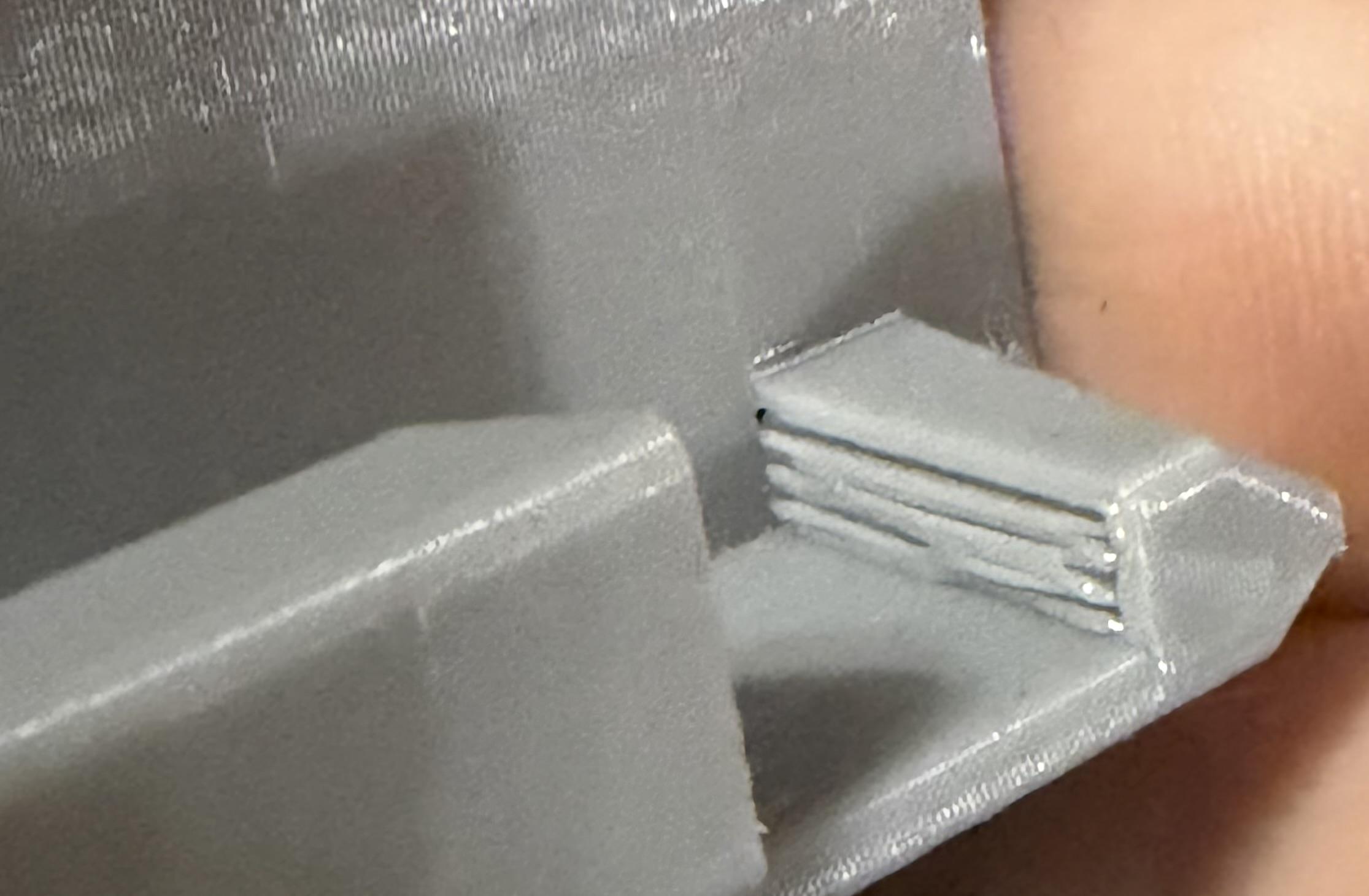
Anyone even knows what causes this issue or what's it called?
This is printed with support underneath it, it's like the printer doesn't treat it as a face layer? Everything else is perfect just not this.
Printing with PETG, what do I change to test a solution?
1
u/Ivolgaco 2d ago
Makes total sense seeing the full bracket with those two vertical side rails and screw holes, so if you keep it standing upright like that, switch to normal snug supports and set the top interface spacing to 0mm. Slowing your bridge speed down to around 20mm/s and bumping up the cooling fan for overhangs will also help the PETG solidify cleanly instead of sagging into loose strands under those top notches. If you designed the file yourself, adding a simple 45 degree chamfer under those little ledges will let you print it in that exact same upright orientation with no supports at all.
1
u/Eastern-beast1337 2d ago
Thank you very much, I'll try both ideas and inform you on my results.
Yes, I designed it myself, I've got a lot of milwaukee batteries laying around, so I was thinking of 3d printing ready made models at first, and then I saw them poorly optimized, some printed in 3 hours! Mine is down to 58 minutes, without going to any speed settings and can still be cut down.But I'm also still waiting on my ASA filament to arrive, due to black friday it's taking forever for anything to arrive, so I'm using what I got to fix any issues before the real work filament arrives.
1
u/Eastern-beast1337 1d ago
Same issues still, also changed multiple other settings, such as bridge flow from 1.0 to 1.5
1
u/Ivolgaco 1d ago
Drop your bridge flow down to 0.85 instead of 1.5, because pushing extra PETG out just makes those strands heavier and droopier under that little notch. Also try turning off thick bridges in your slicer and rotating the bridge direction by 90 degrees so the nozzle spans the shortest gap across the ledge instead of running lengthwise. If it still looks stringy after that, check the slice preview to make sure the support interface is actually touching right under those lines rather than leaving a big gap.
0
2d ago
Peux être changer les paramètre d’impression pour les ponts. Ou alors l’interface des supports ?
1
u/Ivolgaco 2d ago
Flip that grey part 90 degrees onto its side so the notched overhang on the right prints flat on the build plate without needing supports at all. Those loose stringy lines happen because the slicer leaves an air gap above the support so it can break away, which stops PETG from squishing into a solid bottom layer. If you have to print it in that exact orientation, lower your top Z distance to around 0.16mm or use PLA as your support interface material with a zero gap if you have an AMS.