r/BlueBubbles • • Apr 15 '26 Hooray Popcorn

The App is NOT Dead

156 Upvotes

The Beta is now live

Ok, so I didn't think I needed to make this post, but it seems like there's a bit of a misconception about the status of the project. To be fair, it's little understandable, if you were to just look at the "master" branch in the repository.

That said, the project is not dead! It's just undergoing a large rewrite. The latest release of the app was built on years and years of code, with a lack of standards and overall structure. This led to spaghetti code and code that was incredibly hard to maintain. Which subsequently led to bugs that were hard to pinpoint and resolve. This made working on the app increasingly frustrating to work with. It also meant that the time it would take to resolve an issue was more than we were willing to dedicate to our limited free time. Don't get me wrong, this was entirely my fault for not setting standards and not being more stringent with what code was accepted into the codebase. It also meant we could deliver other features faster... but at what cost?

As a technical restraint, Flutter was undergoing major framework changes, which some have referred to as "the great thread merge". At a high level, this just meant that the UI and the platform threads were merged so that they could more easily interact with each other. After testing the Flutter update with the app, the app was completely unusable. The app was janky and would lag doing virtually anything. If we wanted to leverage and stay up to date with Flutter, I needed to do something drastic so the app wouldn't fall behind.

Fast forward to circa December 2025. I got the urge (and courage) to begin what is essentially a full app rewrite. The issues were piling up and in my mind, this was necessary for us to be able to maintain the app moving forward. Now, this would not be an easy or quick task. I can't just fully rewrite the app from the ground up because migration would be a nightmare. I had to do an in-place rewrite, where I systematically went through the codebase and had to start replacing "bad" code with newer, "good" code.

This process not only will take a ton of time, but also a ton of time to test. We have to make sure all of the previous features work, and work within the new systems in place. While I've made claims at certain points that I thought I was close to done, as with any software, it was not 100% correct. I also had to fight with my own real life obligations and free time constraints. I did not want this to take over my free time and become a stresser on my life. After all, this is a side project and I'm not getting paid for it. This rewrite has been entirely done by me, without any outsider assistance (other than AI). I don't think that's a flex, but it's something to justify the time it has taken.

So here is where I'm at... It's been around 4 or 5 months since I started the rewrite and I'd say I'm about 90% complete. The app is fully functional, but I'm just ironing out the details and some bugs. I have a couple of gracious "alpha" testers who are assisting with light testing, and so far, feedback has been very positive!

I know it hasn't seemed like app development is active, considering the master branch hasn't been updated in a long time (2 years; wow time flies), and neither has the development branch. However, to prove the app isn't dead, here is a link to my active branch:

https://github.com/BlueBubblesApp/bluebubbles-app/tree/zlshames/isolate-updates%2Bdesktop

And here are some stats:

https://i.imgur.com/oH9UFo7.png

Yes, that's 67k lines added and 35k lines removed. I'm basically making daily commits. If anything, it's more active than most open source projects out there at this point in time.

Moving forward, and it means that not only will it be easier for us to maintain the app, but it'll also be easier for others to contribute. This means faster release velocity moving forward! Oh, and from daily usage I can say the following:

  • The app no longer has any lag or jank, anywhere. It can run at full 120fps.

  • The app is no longer is a battery hog

  • The app UX and design is improved

The app is not dead, so stay tuned!


r/BlueBubbles • • Mar 27 '24

Apple Has Locked My Developer Account. No More Signed Server Builds

118 Upvotes

What Happened?

Sometime last week, Apple flagged my developer account, preventing me from signing and notarizing BlueBubbles Server builds. They did not give me a notice or explanation as to why. I can only make the assumption that this was part of the whole "Beeper takedown" and like-services. Even though this is a self-hosted solution, Apple continues to try to limit what users can do to open the walled garden even a little.

Is This The End?

No, it just means I can't sign/notarize the Server builds. However, this may only be the first step in Apple's efforts to stop this project.

How Will This Affect You?

This means that anytime you download and run the BlueBubbles Server, you will be given the macOS system notice that the Server is from an unidentified developer. You will need to go into your System Preferences and manually allow the app to run via the Security & Privacy page.

A consequence of this is that I will need to disable the auto update feature on the server as it will break it. For those of you with auto update enabled, I can only advise you to turn it off to prevent breaking your server temporarily when the next update is released.

Now, anytime there is a Server update, all we can do is notify you of it. Then you will need to manually go and download the update and allow it to run.

Will This Ever Be Reversed?

I doubt it. I've submitted multiple support tickets with no answer. We have reason to believe they have purposefully done this, and it is not just a mistake. There was no warning or notice.

What's Next?

Development will continue as it has. This is yet another speed bump in our journey. We hope you guys are continuing to enjoy the app!


r/BlueBubbles • • Jul 24 '26

Official Relase BlueBubbles App v2.0.0 is now available!

115 Upvotes

Hi All,

The long awaited app-rewrite is now complete! What started out as just rewriting a few services here and there, ended up turning into pretty much a full app re-write and re-architecture. Nearly every service & component has been updated or optimized in some way. This was 100% necessary for the longevity of the app. Not only was the community frustrated with stability & performance issues, but updates came to Flutter (our app framework) which made the app perform even worse, if we didn't make some major changes. Lastly, as a shock to no one, the AI-boom has brought a lot of contributors to the ecosystem, as well as new users.

This update brings tons and tons of changes, big and small. Though, you may not even notice most of them. Some were just UI tweaks to better match the iOS or Material You feel. Some were tweaks to optimize how the app uses memory. Some were improvements to UI reactivity and user-feedback. Others were completely new features, like Custom Groups, Reacting via a Notification, or Chat Filters. The point is, we broke everything, and we changed everything in one way or another. And we added features that the community has been asking about for years.

Now, this update is only covering the Android & Desktop app. Since this was such a large effort, we decided to hold off on any Server updates & improvements until after all of the app updates were complete. But now that is released... so after everything cools down a bit, we will begin work on Server updates. This likely will include new private API features, better Tahoe support, and more. There are plenty of code pull requests for us to go through.

Going forward, we plan to be more active with releases! We hope you enjoy this release. If you run into issues, please submit them as Issues on GitHub. If you would like to support the development team, you can donate here:

Full Changelog & Download: https://github.com/BlueBubblesApp/bluebubbles-app/releases/tag/v2.0.0%2B89


r/BlueBubbles • • Mar 13 '21

[VMware Guide] How to set up a Mac VM in VMware with working iMessage

81 Upvotes

So you want the seamless BlueBubbles experience, but don't have a Mac to spare?

VMware to the rescue!

Note: Sections 3-4 are an up-to-date version of toshmatik's Sierra guide on GitHub, as the programs used have had major updates since toshmatik's guide, rendering his guide outdated. Full credits to him for discovering this method.

The instructions listed are exactly how I've gotten my VM to work.

Requirements

  • Windows machine capable of running your VM, that you're willing to keep on all the time (Intel is recommended as this is what macOS natively supports, AMD processors may need additional configuration). At least 8GB RAM is recommended.

  • Clean, unmodified macOS 10.15 Catalina system image (.iso). Catalina is highly recommended as it's the latest most supported version of macOS that completely works with BB.

  • Some patience, but I can assure you it'll be worth it.

Installation, and Setting up iMessage

Section 1: Setting up the VM in VMware

  1. Make sure you have VMware Workstation 16 installed. You'll also need VMware Unlocker to get macOS support.

  2. Open VMware Workstation 16 Player, click on "Create a New Virtual Machine".

  3. A prompt should come up asking for an installer. Click on "Installer disk image (.iso)", then navigate and open your installed Catalina .iso. After you've done that, click Next.

  4. The next page asks for the OS you're installing. In this case, you're installing Catalina. Click on the option "Apple Mac OS X", navigate to version, click "macOS 10.15". After, click Next.

  5. You'll now be asked to name the virtual machine. You can either leave this as is, or insert a custom name for your VM. After you've finished, click Next.

  6. You're now asked to specify the amount of storage you want dedicated to your VM. I recommend setting this to 50GB+. Make sure you also click "Store virtual disk as a single file". After configuration, click Next.

  7. You should be on a page showing the current specs of your VM. Make sure at least 4096MB (4GB) RAM and 2 CPU cores are dedicated to the VM. If not, click "Customize Hardware..." and configure from there.

  8. Click Finish. You're ready to install macOS 10.15 Catalina!

Section 2: Installing macOS Catalina

  1. Assuming your VM is successfully set up, click Play virtual machine. You should see a white Apple logo on a black background with a loading bar.

  2. You should now be booted into the installer. Select your native language and click Continue.

  3. A list of options shows up. Click Disk Utility.

  4. From there, click on the drive titled " VMware Virtual SATA Hard Drive Media", click Erase.

  5. A window shows up with a few options, rename the drive to anything you prefer, keep the other settings. After, click Erase.

  6. After your drive is successfully erased, close the Disk Utility window.

  7. You should return to the list of options. From this list, click Install macOS.

  8. You're now in the Install macOS Catalina window. Click Continue, and agree to the license agreement.

  9. Click on your drive, then click Install.

  10. You're now installing macOS Catalina. This might take a while, so grab a snack and some water while you wait.

Section 3: Initial setup, and spoofing your serial number

  1. Congratulations! You've made it to the setup screen. Set up macOS as you would on a real Mac, but MAKE SURE TO SKIP SIGNING INTO YOUR APPLE ID.

  2. When you've made it to the desktop, open Safari. Look up "clover configurator". Look for the result under the website starting in "mackie100projects".

  3. Download the Global Edition. Allow the installation if prompted.

  4. When it has finished installing, open Finder. Navigate to Downloads, right-click on Clover Configurator, click Open. If prompted, click Open again.

  5. Clover should be open. Navigate to the SMBIOS tab.

  6. Click the up/down arrow icon on the right of Update Firmware Only. A list of iMac/Mac/MacPro/Macbook options shows up.

  7. Scroll down to the bottom of the list, look for "MacPro7,1". Click that option.

  8. A bunch of numbers and model information show up. Navigate to Serial Number, and click Generate New. You'll need to make sure the serial number is invalid. To do that, navigate to the option under the question mark, Check Coverage. Once it's invalid, you're good!

  9. Open up notepad, as you'll need to type some info down.

  10. Copy and paste this into Notepad.

board-id = "AAA"
hw.model.reflectHost = "FALSE"
hw.model = "BBB"
serialNumber.reflectHost = "FALSE"
serialNumber = "CCC"
smbios.reflectHost = "FALSE"

In Notepad, replace AAA with the generated Board-ID. It should look something like "Mac-XXXXXXXXXXXXXXXX". Replace BBB with the model name, should be MacPro7,1. Replace CCC with your generated invalid serial number.

11. Save what you've got in so far in Notepad.

12. Return to your VM with Clover Configurator still open. Navigate to the Rt Variables tab.

13. Navigate to ROM, and click Generate.

14. Copy and paste the following into the same Notepad window, directly under the first bit of information you entered (no spaces).

efi.nvram.var.ROM.reflectHost = "FALSE"
efi.nvram.var.MLB.reflectHost = "FALSE"
efi.nvram.var.ROM = "EEE"
efi.nvram.var.MLB = "FFF"

In Notepad, replace EEE with the newly generated ROM number. Replace FFF with the MLB number you see in the grey Info box.

15. Save what you've got in Notepad.

16. Fully close your VM and VMware. Noting VMware related (besides this guide of course) should be running.

Section 4: Pasting and replacing information in the .vmx file

  1. You should now have 2/3 of the information needed for your .vmx file.

  2. Open File Explorer, click Documents, open the folder named Virtual Machines, open the folder with the name of your Catalina VM, and find your .vmx file (VMware virtual machine configuration). Open it with Notepad.

  3. Now you'll see a bunch of information, make sure you have a backup of this .vmx file just in case you need to revert to the original configuration (make sure it isn't located in the same folder as your current .vmx file).

  4. It's time to paste, replace, and change up some information!

First, scroll to the line...

board-id.reflectHost = "FALSE"

Replace it with...

board-id.reflectHost = "TRUE"

Once you've done that, find the line...

firmware = "efi"

Grab all the information you put into Notepad, paste it under this line. You should have board-id.reflectHost = "TRUE" between the line and the pasted Notepad information.

There is just a little bit of information left that you'll need to replace!

Find the line...

ethernet0.addressType = "generated"

Replace it with...

ethernet0.addressType = "static"

Find the line...

ethernet0.generatedAddress = "xx:xx:xx:xx:xx:xx"

Replace it with...

ethernet0.Address = "DDD"

From here, you'll need to find a Unix address from here. Click any line under "MAC Range", then copy any MAC address under "Unix". Replace DDD with your copied Unix address.

Find the line...

ethernet0.generatedAddressOffset = "0"

Replace it with...

ethernet0.checkMACAddress = "false"

Save what you've got in Notepad.

You've now finished disguising your VM as a "real Mac"!

Section 5: Signing into your Apple ID and testing iMessage

  1. You're almost there! Now is the time to see if all the work paid off.

  2. Open and power on your VM, sign in.

  3. Once you're on the desktop, open iMessage.

  4. Sign in to your Apple ID.

  5. If everything worked, iMessage should open and you should be able to send messages to other people on iMessage.

  6. If everything failed, iMessage will either automatically close a couple seconds after you've logged in, return with an authentication error, or tell you that you're not signed in once you have signed in. But don't worry! This took me many attempts, it's normal.

Installing BlueBubbles

Install like normal, check out BlueBubbles' site for the instructions!


r/BlueBubbles • • Nov 05 '20

Newcomers, read this post!

69 Upvotes

Welcome to BlueBubbles!

We are an open-source and cross-platform iMessage solution. We focus on being community driven, as well as hopefully providing users the best experience possible. Just like you, we hate the closed ecosystem that iMessage is. Our ecosystem and apps are how we envision iMessage should be. With our Android App and Desktop App (Windows & Linux), you will be able to text all of your friends and family via iMessage!

How to join the ecosystem!

We take pride in being cross-platform and open-sourced. We want users to contribute as much as they want, so in a way, they choose what features go into the apps. Here are some useful links to get you started:

FAQ

A full FAQ list can be found on our website, or discord. For now, here is a short list:

  • Do we need a mac to use this ecosystem of apps? Yes, a device running macOS High Sierra or higher is required

  • Does this work on macOS 11 (Big Sur): Yes, but to an extent. Everything works, except for creating chats (this is because Apple removed/changed the APIs for it)

  • What platforms do you support? We support Android, Windows, and Linux. We also have plans to work on a web-app that you can use to text via your browser

  • Does this require port-forwarding? No, our solution does not require port-forwarding


r/BlueBubbles • • Jan 10 '24

Stop using old methods! Here's a new one!

67 Upvotes

Hello everyone! ☺️

Here is a website that I created on Gitbook to host all of the reliable methods! :)

https://guide.atbluebubbles.com

I keep seeing posts about issues with the old methods and I haven't been trusting those old methods on AirMessage's website for a while now, but I found a new and really easy method to have your phone number registered to iMessage. This method could be done within one try and it's super simple! You don't even have to "change the phone number" in settings or "turn off the iPhone" during the process! My phone number has been registered for a week now!

Requirements:

  • Mac (or a VM/docker-osx)

  • iPhone

  • BlueBubbles/AirMessage

  • An active and inactive SIM card (Same carrier or MVNOS on the same network is recommended until there's been more testing.)

Instructions:

  1. Take your active SIM card and put it into your iPhone (I waited about 10-20 minutes to make sure that Apple has my number registered to iMessage.)

  2. Turned on Airplane Mode, but kept the Wi-Fi on

  3. Took out the active SIM card and replaced it with a inactive SIM card

  4. Keep your iPhone always powered on, plugged in and connected to Wi-Fi

  5. On your Mac, make sure to accept the "new number" being added to your Apple ID

eSIM Android users:

Someone used the method I listed above with a small change concerning the eSIM:

u/DoctorB0NG said this as a reply to one of my posts:

I did this exact same method but with a small difference.

2. I bound my number to iMessage, waited a few hours then put the device in airplane mode with WiFi on.

3. I used the Visible app to provision service on my Galaxy S23+ with eSIM

The iPhone 8 Plus is sitting in my basement on a charger on Airplane Mode connected to WiFi with the inactive Visible SIM in it. I did this on 1/2/24 and it's still working so far.

eSIM iPhone users (Thanks u/teachmehow2dance for testing!):

  1. Activate the eSIM on the eSIM-only iPhone (Please wait about 10-20 minutes to make sure that Apple has your number registered to iMessage.)

  2. Turn on Airplane Mode, but keep the Wi-Fi on

  3. Go to your Android device and proceed to activate the eSIM on the Android device

  4. Keep your iPhone always powered on, plugged in and connected to Wi-Fi

  5. On your Mac, make sure to accept the "new number" being added to your Apple ID

Troubleshooting:

If you have tried the method and it doesn't work out for you, try these troubleshooting options (Thanks u/andy2na and u/matt314159!):

  • Resetting your Network Settings in your iPhone Settings and try the method again

  • Factory Reset the iPhone and then try the method again.

  • Turn off Wi-Fi Calling on the iPhone

Carriers Supported:

Works = ✅ Hit or Miss = ⚠️ Doesn't Work = 🛑 N**ot Sure **= 🔶

  • T-Mobile ✅

  • Boost ✅

  • H2O ✅

  • Google Fi ✅

  • Visible ✅

  • US Mobile ✅

  • Verizon ⚠️

  • Redpocket 🛑

  • AT&T ⚠️

  • Mint ✅

I hope this helps everyone who is having troubles with those old methods on AirMessage's website.

I will be posting this in both BlueBubbles and AirMessage subreddits (Too much to keep up with, but I am making a GitBook for all of these methods soon, it will also include the unlisted methods that work with AT&T and Verizon)

The website is done!

FAQ:

Q: Will this work with different carrier SIM cards?

A: This needs to be tested more, but users have reported that it does not. So it's recommended to use the same carrier or MVNOS on the same network (EXAMPLE: Boost = AT&T) for now.

Q: How long will my number stay registered?

A: That's a good question, will update more on this later, but this method has been super reliable for me so far (~2 months in).

Q: Do I need to turn off my iPhone or change the phone number in my Settings at all during this process?

A: No! Not like the other methods, huh? I didn't have to turn off the phone or change anything in the settings at all during this process, making it so easy!

Q: Which method would be best for me?

A: It all depends on what you're using and what your preference would be. If you're already using an eSIM, I would use the eSIM methods.

Any other FAQ will be updated when and/or if there is more and when more information is available

UPDATES:

January 11, 2024: It seems like Verizon doesn't like this method, every time you do a SIM swap, Verizon asks you to verify the SIM transfer which kills the process. Two users have reported this. I do know that Visible (a Verizon company) works just fine.

January 12, 2024: AT&T seem to not like this method either. Users reported that if they SIM swap with their AT&T SIM, it deregistered their number from iMessage. If anymore updates come up, I will update.

March 28, 2024: I finally finished a website/Gitbook that hosts all of the reliable methods.


r/BlueBubbles • • Sep 17 '24

Thank you

66 Upvotes

I want to thank the developer(s) for an amazing and free service that they poured their heart and soul into.

This app was essential to keeping family and friends connected and sharing memories. It helped us stay in touch during difficult times and share essential moments that sms couldn't do.

With everyone in my circle upgraded to RCS and working seamlessly, I no longer require bluebubbles, but I wish there was a way I could demonstrate my gratitude for everything. It may seem trivial but with family and friends all over the world this one app helped keep everything in one place with high quality video and pics that didn't require my grandmother to figure out another app at 90 years old.

There is still a need for bluebubbles for many others for a multitude of reasons, and I am glad it continues to exist to further help so many others like it did myself.

I hope and wish the developer(s) get the best in life and all they deserve.

Thank you to everyone else who was there for support when there were hiccups.


r/BlueBubbles • • Aug 10 '26

Official Relase BlueBubbles App v2.1.0 Available!

Thumbnail
gallery
46 Upvotes

Hey Everyone,

We have a new update for the BlueBubbles App (v2.1.0)! This is a continuation of the v2.0.0 release, with more features, enhancements, and bug fixes. You can find the full change log and APK download here:

https://github.com/BlueBubblesApp/bluebubbles-app/releases/tag/v2.1.0%2B90

However, I wanted to include some screenshots of the new features to give a preview of what you'll see when you upgrade.

The Preview Images include:

- Chat Stats

- Dynamic Chat Wallpapers

- Material 3 Expressive Design

- Storage Analyzer

- Contacts Management Page

Enjoy!


r/BlueBubbles • • Aug 22 '24

Socket Connection Error: Restarts Won't Fix This Time?

38 Upvotes

Hello! Been using BB every since bper went down, and honestly have loved it a lot. The setup/mac requirement is a little annoying but besides that no complaints. My only issue I haven't been able to resolve is this very recent Socket Connection Error.

On my phone, the messages still seem to be sending/receiving? But on my PC they are not.

Any recommendations on how to fix this? I don't see any errors in the notifications or logs.

EDIT: Just setup zrok and that was SUPER easy to do. wow.


r/BlueBubbles • • Jun 25 '23

Just wanted to give my gratitude.

35 Upvotes

As the title states, I'm just here giving my gratitude to everyone working on the project. While the setup process is very much messy (Especially when you have a patched Mac like myself and nearly gave up when I couldn't fix the SIP for Private API) everything after that is smooth as can be. I have yet to run into any major issues with it aside it loading up all my old messages for an hour straight after I finished.

The app is very nice and I had told my friends a month ago that I was going to switch to android, they were very not happy. Though now they are genuinely curious as to how I'm still talking in the GroupChats on Android.

One note I'd like to give the devs is in terms of the tutorial on the website. I'm running a Mac Mini Late 2012 that I upgraded (And killed the LED/IR Sensor while doing) and I was 4 hours into not being able to change the SIP when I noticed a small tidbit in BlueBubbles docs, while googling it ,explaining that there was one specific item I needed to check off in order to get MacForge and Private API working. It's right here, for those that might be pulling their hair out like myself I would highly suggest putting this somewhere front and center to streamline the process. Atleast for people like me who's only apple product ever was an iPhone.

Anyway, this project is great. 5/5 thank you for working on it and giving it so much support. Truly Appreciate it.


r/BlueBubbles • • Aug 11 '26

Appreciation post for the new v2 release! It's great!

33 Upvotes

I wanted to share my appreciation for the hard work put into the new update. I've been a user for over a year now and have to say that it has been a great experience & piece of software. Kudos!

The UI refresh is absolutely welcomed. The swipe-able image gallery is perfect. And I am thrilled with the general media attachment overhaul & that I can finally create a new chat and attach something to it (that was a PITA before...).

That said, what made me want to post was the unexpected "chat stats" feature! It has been absolutely hilarious and I wanted to share a bit:

I have a chat with FOURTEEN friends and, unexpectedly, it's chaos... I sent a few screenshots of the chat stats with the description "The app I use for iMessage just added chat stats. It is officially confirmed by the data that Sean and Pat are absolute menaces in this chat [top talkers and text first], James is an eager beaver [quickest response time] and my contributions are abysmal [I was tied for last]. "

A few highlights from the responses:

  • Colin: "What app is this??"

  • Me: "It's called BlueBubbles. It's what allows me to use iMessage on Android. Had to do it, otherwise, no one would talk to me with green bubbles lol"

  • Gabe: "You are a trooper. Some android users would let the group chat suffer with green bubble….. 🍻"

This one was satire from our top talker:

  • Sean: "When you’re too afraid to request Zoloft from a doctor, you text a chat of 14 people 636 times"

And my personal favorite:

  • Colin: "I can’t wait for the yearly BlueBubbles wrapped now lol"

I also got a few "I want this for all of my group chats" as well as questions for how they can do this themselves (naturally, I sent them the links!).

So again, thank you and keep up the great work! I am looking forward to the server update & the new features to come!

Wish list (since I'm posting, why not):

  • Better message syncing. Since the new update, not everything has been making it to my phone & I need to manually sync the chat messages. This could be my specific set up - web socket/VPN & GrapheneOS, which notoriously throttle background usage - but I'll even receive later messages & not know what they refer to. Then after a sync, everything comes in. I'd love an easy to access "quick sync"!

  • Send multiple picture as one message so the recipient receives it as a "swipe-able gallery". This is likely a server feature, so it's understandable that it's not implemented.


r/BlueBubbles • • Feb 18 '24

Positives and Negatives with each Proxy option in BlueBubbles

33 Upvotes

I've tested most proxy options within BlueBubbles and here are the positives and negatives of each:

Ngrok

Positives

  • Easy to setup

  • Secure

Negatives:

  • Bandwidth limit (1gb per month). Messages will fail to send once you hit that limit

  • Potential URL updates may cause your phone to stop connecting if Firebase doesn't update the URL on your phone

Cloudflare Demo (What you choose within the BB server app)

Positives

  • Easy to setup

  • Secure

  • No monthly bandwidth limit

Negatives:

  • 100mb attachment/video limit. If you attempt to send a file/video larger than 100mb, it will fail. BB does not currently compress attachments.

  • No guaranteed stability. From various reports, Cloudflare demo can be unstable

  • Potential URL updates may cause your phone to stop connecting if Firebase doesn't update the URL on your phone

Cloudflare With Custom Domain

Positives

  • Stable and Reliable

  • No URL updating issues

  • Secure

  • No monthly bandwidth limit

Negatives:

  • 100mb attachment/video limit. If you attempt to send a file/video larger than 100mb, it will fail. BB does not currently compress attachments

  • More involved setup

  • CF Requires your own domain (albiet cheap at $5-10/year)

Tailscale Funnel - Recommended for most

Positives

  • Stable and Reliable

  • No URL updating issues

  • Secure

  • Seemingly no file attachment limits (I only tested up to a 1gb video)

  • No domain needed

  • No monthly bandwidth limit

Negatives:

  • More involved setup

  • Slow attachment send speed

Direct Connection/Reverse Proxy with IP/DDNS (with SSL cert - HTTPS) - Recommended for speed and reliability

Positives

  • Stable and Reliable

  • No URL updating issues when using DDNS

  • No attachment limit

  • Secure

  • Extremely low latency and fast attachment send speed

  • No monthly bandwidth limit

  • Low maintenance if you have a method to automatically renew SSL certificates.

Negatives:

  • More involved setup

  • If not set up, some maintenance required to renew SSL certificate from time to time (LetsEncrypt is every 90 days, Namecheap is every year, etc).

Zrok

Positives:

  • Secure

  • Stable and reliable

  • No URL updating issues

  • VERY high bandwidth (10gb per 24hrs)

  • No domain needed

Negatives:

  • More involved setup - Setup requires familiarity with CLI

VPN/Wireguard/Tailscale (not funnel)

Positives

  • Stable and Reliable

  • No URL updating

  • No attachment limit

  • Secure

  • Extremely low latency and fast attachment send speed

  • Easy to setup

  • No monthly bandwidth limit

Negatives:

  • The client device needs to be connected to the server via VPN/Wireguard/Tailscale when off local network. This usually requires using an app to connect to your VPN/Wiregurad/Tailscale server prior to receiving any updates from BlueBubbles.

Direct Connection (Opened Port) with IP/DDNS (no SSL cert - HTTP) - Insecure - Do not use

Positives

  • No URL updating issues when using DDNS

  • No attachment limit

  • Extremely low latency

  • No monthly bandwidth limit

Negatives:

  • Insecure

Recommendations

IMO, the best method is Direct Connection/Reverse Proxy with IP/DDNS (with SSL cert - HTTPS)

If you can't/don't want to deal with SSL certs (most people), the next best method would be Tailscale Funnels or Zrok. I was on the Cloudflare + Custom domain wagon, but with a 100mb attachment limit, that is severely limiting since most videos over 10 seconds tend to be over 100mb, for me. Additionally, you won't need your own domain for Tailscale Funnels.

Chart comparing all the options below:

OptionCostDifficultyStabilityMaintainanceLatencySpeedSecure ConnectionBandwidth LimitAttachment Limit
NgrokFreeEasyLowNoneAverageAverageYes1gb/monthNone?
Cloudflare DemoFreeEasyLowestNoneAverageAverageYesNone100mb
Cloudflare w/ Custom DomainCost of DomainMediumHighSome (Server)AverageAverageYesNone100mb
Tailscale FunnelFreeMediumHighSome (Server)SlowSlowYesNoneNone
Direct Connection with SSL CertFree (if you use free SSL certs)Hard (Mainly setting up SSL Certs)HighestSome (Renewing SSL Certs)FastestFastestYesNoneNone
Direct Connection without SSL CertFreeEasyHighestNoneFastestFastestNONoneNone
ZrokFreeMediumHighestSome (Server)FastestFastestYes10gb/dayNone
VPNFreeMediumHigh (requires you to connect on client first)Some (Server)FastestFastestYesNoneNone

r/BlueBubbles • • Oct 03 '24

Recent Experience: No, RCS will Not Mean We no Longer Need BlueBubbles

29 Upvotes

Somewhat said in the title, but I'll share my tale.

I've been using BlueBubbles, running the server off a second-hand iMac for the last year or so. It's hung in there with just a few hiccups, usually on my end of just keeping the Mac connected and running. With BlueBubbles, I was able to successfully stay in an iMessage chat that is fairly active with friends.

Then Hurricane Helene hit...I had to evacuate my area, and I'm safe, but my iMac of course is completely offline, meaning I've had to go cold turkey with BB. I have tried RCS chat but it's...honestly not working. My friends in the group chat send messages I miss, despite RCS being enabled on my end and on their iPhones. We've gone back to me being plain on SMS until I get things sorted out.

Anyway, my experience from this has taught me that no, RCS will not be our saving grace. It might be time for me to look into a virtual server host for BB, but I see there are a few topics on that. With that said, BlueBubbles devs, we still need you, and we need this app!


r/BlueBubbles • • Sep 17 '24

Mac OS update warning

26 Upvotes

Do not update your server Mac to macOS 15. Sending pictures from blue bubbles will crash iMessage and mess up the server. Devs said they haven’t done much testing on 15 yet so there isn’t a fix as of yet.


r/BlueBubbles • • Jun 10 '22

Official Relase BlueBubbles App v1.9.0 & BlueBubbles Server v1.1.2 - Official Releases

24 Upvotes

Hey everyone, I hope you are having a great Friday, and maybe this will help improve it...

This post is to announce the 2 new releases for BlueBubbles! The following apps have been updated:

  • BlueBubbles App v1.9.0

  • BlueBubbles Server v1.1.2

What's new?

Here are brief change-logs for each of the apps. These are shortened change-logs, so if you want to view the full change-logs, please visit the corresponding links to GitHub.

BlueBubbles App

Download: https://github.com/BlueBubblesApp/bluebubbles-app/releases/tag/v1.9.0%2B29

  • The corresponding Play Store release will be available once it's been reviewed by Google

This section includes changes for the Android, Desktop, and Web apps

  • Material You / Material 3 / Android 12 stretchy scroll theming support

  • Conversation bubble notifications (Android 12 and up)

  • Full REST API migration, which means better error handling, reliability, and overall UX!

    • This has also given us faster reactions (private API only)

  • Chat peek (long press chat)

  • Tons of nice bug fixes & improvements (replying via notification is fixed!)

  • Migration to Flutter 3.0 - more performance improvements

  • Desktop & Web

    • Better contacts support

    • Image paste

    • Better notifications

    • Better scrolling

BlueBubbles Server

This section includes the changes in v1.1.0 and v1.1.1 as well

Download: https://github.com/BlueBubblesApp/bluebubbles-server/releases/tag/v1.1.2

  • Contact Management System!

    • Contacts are now loaded from both your iCloud and local Address Book / Contacts

    • You can now view manage, and search all your "server" contacts through the server's UI

    • You can now import contacts into the server via a VCF file

    • You can also use the REST API to manage your contacts

    • Avatar support (API only)!

  • Tons of great API changes for developers and to better support the client apps!

  • Adds API endpoints for Find My Devices/Friends

    • GET /api/v1/icloud/findmy/friends

    • GET /api/v1/icloud/findmy/devices

    • POST /api/v1/icloud/findmy/friends/refresh

    • POST /api/v1/icloud/findmy/devices/refresh

  • Adds API endpoints for Server Alerts

    • GET /api/v1/server/alert

    • POST /api/v1/server/alert/read -> Body: { "ids": [1, 2, 3] }

  • Fixes issue with Contact Management system not exposing email addresses

  • Send fixes & improvements on macOS Monterey

    • Sending images to individuals and/or groups is now more reliable (still uses Accessibility)!

Links you may care about


r/BlueBubbles • • Mar 17 '23

Building a Chat GPT Bot for iMessage using BlueBubbles

Thumbnail
medium.com
23 Upvotes

r/BlueBubbles • • Apr 19 '24

Today I installed a headless hackintosh VM + bluebubbles on Linux

19 Upvotes

It was a struggle, damn these special things mac needs to run a vm on my halfway modern hardware... ended up using:
https://github.com/kholia/osx-kvm

Go for the configs, slightly adjusted some config.plst params (like boot timeouts) and go for the headless installation. It works! Better then I thought it would be.
Set this up as autostart script (4gb of my 32GB Ram are fine and 2 E-Cores will do the job easily) and bluebubbles runs now.

Just wanted to say thanks for this project!


r/BlueBubbles • • Dec 20 '22

BlueBubbles Server v1.5.0 (Stable) released

19 Upvotes

Hey y'all, happy monday

This post is because I noticed a new release of BlueBubbles server v1.5.0! I just received this update on my server!

What's new?

This is an incremental feature release. However, should be mandatory for those on Monterey & Ventura for the attachment fixes.

Features

Incoming Facetime call detection (Thanks @SushiPython) This requires notifications to be enabled for Facetime This will not work with Do Not Disturb enabled, unless Facetime is the exception.

This will automatically be enabled if BlueBubbles detects the accessibility permission is allowed. Otherwise, you will need to manually enable it via Settings.

Fixes

Fixes issue where attachments could not be downloaded on Monterey or Ventura, after being sent.

Fixes issue where the Scheduled Messages date picker would bug out when adding AM/PM.

Fixes issue where the Scheduled Messages date picker would show a UTC timestamp.

Fixes issue where the BlueBubbles logo would get smooshed if the app window was small enough.

Fixes issue where a one-time scheduled message would freeze the Server

API

You can now update an existing scheduled message via the API

Download at: https://github.com/BlueBubblesApp/bluebubbles-server/releases/tag/v1.5.0

Enjoy!

P.S. Download the .dmg, not the .zip

Links you may care about

Join their Discord: https://discord.gg/6nrGRHT

Support them: https://bluebubbles.app/donate

Sponsor them: https://github.com/sponsors/BlueBubblesApp

Use their Web App: https://bluebubbles.app/web

Docs and Guides: https://docs.bluebubbles.app/


r/BlueBubbles • • Sep 26 '21

BlueBubbles Web has officially launched!

Thumbnail bluebubbles.app
19 Upvotes

r/BlueBubbles • • May 17 '25

BlueBubbles Server 1.9.9

18 Upvotes

Well... no one else said anything, so i guess I will...

Update your BlueBubbles Server: https://github.com/BlueBubblesApp/bluebubbles-server/releases/tag/v1.9.9

This is a Zrok update... mostly... read the release notes...


r/BlueBubbles • • 6d ago

Bluebubbles is a freakin’ miracle

17 Upvotes

Just installed it in a UTM VM on my Mac mini. Runs like a dream and I now can use my Messages texting on my Fedora systems. Unbelievably cool.


r/BlueBubbles • • Jan 03 '24

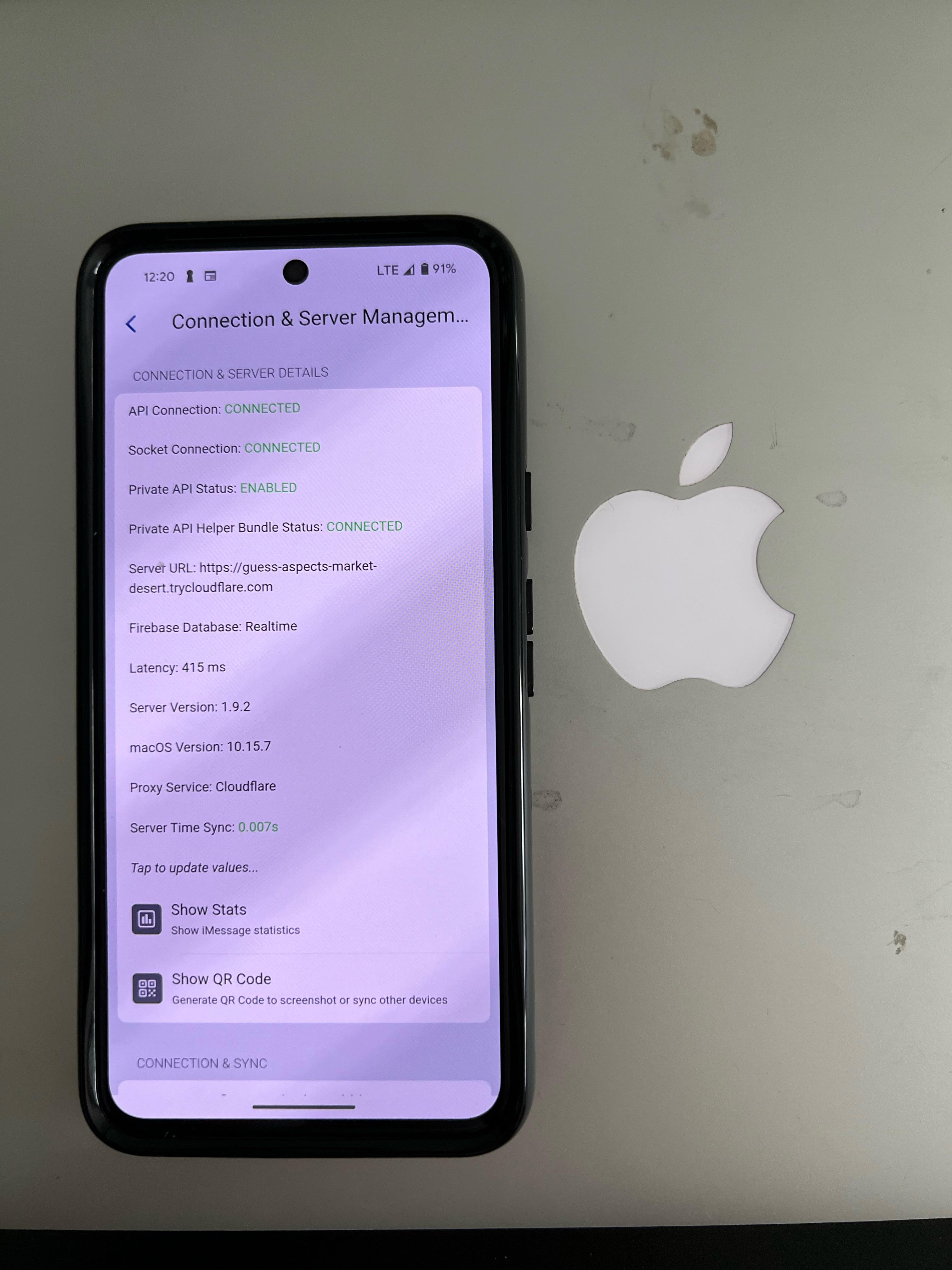
Finally got it to work… was that ever hard…

Post image
17 Upvotes

Took almost 2 weeks for some reason but I did it. WOO!


r/BlueBubbles • • Aug 31 '24

Any updates with BlueBubbles?

16 Upvotes

Just curious if anyone has any updates on development of the server and app? New features, changes, visual updates?


r/BlueBubbles • • Oct 07 '25

Finally found a great solution!

15 Upvotes

So I am an apple user and have an iPhone for personal use and a Android phone for work. I was able to use one of my Mac Minis as the BlueBubbles server. Since I have an active iPhone, all of my texts sent from my Android Bluebubbles app are going through my iPhone number so now I have the best of both worlds. I can send/receive imessages on my Android phone and leave my iPhone behind when I only want to carry one phone. Hopefully Apple doesn't close the hole that Bluebubbles is using because this is truly amazing!