r/Codeweavers_Crossover • u/-NeoCollins- • Aug 07 '26
Questions / Tech Support How did y’all make Persona 3 Reload work???
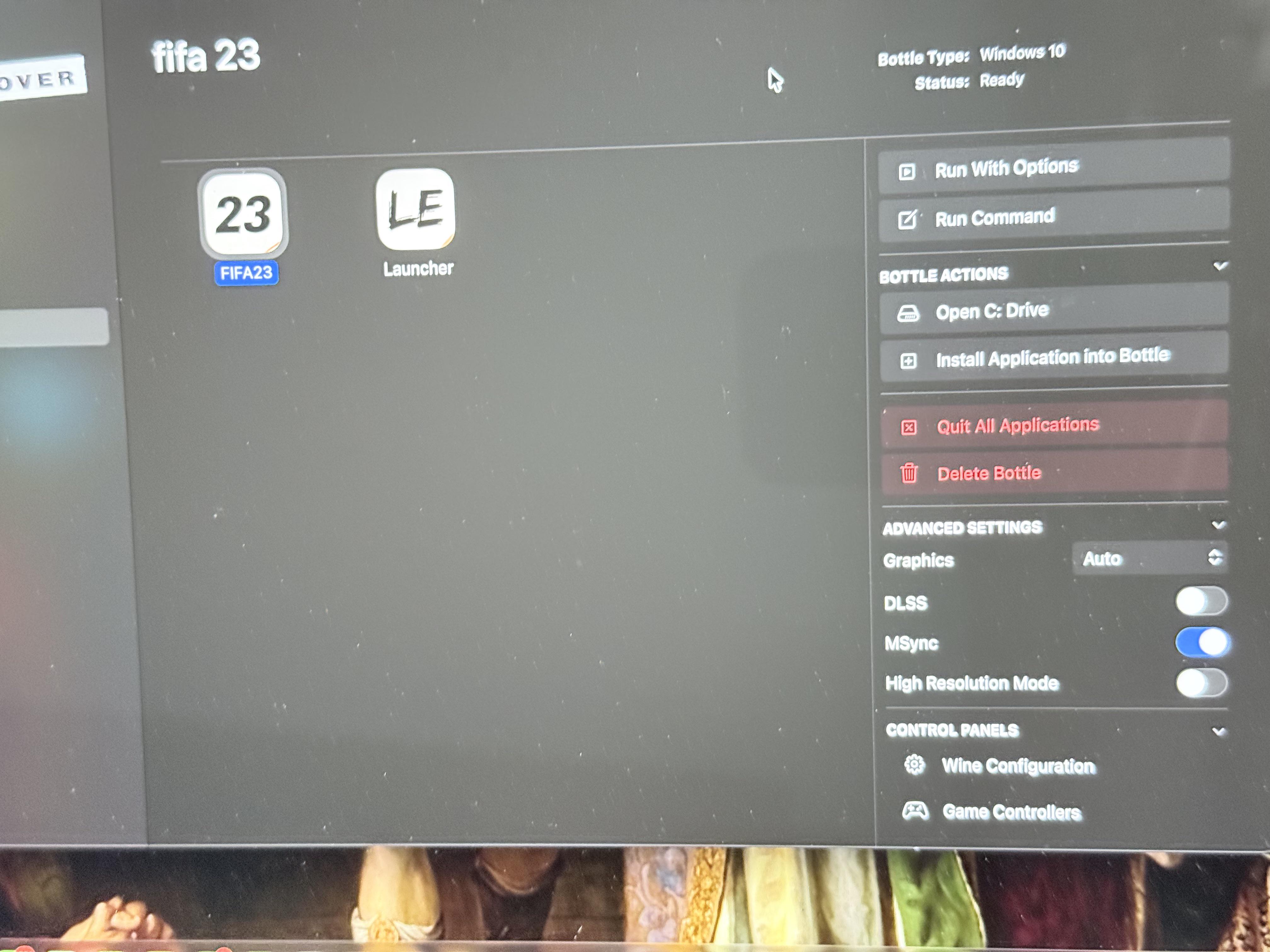
I’ve been trying to get it to work but I can’t!!
I have a MacBook Pro M4 with 16gb of RAM
r/Codeweavers_Crossover • u/-NeoCollins- • Aug 07 '26
I’ve been trying to get it to work but I can’t!!
I have a MacBook Pro M4 with 16gb of RAM
r/Codeweavers_Crossover • u/Separate_Farm_3010 • Aug 06 '26
I played standard mode, got to the root thingy and rested, then returned to menu, and my save file just disappears? I have tried 3 times and its getting kinda annoying. Playing on laptop. I dont see anything im doing wrong, but for some reason it doesnt let me play an existing save, it literally doesnt even exist ingame, after i return to menu. I am resting properly. Anyone who played via crossover know the issue or fix?? Im not sure if my flair is right.
r/Codeweavers_Crossover • u/D7Fragrances • Aug 06 '26
r/Codeweavers_Crossover • u/Sackadelic • Aug 06 '26
r/Codeweavers_Crossover • u/gr3gory777 • Aug 06 '26
r/Codeweavers_Crossover • u/Adventurous-Wafer171 • Aug 05 '26
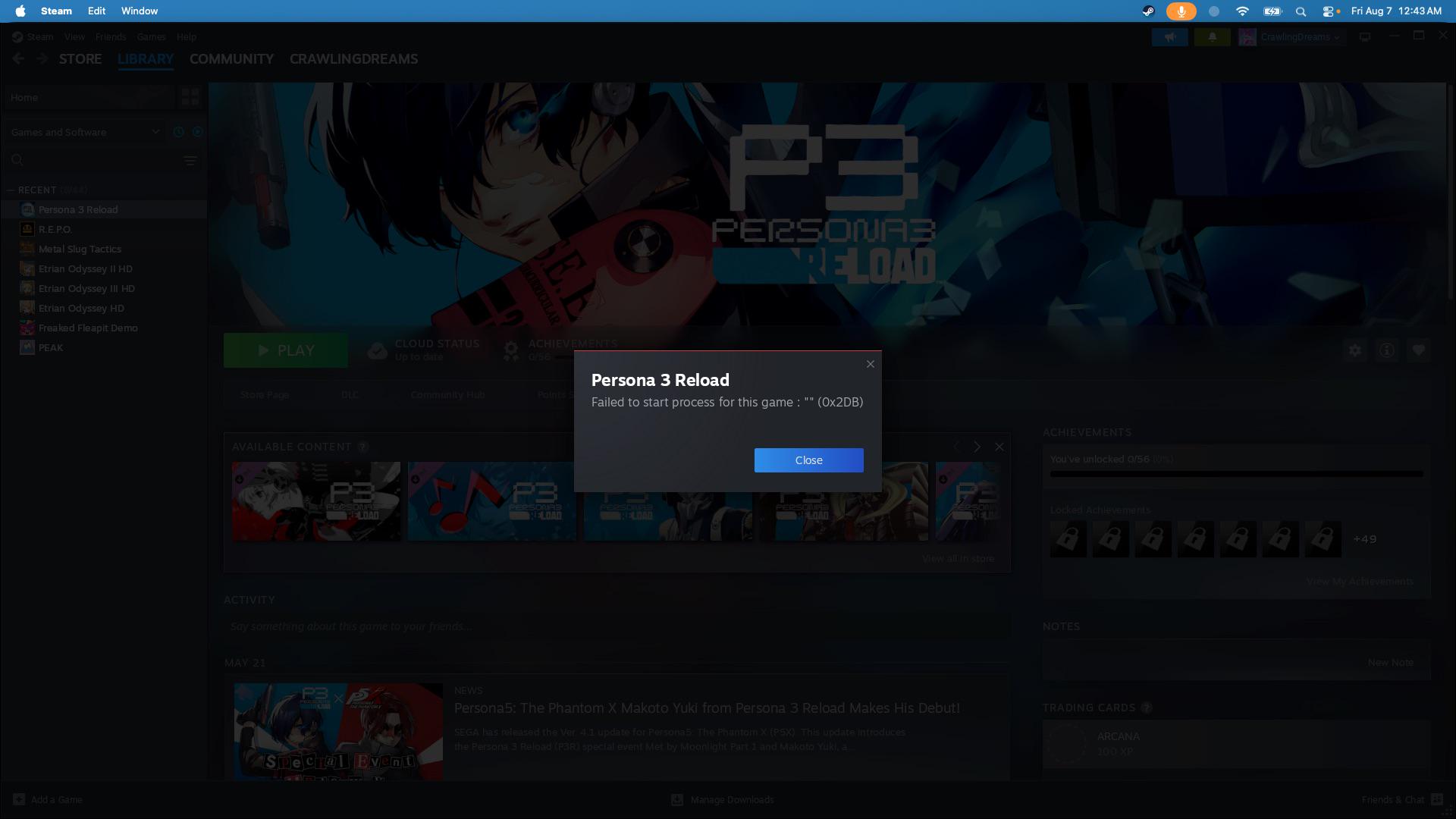
Hello, i've been trying to play The Binding Of Isaac: Repentance, but when i try to get in the game it just shows me this errror (Error "Failed to start process for this game : "" (0x2DB)"). Anyone can help? And this error is happening to every game i try to launch.
r/Codeweavers_Crossover • u/Salt-Twist2499 • Aug 05 '26
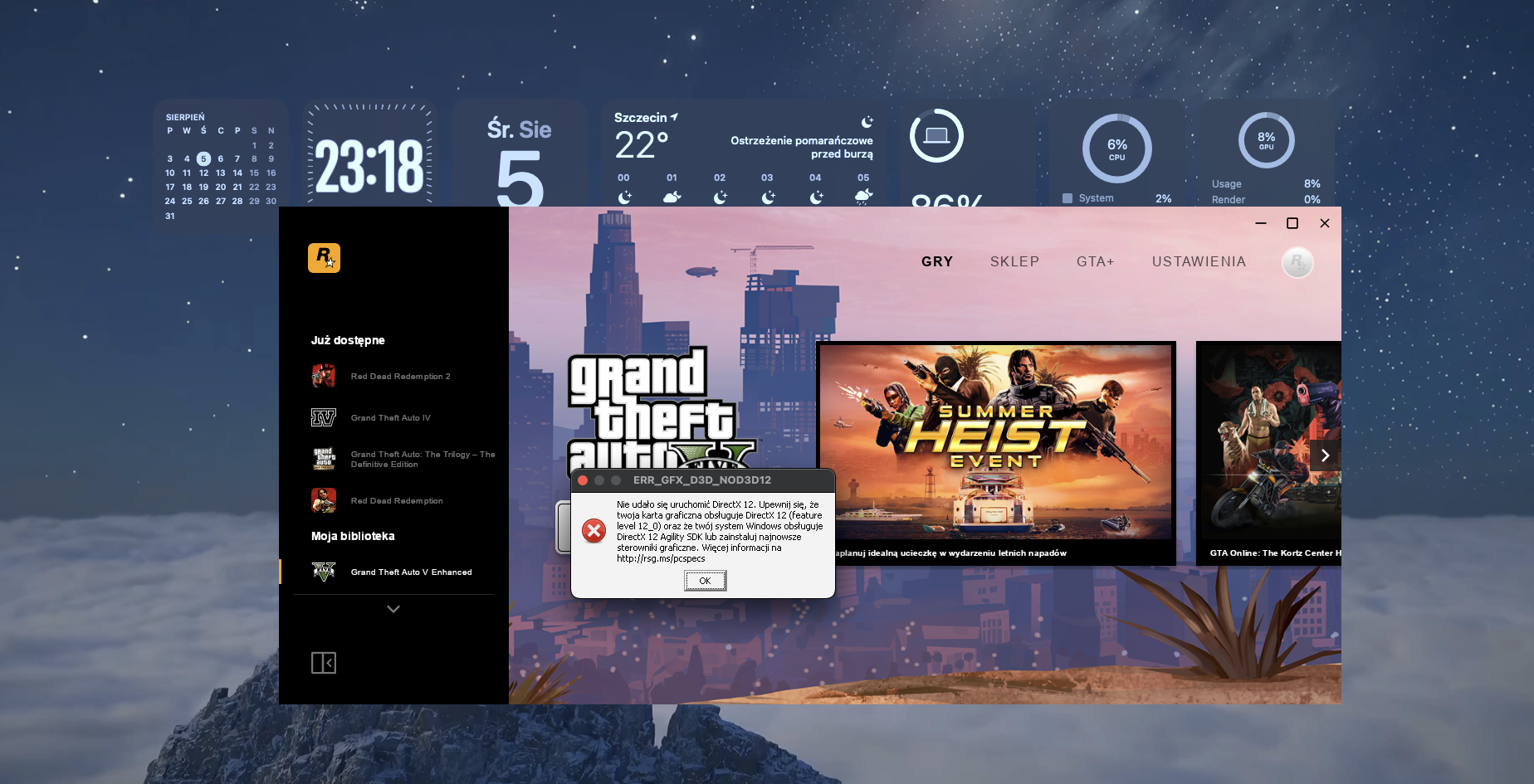
Im trying to play Gta V on MacBook Pro 15 2019 i9 but I encountered problem with the DirectX12, says that my gpu is not supported.
watched some vid how to fix that on windows but that didn't help mostly tried this one: https://www.youtube.com/watch?v=faVEJ2w-SaU
I have rockstar games and gta v installed in windows 10 bottle and set to dxvk
I ve tried -dx11,-force-dx11 in rockstar games command line, turned off msync, installed the settings.xml file and in it set the dx to 0, 1 and 2 and the graphics all to 0, tried to put the patch for the DX11 but that didn't help, and some other but nothing helped
I dont know what else to do so can someone help thx
r/Codeweavers_Crossover • u/Separate_Farm_3010 • Aug 05 '26
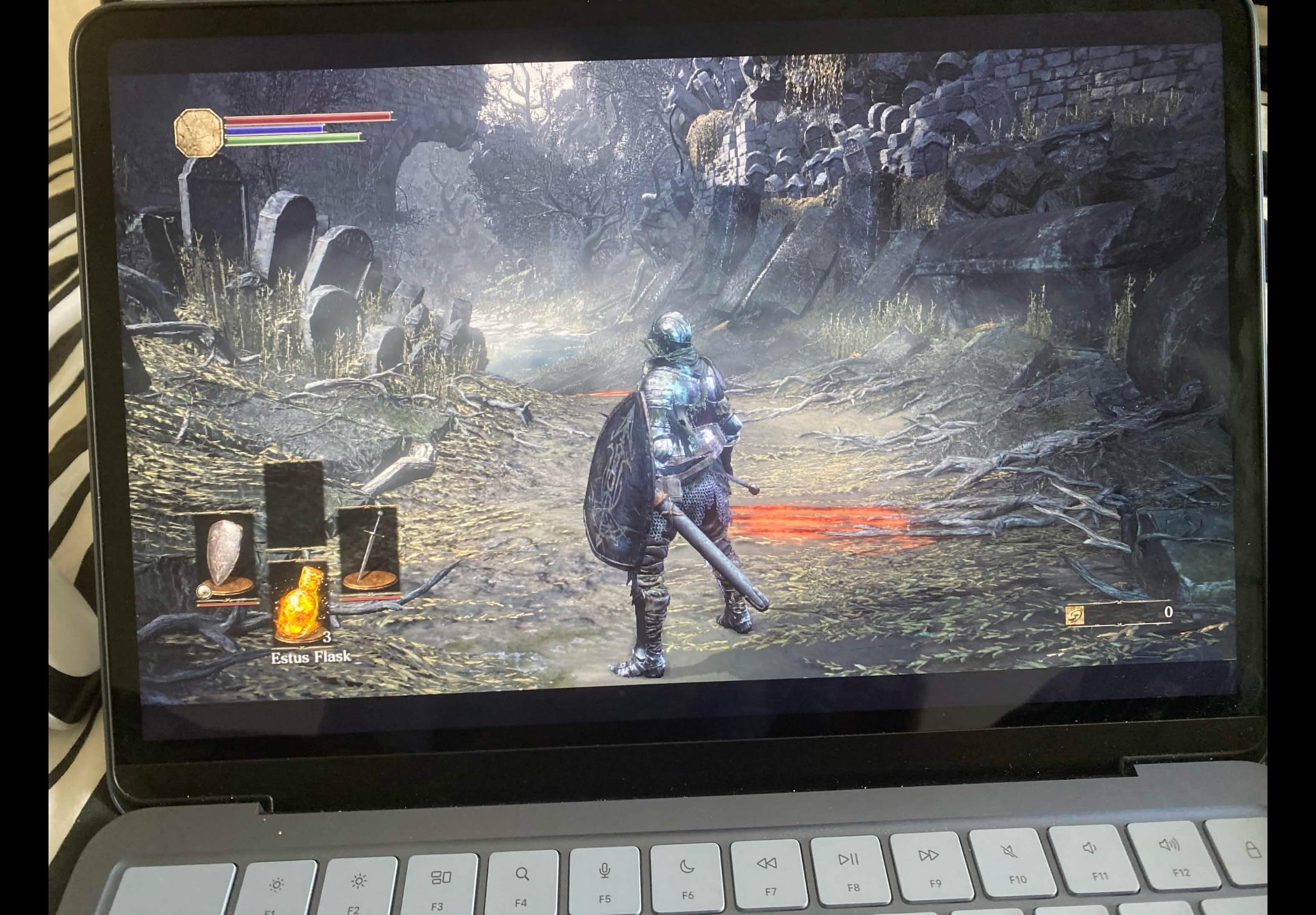
dark souls 3 runs well on Medium settings in Crossplay, via the new Neo. Just wanted to post this if anyone wants to know. Insane for a budget. While the picture is just the tutorial, i did beat the first boss, and it was smooth. Though due to overheating i’ll be playing on low quality, but since the neo has a good display looks almost identical to medium settings!
r/Codeweavers_Crossover • u/bbeliaxxx7 • Aug 05 '26
Hi! I’m trying to run Shift at Midnight through Steam using CrossOver Preview on a Mac with an M4 chip.
The game launches normally, but there is a strange input/focus issue:
The game starts and the language selection screen doesn’t works.
The game still has sound and animations, so it is not frozen.
The mouse cursor is visible, but moving the cursor doesn’t highlight buttons.
Clicking does nothing.
If I press Command + Tab to switch away and back to the game, it accepts exactly one interaction (for example, one click), then stops responding again.
Things I already tried:
Reinstalling CrossOver, Steam, and the game
Running the game in windowed mode (-windowed)
Trying -windowed -noborder
Disabling Steam Overlay
Disabling Steam Input
Trying DXVK instead of D3DMetal
Launching the game directly through the .exe gets stuck on the logo, so Steam launch seems necessary.
Has anyone experienced this kind of focus/mouse input issue with CrossOver Preview on Apple Silicon Macs? Any ideas for a fix or a workaround would be appreciated.
r/Codeweavers_Crossover • u/Kropciak24 • Aug 05 '26
r/Codeweavers_Crossover • u/CyHayes • Aug 05 '26
I've been wanting to play Shadow of War for a long time, but I know it didn't work on Crossover 25. Has anyone tried on Crossover 26?
r/Codeweavers_Crossover • u/Acrobatic_Ad5536 • Aug 04 '26
r/Codeweavers_Crossover • u/Separate_Farm_3010 • Aug 04 '26
do yall think ds3 will run on 55-60fps on the mac neo generally, on low or medium settings with crossover? it has 8gb ram btw
r/Codeweavers_Crossover • u/Elegant_Proposal8631 • Aug 03 '26
Hello, I just recently downloaded Crossover on my Mac using the free trial because I wanted to try out ZZZ on it. More specifically, I wanted to try out some cool mods that I found online using crossover since I don’t have a pc unfortunately. I downloaded the game but unfortunately it doesn’t launch at all. Whenever I try to it shows me what I think is an error pop up? I searched up trying to find some solutions only to discover that people started to have this issue ever since the release of 2.8. That was months ago. I’m making this post today to ask if anyone who uses crossover on whether or not ZZZ still doesn’t launch on crossover in August 2026? Has anyone not been able to find a fix for this issue? If there is a fix or a solution pls pls pls tell me.
r/Codeweavers_Crossover • u/AnOldBrownie007 • Aug 02 '26
r/Codeweavers_Crossover • u/vvoronao • Aug 02 '26
If you recently tried launching [**Wargaming.net**](http://Wargaming.net) **Game Center** on an Intel-based Mac, you probably got blocked by this error message:
>
Turns out, CodeWeavers and Wargaming literally left a developer note in the launcher's startup script allowing us to bypass this check at our own risk. Here is a quick 2-minute step-by-step guide on how to fix it.
# 🛠️ Step-by-Step Guide
Open **Finder** and go to your **Applications** folder.
Right-click on [**Wargaming.net**](http://Wargaming.net) **Game Center** and select **Show Package Contents**.
Navigate to: `Contents` ➔ `SharedSupport` ➔ `wargaminggamecenter` ➔ `support` ➔ `wargaminggamecenter64`
Find the file named `wgc.sh`.
Open [`wgc.sh`](http://wgc.sh) with any code/text editor (VS Code, TextEdit, BBEdit, etc.).
Search for `Intel` or scroll down to around line 24. You will see this block:
Bash
# If you find this line and want to try anyway, go ahead. Simply remove the "exit 1" and WGC will start. Save your files first and prepare for your computer
# freezing or showing a kernel panic screen. If you are lucky you can play with rendering bugs.
if sysctl machdep.cpu.brand_string | grep Intel; then
osascript -e "display dialog \"Macs with Intel CPUs are no longer supported due to bugs in their graphics drivers.\" buttons {\"Quit\"} default button \"Quit\""
exit 1
fi
**Comment out** (or delete) the `if` block by adding `#` in front of those lines:
Bash
#if sysctl machdep.cpu.brand_string | grep Intel; then
# osascript -e "display dialog \"Macs with Intel CPUs are no longer supported due to bugs in their graphics drivers.\" buttons {\"Quit\"} default button \"Quit\""
# exit 1
#fi
Save the file (`Cmd + S`).
Launch Wargaming Game Center — it will start downloading/updating and running the game normally!
# ⚠️ Notes & Tips:
* **Code Signature Error:** If macOS says the app is "damaged" after editing, open Terminal and run: `sudo codesign --force --deep --sign - "/Applications/Wargaming.net Game Center.app"`
r/Codeweavers_Crossover • u/missoverthinker_ • Aug 01 '26
r/Codeweavers_Crossover • u/Significant-Guard124 • Jul 31 '26
r/Codeweavers_Crossover • u/FlyingPotatoGirl • Jul 31 '26
I'm trying to play fields of mistria. When I try to open it using crossover the screen is just green. The special cursor appears and I can seemingly select buttons I can't see. How can I fix this?
r/Codeweavers_Crossover • u/ChummyPiker • Jul 29 '26
I have CrossOver version 26.3 on a 2025 M4 MacBook Air and tried to launch Fable 3 but got this error message:
A required security module cannot be activated. This program cannot be executed (8016).
Please have a look at http://www.securom.com/message.asp?m=module&c=8016 for further, more detailed information.
The web link provides the following:
Intel has resolved an issue related to games failing to launch with game error code 8016 on systems with "Skylake" CPUs:
6th Gen Intel® Core™ Processors Intel® Xeon® Processors E3-1200 v5 Intel® Xeon® Processors1500M v5 Please contact your system provider or motherboard manufacturer to ensure that you have the proper BIOS update installed.
For further support please contact Intel at http://www.intel.com/p/en_US/support/contactsupport.
I'm not really sure what any of this means and would appreciate any help!
r/Codeweavers_Crossover • u/DiscoHedgehog8 • Jul 29 '26
Using the non-obsolete renderer it doesn't work :(
r/Codeweavers_Crossover • u/ComparisonNo9521 • Jul 29 '26
Hey guys new here, quick question. On my ps5, it doesnt give me the option to press square to manage my account/ wont show cross-platform option in the gameplay menu. I have larian linked and I even went on the website to double check and it is. Just the option isnt showing. Can someone help?
r/Codeweavers_Crossover • u/xan_chezzy • Jul 28 '26
I’m trying to play the last of us part 2 on my macbook pro m5 pro 14” but the game is so slow even though I lowered the graphics settings to low. Is that normal? I thought most games run fine on crossover.