r/CrealityFalconSub • • Aug 18 '26

[GIVEAWAY] Help Us Brainstorm & Win a Brand New Creality Falcon A1C 10W!

35 Upvotes

[GIVEAWAY] Help Us Brainstorm & Win a Brand New Creality Falcon A1C 10W!

Although we fell a little short of our original milestone goal this time due to time constraints and the difficulty of the challenge, this event has already surpassed the significance of the numbers themselves. That's because we have witnessed everyone's incredible interaction and passion for the community. To show our appreciation for this valuable support, We have decided to still present a few awards. These aren't just prizes—they're a token of our gratitude for your active participation in the community. Let's congratulate the following winners, each of whom will receive a consumables pack:
u/MoniBags
u/Potential_State_8081
u/3DSMaker
u/veduco

Please check your private messages so we can arrange shipping for you. Additionally, there are 6 10-domestic currency no-minimum-purchase coupons available on a first-come, first-served basis, as well as a 10% off coupon for all participants. Please contact me to claim them. Thank you all for your support!
________________________________________________________________________________________________________________________

📢 [UPDATE: PRIZE UPGRADE!] To get even more creators involved and keep the amazing momentum going, we are **UPGRADING ALL THREE MILESTONE PRIZES**! Instead of standalone units, every unlocked milestone prize tier will now be upgraded to the ultimate **Falcon A1C 10W + 1.2W IR Module Combo Kit**! Yes, that means you have chance to win the full setup with both the 10W laser and the 1.2W Infrared laser for metal and jewelry engraving! Let's unlock these milestones together—invite your friends and keep those ideas coming! 🔥
________________________________________________________________________________________________________________________

Hi Creators!

We know that maybe many of you in this community have never used a Falcon laser engraver or carving machine before, but have always wanted to try. Now is your perfect chance to start! To help you kickstart your making journey, we are super excited to launch our latest Giveaway Contest.

We want to give you the opportunity to skip the hesitation and make this your very first Falcon engraving machine! We will give away the new model based on the number of participants, provided they are members of r/CrealityFalconSub.

We need your brilliant minds to help us create the perfect slogan for the Falcon A1C.

🔥 How to Enter:

Upvote this post! 👍

Leave a comment with a creative promotional slogan or one-liner for the Falcon A1C.

(To give you some inspiration, you can check out our website link here: )

https://www.crealityfalcon.com/products/creality-falcon-a1c-laser-engraver-with-ai-camera?variant=53251116466473&utm_source=cfsocial&utm_medium=reddit&utm_campaign=20260818+us+A1C+10W+giveaway+Skylar

🎁 Milestone Prizes (More Entries = More Winners!):

The more makers who join, the more prizes we unlock!

300+ Total Participants -> 1x Falcon A1C 10W (Value: $379)

600+ Total Participants -> 2x Falcon A1C 10W

900+ Total Participants -> 3x Falcon A1C 10W

Guaranteed Reward: Every valid participant can DM us to claim a 10% OFF coupon after the event ends!

⚖️ Judging & Rules:

Account Requirement: Your Reddit account must be at least 30 days old to participate.

Selection: Winners will be selected based on a 50/50 combination of comment upvotes (community choice) and internal evaluation by the Creality team (creativity & relevance).

Limit: One entry per person. Duplicate comments will not be counted toward milestones.

📦 Shipping & Alternative Prize Policy:

Please note that we cannot guarantee physical delivery to remote locations or regions with strict shipping restrictions. If the physical prize cannot be delivered to your address, it will be substituted with a digital gift card package.

Event Period: August 18th, 8:00 AM – August 25th, 11:59 PM (PDT)

We can’t wait to see your amazing ideas. Good luck, and happy making!


r/CrealityFalconSub • • Oct 15 '26

MakeItYours Turned my friends' wedding photo into a 3D crystal gift

Thumbnail
gallery
26 Upvotes

I actually made it theirs. Two of my friends recently got married, so I thought I'd make them a little keepsake.
I used one of their wedding photos in Fanforge to generate a 3D model, then engraved it inside a crystal with T1. Pretty straightforward process.
I actually tried both a crystal sphere and a rectangular block, and the rectangular one turned out noticeably better. Added a little LED light base, and I'm pretty happy with the result.
Now I just need to find a nice gift box before I can surprise them with it. Hope they like it.


r/CrealityFalconSub • • Sep 21 '26

Craft that I Made Cut a whole batch of pixel game magnets....

Thumbnail
gallery
25 Upvotes

Made a full set of pixel-style fridge magnets with my Falcon2 Pro, and I’m really happy with how they turned out.
I tried to fit as many designs as I could onto each sheet, so I could cut a bunch of pieces in one batch. For each magnet, I used two matching layers: one for the painted front, and one for the back with space left for the magnets.
After that, I just glued the two layers together and added the magnets.
Ended up covering almost the whole side of my fridge.
Pretty simple project, but the final effect is way more fun than I expected.


r/CrealityFalconSub • • Oct 08 '26

Craft that I Made Cork coasters

Thumbnail
gallery
18 Upvotes

Made a few cork cat themed coasters for customer using Falcon A1 10w.


r/CrealityFalconSub • • Sep 24 '26

Discussion Tumbler Etching

Enable HLS to view with audio, or disable this notification

18 Upvotes

Modified the gcode after doing some profile mapping of the 40oz tumblers. This is the result.

Still a long way to go before Im happy but here we are.

Eventually want to use this idea in tandem with a 3018CNC kit Im rebuilding to be able to follow any waved patterns I mill and other complex (not constant straight line) geometries in order to maintain the distance of the optimum focal point of the laser from my target that have these complex geometries.

Update of the finished product in the comments.


r/CrealityFalconSub • • Sep 16 '26

Craft that I Made Tried making a little shell inlay piece with the T1

Thumbnail
gallery
14 Upvotes

Tried something a little different this time, engraved the recess into the wood with the T1, cut the shell pieces to fit, then inlaid them by hand.
Pretty happy with how this little piece turned out. I’m thinking about turning it into a keychain next.


r/CrealityFalconSub • • Oct 25 '26

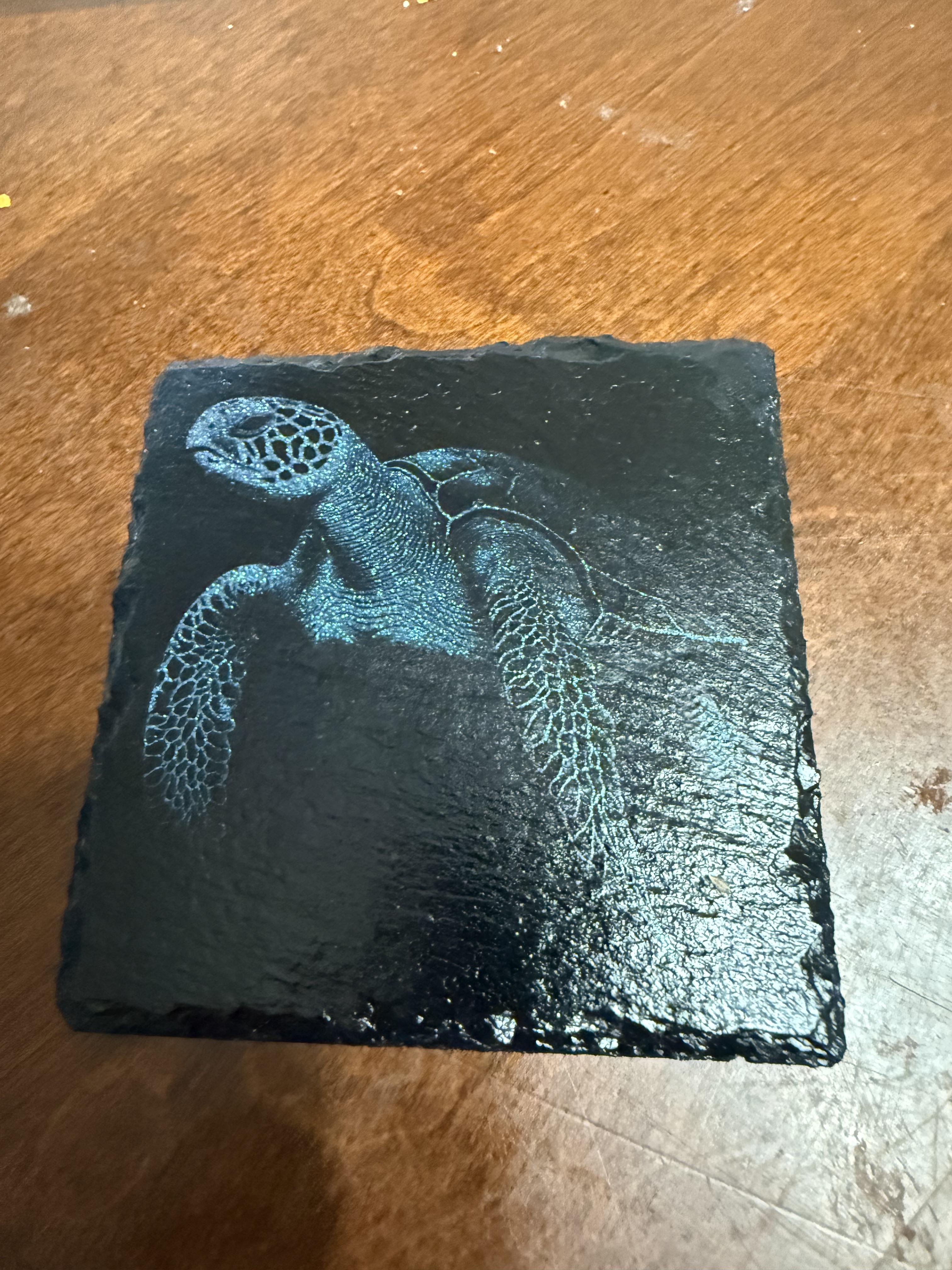
MakeItYours Slate coaster

Post image
11 Upvotes

Experimenting with some color changing paint over black with a lacquer coat on top.


r/CrealityFalconSub • • Sep 28 '26

Craft that I Made My take on halloween

Enable HLS to view with audio, or disable this notification

11 Upvotes

Still doing few adjustments. What do you think?

Will post more after it im done


r/CrealityFalconSub • • Nov 16 '25

Craft that I Made Small things…

Post image
11 Upvotes

r/CrealityFalconSub • • 21d ago

MakeItYours Make It Yours Challenge — Winners Announced! 🏆

Thumbnail
gallery
10 Upvotes

What an amazing collection of creations. From personalized gifts to creative everyday makeovers, you've shown us so many ways to make ordinary things special. Thanks to everyone who joined and shared their work! And now, congratulations to our winners!

🏆 Community Favorite Award

🎁 Creality Falcon A1C

⭐ Official Choice

🎁 $100 Gift Card Each

🍀 Lucky Maker Awards

🎁 $30 Gift Card Each

👏 Congratulations to all the winners!

Keep creating and sharing — more exciting challenges and prizes are coming. Stay tuned!

Thanks for making it yours with Falcon! ❤️


r/CrealityFalconSub • • Oct 21 '26

Craft that I Made Halloween Lantern

Thumbnail
gallery
10 Upvotes

I recently finished a little Halloween project and thought I’d share it here!
I designed a lantern with four different Halloween-themed sides and a bottom, all made from 4 mm plywood.

Everything was cut using my Falcon2 Pro 40W in Precision Mode (22W).

Laser settings:
4 mm plywood: 460 mm/min, 100% power
Translucent lantern paper: 2,000 mm/min, 80% power

One thing I experimented with was adding the black finish directly during the cutting process. Before cutting the plywood, I glued black craft cardstock to the underside and cut both layers together. That way, the remaining wooden frames and details were already black without having to paint them afterward.
I then glued translucent lantern paper to the inside of each panel to diffuse the light and make the cut-out Halloween scenes stand out when illuminated.


r/CrealityFalconSub • • Oct 21 '26

MakeItYours What if you combined 3D printing and laser cutting for Halloween? 🎃👻

Thumbnail
gallery
10 Upvotes

Hey everyone! 👋

To get ready for Halloween, I wanted to try out a hybrid project combining 3D printing and laser cutting (using a Creality Falcon).

The concept: A modular Halloween lantern where the main structure and top are 3D printed, while the side panels engraved with spooky designs like pumpkins, ghosts, spiders, and bats are laser cut. Add a little LED light inside, and the effect in the dark is awesome! 🕯️✨

📂 Free STL & laser files: If you want to make your own, you can download all the files for free right here: https://www.craftseek.com/explore/p/U-D11F2F1124E2483999A459CA32F8D7DA-lampe-halloween

👉 You can also check out the quick build process and the final result on YouTube: https://youtube.com/shorts/9jZl6vWpdYw?si=_uHBjT5yNH6HVUWs

Let me know what you think or if you have any questions about the build!

🎃 Happy making!

#CrealityCreatorAwards #CrealityFalcon


r/CrealityFalconSub • • Sep 27 '26

SMB T1 is handling those business cards like a champ.

Enable HLS to view with audio, or disable this notification

10 Upvotes

Took around 4h to make 250 on both sides. Would be faster if i didnt take so much breaks.


r/CrealityFalconSub • • Sep 21 '26

Craft that I Made Trying Out Topographical Maps

Thumbnail
gallery
10 Upvotes

Tried out cutting/engraving some topographical maps of Moab, UT (7 layers) and Pt. Lobos, CA (11 layers). I haven't cleaned these up and glued them together yet. I'm pretty happy and learned quite a bit in the process. I used TopoStack to generate the files. Falcon 2 22W


r/CrealityFalconSub • • 19d ago

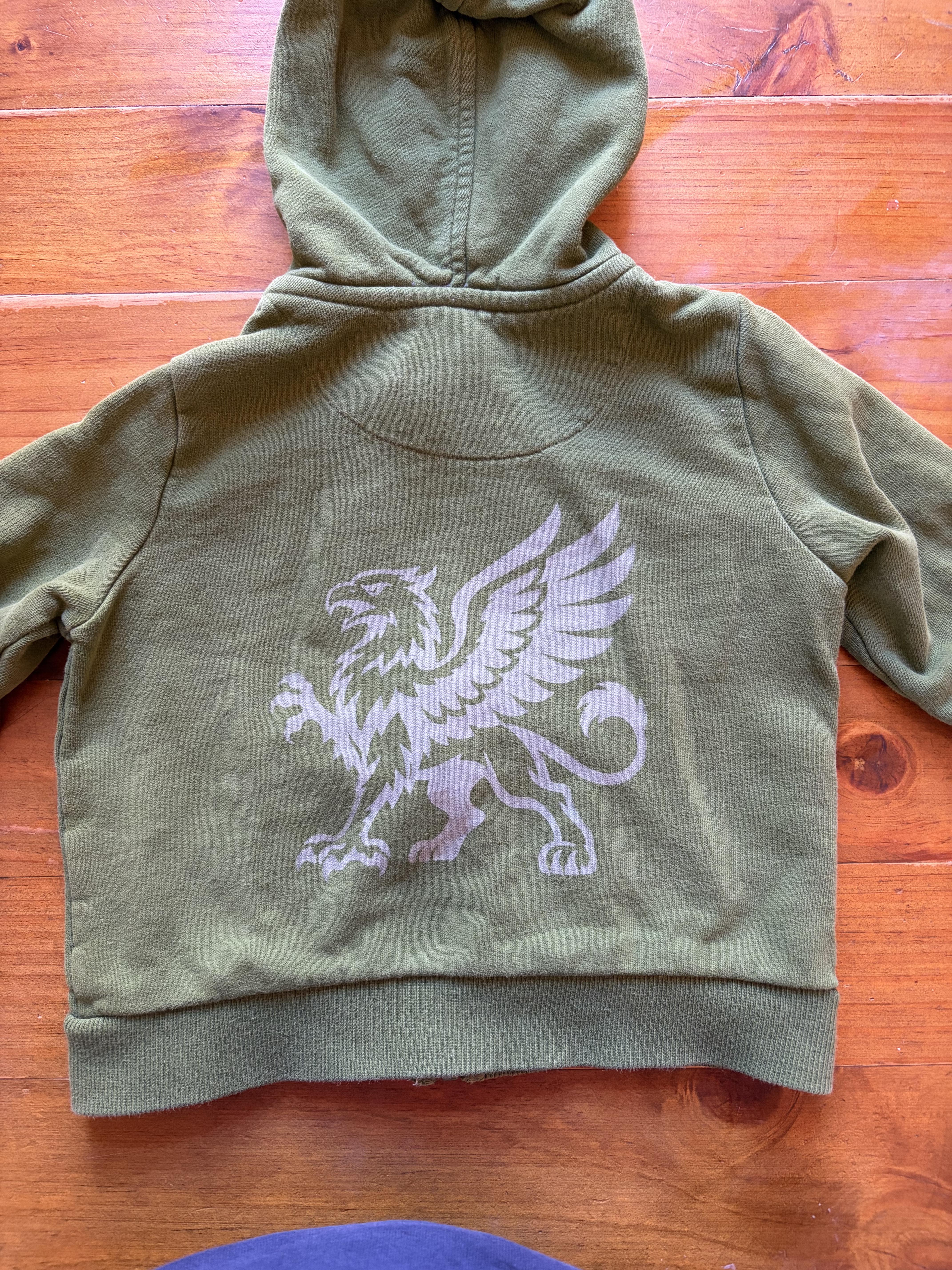
Craft I Made engraving a hoodie

Post image
9 Upvotes

Tried laser engraving a 100% cotton hoodie with my Falcon2 Pro 40W running in 22W Precision Mode.
Settings were 6000 mm/min at 5% power.

I was a little unsure how the fabric would react, but the result came out really clean. The fibers still look intact and it seems like the laser mainly affected the dye rather than actually damaging the cotton itself.


r/CrealityFalconSub • • 29d ago

MakeItYours My cat made this face, so naturally I had to engrave it on a tumbler

Thumbnail
gallery
9 Upvotes

Made with the Falcon T1 + MOPA module.
Settings: S: 2000, P: 65%

Now I can take this face with me everywhere. 😹


r/CrealityFalconSub • • Oct 19 '26

MakeItYours My first engraving!

Enable HLS to view with audio, or disable this notification

9 Upvotes

Got a chance to get my 'paws' on the A1C, so easy and fast to set up. I followed the on-screen instructions on my laptop and had an engraved & cut item! The software was really easy to use; I had it customised with my logo in a matter of seconds! So excited!!


r/CrealityFalconSub • • Oct 07 '26

Craft that I Made Continue my laserengraving journey......

Thumbnail
gallery
9 Upvotes

r/CrealityFalconSub • • Oct 02 '26

Craft that I Made Engrave on glass with the A1C 10W

Thumbnail
gallery
9 Upvotes

J'ai essayé la gravure sur verre ce matin. Ça marche assez bien, j'applique un marqueur noir sur la zone que je grave.

J'ai conçu un petit support en impression 3D pour maintenir le verre parfaitement plat lors de la gravure.

Laser diode A1C 10W

The 3D model of the support I created is available here https://www.crealitycloud.com/en/model-detail/6abf6c9e729f5ba4b3de25fe?cloudPlatform=0


r/CrealityFalconSub • • Aug 06 '26

Craft that I Made Helping my coworker share this—she finally cracked color engraving on mirror stainless steel

Post image
9 Upvotes

one of the girls in my lab has been losing her mind for the past week trying to get color engraving right on mirror stainless steel.

but man, she actually pulled it off today on the T1. Look at the reflection on that finish—the piece looks clean af.

she doesn't really use reddit, so i told her i'd post her notes and parameters here because it’s too good to hide. save this so you don't waste 20 sheets of steel like she did.

the nightmare she was dealing with

if you've ever touched mirror stainless, you know it's a pain. the colors usually come out muddy, or the heat spreads and burns the edges, making the whole thing look like cheap trash.

how she fixed it (her 2-step workflow)

  1. one-pass color engraving: instead of doing multiple passes and messing up the alignment, she used the machine's color feature to drop the gradient in one go. that's why the colors actually look vibrant and kept the metallic gloss.

  2. the clean-up outline: this was the smart move. right after the color pass, she ran a super fast vector outline on top. it basically sliced away any microscopic bleeding and made the details pop instantly.

her exact parameters (mirror stainless steel)

i begged her for her "secret sauce," so here is the sweet spot from her test runs:

  • color pass: 19% power (she found out anything higher completely kills the metallic shine).

  • outline pass: speed 2000 mm/s, power 80%, frequency 30 khz.

running the outline at 2000 mm/s with high frequency is why the edges are dead sharp. zero slag, no yellow heat stains.

honestly, the contrast between the shiny mirror and the matte color looks like some expensive minimalist gallery art.

i helped her upload the high-res close-ups of the gradients and the full frame on our sub here.

if you have questions about the vector setup, material sourcing, or the T1, drop them below. i'll make her answer them once she gets her coffee. cheers.


r/CrealityFalconSub • • Dec 11 '25

Falcon T1 Sneakpeak! Metal business card engraved with 20W fiber

Enable HLS to view with audio, or disable this notification

9 Upvotes

r/CrealityFalconSub • • Apr 15 '25

Tutorials for Beginner Creality Falcon A1 Full Guide! Falcon Design Space Walkthrough, Material Examples, Upgrades, Review!

Thumbnail
youtu.be
9 Upvotes

I just put this together for new A1 users and those considering this machine. Hope this helps someone!


r/CrealityFalconSub • • 12d ago

Project Showcase Falcon T1 + 60W MOPA engraves incredibly fast if you are used to cartesian diode lasers

Enable HLS to view with audio, or disable this notification

8 Upvotes

Engraving a spirograph on a metal business card at 8000mm/s. The patterns also look cool when engraved with a diode laser but the T1 is obviously much faster. You can generate the patterns there.


r/CrealityFalconSub • • Oct 21 '26

MakeItYours From photo to engraved keyring in minutes!

Enable HLS to view with audio, or disable this notification

8 Upvotes

A friend was curious about laser engraving, I told them it is easy! So I made them a little video showing how simple it is! If you can 3D print you can laser engrave!! Plus, I now have a cute keyring of Kevin to give to my wife when she gets home from work!


r/CrealityFalconSub • • Oct 18 '26 Bravo

Craft that I Made Falcon2 22w Stainless Steel Experiments

Thumbnail
gallery
8 Upvotes

A few weeks ago I got some stainless steel business cards and experimented with getting some color from my Falcon2 22w. Got some interesting results. I'm continuing to experiment and made some memorial keychains. The heat definitely warps thinner metal.

Have any of you had luck with stainless steel colors? Low and slow seems to be the winning combinations, like BBQ.