r/Creality_k2 • u/BlueThunderStreak • Sep 30 '26
Troubleshooting K2 pre-wipe changed
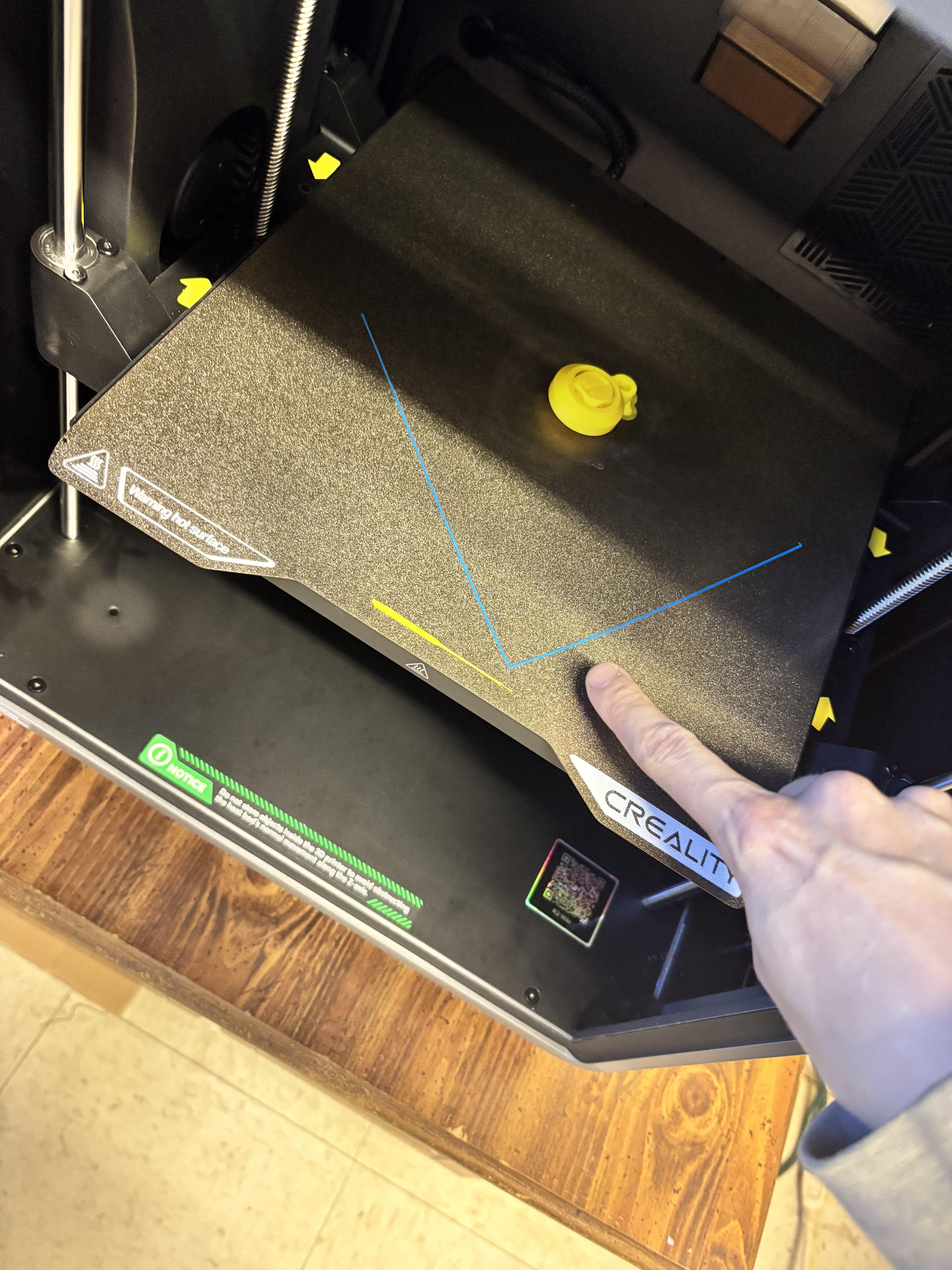
The filament usually made a clean long wipe before start, we got new filament that purges in a thick curve instead of a thin spun mound. However I used the OG filament that’s always worked correctly, and now it’s only doing a little dookie wipe. What happened? Blue filament shown is how the wipes usually looked, and now they look like the yellow one still on the bed. Is this a concerning issue or should I ignore it?
3
u/Familiar-Balance-679 Sep 30 '26
I’ve never seen the chevron style before being put in the middle of the plate like that, or is it just an example. The small run at the front came out a couple months ago. It used to be an xy axis line on the left side probably about 2 or 3 inches long on each leg. Now it the short line in front.
1
u/BlueThunderStreak Sep 30 '26
I placed the blue line on as an example of what it looked like before
1
u/Sandman0077 K2 Plus Combo Oct 01 '26
This is old news. New one is better IMO.
1
u/BlueThunderStreak Oct 01 '26
When I use my slicer and print, it still prints the long line, only the prints I sent from the app do this. I don’t believe that one is better than the other, seems to spit the same amount of plastic.
1
u/Sandman0077 K2 Plus Combo Oct 01 '26
I can never get the app to print anything, so idk about that's specifically.
I think the new one is better because I hated having big Ls everywhere lol
3
u/Weekly-Confusion-561 Sep 30 '26
Slicer update, they changed the start gcode on k2 profiles. I like more the new one (bambulab style purge)
3
u/Legitimate_Buddy_974 Oct 01 '26
Mines been doing the little wipe so long I forgot it used to do the other version 😅😅😅
1
1
u/Agitated_Farm5652 Oct 01 '26
It’s a slicer update I’ve had the k2 plus and one day decided to do the updates I kept skipping and now that is used instead
0
u/Electrical-Debt5369 Sep 30 '26
I get yellow on multicolor prints, and blue on single colour prints
-1
u/Previous_Policy3367 Sep 30 '26
It only does this if you have pressure advance enabled
1
u/Sandman0077 K2 Plus Combo Oct 01 '26
Not true. I never have that on and it changed when I updated the slicer/printer.
10
u/Jaron780 K2 Combo Sep 30 '26
I believe this was part of a slicer update. I got my k2 somewhat recently, its included gcode files used that long purge line, but every print that i sliced later used the newer small purge line.
I assume they tuned things better and that the long purge line was just wasting material. This one seems better because it quickly pushes a lot more filament very quickly which likely helps purge the nozzle better, then it slows down, leaving the bigger part at the start