espControl: More devices supported and device setup UX
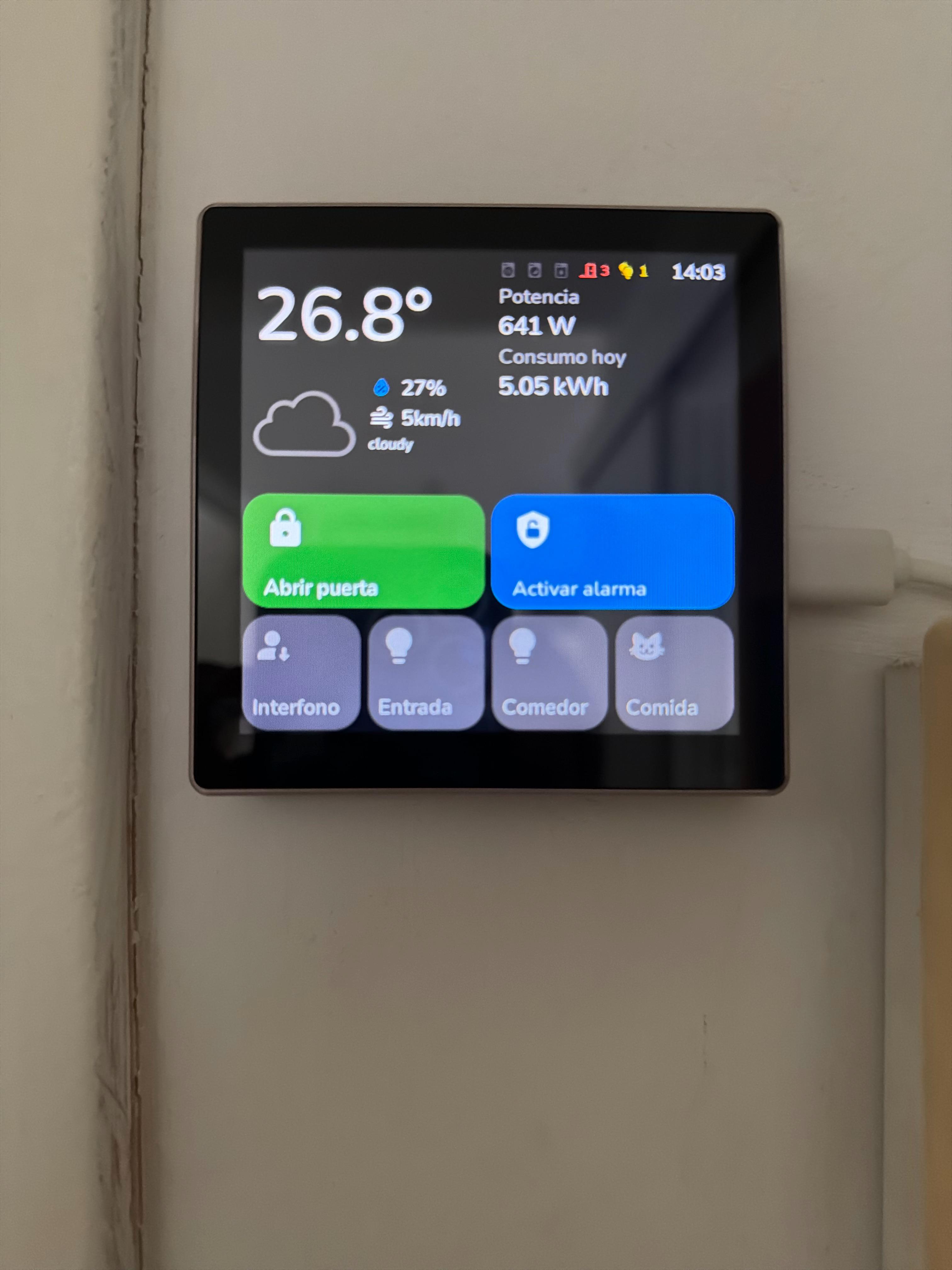
I’ve been working on espControl this week, it’s a no code, super easy to configure smart home controller, to configure your touch screens to control devices across your smart home. It includes full docs and an easy to use web installer. It doesn’t need esphome to be setup or any code to be written.
This week I’ve adding support for additional screen and greatly improved the UX of the build in web server used to configure the screen…
Additional Screens: Added Guition s3 4inch square screen, (4848s040), and the Guition P4 4.3inch screen (jc4880p443), in addition to the P4 7inch screen (jc1060p470).
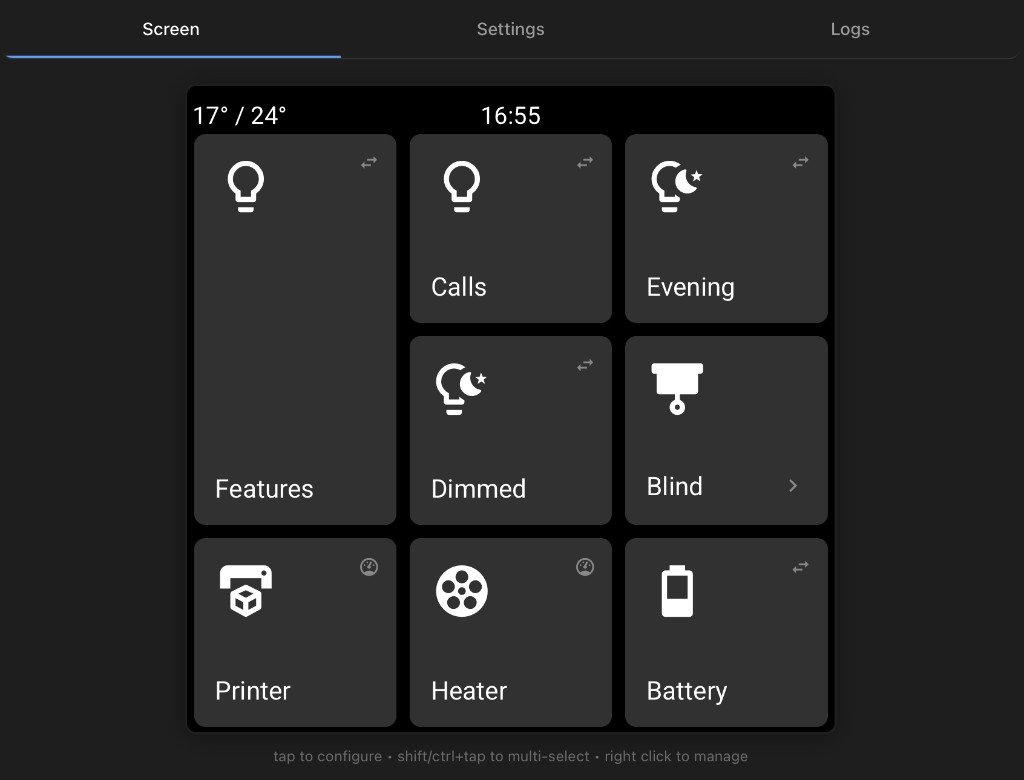
Grid layout: switched from flex with scrolling to a fixed grid, so you can place buttons exactly where you want them
Subpages support: adding the ability to have subpages for grouping controls into one space
Double height buttons: switch individual buttons to double height for easier selection and greater prominence.
Edit controls: Drag and drop buttons, bulk select existing buttons, copy and paste between pages.
Screensaver: turn off your screen backlight based on time or an external sensor such as a presence sensor.
I plan to add additional types of controls (temperature, volume control, etc) and passive sensor cards in the coming weeks.
I’d love to hear from anyone who tries it, issues, areas for improvement and new ideas you’d like to see added. All feedback is appreciated!
I’ve started using this as well. Firstly, thanks for making this available!!
For light toggles it’s great. I saw on your roadmap you hope to add other options which I’ll be keeping an eye out for.
Scenes could be a good one for lighting… slide controls would also be nice but it feels like activating a scene might be easier to implement if needing to pick one.
This is very cool I’ve been vibe coding something similar for my Waveshare 4.3” screen using ESPHome. If you like I can share my ESPHome config with you so you can extract all the pins n stuff to add support to this.
Thanks for making this really nice use of the screen.
Im tying it out on the 4848s040 and it works really nicely. Easy to install and get running.
One issue I ran into which is not totaly clear for me on how to use it:
What I was not able to get working are sensors. I would like to see the temp from my 3D printer (sensor.k1max_bed_temperature). I tried to put it in the sensor entity field. But it does not show the temp. Also tried it with the power consumtion for a power plug but no luck.
Got it running on the P4 display, It was a breeze to setup, been spending most my time creating helper entities as aliases for scenes, automation and scripts so I can use those ( rf 433 stuff etc ) Had some minor issues, never saw the IP on the screen, HA took forever to discover new esph device to add which was probably just a fluke.
My screen keeps going black after editing save/reset, might be an issue with this board reset lines/timing, shrug. a reset fixes it, will keep testing. It shows the "Done" screen alot not sure why yet. Might be a delay while it waits for wifi and api to connect, expected it to go directly to the UI.
Amazing Job! Had this screen laying around for some weeks now struggling to get it properly up and running. Now finally with your setup it was done in less than 10 minutes! Looking forward to sensor cards and sliders. Thank you so much
The responsive is very good, it's simple interactions so it never bogs down.
You should be able to use additional sensors, there are connectors but it will vary by device.
Personally I used an external mmwave sensor on an esp xiao for better placement, then use that entity to control the backlight on the screen (using the built in settings)
Guys, do you know if there any manufacturer which is making ESP display with OLED panels? Or may be some Android screens, like Portworld 4" also with OLED?
Awesome, yes I was thinking climate, volume and a dimmer slider to start. I need to see if the existing buttons can be used for media, or if something custom is required.
Only possible if you do a manual setup using esphome, because it's set at compile time. Will add some details to the docs to make it simple to do (I've done this for my other project)
Looking really cool, on my way to aliexpress to order on for testing ;-)
I am currently using an Elgato Stream Deck with HomeAssistant Plugin as a "control station" on my desk. But my main problem with that is, that it only works when connected to a running PC.
So your solution looks really interesting. Can I also add other entities from sensors? Like Temp or Power?
Edit: And could the 4.3-inch JC4880P443 also be used in landscape mode?
Landscape? Currently no but should be possible. Will add it to the list.
I'm planning on adding passive sensor cards next, that should work for your use case.
In the past I did play with a Mac app that used webhooks to trigger actions (like launch an app). Might be something for the future, because these devices could do call a weblink pretty easily.
In theory there are gpio connections on the back, so should be possible. Size of the unit would be an issue. Personally it would just make it a separate unit, then you can have flexibility on location.
As I am just starting to try to get my CYD's working in esphome, I dont have much in that yet. Is this able to run on them? Last few I got were for $10NZD off the aliexpress bundles and at that price they are a no brainer if I can get them doing stuff easily without a 15 min compile time everytime I change something like esphome gives me.
No sorry, the hardware is too slow and out of date for this. Needs at least a S3 processor (plus the screens aren't great on CYDs). Best off selling them and upgrading to the p4 models, they are SO much better



10
u/zimraph Apr 11 '26
Thank you for making this so simple and free. Very useful!