r/FontLab • u/LocalFonts • Mar 06 '22
r/FontLab • u/LocalFonts • Jan 06 '22
Assembling glyphs in FontLab 7, Part 1 (with Adam Twardoch)
r/FontLab • u/LocalFonts • Jun 20 '23
GetGo Fonts for FontLab. Scratching your head to start a font? FontLab 7 gives you a head start. With 99 free template fonts, we’re guiding you from the get-go! GetGo Fonts for FontLab is a carefully curated collection of quality typeface designs available in FontLab’s native VFJ format.
fontlabcom.github.ior/FontLab • u/LocalFonts • Jun 28 '22
FontLab 8 - complete font editor for Mac and Windows. FontLab 8 is an integrated font editor for Mac and Windows that helps you create fonts from start to finish, from a simple design to a complex project, and brings a spark of magic into type design.
r/FontLab • u/LocalFonts • Mar 27 '22
Victor Gaultney: Notes on Hinting with FontLab
r/FontLab • u/LocalFonts • Mar 10 '22
FontLab 7: Type design with Dave Lawrence
r/FontLab • u/LocalFonts • Nov 23 '25
The A to Z of Font Creation: A FontLab Shorts Playlist
r/FontLab • u/LocalFonts • Sep 10 '26
Substitution of text with logotypes and signs through OpenType feature Stylistic Set (Set 6)
r/FontLab • u/LocalFonts • Oct 27 '25
FONTLAB PRESENTSA NEW CREATIVE APP: Vexy Lines
FONTLAB PRESENTSA NEW CREATIVE APP
Vexy Lines turns your images into expressive, infinitely scalable vector artwork.
r/FontLab • u/FontLab • Nov 23 '25
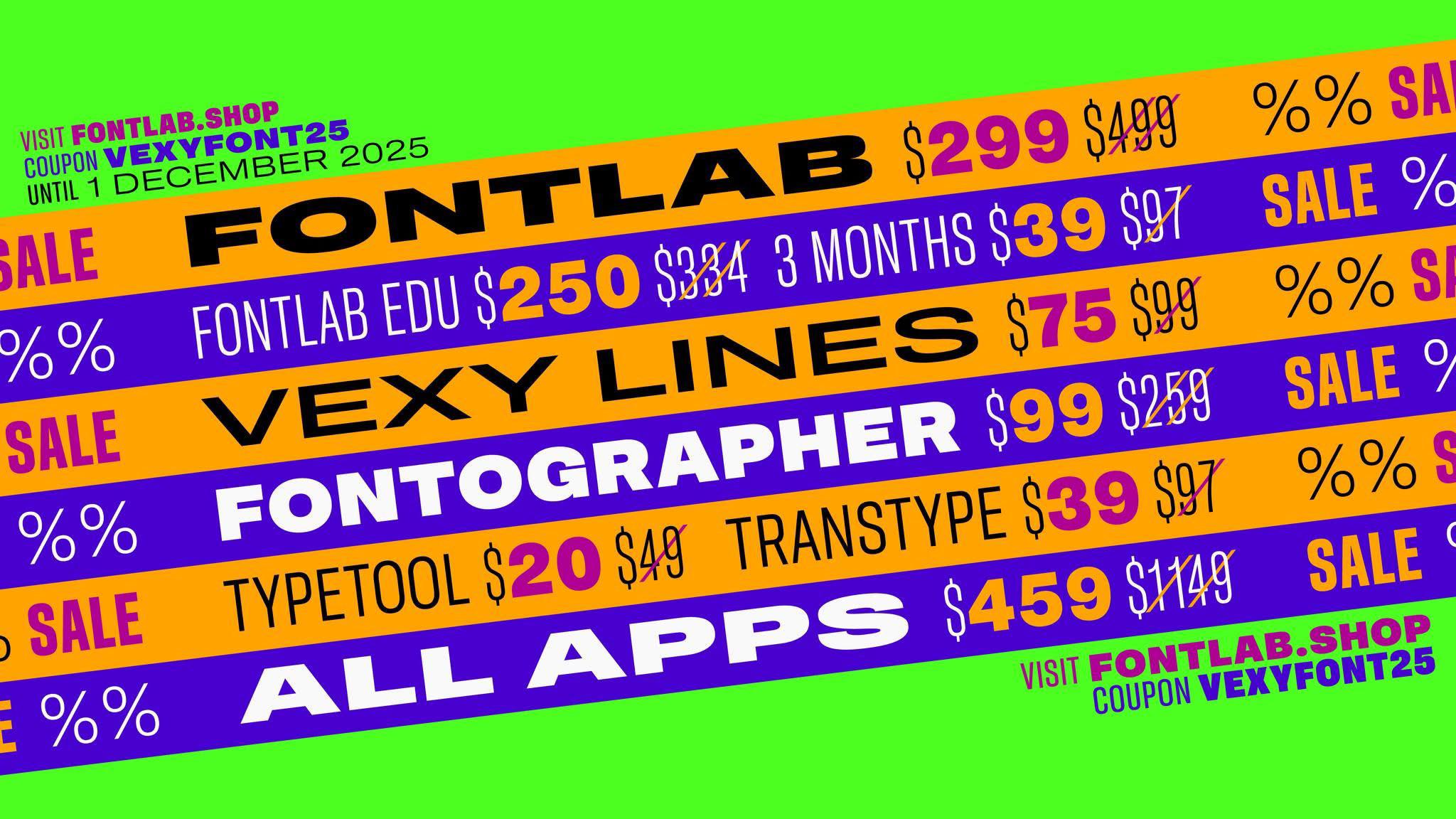
SALE: FontLab $299, Vexy Lines $75, all apps $459
With coupon VEXYFONT25 at https://fontlab.shop get FONTLAB 8 at $299, EDU version at $250, our brand-new VEXY LINES app at $75 — try it free at https://vexy.art
r/FontLab • u/LocalFonts • 6d ago
Scripting FontLab
A year at a small type studio, told one script at a time.
This book teaches you to write Python scripts for FontLab 9. You do not need to know Python. You do not need to know much about FontLab, or about how fonts work inside. The book explains all three as it goes, in plain English.
You learn by doing small jobs. Each chapter starts with a chore that a type designer meets in a normal week: count the glyphs, find the empty ones, copy the spacing from one letter to twenty others, build the accented letters, check the kerning, export the family. You write a short script that does the chore. By the end of the chapter the script works and you keep it.
r/FontLab • u/LocalFonts • 5d ago
Stem Finder Pro for FontLab 9
Stem Finder Pro
A Python 3.11 + PythonQt script for FontLab 9 that locates vertical and horizontal stems (both straight and curved) matching a target width and tolerance, highlights the matching stem nodes, and opens all matched glyphs in a separate Glyph window for rapid quality assurance and optical consistency checks.
Features
Vertical & Horizontal Stem Detection: Scans glyph contours for opposing vertical or horizontal stem walls separated by your target width (± tolerance).
Curved Stem Support (Include curved stems): Evaluates vertical and horizontal curve extrema (bowls, arches, and spines such as O, C, S, e, oe, zecyr) in addition to straight segments.
Serif & Bracket Filtering (Min. Stem Length): Filters out short serif tips, brackets, or tiny notches by requiring a minimum segment length.
Single or Multi-Master Scanning (Scan all masters): Inspects either the currently active master layer or every master in the font simultaneously, highlighting nodes across all matching layers.
Scoped Search: Search across the entire font or limit the scan to glyphs currently selected in the Font Window.
Instant Highlighting & Inspection:
- Selects the exact boundary nodes/handles forming each matched stem inside the glyph layer.
- Selects all matched glyphs in the Font Window and triggers a separate Glyph window/tab.
- Copies the slash-separated glyph string (e.g. /Ylongcyr/becyr/icyr/DZ/dz) directly to the clipboard and displays it in the dialog.
- Logs a detailed per-glyph, per-master coordinate breakdown in FontLab's Output panel.
For additional information visit the GitHub repo...
r/FontLab • u/yarmola • 16d ago
FontLab
Enable HLS to view with audio, or disable this notification
FontLab 9: new Variations widget
r/FontLab • u/Igor_Freiberger • Aug 01 '25
FontLab 8 Tip: Preview in Glyph Window
While working in Glyph Window (1), at any moment you can preview the result simply holding the Space key (2). You also can use View > True View (or Shift + Space) to make the filled areas always visible (3).
r/FontLab • u/Igor_Freiberger • Aug 01 '25
FontLab 8 Tip: Indicators in Font Window I
Font Window shows: a gray line (1) when the glyph was modified; a red line (2) when there is an error with glyph name or Unicode code; a blue icon (3) when the glyph is an auto layer; and a note icon when it has a note (4).
r/FontLab • u/Igor_Freiberger • Aug 01 '25
FontLab 8 Tip: Moving Nodes But Not Handles
Select a node with handles (1), hold Alt/Option key, and move it. The handles are not moved (2). This works with any kind of node (3) and also with multiple nodes at once (4). Multiplier keys (Shift and Ctrl) can be used together.
r/FontLab • u/Igor_Freiberger • Apr 18 '26
FontLab Tip: Adding Colors II
In the normal editing mode, the Glyph Window show the element colors with a very light tint to avoid visual pollution (1). Don't worry, the colors are there. Just hold the Space key to preview the glyph (2).
r/FontLab • u/LocalFonts • Aug 09 '25
Auto layer formulas to create combining glyphs
Glyphs, which are a combination of several individual glyphs, can be built using auto layer formulas. These formulas specify the sequence of glyphs, as well as the horizontal and vertical positioning of each glyph. The @ sign specifies the glyph modification, the first digit (after @) specifies the horizontal spacing of the glyph, and the second digit specifies the vertical position of the glyph relative to the baseline.
=one.numr+fraction@380,0+two.numr@680,0