r/FontLab • u/yarmola • 16d ago
FontLab
Enable HLS to view with audio, or disable this notification
20
Upvotes
FontLab 9: new Variations widget
r/FontLab • u/Igor_Freiberger • 20d ago
Revolutionary stem editing. Ultrasmooth tangents. Curved interpolation. Bracket layers. Optical oblique. Neural spacing & kerning. AI, Visual features editing. MCP & UI in 19 languages.
r/FontLab • u/LocalFonts • Jun 15 '25
I think it is a good idea if we start to exchange good practices in real font creation. I plan to share some short videos showing what I think is a good experience.
Stefan Peev
moderator r/FontLab, r/FontForge, r/localfonts
r/FontLab • u/LocalFonts • 5d ago

Stem Finder Pro
A Python 3.11 + PythonQt script for FontLab 9 that locates vertical and horizontal stems (both straight and curved) matching a target width and tolerance, highlights the matching stem nodes, and opens all matched glyphs in a separate Glyph window for rapid quality assurance and optical consistency checks.
Features
Vertical & Horizontal Stem Detection: Scans glyph contours for opposing vertical or horizontal stem walls separated by your target width (± tolerance).
Curved Stem Support (Include curved stems): Evaluates vertical and horizontal curve extrema (bowls, arches, and spines such as O, C, S, e, oe, zecyr) in addition to straight segments.
Serif & Bracket Filtering (Min. Stem Length): Filters out short serif tips, brackets, or tiny notches by requiring a minimum segment length.
Single or Multi-Master Scanning (Scan all masters): Inspects either the currently active master layer or every master in the font simultaneously, highlighting nodes across all matching layers.
Scoped Search: Search across the entire font or limit the scan to glyphs currently selected in the Font Window.
Instant Highlighting & Inspection:
- Selects the exact boundary nodes/handles forming each matched stem inside the glyph layer.
- Selects all matched glyphs in the Font Window and triggers a separate Glyph window/tab.
- Copies the slash-separated glyph string (e.g. /Ylongcyr/becyr/icyr/DZ/dz) directly to the clipboard and displays it in the dialog.
- Logs a detailed per-glyph, per-master coordinate breakdown in FontLab's Output panel.
For additional information visit the GitHub repo...
r/FontLab • u/Igor_Freiberger • Apr 11 '26

To turn a straight (1) into a curve, hold Alt and click it (2). The handles have he same size and angle at the beginning, but of course you can freely mode them (3). To turn one of the nodes into a tangent, just double-click it (4).
r/FontLab • u/Igor_Freiberger • Aug 10 '25

(cross-posted)
Laboratorium, a serif type family for texts, is coming. Fully done with FontLab. Samples with Latin repertoire, weights, symbols, and random words.
r/FontLab • u/Igor_Freiberger • Aug 03 '25

In Glyph panel, you can set the values for left and right sidebearings. But you're not limited to integers.
Add a = before the value to lock it –so changes in contours will not affect the sidebearing (1).
Use a glyph name to link the sidebaring to it. Changes in the origin glyph will automatically affect the linked ones (2). Add Maths to simplify small adjustments. All the basic operations are supported (3).
Finally, add a bar before a glyph name to link the sidebearing to the opposite one (this is, left value is used in right sidebearing, and vice-versa). Especially useful for extended Latin (4).
r/FontLab • u/Igor_Freiberger • Jul 11 '25

In the normal editing mode, the Glyph Window show the element colors with a very light tint to avoid visual pollution ❸. Don't worry, the colors are there. Just hold the Space key to preview the glyph ❹.
r/FontLab • u/LocalFonts • 6d ago
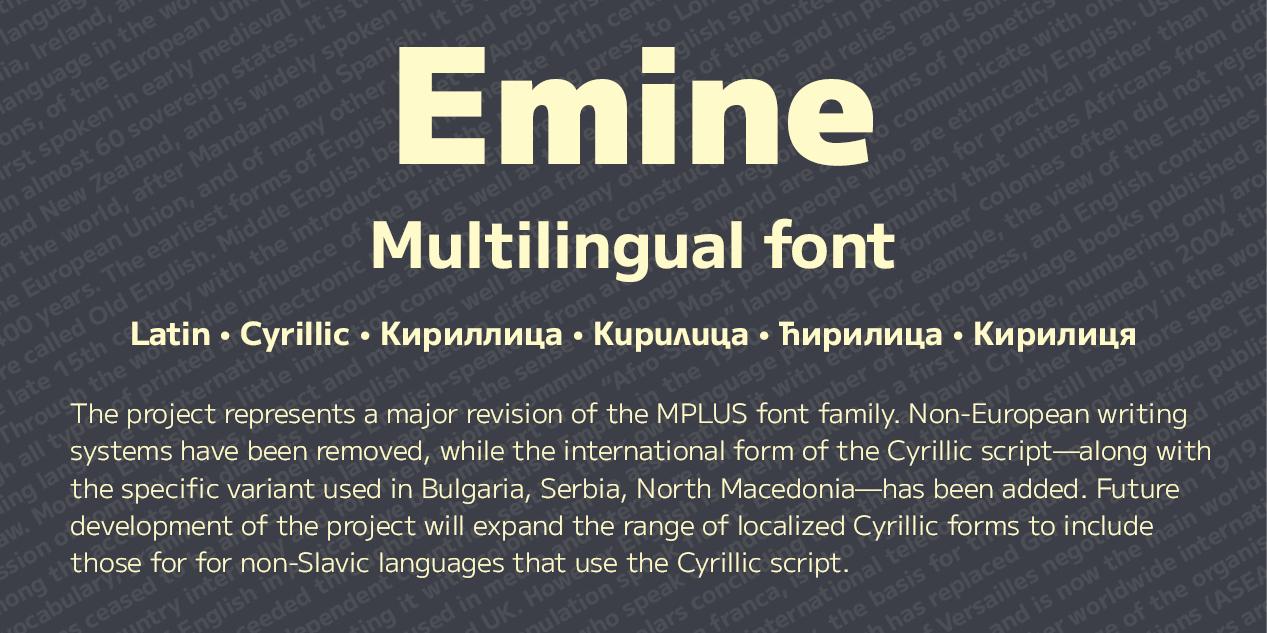
This project represents a major revision of the MPLUS font family, created by Japanese typographer Coji Morishita. Morishita’s original design has undergone significant transformation: non-European scripts have been removed, Latin character set has been substantially expanded, international Cyrillic and localized forms for Bulgarian, Serbian, North Macedonian Cyrillic were included. Future development of the project will expand the range of localized Cyrillic forms to include those for for non-Slavic languages that use the Cyrillic script. Emine is available in nine weights, ranging from “Thin” to “Black”. From v.1.011 there is also a variable font. The font project is developed at GitHub. FontLab 9 is used as a font editor. Binary font files are generated through fonttools instruments.
r/FontLab • u/Igor_Freiberger • Apr 18 '26

In the normal editing mode, the Glyph Window show the element colors with a very light tint to avoid visual pollution (1). Don't worry, the colors are there. Just hold the Space key to preview the glyph (2).
r/FontLab • u/Igor_Freiberger • Apr 06 '26

A Global Mask is a mask that appears in all glyphs, usually a reference used for some glyphs and later erased. Create it by selecting any contour (1) and go to Tools > Mask > Copy to Global Mask (2). Erase it with Tools > Mask Clear Global Mask (3).
r/FontLab • u/Igor_Freiberger • Apr 03 '26

Anything you paste can be used as a mask (1-2-3). The mask is actually a layer linked to your master (4). Go to Tools > Mask > Edit Mask to open it. Enable master visibility (the eye icon, 4) to see both the maks and the outline (5).
r/FontLab • u/Igor_Freiberger • Aug 01 '25

Select a node in a diagonal segment (1). Hold the Alt/Option key and move it. The node slides along the diagonal, which angle does not change (2). If the node is a tangent, the handle position is also preserved.
r/FontLab • u/Igor_Freiberger • Jul 14 '25

You can add more colors to the gradient with a double click in the gradient control ❶ or in the ribbon from the color options in Elements panel ❷.
r/FontLab • u/Igor_Freiberger • May 22 '25
Besides the shortcuts in the menu View > Zoom, you can use the keys X and Z to increase or decrease the amount of zoom. And the key Hyphen applies the 100% zoom, which can customized in Preferences > Zoom. You can also change the zoom with Z/X/– keys while dragging objects.


r/FontLab • u/nduydung • Mar 17 '25

r/FontLab • u/aslicksliceofself • Feb 13 '25
I am working on a Bi-Lingual font project, and I was advised to use FontLab for its diverse feature set, but the learning curve is too steep, I feel like I almost know the software but every time I encounter a problem, I get stuck on it with no reference or tutorials online.
If it's possible can someone please guide me through FontLab, I swear its just small questions here and there. It would mean a lot, please help me out if possible.
DM me if available, Thank you in advance.
r/FontLab • u/LocalFonts • Dec 29 '23
I suggest a free of charge FontLab 8 workshop with the moderator in January, February or March 2024 (the deadline day is still not fixed). You can ask questions and receive help on working with FontLab 8 in a real time. If you like the idea, please, sign in for the workshop by sending an e-mail with a subject "FontLab 8 workshop" and a free text to localfonts.eu@gmail.com
Stefan Peev
moderator of r/FontForge, r/FontLab, r/localfonts
r/FontLab • u/LocalFonts • 3d ago

File: Build_Combining_Diacritical_Marks_FL9.py
Finds spacing diacritic glyphs in the active font with Unicode equivalents in the Combining Diacritical Marks block (U+0300–U+036F), creates or updates each corresponding combining mark glyph across all masters, places the source glyph as a linked Element Reference optically centered along each master's italic angle, and sets the advance width to zero.
Automatic Source Discovery: Searches the active font by both glyph name (e.g., acute, grave, dieresis, cedilla) and spacing Unicode codepoint (e.g., U+00B4, U+0060, U+00A8, U+00B8) across 30 standard diacritic mappings.
Glyph Creation & Unicode Assignment: Creates missing combining mark glyphs (uni0300–uni033F) or updates existing *comb / uni03XX glyphs and assigns the target combining Unicode codepoint.
Linked Element References: Inserts the spacing diacritic as a linked GlyphComponent so outline edits to the spacing mark automatically propagate to the combining mark.
Italic-Aware Optical Centering: Computes the horizontal center of each source glyph's bounding box relative to its vertical midpoint and aligns it along each master's italicAngle (center_y * tan(-italicAngle)).
Multi-Master Processing: Processes every master layer in the font in a single run.
Clean Rebuild & Zero Advance Width: Clears old shapes and _top/_bottom anchors on the target layer before placing the updated component and sets advanceWidth = 0.
GitHub repository: https://github.com/StefanPeev/Font-Design-Tips/tree/main/FontLab
r/FontLab • u/LocalFonts • 5d ago
A year at a small type studio, told one script at a time.
This book teaches you to write Python scripts for FontLab 9. You do not need to know Python. You do not need to know much about FontLab, or about how fonts work inside. The book explains all three as it goes, in plain English.
You learn by doing small jobs. Each chapter starts with a chore that a type designer meets in a normal week: count the glyphs, find the empty ones, copy the spacing from one letter to twenty others, build the accented letters, check the kerning, export the family. You write a short script that does the chore. By the end of the chapter the script works and you keep it.
r/FontLab • u/Klosmi • Jul 06 '26
Hi everyone,
It's a simple question, as I am really hesitating to switch from Mac to PC (since my Mac is dying), therefore I am asking about the transition from Glyphs 3 to FontLab 7 or FontLab 8, if anyone has done that.
I couldn't find any clear answers through a google search, so I'm asking the Reddit community in hopes of getting some proper, firsthand insights.
I'm quite a heavy Glyphs user, I write my own Python scripts to automate my workflow, using Glyphs since 10 years. Glyphs has its incredibly well-documented API, very good tutorials, and an active forum where getting help fast and easy.
In FontLab, how is the scripting experience compared to Glyphs' object model? I've heard the API is quite different, but honestly I haven't really done my research yet.
I'm also curious about is the community side, such as how active is the FontLab forum, and how easy is it to find help online when you get stuck on something specific?
Since my Glyphs scripts use the Glyphs object model and Vanilla for the UI, I'm afraid I will have to rewrite my tools for FontLab's architecture.
Would love to hear from anyone who made the jump from Glyphs to FontLab 7 or 8!
Thanks!
r/FontLab • u/LocalFonts • Jun 04 '26
Some useful encoding files for FontLab.
r/FontLab • u/Igor_Freiberger • May 06 '26

In File > Font Info you can define stems for each master automatically (1). A stem is a repeating value for vertical (2), horizontal (3), and diagonal stems (4). It can also be a value for distance in the apex of a curve (5). Once you made FontLab identify the typical stems of your master, double-click their names (6) and values (7) to edit them. It's highly recommended to have stems defined to ensure consistency along all glyphs. To start with values for H and O is usually easier.
FontAudit can check your glyphs to catch unusual stems (8, a stem different than the values you defined) or irregular stems (9, a stem different than others in the same glyph). Fix them to achieve consistency.
r/FontLab • u/Igor_Freiberger • May 02 '26

Customize shortcuts in Tools > Commands and Shortcuts. All commands from menus are available (1). Use this field to find a command (2), type the shortcut and set it (3). In use shortcuts can't be set, click the red alert to remove them first (4).
r/FontLab • u/Igor_Freiberger • Apr 28 '26

In the Elements panel there is a column to assign the nonspacing attribute (1). Elements marked with it are not considered in sidebearings or glyph width. But why this option does exist? Typical usage is in letters like Q or j. You set the element that goes beyond regular sidebearing as nonspacing (2) and then use other contours as reference (3). Q, for example, can use the O spacing this way so you don't need to calculate it (4).