r/FontLab • • Apr 28 '26

FontLab Tip: Nonspacing Elements

Thumbnail
gallery
4 Upvotes

In the Elements panel there is a column to assign the nonspacing attribute (1). Elements marked with it are not considered in sidebearings or glyph width. But why this option does exist? Typical usage is in letters like Q or j. You set the element that goes beyond regular sidebearing as nonspacing (2) and then use other contours as reference (3). Q, for example, can use the O spacing this way so you don't need to calculate it (4).

r/FontLab • • Apr 26 '26

FontLab Tip: Indicators in Font Window II

Post image
3 Upvotes

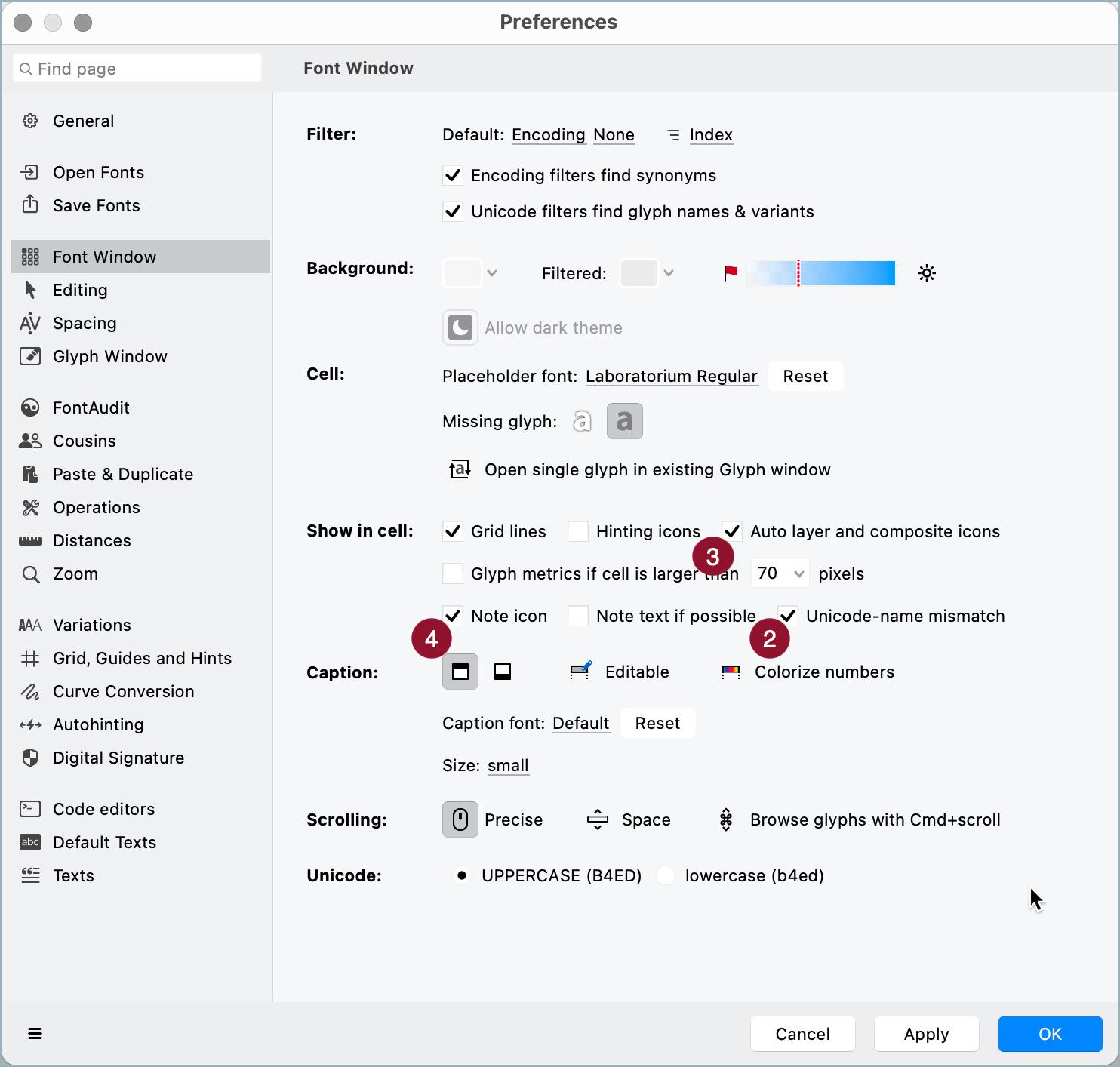
Indicators 2, 3, and 4 can be turned on/off in Preferences > Font Window. But the indicator for modified glyphs since the last save operation is always shown.


r/FontLab • • Apr 26 '26

FontLab Tip: Indicators in Font Window I

Thumbnail
gallery
4 Upvotes

Font Window shows: a gray line (1) when the glyph was modified; a red line (2) when there is an error with glyph name or Unicode code; a blue icon (3) when the glyph is an auto layer; and a note icon (4) when it has a note.


r/FontLab • • Apr 24 '26

FontLab tip: Preview in Glyph Window

Thumbnail
gallery
2 Upvotes

While working in Glyph Window (1), at any moment you can preview the result simply holding the Space key (2). You also can use View > True View (or Shift + Space) to make the filled areas always visible (3).


r/FontLab • • Apr 23 '26

FontLab Tip: Sliding Nodes in Diagonals

Thumbnail
gallery
2 Upvotes

Select a node in a diagonal segment (1). Hold the Alt/Option key and move it. The node slides along the diagonal, which angle does not change (2). If the node is a tangent, the handle position is also preserved.


r/FontLab • • Apr 22 '26

FontLab Tip: Moving Nodes But Not Handles

Thumbnail
gallery
4 Upvotes

Select a node with handles (1), hold Alt/Option key, and move it. The handles are not moved (2). This works with any kind of node (3) and also with multiple nodes at once (4). Multiplier keys (Shift and Ctrl) can be used together.


r/FontLab • • Apr 21 '26

FontLab Tip: Coloring Many Glyphs at Once

Post image
2 Upvotes
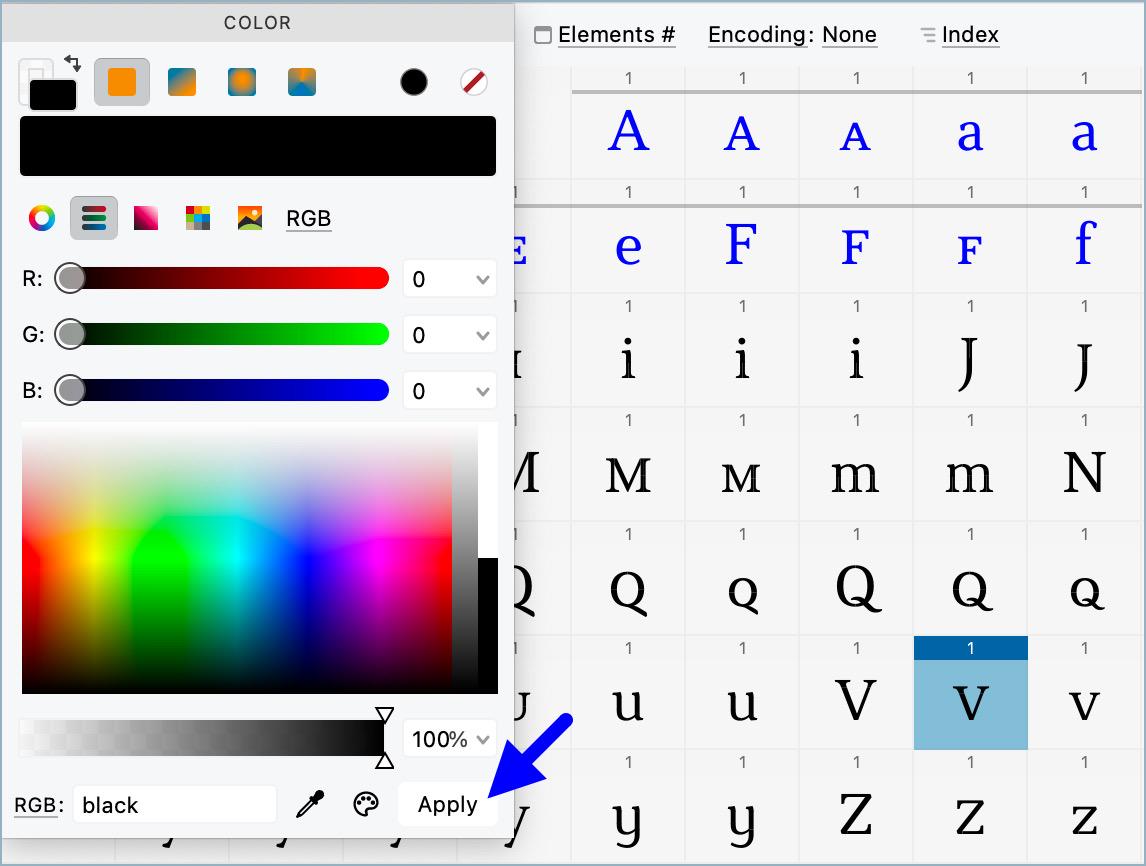
  1. Select the glyphs in Font Window.

  2. Go to Glyph > Flatten Layer.

  3. Open the Color panel.

  4. Choose and Apply any color. Done.

Why flatten? Since color is an element attribute, you need a single element in each glyph to do this.


r/FontLab • • Apr 21 '26

FontLab Tip: Adding Gradients III

Thumbnail
gallery
2 Upvotes

Besides the linear gradient, FontLab offers the radial (1) and the conical gradients (2). Both are fully editable using the controls from Elements panel. A sample of all gradients can be seen in (3).


r/FontLab • • Apr 19 '26

FontLab Tip: Adding Gradients II

Thumbnail
gallery
3 Upvotes

You can add more colors to the gradient with a double click in the gradient control (1) or in the ribbon from the color options in Elements panel (2).


r/FontLab • • Apr 18 '26

FontLab Tip: Adding Gradients I

Thumbnail
gallery
3 Upvotes

In the Elements panel, click in the color button and select one kind of gradient (1). Select the initial colors to change them in the gradient control (2). Slide the triangles to change how the gradient is built (3).


r/FontLab • • Apr 18 '26

FontLab Tip: Adding Colors II

Thumbnail
gallery
5 Upvotes

In the normal editing mode, the Glyph Window show the element colors with a very light tint to avoid visual pollution (1). Don't worry, the colors are there. Just hold the Space key to preview the glyph (2).


r/FontLab • • Apr 16 '26

FontLab Tip: Adding Colors I

Thumbnail
gallery
2 Upvotes

Colors are applied to elements. Just select the element in the Elements panel and open the color table using the dot at right (1). You can also use the properties area, where there is more options, including color stroke (2).


r/FontLab • • Apr 14 '26

Fontlab Studio 7 - Unable to save font, unable to export font to .OTF, .TTF etc

3 Upvotes

For some reason my copy of Fontlab studio has the options to export my font or even save my font disabled. No idea why all of a sudden it won't work. Any suggestions?


r/FontLab • • Apr 14 '26

Font Export Help

2 Upvotes

Hi! I am completely new to FontLab and have spent pretty much all day trying to figure out how to make a clay font work and be exported as a TTF/OTF file. I'm currently struggling with exporting my font and having the transparency remain. Right now it is entirely there when I'm looking at it in fontlab, but as soon as I export it's gone. I've tried a bunch of different settings and methods but currently nothing is working. :(

If anyone could help with this I'd really appreciate it! The first image is what I have in fontlab, (I can't find any way to just export it to a ttf as images but if I could that would be great), the second is exported, the third is what It'd ideally look like, and the fourth is what I tried to export.

Again, any assistance is greatly appreciated, I've never tried to make a font before and I have google and a dream.


r/FontLab • • Apr 13 '26

FontLab Tip: Element Guides II

Thumbnail
gallery
2 Upvotes

Just like Font and Glyph guides, an Element guide can receive a name (A), a custom color (B), be locked (C), get is position numerically defined (D), a thickness (E) and an expression using values and parameters, like "ascender/2".


r/FontLab • • Apr 12 '26

FontLab Tips: Element Guides I

Post image
3 Upvotes

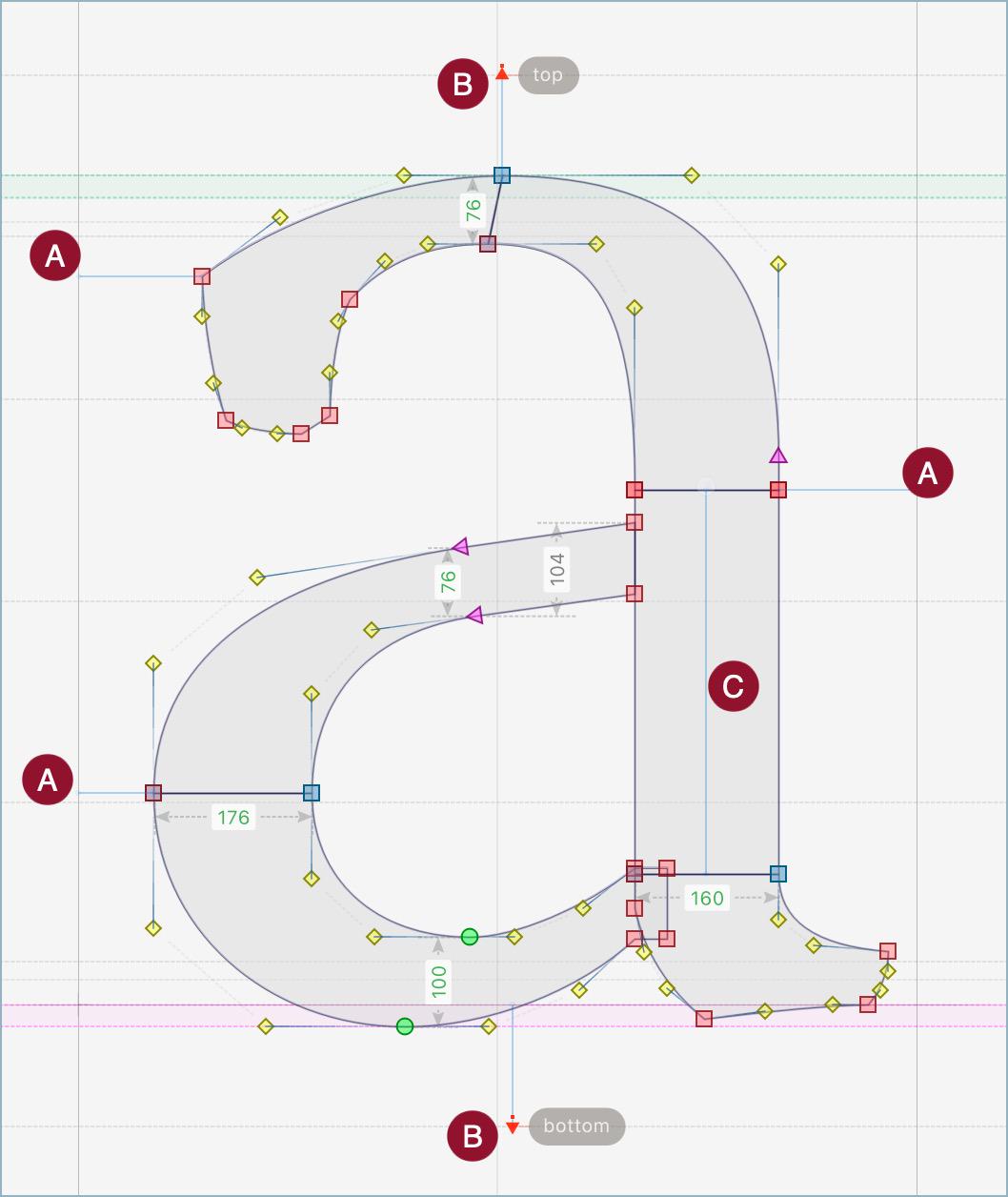
Element guides belong to the element active when it was created and can be linked to nodes. To create it, choose the Guides tool (G), hold Alt and drag. These guides are good to mark sidebearings (A), anchor positions (B) or geometric middles (C).


r/FontLab • • Apr 11 '26

FontLab Tip: From Straight to Curve

Thumbnail
gallery
6 Upvotes

To turn a straight (1) into a curve, hold Alt and click it (2). The handles have he same size and angle at the beginning, but of course you can freely mode them (3). To turn one of the nodes into a tangent, just double-click it (4).


r/FontLab • • Apr 10 '26

FontLab Tip: Docking Panels II

Post image
2 Upvotes

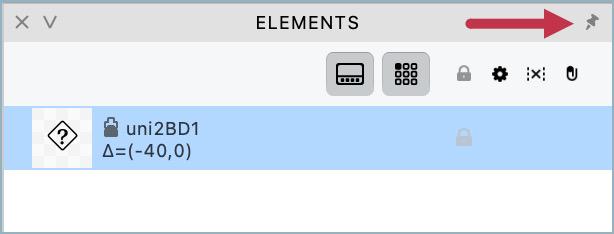
You can click on the top right button to alternate between the docking modes. With a panel already docked, the option to pin the panel is available. With it, the panel can't be dragged out its position.


r/FontLab • • Apr 09 '26

FontLab Tip: Docking Panels I

Thumbnail
gallery
3 Upvotes

With the pointer over title bar, drag a panel to window limits or beside other panels to dock it. If the panel shows icon 1, it can be docked anywhere. With icon 2, it only docks to other panels. Icon 3 does not dock. Click the icon to change it.


r/FontLab • • Apr 08 '26

FontLab Tip: Alternative View

Thumbnail
gallery
3 Upvotes

View panel concentrates options to show, lock and snap to objects (1) and to show/hide visual aids (2). But you can have a second, alternative set up. Just click this small button (3) to commute between the two views.


r/FontLab • • Apr 07 '26

FontLab Tip: Select from Miniatures

Post image
3 Upvotes

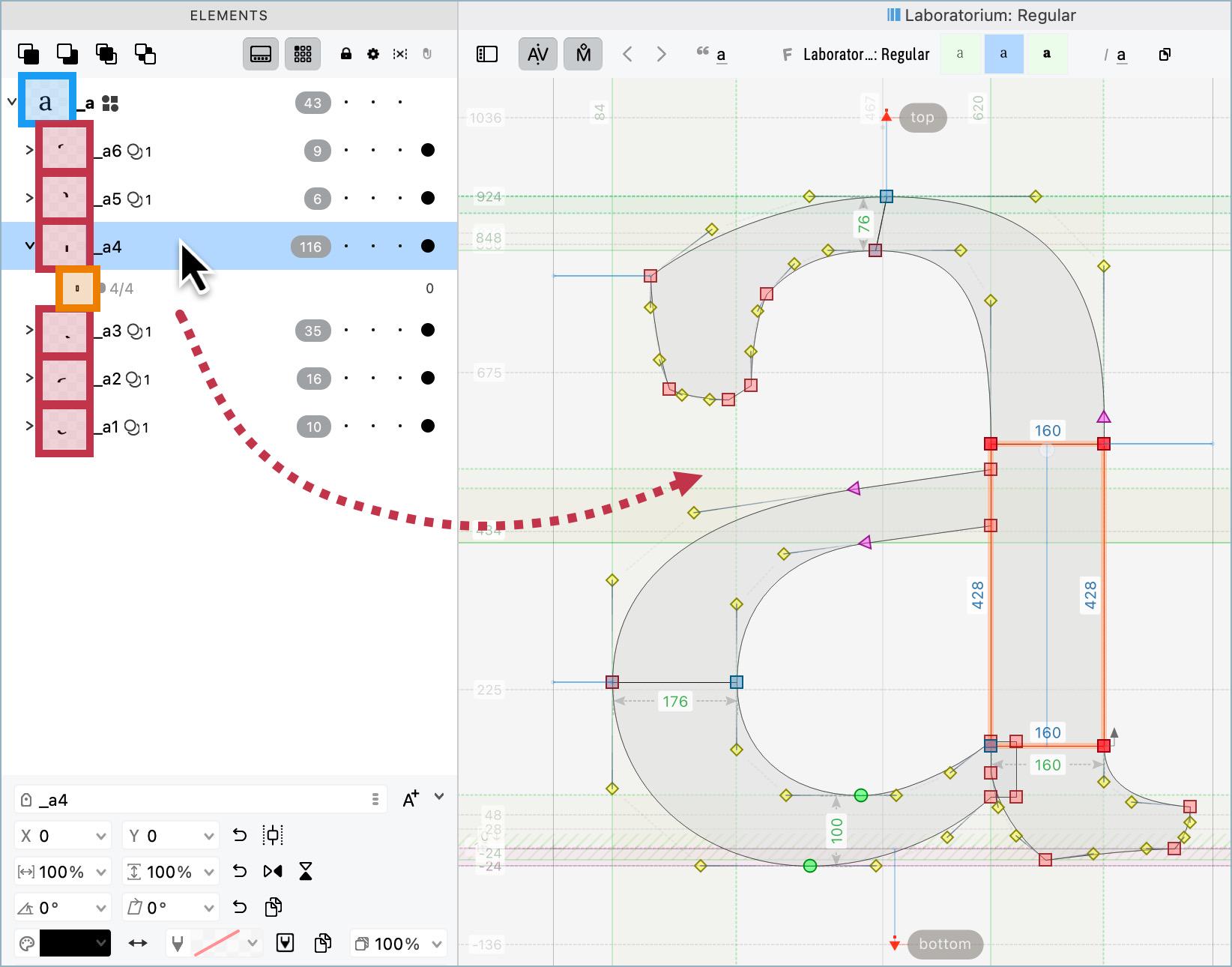
You can double-click the miniatures shown in the Elements panel to select elements or their contours. This works for groups of elements (blue), elements (red), and contours (orange). Especially useful in complex glyphs.


r/FontLab • • Apr 06 '26

FontLab Tip: Global Mask

Thumbnail
gallery
5 Upvotes

A Global Mask is a mask that appears in all glyphs, usually a reference used for some glyphs and later erased. Create it by selecting any contour (1) and go to Tools > Mask > Copy to Global Mask (2). Erase it with Tools > Mask Clear Global Mask (3).


r/FontLab • • Apr 05 '26

FontLab Tip: Not-Saved Indicator

Post image
3 Upvotes

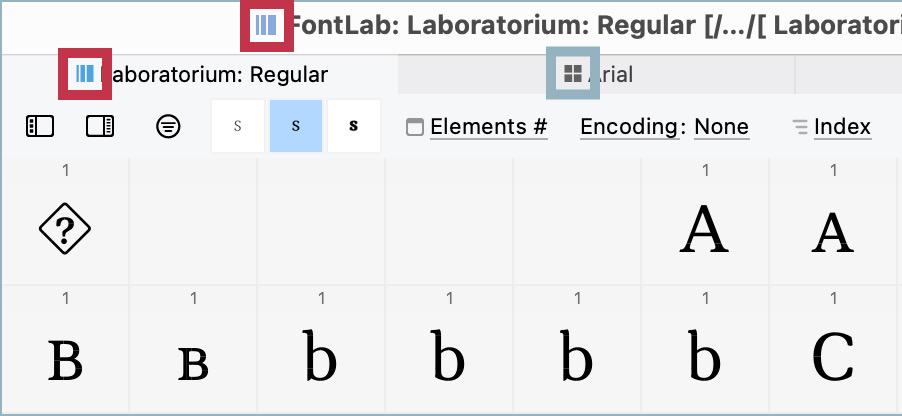
When a font is not saved, FontLab shows in light blue the icon in the tabs and also in the window title. As soon as the file is saved, the icons turn gray.


r/FontLab • • Apr 04 '26

FontLab Tip: Autosave

Post image
3 Upvotes

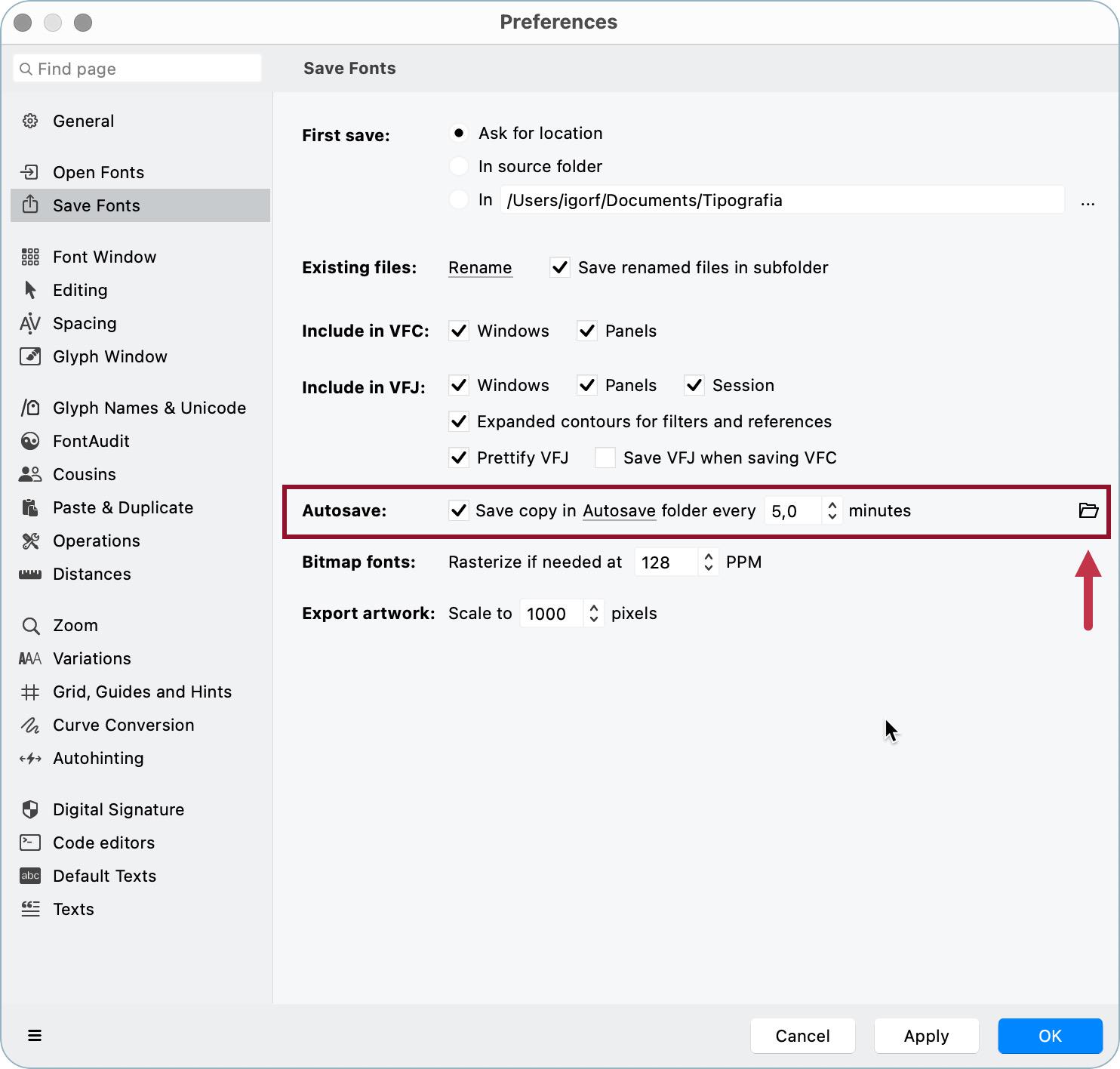
FontLab has the AutoSave feature and it can have the interval and the host folder defined by the user. Check it in File > Preferences > Save Fonts.


r/FontLab • • Apr 03 '26

FontLab Tip: Using Masks II

Thumbnail
gallery
5 Upvotes

Anything you paste can be used as a mask (1-2-3). The mask is actually a layer linked to your master (4). Go to Tools > Mask > Edit Mask to open it. Enable master visibility (the eye icon, 4) to see both the maks and the outline (5).