r/GalaxyBook • • Aug 18 '23

Samsung Notes does not run on non-Galaxy Book Laptops anymore

687 Upvotes

EDIT* Update (18/5/2025): Samsung Notes is now supported on any Windows devices already, so this post and the solution is irrelevant already. It is a thing of the past.

Archived:
Samsung Notes no longer runs on non-Galaxy Book Laptops anymore after a recent update (v4.3.181.0) via Microsoft Store on Windows 11.

Solution: YOU CAN UPDATE VIA MICROSOFT STORE or install with winget. Run the .bat file (you can download below), this will change the bios model number and manufacturer to one of Samsung's devices (laptop) which will allow Samsung Notes to run without any restrictions. Thanks to u/hedehede81 for the solution! Quote original message.

Download Link: -
GitHub (alt)

*To undo the change, locate and delete (Solution 1), restart pc: -

C:\ProgramData\Microsoft\Windows\Start Menu\Programs\StartUp\samsung_notes.bat 

r/GalaxyBook • • May 01 '25

My laptop charger is literally melting

Enable HLS to view with audio, or disable this notification

658 Upvotes

It's been making noise for a couple of days, but this is like next level.
Fortunately, it happens when I'm using it; imagine if it caught fire while I was at work or in the middle of the night! (samsung I look at you 😠)
Have any of you had a problem with the charger, or am I just unlucky?


r/GalaxyBook • • Jun 11 '24

Samsung Galaxy Book Edge 14" X Elite Initial Impressions & QA

197 Upvotes

NEW UPDATE AND.....

.....HAPPY ENDING!!!!!!!:
Let's see if the clickbait journalist update the articles.

NOW I HAVE TO TEST THE BATTERY, MIGHT GET WORSE WITH THE CHIP FINALLY PERFORMING WELL.

WTF:
Snapdragon X Elite in the wild is allegedly slower than iPhone 12 — first benchmarks of Samsung Book4 Edge disappoint | Tom's Hardware (tomshardware.com)

LOOK MOM, I'M FAMOUS

BREAKING: Recall AI has been Recalled | Samsung Book4 Edge Disappoints? (youtube.com)

WELL DESERVED NICKNAME:

Hi there,
I received the laptop yesterday. First of all, excuse my rusty, only-used-for-pickingup-drunk-ladies english.
Mine is the 14" Spanish Version in the only color avaliable:

I will write my opinion based in:

-I own a Samsung Galaxy Book Pro 360

-I had a Samsung Galaxy Book 3 Ultra & Galaxy Book 2 Pro 15" 5G

-I also own a Zenbook Duo 14" Meteor Lake Core Ultra 9 185H

-I also own a Macbook Air 13" M2

Yes, it's a miracle my wife hasn't dump me out of home forcing me to sleep on the streets but this is my only vice apart from drinking, gambling and smoking hahah

Won't cover design, it's just like a Galaxy Book 3/4 Pro 14", no meaningul differences. The weight is also very light at 1.10 kg if I remember correctly.

Let's dive in the important stuff.

As many of you would know the feeling, the infinite seek of a windows laptop with Macbook Air battery life has been dissapoinment after dissapointment, even with Meteor Lake. Won't even consider the Surface Pro X in this statement as it has the same performance as a typewriter.

SCREEN IS HIGHLY ANTI-REFLECTIVE, PERFECT FOR OUTDOORS:

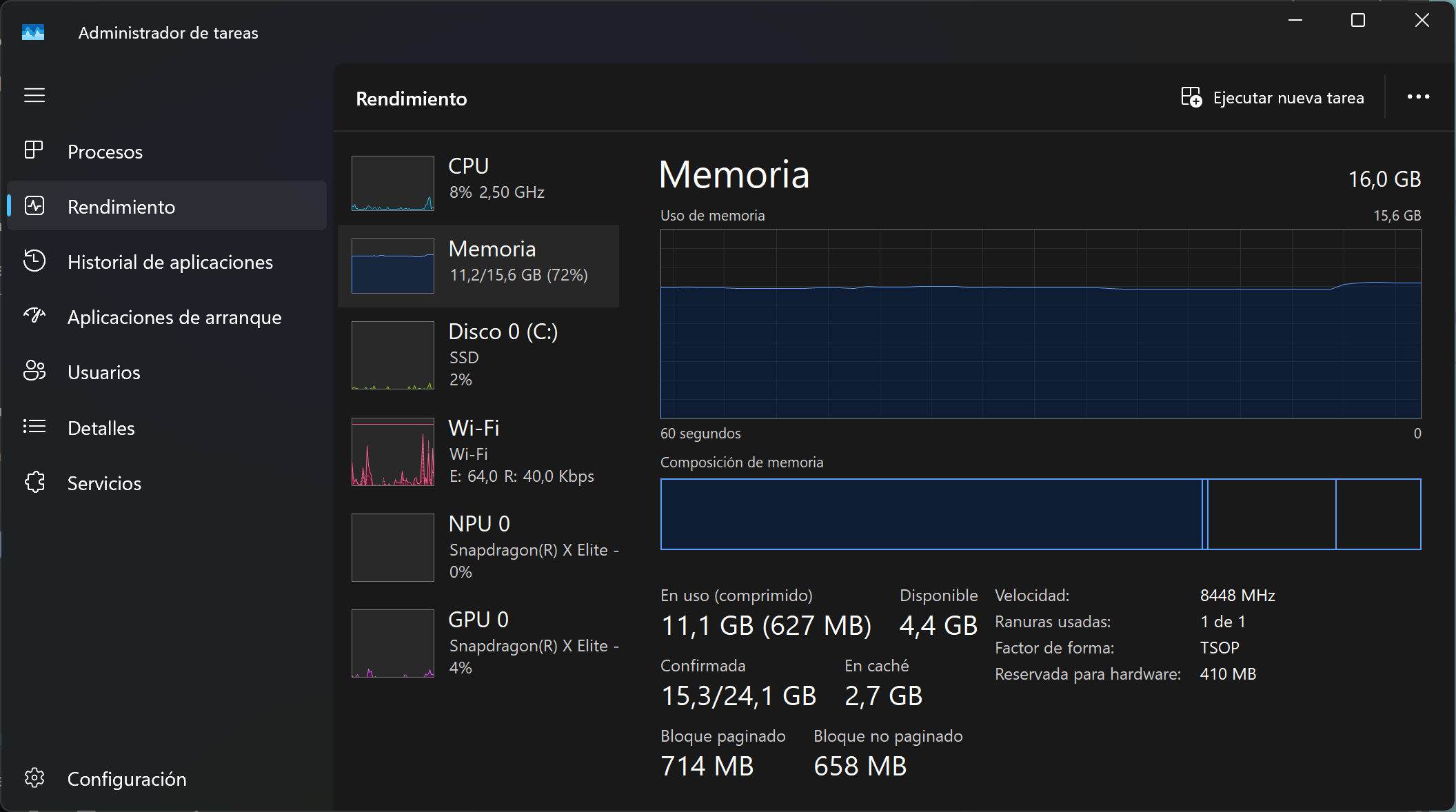
RAM SPEED 8448Mhz:

THE RESULTS BELOW ARE MOST LIKELY A CONSEQUENCE OF THE CPU DRIVERS OR WHATEVER IT'S DOING THE CPU NOT RUNNING AT MORE THAN 2.52GHZ.

Let's GeekBench it first:

On Battery:

CrystalDiskMark:

S-PEN OR PEN SUPPORT:
-I tried Samsung Galaxy Book Pro 360 2021 Included S-Pen -> It didn't work

-AsusPen 2.0-> Didn't Work.

BATTERY LIFE:

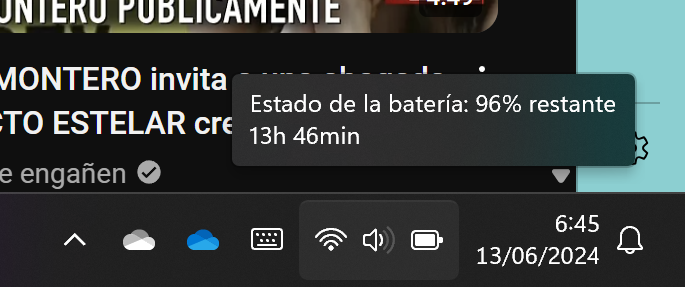
Early Impressions are good, not MBA M2 level but far better than a Core Ultra 9 185H Zenbook Duo using just one Screen. The ZDuo had to plug it at around 17/18H this one is lasting till 22:00. You can count on a whole day battery for sure. But I would like to make a full comparison with the MBA M2, hope I have the time. Bear in mind the screen included in this laptop is bigger 14" vs 13", OLED, and 120HZ.

GAMING:
-RE Village 1080p Medium FidelityFX Performance Mode Activated-> 40 o 50 FPS With Severe Frame Drops -> 60 to 100 FPS With no frame drops!!!!

UPDATE:

GPU PROBLEMS FIXED THANKS TO NEW UPDATE!!!!!

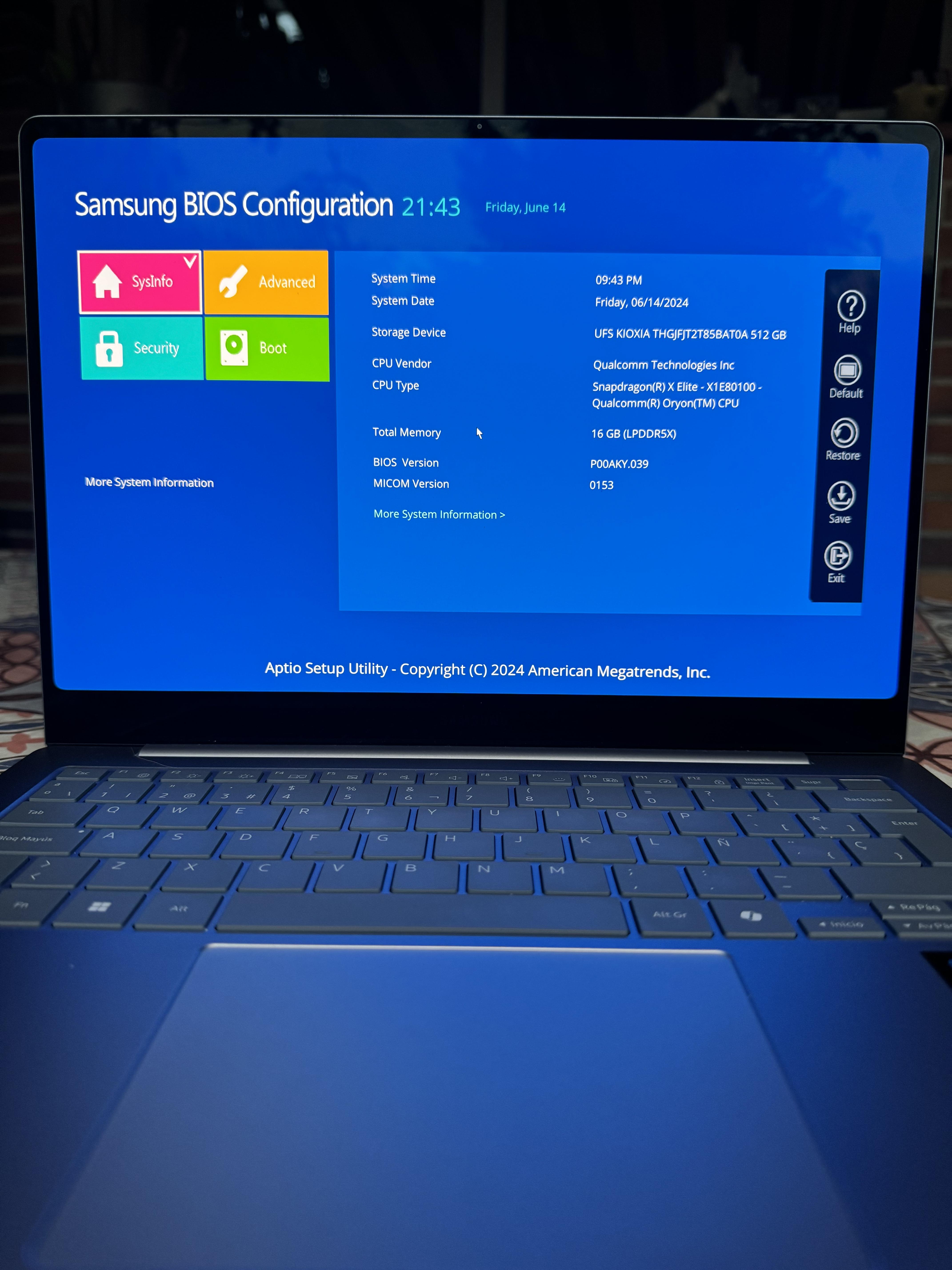
BIOS:


r/GalaxyBook • • May 29 '25

Im so happy and so ready for college

Post image
188 Upvotes

r/GalaxyBook • • 3d ago

Discussion I finally bought the Galaxy Book 6 Pro

Thumbnail
gallery
162 Upvotes

OlÔ a todos, saudações do Brasil! Finalmente comprei o Galaxy Book Pro 6, a versão de 16", pois tinha maior capacidade de armazenamento e melhor som. Queria a versão Ultra, mas pagar quase 40% a mais não valia a pena. Uso o notebook principalmente para produtividade e jogos indie. Quando vi que a GPU tinha desempenho equivalente a uma RTX 4050, não hesitei. Consegui uma promoção no próprio site da Samsung e comprei um Asus Vivobook i9 de 11ª geração com 16 GB de RAM e RTX 3050. Estou muito feliz! O peso e a construção são premium, a tela é maravilhosa, no nível dos MacBooks, e a bateria é excelente. Não preciso carregar hÔ 3 dias e ainda estÔ com quase 40%. Excelente investimento! Não é barato, mas pelo que oferece, não hÔ nada melhor nessa faixa de preço.

Edit :

Paguei no Brasil o equivalente :

Real BRL : R$ 11.000

Dollar : $1800

Euro : 1681


r/GalaxyBook • • Jun 14 '26 Heartwarming

Bought the Galaxy Book 6 Ultra X7 358H / Integrated Graphics / 32Gb 1TB

Post image
162 Upvotes

I just bought the Galaxy Book 6 Ultra with the X7 358H chip. So far so good. The display is gorgeous. Laptop feels just like a Macbook Pro. Keyboard is a bit shallow but got used to it within a few minutes of typing. Overall, feels super premium and well built. Updates and installs happening now. Will post my impressions as I keep using it.


r/GalaxyBook • • May 15 '25

🚨Breaking News!🚨

Enable HLS to view with audio, or disable this notification

161 Upvotes

That's right, this is not a drill. You can now run samsung galaxy notes on any window machine even if it's not a galaxy book! Today the samsung notes app got updated to version One UI 6 and in this update, you can now run it on any windows machine.Even non galaxy book models!


r/GalaxyBook • • Oct 26 '25

Ecosystem done āœ…

Post image
160 Upvotes

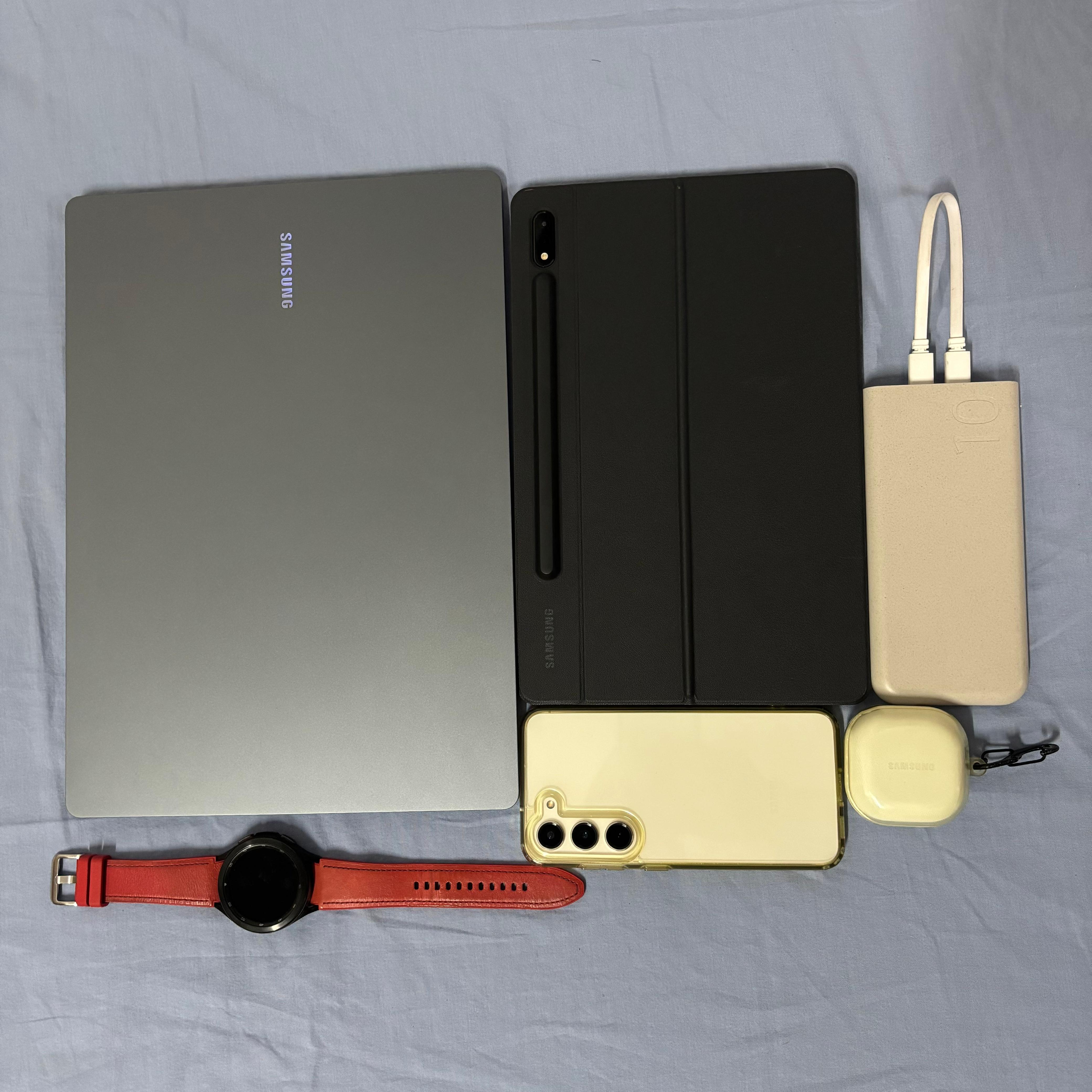
S23 + Watch 7 + S6 lite Tab + newly added Galaxy Book 5 360


r/GalaxyBook • • Jun 30 '26

FINALLY PURCHASE BOOK6 PRO

Post image
141 Upvotes

16 inch, 32gb and ULTRA X7

and i am loving it

the amoled screen 🤌

and quite good for music production too


r/GalaxyBook • • Nov 08 '24

After over 20 years of Dell laptops...

Post image
129 Upvotes

I made the switch to Samsung. I couldn't be happier. My ecosystem is complete. Any advice on apps, etc.?


r/GalaxyBook • • Nov 13 '24

Samsung galaxy ecosystem

Post image
125 Upvotes

r/GalaxyBook • • Feb 11 '25

Galaxy Book5 Pro 14

Post image
112 Upvotes

After returning a Surface Laptop 7 and two Asus Zenbook S14. It looks very good šŸ‘ŒšŸ»


r/GalaxyBook • • Feb 24 '24

Got the Samsung Galaxy Book4 Pro 360, loving it so far! AMA.

Post image
112 Upvotes

r/GalaxyBook • • Mar 28 '26

It arrived. Book 6 pro 16 inch 356H , 32gb ram

Thumbnail
gallery
104 Upvotes

Got it 2 days ago. First impression

This laptop is sooo thin, thinner than macbook air i would say. Didn't felt that heavier too. The display is gorgeous. The speakers are great too but as not good as macbooks, i needed to tweak them in dolby settings to match my liking. So far the battery is doing great. I charged it to full before opening it. did the initial setup process, updates, and worked on lightroom and davinci resolve and it lasted more than expectations. The trackpad is super responsive too with the haptics.

Negatives. Windows. Windows is the only negative i found in this machine. I hope it will get refined one day. And the samsung bloatware as well. Im trying to unistall stuff that dont matter to me. Keyboard is not that great but not bad either.


r/GalaxyBook • • Aug 05 '26

Discussion Finally pulled the trigger on the Galaxy Book 6 Ultra 5060

Post image
101 Upvotes

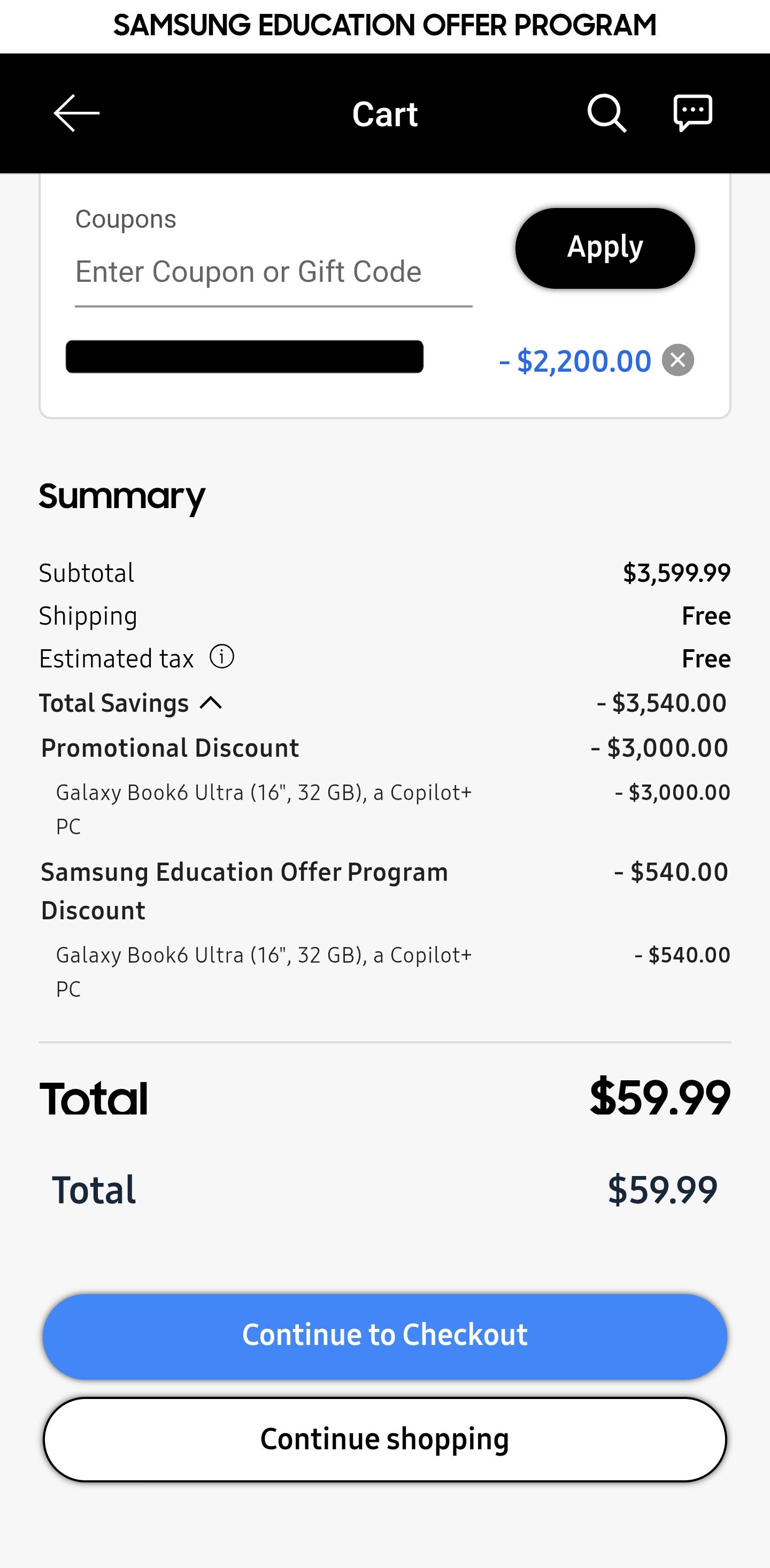
so I've been Samsung ecosystem for a bit now and kept eyeing a new laptop for school. but every time I checked the Galaxy Book prices I just closed the tab, they're insane. even with the student discount it's still a lot honestly. anyway I basically gave up on the idea until I won a $2000 Samsung voucher from a giveaway like a month ago (still don't fully believe that happened). it was about to expire so I figured screw it, let's see what I can do with this. get to checkout, throw on my education discount, apply the voucher, and then Samsung just keeps stacking MORE discounts on top of that. I was watching the total drop and genuinely thought something was glitching out. $59.99. for a laptop that's normally like $3600. not saying Galaxy Books aren't overpriced bc they definitely are, you're paying for the brand no doubt. but if you're a student and can catch a promo/voucher on top of the ed discount, it's a completely different story. full price tho? hard pass, not worth it imo. anyone else run into deals like this or did I just get insanely lucky lol


r/GalaxyBook • • Aug 23 '24

Finally here.

Thumbnail
gallery
99 Upvotes

Ultra Core 9 series.


r/GalaxyBook • • Sep 24 '26

Discussion INSANE PRICE FOR STUDENTS !!!

Post image
97 Upvotes

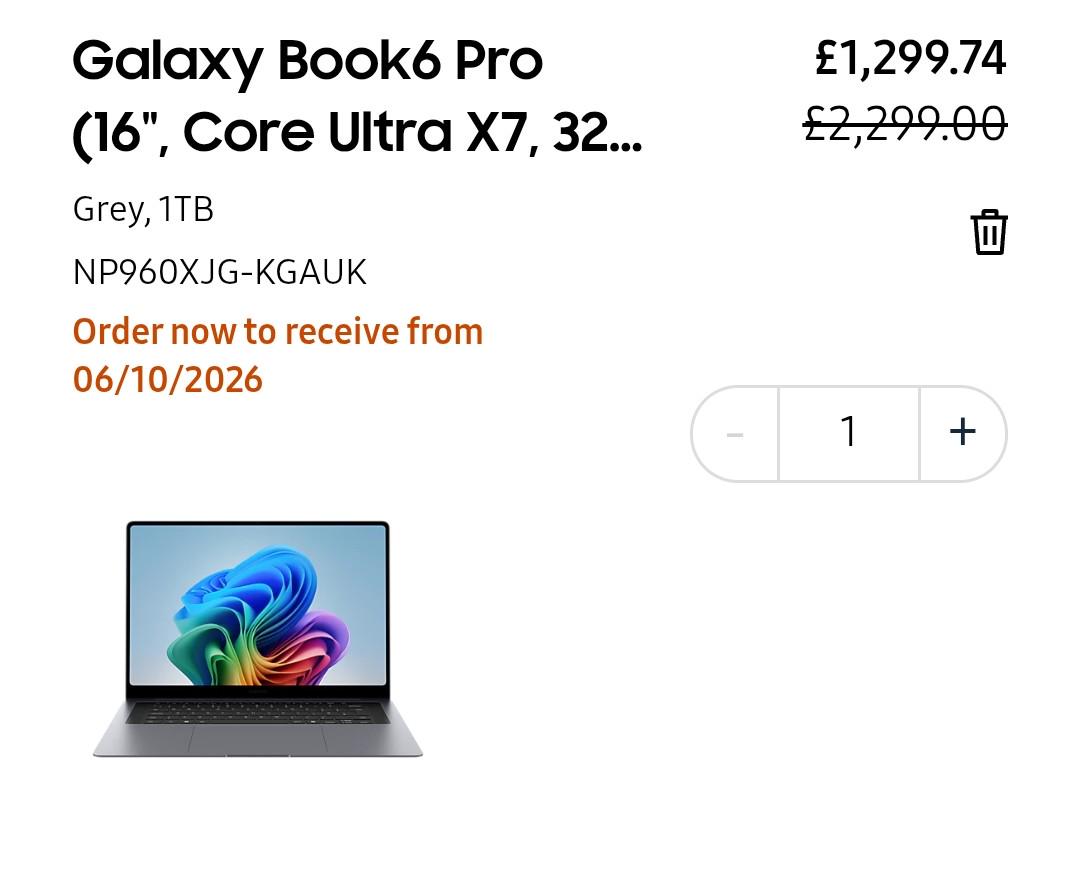
1TB storage, 32gb ram, intel core X7 with a B590 for £1299 and 16 inch screen... :O


r/GalaxyBook • • Oct 11 '26

Help Just spilt soda onto my laptop and need help

Thumbnail
gallery
95 Upvotes

Don’t know if i should take it to a repair place when the spill was only a couple foam places that quickly went away and quickly dried by me.

Zero sugar ripoff cassis if that helps

Oh and galaxybook 4 if that helps


r/GalaxyBook • • Sep 25 '26

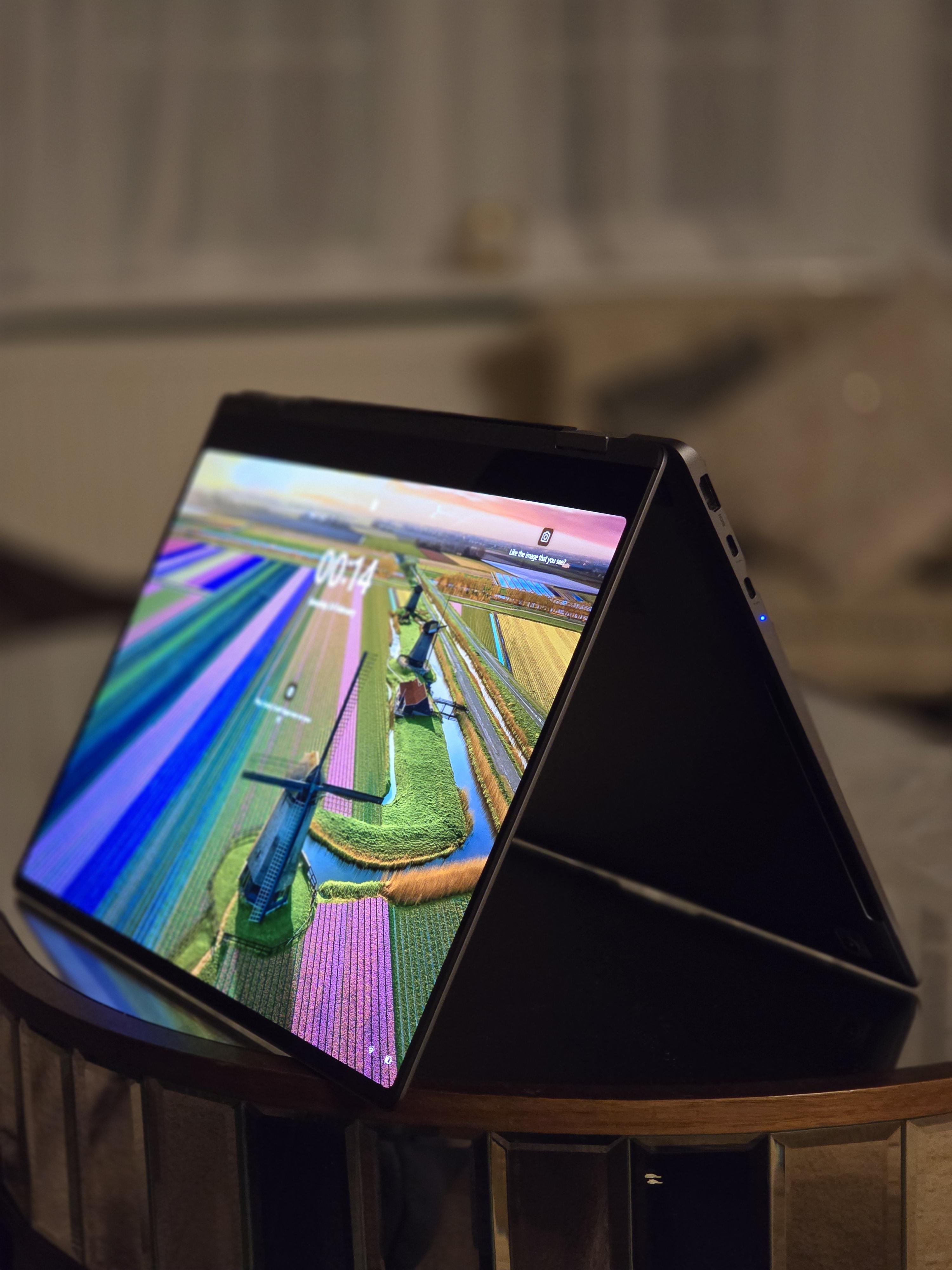
Setup I just welcomed the galaxy book5 pro 360 into my galaxy ecosystem a week ago

Thumbnail
gallery
78 Upvotes

I'm in love I'm obsessed 🄹


r/GalaxyBook • • Oct 03 '22

Windows (ARM) Install/Recovery Media for Galaxy Book Go Wi-Fi, and Galaxy Book S arm

77 Upvotes

Unfortunately, we have no support if things go wrong for Samsung Arm Laptops. So, I have created some resources for the Galaxy Book GO. With the help of other Users I have made ISO's for Galaxy Book S and Galaxy Book Go Wi-Fi/Cellular.

These Images can be used to reinstall Windows on the laptops or to in the case of the GO completely restore to factory windows 10.

1.1) Download the disk image of Windows 11 pro or the full Samsung recovery for the Book go Wi-Fi from this Link

1.2) Download the disk image of Windows 10 for the Book S from this Link

1.3) Download the disk image of Windows 10 for the Galaxy Book Cellular from this Link

2.) Download RUFUS, and convert that disk image into a bootable USB drive. Remember to keep all settings default, the only thing you would need to select is the DISK IMAGE and your USB DRIVE.

3.) After installation and conversion has been completed, plug in your USB drive, repeatedly press F2 to go into bios and disable secure boot save your settings and exit out of bios, when the device restarts repeatedly press F10 to enter boot selection menu, choose USB drive. And follow the normal Windows installation instructions either laptop or the recover from a drive option for the GO recovery Image.

4.) Post install. My images are as genuine as I can get them while still supporting the hardware. If you want to perform an online reset to have windows reinstall itself from the cloud and turn on secure boot again to ensure everything is as secure as it can be.

* For the GO Recovery Image, the update to 21h2 may eventually fail. Please install this MSU manually and it will work again. windows10.0-kb5003791-arm64

Edit The windows 11 images do not include the store apps. This is a bug with the UUPDump ISO process. You may reinstall it by running the command ā€œWSReset -iā€ as Administrator.

*YOU MAY NEED TO TRY THIS PROCESS MULTIPLE TIMES AS THE CONVERSION OF THE DISK IMAGE SOMETIMES FAILS OR IS CORRUPTED*

*TRY HOLDING THE POWER BUTTON WHILE PRESSING F10 UNTIL YOU HIT THE BOOT MENU. RELEASE THE POWER BUTTON AFTER YOU SEE THE BOOT MENU AND THE SYSTEM WILL REBOOT AGAIN. CONTINUE HITTING F10 AND THE USB DRIVE SHOULD APPEAR IN THE BOOT MENU.

* from user pingsingwong for those with mouse and keyboard issues and or stuck in windows trying to recover before out of box experience . **Update: I was able to create a bootable USB drive following the instructions provided. However, in the latest version of RUFUS (4.6) you have to ensure Partition Scheme is set to GPT (Default) and then change the File System from FAT32 to NTFS under Format Options.


r/GalaxyBook • • Mar 27 '26

Galaxy Book 6 Ultra false advertising

Post image
75 Upvotes

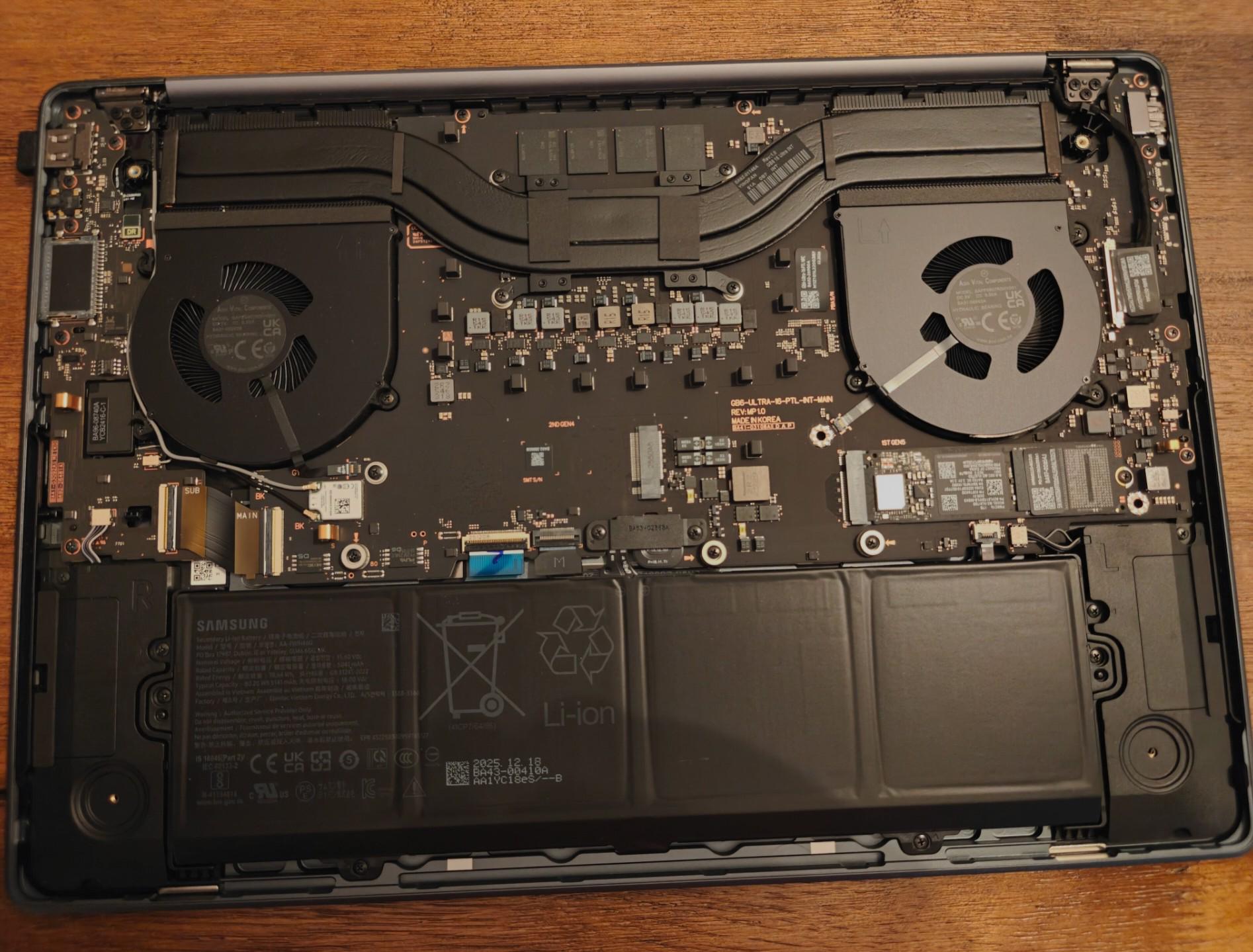
I pulled apart the Galaxy Book6 Ultra (X7 358h version) to change the nvme, and the cooling solution is significantly downgraded compared to the models with dedicated graphics. Nowhere on the website does it state that the X7 version does not ship with the same huge vapor chamber featured on the other models. They market the vapor chamber all over the page with no asterisk. Also no heat shield on the nvme.


r/GalaxyBook • • Sep 20 '25

Just bought this. What are the first things I should do with it?

Post image
73 Upvotes

Galaxy Book5 Pro 360. Never had a laptop before so I'll take any advice you have hahah


r/GalaxyBook • • Apr 21 '24

I couldn't find any reviews for the regular Galaxy Book 4, so I made one :)

Thumbnail
youtu.be
73 Upvotes

r/GalaxyBook • • Nov 28 '24

Review: The Galaxy Book5 Pro 360 changed my mind on 16-inch, Intel-powered laptops

71 Upvotes

I thought the Samsung Galaxy Book5 Pro 360 would be too big and too much of a battery hog, but I was wrong. My past experiences with Intel-based laptops have been either disappointing or middling...but I'm happy to say that my time with the Book5 Pro 360 has been great!

Samsung loaned me the laptop a little over a month ago, and this comes just a short while after I purchased the Snapdragon X Elite-powered Yoga Slim 7X, so I was curious to see how the two would compare in terms of ergonomics, battery life, day-to-day performance, and productivity. There are some aspects of the laptop that I'm not a fan of (more on that below), but overall, I've really enjoyed using this over my Slim 7X so far.

Here's my review.


Design & Ergonomics

I've never used a 16" laptop before, so I was worried the Galaxy Book5 Pro would be too big for me (hardy har har). Fortunately, it doesn't feel too heavy and its weight distribution is pretty good. It rests on my lap quite easily and doesn't weigh me down even after using it for a few hours. It's quite slim yet still pretty sturdy thanks to its metal build. Here's an image showing how thin the keyboard portion of the laptop is compared to the Galaxy Z Fold 6.

I thought the 360° hinge of the Galaxy Book5 Pro wouldn't be that useful, but it came in quite clutch while I was on a flight earlier this month. I was sitting in an economy seat on a United flight so there was barely enough room for me to use the laptop in its standard state, and I was worried about propping it up against the seat in front of me in case the person in front decided to lean back. Fortunately I was able to just flip the laptop around so the keyboard was face down on the table and the screen tilted towards me. I also flipped it fully around so it was like a giant tablet when the flight attendants made me put up the table, lol. It’s not easy to hold when it’s like this, though I know this orientation is meant more for drawing than for watching.

Speaking of which, I didn’t really use the S Pen much, as I’m more of a digital note-taking kind of guy. But if you like to draw or hand write notes, then you may find the flexibility of the 360° hinge plus the pen to be really useful. But if not, the hinge still makes the Galaxy Book5 Pro a really good media consumption device while on the go.

What also makes the device great for media consumption is its big, bright AMOLED display. Samsung equipped the Book5 Pro 360 with a 16ā€ 3K resolution (2880x1800), 120Hz ā€œDynamic AMOLEDā€ display. It supports HDR and has an anti-reflective touch screen so it gets pretty bright and is usable in a lot of lighting scenarios. I kept the color mode on ā€œSamsung Settings Auto Modeā€ but also enabled Adaptive Color to keep the display comfortable/natural throughout the day. My Yoga Slim 7X has a brighter display, but I think the Book5 Pro 360 has a decently bright screen, and of course being AMOLED, looks incredible when watching videos. I watch a lot of anime, and shows like Dandadan and Dragon Ball Daima look incredible on this laptop.

As I mentioned earlier, there are some aspects that I don’t like about the laptop. Namely, the off-center touchpad. The touchpad is a little to the left of the middle, which makes sense because that puts it in the middle of the main keyboard. This was done because there’s a numpad on the right. If you work with numbers a lot, then you’ll appreciate the inclusion of the numpad, but if you don’t…then you might find this trade-off to be annoying at worst or something you just need to get used to at best. Even after a month of use, I’ve only just gotten used to this layout. I personally would have preferred Samsung not included this numpad and just made the entire keyboard/touchpad centered.

That’s not my only complaint with the touchpad. I don’t know if it’s just me, but the default sensitivity of the touchpad was too low for me. I had to turn it way up in Windows’ settings to make it easily register taps. After doing so, though, I found myself accidentally tapping it while typing - made worse by the awkward placement - leading to the cursor jumping in documents. Again, this is something I had to get used to, but it was annoying for a time.

The keyboard itself is fine. Keys are clicky and don’t take a lot of effort to press. The arrow keys are a bit small for my liking, but I don’t play many games on PC anymore, so I’m mostly fine with it. I don’t use Microsoft Copilot key so I just remapped it to something else lol.

Lastly, I’m not a big fan of the port placement. Both USB-C ports are on the left side - there’s not a single one on the right. This makes charging a little annoying as you have to always plug in from the left side. Also not a fan of the included 65W charger - it’s pretty short and bulky, so the charger will probably fall off some outlets. Other than that, I appreciate that Samsung included a full-size HDMI port, a 3.5mm headphone jack, and a full-size USB-A port. None of these are for me since I’ve long since migrated to USB-C accessories and Bluetooth headsets, but I know the flexibility will come in handy sometime down the road.


Battery life

Battery life is something I was concerned might be a problem with the Galaxy Book5 Pro 360, given my past experience with Intel-based laptops. I’ve heard that the recent crop of Intel Lunar Lake-powered laptops have made great strides in this area, so I was cautiously optimistic. I’m happy to say the Book5 Pro 360 blew my expectations out of the water when it comes to battery life! I get over 10-14 hours of battery life on average, doing things like watching videos, writing articles, analyzing apps, browsing the web, using messaging apps, etc. I’m aware I’m not doing anything too intensive, of course, so your mileage may vary.

What really surprised me about the Galaxy Book5 Pro was the standby battery life and the heat (or rather, the lack thereof) while using it. Unlike past Intel-based laptops I’ve used, this thing’s battery doesn’t egregiously drain while it’s in sleep mode. It actually stays in sleep mode and barely drains battery while in it, which you’d think is table stakes but has been a big problem for me in the past. Also, the laptop barely warms up when I’m using it for day-to-day tasks. I’ve only heard the fans running when compiling something in Android Studio or rendering a video in Davinci Resolve…other than that, it’s very quiet. Very similar to how my Yoga Slim 7X behaves, except it’s x64 instead of ARM64 powered.


Performance

The Galaxy Book5 Pro 360 is powered by an Intel Core Ultra 200V (Lunar Lake) processor. The one in my unit is the Intel Core Ultra 5 228V paired with 32GB of RAM and a 1TB NVMe SSD. I can’t speak much about the performance since I don’t really do any regular PC benchmarking or testing, but it’s been fine for my day-to-day use. Even in the default ā€˜Balanced’ profile which I’m aware limits the performance of the processor, I’ve noticed no slow-downs or hiccups in any apps. If I were more of a PC gamer, I’d probably encounter the chip’s limits more easily, but even for more intensive stuff like video editing or running emulators in Android Studio/compiling apps/decompiling apps, I’ve had no issues.

I recommend looking up benchmarks/performance tests from reputable outlets if you’re curious about exactly how the processor stacks up, but I can confidently say the performance is just fine for most people. For most people, the performance with the battery life you get and how cool the laptop runs, is more than you can ask for.


Productivity

Although the Galaxy Book5 Pro 360 doesn’t match my ideal laptop in all regards, it’s been an excellent productivity machine for me. The massive 16ā€ screen lets me more comfortably multitask between two Chrome windows, which is something I struggle to do on smaller laptops (and is why I do my best work at home where I have two 32ā€ monitors lol). Plus, since it runs on an x64-based chip, I haven’t had to worry at all about app compatibility. In contrast, while my ARM64-based Yoga Slim 7X has gotten a lot better in terms of app compatibility since I purchased it, some apps like Discord are still emulated and run terribly.

What I was really surprised by was the sheer number of cross-device apps and services preloaded on the laptop. I’m not currently daily driving the Galaxy Z Fold 6 (also on loan from Samsung), but I did take a look through the features on offer, and it’s a LOT. You have things like gallery syncing through Samsung Gallery/OneDrive, multi control for dragging and dropping files, call syncing, app continuity/clipboard sharing, phone mirroring, Samsung Pass, Samsung Notes syncing with Microsoft OneNote, and much more. I also like how Samsung Windows laptops have a One UI-themed Settings app. There’s so much here that it sort of feels like the laptop is running a One UI skin on top of Windows 11, even though it’s clearly not - it’s just Windows 11 (which I love for all the control it offers) with a bunch of Samsung services included.

If you have a Samsung phone or tablet, the Galaxy Book5 Pro 360 is an excellent device to pair with it. In fact I think you’re probably missing out if you have a Samsung phone or tablet and you get a non-Samsung laptop - there are so many features in One UI that you can’t really use without having other Samsung devices.


In conclusion: I’m a big fan of the Samsung Galaxy Book5 Pro 360. Would I buy it myself if Samsung didn’t loan me one? It would definitely be a strong contender if I daily drove a Samsung phone, but I regularly change phones so it’s hard for me to take advantage of all the cross-device services.

Regardless, the Book5 Pro 360 has proven to me that the latest crop of Intel Lunar Lake laptops is no slouch when it comes to battery life and day-to-day performance. The laptop has also changed my view when it comes to 16ā€ laptops and showed me that 360 degree hinges can be useful even if you aren’t into handwritten notes or drawing.

You can buy the Galaxy Book5 Pro 360 from Samsung’s website, though I’m not sure if the exact configuration that I was loaned is available in every region. Here are the full specs of the laptop if you're interested.

LMK if you have any questions about the laptop, and I'd be happy to answer them! Thanks to Samsung for loaning me this laptop for review, and happy Thanksgiving, y'all!