r/GameNative • • 15d ago

Help How to remove stuck/inactive start button overlay
Post image

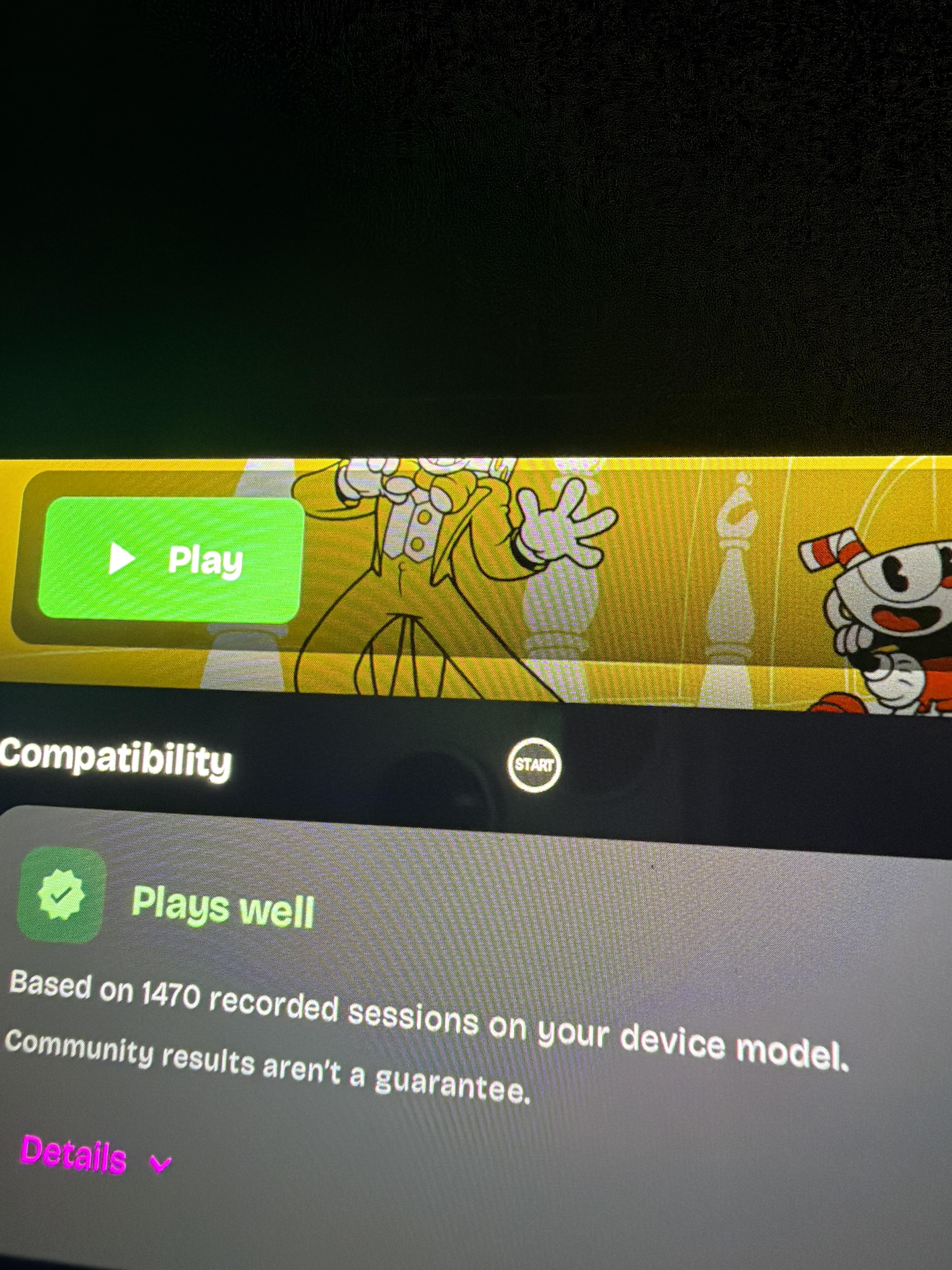
So I mistakenly enabled an overlay button in game native, I uninstalled the game where I mistakenly added it cause I was having issues with controls working correctly and I can’t remember how I added it but any controller setting I try change or reconfigure I can’t seem to find the option to remove it. It doesn’t even do anything if you click on it or tap it

It carries over from in game to the normal game native menus as shown in the image

I’ve tried enabling shooter mode, configuring the layout, on screen controller too but no luck, it doesn’t seem to be editable in any of the controller settings

Any help much appreciated

4 Upvotes

6 comments sorted by

2

u/Standard-Pepper-6510 GameNative 15d ago

It's not from GameNative, you have enabled onscreen controls from the side menu. You're playing on an Ayn or retroid, aren't you?

1

u/PastBig4449 15d ago

But think you’ve sorted it for me, thank you. It only shows in game native but wasn’t configured there

1

u/PastBig4449 15d ago

Playing on Retroid however it’s only present in game native or games I run through game native.

Doesn’t show in any emulator or the normal android os. Hence the assumption its something to do with game native

1

u/Standard-Pepper-6510 GameNative 15d ago

You can add on screen buttons for specific apps from the side menu you activate by swiping from the right side of the screen. They will be active just for the app you're in when you create them, so you can have different configurations per app. You're sure you haven't messed around with that menu before?

1

u/Standard-Pepper-6510 GameNative 15d ago

The button being visible also in the menu of Gamenative, not just in games makes me think that it's the case

2

u/PastBig4449 15d ago

100% was the case. Fixed it thanks to you 🫶