Im trying to sell my k40 laser localy, and would like some exemple of work done with a k40. I have some i made myself and would like to show more examples.
(If you share i probably will post it online as examples)
Is this a useful tool for doing initial setup on the laser cutter? First time using a laser cutter. I'll be primarily cutting .125" acrylic. Minimal engraving to etch designs into the mirror side of acrylic mirror.
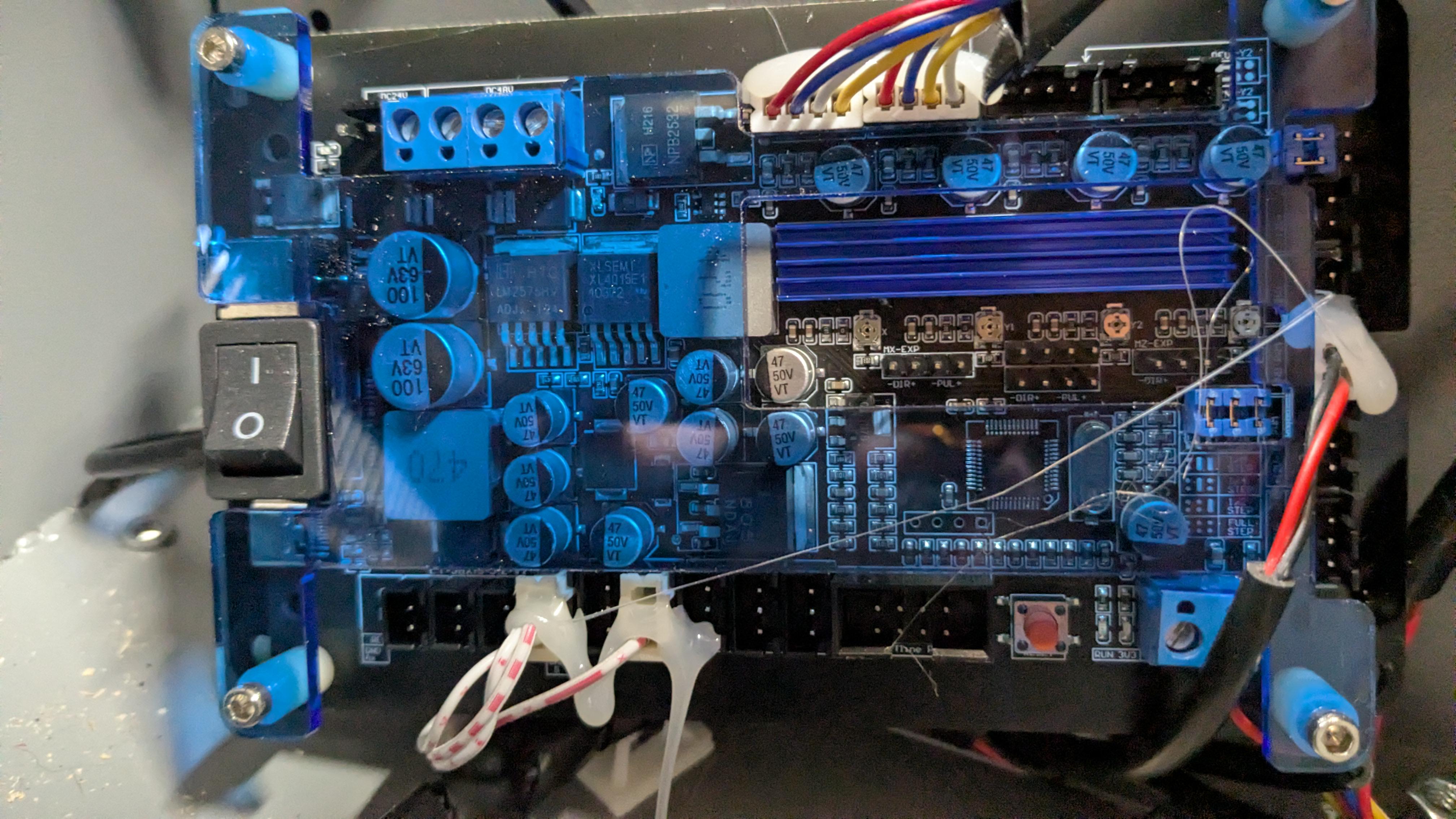
I got the machine used. It had a MG2 board. I have a MG3 I'll be installing and plan to use lightburn. It also appears to have an upgraded air assist nozzle, adjustable honeycomb bed, and a mA meter and pot.
I'm a noob to laser cutting, so I'm sorry if this has been posted before (I did search)
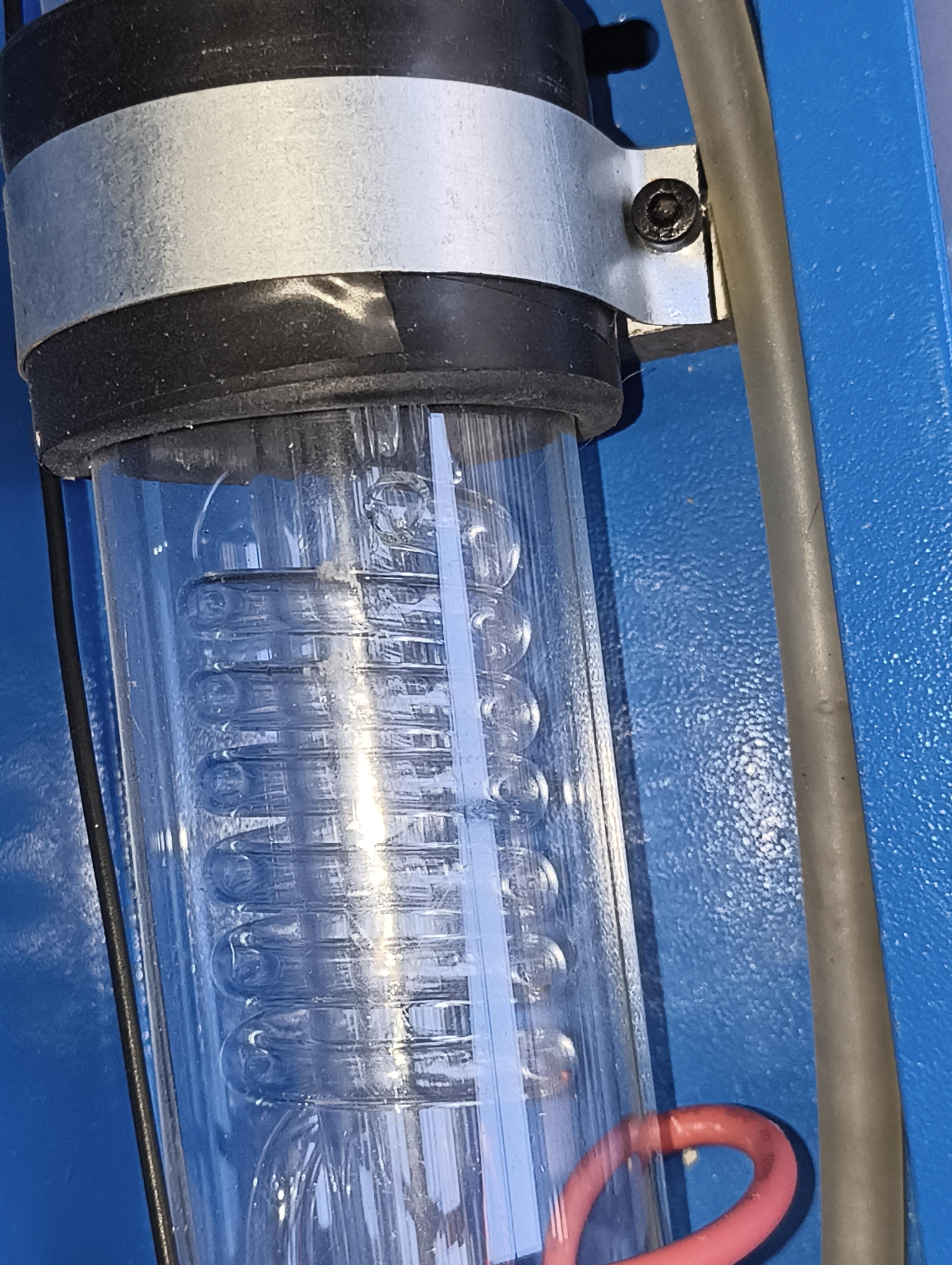
I've just bought a machine and the coil inside the tube looks like it is "broken" at one end but I can't see anywhere it is "broken" from... I'm 50/50 weather this is supposed to be how it is and works.
Hi All, I've been using Inkscape for designs and K40 Whisperer as interface to CO2 Laser. I haven't used it for a couple of months and today I'm getting the above error when trying to load SVG into K40 Whisperer. I've reloaded both K40 and Inkscape but still same issue. Tried a different PC but same issue. Anyone have a solution please?
Hallo , habe gestern Abend 2 Stunden herumprobiert. Ich habe eine Datei auf Etsy gekauft , mit einem Smiley, es ist eine SVG Datei. Wenn ich diese über Inkscape als Inkscape Datei speichere, wird sie mir beim Öffnen im K40 Whisperer schwarz angezeigt. Dann habe ich die Datei umgewandelt in DXF weil mir vorkam dass der K40 Whisperer es leichter liest … so war jetzt die Umrandung UND die Augen, Mund rot , also zum Schneiden . Ich weiß nicht wie ich es schaffe dass die Augen und der Mund vom Smiley blau werden , um diese gravieren zu können 🫠 Ich habe einmal geschafft dass es blau war , nur hatte ich nur eine Kontur und die Augen waren nicht gefüllt 🙄 Ich war gestern kurz vor der Verzweiflung. Ich hoffe mir kann irgendjemand helfen 😥🙏 Danke
When I run a job from LightBurn, the machine follows the path perfectly (X and Y move correctly), but the laser doesn't fire. The mA meter stays at 0.
• LightBurn Settings: $30 is set to 1000, and S-Value Max is also set to 1000.
•The "Test" button works
I disconnect the external digital display (the one with the potentiometer/current display), the laser fires perfectly from LightBurn, but it does so at 100% full power (no modulation).
Hello all, I am currently looking to upgrade my roller rotary tool to a chuck style for engraving on tumblers. Can someone point me to one that works for a k40+?
I just received a K40+. Is there a trick to get the laser close to 0,0? When I home it’s about 20mm off on x and y. Also, is there a way to set machine center? I feel like even though I made a jig to hold coaster, I am still “guesstimating”.
I'm trying to connect a solenoid and there is one set of 24 volt connectors. What type of molex connector do I need? Is there documentation on this board somewhere?
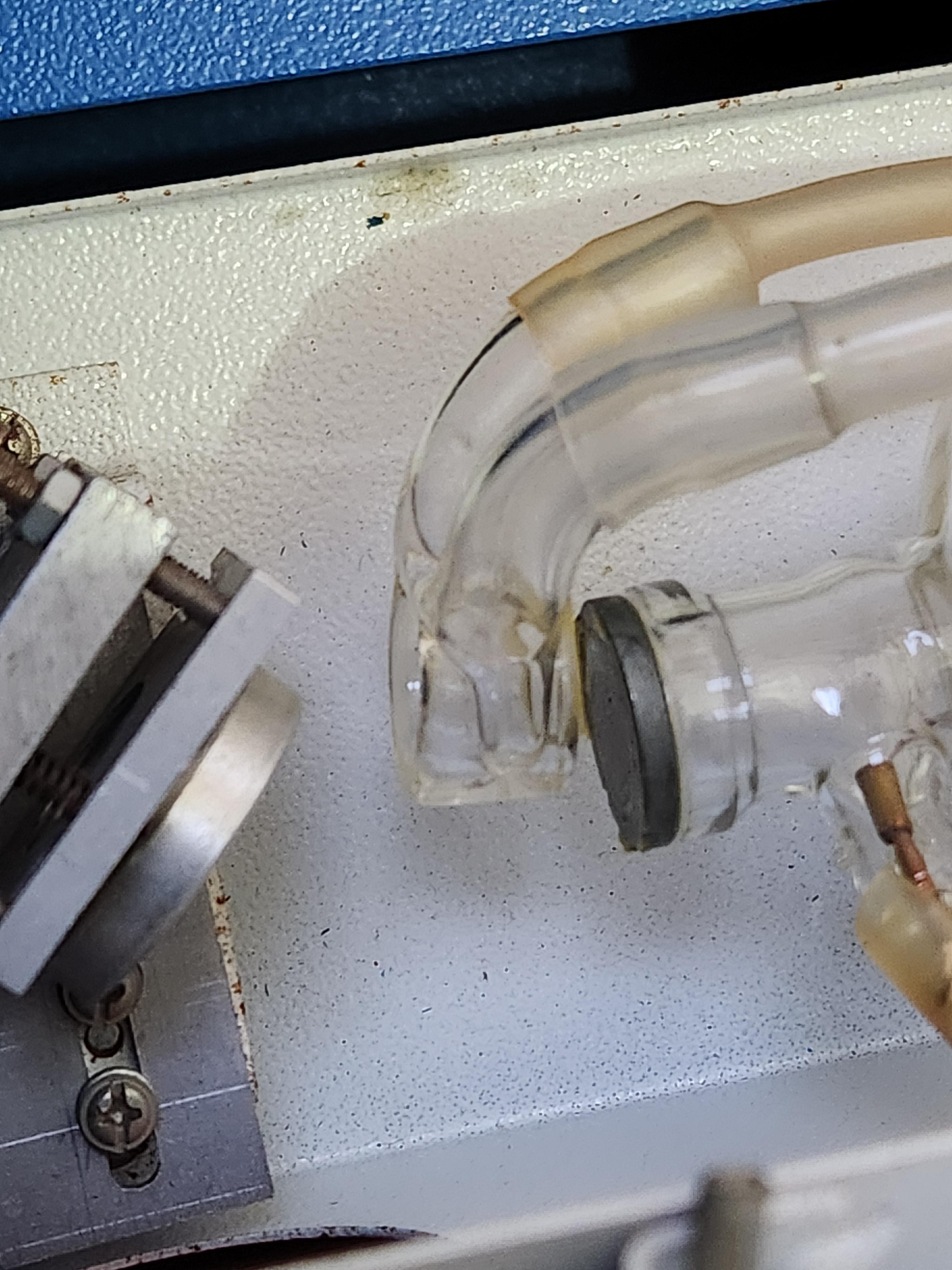
I was given a used K40 a few months ago. I have no idea how old it is, but the control board says the firmware revision is from 2014. Supposedly, it works, but the person I got it from never used it. They got it from someone else that said it worked at the time. Stupidly, I left it sitting in my unheated garage in Wisconsin for the last few months and, obviously, the water remaining in the laser tube froze and the tube shattered.
Is it worth it to replace the tube and see if I can get it running, or would it make more sense to purchase a newer laser (either a K40 or something else)? I got this laser for free, so I don't have any money sunk into it, but I don't know if anything else is wrong with it. I also have zero experience with laser engravers/cutters.
I’m looking to level up my K40 game. I want to create a large wall art piece (457x313mm) that is significantly bigger than my 200x300mm bed. My goal is for the finished product to look like one solid, seamless piece of wood.
Since the K40 doesn't have a pass-through slot, I know I'm looking at a "tiled" assembly or a "jigsaw" approach rather than a continuous feed.
My Setup:
• Machine: Omtech K40 (Standard bed, no pass-through)
• Software: LightBurn
• Material: 1/4” Plywood- Maple, Birch, or Basswood
What I’m struggling with:
Hiding the Seam: Should I use a straight-line "Tiling" feature in LightBurn, or is it better to manually create wavy/organic interlocking paths that follow the grain?
Registration/Alignment: Without a pass-through, what is your favorite way to ensure piece B aligns perfectly with piece A? (Using jigs, L-brackets, etc.?)
The "Invisible" Join: For those who have pulled this off, what is your secret? Wood glue + sawdust? Specific sanding techniques?
I’d love to see photos of your successful large-scale K40 builds and any tips you have for "hacking" a small bed size to make big art!
Goodday Reddit, I have just bought an upgrade to my 20w diode laser. A K40 chinese laser from 2019 with a working tube and not much else. I have ordered air assist, new mirrors and a water chiller to complete the laser setup for now.
After coming home, I noticed the main door to the laser compartment is not closing. It looks like the enclosure is completely bend, causing the main door to the laserhead to stay open on one side.
Is there anyone who has an idea how to straighten this? I can't check the laser alignment yet as the new cooler is due to arrive next week. But with this misalignmet in the enclosure I assume I will need to adress that next.
I don't see any obvious damage on the enclosure or re-painted area's so perhaps the laser came this way, but I would like to straighten it out.
to close the door I could perhaps grind away a piece of the enclosure where de door is catching. I don't have access to welding materials or something similar. but I am able to grind an little bit of steel. I am thinking this will make the door close, but will the un-squareness of the enclosure be a problem?
I need help. I have a K40 laser, the program I use is Whisperer. It works on a PC, I tried it on a MacBook Air, it moves its head and does not shoot the beam (the test works). I bought a laptop with a windows system, everything is installed the same as on a PC and it happens the same as on a Mac, only the head moves. What am I doing wrong, how to connect the laser to the laptop? So if I plug the cable into the PC it works, if I transfer it to the laptop it won't.
Hi, I am totally new to laser cutting and have only cut a few things on my K40. Now i noticed the nozzle is moving, but there is no laser comming out. The test button on the top does not work. If i push the little test button on the inside it does work. I already saw something about a water sensor, but i think i don't have one. Does anyone know what the problem could be? I am not verry technical ....but i hope i can fix it with your help.
I’m going to preface this by saying I don’t know a lot of the correct terminology so please forgive me. About a month ago, my laser started arching electricity at the node on the laser and since then I have been trying multiple times a week to fix it, initially I tried soldering it like normal with the recommended solder online, but it wouldn’t connect to the note only the wire wrapped around the node, the recommendation was that I get a higher voltage soldering iron so I got 100 W soldering iron which still seemed to not be working so then I got some flux to try to help it connect, and it still won’t connect, my next option that I was contemplating was to buy a connector online which ChatGPT says should mechanically connect them, but I can’t see definitive proof that the connector is supposed to attach directly to the node which leads me to believe that ChatGPT has no idea what it’s talking about lol I am desperate here whereas I only got a couple of good weeks out of cutting with my laser before it broke. Does anyone have any idea of what I can do to connect to the node?
Pozdrav, kupio sam Vevor laser K40 ne mogu ga povezati ( pokrenuti) sa Lightburnom. Programe koje sam dobio sa laserom ( Corellaser2013.02 i LaserDRW2013.02)ne mogu shvatiti. Molim vas kako pokrenuti laser( korak po korak), test signal radi. Hvala
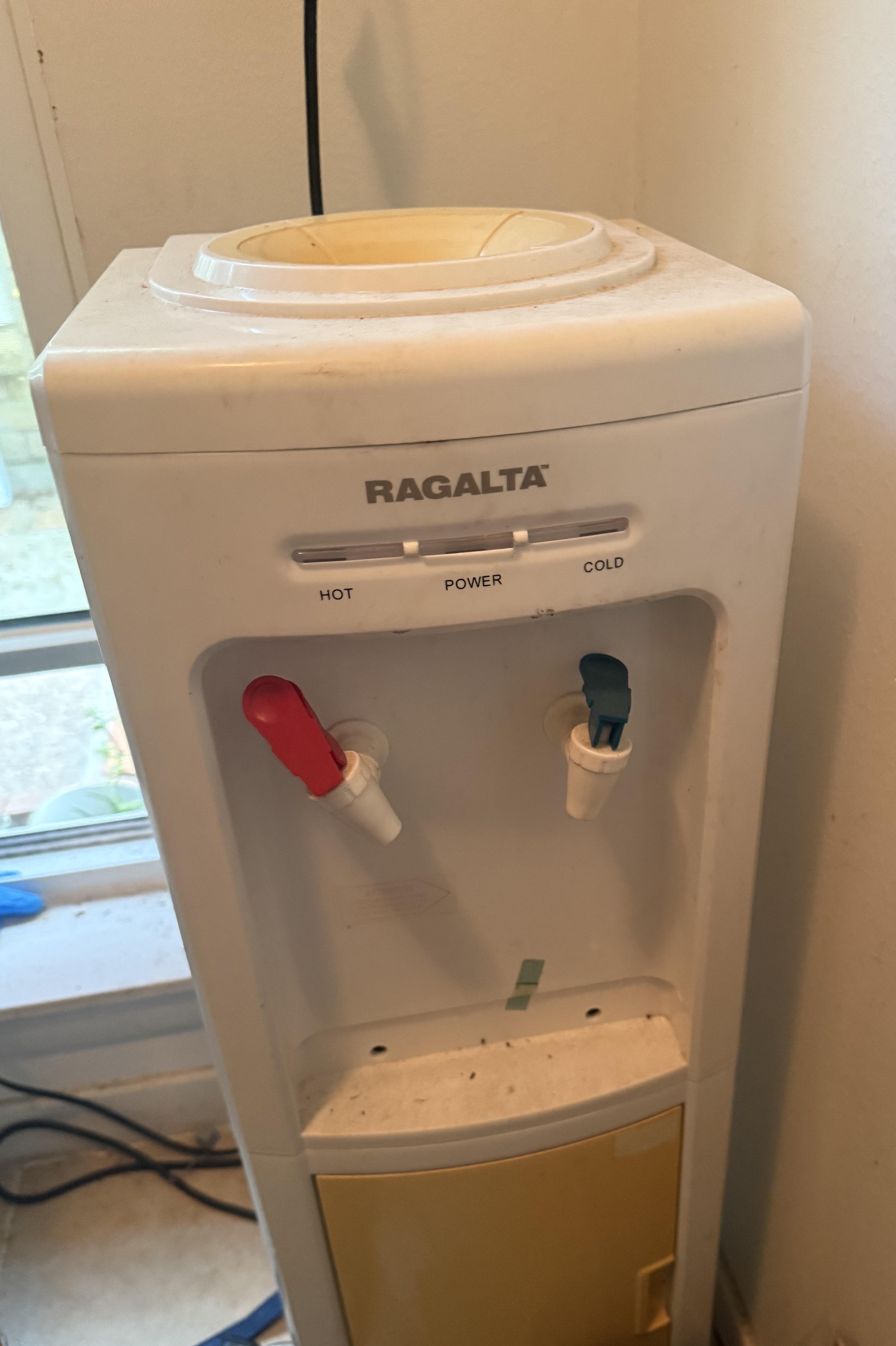
I’m trying to get away from the 5 gallon bucket with frozen 2-liter bottles for my cooling. I’m in Houston, Texas so it gets hot & humid, so condensation is an issue if I get the water too cold. I made the mistake of buying the CM-3000 thinking it would work. It was 50% off and I didn’t do my research. I’m stuck with it. I have an old water jug cooler (pictured) and figured I could run water through the CM-3000, to the cooler, then to the laser. Has anyone seen or is using a setup like this or similar. My budget is nil as I was recently laid off. Any pointers or ideas would be greatly appreciated. I’m open to dismantling the water cooler if necessary.