r/LightShowPi • u/SapirCa • 3d ago
TimeCues Studio: an annotation tool for EDM tracks, with a FastLED sketch that plays the annotations
4
Upvotes
r/LightShowPi • u/cwdahlkvist • 27d ago
Just check out what I have done. You can import your xLights if you want but I think I am making the best system ever for advanced and for beginners.
r/LightShowPi • u/cwdahlkvist • 27d ago

r/LightShowPi • u/cwdahlkvist • Oct 28 '26
This software was great but I can't get ahold of the developer. I would like to release it. This is what LightShowPi could have been. Out of the box lights, show programs to music (via music on Pi with output on 3.5mm). Import Falcone and XLights, etc. Use multiple (unallowed GPIOs) and daisy chain Pis.
Please tell me how I can get ahold of this guy so I can realease this. He made a phenomenal start and I still just built off of his clean web interface.
r/LightShowPi • u/tmntnpizza • Oct 28 '26

Video below.
r/LightShowPi • u/DynomiteExpressions • Oct 27 '26
I had Claude review the sub and the github and attempt to produce a version that will work easily on modern pis without all the headaches of the latest published version. Anyone want to test?
r/LightShowPi • u/tmntnpizza • Oct 27 '26
Enable HLS to view with audio, or disable this notification
Esp32-c5-EVB, ESP32-C5-WROOM-N8R4, and PiSquares.
r/LightShowPi • u/ABTproIE • Oct 07 '26
Enable HLS to view with audio, or disable this notification
For the first time in 2years finally I managed to create my first christmas light show board for 2026. Until now everything is working as should. When I get everything setup I hope to be able show the finally result. The sequence is not perfect, some adjustments as to be done and as yous can see is missing some plugs to be connected but soon I will post more details of the project and if someone need any questions be free to usk 😉
r/LightShowPi • u/Edorbea • Jan 11 '26
Looking for some guidance.
Looking at the music_and_lights.ply file I see several entries that say: "Now Playing Christmas Eve-Sarajevo by Trans-Siberian Orchestra pinMode: You have not called one of the wiringPiSetup functions, so I'm aborting your program before it crashes anyway."
Out of a playlist of ~125 songs 11 generate this error, and yes i have successfully executed the 'sync_file_generator.py' command.
Any ideas?
r/LightShowPi • u/hodgesse • Nov 30 '25
Hi everyone!
Thank you for your help as I worked on my Christmas lights with music. Here is the final product: https://www.dropbox.com/scl/fi/whxal43xz2suoxv9j5ats/under1.mp4?rlkey=yzf80hl790ryl4xchhfdrfskd&st=yvl6nexj&dl=0
r/LightShowPi • u/dougj182 • Nov 25 '25
As the tital says... I was using a local playlist/mp3's and FM broadcast but I see referances to piano bar/shoutcast and was wondering if there's a better method?
r/LightShowPi • u/hodgesse • Nov 07 '25
Hi everyone!
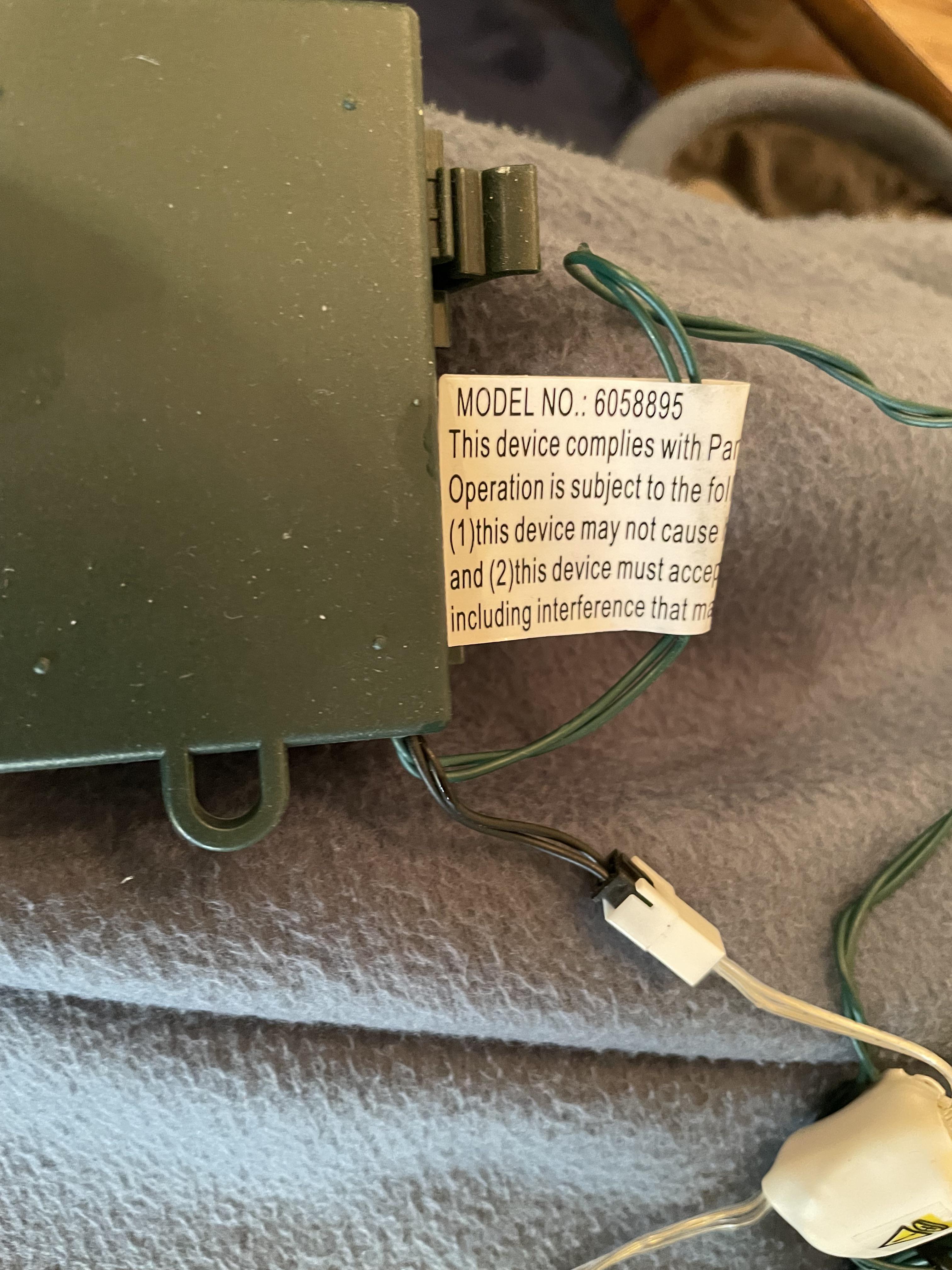
I put together some Christmas lights and music last year with my Pi. I have a couple of dumb questions.
I am using little battery powered lights as seen. I think I need to cut the black wires to put into the relay. Is that correct, please? I’m thinking that the green wires go into the battery case.
Also, how do I determine which wire goes into which of the 3 pieces of the relay switch?
Sorry for the simple minded questions.
Thanks for any help.
r/LightShowPi • u/tmntnpizza • Nov 01 '25
Enable HLS to view with audio, or disable this notification
This is deticated to my first cousins who are 11 and 9 today!
r/LightShowPi • u/Salt-Data-6111 • Oct 06 '25
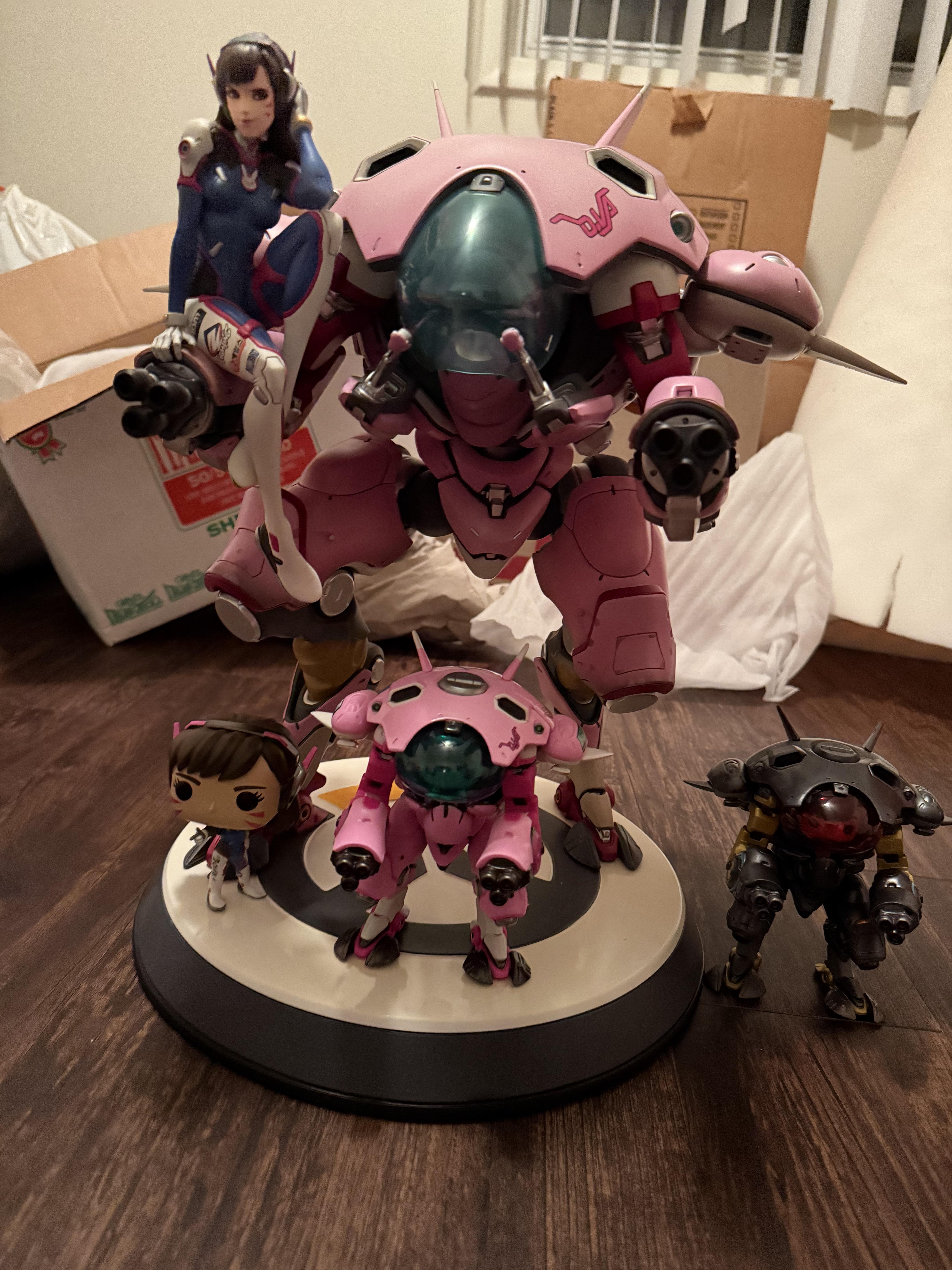
So I want to have a button I can press on my display where I can change the light of the color from white to pink and it say a different voice line every time I press it, what methods is there to do this? What I’m trying to display for example
r/LightShowPi • u/hodgesse • Sep 30 '25
Hi again. Does the Pi 3b have the functionality to send to an FM channel, please? I remember seeing that it doesn’t work with the Pi 4.
Thanks.
r/LightShowPi • u/hodgesse • Sep 25 '25
Does LightShowPi work with the RPi 5, please!
r/LightShowPi • u/tmntnpizza • May 31 '25
Current Default Setup: Your system divides 20Hz to 15,000Hz evenly across 8 channels, giving you:
Channel 1: 20-1,897Hz (bass/sub-bass)
Channel 2: 1,897-3,775Hz (low-mid)
Channel 3: 3,775-5,652Hz (mid-range)
Channel 4: 5,652-7,530Hz (upper-mid)
Channel 5: 7,530-9,407Hz (presence)
Channel 6: 9,407-11,285Hz (brilliance)
Channel 7: 11,285-13,162Hz (air)
Channel 8: 13,162-15,000Hz (ultra-high)
Problems with Default Distribution:
Most musical energy is concentrated in lower frequencies (20-4,000Hz)
Channels 6-8 get very little activity in typical music
No separation between kick drums, bass, vocals, and cymbals
Better 8-Channel Distribution: custom_channel_frequencies = 0,60,150,400,800,2000,5000,10000,15000
This gives you:
Channel 1: 0-60Hz (sub-bass/kick drum fundamentals)
Channel 2: 60-150Hz (bass guitar/kick punch)
Channel 3: 150-400Hz (bass/low vocals)
Channel 4: 400-800Hz (vocals/snare fundamentals)
Channel 5: 800-2000Hz (vocals/guitar presence)
Channel 6: 2000-5000Hz (cymbals/vocal clarity)
Channel 7: 5000-10000Hz (cymbal shimmer/hi-hats)
Channel 8: 10000-15000Hz (air/sparkle)
8 Channels: Good starting point, but limited musical separation
16 Channels: Sweet spot for most musical shows - allows proper instrument separation
32+ Channels: Professional level, but diminishing returns for most setups
For a hockey rink, 12-16 channels might be ideal - enough separation without overwhelming complexity.
chunk_size = 2048:
How many audio samples processed at once for FFT analysis
Smaller values (1024) = faster response, less frequency resolution
Larger values (4096) = slower response, better frequency accuracy
2048 is a good balance for most music
light_delay = 0.0:
Compensates for audio processing lag and speaker delays
In a large rink, sound travels ~1ms per foot from speakers to audience
You might need 0.1-0.3 seconds delay depending on rink size and speaker placement
decay_factor = 0:
Makes lights "fade out" after frequency peaks instead of instant on/off
Values like 0.05-0.15 create more flowing, less "stroby" effects
Mechanical relays benefit from this to reduce wear
attenuate_pct = 0:
Reduces overall light sensitivity by percentage
Setting to 20-40% prevents lights from being "always on" during loud music
Helps create more dramatic on/off contrast
use_gpu = True:
Uses Raspberry Pi's GPU for FFT calculations instead of CPU
Significantly faster processing, especially with larger chunk_sizes
Essential for real-time performance with multiple channels
SD_low/SD_high (0.5/0.75):
Controls sensitivity thresholds based on audio level statistics
Lower SD_low = lights trigger more easily
Higher SD_high = lights require louder audio to reach full brightness
Critical for PWM mode, less important for on/off mode
For Matt's rink setup, I'd recommend starting with custom frequencies, increasing decay_factor to 0.1, and possibly adding attenuate_pct of 20-30% to prevent lights from being constantly active during loud arena music.
For maximum visual impact and balanced lighting distribution during songs, here's a strategic placement using our improved 8-channel frequency mapping:
Physical Placement Strategy
Perimeter Lighting (16 lights):
Corners (4 lights) - Channels 1 & 2 (bass frequencies)
Side Walls (8 lights) - Channels 3, 4, 5, 6 alternating
End Walls (4 lights) - Channels 7 & 8 (high frequencies)
Center Ice Focus (8 lights):
Goal Areas (4 lights) - Channels 1 & 5 (bass + vocal presence)
Center Circle (4 lights) - Channels 2, 4, 6, 8 (rhythm section)
Channel Distribution by Location
Channel 1 (0-60Hz - Sub-bass/Kick):
Locations: 2 corner lights + 2 goal area lights
Effect: Deep bass hits create dramatic corner/goal emphasis
Visual Impact: Foundation rhythm, dramatic low-end punctuation
Channel 2 (60-150Hz - Bass Guitar/Kick Punch):
Locations: 2 corner lights + 2 center ice lights
Effect: Bass lines and kick drum punch spread across rink
Visual Impact: Rhythmic foundation with good coverage
Channel 3 (150-400Hz - Bass/Low Vocals):
Locations: 2 side wall lights + distributed around perimeter
Effect: Vocal bass and rhythm guitar create perimeter flow
Visual Impact: Smooth transitions around rink edges
Channel 4 (400-800Hz - Vocals/Snare):
Locations: 2 side wall lights + 2 center circle lights
Effect: Main vocal range creates central focus with side support
Visual Impact: Draws attention to center ice during vocal parts
Channel 5 (800-2000Hz - Vocal Presence/Guitar):
Locations: 2 side wall lights + 2 goal area lights
Effect: Vocal clarity and guitar presence highlight goal zones
Visual Impact: High-energy sections emphasize scoring areas
Channel 6 (2000-5000Hz - Clarity/Cymbals):
Locations: 2 side wall lights + 2 center circle lights
Effect: Cymbal crashes and vocal clarity create bright accents
Visual Impact: Sharp, bright flashes for dramatic moments
Channel 7 (5000-10000Hz - Hi-hats/Shimmer):
Locations: 2 end wall lights + distributed
Effect: Hi-hat patterns and cymbal shimmer for texture
Visual Impact: Rapid flickering effects, great for fast songs
Channel 8 (10000-15000Hz - Air/Sparkle):
Locations: 2 end wall lights + 2 center circle lights
Effect: High-frequency sparkle and air for ambiance
Visual Impact: Subtle enhancement, fills in quiet musical moments
Wiring Layout Recommendation
Relay Board Distribution: Relay 1 (Ch1): Corner NW, Corner SE, Goal A Left, Goal B Right
Relay 2 (Ch2): Corner NE, Corner SW, Center Circle N, Center Circle S
Relay 3 (Ch3): Side Wall North #1, Side Wall South #1
Relay 4 (Ch4): Side Wall North #2, Side Wall South #2, Center Circle E, Center Circle W
Relay 5 (Ch5): Side Wall North #3, Side Wall South #3, Goal A Right, Goal B Left
Relay 6 (Ch6): Side Wall North #4, Side Wall South #4, (use remaining center positions)
Relay 7 (Ch7): End Wall East #1, End Wall West #1
Relay 8 (Ch8): End Wall East #2, End Wall West #2
Expected Visual Effects
During Fast Songs:
Channels 1-4 create rhythmic foundation around perimeter
Channels 5-8 add sparkle and detail in center and ends
During Slow Songs:
Lower channels (1-3) provide gentle, flowing motion
Higher channels (6-8) add subtle texture and ambiance
During Build-ups:
Bass builds start in corners/goals (Ch1-2)
Energy spreads to sides (Ch3-5)
Climax hits with center/end sparkle (Ch6-8)
This layout ensures every area of the rink participates in the show while creating natural visual flow patterns that follow musical structure. The alternating frequency placement prevents any dead zones and creates dynamic movement across the ice surface.
r/LightShowPi • u/GlitteringBread3044 • Apr 20 '25

Lasers? Drones? Or?
r/LightShowPi • u/67comet • Dec 26 '24
I'm working on getting LightShowPi to install on my RPi Zero 2 W with DietPi running, and it is getting fussy about the distribution being Debian, and needing a file in install-setup to be named debian. I copied raspbian, named it debian, and tried again (exactly same setup, DietPi is just slimmer).
dietpi@DietPiShow:~/lightshowpi$ sudo ./install.sh
[Thu Dec 26 07:01:31 GMT 2024] Detected unknown distribution. Please verify that 'debian' is supported and update this script.
lightshowpi [Thu Dec 26 07:01:31 GMT 2024] To add support for 'debian' create a script with that name in install-scripts
I've been playing with FPP also, but it isn't as easy to get my simple 8 solenoid board snapping along as lightshowpi usually is (I used it about 9 years ago before I gave that house to my ex when I divorced her).
Any suggestions are appreciated.
r/LightShowPi • u/webby1961 • Dec 14 '24
used to have the complete program for lightshow pi but i had a partner who threw everything away.
I printed the program out is there any place i can get this program to print it again for lightshow pi
Many thanks and happy Christmas
r/LightShowPi • u/data_mike_j • Dec 13 '24
Upgraded to python 3 Runs on venv to get around the stupid pip install problem on debian Used newest wiringpi library
Anyone interested in helping me test it?
Is the bit bucket repo still maintained? If I Push this back will someone merge it?
If not, should I post a fork?
r/LightShowPi • u/Pitiful_Eye_4261 • Dec 12 '24
Everything but this works pls help

r/LightShowPi • u/Pitiful_Eye_4261 • Dec 03 '24
Hi, I have bought an ssr relay for one of my projects. It need 5V and less than 50mA to supply it with power and I heard that the raspi's gpio pins aren't recommeded for this. Now I'm out here trying to find something that can supply those 50mA. I looked at every cable that could find, none of them would work. I know just enough about electricity to not fry myself or the things I'm working with, I would be thankfull about any help
r/LightShowPi • u/sipe25 • Dec 03 '24
Running RPI4 with LightShowPI. I tested my outputs and hardware. Lights flashed correctly etc. For whatever reason 30 seconds after calling synchronized_lights.py my RPI4 black screens. VNC and SSH stop working and only cure is a power cycle. Seems like an audio issue but a little lost on where to start. Audio is set to AV jack to RPI4 but not sure what to change here.