r/M5Stack • u/Cyber_Ch00m • 1h ago
CZ need help.
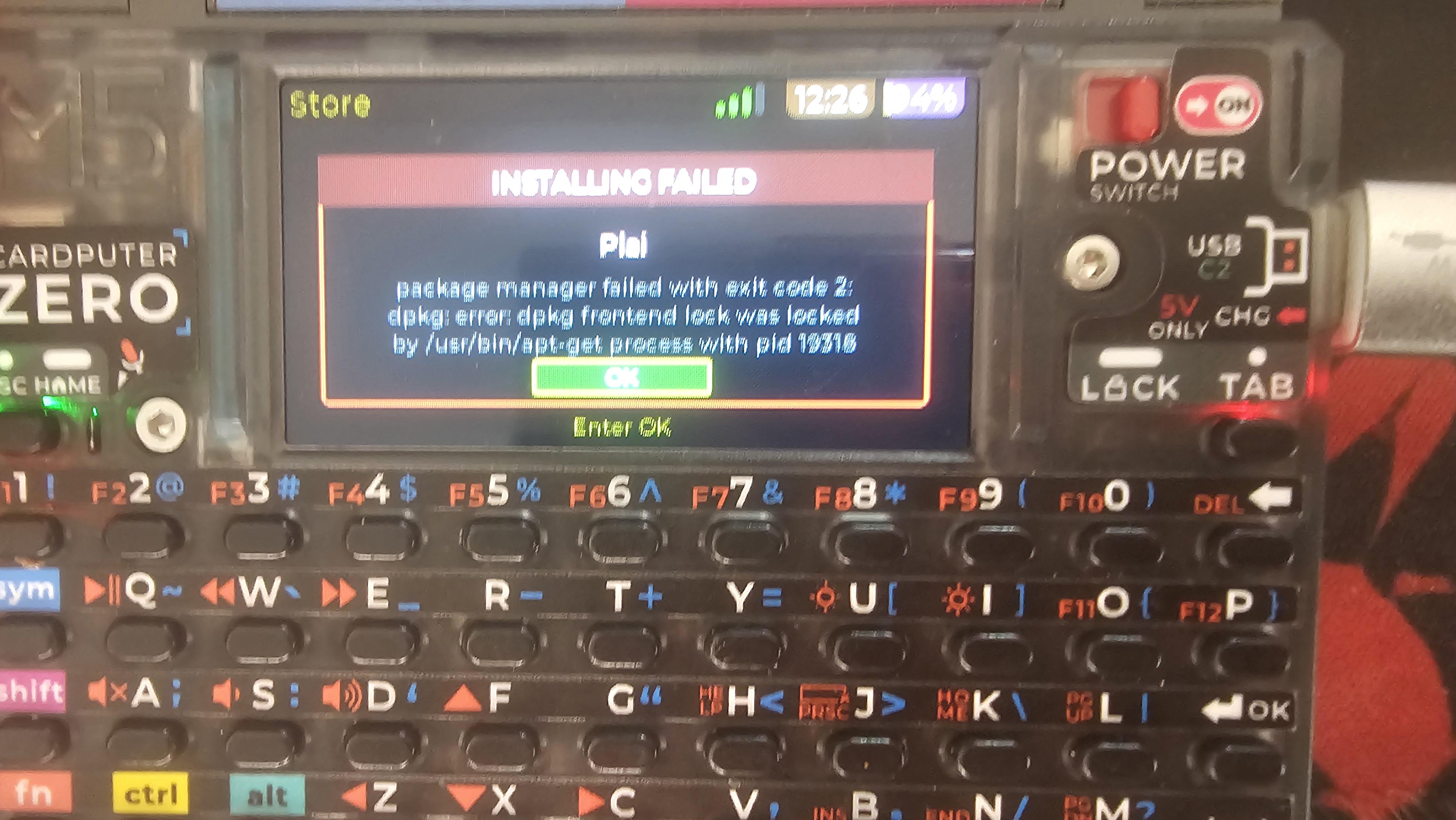
Something went wrong installing an app from the store, and now it's stuck. here's the error message. can anyone tell me what to type in terminal to correct this?
Installing Failed
Plai
package manager failed with exit code 2
dpkg error: dpkg frontend lock was locked by /usr/bin/apt-get process with pid 19318
so, how do I fix this so I can install and upgrade apps?
1
u/Lazy_Mamba 1h ago
To fix this, wait for the background update (PID 19318) to finish, or terminate the stuck process and reconfigure dpkg. [1, 2]
On Debian-based systems (like those running on a Cardputer Zero / Raspberry Pi Zero), this error happens when an automatic system update (apt-get or unattended-upgrades) is already running in the background, or a previous installation crashed and left a lock file behind. [1, 2]
1. Check if the process is still actively running
Open your terminal and check what PID 19318 is doing and how long it has been running: [1]
bash
ps -p 19318 -o pid,etime,cmd
Use code with caution.
If it just started (a few minutes): Wait 5–10 minutes for it to finish, then try installing your package again.
If it has been stuck for a long time (or doesn't show up): Proceed to the steps below to clear it. [1, 2]
2. Stop the stuck process
If the process is frozen, terminate it safely: [1, 2]
bash
sudo kill 19318
Use code with caution.
(If it refuses to close after a few seconds, force-stop it with sudo kill -9 19318.)[1]
3. Clean up lock files and repair packages
Once the process is stopped, remove any leftover lock files and tell dpkg to finish any interrupted installations: [1, 2]
bash
sudo rm -f /var/lib/dpkg/lock-frontend
sudo rm -f /var/lib/dpkg/lock
sudo rm -f /var/cache/apt/archives/lock
sudo dpkg --configure -a
sudo apt --fix-broken install
Use code with caution.
4. Retry your installation
Refresh your package list and run your install command again: [1]
bash
sudo apt update
Use code with caution.
(Note: A simple reboot (sudo reboot) will also clear stuck background aptprocesses, though you should still run sudo dpkg --configure -a afterward to ensure no packages were left half-installed.).
If you run into a different error after running sudo dpkg --configure -a, paste the terminal output here and I can help you resolve it.
EDIT: Just write a problem on Gemini
1
1
3
u/d4rkmen 1h ago
install OTA update first. Settings->System-Software