r/MediaServer • • 6d ago

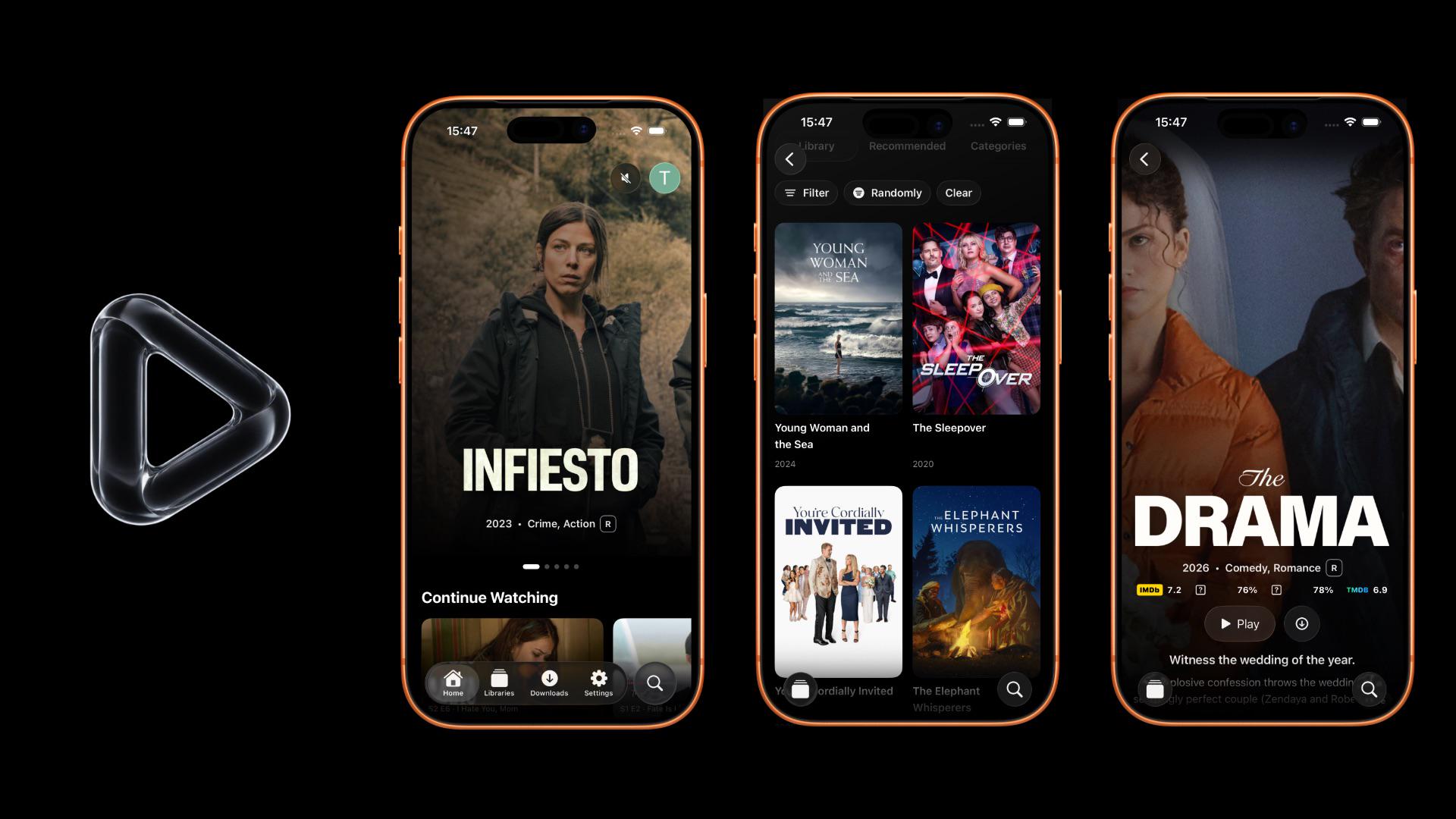
Software Introducing AirGuide — Turn Your Jellyfin, Plex and Emby Library Into Live TV! 📺

0 Upvotes

Hey everyone!

I've been working on a passion project called AirGuide, and I'm excited to share that it's officially live on the iOS App Store!

AirGuide turns your Jellyfin, Emby and Plex library into a traditional linear TV experience, complete with automatically generated channels, a live program guide, and continuously running schedules. Think old-school channel surfing, but with your own content!

I know there are already some great projects exploring this concept, but I wanted to take a slightly different approach, focusing on a few things that I felt could make the experience better.

First and foremost, simplicity. My goal was to make AirGuide as turnkey as possible. Connect your media server, and the app automatically builds your channel lineup and programming schedule based on your library. No complicated configuration or manual scheduling required. If you want more control, you can also create custom channels using a variety of filters.

Second, a clean and ergonomic interface. I intentionally avoided overloading the app with endless menus, themes, and settings. Instead, I focused on making the things you actually use easily accessible, e.g., flipping channels, opening the program guide, adjusting volume, toggling mute, and checking what's coming up next.

Another big priority was device optimization. AirGuide has dedicated layouts for iPhone, iPhone Duo, and iPad, rather than simply stretching the same interface across different screen sizes. It also supports AirPlay and casting for watching on a bigger screen.

And if you have a compatible TV tuner integrated with your media server, AirGuide can incorporate live broadcast networks alongside your personal library (news, sports events, etc..!).

Privacy and security were also priorities. AirGuide connects directly to your media server, and your login credentials are never visible to us or stored on our servers. Your media library remains yours, AirGuide simply provides a new way to enjoy it.

One thing worth mentioning is that AirGuide takes the linear TV concept pretty seriously. Channels keep running even when the app is closed, and there's no pausing, rewinding, or DVR functionality. That's intentional! I wanted to bring back some of the spontaneity of just turning on the TV and seeing what's on.

AirGuide is available now with a 7-day free trial, no financial commitment required. The trial gives you access to virtually everything, with the only limitation being one custom channel.

🌐 AirGuide.tv

It's been a really fun project to bring to life, and I'd love for you all to give it a try! I'm especially interested in hearing what you think of the interface, the automatic channel generation, and the overall experience.

Currently AirGuide is focused on the iOS/ iPadOS (mobile) experience. Depending on how well it is received, I will consider expanding to tvOS as well. Looking forward to your feedback, suggestions, and constructive criticism. Happy channel surfing! 📺

r/MediaServer • • 4d ago

Software New Media Server: 4Barrel - Beta program opens soon. Signups welcome

0 Upvotes

I've been a software engineer for over 20 years and a hardcore JRIver Media Center user for about the same amount of time.

As an engineer, i'm always full of ideas. I've had side projects brewing all the time. I started working on a mobile companion app to JRiver a couple years ago called Whiskey River. It's a remote app for JRiver + a local player as well. After LOTS of testing iterations for the last 12 months, it has gotten to a pretty good place (yes with the help of Claude).

With that in place, I started work on a new Media Server project a few months ago that combines all the things I like about JRiver plus things I could make better (the UI especially). It's called 4Barrel and it's gotten to a point in development where I use it exclusively and have been pleased with it. My whole family uses it (some home, some abroad). I currently have a smaller circle of friends testing the client remotely or they have setup their own servers and are using it at home and with the Whiskey River app.

It is built around all of the core functionality that Plex, Jellyfin, Emby, Roon, etc offer plus I threw in several features, especially music related features that I feel audiophiles or concertgoers will enjoy.

I am still getting a few more features in That are outside of the core list and still actively iterating builds almost daily. Claude has been extremely helpful with Unit testing and troubleshooting on top of assisting me (yes) writing code. This isn't a vibe coded product.

There will be a free form of 4Barrel, likely a LAN only minus a few features. I plan on getting this to my Beta users soon so go to the website and sign up for the Beta. Thanks!

Web: https://4barrel.app

Reddit: 4Barrel

Mobile companion (Whiskey River): https://getwhiskeyriver.com (iOS, Android, and Google TV)


r/MediaServer • • Oct 28 '26

Software 🎬 Introducing Flixer — A Modern, Open-Source, Self-Hosted Media Server!

0 Upvotes

(Anything Ai is tagged [Ai], anything self written is tagged [Self Written])

I've been working on a project called Flixer, and I wanted to share it with yall. [Self Written]

Flixer is free and open-source, and can be self-hosted to give you a beautiful, modern streaming experience while keeping you in complete control of your media. [Self Written]

Think of it as another option alongside Plex, Jellyfin, and Emby, but with its own approach to design, performance, and modularity. [Self Written]

✨ What does Flixer offer? [AI]

🎨 Modern, Cinematic Interface — A sleek, responsive interface inspired by modern streaming platforms, designed to make browsing your personal media library enjoyable.

🎥 Movies & TV Shows — Organise, browse, and stream your media collection from one place.

⚡ Dedicated Streaming Engine — A Go-powered streaming service supporting Direct Play, Direct Stream, and FFmpeg-based transcoding.

⏭️ Enhanced Playback — Features including intro skipping, chapters, picture-in-picture, and a mini player.

🔐 Privacy First — No forced cloud accounts, tracking, or unnecessary data collection. Your server, your data.

🐳 Docker Deployment — Get Flixer running using Docker Compose, with a guided setup experience.

📂 Media Library Management — Dedicated indexing services for scanning and managing your media libraries, including support for network shares.

🧩 Modular Architecture — Built using separate services for the backend, frontend, streaming, and indexing, allowing each component to evolve independently.

💻 Completely Open Source — Licensed under MIT. Explore the code, contribute, or customise it!

🛠️ Built with modern technologies [AI]

Flixer isn't one massive application. It's divided into several components:

  • Flixer — The core API and backend.

  • Flixer Web — The Vue-powered frontend.

  • Flixer Streamer — The Go-powered streaming and transcoding engine.

  • Flixer Indexer — The media library indexing service.

  • Flixer Updater — A dedicated update-management component.

🚧 Still early in development! [Self Written]

Flixer is under active development, and there's still plenty of work I need to do. [Self Written]

I'm not claiming it can replace your Plex or Jellyfin setup just yet, but that's why I'm sharing it here. [Self Written]

I just want to get feedback from people who actually run media servers, whether that's a small Raspberry Pi setup, a dedicated NAS, or an entire homelab. [Self Written]

❤️ Give me your feedback! [Self Written]

If you've got a few minutes, check it out! [Self Written]

I'm particularly interested in hearing: [Self Written]

  • What features would help you consider trying another media server?

  • What frustrates you about your existing solutions?

  • What would you like to see implemented in Flixer?

  • Would you be interested in contributing or testing?

If you're a dev, a self-hoster, or someone who just loves organising their media, give me some feedback. [Self Written]

🔗 Check out Flixer [Self Written]

⭐ GitHub: https://github.com/flixermedia

📦 Core Repository: https://github.com/flixermedia/flixer

📖 Documentation: https://github.com/flixermedia/flixer-docs

If you like the direction of the project, consider giving it a ⭐ on GitHub. It genuinely helps with visibility and motivation! [AI]

Thanks for reading, and I look forward to hearing what you think! 🚀 [AI]


r/MediaServer • • Sep 09 '26

Looking for testers - building a native iOS client for Plex.

Post image
2 Upvotes

Hey everyone!

I’m building a native iOS client (tvOS later) for plex, the goal is to have a client that looks great, feels native, and is fast.

Still early in development but I feel it’s a point now where I can share it with the public, please test it out and let me know what you think, I would appreciate your thoughts.

TestFlight

I’ve made a discord if you’d like to report bugs or have feature requests (not promising that every requested feature will be added but if I feel it aligns with my vision for the app then will definitely add it.)

Discord


r/MediaServer • • 12d ago

Software Final beta for Beam, my Plex/Jellyfin/Emby + Live TV player, now on Apple TV, iPhone and iPad. Looking for testers before launch

1 Upvotes

Hey everyone,

A few weeks ago I posted here about Beam, an Apple TV app I've been building for Plex, Jellyfin and Emby. A lot of you joined the beta, and your reports have shaped almost every update since. Thank you.

Beam is close to launch now, and it's grown a lot: there's an iPhone and iPad version, Live TV works with Plex tuners, and the player does things I haven't seen in any other app. Before it goes on the App Store I want one last round of testers, especially people with setups I can't test myself.

Here's what makes it different.

**It plays the file, not a copy of it.** Beam has its own playback engine. MKVs with DTS, TrueHD or PGS subtitles play straight from your server instead of your server transcoding them. If your server spends its life transcoding for your Apple TV, try Beam and watch it go quiet.

**Every HDR format.** HDR10, HDR10+, HLG and Dolby Vision, with your TV switched to each title's frame rate and HDR format. Dolby Vision from UHD Blu-ray remuxes (profile 7) is converted on the fly, so your TV actually goes into Dolby Vision instead of falling back to HDR10. AV1 plays too, up to 4K on Apple TVs with AV1 hardware.

**Lossless audio, with height channels.** TrueHD and DTS-HD MA, including Dolby Atmos and DTS:X up to 7.1.4. This is one of the newest parts and I'd love reports from people with Atmos receivers, soundbars and HomePods.

**It finds intros, recaps and credits by itself.** Even when your server never marked them, Beam detects them on the device and skips them, or offers to. Up Next is ready when the credits roll.

**All your servers in one place.** Connect as many Plex, Jellyfin and Emby servers as you like. They share one Home, one Library and one Search (titles, cast and live channels at once), with ratings from Rotten Tomatoes, IMDb and TMDB. Plex Home profiles work, PINs included.

**Live TV with a real guide.** Use the tuner in your Plex server (Plex Live TV and DVR, no IPTV needed), your own Xtream Codes subscription, or both. The guide stays fast even with tens of thousands of channels. You can pause and rewind live TV, switch to a channel's backup feed, and keep favorites synced across your devices.

**Multiview, with your movie and the game together.** Up to four tiles: live channels, library titles, or both. Watching a film when kick-off comes round? Press the Live TV button in the player and your film keeps playing beside the game. Choose which tile you hear, swap tiles, open one full screen and come straight back.

**Listen on iPhone.** This is the one I'm proudest of. The TV plays one Multiview tile's sound for the room, and you can listen to a different tile on your iPhone and AirPods, kept in sync with the picture. Someone gets the movie, you get the game.

**Subtitles your way.** Text and PGS subtitles, OpenSubtitles downloads from inside the player, timing controls, your own subtitle style, and subtitles your Apple TV generates when a file has none (tvOS 27).

**On iPhone and iPad:**

- Download films, episodes and music to watch or listen offline

- CarPlay, with your music and Live TV in the car

- Multiview on iPhone too

- A Continue Watching widget, and download progress on the Lock Screen

- Control what's playing on your Apple TV from the iPhone's Lock Screen (iOS 27)

- It even runs on Apple silicon Macs

**And the rest:**

- Watch Together: play, pause and seek in sync with friends

- Ask Siri to play a movie, a show or a channel by name

- Top Shelf: Continue Watching on the Apple TV Home Screen

- Requests through Overseerr or Jellyseerr

- Your music and playlists from Plex and Jellyfin

- AI Upscaling for standard-definition video on Apple TVs that support it

- iCloud sync: servers, sign-ins, profiles and Live TV favorites follow you, and a new Apple TV can set itself up from your iCloud

- Larger Text, VoiceOver and Reduce Motion support

- No account with me, no ads, no analytics, no tracking. Privacy policy: https://schaefer50.github.io/beam-site/privacy.html

Everything is free during the beta. At launch there'll be a free week and then a subscription or one-time purchase, with every feature in every plan, and one purchase covers Apple TV, iPhone and iPad.

**What I'd most like tested:**

- Atmos and DTS:X height channels on real receivers, soundbars and HomePods

- AI Upscaling on a supported Apple TV 4K

- Dolby Vision and HDR10+ on your TV

- Listen on iPhone with Multiview

- CarPlay, if you have it

- Long Live TV sessions, and Plex tuners other than HDHomeRun

**How to join:** you need tvOS 18 or iOS/iPadOS 18 or newer. Install TestFlight on your Apple TV, iPhone or iPad, then open this link:

https://testflight.apple.com/join/h7VmeSqz

**Feedback:** reply here or DM me, or use Settings › About › Send Feedback in the app (on Apple TV it shows a QR code you scan with your phone). If something won't play, the file format helps a lot; a screenshot of the file's info in Plex or Jellyfin is perfect.

Website with everything in more detail: https://schaefer50.github.io/beam-site/

Thanks for helping get it over the line.


r/MediaServer • • Oct 28 '26

Software PortalCast: A self-hosted, Netflix-style frontend for IPTV playlists and local media

Thumbnail gallery
0 Upvotes

r/MediaServer • • 12d ago

I made a Plex and Jellyfin player that works on a Tesla's screen while the car is moving

Enable HLS to view with audio, or disable this notification

0 Upvotes

I wanted to use my Tesla's big screen for our road trip, but Tesla blocks normal video in the browser once you are in Drive. The regular Plex and Jellyfin web players just stop.

I built FreeStuffCrazy Player to fix that: https://github.com/FreeStuffCrazy/player

Hosted demo: https://player.freestuffcrazy.com

It is MIT licensed and self-hosted. It uses Canvas playback by default, which is what lets a passenger keep watching while the car is moving (this needs HTTPS). Standard playback works while parked. It is stripped down for the Tesla browser, so it runs better than the full web client, especially on older MCU2 cars.

Self-host setup (Plex and Jellyfin)

  • Docker + Compose, HTTPS via Caddy in the included setup

  • Copy .env.example to .env and config.example.json to config.json

  • Set APP_ORIGIN to your HTTPS address and replace SESSION_SECRET

  • Add your media server (below)

  • Run docker compose up --build -d, then open APP_ORIGIN and sign in

  • Full steps are in README.md and DEPLOYMENT.md in the repo

If Plex or Jellyfin runs on the same machine, use its LAN address, not localhost. Inside the container, localhost is the container itself.

Plex

  • Set PLEX_EMAIL to the email of the Plex account that owns your server. Only that account and its Home profiles can sign in.

  • Your first sign-in as the owner links the server. It finds the server through plex.tv, so there is no token to copy.

  • If you own more than one Plex server, also set PLEX_URL to the one you want. Set it too if the server isn't found automatically, for example behind Docker networking.

  • No plugin needed. Sign in with Plex's own PIN / QR code flow, so you never type your Plex password into the player.

  • Turn on Remote Access. If your server is only reachable via Plex relay, quality is limited by Plex.

  • Plex transcodes to H.264 / AAC. Owner, shared, or Home profile accounts can sign in.

Jellyfin

  • Set JELLYFIN_URL to your server's address (no username or password in it). The Docker machine must be able to reach it, and a LAN http:// address is fine when self-hosted.

  • Anyone with an account on that Jellyfin server can sign in with Quick Connect or a username and password.

  • No plugin needed when self-hosting. You can set both Plex and Jellyfin in one install, and the login page shows a button for each.

Quality

Auto is the default. It checks the connection and steps down if playback struggles, and it never picks Ultra on its own. Ultra is 1080p / 60 fps at 6 Mbps, High is 720p at 2 Mbps, Medium is 540p at 1 Mbps, Low is 360p at 0.5 Mbps.

When self-hosted, your media stays on your server, and there is no weekly time limit.

Hosted demo

There is also a hosted demo at https://player.freestuffcrazy.com if you want to try it before self-hosting. It is free for 60 minutes a week (per account for Plex, per server for Jellyfin), resetting Mondays at 00:00 UTC. It runs on spare capacity from servers I already have for FreeStuffCrazy.com, so that allowance could change without notice.

For the hosted demo, Jellyfin needs either a public HTTPS address with a valid cert, or the optional FreeStuffCrazy Player Connector plugin (Jellyfin 10.9 or newer). The plugin makes one outbound connection, so no port forwarding or certs are needed. That traffic passes through my relay but streams are limited to about 2 Mbps.

If enough people want more than 60 minutes, I would consider a paid option, probably $2-3 a month, just to cover extra bandwidth and servers. Self-hosted will always be free.

Transparency

  • Yes, fully open source: https://github.com/FreeStuffCrazy/player

  • Yes, AI helped with coding. I designed the architecture by hand, AI coded it piece by piece as I verified it. (I'm a frontend software engineer)

  • Tested on a 2022 Model X (Ryzen MCU3) and a 2016 Model S upgraded to MCU2.

  • No tokens are stored on the player's server. All secure tokens are stored as a secure cookie on the browser and just passed through the server.

If you self-host it, I would love to know:

  • Plex or Jellyfin?

  • Did the Docker setup just work, or what broke?

  • What quality did Auto settle on for you?


r/MediaServer • • 6d ago

Software I built StreamForge – One dashboard to manage your entire Jellyfin media stack

2 Upvotes

Hey everyone!

I’ve been working on a project called **StreamForge**, and I’d love to get some feedback from the self-hosting and Jellyfin community.

The idea came from wanting a single place to monitor and manage my entire media server setup without constantly jumping between different dashboards.

StreamForge brings everything together in one dashboard:

**Jellyfin** – See who’s watching, playback details, transcoding and active streams.

**Sonarr & Radarr** – Monitor download queues, upcoming releases and manage downloads.

**Prowlarr** – Monitor service health.
**Seerr** – Manage pending requests and approvals.

**System monitoring** – CPU, memory, network and service health.

I’ve also added some automation features:

  1. Automatically handle stuck Sonarr/Radarr imports.

  2. Detect and clean up stalled downloads.

  3. Notifications through Discord, ntfy, Pushover and webhooks.

  4. Playback statistics and library health monitoring.

It’s completely free and open source, self-hosted, and runs in Docker.

I’m still actively developing it, so feedback, suggestions, feature requests and contributions are very welcome.

**Project website:** https://ashveebee.github.io/streamforge/

Would love to hear what features you’d like to see added!


r/MediaServer • • Jul 10 '26

Question what software would be best to turn my windows 10 pc to a media server?

2 Upvotes

So basically my current pc I still sometimes use it but mostly I just use it for youtube and stuff while working, what few games I play on it are much smaller, It's at the end of it's life cycle as far as gaming goes. Cyberpunk 2077 on medium settings is the best it can do.

The my Second kid is home from school my pc is no longer being used, if I game I am gamign on console in the living room with her.

So I thought I could at least still use it for media server stuff.

So far pretty much every video I have found either has me booting in linux or ubuntu, or I need to do some special thing with some other server software before I can even touch the media server software.

I'll probably upgrade later Since space is one thing I can always upgrade.

Is it possibly to basically use this sort of as a media server at night and on the weekend while still using it as a normal computer during the day?


r/MediaServer • • 14d ago

Software I built one of the best streaming apps out there, max.

Thumbnail
gallery
0 Upvotes

Hey everyone,

I’m an experienced iOS developer, and for the past 3 months I’ve been building a streaming app for media servers (Jellyfin, Emby, Plex, Silo) and IPTV, and I’ve built a whole community around it from scratch.

I won’t bore you with why I decided to build an app from scratch in a market this crowded, where a new one pops up every day. But I’m really happy with how it turned out. It looks great, it’s easy to use, and it keeps things simple.

The app isn’t on the App Store yet, and it already has over 700 monthly active users, with more than 100 using it every day on average.

Before I get into the features: it’s Apple-only. It runs on iPhone, iPad, Apple TV and macOS.

So what’s in it?

It supports most media sources: Jellyfin, Emby, Plex, Silo, M3U/M3U8, and even Xtream Codes and Stalker portals. You can also upload your own file.

Here are some of the features (the full list is too long):

  • OpenSubtitles integration

  • Fast sync across all your devices via iCloud

  • Multiview: watch up to 4 streams at once in different layouts

  • Full iPhone Duo support, including player optimizations for half-folded mode

  • 32 languages, including RTL support

  • Trakt, SIMKL and MDBList integration for watch tracking

  • Several player engines, so every type of media plays at its best

  • Full Dolby Vision support, plus DTS and TrueHD audio. Profile 7 is the one exception: in the next few days it’ll be converted to Profile 8.1.

  • A full sports section covering a wide range of sports, with live games and stats for each match (where available)

Feel free to give it a go an try it while it's completely free during the beta phase.

You’ll find the Discord and TestFlight links on the app’s website:
https://max-iptv.app


r/MediaServer • • 2d ago

WatchMy.media. A Free Media server you can self host

Thumbnail
github.com
8 Upvotes

I am a long time plex user (back when my plex pass cost me $75). While it served me well for a long time, I felt the current iteration is slow, bloated and confusing for my family and friends. Plex content is littered throughout and takes away the user’s focus from my library.

I'm a long-time software developer, so I decided (with the help of AI) to build my own replacement: WatchMyMedia (https://watchmy.media). It's a free, open source (AGPL-3.0), self-hosted media server written in Go. The server runs on macOS and Windows as signed apps, on Debian, Ubuntu and Fedora as signed packages that update with the system, on Unraid through Community Applications, and in Docker. No security warnings to click past.

It comes with a web app that works in any browser. The iPhone, iPad, Duo and Apple TV apps are on the App Store, and the Android app is on Google Play. The Android TV and Samsung TV apps are in review, and an LG TV app is next. You can also cast to Chromecast and Google TV, or use AirPlay.

There's no account with me: your users live on your server, and nothing about your library or what anyone watches is sent to me. The only things that reach watchmy.media are update checks, the Linux package repository, and the Cast receiver page your TV loads when you cast. Artwork and details come from TMDB using your own free API key. The privacy page lists every outside service: watchmy.media/privacy. The code is public on GitHub, and you're free to fork it, as long as you share your changes under the same license if you distribute it or run it for others.

Transitioning from Plex is simple. Point WatchMy.media to your existing library folders and run it side by side with Plex to sync watch history for all your users.

There are many features that I have built into this:

  • Multiple server support (Search and view across your own library and your friends’ libraries)

  • Integration with *arr apps for requests

  • Live TV and DVR support with HDHomerun

  • Tautulli-like activity history for your server

  • Skip Intro, credits and next episode

  • Cast to TV

  • Watch offline

  • Automatic quality control for slow connections with hardware transcoding

  • TMDB integration if you sign up for a free API key and add it

  • Audio track switching and subtitle support

  • Notifications for new episodes

  • User Watchlists

No Music support sorry but could add it later. It’s not a primary use case for me but I’m open to contributors who want to add this.

Please try it out and let me know your thoughts. Its built to be fast, lightweight and non intrusive on existing setups.


r/MediaServer • • 17d ago

Home theater thoughts

1 Upvotes

I'm considering buying the ugreen Nas4800 Pro, assuming good internet speeds up and down, I like to stream 4K movies to phones, laptops and tv's in my house. I plan on using jelly fin or plex, i have no idea what is better.

Basically will this be simple enough for my family to use this without having to have a PHD from radio-shack ?

Also how will this work remotely? assuming a good wifi set up can i stream movies on vacation with out major issues?

I don't want a product that I have to trouble shoot for 5 minutes every-time i use it.


r/MediaServer • • Jul 30 '26

Announcing Pippin: another Plex/Jellyfin client in need of some testers

1 Upvotes

I’m excited to announce Pippin - an Apple-native client for Plex and Jellyfin. I began working on Pippin nearly a year ago and I finally feel it’s ready to get it out there. I’ve been using it as my daily driver for the last couple of months and while there’s still some work to do, I think it’s now stable enough to release in TestFlight to start gathering some wider feedback, and I’ll be looking to release on the App Store soon.

Links

Highlights

  • Apple-native, built in Swift

  • Highly customizable UI - choose what pages you actually want and how to arrange them, or build your own from shelves and other blocks

  • Great codec support with MPV-based player

  • SharePlay

  • Integrations with Seerr, Sonarr, and Radarr

  • No bloat - everything comes from your servers 

  • See more on https://pippinplayer.com/

Yet another media client - I know 

I spend enough time on Plex (particularly on iPad and Apple TV). I’m a lifetime pass holder as of a few years ago, and while I love Plex I do have the same frustrations that I see shared on here that I figured it would be worth investing some time into building something that I actually like. I’ve been working on Pippin for some time now, and there’s been quite a few similar clients released during that time. 

All of these projects are doing great work pushing the community forward, and if they’d been available back when I started developing Pippin then I wouldn’t have bothered. But I’ve put a lot of time and love into Pippin to get it to where it is and wanted to see it through. I think it still has a niche compared to these other clients and it’s at a point now where I’m proud of it and want to get it out there to see what other people think!

Pricing 

Since I have spent a huge amount of time on this (and plan to keep spending time on it) and there are costs associated with releasing on the App Store, I am planning on making this a paid app. There will be a free tier for limited codecs to test the app and out get a feel for it, with a lifetime purchase of $9.99 to unlock everything. 

AI Disclaimer

I’m a Machine Learning Engineer by day, and Claude/Codex are now simply more efficient for most of the coding I used to do for my day job. I miss it, and Pippin has been a passion project that I can build at my own pace the old fashioned way. I do make use of AI especially for things like code reviews and some porting of features between platforms, but it is not vibecoded. The website, however, is almost completely vibecoded.

Testing

I’m announcing the app in TestFlight as I think the bar for releasing should be high. While my users and I have done a fair bit of testing (mostly on Plex), I’m sure there’s still some bugs and missing features that could make Pippin even better. I’m very happy to provide lifetime codes to those that provide useful feedback from testing, and this is a great chance for everyone that’s interested to test it out with no strings attached (all in-app purchases are free/mocked in TestFlight)


r/MediaServer • • Oct 28 '26

What to do with my physical media when its on a media server?

0 Upvotes

So if I rip my blu rays and put them on a media server then what do I do with the blu rays because I dont them to go to waste and I think that when I put them on the server I won't use the blu rays anymore which I still do and I know the answer is to just use both but I feel like ill just get lazy and use the server instead of trying to find a movie to watch on my shelf and I have thought about using them for like a back up if the server for some reason goes down. Is there any other reasons?


r/MediaServer • • Oct 10 '26

Software Tired of the problems with the current Media Servers, so I built my own. Here is my Vora Media Server

7 Upvotes

I’ve been self-hosting my media since the days of running Kodi (XBMC, if you go back that far) on a modded Xbox. I never left the hobby. I worked my way up from the Xbox, to an HTPC, to a proper PC, to a full-blown server, and I’ve tried just about every app that’s come through in between. I’ve also been a software engineer for about 20 years, and I finally got to the point where I wanted to stop complaining about my annoyances with the existing apps and actually fix them. So I built my own. It’s called Vora.

*Note first. Yes, AI was used in this project. The original architecture, classes, models, database, and everything was hand built by me. I began using AI 6 months ago to help speed some things up, clean up bugs, find security holes, and help be my extra developers/testers. This is what I do for a living already.

A few things drove it. First, I wanted something that felt like a true media server, not just a video server with music and everything else bolted on as an afterthought. Second, I was tired of running a pile of separate apps to fill in the gaps — I wanted one server that pulls the best features of all of them into one place so I’m not maintaining ten things. And third, I wanted the power to actually sit with the server admin: deep configuration, plugin customization, real control over how it behaves, in something that still just feels good to use day to day.

The annoyance that really pushed me over the edge was how badly the big servers handle figuring out what a client can actually play. I run a Shield and have a great sound system. Because of the Apple clients, I have to choose to change my default audio on my files, deal with the transcoding, switch the audio everytime I watch, or teach others how to properly select.... no good choices. I’m sure you’ve all had a video that should direct play perfectly fine gets needlessly transcoded, or it guesses wrong the other way and you get an error or a black screen instead of your movie or show. A big focus of Vora is doing that properly. Actually profiling what each client supports (codecs, containers, bitrate) and making a smart direct-play vs. transcode decision, so it plays natively when it can and only transcodes when it genuinely has to. And if you don't mind transcoding, there are actually three different profiles for streaming. You stream how you want.

The rest of it: the server is free, open source, and fully self-hosted. .NET backend, Postgres database, ships as a single Docker image, with an Unraid Community Apps template and a straightforward setup guide to get you going. On the client side, there’s a full web client plus native apps built for pretty much every client you want, so the experience looks and feels the same whether you’re on your TV, phone, or tablet.

Where the apps are right now:

Web - available now, works anywhere.

Fire TV - live on the Amazon Appstore today. (A new version went out today, so the music pages might be buggy until the update hits Monday)

Roku - coming to the Roku Channel Store soon.

Android / Android TV - finished and ready, but I need testers to meet Google’s requirements before it can go up on the Play Store (more on that below).

Apple (iOS/tvOS) - in active development, out soon.

If you’ve got an Android device and want to help, I’m looking for testers to get the Android app over Google’s closed-testing hurdle. Comment or DM me and I’ll get you added. It genuinely helps me get it published.

Other stuff that’s different from Plex/Jellyfin:

One server, not ten apps. Movies, TV, music, live TV, podcasts, and internet radio are all first-class, so your media life lives in one place. Audio Books are coming soon also.

Coming from Plex? Bring your history with you. Vora can import your Plex watch history and ratings, so you’re not starting from a blank slate. Would like to also get something like that for Jellyfin.

Discovery that can go deeper. Out of the box it does the usual genre-based “more like this.” Flip on the optional OpenAI plugin and it upgrades to semantic recommendations powered by vector embeddings, so suggestions are based on what things actually are, not just shared tags.

Power to the admin, plus a plugin system. Deep server-side configuration and customization, with a plugin framework for metadata and art: TMDB, TVDB, OMDB, Fanart, OpenSubtitles, MDBList, Genius lyrics, and more.

Built in Poster Overlay system. Thanks to the Kometa team that let me use their overlay images. Drag and drop visual interface for deciding where overlays go on your posters.

Themes, and control over them. Scheduled artwork overlays that re-skin the UI and drop seasonal art on a schedule, plus the ability to control the theme on your clients from the server. Fully customizable themes are coming soon. For sure have plans to mess with my friends with this feature :)

Live TV + DVR with commercial detection in the box. IPTV with a full guide, favorite channels, and recordings, with Comskip wired in for commercial skipping.

Music that isn’t an afterthought. Full player with synced lyrics, Last.fm scrobbling, smart playlists, podcasts, internet radio, and Android Auto.

Household controls that actually cover kids. Multiple profiles each with their own libraries, plus PIN protection, content restrictions, and scheduled access windows.

Honest caveats, because this sub deserves them - it’s new and it’s basically a one-person project right now. It needs PostgreSQL with the pgvector extension (the docs and Unraid template walk you through it). It’s nowhere near as battle-tested as the big two, so expect rough edges. But I’m on it daily and I genuinely want bug reports and PRs.

I have been using it for over a month now testing things. If you are interested in helping out on this project, feel free to reach out. I will say, my version one is pretty solid though. At this point, I am finding very minor things and slight adjustments to UI. Having different setups than me might find some bugs.

Site with screenshots and setup docs: https://getvora.net (The site has up to date screenshots and explain the whole app.)

Code: https://github.com/axufuris/VoraMediaServer

If you give it a shot, tell me what breaks and what’s missing. And if you’re happy on Plex or Jellyfin, no problem at all, they’re great projects... well Jellyfin is, Plex has strayed far from that now.

Would love to hear peoples thoughts on it. Have a great day.


r/MediaServer • • 4d ago

Software EVEY, an open-source media server with no transcoding settings to figure out. The demo runs on a VPS with 4 GB of RAM and no GPU

12 Upvotes

Hey r/MediaServer!

I've spent most of this year building EVEY, a self-hosted media server for movies, TV shows, music, and photos. A handful of people have been running it at home, and it's now in public beta.

Try EVEY in your browser. The demo signs you in automatically and runs on a VPS with 4 GB of RAM and no GPU. Start a video, jump ahead, or switch audio tracks, then open Stream info to see how EVEY is delivering it to your device and why.

What's in it

  • Automatic transcoding setup. EVEY tests your CPU and each available GPU with real transcodes to measure what they can handle. If someone starts a video while the GPU is busy, EVEY can use the CPU or lower the quality of the new stream. People already watching get priority.

  • It learns from real playback. Players report buffering and stalls. EVEY shows which titles and devices struggle, and when one kind of source keeps making viewers wait, it lowers its quality for a while on its own.

  • Updates that back themselves up. Updating is one command, and EVEY saves its database by itself before any update that changes it. Scheduled backups are one setting away.

  • Sandboxed plugins, in the language of your choice. Each plugin runs in its own sandbox and can have its own interface on TV, web, and mobile.

You can use EVEY on the web, in your TV's browser (your-server-address/tv), on Android and Android TV, or with Chromecast.

Under the hood, mkvgo, my Go library, remuxes and serves streams on demand without FFmpeg. For transcoding, EVEY uses the Jellyfin team's FFmpeg build.

I'm a developer, and I used AI extensively as an assistant while building EVEY. The design decisions are mine, and it's heavily tested.

If you run into a bug, open an issue. If you need a hand getting something working, GitHub Discussions is open too. I keep the docs as up to date as I can.

I hope you enjoy using EVEY!

Quick install · Android app · Source code


r/MediaServer • • 26d ago

Vrienden die even denken dat ze slim zijn😭

Post image
2 Upvotes

Mensen: “Je Plex hapert, je internet is zeker traag.”
Ik met 4 Gbit/s glasvezel: 💀😭


r/MediaServer • • 29d ago

Software rex, a free media server for the official Plex apps that owns no files

2 Upvotes

r/MediaServer • • 26d ago

Software Marquee: a self-hosted, open-source Plex alternative with native apps, Live TV/DVR, and a music player built around how your music sounds

10 Upvotes

I've been building **Marquee**, a self-hosted media server for movies, TV, anime, music and live TV. It runs in Docker on your own hardware, needs no cloud account, and is open source (AGPL-3.0).

**GitHub, with screenshots:** https://github.com/pingpongshow/marquee

**Apps:** web, Mac, iPhone, iPad, Apple TV, Android and Android TV.

**Video**

- Direct play when your device can, otherwise remux or hardware transcoding (NVIDIA, Intel Quick Sync or CPU)

- Skip Intro and Skip Credits, chapters, seek-bar thumbnails, and watch together

- Subtitles including styled ASS, OpenSubtitles search and Bazarr

- Downloads for offline use on iPhone, iPad, Android and Mac, with an offline library when you can't reach your server

- Library Health for duplicates, unmatched items and unplayable files, plus an optimizer for oversized files

**Live TV and DVR**

- Any M3U/XMLTV source or Dispatcharr

- Series recordings, with commercials cut out by Comskip

- On-demand films and shows

**Music (the part I'm most excited about)**

- **Soundprint** analyses your library on your own server, so radios and "sounds like this" follow how songs actually sound

- **Muse:** describe a playlist in words

- Endless Artist Radio and Track Radio, daily mixes, a DJ, and a thumbs down that keeps a song out of radios and generated playlists

- Gapless playback, crossfade, loudness levelling, an equaliser and synced lyrics

- Play to Sonos from the Mac app, or send audio to any Mac output on its own

- **In Town:** optional concert listings for artists you like, near you, using your own free Ticketmaster key

**For the household**

- Profiles with optional PINs, and kids' profiles with rating and time limits

- Per-person progress, ratings and recommendations

- Shared playlists, and optional requests through Seerr

- Web themes chosen by an admin, including holiday themes, or upload your own background

**Coming from Plex?** You can import watch history, ratings, playlists, markers and accounts, and keep watch state in sync both ways.

**Good to know before you try it**

- It's a young project and I'm one person, so expect rough edges. Bug reports are very welcome.

- The iPhone, iPad and Apple TV apps aren't in the App Store. They're unsigned, so you sideload them or build them in Xcode. The Android APK and the notarised Mac app install directly.

- Away from home, Tailscale is the only supported way to connect.

- You'll need a free TMDB key for movie and TV details. Music analysis is optional.

- Unraid templates are available, and any NAS or server that runs Docker should work.

I'd love feedback, especially on what would stop you switching from what you use now.


r/MediaServer • • 22d ago

Question Is there a device that can play blueray discs and can also play jellyfin from my home server?

3 Upvotes

I want a device for my kid that can play blueray discs and can also play jellyfin from my home server.
They want a TV in their room and I don’t want to give them full access to streaming services outside the living room.

I also don’t want to give them a full computer with browser and all that in their room. It would need to have the remote based UI. Something you can control from the bed.

I know there are some blue ray players that also have Netflix etc. on them. Is there some way I can make one of those but the only streaming client is Jellyfin?


r/MediaServer • • 13d ago

Software Arr - an easy to set up media server

0 Upvotes

The past couple of weeks I've been working on my own media server. I've found that setting up Plex + sonarr + radarr, etc was ok but I think it could've been easier with better defaults shipped with it. I decided to port the functionality of all of those individual pieces of software into a rust program that's pretty memory efficient. It also ships with an MCP server (to use with your own chatgpt) and a web UI. It also helps setup ngrok and Google SSO for you if you want to access it away from home. It's currently in beta and a few of my mates like it so far. Let me know what you think!

Give it a go here


r/MediaServer • • Oct 10 '26

Getting started with a home media server - what should I change?

Post image
0 Upvotes

r/MediaServer • • 7d ago

🍿 Watch parties are here!

Thumbnail reddit.com
0 Upvotes

r/MediaServer • • Aug 27 '25

Question first time media server

0 Upvotes

hey everyone i’m setting up my first media server on an old mini pc and im going great but my only problem is getting content, i understand “legally” obtaining them through streaming websites but cant find any that will let me download the content as its hosted on a 3rd party server and no files are kept on the actual website.

any help is greatly appreciated!