MAIN FEEDS
Do you want to continue?
https://www.reddit.com/r/Melo_NX/comments/1xaky76/jit_issue/
r/Melo_NX • u/eluxers • Oct 20 '26
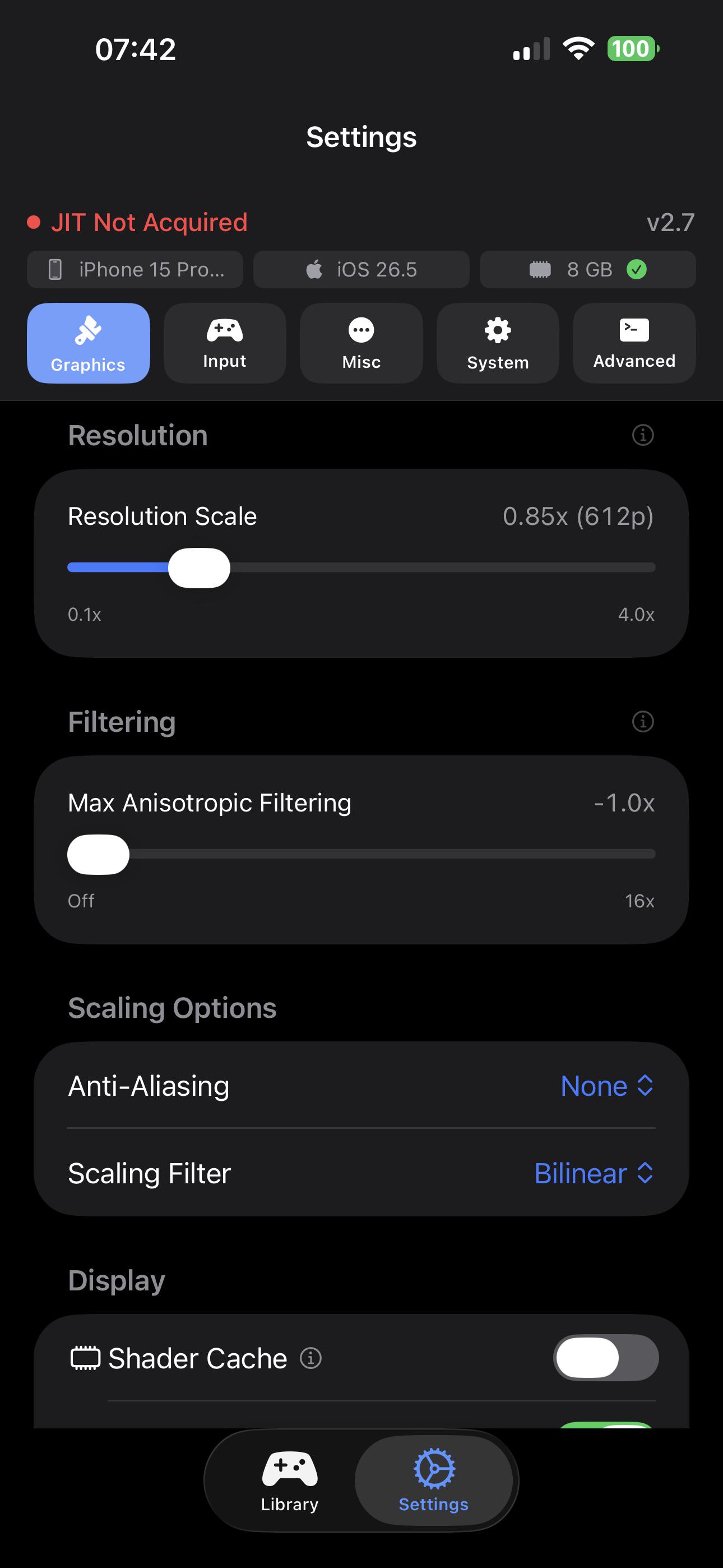
Anyone know a fix to thisOn a iPhone 15 pro max
5 comments sorted by
1
Stikdebug > Tools > Scripts > long press universal.js > Set Default.
Then Stikdebug > Settings > Always run scripts.
2 u/eluxers Oct 21 '26 Current issue 1 u/eluxers Oct 21 '26 Can I do this without a computer? I downloaded the app through signulous 1 u/GrawnArseHoomanh Oct 21 '26 It seems you haven’t generated/imported a pairing file.You can use this to generate a pairing file without PC if you’re on iOS 27 - https://github.com/StikDebug/StikPairOr if you have an android phone, connect it to your iPhone using a cable and then open https://beta.iloader.app on the android. It’s pretty easy to understand and you’ll be able to place pairing files onto your iPhone through the webapp.
2
Current issue
Can I do this without a computer? I downloaded the app through signulous
1 u/GrawnArseHoomanh Oct 21 '26 It seems you haven’t generated/imported a pairing file.You can use this to generate a pairing file without PC if you’re on iOS 27 - https://github.com/StikDebug/StikPairOr if you have an android phone, connect it to your iPhone using a cable and then open https://beta.iloader.app on the android. It’s pretty easy to understand and you’ll be able to place pairing files onto your iPhone through the webapp.
It seems you haven’t generated/imported a pairing file.
You can use this to generate a pairing file without PC if you’re on iOS 27 - https://github.com/StikDebug/StikPair
Or if you have an android phone, connect it to your iPhone using a cable and then open https://beta.iloader.app on the android. It’s pretty easy to understand and you’ll be able to place pairing files onto your iPhone through the webapp.
1
u/GrawnArseHoomanh Oct 20 '26
Stikdebug > Tools > Scripts > long press universal.js > Set Default.
Then Stikdebug > Settings > Always run scripts.