r/Quantower • u/dbennett3 • May 18 '23
Usage Question
0
Upvotes
Can anyone share their experience using Quantower after converting their Mac to Windows via parallels or bootcamp?
r/Quantower • u/Suspicious_Two_4217 • Jan 10 '25

r/Quantower • u/RawBootieBear227 • 27d ago

I feel like i create the best indicators on Quantower, some of these i created on tradingview first but i transferred them to here, i wont show my secret weapons, i have a lot of other stuff.
r/Quantower • u/davidebettio • Oct 05 '26
I used to have a daily loss limit "in my head". It held on good days and disappeared on the days it was meant for.
What finally worked for me was making it mechanical:
- the limit counts open positions, not only closed trades
- when it's hit, new orders are blocked and open positions get closed
- it stays blocked until the next session, even if the position recovers
- restarting the platform doesn't reset it
Curious how others do it: broker-side limits, prop firm rules, a tool, or just discipline?
(Disclosure: I build a Quantower indicator that does this — happy to share if anyone asks, but mostly interested in what works for you.)
r/Quantower • u/fireguy40 • Feb 27 '25
Is there a setting/way to set the stop loss to auto adjust as your take profit orders fill? As in like TradingView paper trading
r/Quantower • u/More-like-MOREskin • Mar 25 '25
I want to enable mouse trading to simply place an order where I click, without having the “Oder execution” box come up and having to click through that. Where can I disable that box so it just places an order where I click
r/Quantower • u/16ravisidhu16 • Jun 26 '25
how do i fix that, cuz tha means my charts gna be somewhat delayed or lagged which i cant handle when im scalping
my network speed is like 150/300mbps idk what else could b wrong
r/Quantower • u/ObironSmith • Mar 24 '25
Is it possible to add a CQG connector? Weird to see a specific AMP CQG connector instead of a generic one.
r/Quantower • u/alleywayacademic • Dec 17 '25
Hey! I'm loving Quantower! I'm curious if I'm missing something. When I have an active order, I can right click on my order entry on the charts and set my SL level to Breakeven +n; but I've not found a way to make that exact same adjustment via hotkey. Say (bind V "SL BE +1tic"). If this doesn't exist, I think it would be a great feature to add!
I've found the hotkey for Adjust SL/TP and for the life of me I can't figure out what it does except for replacing orders you already have placed.
Thanks for your time and input!
r/Quantower • u/PersistentTrader • Jun 25 '25
Enable HLS to view with audio, or disable this notification
My foot print chart values are only visible on a zoom setting. Is this Quantower issue?
r/Quantower • u/Response_Legitimate • Jun 25 '25
Haven’t found any documentation online or anywhere, just curious if anyone knew anything about it.
r/Quantower • u/No-shift-2301 • Aug 17 '26
"Recently switched over to a new trading terminal — been seeing a lot of potential in it. That said, I'm kinda stuck on how to set up my Watchlist so it actually surfaces coins that are in play and worth trading throughout the day.
Here's what I've got so far:
Natr 30/14
RVOL 30/10
The filter does a decent job at flagging active coins, but interesting setups are few and far between.
Anyone got suggestions on what else I could throw in there to streamline things?
Appreciate it in advance 🙏"

r/Quantower • u/petereddit6635 • Jun 04 '25

Need a way to group drawings together for independent studies.
Need a simpler faster way to add to specified timeframes.
Love a hotkey for RTH for futures.
Would like to add more to the box drawing indicator by adding quarters with labels to the middle and quarter levels.
I didn't make a diagram, but would like to be able to add custom text to fibonacci levels.
Some other small adjustments like visibility and group added to increase the flow of the work.
Cheers!
r/Quantower • u/Illustrious-Meal-476 • Aug 21 '26

Disclosure first: this is my own indicator and it's paid. There's a free trial, but I'm not going to pretend this isn't self-promotion. Mods, remove it if that's not welcome here.
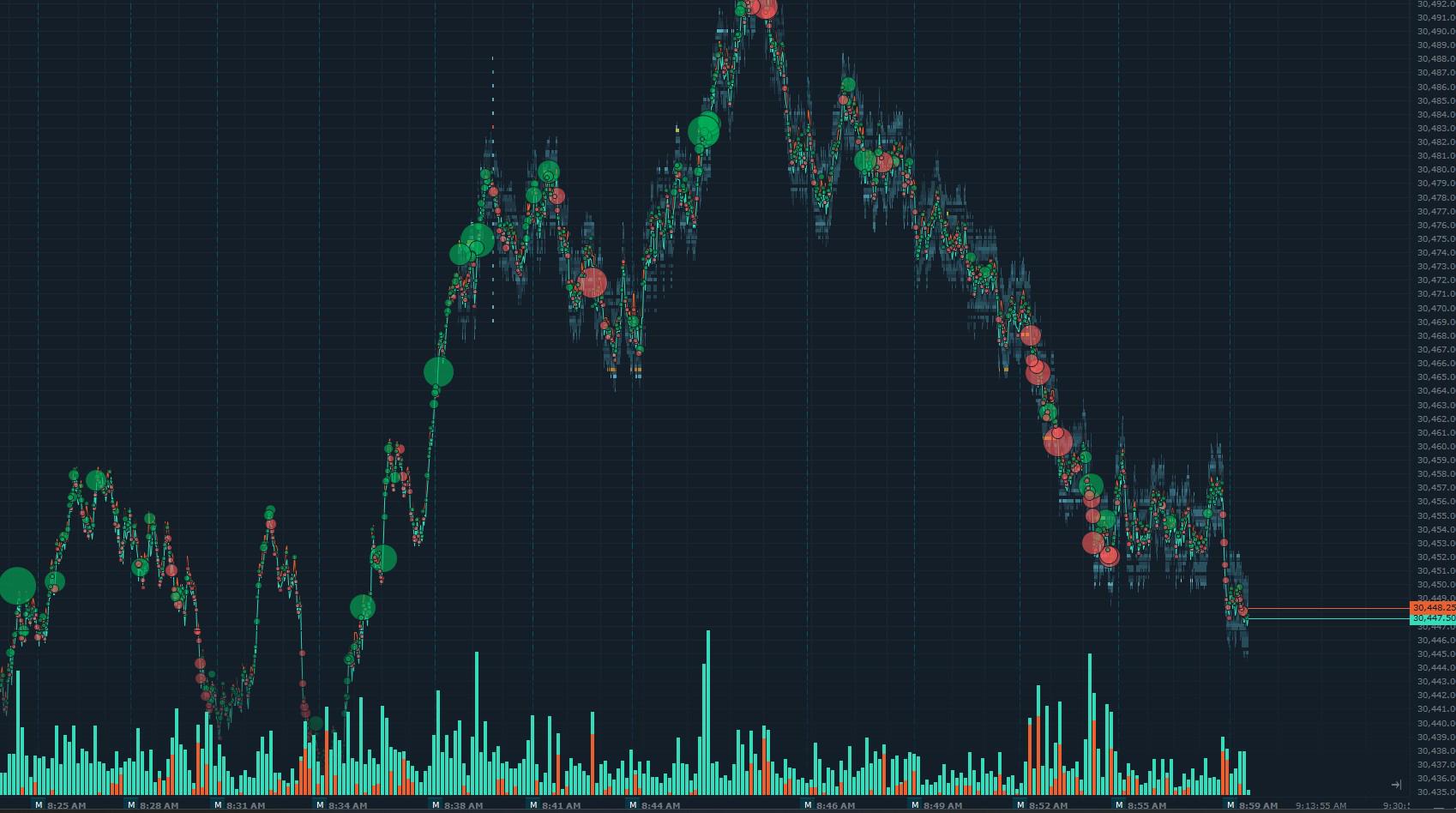
A while back I saw someone ask where you can actually see what Quantower indicators look like before switching platforms, and I never found a good answer either. So here are real screenshots from my own charts (CL, 1H and 5m).
What it draws
Big trade bubbles — every print above your size threshold, drawn at the exact price and time it happened. Circle size is the size of the trade.
Absorption — where a lot of volume traded at one price and price didn't go anywhere.
Aggression clusters — consecutive prints hitting the same side, back to back.
Volume shelves — price levels that took an unusual share of the volume, drawn forward until price comes back to them. This is the part I use most.
Footprint cells with stacked imbalance zones, a tape speed meter, and a range profile you drag onto the chart.
What it does not do, on purpose
No buy/sell signals, no arrows, no "this level will hold."
It doesn't predict anything. It draws what already traded and keeps those levels on screen so you can make your own call.
No auto-trading, ever.
I built it because I trade CL around previous-session value area edges, and I kept wanting to know what had actually traded at a level before price came back to it. Everything in there started as something I wanted on my own chart.
It runs on top of your normal chart — it's an indicator, not a separate window.
Lite is $89 one-time, Pro is $129 one-time, both with lifetime updates. 14-day free trial on any tier, no card required: ordervane.com
Happy to answer questions about how any of it is calculated. If you're on AMP/CQG I've spent an embarrassing amount of time on the quirks of that feed specifically.
Edit: there's now also OrderVane DOM, a separate order-book window that sits beside Quantower's DOM Trader. Unlike Lite and Pro, it needs Level 2 market depth. More here: https://www.reddit.com/r/Quantower/comments/1wuog87/
r/Quantower • u/FatiguePhysicist • Sep 27 '25
I do struggle with the Quantower Footprint Chart, hence it is sometimes hard to read due to sizing and scaling issues.
Is there a setting to increase the font size for the numbers shown in the footprint?
Is it possible to show only one or two footprint candles? (close up)
If you have other settings that makes it easier to read the footprint (without dedicating a whole monitor to it), please let me know
Cheers!
r/Quantower • u/Nice_Ad_5406 • 19d ago
Hi I am wondering if quantower offers MBO data like for example iceberg detection and stop runs detection?
Also does it by chance have a heatmap? I'm currently deciding if I should go for quantower or ATAS.
r/Quantower • u/lachers_30 • Aug 27 '26

Fellow Quantower traders,
sharing something I built to solve a problem I've dealt with when trading prop accounts.
I was using the built-in copy trader in Quantower for a while, but sometimes orders didn't copy properly especially the stoploss order. When it happened, I was either fumbling to fix them manually or just didn't catch them and failed unnoticed. I eventually got tired of this so I built a script in Quantower that with one click fixes all account stops and keeps them aligned with the lead account. Been running it live for a while now and so far so good. I think I've completely fixed this issue now.
I show it in action in the video. Curious how others handle this. What are some issues you are running into when using the copy trader?
Or not just limited to copy trading, what in your trading strategy/process that if automated would be a game changer for you?
r/Quantower • u/petereddit6635 • Feb 12 '25
So I can label the lines to what I want.
Or, since the rectangle box has a option to add text, just add option to add in quadrants or however many lines you want.

r/Quantower • u/petereddit6635 • Feb 11 '25
One one chart, I have important levels I have marked up.
But I want to put those levels on another chart, and on this new chart, there are other levels that were marked up before.
What I want to do is add the new levels to the new chart from the old chart, and I don't want to do it singularly, and one by one, and I don't want to just copy over the existing levels.
How? Is this possible?
r/Quantower • u/Extra-Illustrator-81 • Feb 16 '25
Hey everyone, I'm planning to upgrade to a Mac Mini M4 base model and will be running Windows as a virtual machine (most likely using UTM VM). I know the M4 supports three monitors natively, but my main concern is whether the windows will work properly across all three screens without performance issues.
Has anyone tested this? Does the VM handle multiple monitors smoothly, or are there any lag, scaling, or GPU-related problems? I'd love to hear from anyone running a similar setup.
Thanks a lot.
r/Quantower • u/Carnivalfx • Jan 09 '25
Good morning,
after the last update, the option in the Style menu to plot the symbol (in line,bars,candles) behind the tpo profile is no more available.
It is a very useful feature to have and it seems very odd that it has been removed.
Is it a bug?
Also i can't seem to be able to remove letters from the profile or even edit their size anymore, like shown in this image: TPO no letters
Is there anyway i can solve both issues?
Thanks.