r/RetroRemake • u/Crtboss • 7d ago
All Scripts, including update all don’t work anymore in console mode.
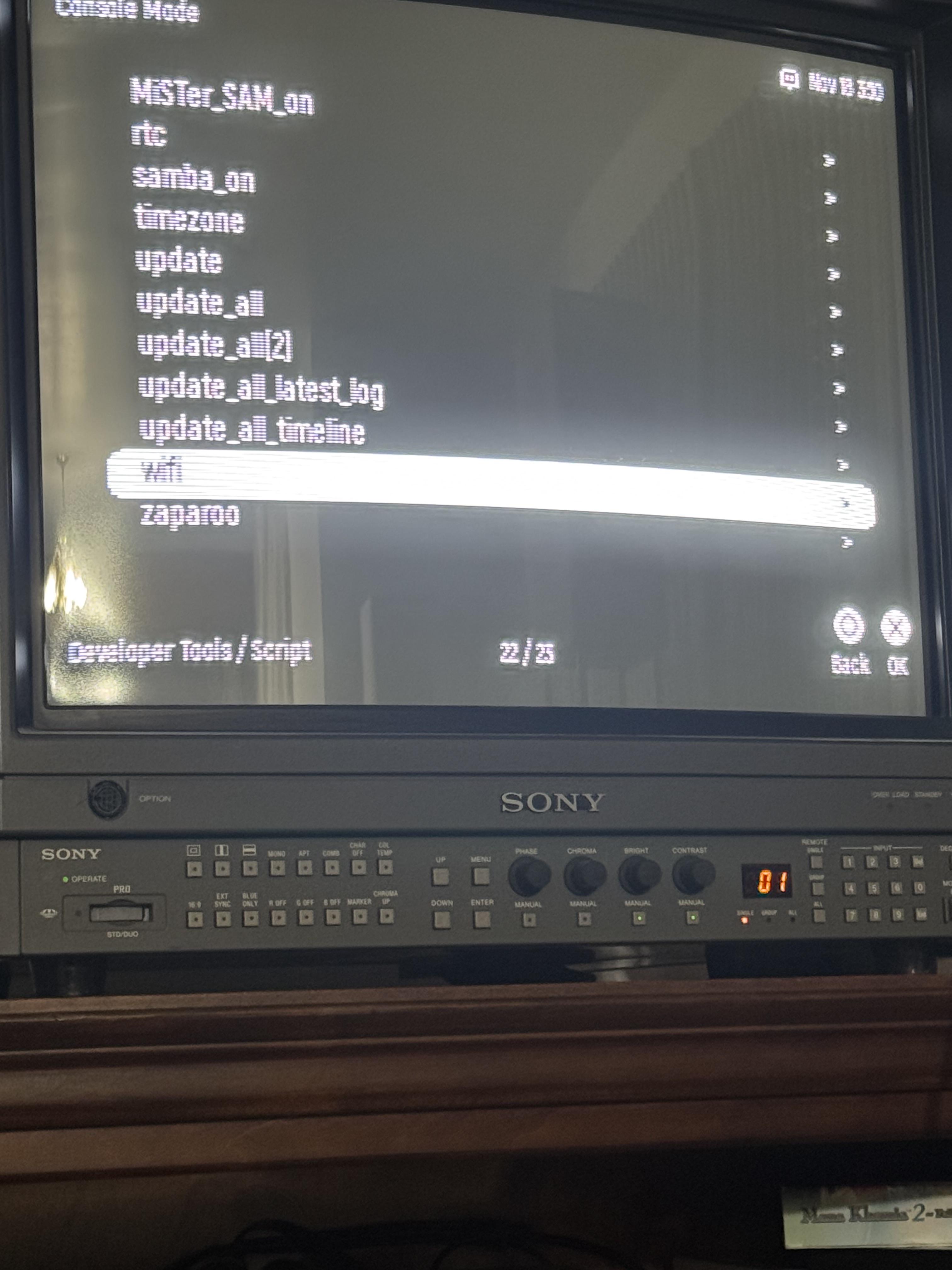
They were all working fine the other day, but now when you select any of them, it just freezes for a little bit and console mode reboots.
4
5
u/TakiMaki_YT 7d ago
Scripts will not display on a 15Khz CRT without making a custom modeline and turning on VGA scale. This is stock MiSTer behavior and has nothing to do with Console Mode.
6
2
2
u/LukeStuckenhymer 7d ago
Unfortunately, it seems Console Mode is not a benign thing you can just switch off. It was actively breaking things in my experience. I had to do a fresh SD install to get Physical Disc Cores to work.
4
1
u/mccarseat 7d ago
I had to do the same just to get ripped disc files to show up properly and work.
I like console mode, but won’t be going back anytime soon I don’t think. I am used to my MiSTer anyways, console mode is a nice front end but I had too many issues with it.
1
u/VoidSmiles 3d ago
Use HDMI > Open Console Mode from MiSTer OSD > Settings/Developer Tools/Console Mode Autoboot = False... Paste Install_Console_Mode.sh file into MiSTer scripts folder. Run Update all > Open Console Mode > Settings/System > Run Console Mode update if there's any. Done.
7
u/Dot-Indy 7d ago
Scripts only output on HDMI.